instrument panel CHEVROLET CRUZE 2011 1.G Owner's Manual
[x] Cancel search | Manufacturer: CHEVROLET, Model Year: 2011, Model line: CRUZE, Model: CHEVROLET CRUZE 2011 1.GPages: 394, PDF Size: 6.89 MB
Page 124 of 394
Black plate (12,1)Chevrolet Cruze Owner Manual - 2011
5-12 Instruments and Controls
Passenger Airbag Status
Indicator
The vehicle has a passenger
sensing system. SeePassenger
Sensing System on page 3‑33 for
important safety information. The
instrument panel has a passenger
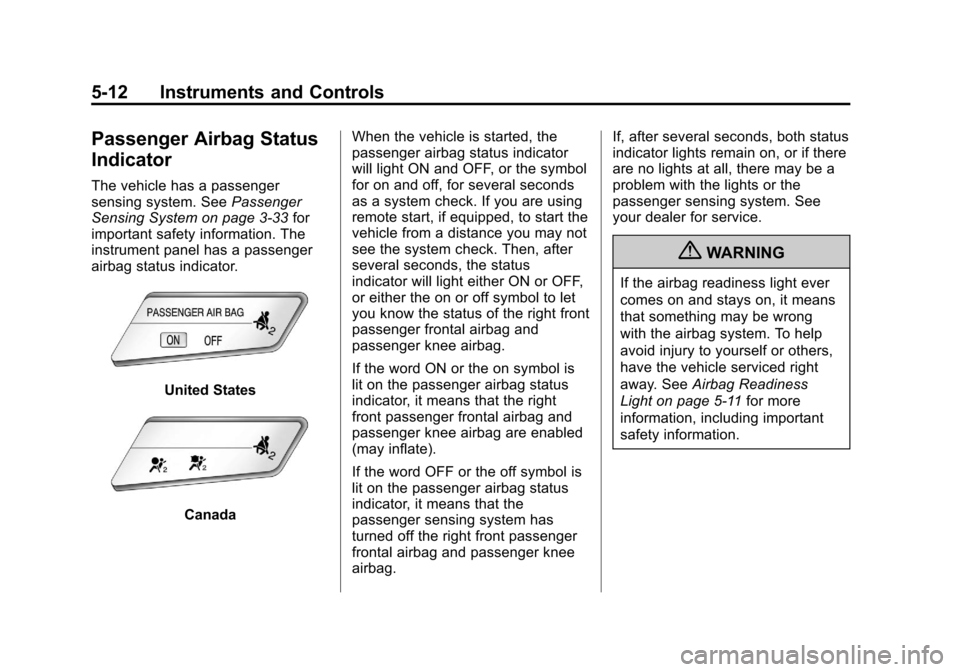
airbag status indicator.
United States
Canada When the vehicle is started, the
passenger airbag status indicator
will light ON and OFF, or the symbol
for on and off, for several seconds
as a system check. If you are using
remote start, if equipped, to start the
vehicle from a distance you may not
see the system check. Then, after
several seconds, the status
indicator will light either ON or OFF,
or either the on or off symbol to let
you know the status of the right front
passenger frontal airbag and
passenger knee airbag.
If the word ON or the on symbol is
lit on the passenger airbag status
indicator, it means that the right
front passenger frontal airbag and
passenger knee airbag are enabled
(may inflate).
If the word OFF or the off symbol is
lit on the passenger airbag status
indicator, it means that the
passenger sensing system has
turned off the right front passenger
frontal airbag and passenger knee
airbag. If, after several seconds, both status
indicator lights remain on, or if there
are no lights at all, there may be a
problem with the lights or the
passenger sensing system. See
your dealer for service.
{WARNING
If the airbag readiness light ever
comes on and stays on, it means
that something may be wrong
with the airbag system. To help
avoid injury to yourself or others,
have the vehicle serviced right
away. See
Airbag Readiness
Light on page 5‑11 for more
information, including important
safety information.
Page 127 of 394
Black plate (15,1)Chevrolet Cruze Owner Manual - 2011
Instruments and Controls 5-15
.Make sure the electrical system
is not wet. The system could be
wet if the vehicle was driven
through a deep puddle of water.
The condition is usually
corrected when the electrical
system dries out. A few driving
trips should turn the light off.
.Make sure to fuel the vehicle
with quality fuel. Poor fuel quality
causes the engine not to run as
efficiently as designed and can
cause: stalling after start-up,
stalling when the vehicle is
changed into gear, misfiring,
hesitation on acceleration,
or stumbling on acceleration.
These conditions might go away
once the engine is warmed up.
If one or more of these
conditions occurs, change the
fuel brand used. It will require at
least one full tank of the proper
fuel to turn the light off.
SeeRecommended Fuel on
page 9‑40. If none of the above have made the
light turn off, your dealer can check
the vehicle. The dealer has the
proper test equipment and
diagnostic tools to fix any
mechanical or electrical problems
that might have developed.Emissions Inspection and
Maintenance Programs
Some state/provincial and local
governments may have programs to
inspect the on-vehicle emission
control equipment. For the
inspection, the emission system test
equipment is connected to the
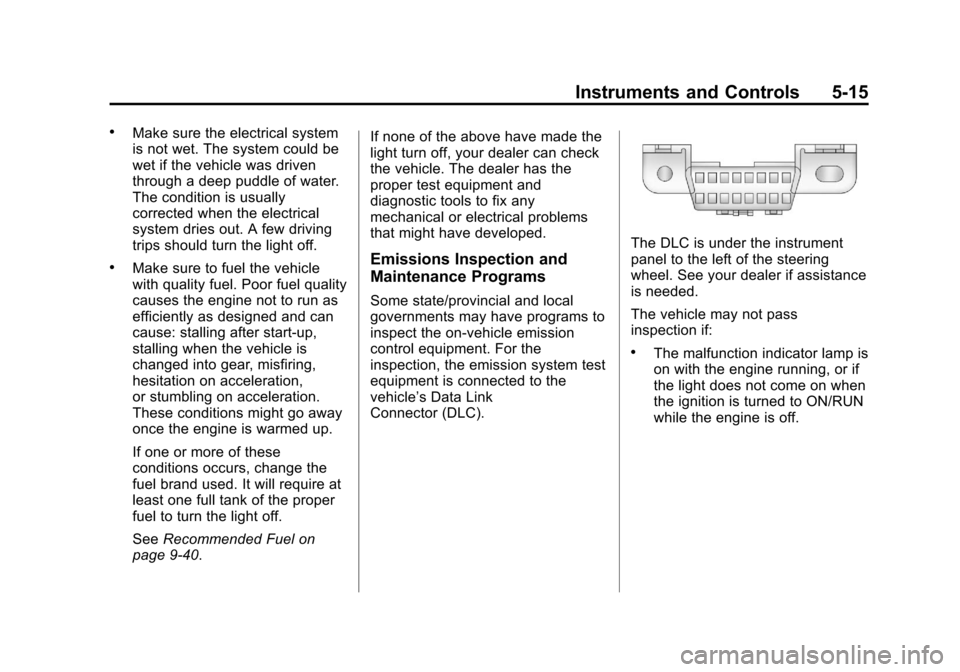
vehicle’s Data Link
Connector (DLC).
The DLC is under the instrument
panel to the left of the steering
wheel. See your dealer if assistance
is needed.
The vehicle may not pass
inspection if:
.The malfunction indicator lamp is
on with the engine running, or if
the light does not come on when
the ignition is turned to ON/RUN
while the engine is off.
Page 136 of 394
Black plate (24,1)Chevrolet Cruze Owner Manual - 2011
5-24 Instruments and Controls
Door Ajar Light
For vehicles equipped with this light,
it comes on when a door is open or
not secured. Vehicles not equipped
with a light display a DIC message.
SeeDoor Ajar Messages on
page 5‑29 for more information.
Information Displays
Driver Information
Center (DIC)
The vehicle may have a Driver
Information Center (DIC). The DIC
displays information about your
vehicle. It also displays warning
messages if a system problem is
detected. See Vehicle Messages
(Canada Base Level) on page 5‑27
or Vehicle Messages (Canada
Uplevel and United States) on
page 5‑28 for more information. All
messages appear in the DIC display
located in the center of the
instrument panel cluster.
DIC Operation and Displays
The DIC has different displays
which can be accessed by using the
DIC buttons located on the turn
signal lever located on the left side
of the steering wheel. The DIC
displays trip, fuel, and warning
messages if a system problem is
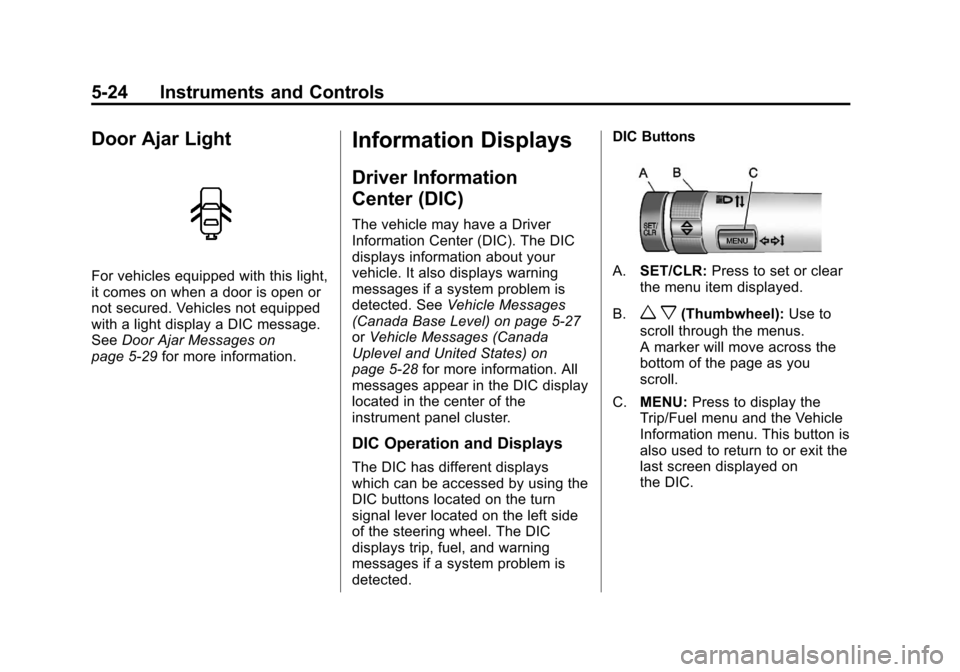
detected. DIC Buttons
A.
SET/CLR: Press to set or clear
the menu item displayed.
B.
w x(Thumbwheel): Use to
scroll through the menus.
A marker will move across the
bottom of the page as you
scroll.
C. MENU: Press to display the
Trip/Fuel menu and the Vehicle
Information menu. This button is
also used to return to or exit the
last screen displayed on
the DIC.
Page 153 of 394
Black plate (1,1)Chevrolet Cruze Owner Manual - 2011
Lighting 6-1
Lighting
Exterior Lighting
Exterior Lamp Controls . . . . . . . . 6-1
Headlamp High/Low-BeamChanger . . . . . . . . . . . . . . . . . . . . . 6-2
Flash-to-Pass . . . . . . . . . . . . . . . . . 6-2
Daytime Running Lamps (DRL) . . . . . . . . . . . . . . . . 6-2
Automatic Headlamp System . . . . . . . . . . . . . . . . . . . . . . 6-3
Hazard Warning Flashers . . . . . 6-3
Turn and Lane-Change Signals . . . . . . . . . . . . . . . . . . . . . . 6-4
Front Fog Lamps . . . . . . . . . . . . . . 6-4
Interior Lighting
Instrument Panel Illumination Control . . . . . . . . . . . . . . . . . . . . . . 6-5
Courtesy Lamps . . . . . . . . . . . . . . 6-5
Dome Lamps . . . . . . . . . . . . . . . . . 6-5
Reading Lamps . . . . . . . . . . . . . . . 6-6
Lighting Features
Entry Lighting . . . . . . . . . . . . . . . . . 6-6
Exit Lighting . . . . . . . . . . . . . . . . . . . 6-6
Battery Power Protection . . . . . . 6-6
Exterior Lighting
Exterior Lamp Controls
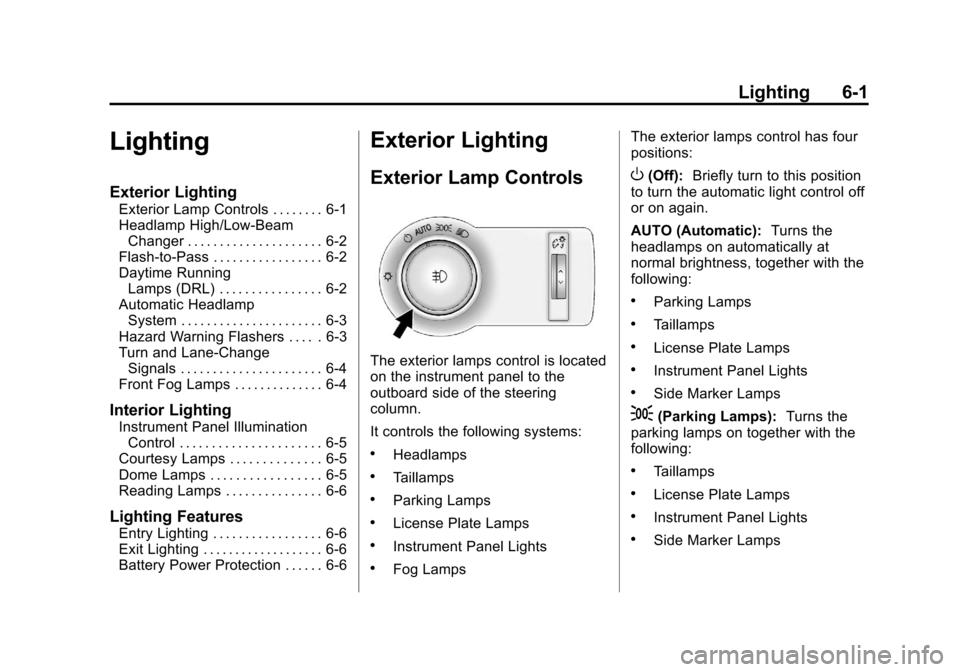
The exterior lamps control is located
on the instrument panel to the
outboard side of the steering
column.
It controls the following systems:
.Headlamps
.Taillamps
.Parking Lamps
.License Plate Lamps
.Instrument Panel Lights
.Fog Lamps The exterior lamps control has four
positions:
O(Off):
Briefly turn to this position
to turn the automatic light control off
or on again.
AUTO (Automatic): Turns the
headlamps on automatically at
normal brightness, together with the
following:
.Parking Lamps
.Taillamps
.License Plate Lamps
.Instrument Panel Lights
.Side Marker Lamps
;(Parking Lamps): Turns the
parking lamps on together with the
following:
.Taillamps
.License Plate Lamps
.Instrument Panel Lights
.Side Marker Lamps
Page 154 of 394
Black plate (2,1)Chevrolet Cruze Owner Manual - 2011
6-2 Lighting
5(Headlamps):Turns the
headlamps on together with the
lamps listed below. A warning chime
sounds if the driver door is opened
when the ignition switch is off and
the headlamps are on.
.Parking Lamps
.Taillamps
.License Plate Lamps
.Instrument Panel Lights
.Side Marker Lamps
#(Front Fog Lamps): For
vehicles with fog lamps, press to
turn the lamps on or off.
See Front Fog Lamps on page 6‑4.
When the lights are on,
;will be
lit. See Lamps On Reminder on
page 5‑23.
Headlamp High/
Low-Beam Changer
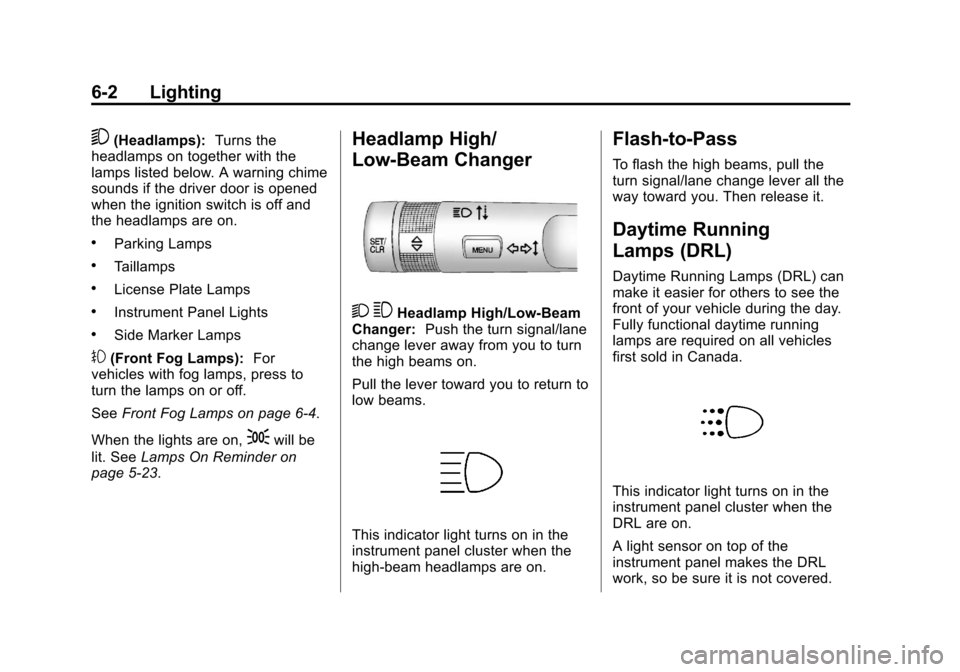
2 3Headlamp High/Low‐Beam
Changer: Push the turn signal/lane
change lever away from you to turn
the high beams on.
Pull the lever toward you to return to
low beams.
This indicator light turns on in the
instrument panel cluster when the
high‐beam headlamps are on.
Flash-to-Pass
To flash the high beams, pull the
turn signal/lane change lever all the
way toward you. Then release it.
Daytime Running
Lamps (DRL)
Daytime Running Lamps (DRL) can
make it easier for others to see the
front of your vehicle during the day.
Fully functional daytime running
lamps are required on all vehicles
first sold in Canada.
This indicator light turns on in the
instrument panel cluster when the
DRL are on.
A light sensor on top of the
instrument panel makes the DRL
work, so be sure it is not covered.
Page 155 of 394
Black plate (3,1)Chevrolet Cruze Owner Manual - 2011
Lighting 6-3
The DRL system makes the low‐
beam headlamps come on at a
reduced brightness when the
following conditions are met:
.The ignition is in the ON/
RUN mode.
.The exterior lamps control is
in AUTO.
.The engine is running.
When the DRL are on, only the low‐
beam headlamps, at a reduced level
of brightness, will be on. The
taillamps, sidemarker, instrument
panel, and other lamps will not
be on.
The headlamps automatically
change from DRL to the regular
headlamps depending on the
darkness of the surroundings. The
other lamps that come on with the
headlamps will also come on.
When it is bright enough outside,
the headlamps go off and the DRL
come on. To turn the DRL lamps off or on
again, turn the exterior lamps
control to the off position and then
release. For vehicles first sold in
Canada, the DRL lamps cannot be
turned off.
Automatic Headlamp
System
When it is dark enough outside and
the exterior lamps control is in the
automatic position, the headlamps
come on automatically. See
Exterior
Lamp Controls on page 6‑1.
The vehicle has a light sensor
located on top of the instrument
panel. Make sure it is not covered,
or the headlamps will be on when
they are not needed.
The system may also turn on the
headlamps when driving through a
parking garage or tunnel.
Hazard Warning Flashers
|
Hazard Warning Flasher:
Press and momentarily hold this
button located on the instrument
panel above the climate control
system, to make the front and rear
turn signal lamps flash on and off.
This warns others that you are
having trouble. Press and
momentarily hold again to turn the
flashers off.
Page 156 of 394
Black plate (4,1)Chevrolet Cruze Owner Manual - 2011
6-4 Lighting
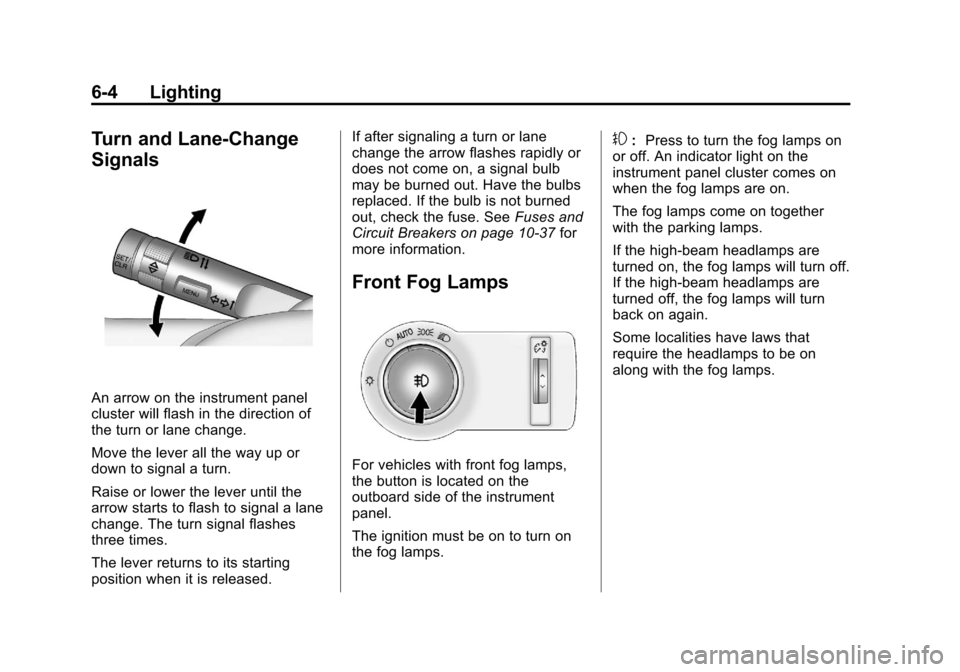
Turn and Lane-Change
Signals
An arrow on the instrument panel
cluster will flash in the direction of
the turn or lane change.
Move the lever all the way up or
down to signal a turn.
Raise or lower the lever until the
arrow starts to flash to signal a lane
change. The turn signal flashes
three times.
The lever returns to its starting
position when it is released.If after signaling a turn or lane
change the arrow flashes rapidly or
does not come on, a signal bulb
may be burned out. Have the bulbs
replaced. If the bulb is not burned
out, check the fuse. See
Fuses and
Circuit Breakers on page 10‑37 for
more information.
Front Fog Lamps
For vehicles with front fog lamps,
the button is located on the
outboard side of the instrument
panel.
The ignition must be on to turn on
the fog lamps.
#: Press to turn the fog lamps on
or off. An indicator light on the
instrument panel cluster comes on
when the fog lamps are on.
The fog lamps come on together
with the parking lamps.
If the high‐beam headlamps are
turned on, the fog lamps will turn off.
If the high‐beam headlamps are
turned off, the fog lamps will turn
back on again.
Some localities have laws that
require the headlamps to be on
along with the fog lamps.
Page 157 of 394
Black plate (5,1)Chevrolet Cruze Owner Manual - 2011
Lighting 6-5
Interior Lighting
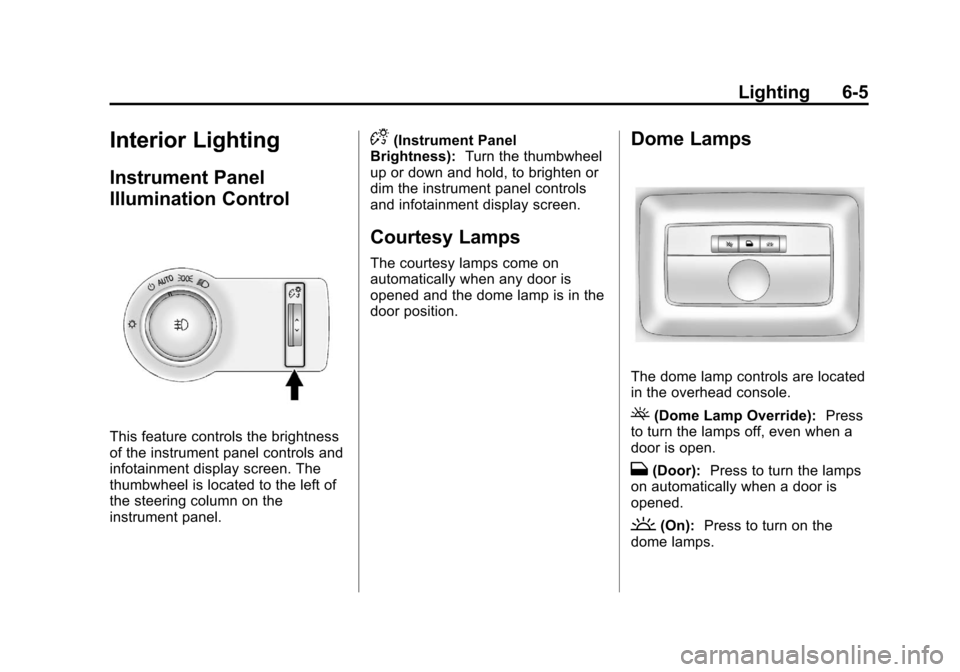
Instrument Panel
Illumination Control
This feature controls the brightness
of the instrument panel controls and
infotainment display screen. The
thumbwheel is located to the left of
the steering column on the
instrument panel.
D(Instrument Panel
Brightness): Turn the thumbwheel
up or down and hold, to brighten or
dim the instrument panel controls
and infotainment display screen.
Courtesy Lamps
The courtesy lamps come on
automatically when any door is
opened and the dome lamp is in the
door position.
Dome Lamps
The dome lamp controls are located
in the overhead console.
((Dome Lamp Override): Press
to turn the lamps off, even when a
door is open.
H(Door): Press to turn the lamps
on automatically when a door is
opened.
'(On): Press to turn on the
dome lamps.
Page 194 of 394
Black plate (2,1)Chevrolet Cruze Owner Manual - 2011
8-2 Climate Controls
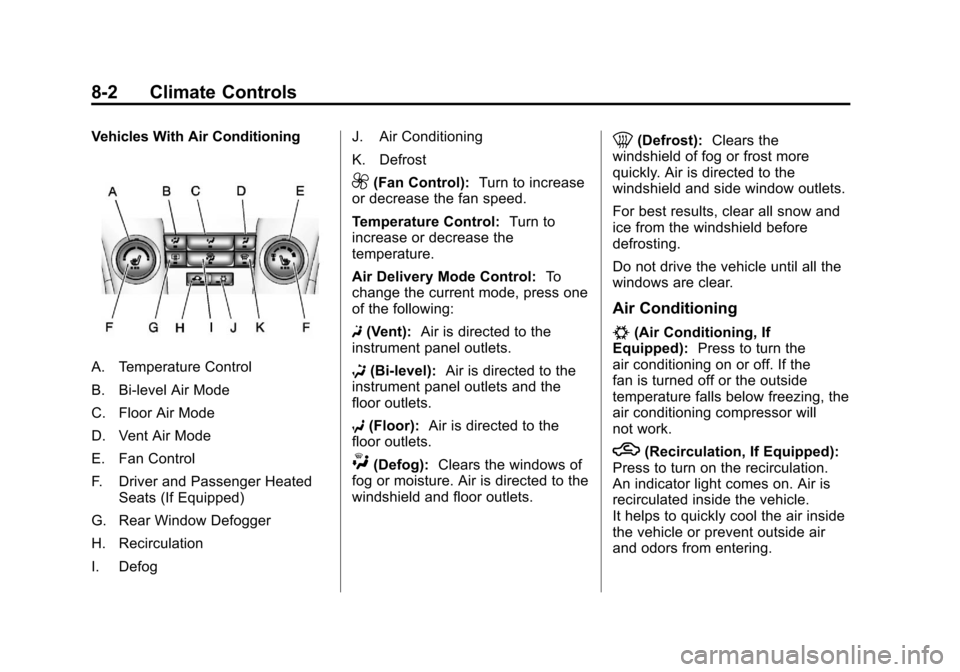
Vehicles With Air Conditioning
A. Temperature Control
B. Bi-level Air Mode
C. Floor Air Mode
D. Vent Air Mode
E. Fan Control
F. Driver and Passenger HeatedSeats (If Equipped)
G. Rear Window Defogger
H. Recirculation
I. Defog J. Air Conditioning
K. Defrost
9(Fan Control):
Turn to increase
or decrease the fan speed.
Temperature Control: Turn to
increase or decrease the
temperature.
Air Delivery Mode Control: To
change the current mode, press one
of the following:
F (Vent): Air is directed to the
instrument panel outlets.
* (Bi-level): Air is directed to the
instrument panel outlets and the
floor outlets.
7 (Floor): Air is directed to the
floor outlets.
W(Defog): Clears the windows of
fog or moisture. Air is directed to the
windshield and floor outlets.
0(Defrost): Clears the
windshield of fog or frost more
quickly. Air is directed to the
windshield and side window outlets.
For best results, clear all snow and
ice from the windshield before
defrosting.
Do not drive the vehicle until all the
windows are clear.
Air Conditioning
#(Air Conditioning, If
Equipped): Press to turn the
air conditioning on or off. If the
fan is turned off or the outside
temperature falls below freezing, the
air conditioning compressor will
not work.
h(Recirculation, If Equipped):
Press to turn on the recirculation.
An indicator light comes on. Air is
recirculated inside the vehicle.
It helps to quickly cool the air inside
the vehicle or prevent outside air
and odors from entering.
Page 196 of 394
Black plate (4,1)Chevrolet Cruze Owner Manual - 2011
8-4 Climate Controls
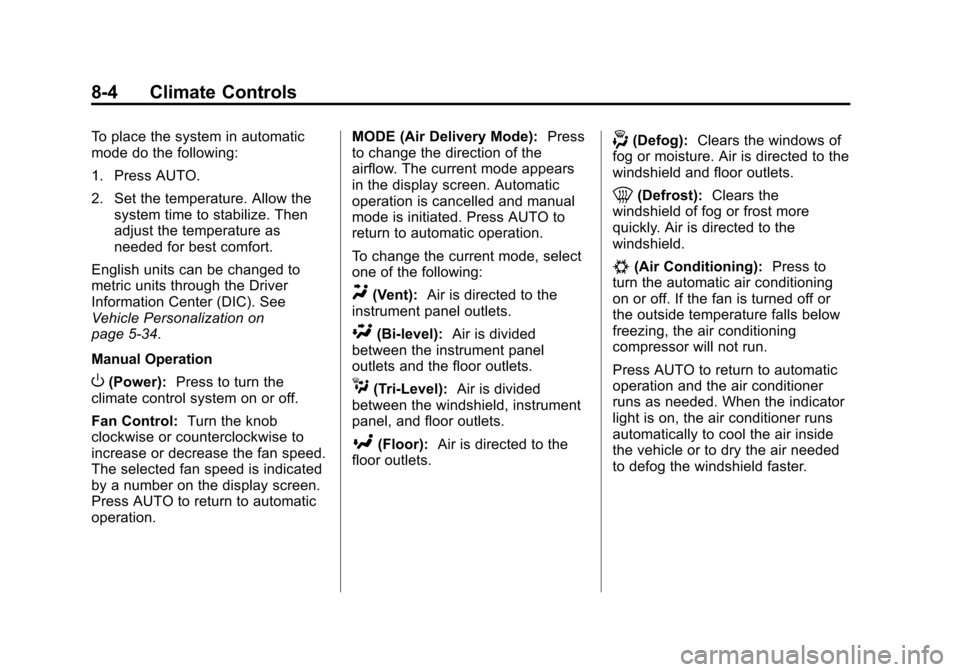
To place the system in automatic
mode do the following:
1. Press AUTO.
2. Set the temperature. Allow thesystem time to stabilize. Then
adjust the temperature as
needed for best comfort.
English units can be changed to
metric units through the Driver
Information Center (DIC). See
Vehicle Personalization on
page 5‑34.
Manual Operation
O(Power): Press to turn the
climate control system on or off.
Fan Control: Turn the knob
clockwise or counterclockwise to
increase or decrease the fan speed.
The selected fan speed is indicated
by a number on the display screen.
Press AUTO to return to automatic
operation. MODE (Air Delivery Mode):
Press
to change the direction of the
airflow. The current mode appears
in the display screen. Automatic
operation is cancelled and manual
mode is initiated. Press AUTO to
return to automatic operation.
To change the current mode, select
one of the following:
Y(Vent): Air is directed to the
instrument panel outlets.
\(Bi-level): Air is divided
between the instrument panel
outlets and the floor outlets.
C(Tri‐Level): Air is divided
between the windshield, instrument
panel, and floor outlets.
[(Floor): Air is directed to the
floor outlets.
-(Defog): Clears the windows of
fog or moisture. Air is directed to the
windshield and floor outlets.
0(Defrost): Clears the
windshield of fog or frost more
quickly. Air is directed to the
windshield.
#(Air Conditioning): Press to
turn the automatic air conditioning
on or off. If the fan is turned off or
the outside temperature falls below
freezing, the air conditioning
compressor will not run.
Press AUTO to return to automatic
operation and the air conditioner
runs as needed. When the indicator
light is on, the air conditioner runs
automatically to cool the air inside
the vehicle or to dry the air needed
to defog the windshield faster.