steering CHEVROLET EXPRESS 1997 1.G User Guide
[x] Cancel search | Manufacturer: CHEVROLET, Model Year: 1997, Model line: EXPRESS, Model: CHEVROLET EXPRESS 1997 1.GPages: 386, PDF Size: 20.32 MB
Page 94 of 386
Downloaded from www.Manualslib.com manuals search engine Tbrn SignaVMultifunction Lever
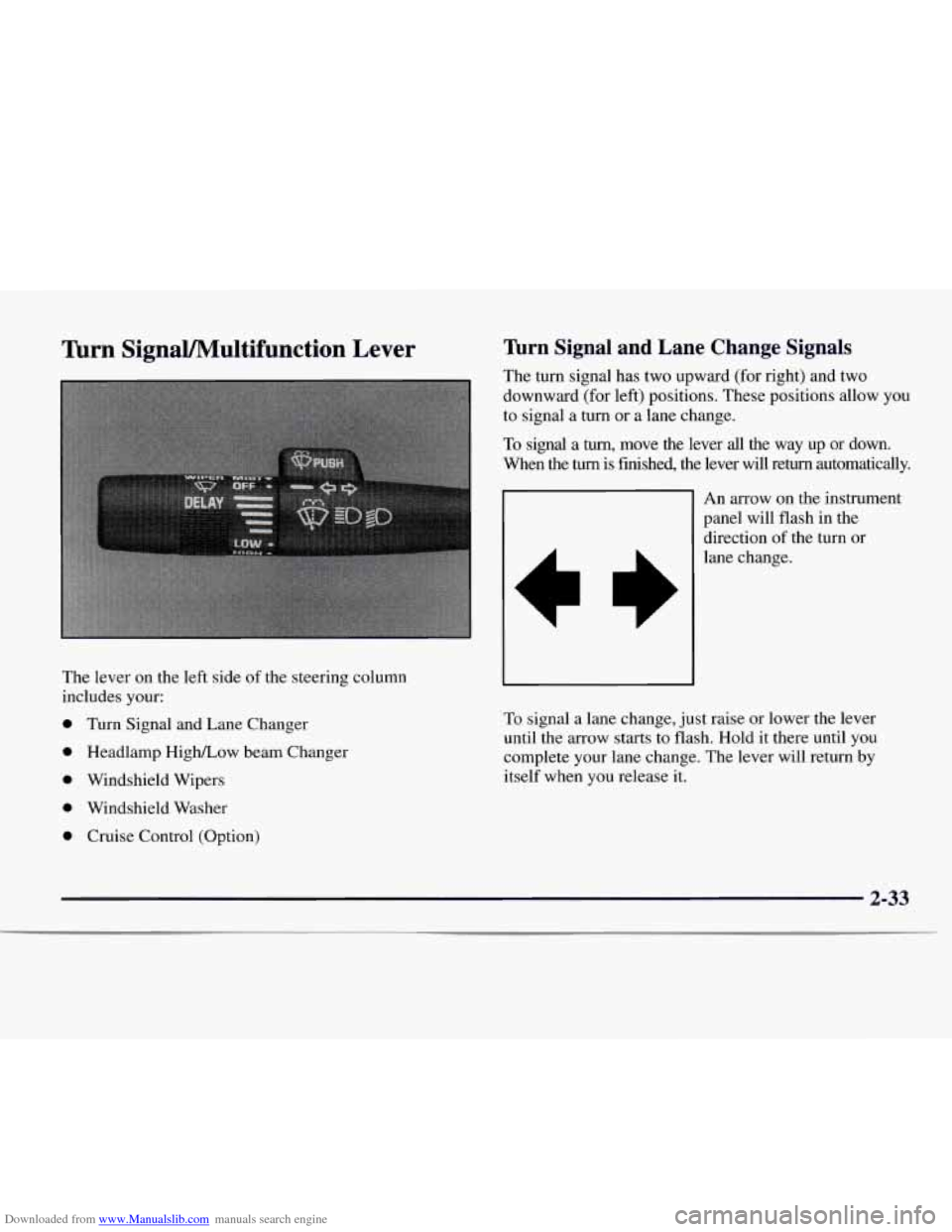
The lever on the left side of the steering column
includes your:
0 Turn Signal and Lane Changer
0 Headlamp High/Low beam Changer
0 Windshield Wipers
0 Windshield Washer
0 Cruise Control (Option)
Turn Signal and Lane Change Signals
The turn signal has two upward (for right) and two
downward (for left) positions. These positions allow you
to signal a
turn or a lane change.
To signal a turn, move the lever all the way up or down.
When the turn is finished, the lever will return automatically.\
An arrow on the instrument
panel will flash in the
direction of the turn or
lane change.
To signal a lane change, just raise or lower the lever
until the arrow starts to flash. Hold it there until
you
complete your lane change. The lever will return by
itself when
you release it.
2-33
Page 154 of 386
Downloaded from www.Manualslib.com manuals search engine Section 4 Your Driving and the Road
Here you’ll find information about driving on different kinds of roads and in varying weather conditions. We’ve also
included many other useful tips
on driving.
4-2
4-3
4-6 4-6
4-9
4-11 4-12
4- 13
4- 14 Defensive
Driving
Drunken Driving
Control
of a Vehicle
Braking
Steering
Off-Road Recovery
Passing
Loss of Control
Driving at Night 4-
16
4-19
4-20
4-2
1
4-22
4-22
4-24 4-27
4-29 Driving
in Rain and
on Wet Roads
City Driving
Freeway Driving
Before Leaving on a Long Trip
Highway Hypnosis Hill and Mountain Roads
Winter Driving
Loading Your Vehicle
Towing
a Trailer
Page 159 of 386
Downloaded from www.Manualslib.com manuals search engine Control of a Vehicle Braking
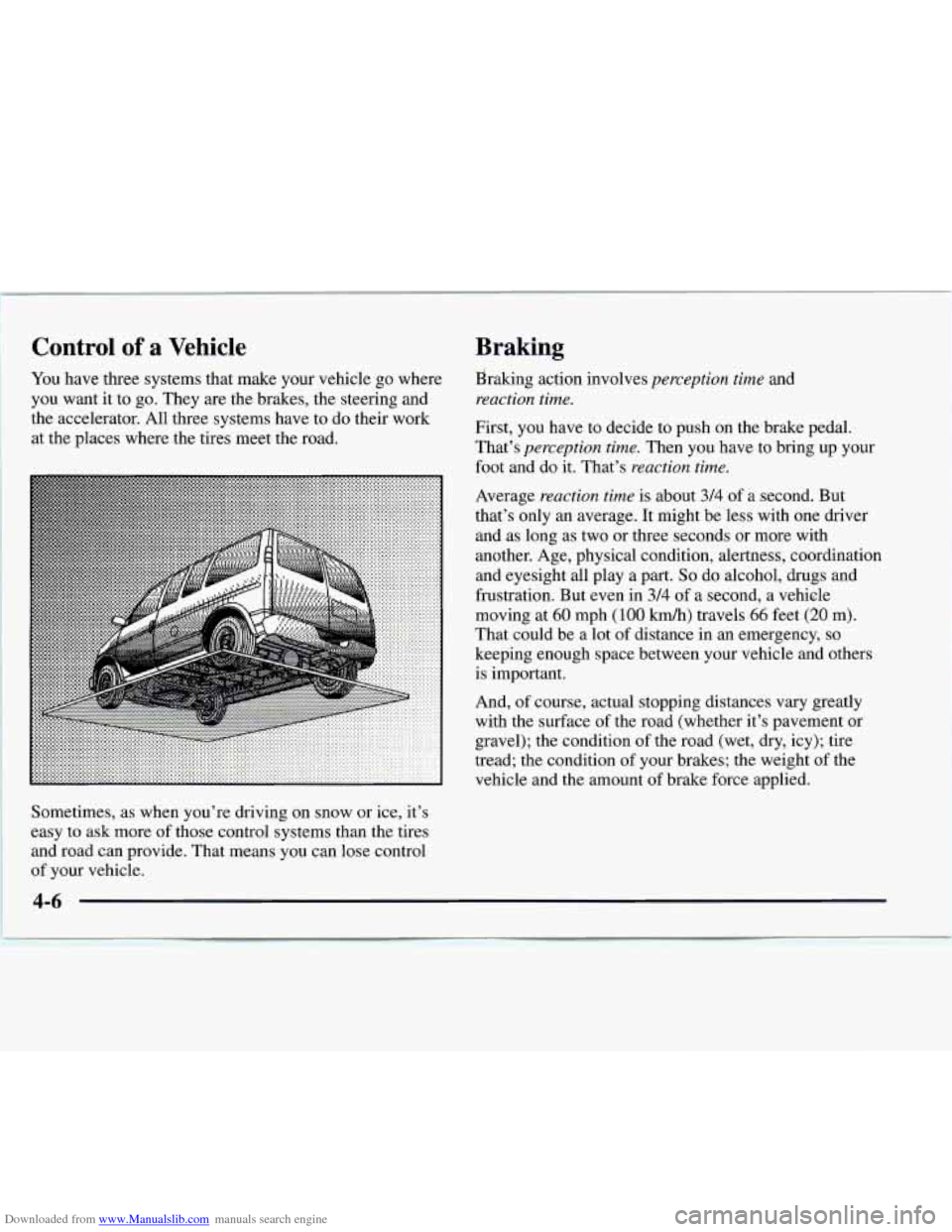
You have three systems that make your vehicle go where
you want it to go. They are the brakes, the steering and
the accelerator. All three systems have to do their work
at the places where the tires meet the road.
Sometimes, as when you’re driving on snow or ice, it’s
easy
to ask more of those control systems than the tires
and road can provide. That means you can lose control
of your vehicle. Ekaking
action involves
perception time and
reaction time.
First, you have to decide to push on the brake pedal.
That’s
perception time. Then you have to bring up your
foot and do it. That’s
reaction time.
Average reaction time is about 314 of a second. But
that’s only an average. It might be less with one driver
and as long as two
or three seconds or more with
another. Age, physical condition, alertness, coordination
and eyesight all play a part.
So do alcohol, drugs and
frustration. But even in
3/4 of a second, a vehicle
moving at
60 mph (100 km/h) travels 66 feet (20 m).
That could be a lot
of distance in an emergency, so
keeping enough space between your vehicle and others
is important.
And,
of course, actual stopping distances vary greatly
with the surface of the road (whether it’s pavement or
gravel); the condition of the road (wet, dry, icy); tire
tread; the condition of your brakes; the weight
of the
vehicle and
the amount of brake force applied.
4-6
Page 162 of 386
Downloaded from www.Manualslib.com manuals search engine Remember: Anti-lock doesn’t change the time you need
to get your foot up
to the brake pedal or always decrease
stopping distance.
If you get too close to the vehicle in
front of you, you won’t have time
to apply your brakes
if that vehicle suddenly slows or stops. Always leave
enough room up ahead to stop, even though
you have
anti-lock brakes.
Using Anti-Lock
Don’t pump the brakes. Just hold the brake pedal down
and let anti-lock work for you. You may feel the brakes
vibrate, or you may notice some noise, but this is normal.
Braking in Emergencies
With anti-lock, you can steer and brake at the same
time.
In many emergencies, steering can help you more
than even the very best braking.
Steering
Power Steering
If you lose power steering assist because the engine
stops
or the system is not functioning, you can steer but
it will take much more effort.
Steering Tips
Driving on Curves
It’s important to take curves at a reasonable speed.
A lot of the “driver lost control” accidents mentioned on
the news happen on curves. Here’s why:
Experienced driver or beginner, each of us is subject to
the same laws of physics when driving on curves.
The
traction of the tires against the road surface makes it
possible for the vehicle to change its path when you turn
the front wheels.
If there’s no traction, inertia will keep
the vehicle going
in the same direction. If you’ve ever
tried
to steer a vehicle on wet ice, you’ll understand this.
~ 4-9
Page 163 of 386
Downloaded from www.Manualslib.com manuals search engine The traction you can get in a curve depends on the
condition of your tires and the road surface, the angle at
which the curve is banked, and your speed. While you’re
in a curve, speed is the one factor you can control.
Suppose you’re steering through a sharp curve. Then you
suddenly accelerate. Both control systems
-- steering and
acceleration
-- have to do their work where the tires meet
the road. Adding the sudden acceleration can demand too
much of those places. You can lose control.
What should you do if this ever happens? Ease up on the
accelerator pedal, steer the vehicle the way you want it
to go, and slow down.
Speed limit signs near curves warn that you should
adjust your speed.
Of course, the posted speeds are
based on good weather and road conditions. Under less
favorable conditions you’ll want
to go slower.
If you need
to reduce your speed as you approach a
curve, do it before you enter the curve, while your front
wheels are straight ahead.
Try
to adjust your speed so you can “drive” through the
curve. Maintain a reasonable, steady speed. Wait to
accelerate until
you are out of the curve, and then
accelerate gently into the straightaway.
Steering in Emergencies
There are times when steering can be more effective
than braking. For example, you come over a hill and
find a truck stopped in your lane, or a car suddenly pulls
out from nowhere, or a child darts out from between
parked cars and stops right
in front of you. You can
avoid these problems by braking
-- if you can stop
in time. But sometimes you can’t; there isn’t room.
That’s the time for evasive action
-- steering around
the problem.
Your vehicle can perform very well
in emergencies like
these. First apply your brakes. (See “Braking in
Emergencies” earlier
in this section.) It is better to
remove as much speed as you can from a possible
collision. Then steer around the problem, to the left or
right depending on the space available.
4-10
Page 164 of 386
Downloaded from www.Manualslib.com manuals search engine An emergency like this requires close attention and a
quick decision. If you are holding the steering wheel at
the recommended
9 and 3 o'clock positions, you can
turn it
a full 180 degrees very quickly without removing
either hand. But you have
to act fast, steer quickly, and
just as quickly straighten the wheel once you have
avoided the object.
The fact that such emergency situations are always
possible is
a good reason to practice defensive driving at
all times and wear safety belts properly.
Off-Road Recovery
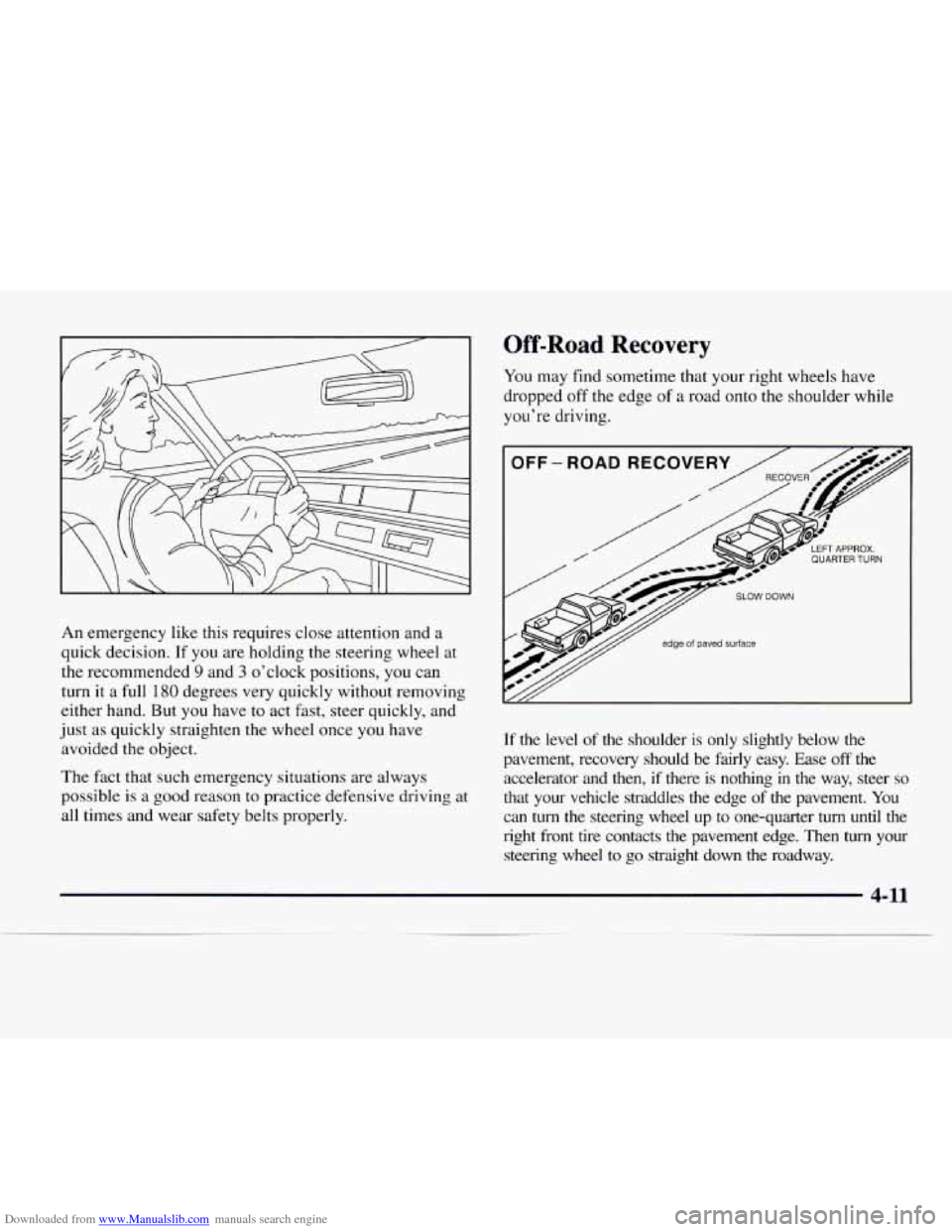
You may find sometime that your right wheels have
dropped off the edge of a road onto the shoulder while
you're driving.
p/y/ edge of paved surface
If the level of the shoulder is only slightly below the
pavement, recovery should be fairly easy. Ease
off the
accelerator and then, if there
is nothing in the way, steer so
that your vehicle straddles the edge of the pavement. You
can turn the steering wheel up to one-quarter turn until the
right front tire contacts the pavement edge. Then
turn your
steering wheel
to go straight down the roadway.
4-11
Page 166 of 386
Downloaded from www.Manualslib.com manuals search engine 0 Check your mirrors, glance over your shoulder and
start your left lane change signal before moving out
of the right lane to pass. When you are far enough
ahead
of the passed vehicle to see its front in your
inside mirror, activate your right lane change signal
and move back
into the right lane. (Remember that
your right outside mirror
is convex. The vehicle you
just passed may seem
to be farther away from you
than it really is.)
0 Try not to pass more than one vehicle at a time on
two-lane roads. Reconsider before passing the
next vehicle.
Don’t overtake a slowly moving vehicle too rapidly.
Even though the brake lamps are not flashing,
it may
be slowing down or starting to turn.
If you’re being passed, make it easy for the
following driver to get ahead of
you. Perhaps you
can ease a little
to the right.
Loss of Control
Let’s review what driving experts say about what happens
when the three control systems (brakes, steering and
acceleration) don’t have enough friction where the tires meet the road to do what
the driver has asked.
In any emergency, don’t give up. Keep trying to steer and
constantly seek an escape route or area
of less danger.
Skidding
In a skid, a driver can lose control of the vehicle.
Defensive drivers avoid most skids by taking reasonable
care suited to existing conditions, and by not “overdriving”
those conditions. But skids
are always possible.
The three types of skids correspond to your vehicle’s
three control systems. In the braking skid, your wheels
aren’t rolling.
In the steering or cornering skid, too
much speed or steering
in a curve causes tires to slip and
lose cornering force. And in the acceleration skid, too
much throttle causes the driving wheels to spin.
A cornering skid and an acceleration skid are best
handled by easing your foot off the accelerator pedal.
4-13
Page 167 of 386
Downloaded from www.Manualslib.com manuals search engine If your vehicle starts to slide, ease your foot off the
accelerator pedal and quickly steer the way you want the
vehicle
to go. If you start steering quickly enough, your
vehicle may straighten out. Always be ready for
a
second skid if it occurs.
Of course, traction is reduced when water, snow, ice,
gravel or other material is on
the road. For safety, you’ll
want to slow down and adjust your driving to these
conditions. It is important
to slow down on slippery
surfaces because stopping distance will be longer and
vehicle control more limited.
While driving
on a surface with reduced traction, try
your best to avoid sudden steering, acceleration or
braking (including engine braking by shifting to a lower
gear). Any sudden changes could cause the tires
to slide.
You may not realize the surface is slippery until your
vehicle is skidding. Learn to recognize warning
clues
-- such as enough water, ice or packed snow on
the road to make a “mirrored surface” -- and slow
down when you have any doubt.
Remember: Any anti-lock brake system (ABS) helps
avoid only the braking skid.
Driving at Night
Night driving is more dangerous than day driving.
One reason
is that some drivers are likely to be
impaired
-- by alcohol or drugs, with night vision
problems, or by fatigue.
4-14
Page 178 of 386
Downloaded from www.Manualslib.com manuals search engine Whatever the condition -- smooth ice, packed, blowing
or loose snow
-- drive with caution.
Accelerate gently. Try not
to break the fragile traction.
If you accelerate too fast, the drive wheels will spin and
polish the surface under
the tires even more.
Your anti-lock brakes improve your vehicle’s stability
when you make
a hard stop on a slippery road. Even
though you have an anti-lock braking system, you’ll
want
to begin stopping sooner than you would on dry
pavement. See “Anti-Lock” in the Index.
Allow greater following distance on any slippery road.
Watch for slippery spots. The road might be fine
until you hit a spot that’s covered with ice. On an
otherwise clear road, ice patches may appear in
shaded areas where the sun can’t reach: around
clumps of trees, behind buildings or under bridges.
Sometimes the surface of
a curve or an overpass may
remain icy when the surrounding roads are clear.
If
you see a patch of ice ahead of you, brake before you
are on it. Try not to brake while you’re actually on
the ice, and avoid sudden steering maneuvers.
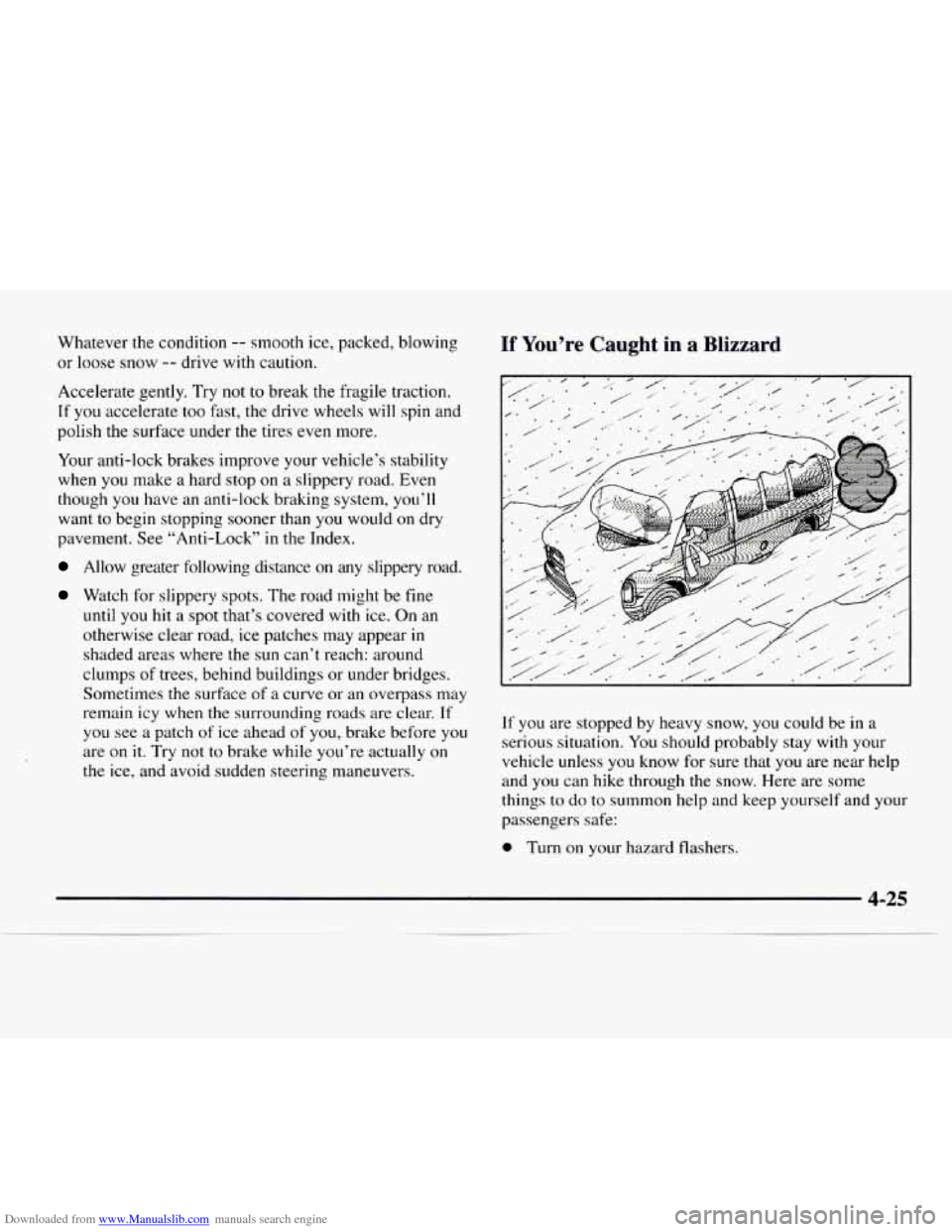
If You’re Caught in a Blizzard
If you are stopped by heavy snow, you could be in a
serious situation. You should probably stay with your
vehicle unless you know for sure that
you are near help
and you can hike through the snow. Here are some
things
to do to summon help and keep yourself and your
passengers safe:
0 Turn on your hazard flashers.
Page 188 of 386
Downloaded from www.Manualslib.com manuals search engine Towing a trailer requires a certain amount of experience.
Before setting out for the open road, you’ll want
to get
to know your rig. Acquaint yourself with the feel of
handling and braking with
the added weight of the
trailer. And always keep in mind that the vehicle
you are
driving is now a good deal longer and not nearly as
responsive as your vehicle is by itself.
Before
you start, check the trailer hitch and platform
(and attachments), safety chains, electrical connector,
lamps, tires and mirror adjustment. If
the trailer has
electric brakes, start your vehicle and trailer moving and
then apply the trailer brake controller by hand to be sure
the brakes are working. This lets you check your
electrical connection at the same time.
During your trip, check occasionally
to be sure that the
load is secure, and that the lamps and any trailer brakes
are still working.
Following Distance
Stay at least twice as far behind the vehicle ahead as you
would when driving your vehicle without a trailer. This
can help you avoid situations
that require heavy braking
and sudden turns.
Passing
You’ll need more passing distance up ahead when
you’re towing a trailer. And, because you’re a good deal
longer, you’ll need
to go much farther beyond the
passed vehicle before you can return to your lane.
Backing Up
Hold the bottom of the steering wheel with one hand.
Then,
to move the trailer to the left, just move that hand
to the left.
To move the trailer to the right, move your
hand to the right. Always back up slowly and, if
possible, have someone guide you.
4-35