instrument cluster CHEVROLET EXPRESS 2019 User Guide
[x] Cancel search | Manufacturer: CHEVROLET, Model Year: 2019, Model line: EXPRESS, Model: CHEVROLET EXPRESS 2019Pages: 373, PDF Size: 5.57 MB
Page 186 of 373
Chevrolet Express Owner Manual (GMNA-Localizing-U.S./Canada/Mexico-
12146162) - 2019 - crc - 11/26/18
Driving and Operating 185
Warning (Continued)
.There are holes or openings
in the vehicle body from
damage or aftermarket
modifications that are not
completely sealed.
If unusual fumes are detected or
if it is suspected that exhaust is
coming into the vehicle: . Drive it only with the
windows completely down.
. Have the vehicle repaired
immediately.
Never park the vehicle with the
engine running in an enclosed
area such as a garage or a
building that has no fresh air
ventilation.
Running the Vehicle
While Parked
It is better not to park with the
engine running.
If the vehicle is left with the engine
running, follow the proper steps to
be sure the vehicle will not move.
See Shifting Into Park 0182 and
Engine Exhaust 0184.
If parking on a hill and pulling a
trailer, see Driving Characteristics
and Towing Tips 0210.
Automatic
Transmission
A shift position indicator is in the
instrument cluster.
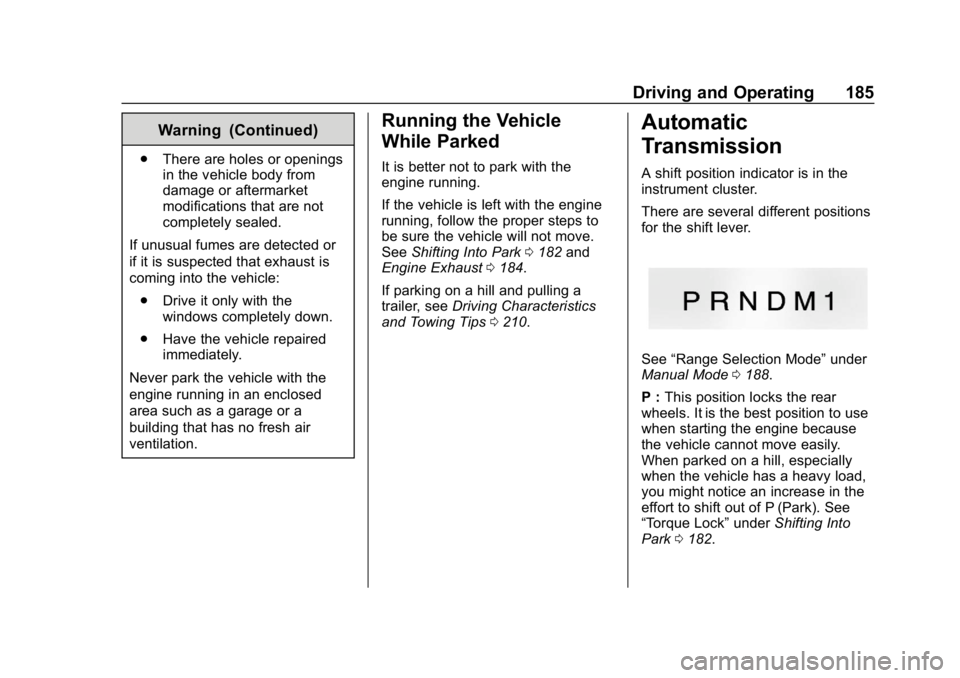
There are several different positions
for the shift lever.
See “Range Selection Mode” under
Manual Mode 0188.
P : This position locks the rear
wheels. It is the best position to use
when starting the engine because
the vehicle cannot move easily.
When parked on a hill, especially
when the vehicle has a heavy load,
you might notice an increase in the
effort to shift out of P (Park). See
“Torque Lock” underShifting Into
Park 0182.
Page 190 of 373
Chevrolet Express Owner Manual (GMNA-Localizing-U.S./Canada/Mexico-
12146162) - 2019 - crc - 11/26/18
Driving and Operating 189
This number is the highest gear that
can be used. However, the vehicle
can automatically shift to lower
gears as it adjusts to driving
conditions. This means that all
gears below that number are
available. When 5 (Fifth) is selected,
1 (First) through 5 (Fifth) gears are
automatically shifted by the vehicle,
but 6 (Sixth) cannot be used until
the +/−button on the shift lever is
used to change to the gear.
Grade Braking is not available when
Range Selection Mode is active.
See Tow/Haul Mode 0189.
While using Range Selection Mode,
cruise control and the Tow/Haul
Mode can be used.
Caution
Spinning the tires or holding the
vehicle in one place on a hill
using only the accelerator pedal
may damage the transmission.
The repair will not be covered by
the vehicle warranty. If the vehicle (Continued)
Caution (Continued)
is stuck, do not spin the tires.
When stopping on a hill, use the
brakes to hold the vehicle in
place.
Tow/Haul Mode
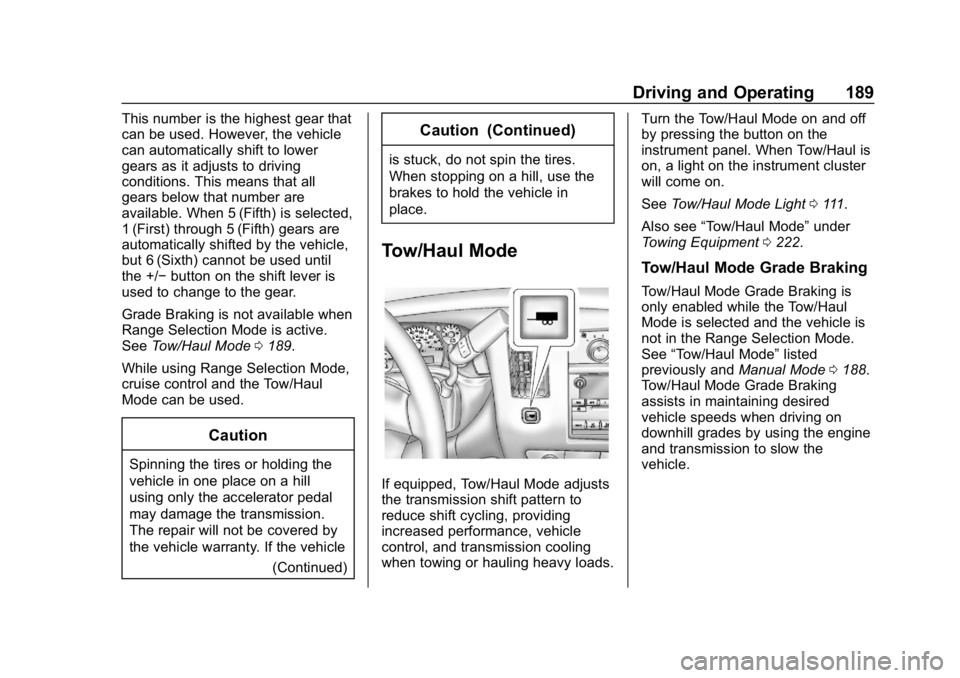
If equipped, Tow/Haul Mode adjusts
the transmission shift pattern to
reduce shift cycling, providing
increased performance, vehicle
control, and transmission cooling
when towing or hauling heavy loads. Turn the Tow/Haul Mode on and off
by pressing the button on the
instrument panel. When Tow/Haul is
on, a light on the instrument cluster
will come on.
See
Tow/Haul Mode Light 0111.
Also see “Tow/Haul Mode” under
Towing Equipment 0222.
Tow/Haul Mode Grade Braking
Tow/Haul Mode Grade Braking is
only enabled while the Tow/Haul
Mode is selected and the vehicle is
not in the Range Selection Mode.
See “Tow/Haul Mode” listed
previously and Manual Mode0188.
Tow/Haul Mode Grade Braking
assists in maintaining desired
vehicle speeds when driving on
downhill grades by using the engine
and transmission to slow the
vehicle.
Page 194 of 373
Chevrolet Express Owner Manual (GMNA-Localizing-U.S./Canada/Mexico-
12146162) - 2019 - crc - 11/26/18
Driving and Operating 193
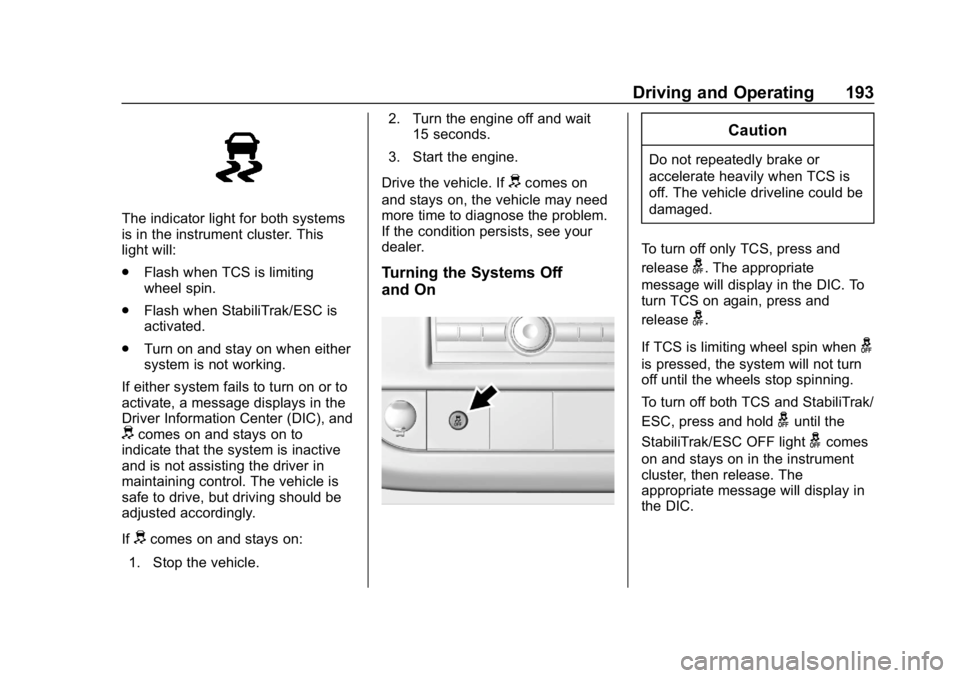
The indicator light for both systems
is in the instrument cluster. This
light will:
.Flash when TCS is limiting
wheel spin.
. Flash when StabiliTrak/ESC is
activated.
. Turn on and stay on when either
system is not working.
If either system fails to turn on or to
activate, a message displays in the
Driver Information Center (DIC), and
dcomes on and stays on to
indicate that the system is inactive
and is not assisting the driver in
maintaining control. The vehicle is
safe to drive, but driving should be
adjusted accordingly.
If
dcomes on and stays on:
1. Stop the vehicle. 2. Turn the engine off and wait
15 seconds.
3. Start the engine.
Drive the vehicle. If
dcomes on
and stays on, the vehicle may need
more time to diagnose the problem.
If the condition persists, see your
dealer.
Turning the Systems Off
and On
Caution
Do not repeatedly brake or
accelerate heavily when TCS is
off. The vehicle driveline could be
damaged.
To turn off only TCS, press and
release
g. The appropriate
message will display in the DIC. To
turn TCS on again, press and
release
g.
If TCS is limiting wheel spin when
g
is pressed, the system will not turn
off until the wheels stop spinning.
To turn off both TCS and StabiliTrak/
ESC, press and hold
guntil the
StabiliTrak/ESC OFF light
gcomes
on and stays on in the instrument
cluster, then release. The
appropriate message will display in
the DIC.
Page 195 of 373
Chevrolet Express Owner Manual (GMNA-Localizing-U.S./Canada/Mexico-
12146162) - 2019 - crc - 11/26/18
194 Driving and Operating
To turn TCS and StabiliTrak/ESC on
again, press and release
g. The
StabiliTrak/ESC OFF light
gin the
instrument cluster turns off.
StabiliTrak/ESC will automatically
turn back on if the vehicle exceeds
32 km/h (20 mph). TCS will remain
off until
gis pressed or the ignition
is cycled off then on.
The vehicle has a Trailer Sway
Control (TSC) feature and a Hill
Start Assist (HSA) feature.
See Trailer Sway Control (TSC)
0 225 orHill Start Assist (HSA)
0 192. Adding accessories can affect the
vehicle performance. See
Accessories and Modifications
0
230.
Locking Rear Axle
Vehicles with a locking rear axle can
give more traction on snow, mud,
ice, sand, or gravel. It works like a
standard axle most of the time, but
when traction is low, this feature will
allow the rear wheel with the most
traction to move the vehicle.
Cruise Control
{Warning
Cruise control can be dangerous
where you cannot drive safely at
a steady speed. Do not use
cruise control on winding roads or
in heavy traffic.
Cruise control can be dangerous
on slippery roads. On such roads,
fast changes in tire traction can
cause excessive wheel slip, and
you could lose control. Do not use
cruise control on slippery roads.
If equipped with cruise control, a
speed of about 40 km/h (25 mph) or
more can be maintained without
keeping your foot on the
accelerator. Cruise control does not
work at speeds below about 40 km/h
(25 mph).
If the Traction Control System (TCS)
or StabiliTrak/Electronic Stability
Control (ESC) system begins to limit
wheel spin while using cruise
control, the cruise control
Page 196 of 373
Chevrolet Express Owner Manual (GMNA-Localizing-U.S./Canada/Mexico-
12146162) - 2019 - crc - 11/26/18
Driving and Operating 195
automatically disengages. See
Traction Control/Electronic Stability
Control0192. When road
conditions allow you to safely use it
again, cruise control can be turned
back on.
If the brakes are applied, cruise
control disengages.
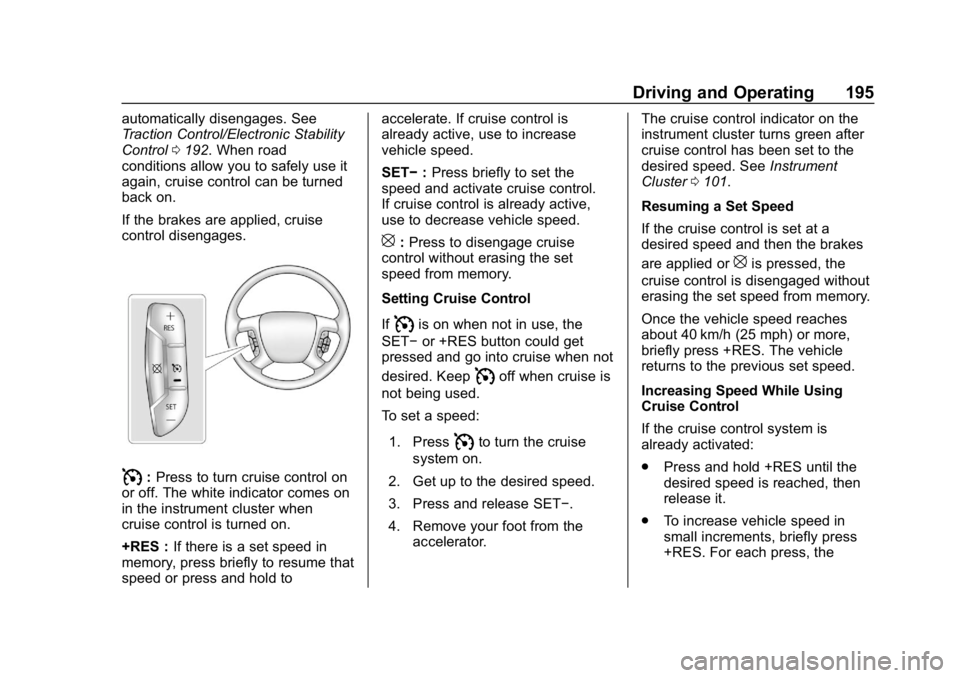
I: Press to turn cruise control on
or off. The white indicator comes on
in the instrument cluster when
cruise control is turned on.
+RES : If there is a set speed in
memory, press briefly to resume that
speed or press and hold to accelerate. If cruise control is
already active, use to increase
vehicle speed.
SET−
:Press briefly to set the
speed and activate cruise control.
If cruise control is already active,
use to decrease vehicle speed.
[: Press to disengage cruise
control without erasing the set
speed from memory.
Setting Cruise Control
If
Iis on when not in use, the
SET− or +RES button could get
pressed and go into cruise when not
desired. Keep
Ioff when cruise is
not being used.
To set a speed:
1. Press
Ito turn the cruise
system on.
2. Get up to the desired speed.
3. Press and release SET−.
4. Remove your foot from the accelerator. The cruise control indicator on the
instrument cluster turns green after
cruise control has been set to the
desired speed. See
Instrument
Cluster 0101.
Resuming a Set Speed
If the cruise control is set at a
desired speed and then the brakes
are applied or
[is pressed, the
cruise control is disengaged without
erasing the set speed from memory.
Once the vehicle speed reaches
about 40 km/h (25 mph) or more,
briefly press +RES. The vehicle
returns to the previous set speed.
Increasing Speed While Using
Cruise Control
If the cruise control system is
already activated:
. Press and hold +RES until the
desired speed is reached, then
release it.
. To increase vehicle speed in
small increments, briefly press
+RES. For each press, the
Page 226 of 373
Chevrolet Express Owner Manual (GMNA-Localizing-U.S./Canada/Mexico-
12146162) - 2019 - crc - 11/26/18
Driving and Operating 225
controller should be installed by
your dealer or a qualified service
center.
If equipped, wiring provisions for an
aftermarket electric trailer brake
controller are included with the
vehicle as part of the trailer wiring
package. The harness contains the
following circuits:Electric Trailer
Brakes Dark Blue
Battery Feed Red/White
Brake Apply
Signal Light Blue
Ground Black
There are four blunt cut wires under
the floor carpeting in front of the
brake pedal. It will be necessary to
have a technician connect the
12-volt power to the engine
compartment fuse block.
Refer to the aftermarket electric
trailer brake controller owner's
manual to determine wire color
coding of the electric trailer brake controller. The wire colors on the
brake controller may be different
from the vehicle.
Trailer Lamps
Always check all trailer lamps are
working at the beginning of each
trip, and periodically on longer trips.
Turn Signals When Towing a
Trailer
When properly connected, the trailer
turn signals will illuminate to indicate
the vehicle is turning, changing
lanes, or stopping. When towing a
trailer, the arrows on the instrument
cluster will illuminate even if the
trailer is not properly connected or
the bulbs are burned out.
Tow/Haul Mode
Tow/Haul assists when pulling a
heavy trailer or a large or heavy
load. For instructions on how to
enter Tow/Haul mode, see
Tow/Haul
Mode 0189.
Tow/Haul Mode is designed to be
most effective when the vehicle and
trailer combined weight is at least 75% of the vehicle's Gross
Combined Weight Rating (GCWR).
See
“Trailer Weight ”under Trailer
Towing 0215.
Tow/Haul Mode is most useful when
towing a heavy trailer or carrying a
large or heavy load:
. through rolling terrain
. in stop-and-go traffic
. in busy parking lots
Operating the vehicle in Tow/Haul
Mode when lightly loaded or not
towing will not cause damage;
however, it is not recommended and
may result in unpleasant engine and
transmission driving characteristics
and reduced fuel economy.
Trailer Sway
Control (TSC)
Vehicles with StabiliTrak/Electronic
Stability Control (ESC) have a
Trailer Sway Control (TSC) feature.
Trailer sway is unintended
side-to-side motion of a trailer while
towing. If the vehicle is towing a
trailer and the TSC detects that
Page 227 of 373
Chevrolet Express Owner Manual (GMNA-Localizing-U.S./Canada/Mexico-
12146162) - 2019 - crc - 11/26/18
226 Driving and Operating
sway is increasing, the vehicle
brakes are selectively applied at
each wheel, to help reduce
excessive trailer sway. If equipped
with the Integrated Trailer Brake
Control (ITBC) system, and the
trailer has an electric brake system,
StabiliTrak/ESC may also apply the
trailer brakes.
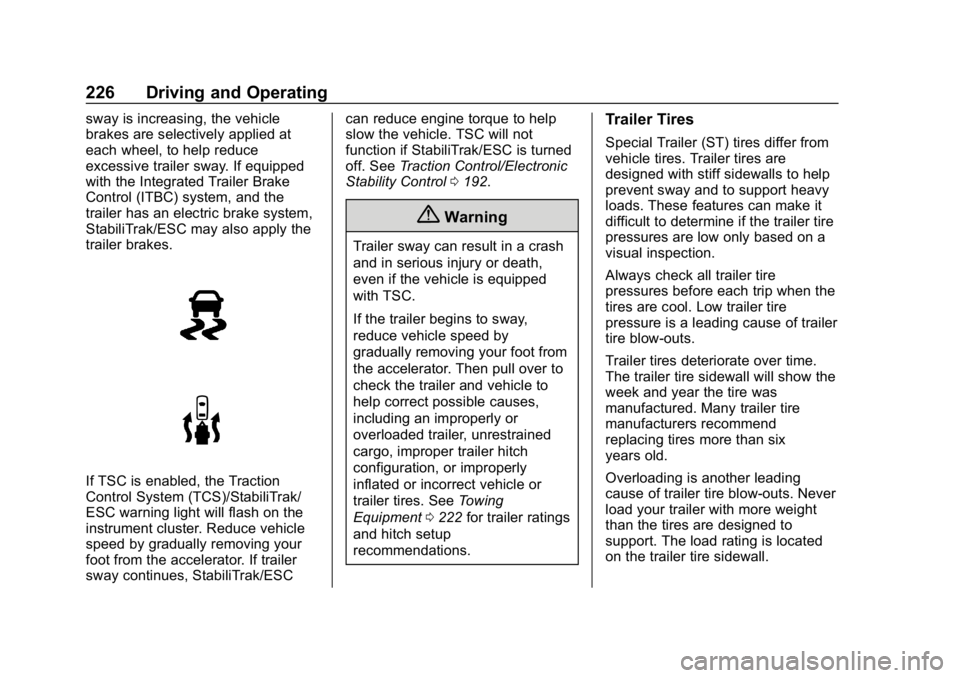
If TSC is enabled, the Traction
Control System (TCS)/StabiliTrak/
ESC warning light will flash on the
instrument cluster. Reduce vehicle
speed by gradually removing your
foot from the accelerator. If trailer
sway continues, StabiliTrak/ESCcan reduce engine torque to help
slow the vehicle. TSC will not
function if StabiliTrak/ESC is turned
off. See
Traction Control/Electronic
Stability Control 0192.
{Warning
Trailer sway can result in a crash
and in serious injury or death,
even if the vehicle is equipped
with TSC.
If the trailer begins to sway,
reduce vehicle speed by
gradually removing your foot from
the accelerator. Then pull over to
check the trailer and vehicle to
help correct possible causes,
including an improperly or
overloaded trailer, unrestrained
cargo, improper trailer hitch
configuration, or improperly
inflated or incorrect vehicle or
trailer tires. See Towing
Equipment 0222 for trailer ratings
and hitch setup
recommendations.
Trailer Tires
Special Trailer (ST) tires differ from
vehicle tires. Trailer tires are
designed with stiff sidewalls to help
prevent sway and to support heavy
loads. These features can make it
difficult to determine if the trailer tire
pressures are low only based on a
visual inspection.
Always check all trailer tire
pressures before each trip when the
tires are cool. Low trailer tire
pressure is a leading cause of trailer
tire blow-outs.
Trailer tires deteriorate over time.
The trailer tire sidewall will show the
week and year the tire was
manufactured. Many trailer tire
manufacturers recommend
replacing tires more than six
years old.
Overloading is another leading
cause of trailer tire blow-outs. Never
load your trailer with more weight
than the tires are designed to
support. The load rating is located
on the trailer tire sidewall.
Page 249 of 373
Chevrolet Express Owner Manual (GMNA-Localizing-U.S./Canada/Mexico-
12146162) - 2019 - crc - 11/26/18
248 Vehicle Care
mixture through the filler neck
until the level reaches the base
of the filler neck.
8. Replace the pressure cap. At any time during this procedure
if coolant begins to flow out of
the filler neck, reinstall the
pressure cap.
Caution
If the pressure cap is not tightly
installed, coolant loss and engine
damage may occur. Be sure the
cap is properly and tightly
secured.
Engine Overheating
If the vehicle has a diesel engine,
see the Duramax diesel
supplement.
Caution
Do not run the engine if there is a
leak in the engine cooling system.
This can cause a loss of all
coolant and can damage the
system and vehicle. Have any
leaks fixed right away.
The vehicle has an indicator to warn
of engine overheating.
There is an engine coolant
temperature gauge on the vehicle's
instrument cluster. See Engine
Coolant Temperature Gauge 0104.
If the decision is made not to lift the
hood when this warning appears,
but instead get service help right
away, see Roadside Assistance
Program 0339.
If the decision is made to lift the
hood, make sure the vehicle is
parked on a level surface.
Then check to see if the engine
cooling fans are running. If the
engine is overheating, the fan should be running. If it is not, do not
continue to run the engine and have
the vehicle serviced.
See if the engine cooling fan speed
increases when idle speed is
doubled by pushing the accelerator
pedal down. If it does not, the
vehicle needs service. Turn off the
engine.
If Steam is Coming from the
Engine Compartment
{Warning
Steam and scalding liquids from a
hot cooling system are under
pressure. Turning the pressure
cap, even a little, can cause them
to come out at high speed and
you could be burned. Never turn
the cap when the cooling system,
including the pressure cap, is hot.
Wait for the cooling system and
pressure cap to cool.
Page 266 of 373
Chevrolet Express Owner Manual (GMNA-Localizing-U.S./Canada/Mexico-
12146162) - 2019 - crc - 11/26/18
Vehicle Care 265
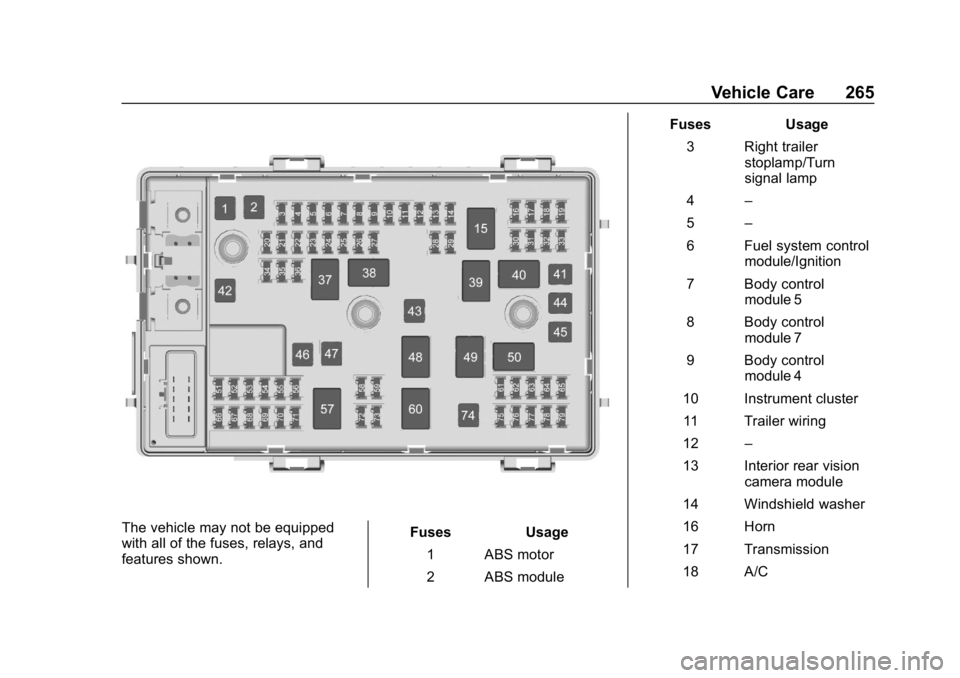
The vehicle may not be equipped
with all of the fuses, relays, and
features shown.Fuses Usage
1 ABS motor
2 ABS module Fuses Usage
3 Right trailer stoplamp/Turn
signal lamp
4 –
5 –
6 Fuel system control module/Ignition
7 Body control module 5
8 Body control module 7
9 Body control module 4
10 Instrument cluster 11 Trailer wiring
12 –
13 Interior rear vision camera module
14 Windshield washer
16 Horn
17 Transmission
18 A/C
Page 270 of 373
Chevrolet Express Owner Manual (GMNA-Localizing-U.S./Canada/Mexico-
12146162) - 2019 - crc - 11/26/18
Vehicle Care 269
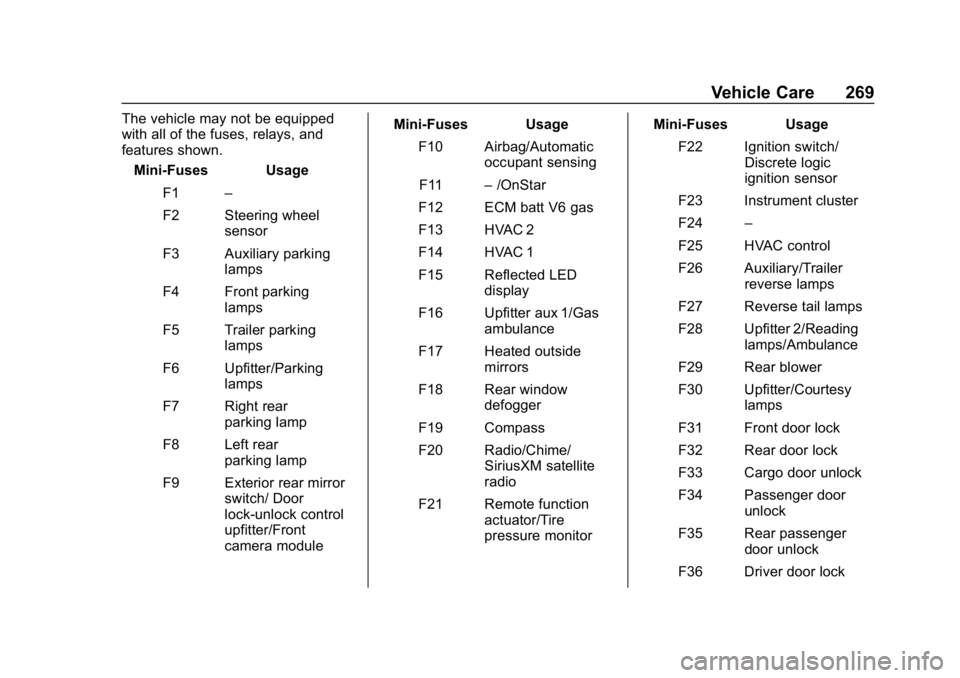
The vehicle may not be equipped
with all of the fuses, relays, and
features shown.Mini-Fuses Usage
F1 –
F2 Steering wheel sensor
F3 Auxiliary parking lamps
F4 Front parking lamps
F5 Trailer parking lamps
F6 Upfitter/Parking lamps
F7 Right rear parking lamp
F8 Left rear parking lamp
F9 Exterior rear mirror switch/ Door
lock-unlock control
upfitter/Front
camera module Mini-Fuses Usage
F10 Airbag/Automatic occupant sensing
F11 –/OnStar
F12 ECM batt V6 gas
F13 HVAC 2
F14 HVAC 1
F15 Reflected LED display
F16 Upfitter aux 1/Gas ambulance
F17 Heated outside mirrors
F18 Rear window defogger
F19 Compass
F20 Radio/Chime/ SiriusXM satellite
radio
F21 Remote function actuator/Tire
pressure monitor Mini-Fuses Usage
F22 Ignition switch/ Discrete logic
ignition sensor
F23 Instrument cluster
F24 –
F25 HVAC control
F26 Auxiliary/Trailer reverse lamps
F27 Reverse tail lamps
F28 Upfitter 2/Reading lamps/Ambulance
F29 Rear blower
F30 Upfitter/Courtesy lamps
F31 Front door lock
F32 Rear door lock
F33 Cargo door unlock
F34 Passenger door unlock
F35 Rear passenger door unlock
F36 Driver door lock