light CHEVROLET EXPRESS CARGO 2021 Service Manual
[x] Cancel search | Manufacturer: CHEVROLET, Model Year: 2021, Model line: EXPRESS CARGO, Model: CHEVROLET EXPRESS CARGO 2021Pages: 296, PDF Size: 6.68 MB
Page 104 of 296
Chevrolet Express Owner Manual (GMNA-Localizing-U.S./Canada/Mexico-
14583525) - 2021 - CRC - 12/9/20
Infotainment System 103
FAV :If equipped with a FAV button, a
maximum of 36 stations can be programmed
as favorites using the six softkeys below the
radio station frequency tabs and by using
the radio favorites page button (FAV
button). Press FAV to go through up to
six pages of favorites, each having
six favorite stations available per page. Each
page of favorites can contain any
combination of AM, FM, or SXM stations.
The balance/fade and tone settings that
were previously adjusted are stored with the
favorite stations.
To store a station as a favorite:
1. Tune to the desired radio station.
2. Press FAV to display the page where the station is to be stored.
3. Press and hold one of the six softkeys until a beep sounds. When that softkey
is pressed and released, the station that
was set returns.
4. Repeat the steps for each softkey radio station to be stored as a favorite.
The number of favorites pages can be set up
using the MENU button. To set up the
number of favorites pages: 1. Press MENU to display the radio setup menu. 2. Press the softkey below the FAV 1-6 tab.
3. Select the desired number of favorites
pages by pressing the softkey below the
displayed page numbers.
4. Press FAV, or let the menu time out, to return to the original main radio screen
showing the radio station frequency tabs
and to begin the process of
programming favorites for the chosen
number of numbered pages.
Radio Reception
Unplug electronic devices from the accessory
power outlets if there is interference or
static in the radio.
FM
FM signals only reach about 16 to 65 km (10
to 40 mi). Although the radio has a built-in
electronic circuit that automatically works to
reduce interference, some static can occur,
especially around tall buildings or hills,
causing the sound to fade in and out.
AM
The range for most AM stations is greater
than for FM, especially at night. The longer
range can cause station frequencies to
interfere with each other. Static can also occur when things like storms and power
lines interfere with radio reception. When
this happens, try reducing the treble on the
radio.
SiriusXM Satellite Radio Service
If equipped, SiriusXM Satellite Radio Service
provides digital radio reception. Tall
buildings or hills can interfere with satellite
radio signals, causing the sound to fade in
and out. In addition, traveling or standing
under heavy foliage, bridges, garages,
or tunnels may cause loss of the SiriusXM
signal for a period of time. Some cellular
services may interfere with SXM reception
causing loss of signal.
Mobile Device Usage
Mobile device usage, such as making or
receiving calls, charging, or just having the
mobile device on may cause static
interference in the radio. Unplug the mobile
device or turn it off if this happens.
Fixed Mast Antenna
The fixed mast antenna will go through
most car washes as long as it is securely
attached. If the antenna becomes slightly
bent, straighten it out by hand. If it is badly
bent, replace it.
Page 105 of 296
Chevrolet Express Owner Manual (GMNA-Localizing-U.S./Canada/Mexico-
14583525) - 2021 - CRC - 12/9/20
104 Infotainment System
Occasionally check that the antenna is tight
at the base. If tightening is required, protect
the paint from damage.
Multi-Band Antenna
The multi-band antenna is on the roof of
the vehicle. The antenna is used for OnStar
and the SiriusXM Satellite Radio Service
System if the vehicle has these features. Tall
buildings, hills, trees, heavy foliage, tunnels,
bridges, and garages will affect reception.
Keep the antenna clear of obstructions for
clear reception. Make sure there is sufficient
clearance when entering garages or parking
structures.
Audio Players
Avoiding Untrusted Media Devices
When using media devices such as CDs,
DVDs, Blu-ray Discs, SD cards, USB devices,
and mobile devices, consider the source.
Untrusted media devices could contain files
that affect system operation or performance.
Avoid use if the content or origin cannot be
trusted.
CD Player
Care of the CD Player
Do not add any label to a CD. It could get
caught in the CD player. If a CD is recorded
on a personal computer and a description
label is needed, try labeling the top of the
recorded CD with a marking pen.
The use of CD lens cleaners is not advised,
due to the risk of contaminating the lens of
the CD optics with lubricants internal to the
CD player mechanism.
Caution
If a label is added to a CD, more than
one CD is inserted into the slot at a time,
or an attempt is made to play scratched
or damaged CDs, the CD player could be
damaged. While using the CD player, use
only CDs in good condition without any
label, load one CD at a time, and keep
the CD player and the loading slot free of
foreign materials, liquids, and debris.
If an error displays, see “CD Player
Messages” later in this section.
Care of CDs
If playing a CD-R, the sound quality can be
reduced due to CD-R or CD-RW quality, the
method of recording, the quality of the
music that has been recorded, and the way
the CD-R or CD-RW has been handled.
Handle them carefully. Store CD-Rs or
CD-RWs in their original cases or other
protective cases and away from direct
sunlight and dust. The CD player scans the
bottom surface of the disc. If the surface of
a CD is damaged, such as cracked, broken,
or scratched, the CD does not play properly
or not at all. Do not touch the bottom side
of a CD while handling it; this could damage
the surface. Pick up CDs by the outer edges
or the edge of the hole and the outer edge.
If the surface of a CD is soiled, clean it with
a soft, lint-free cloth or dampen a clean, soft
cloth in a mild, neutral detergent solution
mixed with water. Make sure the wiping
process starts from the center to the edge.
Inserting a CD
Insert a CD partway into the slot, label side
up. The player pulls it in and the CD should
begin playing.
Page 122 of 296

Chevrolet Express Owner Manual (GMNA-Localizing-U.S./Canada/Mexico-
14583525) - 2021 - CRC - 12/9/20
Climate Controls 121
Rear Window Defogger
If equipped with a rear window defogger, a
warming grid is used to remove fog or frost
from the rear window.
1:Press to turn the rear window
defogger on or off. An indicator light on the
button comes on to show that the rear
window defogger is on.
The defogger only works when the ignition
is on. The defogger turns off if the ignition
is turned off or to ACC/ACCESSORY.
Heated Mirrors: If equipped with heated
outside mirrors, the mirrors heat to help
clear fog or frost from the surface of the
mirror when
1is pressed. See Heated
Mirrors 019.
Do not drive the vehicle until all the
windows are clear.
Caution
Do not use a razor blade or sharp object
to clear the inside rear window. Do not
adhere anything to the defogger grid
lines in the rear glass. These actions may
damage the rear defogger. Repairs would
not be covered by the vehicle warranty.
Rear Heating System
If equipped, the rear heating system lets
you adjust the amount of air flowing into
the rear of the vehicle, from the front
seating area. This feature works with the
main climate control system in the vehicle.
AUX : The thumbwheel for this system is on
the instrument panel below the audio
system.
9: Turn the thumbwheel up or down to
increase or decrease the amount of heated
air sent to the rear seating area.
Q: This position supplies the most amount
of heat to the rear seating area.
c: This position supplies half the amount
of heat to the rear seating area.
R: This position supplies the least amount
of heat to the rear seating area.
9: This turns the rear heating system off.
Page 130 of 296
Chevrolet Express Owner Manual (GMNA-Localizing-U.S./Canada/Mexico-
14583525) - 2021 - CRC - 12/9/20
Driving and Operating 129
Defensive drivers avoid most skids by taking
reasonable care suited to existing conditions,
and by not overdriving those conditions. But
skids are always possible.
If the vehicle starts to slide, follow these
suggestions:
.Ease your foot off the accelerator pedal
and steer the way you want the vehicle
to go. The vehicle may straighten out. Be
ready for a second skid if it occurs.
.Slow down and adjust your driving
according to weather conditions. Stopping
distance can be longer and vehicle control
can be affected when traction is reduced
by water, snow, ice, gravel, or other
material on the road. Learn to recognize
warning clues—such as enough water,
ice, or packed snow on the road to make
a mirrored surface —and slow down
when you have any doubt.
.Try to avoid sudden steering, acceleration,
or braking, including reducing vehicle
speed by shifting to a lower gear. Any
sudden changes could cause the tires to
slide.
Remember: Antilock brakes help avoid only
the braking skid.
Driving on Wet Roads
Rain and wet roads can reduce vehicle
traction and affect your ability to stop and
accelerate. Always drive slower in these
types of driving conditions and avoid driving
through large puddles and deep-standing or
flowing water.
{Warning
Wet brakes can cause crashes. They
might not work as well in a quick stop
and could cause pulling to one side. You
could lose control of the vehicle.
After driving through a large puddle of
water or a car/vehicle wash, lightly apply
the brake pedal until the brakes work
normally.
Flowing or rushing water creates strong
forces. Driving through flowing water
could cause the vehicle to be carried
away. If this happens, you and other
vehicle occupants could drown. Do not
ignore police warnings and be very
cautious about trying to drive through
flowing water.
Hydroplaning
Hydroplaning is dangerous. Water can build
up under the vehicle's tires so they actually
ride on the water. This can happen if the
road is wet enough and you are going fast
enough. When the vehicle is hydroplaning, it
has little or no contact with the road.
There is no hard and fast rule about
hydroplaning. The best advice is to slow
down when the road is wet.
Other Rainy Weather Tips
Besides slowing down, other wet weather
driving tips include:
.Allow extra following distance.
.Pass with caution.
.Keep windshield wiping equipment in
good shape.
.Keep the windshield washer fluid reservoir
filled.
.Have good tires with proper tread depth.
See Tires 0212.
.Turn off cruise control.
Page 132 of 296
Chevrolet Express Owner Manual (GMNA-Localizing-U.S./Canada/Mexico-
14583525) - 2021 - CRC - 12/9/20
Driving and Operating 131
{Warning
Snow can trap engine exhaust under the
vehicle. This may cause exhaust gases to
get inside. Engine exhaust contains
carbon monoxide (CO), which cannot be
seen or smelled. It can cause
unconsciousness and even death.
If the vehicle is stuck in snow:
.Clear snow from the base of the
vehicle, especially any blocking the
exhaust pipe.
.Open a window about 5 cm (2 in) on
the vehicle side that is away from the
wind, to bring in fresh air.
.Fully open the air outlets on or under
the instrument panel.
.Adjust the climate control system to
circulate the air inside the vehicle and
set the fan speed to the highest
setting. See“Climate Control Systems.”
For more information about CO, see
Engine Exhaust 0141. To save fuel, run the engine for short
periods to warm the vehicle and then shut
the engine off and partially close the
window. Moving about to keep warm also
helps.
If it takes time for help to arrive, when
running the engine, push the accelerator
pedal slightly so the engine runs faster than
the idle speed. This keeps the battery
charged to restart the vehicle and to signal
for help with the headlamps. Do this as
little as possible, to save fuel.
If the Vehicle Is Stuck
Slowly and cautiously spin the wheels to
free the vehicle when stuck in sand, mud,
ice, or snow.
If stuck too severely for the traction system
to free the vehicle, turn the traction system
off and use the rocking method. See
Traction Control/Electronic Stability Control
0
147.
{Warning
If the vehicle's tires spin at high speed,
they can explode, and you or others
could be injured. The vehicle can
overheat, causing an engine compartment
fire or other damage. Spin the wheels as
little as possible and avoid going above
56 km/h (35 mph).
Rocking the Vehicle to Get it Out
Turn the steering wheel left and right to
clear the area around the front wheels. Turn
off any traction system. Shift back and forth
between R (Reverse) and a low forward gear,
spinning the wheels as little as possible. To
prevent transmission wear, wait until the
wheels stop spinning before shifting gears.
Release the accelerator pedal while shifting,
and press lightly on the accelerator pedal
when the transmission is in gear. Slowly
spinning the wheels in the forward and
reverse directions causes a rocking motion
that could free the vehicle. If that does not
get the vehicle out after a few tries, it
might need to be towed out. If the vehicle
does need to be towed out, see Towing the
Vehicle 0240.
Page 138 of 296
Chevrolet Express Owner Manual (GMNA-Localizing-U.S./Canada/Mexico-
14583525) - 2021 - CRC - 12/9/20
Driving and Operating 137
A warning chime will sound when the driver
door is opened and the key is in the
ignition.
2 (ON/RUN) :This position can be used to
operate the electrical accessories and to
display some instrument cluster warning
and indicator lights. This position can also
be used for service and diagnostics, and to
verify the proper operation of the
malfunction indicator lamp as may be
required for emission inspection purposes.
The switch stays in this position when the
engine is running. The transmission is also
unlocked in this position.
If the key is left in ON/RUN with the engine
off, the battery could drain and the vehicle
may not start.
3 (START) : This is the position that starts
the engine. When the engine starts, release
the key. The ignition returns to ON/RUN for
driving.Starting the Engine
If the vehicle has a diesel engine, see the
Duramax diesel supplement.
To place the transmission in the
proper gear:
Move the shift lever to P (Park) or
N (Neutral). The engine will not start in any
other position. To restart the engine when
the vehicle is already moving, use
N (Neutral) only.
Caution
If you add electrical parts or accessories,
you could change the way the engine
operates. Any resulting damage would
not be covered by the vehicle warranty.
See Add-On Electrical Equipment 0176.
Caution
Do not try to shift to P (Park) if the
vehicle is moving. If you do, you could
damage the transmission. Shift to P (Park)
only when the vehicle is stopped.
Caution
If the steering wheel is turned until it
reaches the end of its travel, and is held
in that position while starting the vehicle,
damage may occur to the hydraulic
power steering system and there may be
loss of power steering assist.
Starting Procedure 1. With your foot off the accelerator pedal, turn the ignition key to START. When
the engine starts, let go of the key. The
idle speed will go down as your engine
gets warm. Do not race the engine
immediately after starting it. Operate
the engine and transmission gently to
allow the oil to warm up and lubricate
all moving parts.
When the low fuel warning light is on
and the FUEL LEVEL LOW message is
displayed in the Driver Information
Center (DIC), the Computer-Controlled
Cranking System is disabled to prevent
possible vehicle component damage.
When this happens, hold the ignition
switch in the START position to continue
engine cranking.
Page 139 of 296
Chevrolet Express Owner Manual (GMNA-Localizing-U.S./Canada/Mexico-
14583525) - 2021 - CRC - 12/9/20
138 Driving and Operating
Caution
Cranking the engine for long periods of
time, by returning the ignition to the
START position immediately after
cranking has ended, can overheat and
damage the cranking motor, and drain
the battery. Wait at least 15 seconds
between each try, to let the cranking
motor cool down.
2. If the engine does not start after five to 10 seconds, especially in very cold
weather (below −18 °C or 0 °F), it could
be flooded with too much gasoline. Try
pushing the accelerator pedal all the way
to the floor and holding it there as you
hold the key in START for up to
15 seconds. Wait at least 15 seconds
between each try, to allow the cranking
motor to cool down. When the engine
starts, let go of the key and accelerator.
If the vehicle starts briefly but then
stops again, do the same thing. This
clears the extra gasoline from the
engine. Do not race the engine
immediately after starting it. Operate
the engine and transmission gently until
the oil warms up and lubricates all
moving parts.
Fast Idle System
If equipped, this feature is available only
with cruise control. The manual fast idle
switch is operated using the cruise control
buttons on the left side of the steering
wheel.
This system can be used to increase engine
idle speed whenever the following
conditions are met:
.The parking brake is set.
.The brake pedal is not pressed.
.The vehicle must not be moving and the
accelerator must not be pressed.
To control the fast idle:
.To enable the Fast Idle System, press and
release the cruise control on/off button
and ensure that the switch indicator light
is lit.
.Press and release the cruise control SET-
button. Engine speed will be held at
approximately 1200 rpm.
When the fast idle is active, the Driver
Information Center (DIC) will display FAST
IDLE ON.
One of the following actions will turn off
the fast idle:
.Pressing the brake.
.Selecting the cruise control cancel button.
.Releasing the parking brake.
.Moving the transmission shift lever out of
P (Park) or N (Neutral).
.Selecting the cruise control on/off button
when it was previously on.
.Pressing the cruise control SET- button a
second time.
.Pressing the accelerator more than
one-quarter of the way down.
.Turning the ignition off.
Retained Accessory Power (RAP)
When the ignition is turned from on to off,
the following features (if equipped) will
continue to function for up to 10 minutes,
or until the driver door is opened. These
features will also work when the ignition is
in RUN or ACC/ACCESSORY:
.Infotainment System
.Power Windows (during RAP this
functionality will be lost when any door
is opened)
.Sunroof (during RAP this functionality will
be lost when any door is opened)
.Auxiliary Power Outlet
.Audio System
.OnStar System
Page 146 of 296
Chevrolet Express Owner Manual (GMNA-Localizing-U.S./Canada/Mexico-
14583525) - 2021 - CRC - 12/9/20
Driving and Operating 145
When M (Manual Mode) is selected, the
transmission will downshift and a number
displays in the Driver Information
Center (DIC) next to the M indicating the
current gear.
This number is the highest gear that can be
used. However, the vehicle can automatically
shift to lower gears as it adjusts to driving
conditions. This means that all gears below
that number are available. When 5 (Fifth) is
selected, 1 (First) through 5 (Fifth) gears are
automatically shifted by the vehicle, but
6 (Sixth) cannot be used until the +/−
button on the shift lever is used to change
to the gear.
Grade Braking is not available when Range
Selection Mode is active. SeeTow/Haul
Mode 0145.
While using Range Selection Mode, cruise
control and the Tow/Haul Mode can
be used.
Caution
Spinning the tires or holding the vehicle
in one place on a hill using only the
accelerator pedal may damage the
transmission. The repair will not be
(Continued)
Caution (Continued)
covered by the vehicle warranty. If the
vehicle is stuck, do not spin the tires.
When stopping on a hill, use the brakes
to hold the vehicle in place.
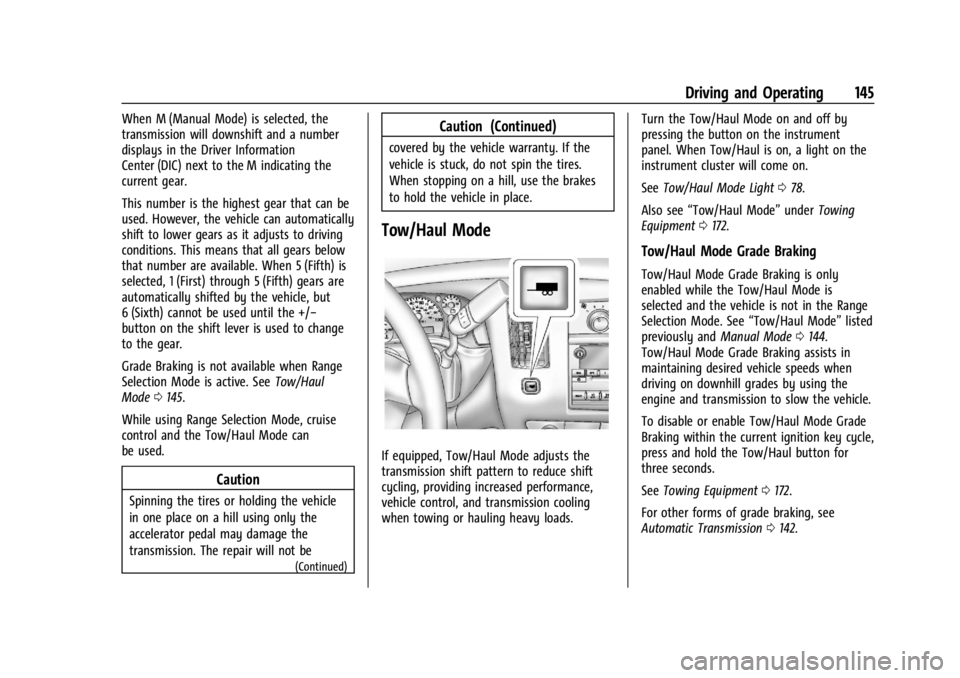
Tow/Haul Mode
If equipped, Tow/Haul Mode adjusts the
transmission shift pattern to reduce shift
cycling, providing increased performance,
vehicle control, and transmission cooling
when towing or hauling heavy loads. Turn the Tow/Haul Mode on and off by
pressing the button on the instrument
panel. When Tow/Haul is on, a light on the
instrument cluster will come on.
See
Tow/Haul Mode Light 078.
Also see “Tow/Haul Mode” underTowing
Equipment 0172.
Tow/Haul Mode Grade Braking
Tow/Haul Mode Grade Braking is only
enabled while the Tow/Haul Mode is
selected and the vehicle is not in the Range
Selection Mode. See “Tow/Haul Mode”listed
previously and Manual Mode0144.
Tow/Haul Mode Grade Braking assists in
maintaining desired vehicle speeds when
driving on downhill grades by using the
engine and transmission to slow the vehicle.
To disable or enable Tow/Haul Mode Grade
Braking within the current ignition key cycle,
press and hold the Tow/Haul button for
three seconds.
See Towing Equipment 0172.
For other forms of grade braking, see
Automatic Transmission 0142.
Page 147 of 296
Chevrolet Express Owner Manual (GMNA-Localizing-U.S./Canada/Mexico-
14583525) - 2021 - CRC - 12/9/20
146 Driving and Operating
Brakes
Antilock Brake System (ABS)
The Antilock Brake System (ABS) helps
prevent a braking skid and maintain steering
while braking hard.
ABS performs a system check when the
vehicle is first driven. A momentary motor
or clicking noise may be heard while this
test is going on, and the brake pedal may
move slightly. This is normal.
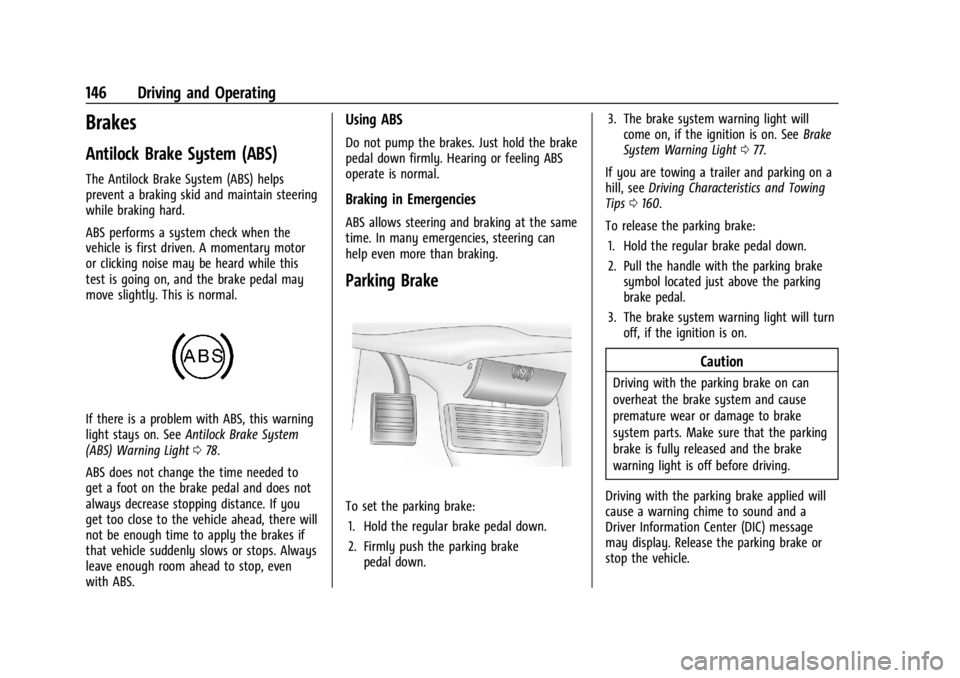
If there is a problem with ABS, this warning
light stays on. SeeAntilock Brake System
(ABS) Warning Light 078.
ABS does not change the time needed to
get a foot on the brake pedal and does not
always decrease stopping distance. If you
get too close to the vehicle ahead, there will
not be enough time to apply the brakes if
that vehicle suddenly slows or stops. Always
leave enough room ahead to stop, even
with ABS.
Using ABS
Do not pump the brakes. Just hold the brake
pedal down firmly. Hearing or feeling ABS
operate is normal.
Braking in Emergencies
ABS allows steering and braking at the same
time. In many emergencies, steering can
help even more than braking.
Parking Brake
To set the parking brake: 1. Hold the regular brake pedal down.
2. Firmly push the parking brake pedal down. 3. The brake system warning light will
come on, if the ignition is on. See Brake
System Warning Light 077.
If you are towing a trailer and parking on a
hill, see Driving Characteristics and Towing
Tips 0160.
To release the parking brake: 1. Hold the regular brake pedal down.
2. Pull the handle with the parking brake symbol located just above the parking
brake pedal.
3. The brake system warning light will turn off, if the ignition is on.
Caution
Driving with the parking brake on can
overheat the brake system and cause
premature wear or damage to brake
system parts. Make sure that the parking
brake is fully released and the brake
warning light is off before driving.
Driving with the parking brake applied will
cause a warning chime to sound and a
Driver Information Center (DIC) message
may display. Release the parking brake or
stop the vehicle.
Page 149 of 296
Chevrolet Express Owner Manual (GMNA-Localizing-U.S./Canada/Mexico-
14583525) - 2021 - CRC - 12/9/20
148 Driving and Operating
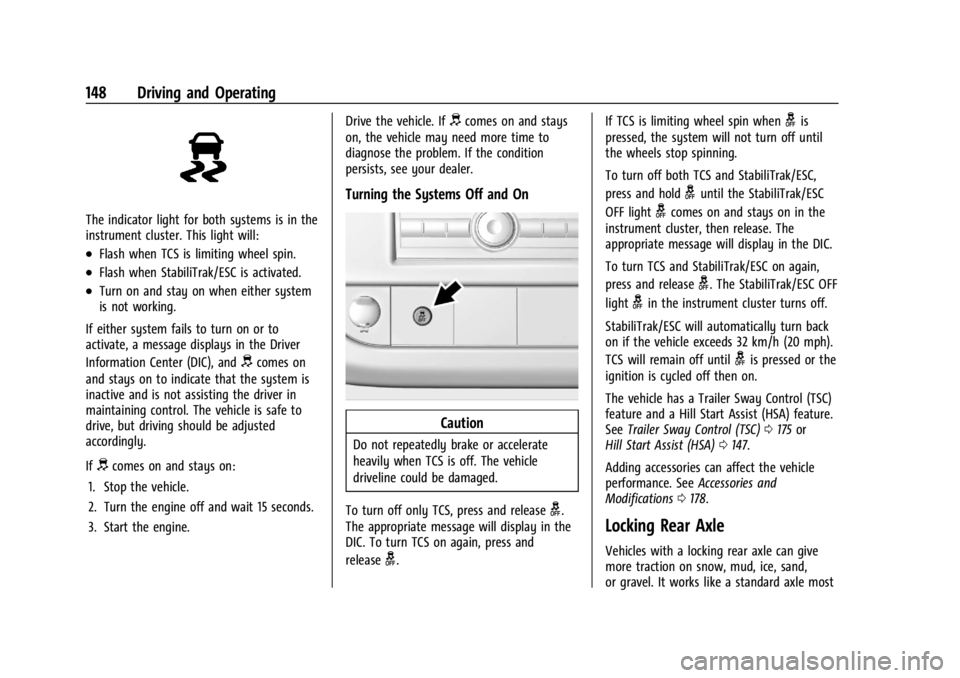
The indicator light for both systems is in the
instrument cluster. This light will:
.Flash when TCS is limiting wheel spin.
.Flash when StabiliTrak/ESC is activated.
.Turn on and stay on when either system
is not working.
If either system fails to turn on or to
activate, a message displays in the Driver
Information Center (DIC), and
dcomes on
and stays on to indicate that the system is
inactive and is not assisting the driver in
maintaining control. The vehicle is safe to
drive, but driving should be adjusted
accordingly.
If
dcomes on and stays on:
1. Stop the vehicle.
2. Turn the engine off and wait 15 seconds.
3. Start the engine. Drive the vehicle. If
dcomes on and stays
on, the vehicle may need more time to
diagnose the problem. If the condition
persists, see your dealer.
Turning the Systems Off and On
Caution
Do not repeatedly brake or accelerate
heavily when TCS is off. The vehicle
driveline could be damaged.
To turn off only TCS, press and release
g.
The appropriate message will display in the
DIC. To turn TCS on again, press and
release
g. If TCS is limiting wheel spin when
gis
pressed, the system will not turn off until
the wheels stop spinning.
To turn off both TCS and StabiliTrak/ESC,
press and hold
guntil the StabiliTrak/ESC
OFF light
gcomes on and stays on in the
instrument cluster, then release. The
appropriate message will display in the DIC.
To turn TCS and StabiliTrak/ESC on again,
press and release
g. The StabiliTrak/ESC OFF
light
gin the instrument cluster turns off.
StabiliTrak/ESC will automatically turn back
on if the vehicle exceeds 32 km/h (20 mph).
TCS will remain off until
gis pressed or the
ignition is cycled off then on.
The vehicle has a Trailer Sway Control (TSC)
feature and a Hill Start Assist (HSA) feature.
See Trailer Sway Control (TSC) 0175 or
Hill Start Assist (HSA) 0147.
Adding accessories can affect the vehicle
performance. See Accessories and
Modifications 0178.
Locking Rear Axle
Vehicles with a locking rear axle can give
more traction on snow, mud, ice, sand,
or gravel. It works like a standard axle most