tow CHEVROLET EXPRESS CARGO VAN 2007 1.G Owner's Manual
[x] Cancel search | Manufacturer: CHEVROLET, Model Year: 2007, Model line: EXPRESS CARGO VAN, Model: CHEVROLET EXPRESS CARGO VAN 2007 1.GPages: 458, PDF Size: 2.62 MB
Page 134 of 458
Mirrors
Manual Rearview Mirror
Pull the tab under the mirror toward you to reduce
glare from headlamps behind you after dark.
Push the tab away from you to restore the mirror
to the original position.
If you have a cargo van without the rear door
glass, your vehicle may not have an inside
rearview mirror.
Automatic Dimming Rearview Mirror
with Compass and Temperature
Display
Your vehicle may have this mirror. When on, an
automatic dimming mirror will dim to the proper
level to minimize glare from lights behind you
after dark.
The mirror also includes a dual display in the
upper right corner of the mirror with the compass
reading and the outside temperature.
Yb:Briefly press this button to turn the display
on or off.
Temperature Display
The temperature can be displayed by pressing the
compass/temperature button. Pressing the
compass/temperature button once briefly, will
toggle the display reading on and off. To alternate
the temperature reading between Fahrenheit and
Celsius, press and hold the compass/temperature
button for approximately three seconds until
the display blinks F and C. After approximately
five seconds of inactivity, the display will stop
blinking and display the last selection made.
If an abnormal reading is displayed, see your
dealer/retailer.
Automatic Dimming Mirror Operation
O
:Press this button to turn the automatic
dimming feature on or off. The indicator light to
the left of the button will turn on to indicate when
the feature is on. Once the mirror is turned off,
it will remain off until it is turned back on, or until
the vehicle is restarted.
Compass Operation
Press the compass/temperature button once
briefly to turn the display on or off.
134
Page 136 of 458
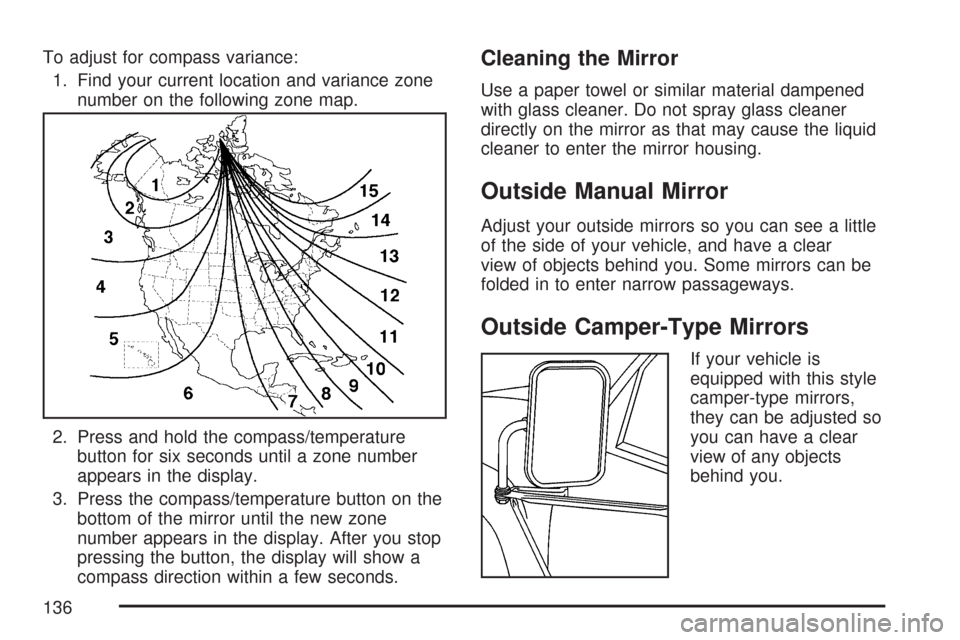
To adjust for compass variance:
1. Find your current location and variance zone
number on the following zone map.
2. Press and hold the compass/temperature
button for six seconds until a zone number
appears in the display.
3. Press the compass/temperature button on the
bottom of the mirror until the new zone
number appears in the display. After you stop
pressing the button, the display will show a
compass direction within a few seconds.Cleaning the Mirror
Use a paper towel or similar material dampened
with glass cleaner. Do not spray glass cleaner
directly on the mirror as that may cause the liquid
cleaner to enter the mirror housing.
Outside Manual Mirror
Adjust your outside mirrors so you can see a little
of the side of your vehicle, and have a clear
view of objects behind you. Some mirrors can be
folded in to enter narrow passageways.
Outside Camper-Type Mirrors
If your vehicle is
equipped with this style
camper-type mirrors,
they can be adjusted so
you can have a clear
view of any objects
behind you.
136
Page 137 of 458
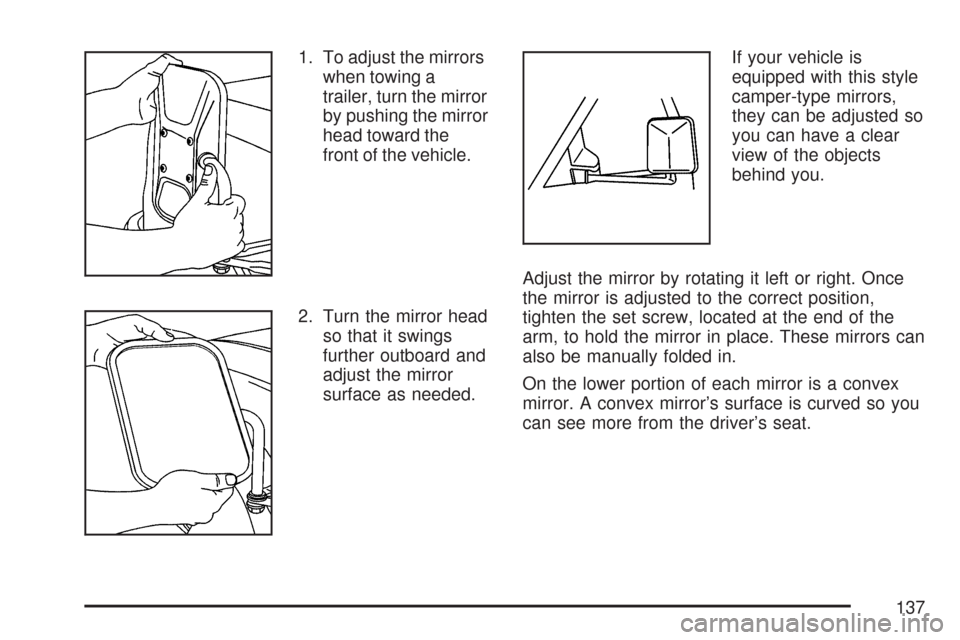
1. To adjust the mirrors
when towing a
trailer, turn the mirror
by pushing the mirror
head toward the
front of the vehicle.
2. Turn the mirror head
so that it swings
further outboard and
adjust the mirror
surface as needed.If your vehicle is
equipped with this style
camper-type mirrors,
they can be adjusted so
you can have a clear
view of the objects
behind you.
Adjust the mirror by rotating it left or right. Once
the mirror is adjusted to the correct position,
tighten the set screw, located at the end of the
arm, to hold the mirror in place. These mirrors can
also be manually folded in.
On the lower portion of each mirror is a convex
mirror. A convex mirror’s surface is curved so you
can see more from the driver’s seat.
137
Page 142 of 458
Brake System Warning Light..................... 175
Anti-Lock Brake System Warning Light...... 176
StabiliTrak
®Not Ready Light...................... 177
StabiliTrak®Indicator Light......................... 177
Engine Coolant Temperature Gage............ 178
Malfunction Indicator Lamp........................ 178
Oil Pressure Gage..................................... 182
Change Engine Oil Light........................... 183
Security Light............................................ 183
Cruise Control Light.................................. 184
Reduced Engine Power Light.................... 184
Highbeam On Light................................... 185
Daytime Running Lamps (DRL)
Indicator Light........................................ 185
Tow/Haul Mode Light................................ 185
Check Gages Warning Light...................... 185
Fuel Gage................................................. 186Audio System(s)......................................... 187
Setting the Time for Radios without
Radio Data Systems (RDS).................... 189
Setting the Time for Radios with
Radio Data Systems (RDS).................... 189
AM-FM Radio............................................ 190
Radio with CD........................................... 193
Radio with Cassette and CD..................... 198
Radio with Six-Disc CD............................. 211
Theft-Deterrent Feature
(Non-RDS Radios)................................. 223
Theft-Deterrent Feature (RDS Radios)....... 223
Radio Reception........................................ 224
Care of the Cassette Tape Player............. 224
Care of Your CDs..................................... 225
Care of the CD Player.............................. 226
Fixed Mast Antenna.................................. 226
Chime Level Adjustment............................ 226
Section 3 Instrument Panel
142
Page 145 of 458
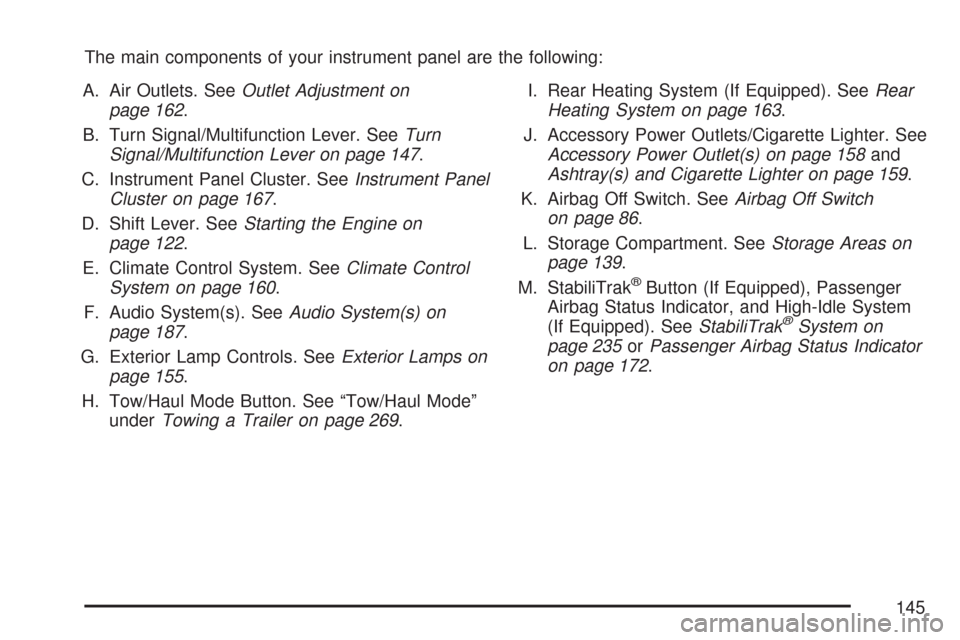
The main components of your instrument panel are the following:
A. Air Outlets. SeeOutlet Adjustment on
page 162.
B. Turn Signal/Multifunction Lever. SeeTurn
Signal/Multifunction Lever on page 147.
C. Instrument Panel Cluster. SeeInstrument Panel
Cluster on page 167.
D. Shift Lever. SeeStarting the Engine on
page 122.
E. Climate Control System. SeeClimate Control
System on page 160.
F. Audio System(s). SeeAudio System(s) on
page 187.
G. Exterior Lamp Controls. SeeExterior Lamps on
page 155.
H. Tow/Haul Mode Button. See “Tow/Haul Mode”
underTowing a Trailer on page 269.I. Rear Heating System (If Equipped). SeeRear
Heating System on page 163.
J. Accessory Power Outlets/Cigarette Lighter. See
Accessory Power Outlet(s) on page 158and
Ashtray(s) and Cigarette Lighter on page 159.
K. Airbag Off Switch. SeeAirbag Off Switch
on page 86.
L. Storage Compartment. SeeStorage Areas on
page 139.
M. StabiliTrak
®Button (If Equipped), Passenger
Airbag Status Indicator, and High-Idle System
(If Equipped). SeeStabiliTrak
®System on
page 235orPassenger Airbag Status Indicator
on page 172.
145
Page 149 of 458
Turn Signal On Chime
If your turn signal is left on for more than 3/4 of a
mile (1.2 km), a chime will sound at each flash
of the turn signal. To turn off the chime, move the
turn signal lever to the off position.
Headlamp High/Low-Beam Changer
23(Headlamp High/Low-Beam Changer):To
change the headlamps from low to high beam, pull
the multifunction lever all the way toward you. Then
release it.
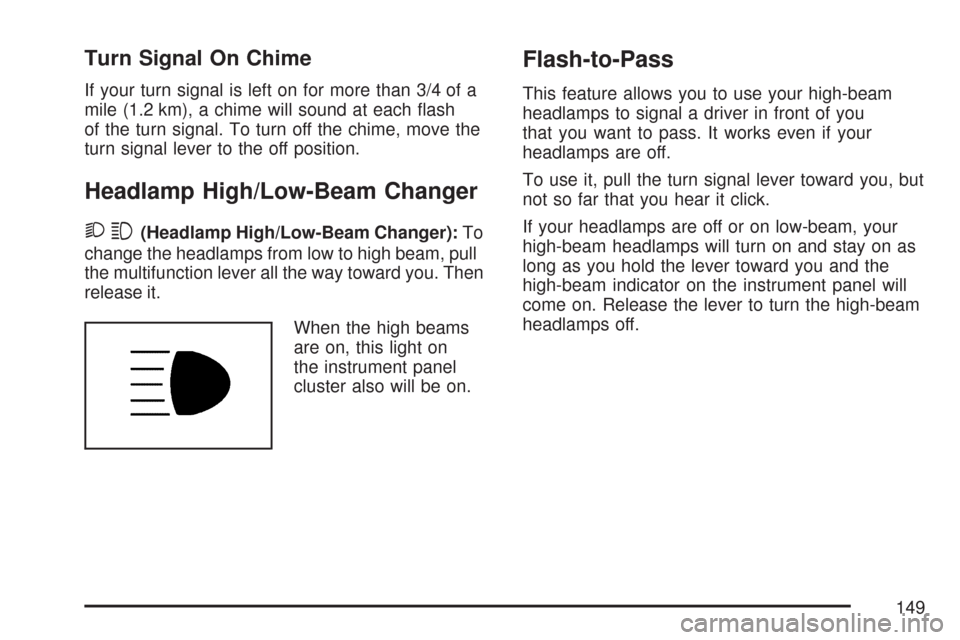
When the high beams
are on, this light on
the instrument panel
cluster also will be on.
Flash-to-Pass
This feature allows you to use your high-beam
headlamps to signal a driver in front of you
that you want to pass. It works even if your
headlamps are off.
To use it, pull the turn signal lever toward you, but
not so far that you hear it click.
If your headlamps are off or on low-beam, your
high-beam headlamps will turn on and stay on as
long as you hold the lever toward you and the
high-beam indicator on the instrument panel will
come on. Release the lever to turn the high-beam
headlamps off.
149
Page 156 of 458
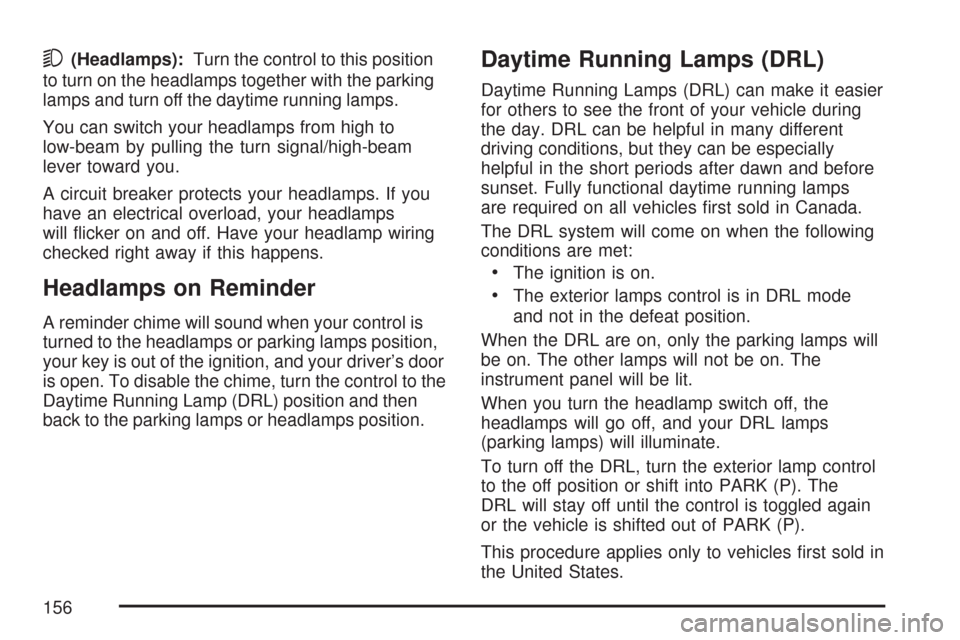
5(Headlamps):Turn the control to this position
to turn on the headlamps together with the parking
lamps and turn off the daytime running lamps.
You can switch your headlamps from high to
low-beam by pulling the turn signal/high-beam
lever toward you.
A circuit breaker protects your headlamps. If you
have an electrical overload, your headlamps
will flicker on and off. Have your headlamp wiring
checked right away if this happens.
Headlamps on Reminder
A reminder chime will sound when your control is
turned to the headlamps or parking lamps position,
your key is out of the ignition, and your driver’s door
is open. To disable the chime, turn the control to the
Daytime Running Lamp (DRL) position and then
back to the parking lamps or headlamps position.
Daytime Running Lamps (DRL)
Daytime Running Lamps (DRL) can make it easier
for others to see the front of your vehicle during
the day. DRL can be helpful in many different
driving conditions, but they can be especially
helpful in the short periods after dawn and before
sunset. Fully functional daytime running lamps
are required on all vehicles first sold in Canada.
The DRL system will come on when the following
conditions are met:
•The ignition is on.
•The exterior lamps control is in DRL mode
and not in the defeat position.
When the DRL are on, only the parking lamps will
be on. The other lamps will not be on. The
instrument panel will be lit.
When you turn the headlamp switch off, the
headlamps will go off, and your DRL lamps
(parking lamps) will illuminate.
To turn off the DRL, turn the exterior lamp control
to the off position or shift into PARK (P). The
DRL will stay off until the control is toggled again
or the vehicle is shifted out of PARK (P).
This procedure applies only to vehicles first sold in
the United States.
156
Page 160 of 458
Climate Controls
Climate Control System
With this system you can control the heating,
cooling and ventilation for your vehicle.
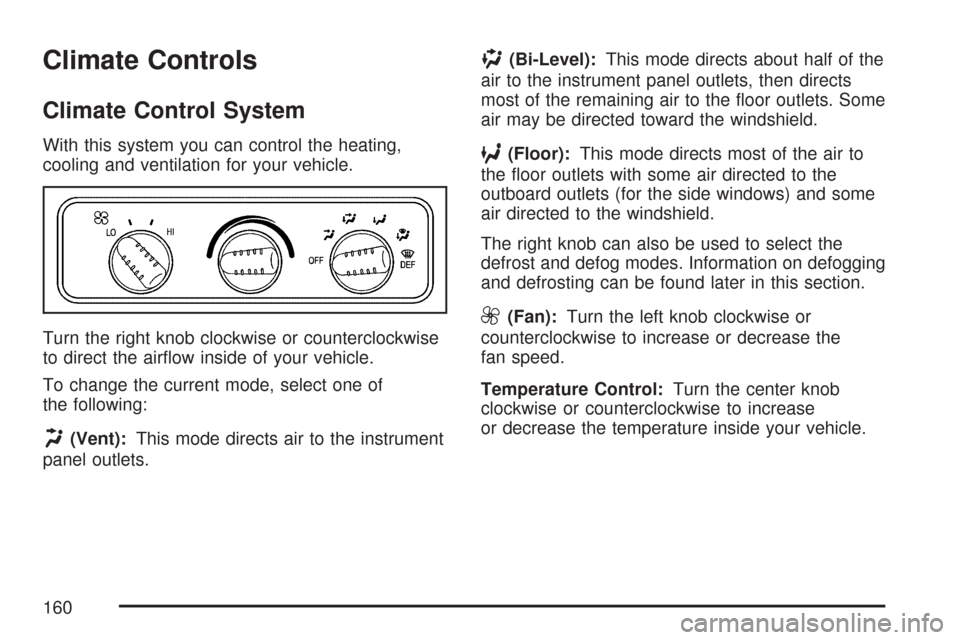
Turn the right knob clockwise or counterclockwise
to direct the airflow inside of your vehicle.
To change the current mode, select one of
the following:
H(Vent):This mode directs air to the instrument
panel outlets.
)(Bi-Level):This mode directs about half of the
air to the instrument panel outlets, then directs
most of the remaining air to the floor outlets. Some
air may be directed toward the windshield.
6(Floor):This mode directs most of the air to
the floor outlets with some air directed to the
outboard outlets (for the side windows) and some
air directed to the windshield.
The right knob can also be used to select the
defrost and defog modes. Information on defogging
and defrosting can be found later in this section.
9(Fan):Turn the left knob clockwise or
counterclockwise to increase or decrease the
fan speed.
Temperature Control:Turn the center knob
clockwise or counterclockwise to increase
or decrease the temperature inside your vehicle.
160
Page 161 of 458
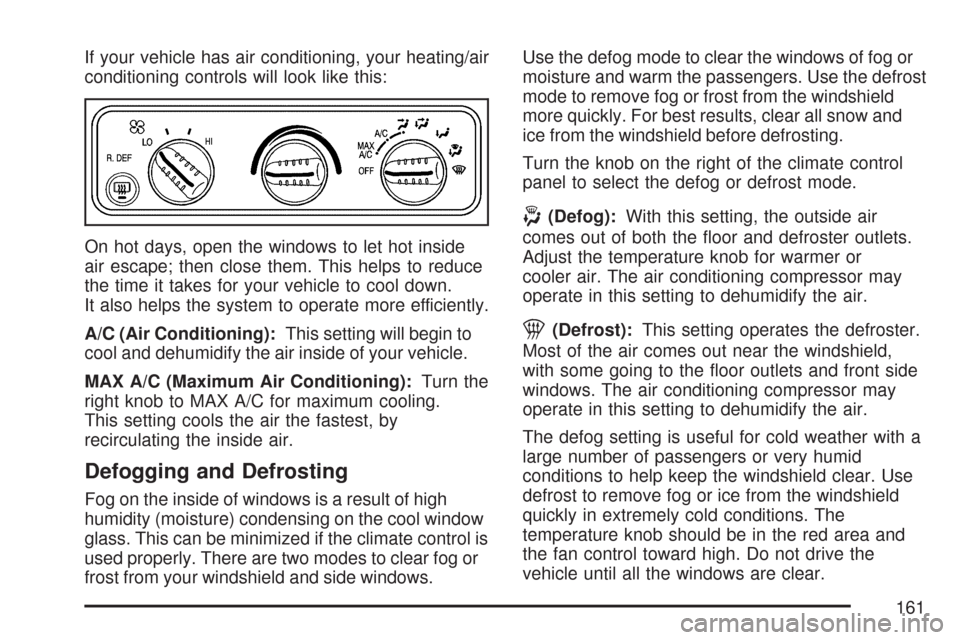
If your vehicle has air conditioning, your heating/air
conditioning controls will look like this:
On hot days, open the windows to let hot inside
air escape; then close them. This helps to reduce
the time it takes for your vehicle to cool down.
It also helps the system to operate more efficiently.
A/C (Air Conditioning):This setting will begin to
cool and dehumidify the air inside of your vehicle.
MAX A/C (Maximum Air Conditioning):Turn the
right knob to MAX A/C for maximum cooling.
This setting cools the air the fastest, by
recirculating the inside air.
Defogging and Defrosting
Fog on the inside of windows is a result of high
humidity (moisture) condensing on the cool window
glass. This can be minimized if the climate control is
used properly. There are two modes to clear fog or
frost from your windshield and side windows.Use the defog mode to clear the windows of fog or
moisture and warm the passengers. Use the defrost
mode to remove fog or frost from the windshield
more quickly. For best results, clear all snow and
ice from the windshield before defrosting.
Turn the knob on the right of the climate control
panel to select the defog or defrost mode.
-(Defog):With this setting, the outside air
comes out of both the floor and defroster outlets.
Adjust the temperature knob for warmer or
cooler air. The air conditioning compressor may
operate in this setting to dehumidify the air.
1(Defrost):This setting operates the defroster.
Most of the air comes out near the windshield,
with some going to the floor outlets and front side
windows. The air conditioning compressor may
operate in this setting to dehumidify the air.
The defog setting is useful for cold weather with a
large number of passengers or very humid
conditions to help keep the windshield clear. Use
defrost to remove fog or ice from the windshield
quickly in extremely cold conditions. The
temperature knob should be in the red area and
the fan control toward high. Do not drive the
vehicle until all the windows are clear.
161
Page 176 of 458
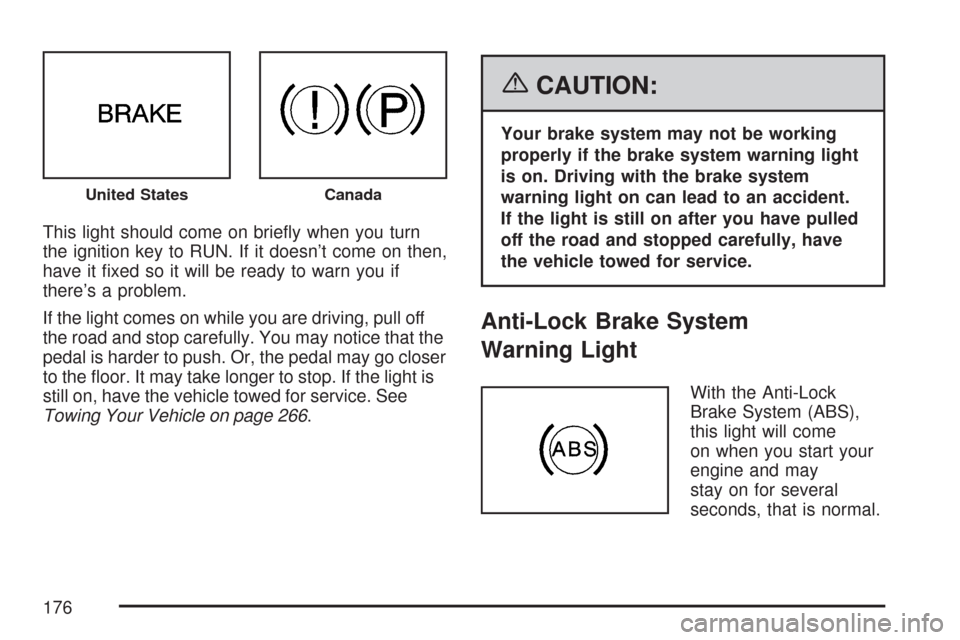
This light should come on briefly when you turn
the ignition key to RUN. If it doesn’t come on then,
have it fixed so it will be ready to warn you if
there’s a problem.
If the light comes on while you are driving, pull off
the road and stop carefully. You may notice that the
pedal is harder to push. Or, the pedal may go closer
to the floor. It may take longer to stop. If the light is
still on, have the vehicle towed for service. See
Towing Your Vehicle on page 266.
{CAUTION:
Your brake system may not be working
properly if the brake system warning light
is on. Driving with the brake system
warning light on can lead to an accident.
If the light is still on after you have pulled
off the road and stopped carefully, have
the vehicle towed for service.
Anti-Lock Brake System
Warning Light
With the Anti-Lock
Brake System (ABS),
this light will come
on when you start your
engine and may
stay on for several
seconds, that is normal.
United StatesCanada
176