light CHEVROLET EXPRESS CARGO VAN 2017 1.G Owners Manual
[x] Cancel search | Manufacturer: CHEVROLET, Model Year: 2017, Model line: EXPRESS CARGO VAN, Model: CHEVROLET EXPRESS CARGO VAN 2017 1.GPages: 346, PDF Size: 6.54 MB
Page 2 of 346
Chevrolet Express Owner Manual (GMNA-Localizing-U.S./Canada/Mexico-9967827) - 2017 - crc - 5/2/16
ContentsIntroduction . . . . . . . . . . . . . . . . . . . . . . 2
In Brief . . . . . . . . . . . . . . . . . . . . . . . . . . . 5
Keys, Doors, and Windows . . . . . 23
Seats and Restraints . . . . . . . . . . . 40
Storage . . . . . . . . . . . . . . . . . . . . . . . . . 85
Instruments and Controls . . . . . . . 87
Lighting . . . . . . . . . . . . . . . . . . . . . . . 125
Infotainment System . . . . . . . . . . 132
Climate Controls . . . . . . . . . . . . . . 158
Driving and Operating . . . . . . . . . 164
Vehicle Care . . . . . . . . . . . . . . . . . . 214
Service and Maintenance . . . . . 296
Te c h n i c a l D a t a . . . . . . . . . . . . . . . . 3 0 8
Customer Information . . . . . . . . . 312
Reporting Safety Defects . . . . . . 323
OnStar . . . . . . . . . . . . . . . . . . . . . . . . 326
Index . . . . . . . . . . . . . . . . . . . . 336
Page 4 of 346
Chevrolet Express Owner Manual (GMNA-Localizing-U.S./Canada/Mexico-9967827) - 2017 - crc - 5/2/16
Introduction 3
Danger, Warning, and
Caution
Warning messages found on vehiclelabels and in this manual describehazards and what to do to avoid orreduce them.
{Danger
Danger indicates a hazard with a
high level of risk which will result
in serious injury or death.
{Warning
Warning indicates a hazard that
could result in injury or death.
Caution
Caution indicates a hazard that
could result in property or vehicle
damage.
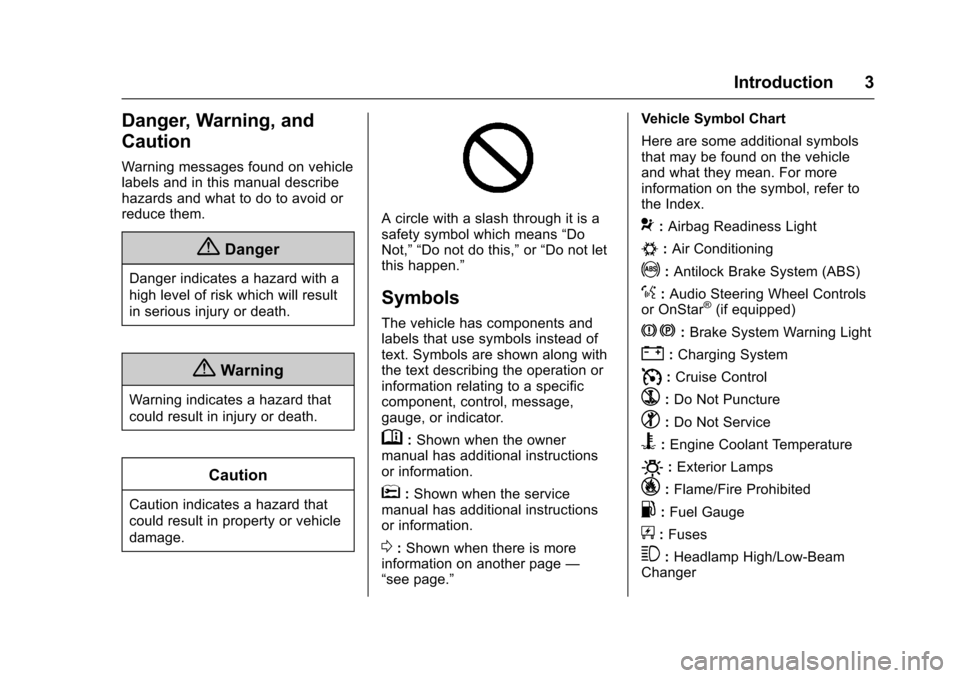
Acirclewithaslashthroughitisasafety symbol which means“DoNot,”“Do not do this,”or“Do not letthis happen.”
Symbols
The vehicle has components andlabels that use symbols instead oftext. Symbols are shown along withthe text describing the operation orinformation relating to a specificcomponent, control, message,gauge, or indicator.
M:Shown when the ownermanual has additional instructionsor information.
*:Shown when the servicemanual has additional instructionsor information.
0:Shown when there is moreinformation on another page—“see page.”
Vehicle Symbol Chart
Here are some additional symbolsthat may be found on the vehicleand what they mean. For moreinformation on the symbol, refer tothe Index.
9:Airbag Readiness Light
#:Air Conditioning
!:Antilock Brake System (ABS)
%:Audio Steering Wheel Controlsor OnStar®(if equipped)
J:Brake System Warning Light
":Charging System
I:Cruise Control
`:Do Not Puncture
^:Do Not Service
B:Engine Coolant Temperature
O:Exterior Lamps
_:Flame/Fire Prohibited
.:Fuel Gauge
+:Fuses
3:Headlamp High/Low-BeamChanger
Page 6 of 346
Chevrolet Express Owner Manual (GMNA-Localizing-U.S./Canada/Mexico-9967827) - 2017 - crc - 5/2/16
In Brief 5
In Brief
Instrument Panel
Instrument Panel . . . . . . . . . . . . . . . . 6
Initial Drive Information
Initial Drive Information . . . . . . . . . . 8Remote Keyless Entry (RKE)System . . . . . . . . . . . . . . . . . . . . . . . . 8Remote Vehicle Start . . . . . . . . . . . 8Door Locks . . . . . . . . . . . . . . . . . . . . . 9Windows . . . . . . . . . . . . . . . . . . . . . . . . 9Seat Adjustment . . . . . . . . . . . . . . . 10Safety Belts . . . . . . . . . . . . . . . . . . . . 11Airbag On-Off Switch . . . . . . . . . . 11Mirror Adjustment . . . . . . . . . . . . . . 12Steering Wheel Adjustment . . . . 13Interior Lighting . . . . . . . . . . . . . . . . 13Exterior Lighting . . . . . . . . . . . . . . . 14Windshield Wiper/Washer . . . . . . 14Climate Controls . . . . . . . . . . . . . . . 15Transmission . . . . . . . . . . . . . . . . . . 16
Vehicle Features
Infotainment System . . . . . . . . . . . 17Radio(s) . . . . . . . . . . . . . . . . . . . . . . . 17Satellite Radio . . . . . . . . . . . . . . . . . 18Portable Audio Devices . . . . . . . . 18Bluetooth®..................... 19Steering Wheel Controls . . . . . . . 19
Cruise Control . . . . . . . . . . . . . . . . . 19Rear Vision Camera (RVC) . . . . 20Parking Assist . . . . . . . . . . . . . . . . . 20Power Outlets . . . . . . . . . . . . . . . . . 20
Performance and Maintenance
Traction Control/ElectronicStability Control . . . . . . . . . . . . . . 20Tire Pressure Monitor . . . . . . . . . . 21Fuel . . . . . . . . . . . . . . . . . . . . . . . . . . . 21E85 or FlexFuel . . . . . . . . . . . . . . . . 21Engine Oil Life System . . . . . . . . 22Driving for Better FuelEconomy . . . . . . . . . . . . . . . . . . . . . 22Roadside AssistanceProgram . . . . . . . . . . . . . . . . . . . . . . 22
Page 8 of 346

Chevrolet Express Owner Manual (GMNA-Localizing-U.S./Canada/Mexico-9967827) - 2017 - crc - 5/2/16
In Brief 7
1.Air Vents0163.
2. Driver Information Center (DIC)Buttons (Out of View). SeeDriver Information Center(DIC)0108.
3. Turn Signal Lever. SeeTu r nand Lane-ChangeSignals0128.
Windshield Wiper/Washer089.
4.Horn089.
5.Hazard WarningFlashers0128.
6.Instrument Cluster095.
7. Shift Lever. SeeAutomaticTr a n s m i s s i o n0183.
Manual Mode0186(IfEquipped).
8.Climate ControlSystems0158.
9.Infotainment0132.
10.Power Outlets093.
11 . U S B P o r t ( I f E q u i p p e d ) . S e eAuxiliary Devices0146.
12. Power Outlet 110 VoltAlternating Current. SeePowerOutlets093.
13.Rear Heating System0160(If Equipped).
14. Passenger Airbag On-OffSwitch (If Equipped). SeeAirbag On-Off Switch062.
15.Tr a c t i o n C o n t r o l / E l e c t r o n i cStability Control0190(If Equipped).
16. Tow/Haul Mode Button(If Equipped). SeeTo w / H a u lMode0187.
17.Steering Wheel Controls088(If Equipped).
18.Steering Wheel Adjustment088(Out of View),(If Equipped).
19. Hood Release. SeeHood0217.
20.Cruise Control0192(If Equipped).
Fast Idle System0178(If Equipped).
21.Parking Brake0189.
22. Data Link Connector (DLC)(Out of View). SeeMalfunctionIndicator Lamp (Check EngineLight)0102.
23.Instrument Panel IlluminationControl0129.
Dome Lamp Override. SeeDome Lamps0129.
24.Exterior Lamp Controls0125.
Page 11 of 346
Chevrolet Express Owner Manual (GMNA-Localizing-U.S./Canada/Mexico-9967827) - 2017 - crc - 5/2/16
10 In Brief
Express-Down
The driver window switch also hasan express-down feature that allowsthe window to be lowered withoutholding the switch. Press fully andrelease the window switch markedAUTO to activate the express-downmode. This mode can be canceledat any time by pulling up on theswitch. To open the window partway, lightly tap the switch until thewindow is at the desired position.
SeePower Windows037.
Seat Adjustment
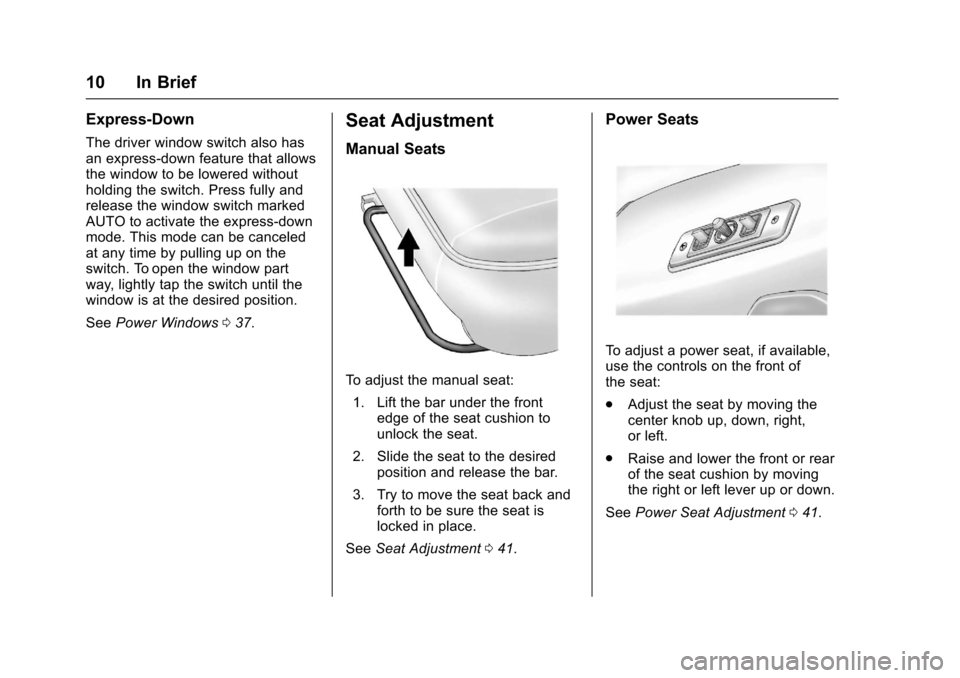
Manual Seats
To a d j u s t t h e m a n u a l s e a t :
1. Lift the bar under the frontedge of the seat cushion tounlock the seat.
2. Slide the seat to the desiredposition and release the bar.
3. Try to move the seat back andforth to be sure the seat islocked in place.
SeeSeat Adjustment041.
Power Seats
To a d j u s t a p o w e r s e a t , i f a v a i l a b l e ,use the controls on the front ofthe seat:
.Adjust the seat by moving thecenter knob up, down, right,or left.
.Raise and lower the front or rearof the seat cushion by movingthe right or left lever up or down.
SeePower Seat Adjustment041.
Page 14 of 346
Chevrolet Express Owner Manual (GMNA-Localizing-U.S./Canada/Mexico-9967827) - 2017 - crc - 5/2/16
In Brief 13
Push the tab forward for daytimeuse and pull it rearward fornighttime use to avoid glare of theheadlamps from behind.
SeeManual Rearview Mirror036.
Steering Wheel
Adjustment
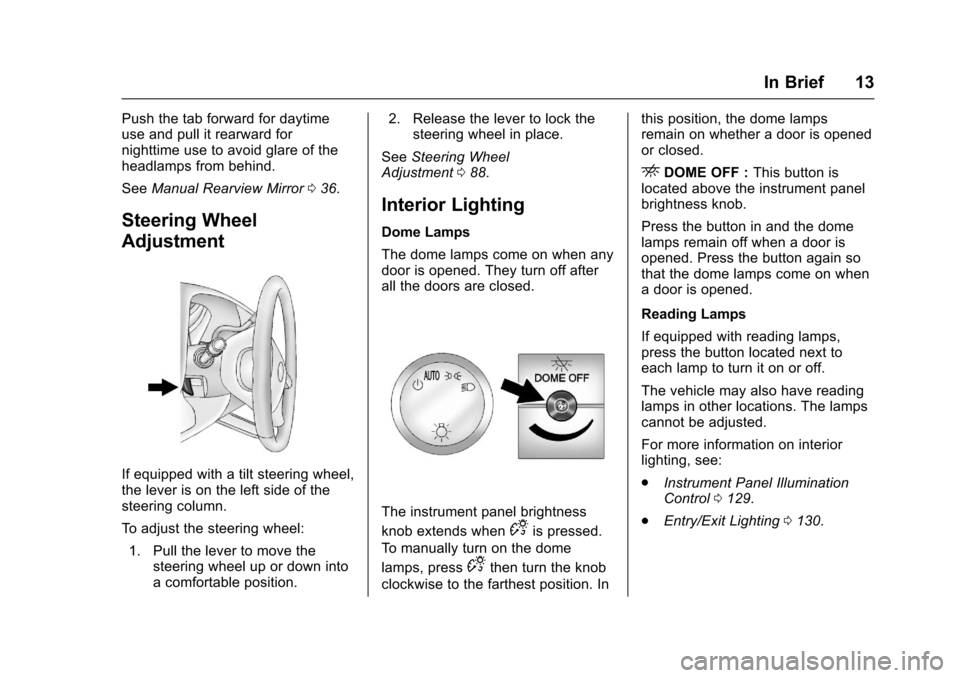
If equipped with a tilt steering wheel,the lever is on the left side of thesteering column.
To a d j u s t t h e s t e e r i n g w h e e l :
1. Pull the lever to move thesteering wheel up or down intoacomfortableposition.
2. Release the lever to lock thesteering wheel in place.
SeeSteering WheelAdjustment088.
Interior Lighting
Dome Lamps
The dome lamps come on when anydoor is opened. They turn off afterall the doors are closed.
The instrument panel brightness
knob extends whenDis pressed.
To m a n u a l l y t u r n o n t h e d o m e
lamps, pressDthen turn the knob
clockwise to the farthest position. In
this position, the dome lampsremain on whether a door is openedor closed.
EDOME OFF :This button islocated above the instrument panelbrightness knob.
Press the button in and the domelamps remain off when a door isopened. Press the button again sothat the dome lamps come on whenadoorisopened.
Reading Lamps
If equipped with reading lamps,press the button located next toeach lamp to turn it on or off.
The vehicle may also have readinglamps in other locations. The lampscannot be adjusted.
For more information on interiorlighting, see:
.Instrument Panel IlluminationControl0129.
.Entry/Exit Lighting0130.
Page 15 of 346
Chevrolet Express Owner Manual (GMNA-Localizing-U.S./Canada/Mexico-9967827) - 2017 - crc - 5/2/16
14 In Brief
Exterior Lighting
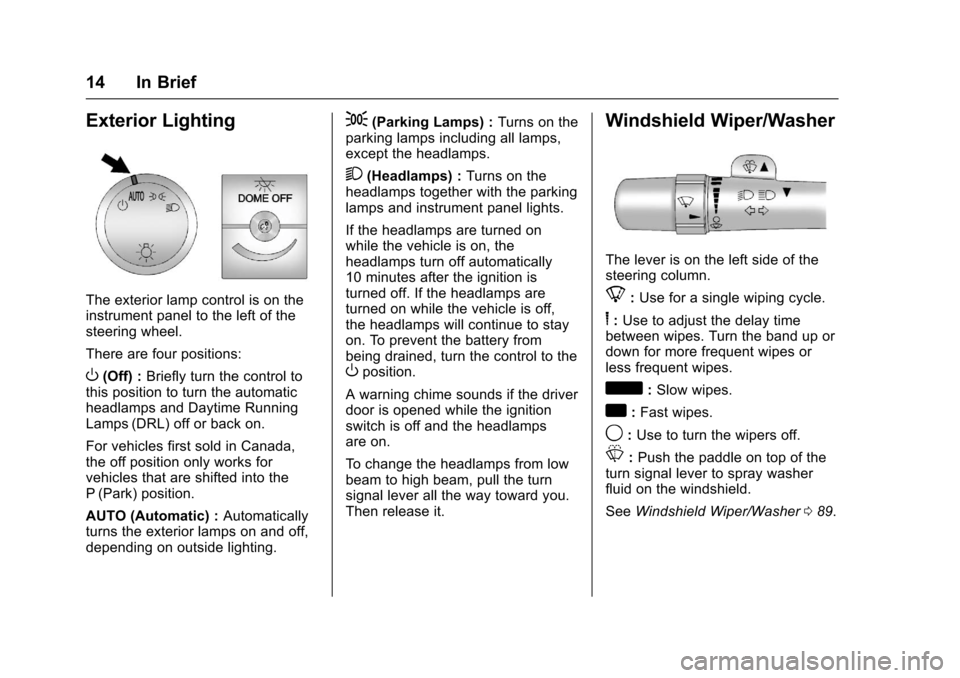
The exterior lamp control is on theinstrument panel to the left of thesteering wheel.
There are four positions:
O(Off) :Briefly turn the control tothis position to turn the automaticheadlamps and Daytime RunningLamps (DRL) off or back on.
For vehicles first sold in Canada,the off position only works forvehicles that are shifted into theP(Park) position.
AUTO (Automatic) :Automaticallyturns the exterior lamps on and off,depending on outside lighting.
;(Parking Lamps) :Turns on theparking lamps including all lamps,except the headlamps.
2(Headlamps) :Turns on theheadlamps together with the parkinglamps and instrument panel lights.
If the headlamps are turned onwhile the vehicle is on, theheadlamps turn off automatically10 minutes after the ignition isturned off. If the headlamps areturned on while the vehicle is off,the headlamps will continue to stayon. To prevent the battery frombeing drained, turn the control to theOposition.
Awarningchimesoundsifthedriverdoor is opened while the ignitionswitch is off and the headlampsare on.
To c h a n g e t h e h e a d l a m p s f r o m l o wbeam to high beam, pull the turnsignal lever all the way toward you.Then release it.
Windshield Wiper/Washer
The lever is on the left side of thesteering column.
8:Use for a single wiping cycle.
6:Use to adjust the delay timebetween wipes. Turn the band up ordown for more frequent wipes orless frequent wipes.
d:Slow wipes.
a:Fast wipes.
9:Use to turn the wipers off.
L:Push the paddle on top of theturn signal lever to spray washerfluid on the windshield.
SeeWindshield Wiper/Washer089.
Page 19 of 346
Chevrolet Express Owner Manual (GMNA-Localizing-U.S./Canada/Mexico-9967827) - 2017 - crc - 5/2/16
18 In Brief
Achoiceofadditionalinformationsuch as Channel, Song, Artist, andCAT (category) can display.Continue pressing to highlight thedesired tab, or press the softkeylocated under any one of the tabsand the information about that tabdisplays.
For more information about theseand other radio features, seeInfotainment0132.
Storing a Favorite Station
Depending on which radio thevehicle has, radio stations arestored as either favorites or presets.
For vehicles with a FAV button, amaximum of 36 stations can bestored as favorites using the sixsoftkeys below the radio stationfrequency tabs and by using theradio FAV button. Press FAV to gothrough up to six pages of favorites,each having six favorite stationsavailable per page. Each page offavorites can contain anycombination of AM and FM stations.
For more information on storing afavorite station, seeOperation0136.
Setting the Clock
To s e t t h e t i m e a n d d a t e f o r t h eRadio with CD/MP3:
1. PressHand the HR, MIN, MM,
DD, and YYYY (hour, minute,month, day, and year) display.
2. Press the softkey under anyone of the tabs to be changed.
3. Press©SEEK or¨SEEK,s
REV or\FWD, or turnf
clockwise or counterclockwiseto increase or decrease thetime or date.
For detailed instructions on settingthe clock for your specific audiosystem, seeClock092.
Satellite Radio
SiriusXM®is a satellite radio servicebased in the 48 contiguous UnitedStates and 10 Canadian provinces.SiriusXM satellite radio has a wide
variety of programming andcommercial-free music, coast tocoast, and in digital-quality sound.
AfeeisrequiredtoreceivetheSiriusXM service.
For more information, refer to:
.www.siriusxm.com or call1-888-601-6296 (U.S.)
.www.siriusxm.ca or call1-877-438-9677 (Canada)
SeeSatellite Radio0139.
Portable Audio Devices
This vehicle may have an auxiliaryinput on the radio faceplate and aUSB port on the instrument panel.External devices such as an iPod®,laptop computer, MP3 player,or USB storage device can beconnected to the auxiliary port usinga3.5mm(1/8in)inputcableortheUSB port depending on the audiosystem.
See "Using the Auxiliary Input Jack"and "Using the USB Port" inAuxiliary Devices0146.
Page 22 of 346
Chevrolet Express Owner Manual (GMNA-Localizing-U.S./Canada/Mexico-9967827) - 2017 - crc - 5/2/16
In Brief 21
.To t u r n o f f t r a c t i o n c o n t r o l , p r e s s
and releaseg.Theappropriate
DIC message will display. SeeRide Control SystemMessages011 6.
.To t u r n o f f b o t h t r a c t i o n c o n t r o land StabiliTrak, press and
holdguntil the StabiliTrak OFF
lightYilluminates and the
appropriate DIC messagesdisplay. SeeRide ControlSystem Messages011 6.
.Press and releasegagain to
turn on both systems.
SeeTr a c t i o n C o n t r o l / E l e c t r o n i cStability Control0190.
Tire Pressure Monitor
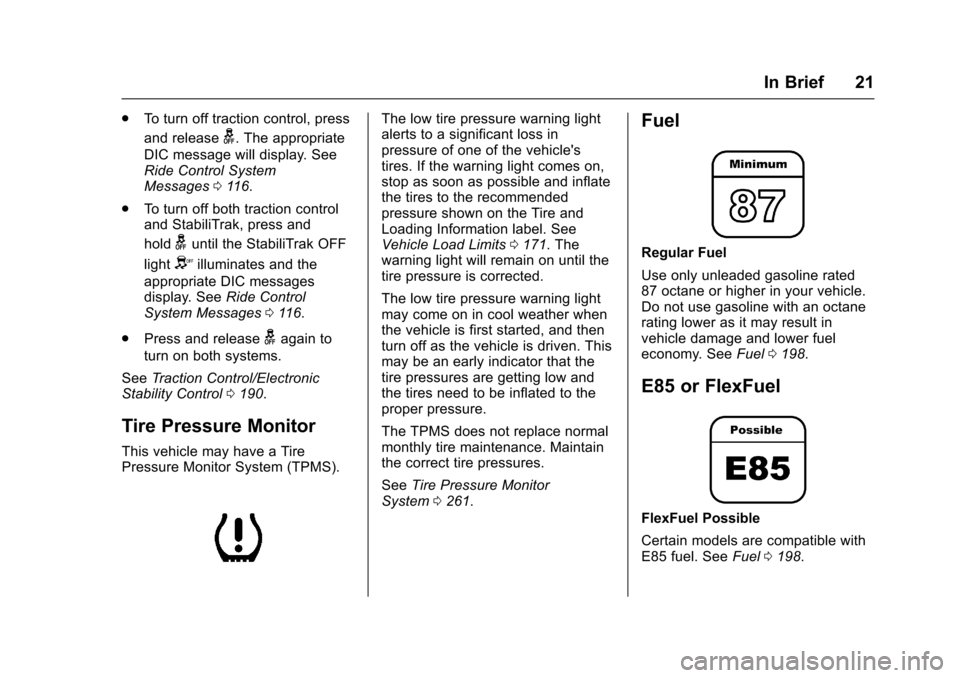
This vehicle may have a TirePressure Monitor System (TPMS).
The low tire pressure warning lightalerts to a significant loss inpressure of one of the vehicle'stires. If the warning light comes on,stop as soon as possible and inflatethe tires to the recommendedpressure shown on the Tire andLoading Information label. SeeVehicle Load Limits0171.Thewarning light will remain on until thetire pressure is corrected.
The low tire pressure warning lightmay come on in cool weather whenthe vehicle is first started, and thenturn off as the vehicle is driven. Thismay be an early indicator that thetire pressures are getting low andthe tires need to be inflated to theproper pressure.
The TPMS does not replace normalmonthly tire maintenance. Maintainthe correct tire pressures.
SeeTire Pressure MonitorSystem0261.
Fuel
Regular Fuel
Use only unleaded gasoline rated87 octane or higher in your vehicle.Do not use gasoline with an octanerating lower as it may result invehicle damage and lower fueleconomy. SeeFuel0198.
E85 or FlexFuel
FlexFuel Possible
Certain models are compatible withE85 fuel. SeeFuel0198.
Page 25 of 346
Chevrolet Express Owner Manual (GMNA-Localizing-U.S./Canada/Mexico-9967827) - 2017 - crc - 5/2/16
24 Keys, Doors, and Windows
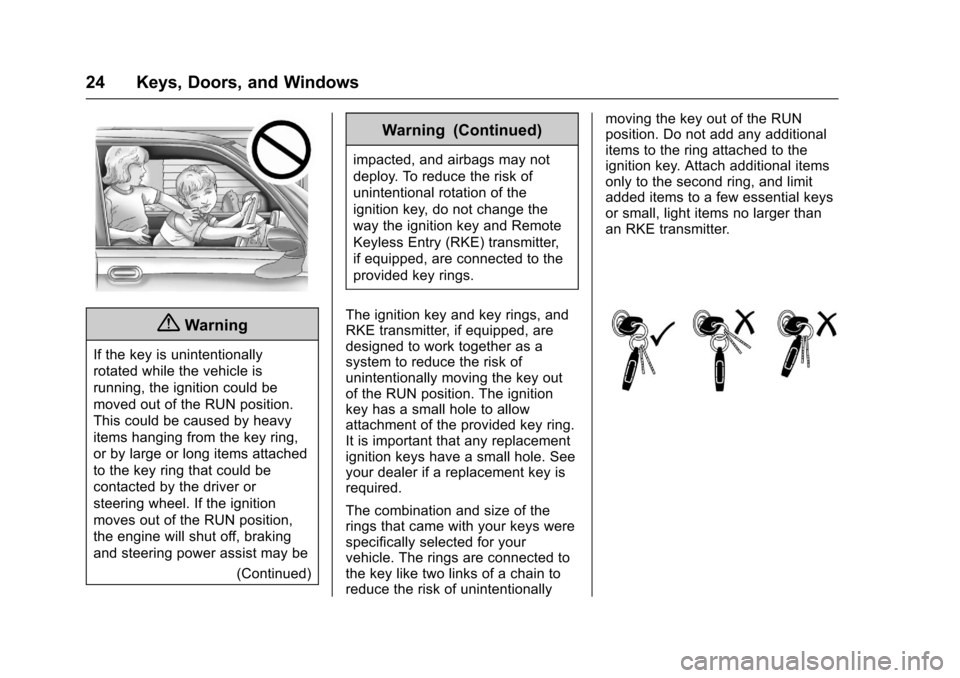
{Warning
If the key is unintentionally
rotated while the vehicle is
running, the ignition could be
moved out of the RUN position.
This could be caused by heavy
items hanging from the key ring,
or by large or long items attached
to the key ring that could be
contacted by the driver or
steering wheel. If the ignition
moves out of the RUN position,
the engine will shut off, braking
and steering power assist may be
(Continued)
Warning (Continued)
impacted, and airbags may not
deploy. To reduce the risk of
unintentional rotation of the
ignition key, do not change the
way the ignition key and Remote
Keyless Entry (RKE) transmitter,
if equipped, are connected to the
provided key rings.
The ignition key and key rings, andRKE transmitter, if equipped, aredesigned to work together as asystem to reduce the risk ofunintentionally moving the key outof the RUN position. The ignitionkey has a small hole to allowattachment of the provided key ring.It is important that any replacementignition keys have a small hole. Seeyour dealer if a replacement key isrequired.
The combination and size of therings that came with your keys werespecifically selected for yourvehicle. The rings are connected tothe key like two links of a chain toreduce the risk of unintentionally
moving the key out of the RUNposition. Do not add any additionalitems to the ring attached to theignition key. Attach additional itemsonly to the second ring, and limitadded items to a few essential keysor small, light items no larger thanan RKE transmitter.