buttons CHEVROLET HHR 2007 1.G Owners Manual
[x] Cancel search | Manufacturer: CHEVROLET, Model Year: 2007, Model line: HHR, Model: CHEVROLET HHR 2007 1.GPages: 446, PDF Size: 2.43 MB
Page 10 of 446
Power Lumbar
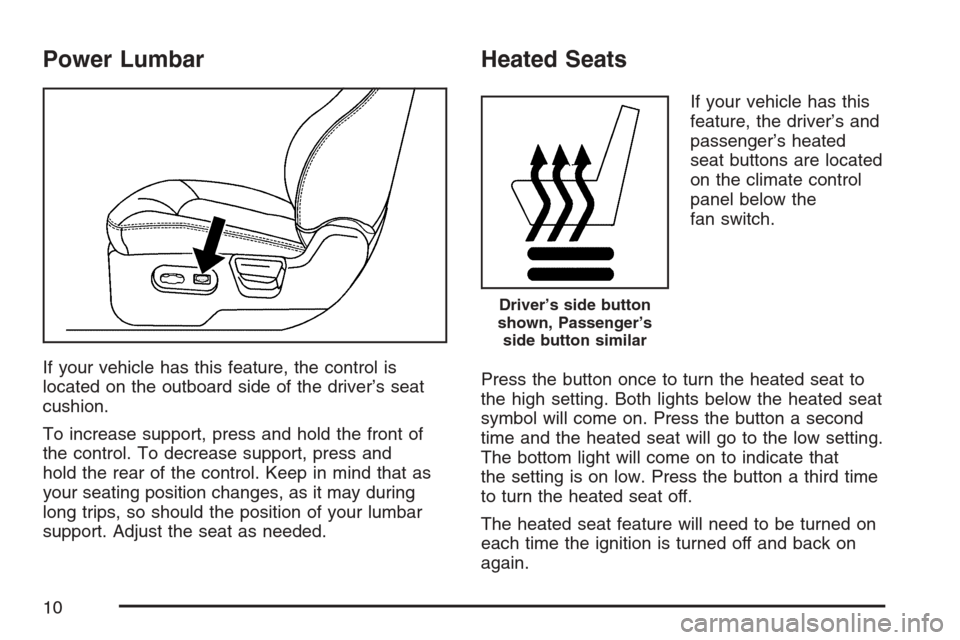
If your vehicle has this feature, the control is
located on the outboard side of the driver’s seat
cushion.
To increase support, press and hold the front of
the control. To decrease support, press and
hold the rear of the control. Keep in mind that as
your seating position changes, as it may during
long trips, so should the position of your lumbar
support. Adjust the seat as needed.
Heated Seats
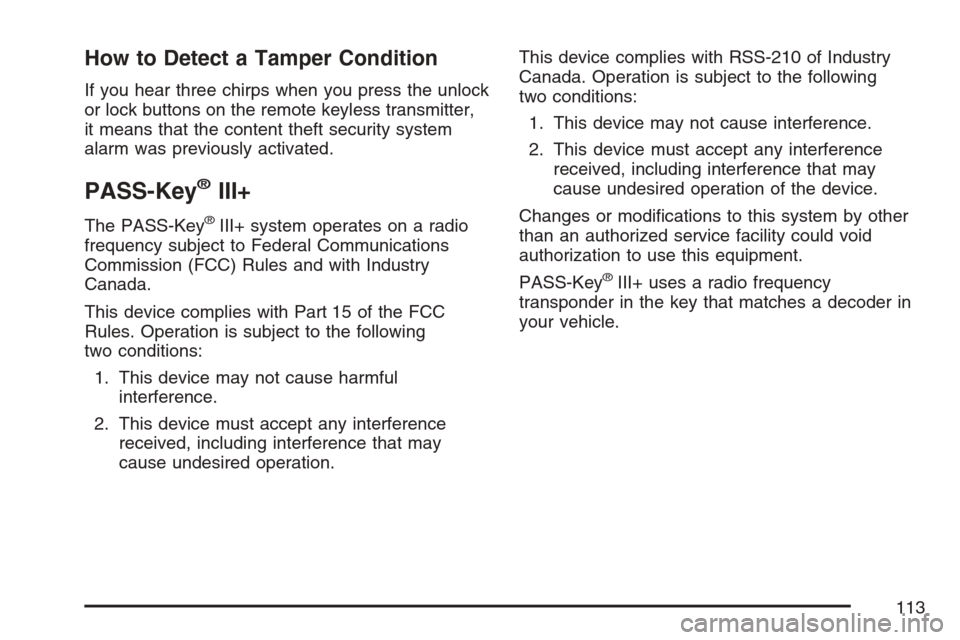
If your vehicle has this
feature, the driver’s and
passenger’s heated
seat buttons are located
on the climate control
panel below the
fan switch.
Press the button once to turn the heated seat to
the high setting. Both lights below the heated seat
symbol will come on. Press the button a second
time and the heated seat will go to the low setting.
The bottom light will come on to indicate that
the setting is on low. Press the button a third time
to turn the heated seat off.
The heated seat feature will need to be turned on
each time the ignition is turned off and back on
again.
Driver’s side button
shown, Passenger’s
side button similar
10
Page 113 of 446
How to Detect a Tamper Condition
If you hear three chirps when you press the unlock
or lock buttons on the remote keyless transmitter,
it means that the content theft security system
alarm was previously activated.
PASS-Key®III+
The PASS-Key®III+ system operates on a radio
frequency subject to Federal Communications
Commission (FCC) Rules and with Industry
Canada.
This device complies with Part 15 of the FCC
Rules. Operation is subject to the following
two conditions:
1. This device may not cause harmful
interference.
2. This device must accept any interference
received, including interference that may
cause undesired operation.This device complies with RSS-210 of Industry
Canada. Operation is subject to the following
two conditions:
1. This device may not cause interference.
2. This device must accept any interference
received, including interference that may
cause undesired operation of the device.
Changes or modications to this system by other
than an authorized service facility could void
authorization to use this equipment.
PASS-Key
®III+ uses a radio frequency
transponder in the key that matches a decoder in
your vehicle.
113
Page 134 of 446
Mirrors
Manual Rearview Mirror
To reduce glare from lamps behind you, move the
lever toward you to the night position. Your
vehicle may also have reading lamps. Press the
buttons, located under the mirror, up to turn
the lamps on or off.
Automatic Dimming Rearview Mirror
with OnStar
®and Compass
Your vehicle may have an automatic dimming
rearview mirror with OnStar®, compass and
reading lamps. This feature enables the mirror to
sense nighttime glare from vehicle headlamps
from behind and automatically dim to reduce the
glare to a safe level.
O(On/Off):This is the on/off button for the
automatic dimming feature.
The automatic dimming feature turns on each time
the vehicle is started. Press and hold the on/off
button once and the green indicator light located to
the left of the button will go out indicating thefeature is off. To turn the feature back on, press
and hold the on/off button and the green indicator
light will come on.
The reading lamps, located under the mirror, can
be turned on or off by pushing the buttons up.
There are three additional buttons for the OnStar
®
system. See your dealer for more information on
the system and how to subscribe to OnStar®. See
OnStar®in the Index for more information.
Compass Operation
Press the on/off button once to turn the compass
on or off.
When the ignition and the compass feature are on,
the compass will show two character boxes for a
few seconds. After a few seconds, the mirror will
display the current compass direction.
Compass Calibration
If after a few seconds the display does not show a
compass direction, (N for North for example),
there may be a strong magnetic eld interfering
with the compass. Such interference may be
caused by a magnetic antenna mount, note pad
holder, or similar object. If the word CAL appears
in the compass window, the compass may
need to be reset or calibrated.
134
Page 136 of 446
Cleaning the Mirror
When cleaning the mirror, use a paper towel or
similar material dampened with glass cleaner. Do
not spray glass cleaner directly on the mirror
as that may cause the liquid cleaner to enter the
mirror housing.
Automatic Dimming Rearview Mirror
with Compass
Your vehicle may have an automatic dimming
rearview mirror with a compass and reading lamps.
This feature enables the mirror to sense nighttime
glare from vehicle headlamps from behind and
automatically dim to reduce the glare to a
safe level.
O(On/Off):This is the on/off button for the
automatic dimming feature.
The automatic dimming feature turns on each time
the vehicle is started. Press the on/off button
once and the green indicator light located to the
left of the button will go out indicating the feature is
off. To turn the feature back on, press and
release the on/off button and the green indicator
light will come on.The reading lamps, located under the mirror, can
be turned on or off by pushing the buttons up.
Compass Operation
Y
:This is the on/off button for the
compass feature.
Press the compass button once to turn the
compass on or off.
When the ignition and the compass feature are
on, the compass will show two character boxes for
a few seconds. After a few seconds, the mirror
will display the current compass direction.
Compass Calibration
If after a few seconds the display does not show a
compass direction, (N for North for example),
there may be a strong magnetic eld interfering
with the compass. Such interference may be
caused by a magnetic antenna mount, note pad
holder, or similar object. If the word CAL appears
in the compass window, the compass may
need to be reset or calibrated.
136
Page 143 of 446
Your Responsibility
You may need to increase the volume of your
radio to hear the OnStar®advisor. If the light next
to the OnStar®buttons is red, this means that
your system is not functioning properly and should
be checked by a dealer. If the light appears
clear (no light is appearing), your OnStar
®
subscription has expired. You can always press
the OnStar®button to conrm that your OnStar®
equipment is active.
Storage Areas
Glove Box
Open the glove box by lifting up on the lever.
Close the glove box with a rm push.
Cupholder(s)
There are two cupholders located in the oor
console between the front seats. There is also a
cupholder for the rear seat passenger located
at the rear of the oor console. They can be
removed for cleaning.
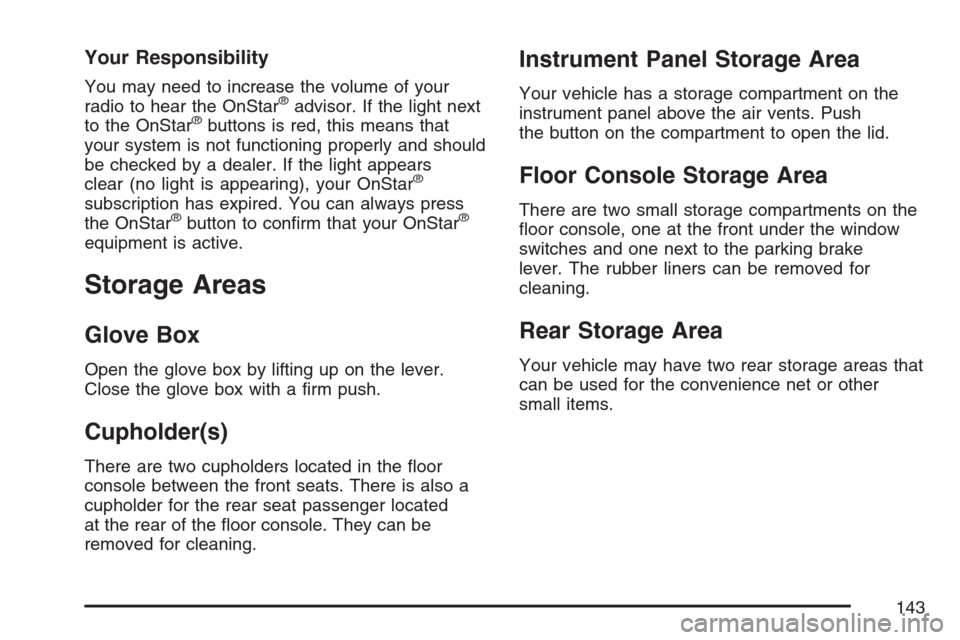
Instrument Panel Storage Area
Your vehicle has a storage compartment on the
instrument panel above the air vents. Push
the button on the compartment to open the lid.
Floor Console Storage Area
There are two small storage compartments on the
oor console, one at the front under the window
switches and one next to the parking brake
lever. The rubber liners can be removed for
cleaning.
Rear Storage Area
Your vehicle may have two rear storage areas that
can be used for the convenience net or other
small items.
143
Page 153 of 446
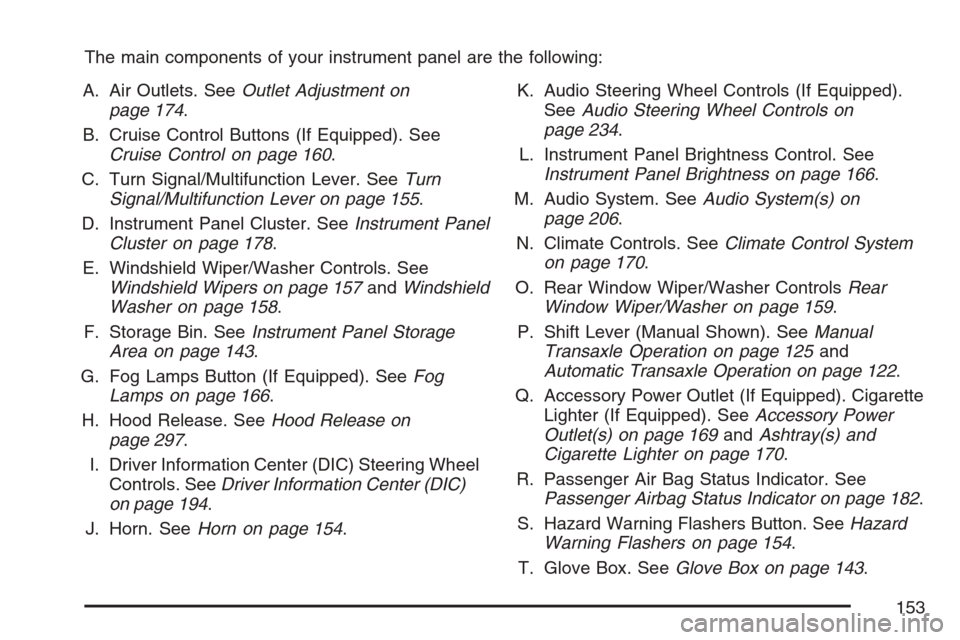
The main components of your instrument panel are the following:
A. Air Outlets. SeeOutlet Adjustment on
page 174.
B. Cruise Control Buttons (If Equipped). See
Cruise Control on page 160.
C. Turn Signal/Multifunction Lever. SeeTurn
Signal/Multifunction Lever on page 155.
D. Instrument Panel Cluster. SeeInstrument Panel
Cluster on page 178.
E. Windshield Wiper/Washer Controls. See
Windshield Wipers on page 157andWindshield
Washer on page 158.
F. Storage Bin. SeeInstrument Panel Storage
Area on page 143.
G. Fog Lamps Button (If Equipped). SeeFog
Lamps on page 166.
H. Hood Release. SeeHood Release on
page 297.
I. Driver Information Center (DIC) Steering Wheel
Controls. SeeDriver Information Center (DIC)
on page 194.
J. Horn. SeeHorn on page 154.K. Audio Steering Wheel Controls (If Equipped).
SeeAudio Steering Wheel Controls on
page 234.
L. Instrument Panel Brightness Control. See
Instrument Panel Brightness on page 166.
M. Audio System. SeeAudio System(s) on
page 206.
N. Climate Controls. SeeClimate Control System
on page 170.
O. Rear Window Wiper/Washer ControlsRear
Window Wiper/Washer on page 159.
P. Shift Lever (Manual Shown). SeeManual
Transaxle Operation on page 125and
Automatic Transaxle Operation on page 122.
Q. Accessory Power Outlet (If Equipped). Cigarette
Lighter (If Equipped). SeeAccessory Power
Outlet(s) on page 169andAshtray(s) and
Cigarette Lighter on page 170.
R. Passenger Air Bag Status Indicator. See
Passenger Airbag Status Indicator on page 182.
S. Hazard Warning Flashers Button. SeeHazard
Warning Flashers on page 154.
T. Glove Box. SeeGlove Box on page 143.
153
Page 160 of 446
Cruise Control
With cruise control, you can maintain a speed of
about 25 mph (40 km/h) or more without
keeping your foot on the accelerator. This can
really help on long trips. Cruise control does not
work at speeds below 25 mph (40 km/h).
{CAUTION:
Cruise control can be dangerous where
you cannot drive safely at a steady speed.
So, do not use your cruise control on
winding roads or in heavy traffic.
Cruise control can be dangerous on
slippery roads. On such roads, fast
changes in tire traction can cause
excessive wheel slip, and you could lose
control. Do not use cruise control on
slippery roads.
Setting Cruise Control
{CAUTION:
If you leave your cruise control on when
you are not using cruise, you might hit a
button and go into cruise when you do not
want to. You could be startled and even
lose control. Keep the cruise control switch
off until you want to use cruise control.
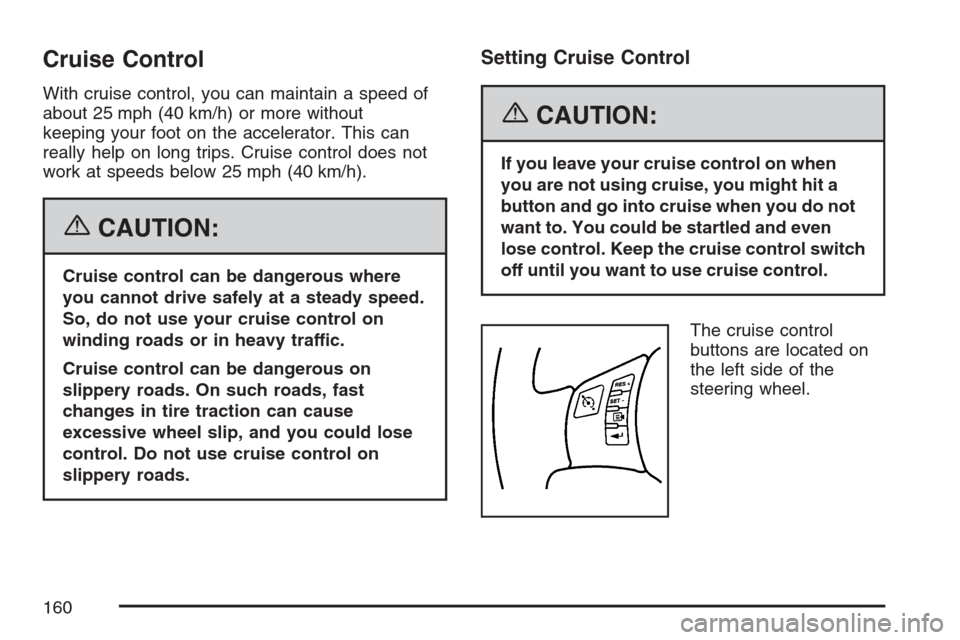
The cruise control
buttons are located on
the left side of the
steering wheel.
160
Page 194 of 446
Here are four things that some owners ask about.
None of these show a problem with your fuel gage:
At the service station, the gas pump shuts off
before the gage reads full.
It takes a little more or less fuel to ll up than
the gage indicated. For example, the gage may
have indicated the tank was half full, but it
actually took a little more or less than half the
tank’s capacity to ll the tank.
The gage moves a little when you turn a corner
or speed up.
The gage doesn’t go back to empty when you
turn off the ignition.
For your fuel tank capacity, seeCapacities and
Specifications on page 386.
Driver Information Center (DIC)
Your vehicle has a Driver Information Center (DIC).
The DIC display gives you the status of many of
your vehicle’s systems. The DIC is also used to
display driver personalization menu modes and
warning/status messages. All messages will appear
in the DIC display, located at the bottom of the
instrument panel cluster.
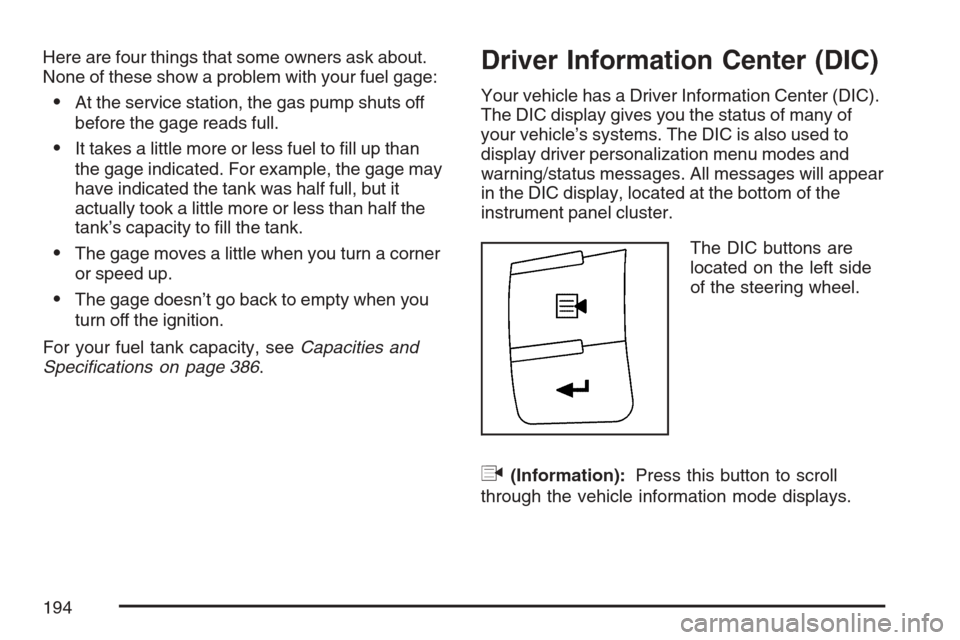
The DIC buttons are
located on the left side
of the steering wheel.
q(Information):Press this button to scroll
through the vehicle information mode displays.
194
Page 195 of 446
r(Reset):Press this button to reset some
vehicle information mode displays, select a
personalization menu mode setting, or
acknowledge a warning message.
Press and hold the information and reset buttons
at the same time for one second, then release
the buttons to enter the personalization menu. See
DIC Vehicle Personalization on page 200for
more information.
DIC Operation and Displays
The DIC comes on when the ignition is on. The
DIC has different modes which can be accessed
by pressing the DIC buttons. The button functions
are detailed in the following.
Information Modes
q
(Information):Press this button to scroll
through the following vehicle information modes:
Outside Air Temperature and Odometer
Press the information button until the outside
air temperature and the odometer are displayed.
This mode shows the temperature outside of
the vehicle in either degrees Fahrenheit (°F) or
degrees Celsius (°C) and the total distance
the vehicle has been driven in either miles (mi) or
kilometers (km). The outside air temperature
will appear on the left side of the DIC display and
the odometer will appear on the right side of
the display.
To change the DIC display to English or metric
units, see “UNITS” underDIC Vehicle
Personalization on page 200.
195
Page 197 of 446
OIL LIFE
Press the information button until OIL LIFE is
displayed. The engine oil life system shows
an estimate of the oil’s remaining useful life. It will
show 100% when the system is reset after an
oil change. It will alert you to change your oil on a
schedule consistent with your driving conditions.
In addition to the engine oil life system monitoring
the oil life, additional maintenance is
recommended in the Maintenance Schedule in this
manual. SeeEngine Oil on page 299and
Scheduled Maintenance on page 393.
Always reset the engine oil life system after an oil
change. See “How to Reset the Engine Oil Life
System” underEngine Oil Life System on
page 302.
COOLANT
Press the information button until COOLANT is
displayed. This mode shows the temperature of the
engine coolant in either degrees Fahrenheit (°F) or
degrees Celsius (°C).
DIC Warnings and Messages
These messages appear if there is a problem
detected in one of your vehicle’s systems.
A message will clear when the vehicle’s condition
is no longer present. To acknowledge a message
and clear it from the display, press and hold
any of the DIC buttons. If the condition is still
present, the warning message will come back on
the next time the vehicle is turned off and back
on. With most messages, a warning chime sounds
when the message displays. Your vehicle may
have other warning messages.
AUTO (Automatic) LIGHTS OFF
This message displays if the automatic headlamp
system is disabled with the headlamp switch.
SeeAutomatic Headlamp System on page 165for
more information.
AUTO (Automatic) LIGHTS ON
This message displays if the automatic headlamp
system is enabled with the headlamp switch.
SeeAutomatic Headlamp System on page 165for
more information.
197