radio CHEVROLET HHR 2007 1.G Owners Manual
[x] Cancel search | Manufacturer: CHEVROLET, Model Year: 2007, Model line: HHR, Model: CHEVROLET HHR 2007 1.GPages: 446, PDF Size: 2.43 MB
Page 97 of 446
Remote Keyless Entry (RKE)
System
Your Remote Keyless Entry (RKE) system
operates on a radio frequency subject to Federal
Communications Commission (FCC) Rules
and with Industry Canada.
This device complies with Part 15 of the FCC
Rules. Operation is subject to the following
two conditions:
1. This device may not cause interference.
2. This device must accept any interference
received, including interference that may
cause undesired operation of the device.
This device complies with RSS-210 of Industry
Canada. Operation is subject to the following
two conditions:
1. This device may not cause interference.
2. This device must accept any interference
received, including interference that may
cause undesired operation of the device.
Changes or modications to this system by other
than an authorized service facility could void
authorization to use this equipment.At times you may notice a decrease in operating
range. This is normal for any RKE system. If
the transmitter does not work or if you have to
stand closer to your vehicle for the transmitter to
work, try this:
Check the distance. You may be too far from
your vehicle. You may need to stand closer
during rainy or snowy weather.
Check the location. Other vehicles or objects
may be blocking the signal. Take a few steps
to the left or right, hold the transmitter
higher, and try again.
Check to determine if battery replacement is
necessary. See “Battery Replacement”
underRemote Keyless Entry (RKE) System
Operation on page 98.
If you are still having trouble, see your dealer
or a qualied technician for service.
97
Page 113 of 446
How to Detect a Tamper Condition
If you hear three chirps when you press the unlock
or lock buttons on the remote keyless transmitter,
it means that the content theft security system
alarm was previously activated.
PASS-Key®III+
The PASS-Key®III+ system operates on a radio
frequency subject to Federal Communications
Commission (FCC) Rules and with Industry
Canada.
This device complies with Part 15 of the FCC
Rules. Operation is subject to the following
two conditions:
1. This device may not cause harmful
interference.
2. This device must accept any interference
received, including interference that may
cause undesired operation.This device complies with RSS-210 of Industry
Canada. Operation is subject to the following
two conditions:
1. This device may not cause interference.
2. This device must accept any interference
received, including interference that may
cause undesired operation of the device.
Changes or modications to this system by other
than an authorized service facility could void
authorization to use this equipment.
PASS-Key
®III+ uses a radio frequency
transponder in the key that matches a decoder in
your vehicle.
113
Page 119 of 446
Retained Accessory Power (RAP)
Your vehicle has a Retained Accessory
Power (RAP) feature which allow’s the radio,
power windows, and sunroof to continue to work
up to 10 minutes after the ignition is turned off.
Your vehicle’s radio will work when the ignition key
is in RUN or ACC. Once the key is turned from
RUN to LOCK, the radio will continue to work for
10 minutes or until the driver’s door is opened.
Also, the power windows and sunroof will continue
to work for up to 10 minutes or until any door is
opened.
Starting the Engine
Place the transaxle in the proper gear.
Automatic Transaxle
Move your shift lever to PARK (P) or
NEUTRAL (N). Your engine will not start in
any other position -- this is a safety feature.
To restart when you are already moving, use
NEUTRAL (N) only.
Notice:Shifting into PARK (P) with the vehicle
moving could damage the transaxle. Shift into
PARK (P) only when your vehicle is stopped.
Manual Transaxle
The shift lever should be in the neutral position
and the parking brake engaged. Hold the
clutch pedal to the oor and start the engine. Your
vehicle will not start if the clutch pedal is not all
the way down. That is a safety feature.
119
Page 143 of 446
Your Responsibility
You may need to increase the volume of your
radio to hear the OnStar®advisor. If the light next
to the OnStar®buttons is red, this means that
your system is not functioning properly and should
be checked by a dealer. If the light appears
clear (no light is appearing), your OnStar
®
subscription has expired. You can always press
the OnStar®button to conrm that your OnStar®
equipment is active.
Storage Areas
Glove Box
Open the glove box by lifting up on the lever.
Close the glove box with a rm push.
Cupholder(s)
There are two cupholders located in the oor
console between the front seats. There is also a
cupholder for the rear seat passenger located
at the rear of the oor console. They can be
removed for cleaning.
Instrument Panel Storage Area
Your vehicle has a storage compartment on the
instrument panel above the air vents. Push
the button on the compartment to open the lid.
Floor Console Storage Area
There are two small storage compartments on the
oor console, one at the front under the window
switches and one next to the parking brake
lever. The rubber liners can be removed for
cleaning.
Rear Storage Area
Your vehicle may have two rear storage areas that
can be used for the convenience net or other
small items.
143
Page 150 of 446
Brake System Warning Light..................... 185
Anti-Lock Brake System Warning Light........ 186
Enhanced Traction System Warning Light.... 187
Engine Coolant Temperature
Warning Light........................................ 187
Engine Coolant Temperature Gage............ 188
Malfunction Indicator Lamp........................ 188
Oil Pressure Light..................................... 192
Security Light............................................ 193
Fog Lamp Light......................................... 193
Highbeam On Light................................... 193
Fuel Gage................................................. 193
Driver Information Center (DIC).................. 194
DIC Operation and Displays...................... 195
DIC Warnings and Messages.................... 197
DIC Vehicle Personalization....................... 200Audio System(s)......................................... 206
Setting the Time (Without Date Display).... 207
Setting the Time (With Date Display)......... 208
Radio with CD (Base)............................... 210
Radio with CD (MP3)................................ 215
Using an MP3........................................... 226
XM Radio Messages................................. 232
Theft-Deterrent Feature............................. 233
Audio Steering Wheel Controls.................. 234
Radio Reception........................................ 234
Care of Your CDs..................................... 235
Care of the CD Player.............................. 235
Fixed Mast Antenna.................................. 236
XM™ Satellite Radio Antenna System....... 236
Section 3 Instrument Panel
150
Page 166 of 446
Fog Lamps
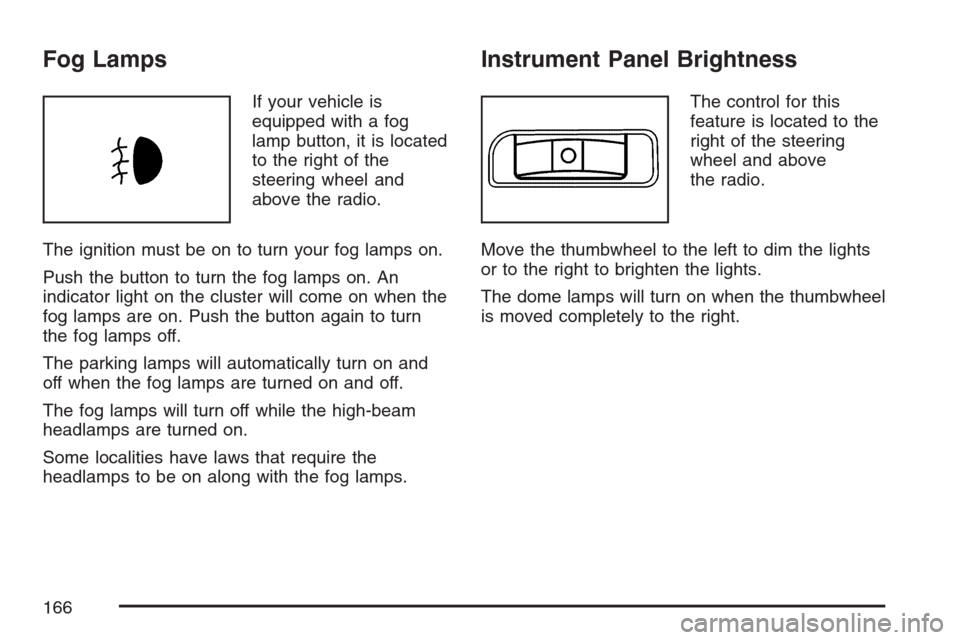
If your vehicle is
equipped with a fog
lamp button, it is located
to the right of the
steering wheel and
above the radio.
The ignition must be on to turn your fog lamps on.
Push the button to turn the fog lamps on. An
indicator light on the cluster will come on when the
fog lamps are on. Push the button again to turn
the fog lamps off.
The parking lamps will automatically turn on and
off when the fog lamps are turned on and off.
The fog lamps will turn off while the high-beam
headlamps are turned on.
Some localities have laws that require the
headlamps to be on along with the fog lamps.
Instrument Panel Brightness
The control for this
feature is located to the
right of the steering
wheel and above
the radio.
Move the thumbwheel to the left to dim the lights
or to the right to brighten the lights.
The dome lamps will turn on when the thumbwheel
is moved completely to the right.
166
Page 169 of 446
Accessory Power Outlet(s)
Accessory power outlets can be used to connect
electrical equipment such as a cellular phone
or CB radio.
The accessory power outlet is located on the
instrument panel below the climate controls and at
the rear of the center console.
To use the outlet, remove the cover. When not
in use, always cover the outlet with the
protective cap.
Notice:Leaving electrical equipment plugged
in for an extended period of time while the
vehicle is off will drain the battery. Power is
always supplied to the outlets. Always unplug
electrical equipment when not in use and
do not plug in equipment that exceeds
the maximum 20 ampere rating.
Certain electrical accessories may not be
compatible with the accessory power outlet and
could result in blown vehicle or adapter fuses. If you
experience a problem, see your dealer for
additional information on the accessory power
outlet.Notice:Adding any electrical equipment to
your vehicle may damage it or keep other
components from working as they should. The
repairs would not be covered by your
warranty. Do not use equipment exceeding
maximum amperage rating of 20 amperes.
Check with your dealer before adding electrical
equipment.
When adding electrical equipment, be sure to
follow the installation instructions included with the
equipment.
Notice:Improper use of the power outlet can
cause damage not covered by your warranty.
Do not hang any type of accessory or
accessory bracket from the plug because the
power outlets are designed for accessory
power plugs only.
169
Page 184 of 446
If the word OFF or the off symbol is lit on the
airbag status indicator, it means that the
passenger sensing system has turned off the right
front passenger’s frontal airbag. SeePassenger
Sensing System on page 82for more on this,
including important safety information.
If, after several seconds, all status indicator lights
remain on, or if there are no lights at all, there
may be a problem with the lights or the passenger
sensing system. See your dealer for service.
{CAUTION:
If the off indicator and the airbag
readiness light ever come on together, it
means that something may be wrong with
the airbag system. If this ever happens,
have the vehicle serviced promptly,
because an adult-size person sitting in the
right front passenger seat may not have
the protection of the frontal airbag. See
Airbag Readiness Light on page 181.
Charging System Light
The charging system
light will come on briey
when you turn on the
ignition, and the engine
is not running, as a
check to show you it is
working.
Then it should go out when the engine is started.
If it stays on, or comes on while you are driving,
you may have a problem with the electrical
charging system. Have it checked by your dealer.
Driving while this light is on could drain your
battery.
If you must drive a short distance with the light on,
be certain to turn off all your accessories, such
as the radio and air conditioner.
184
Page 206 of 446
Exiting Personalization Menu
The personalization menu will be exited when any
of the following conditions occur:
A ten second time period has elapsed.
The ignition is turned off.
The end of the personalization menu list is
reached.
Audio System(s)
Determine which radio your vehicle has and then
read the pages following to familiarize yourself
with its features.
Driving without distraction is a necessity for a
safer driving experience. SeeDefensive Driving on
page 238. By taking a few moments to read this
manual and get familiar with your vehicle’s
audio system, you can use it with less effort, as
well as take advantage of its features. While your
vehicle is parked, set up your audio system by
presetting your favorite radio stations, setting the
tone and adjusting the speakers. Then, when
driving conditions permit, you can tune to
your favorite stations using the presets and
steering wheel controls if the vehicle has them.
{CAUTION:
This system provides you with a far greater
access to audio stations and song listings.
Giving extended attention to entertainment
tasks while driving can cause a crash and
you or others can be injured or killed.
Always keep your eyes on the road and
your mind on the drive — avoid engaging
in extended searching while driving.
Keeping your mind on the drive is important for
safe driving. For more information, seeDefensive
Driving on page 238.
Here are some ways in which you can help avoid
distraction while driving.
While your vehicle is parked:
Familiarize yourself with all of its controls.
Familiarize yourself with its operation.
206
Page 207 of 446
Set up your audio system by presetting your
favorite radio stations, setting the tone, and
adjusting the speakers. Then, when driving
conditions permit, you can tune to your favorite
radio stations using the presets and steering
wheel controls if the vehicle has them.
Notice:Before adding any sound equipment to
your vehicle, such as an audio system, CD
player, CB radio, mobile telephone, or two-way
radio, make sure that it can be added by
checking with your dealer. Also, check federal
rules covering mobile radio and telephone
units. If sound equipment can be added, it is
very important to do it properly. Added sound
equipment may interfere with the operation of
your vehicle’s engine, radio, or other systems,
and even damage them. Your vehicle’s systems
may interfere with the operation of sound
equipment that has been added.
Your vehicle has a feature called Retained
Accessory Power (RAP). With RAP, the audio
system can be played even after the ignition is
turned off. SeeRetained Accessory Power (RAP)
on page 119for more information.Setting the Time
(Without Date Display)
If your vehicle has an AM/FM base radio with a
single CD player and preset buttons numbered one
through six, the radio will have a clock button
for setting the time. You can set the time by
following these steps:
1. Turn the ignition key to ACC (accessory) or
RUN. Press the power knob, located in the
center of the radio, to turn the radio on.
2. Press the clock button until the hour numbers
begin ashing on the display. Press the clock
button a second time and the minute
numbers will begin ashing on the display.
3. While either the hour or the minute numbers
are ashing, turn the tune knob, located on
the upper right side of the radio, clockwise or
counterclockwise to increase or decrease
the time.
4. Press the clock button again until the clock
display stops ashing to set the currently
displayed time; otherwise, the ashing will stop
after ve seconds and the current time
displayed will be automatically set.
207