display CHEVROLET HHR 2009 1.G User Guide
[x] Cancel search | Manufacturer: CHEVROLET, Model Year: 2009, Model line: HHR, Model: CHEVROLET HHR 2009 1.GPages: 450, PDF Size: 2.49 MB
Page 154 of 450
Headlamps
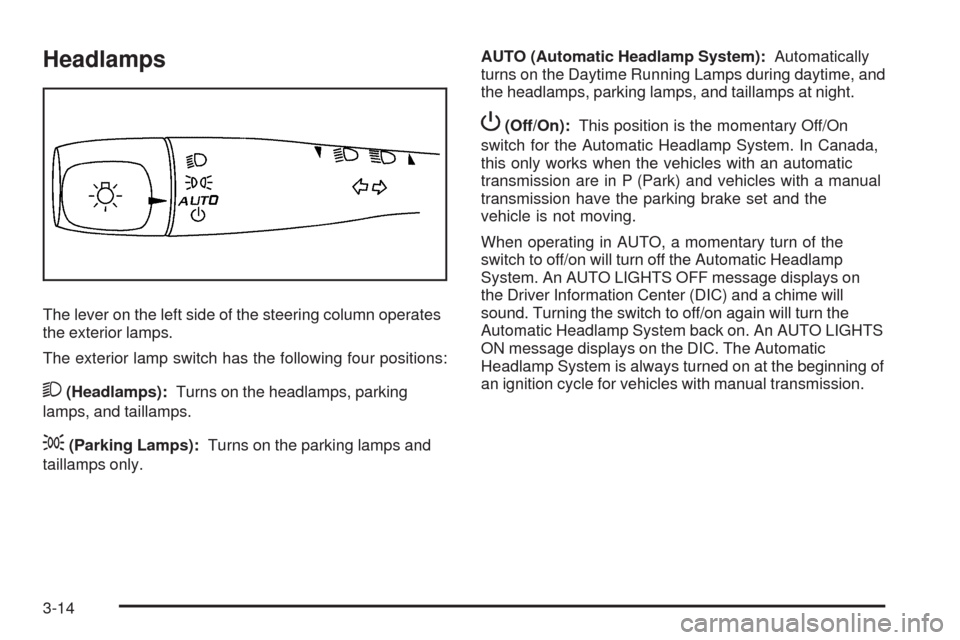
The lever on the left side of the steering column operates
the exterior lamps.
The exterior lamp switch has the following four positions:
2(Headlamps):Turns on the headlamps, parking
lamps, and taillamps.
;(Parking Lamps):Turns on the parking lamps and
taillamps only.AUTO (Automatic Headlamp System):Automatically
turns on the Daytime Running Lamps during daytime, and
the headlamps, parking lamps, and taillamps at night.
P(Off/On):This position is the momentary Off/On
switch for the Automatic Headlamp System. In Canada,
this only works when the vehicles with an automatic
transmission are in P (Park) and vehicles with a manual
transmission have the parking brake set and the
vehicle is not moving.
When operating in AUTO, a momentary turn of the
switch to off/on will turn off the Automatic Headlamp
System. An AUTO LIGHTS OFF message displays on
the Driver Information Center (DIC) and a chime will
sound. Turning the switch to off/on again will turn the
Automatic Headlamp System back on. An AUTO LIGHTS
ON message displays on the DIC. The Automatic
Headlamp System is always turned on at the beginning of
an ignition cycle for vehicles with manual transmission.
3-14
Page 158 of 450
Electric Power Management
This vehicle has Electric Power Management (EPM),
an advanced control system. It estimates the battery’s
temperature and state of charge and then adjusts the
voltage for best performance and extended life of the
battery.
When the battery’s state of charge is low, the voltage is
raised slightly to quickly put the charge back in. When the
state of charge is high, the voltage is lowered slightly to
prevent overcharging. If the vehicle has a voltmeter gage
or voltage display on the Driver Information Center (DIC),
you may see the voltage move up or down. This is
normal. If there is a problem, an alert will be displayed.
The battery can be discharged at idle if the electrical
loads are very high. This is true for all vehicles. This is
because the generator (alternator) may not be spinning
fast enough at idle to produce all the power that is
needed for very high electrical loads.
A high electrical load occurs when several of the
following loads are on: headlamps, high beams, fog
lamps, rear window defogger, climate control fan at high
speed, heated seats, engine cooling fans, trailer loads,
and loads plugged into accessory power outlets.EPM works to prevent excessive discharge of the
battery. It does this by balancing the generator’s output
and the vehicle’s electrical needs. It can increase
engine idle speed to generate more power, whenever
needed. It can temporarily reduce the power demands of
some accessories.
Normally, these actions occur in steps or levels, without
being noticeable. In rare cases at the highest levels
of corrective action, this action may be noticeable to
the driver.
Battery Run-Down Protection
The vehicle has a battery saver feature designed to
protect the vehicle’s battery.
When any interior lamp is left on and the ignition is
turned off, the battery rundown protection system
automatically turns the lamp off after 20 minutes.
This prevents draining of the battery.
3-18
Page 168 of 450
Speedometer and Odometer
The speedometer shows the speed in both miles per
hour (mph) and kilometers per hour (km/h).
The vehicle’s odometer works together with the Driver
Information Center (DIC). Trip A and Trip B can be
set on the odometer. See “Trip Information” underDIC
Operation and Displays on page 3-48.
The vehicle does not have to be running to check the
odometer mileage. Simply open the driver’s door and the
mileage briey displays.
If the vehicle ever needs a new odometer installed, the
new one will be set to the correct total mileage of the old
odometer.
Tachometer
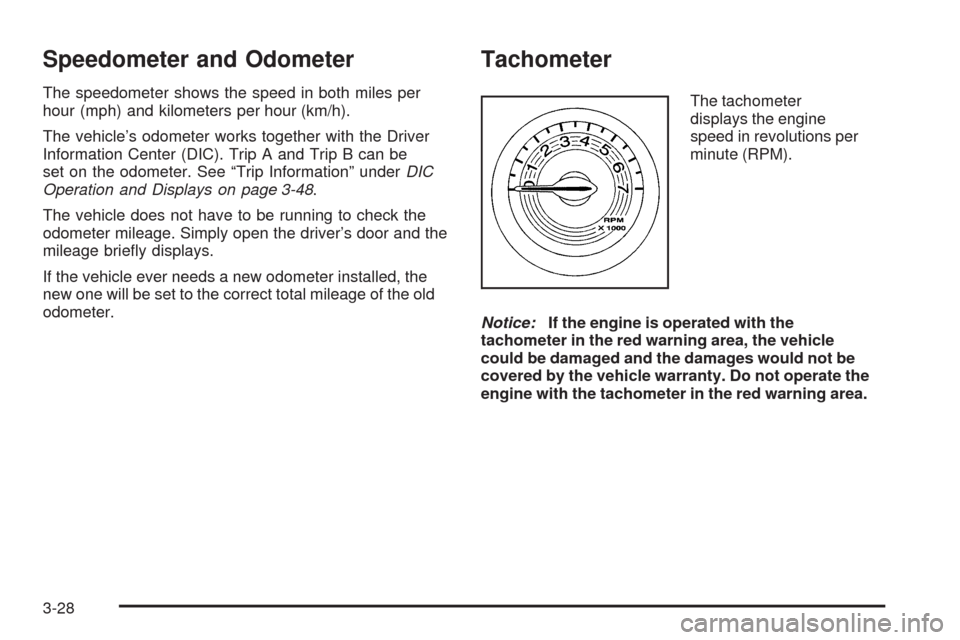
The tachometer
displays the engine
speed in revolutions per
minute (RPM).
Notice:If the engine is operated with the
tachometer in the red warning area, the vehicle
could be damaged and the damages would not be
covered by the vehicle warranty. Do not operate the
engine with the tachometer in the red warning area.
3-28
Page 183 of 450
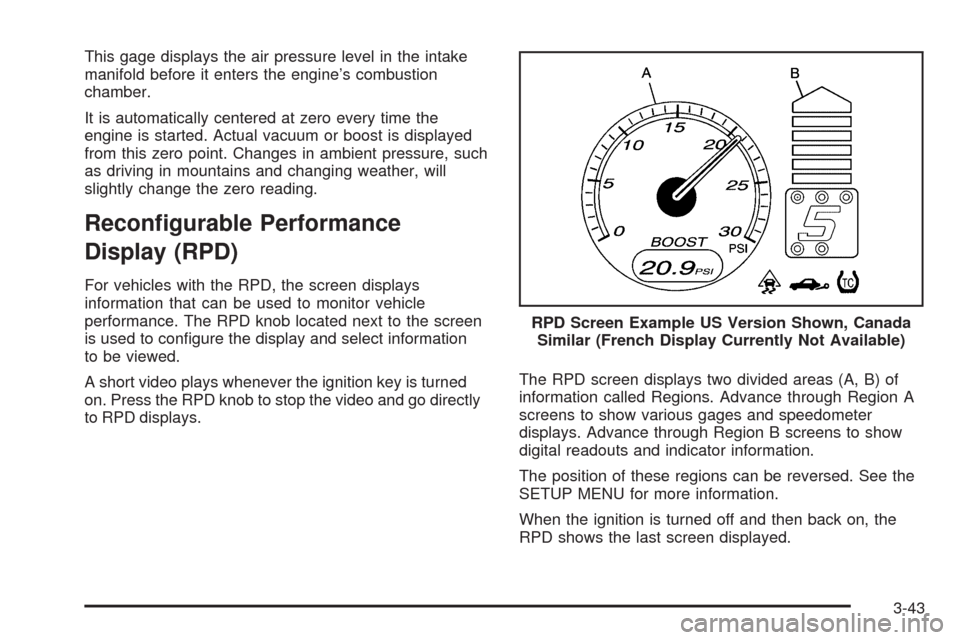
This gage displays the air pressure level in the intake
manifold before it enters the engine’s combustion
chamber.
It is automatically centered at zero every time the
engine is started. Actual vacuum or boost is displayed
from this zero point. Changes in ambient pressure, such
as driving in mountains and changing weather, will
slightly change the zero reading.
Recongurable Performance
Display (RPD)
For vehicles with the RPD, the screen displays
information that can be used to monitor vehicle
performance. The RPD knob located next to the screen
is used to congure the display and select information
to be viewed.
A short video plays whenever the ignition key is turned
on. Press the RPD knob to stop the video and go directly
to RPD displays.The RPD screen displays two divided areas (A, B) of
information called Regions. Advance through Region A
screens to show various gages and speedometer
displays. Advance through Region B screens to show
digital readouts and indicator information.
The position of these regions can be reversed. See the
SETUP MENU for more information.
When the ignition is turned off and then back on, the
RPD shows the last screen displayed.RPD Screen Example US Version Shown, Canada
Similar (French Display Currently Not Available)
3-43
Page 184 of 450
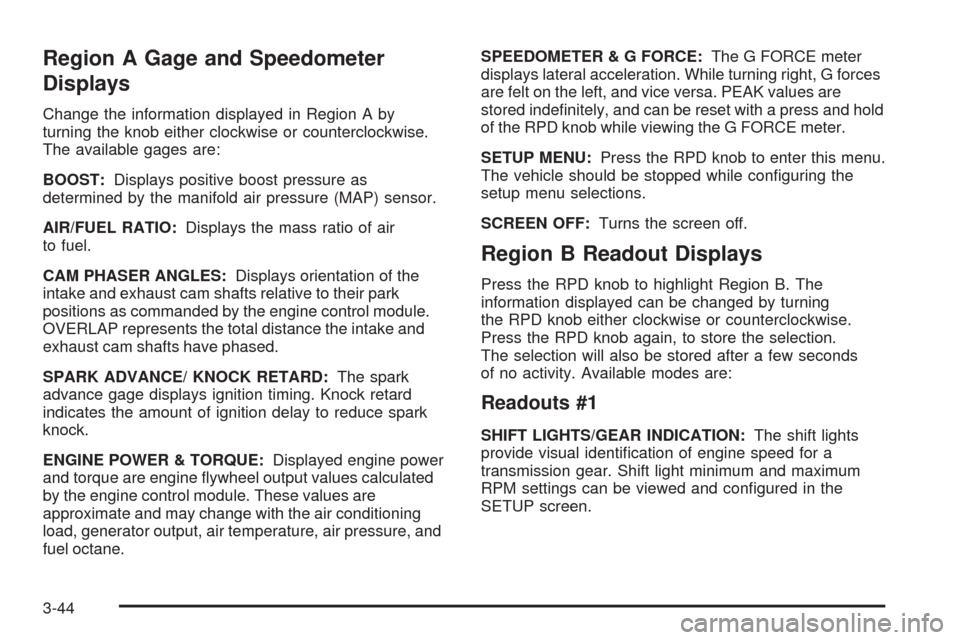
Region A Gage and Speedometer
Displays
Change the information displayed in Region A by
turning the knob either clockwise or counterclockwise.
The available gages are:
BOOST:Displays positive boost pressure as
determined by the manifold air pressure (MAP) sensor.
AIR/FUEL RATIO:Displays the mass ratio of air
to fuel.
CAM PHASER ANGLES:Displays orientation of the
intake and exhaust cam shafts relative to their park
positions as commanded by the engine control module.
OVERLAP represents the total distance the intake and
exhaust cam shafts have phased.
SPARK ADVANCE/ KNOCK RETARD:The spark
advance gage displays ignition timing. Knock retard
indicates the amount of ignition delay to reduce spark
knock.
ENGINE POWER & TORQUE:Displayed engine power
and torque are engine ywheel output values calculated
by the engine control module. These values are
approximate and may change with the air conditioning
load, generator output, air temperature, air pressure, and
fuel octane.SPEEDOMETER&GFORCE:The G FORCE meter
displays lateral acceleration. While turning right, G forces
are felt on the left, and vice versa. PEAK values are
stored indenitely, and can be reset with a press and hold
of the RPD knob while viewing the G FORCE meter.
SETUP MENU:Press the RPD knob to enter this menu.
The vehicle should be stopped while conguring the
setup menu selections.
SCREEN OFF:Turns the screen off.
Region B Readout Displays
Press the RPD knob to highlight Region B. The
information displayed can be changed by turning
the RPD knob either clockwise or counterclockwise.
Press the RPD knob again, to store the selection.
The selection will also be stored after a few seconds
of no activity. Available modes are:
Readouts #1
SHIFT LIGHTS/GEAR INDICATION:The shift lights
provide visual identication of engine speed for a
transmission gear. Shift light minimum and maximum
RPM settings can be viewed and congured in the
SETUP screen.
3-44
Page 185 of 450
Readouts #2
TIRE PRESSURES:Displays the last gage tire
pressures recorded from each of the wheel mounted
tire pressure sensors.
Readouts #3
BAROMETER:Displays ambient air pressure as
measured by the engine’s ambient pressure sensor.
OUTSIDE TEMPERATURE:Displays ambient
temperature as measured by an outside air temperature
sensor.
BATTERY VOLTAGE:Displays the vehicle’s battery
voltage.
Readouts #4
COOLANT TEMPERATURE:Displays engine coolant
temperature as measured by a coolant temperature
sensor.
INLET AIR TEMPERATURE:Displays the
instantaneous temperature of the air at the inlet to the
induction system.
FUEL PRESSURE:Displays fuel pressure as
measured by a sensor on the output of the
high-pressure fuel pump.
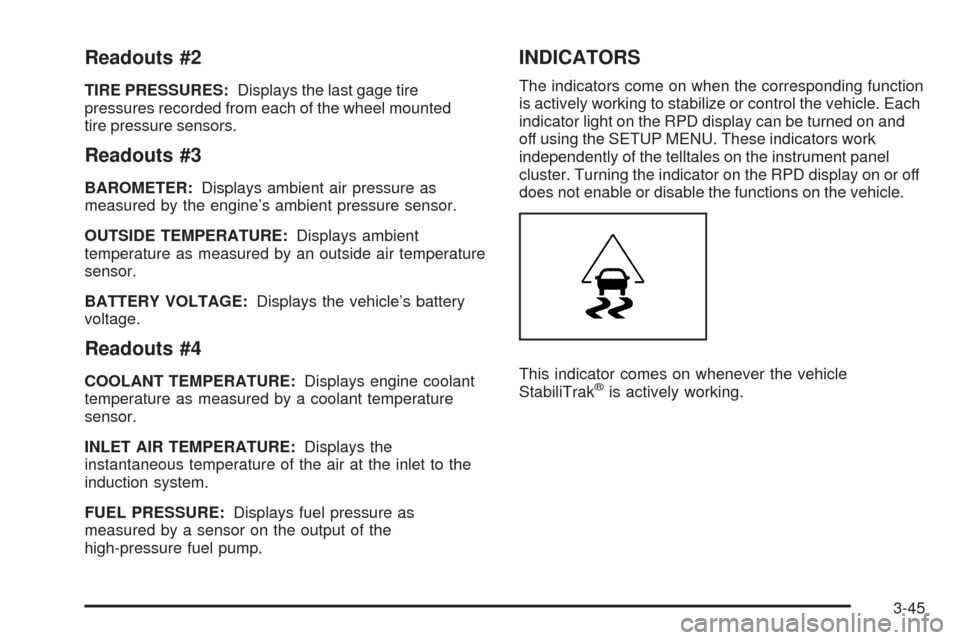
INDICATORS
The indicators come on when the corresponding function
is actively working to stabilize or control the vehicle. Each
indicator light on the RPD display can be turned on and
off using the SETUP MENU. These indicators work
independently of the telltales on the instrument panel
cluster. Turning the indicator on the RPD display on or off
does not enable or disable the functions on the vehicle.
This indicator comes on whenever the vehicle
StabiliTrak
®is actively working.
3-45
Page 186 of 450
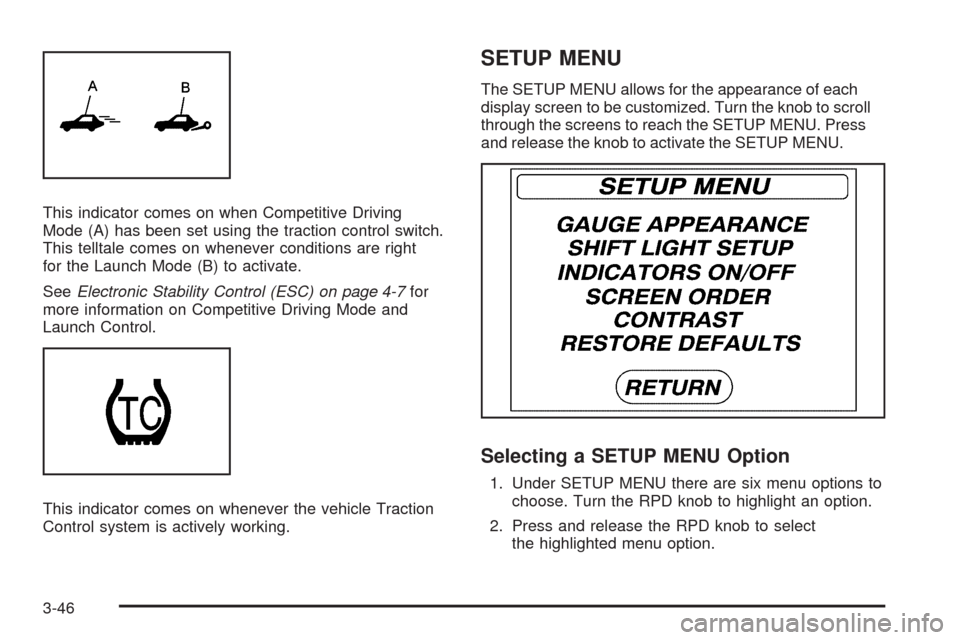
This indicator comes on when Competitive Driving
Mode (A) has been set using the traction control switch.
This telltale comes on whenever conditions are right
for the Launch Mode (B) to activate.
SeeElectronic Stability Control (ESC) on page 4-7for
more information on Competitive Driving Mode and
Launch Control.
This indicator comes on whenever the vehicle Traction
Control system is actively working.
SETUP MENU
The SETUP MENU allows for the appearance of each
display screen to be customized. Turn the knob to scroll
through the screens to reach the SETUP MENU. Press
and release the knob to activate the SETUP MENU.
Selecting a SETUP MENU Option
1. Under SETUP MENU there are six menu options to
choose. Turn the RPD knob to highlight an option.
2. Press and release the RPD knob to select
the highlighted menu option.
3-46
Page 187 of 450
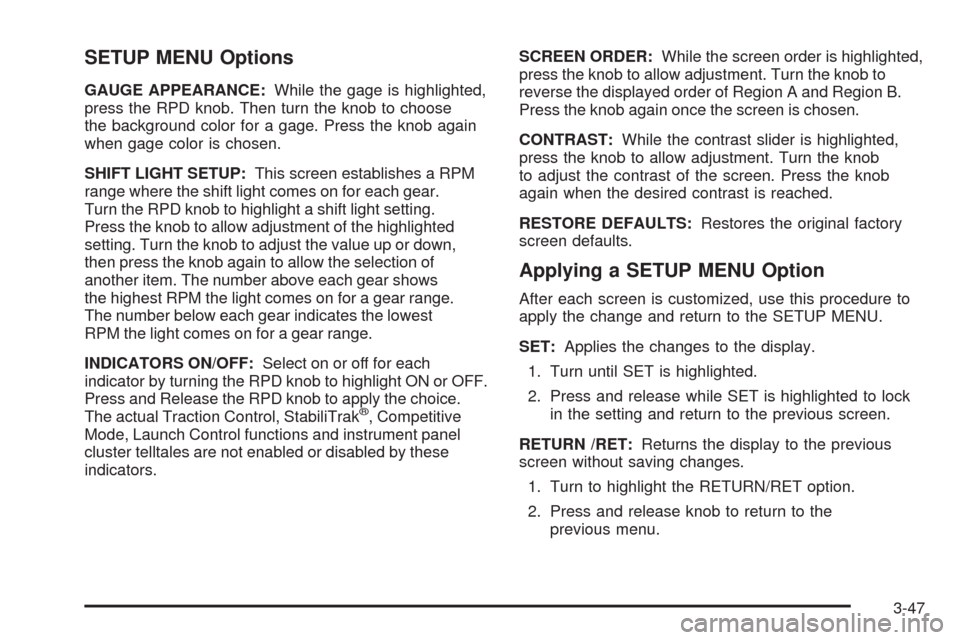
SETUP MENU Options
GAUGE APPEARANCE:While the gage is highlighted,
press the RPD knob. Then turn the knob to choose
the background color for a gage. Press the knob again
when gage color is chosen.
SHIFT LIGHT SETUP:This screen establishes a RPM
range where the shift light comes on for each gear.
Turn the RPD knob to highlight a shift light setting.
Press the knob to allow adjustment of the highlighted
setting. Turn the knob to adjust the value up or down,
then press the knob again to allow the selection of
another item. The number above each gear shows
the highest RPM the light comes on for a gear range.
The number below each gear indicates the lowest
RPM the light comes on for a gear range.
INDICATORS ON/OFF:Select on or off for each
indicator by turning the RPD knob to highlight ON or OFF.
Press and Release the RPD knob to apply the choice.
The actual Traction Control, StabiliTrak
®, Competitive
Mode, Launch Control functions and instrument panel
cluster telltales are not enabled or disabled by these
indicators.SCREEN ORDER:While the screen order is highlighted,
press the knob to allow adjustment. Turn the knob to
reverse the displayed order of Region A and Region B.
Press the knob again once the screen is chosen.
CONTRAST:While the contrast slider is highlighted,
press the knob to allow adjustment. Turn the knob
to adjust the contrast of the screen. Press the knob
again when the desired contrast is reached.
RESTORE DEFAULTS:Restores the original factory
screen defaults.
Applying a SETUP MENU Option
After each screen is customized, use this procedure to
apply the change and return to the SETUP MENU.
SET:Applies the changes to the display.
1. Turn until SET is highlighted.
2. Press and release while SET is highlighted to lock
in the setting and return to the previous screen.
RETURN /RET:Returns the display to the previous
screen without saving changes.
1. Turn to highlight the RETURN/RET option.
2. Press and release knob to return to the
previous menu.
3-47
Page 188 of 450
Driver Information Center (DIC)
Your vehicle has a Driver Information Center (DIC).
The DIC display gives you the status of many of your
vehicle’s systems. The DIC is also used to display driver
personalization menu modes and warning/status
messages. All messages will appear in the DIC display,
located at the bottom of the instrument panel cluster.
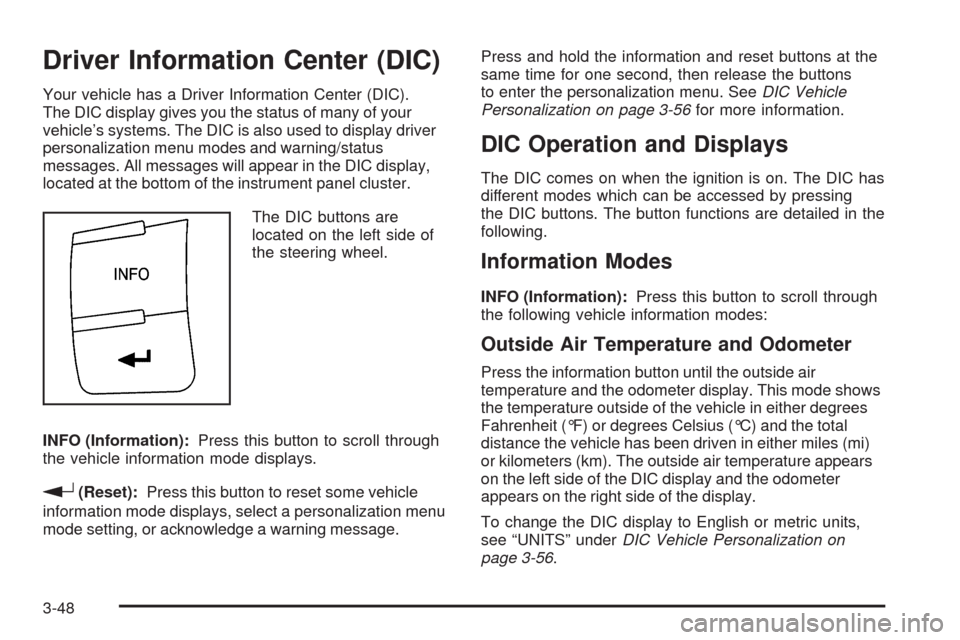
The DIC buttons are
located on the left side of
the steering wheel.
INFO (Information):Press this button to scroll through
the vehicle information mode displays.
r(Reset):Press this button to reset some vehicle
information mode displays, select a personalization menu
mode setting, or acknowledge a warning message.Press and hold the information and reset buttons at the
same time for one second, then release the buttons
to enter the personalization menu. SeeDIC Vehicle
Personalization on page 3-56for more information.
DIC Operation and Displays
The DIC comes on when the ignition is on. The DIC has
different modes which can be accessed by pressing
the DIC buttons. The button functions are detailed in the
following.
Information Modes
INFO (Information):Press this button to scroll through
the following vehicle information modes:
Outside Air Temperature and Odometer
Press the information button until the outside air
temperature and the odometer display. This mode shows
the temperature outside of the vehicle in either degrees
Fahrenheit (°F) or degrees Celsius (°C) and the total
distance the vehicle has been driven in either miles (mi)
or kilometers (km). The outside air temperature appears
on the left side of the DIC display and the odometer
appears on the right side of the display.
To change the DIC display to English or metric units,
see “UNITS” underDIC Vehicle Personalization on
page 3-56.
3-48
Page 189 of 450
TRIP A or TRIP B
Press the information button until TRIP A or TRIP B
display. These modes show the current distance
traveled since the last reset for each trip odometer in
either miles (mi) or kilometers (km). Both odometers
can be used at the same time.
To reset the trip odometer to zero, press and hold the
reset button for a few seconds while the desired
trip odometer is displayed.
FUEL RANGE
Press the information button until FUEL RANGE displays.
This mode shows the remaining distance you can drive
without refueling in either miles (mi) or kilometers (km).
It is based on fuel economy and the fuel remaining in
the tank.
When the fuel level is low, FUEL RANGE LOW displays.
The fuel economy data used to determine fuel range is
an average of recent driving conditions. As your driving
conditions change, this data is gradually updated.
The FUEL RANGE mode cannot be reset.
MPG (L/100 KM) AVG (Average)
Press the information button until MPG (L/100 KM) AVG
displays. This mode shows how many miles per
gallon (mpg) or liters per 100 kilometers (L/100 km)
your vehicle is getting based on current and past driving
conditions.
To reset the average fuel economy, press and hold the
reset button while MPG (L/100 KM) AVG is displayed.
Average fuel economy is then calculated starting
from that point. If the average fuel economy is not
reset, it is continually updated each time you drive.
MPG (L/100 KM) INST (Instantaneous)
Press the information button until MPG (L/100 KM) INST
displays. This mode shows the current fuel economy
at a particular moment and changes frequently as
driving conditions change. This mode shows the
instantaneous fuel economy in miles per gallon (mpg)
or liters per 100 kilometers (L/100 km). Unlike average
fuel economy, this screen cannot be reset.
AV (Average) SPEED
Press the information button until AV SPEED displays.
This mode shows the vehicle’s average speed in
miles per hour (mph) or kilometers per hour (km/h).
To reset the average vehicle speed, press and hold the
reset button while AV SPEED is displayed.
3-49