lights CHEVROLET HHR 2009 1.G User Guide
[x] Cancel search | Manufacturer: CHEVROLET, Model Year: 2009, Model line: HHR, Model: CHEVROLET HHR 2009 1.GPages: 450, PDF Size: 2.49 MB
Page 156 of 450
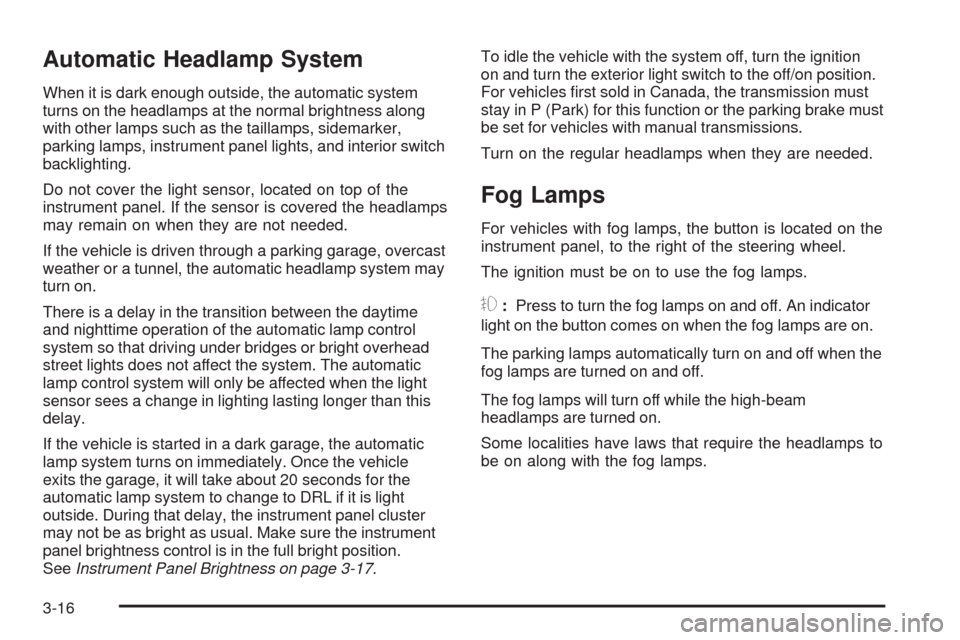
Automatic Headlamp System
When it is dark enough outside, the automatic system
turns on the headlamps at the normal brightness along
with other lamps such as the taillamps, sidemarker,
parking lamps, instrument panel lights, and interior switch
backlighting.
Do not cover the light sensor, located on top of the
instrument panel. If the sensor is covered the headlamps
may remain on when they are not needed.
If the vehicle is driven through a parking garage, overcast
weather or a tunnel, the automatic headlamp system may
turn on.
There is a delay in the transition between the daytime
and nighttime operation of the automatic lamp control
system so that driving under bridges or bright overhead
street lights does not affect the system. The automatic
lamp control system will only be affected when the light
sensor sees a change in lighting lasting longer than this
delay.
If the vehicle is started in a dark garage, the automatic
lamp system turns on immediately. Once the vehicle
exits the garage, it will take about 20 seconds for the
automatic lamp system to change to DRL if it is light
outside. During that delay, the instrument panel cluster
may not be as bright as usual. Make sure the instrument
panel brightness control is in the full bright position.
SeeInstrument Panel Brightness on page 3-17.To idle the vehicle with the system off, turn the ignition
on and turn the exterior light switch to the off/on position.
For vehicles rst sold in Canada, the transmission must
stay in P (Park) for this function or the parking brake must
be set for vehicles with manual transmissions.
Turn on the regular headlamps when they are needed.
Fog Lamps
For vehicles with fog lamps, the button is located on the
instrument panel, to the right of the steering wheel.
The ignition must be on to use the fog lamps.
#:Press to turn the fog lamps on and off. An indicator
light on the button comes on when the fog lamps are on.
The parking lamps automatically turn on and off when the
fog lamps are turned on and off.
The fog lamps will turn off while the high-beam
headlamps are turned on.
Some localities have laws that require the headlamps to
be on along with the fog lamps.
3-16
Page 157 of 450
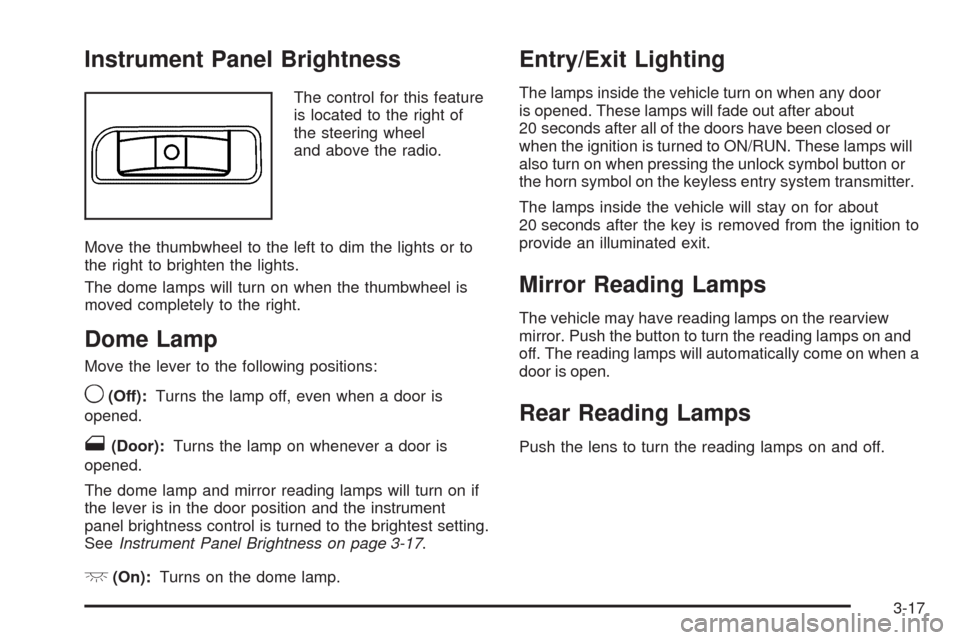
Instrument Panel Brightness
The control for this feature
is located to the right of
the steering wheel
and above the radio.
Move the thumbwheel to the left to dim the lights or to
the right to brighten the lights.
The dome lamps will turn on when the thumbwheel is
moved completely to the right.
Dome Lamp
Move the lever to the following positions:
9(Off):Turns the lamp off, even when a door is
opened.
1(Door):Turns the lamp on whenever a door is
opened.
The dome lamp and mirror reading lamps will turn on if
the lever is in the door position and the instrument
panel brightness control is turned to the brightest setting.
SeeInstrument Panel Brightness on page 3-17.
+(On):Turns on the dome lamp.
Entry/Exit Lighting
The lamps inside the vehicle turn on when any door
is opened. These lamps will fade out after about
20 seconds after all of the doors have been closed or
when the ignition is turned to ON/RUN. These lamps will
also turn on when pressing the unlock symbol button or
the horn symbol on the keyless entry system transmitter.
The lamps inside the vehicle will stay on for about
20 seconds after the key is removed from the ignition to
provide an illuminated exit.
Mirror Reading Lamps
The vehicle may have reading lamps on the rearview
mirror. Push the button to turn the reading lamps on and
off. The reading lamps will automatically come on when a
door is open.
Rear Reading Lamps
Push the lens to turn the reading lamps on and off.
3-17
Page 166 of 450
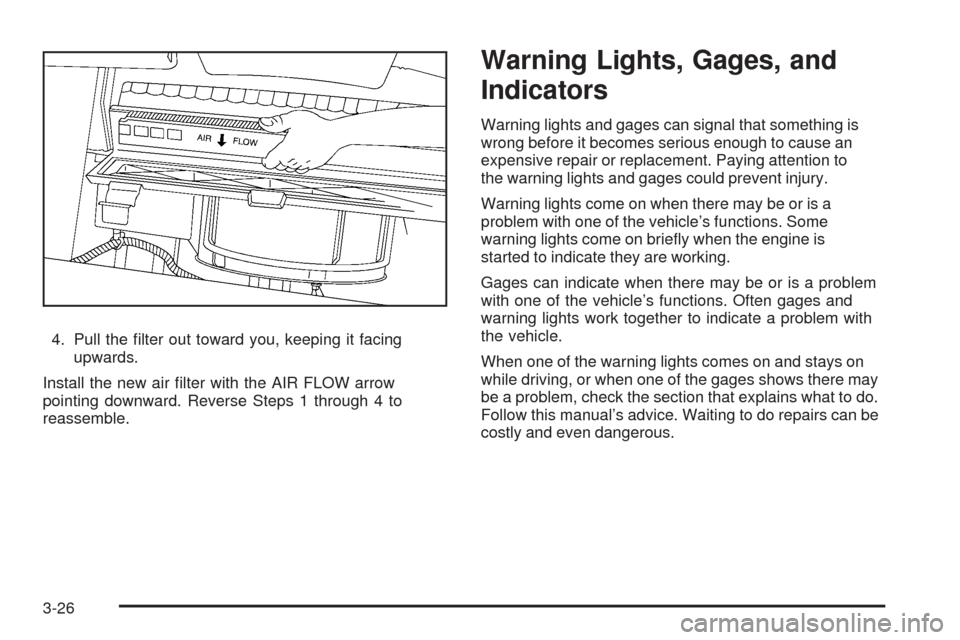
4. Pull the lter out toward you, keeping it facing
upwards.
Install the new air lter with the AIR FLOW arrow
pointing downward. Reverse Steps 1 through 4 to
reassemble.
Warning Lights, Gages, and
Indicators
Warning lights and gages can signal that something is
wrong before it becomes serious enough to cause an
expensive repair or replacement. Paying attention to
the warning lights and gages could prevent injury.
Warning lights come on when there may be or is a
problem with one of the vehicle’s functions. Some
warning lights come on briey when the engine is
started to indicate they are working.
Gages can indicate when there may be or is a problem
with one of the vehicle’s functions. Often gages and
warning lights work together to indicate a problem with
the vehicle.
When one of the warning lights comes on and stays on
while driving, or when one of the gages shows there may
be a problem, check the section that explains what to do.
Follow this manual’s advice. Waiting to do repairs can be
costly and even dangerous.
3-26
Page 171 of 450
Passenger Airbag Status Indicator
The vehicle has the passenger sensing system.
SeePassenger Sensing System (Without Turbo/With
Turbo and RPO AS5) on page 1-66orPassenger
Sensing System (With Turbo and RPO AR9 or AE4) on
page 1-72for important safety information. The
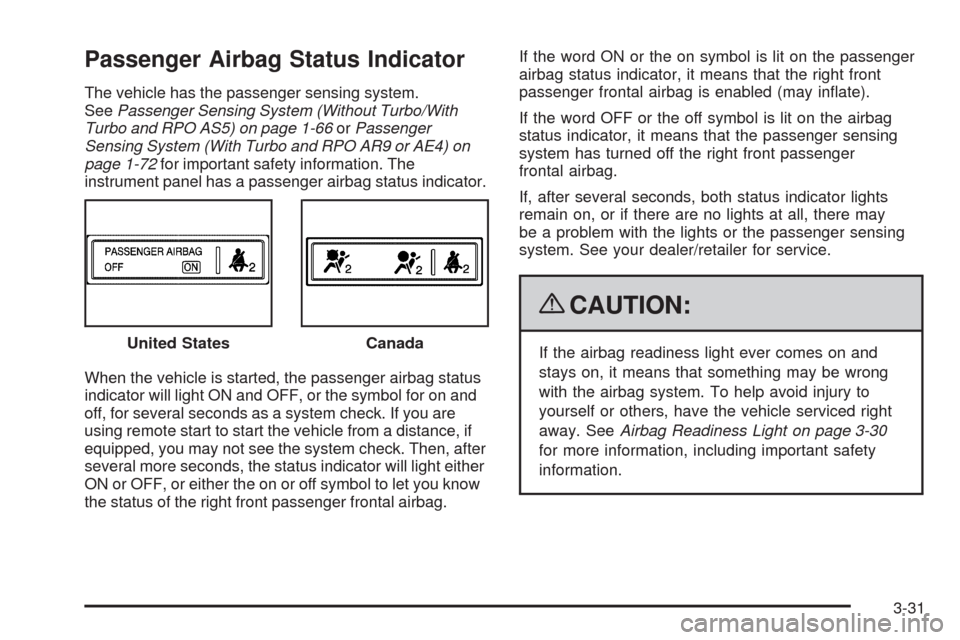
instrument panel has a passenger airbag status indicator.
When the vehicle is started, the passenger airbag status
indicator will light ON and OFF, or the symbol for on and
off, for several seconds as a system check. If you are
using remote start to start the vehicle from a distance, if
equipped, you may not see the system check. Then, after
several more seconds, the status indicator will light either
ON or OFF, or either the on or off symbol to let you know
the status of the right front passenger frontal airbag.If the word ON or the on symbol is lit on the passenger
airbag status indicator, it means that the right front
passenger frontal airbag is enabled (may inate).
If the word OFF or the off symbol is lit on the airbag
status indicator, it means that the passenger sensing
system has turned off the right front passenger
frontal airbag.
If, after several seconds, both status indicator lights
remain on, or if there are no lights at all, there may
be a problem with the lights or the passenger sensing
system. See your dealer/retailer for service.
{CAUTION:
If the airbag readiness light ever comes on and
stays on, it means that something may be wrong
with the airbag system. To help avoid injury to
yourself or others, have the vehicle serviced right
away. SeeAirbag Readiness Light on page 3-30
for more information, including important safety
information. United StatesCanada
3-31
Page 184 of 450
Region A Gage and Speedometer
Displays
Change the information displayed in Region A by
turning the knob either clockwise or counterclockwise.
The available gages are:
BOOST:Displays positive boost pressure as
determined by the manifold air pressure (MAP) sensor.
AIR/FUEL RATIO:Displays the mass ratio of air
to fuel.
CAM PHASER ANGLES:Displays orientation of the
intake and exhaust cam shafts relative to their park
positions as commanded by the engine control module.
OVERLAP represents the total distance the intake and
exhaust cam shafts have phased.
SPARK ADVANCE/ KNOCK RETARD:The spark
advance gage displays ignition timing. Knock retard
indicates the amount of ignition delay to reduce spark
knock.
ENGINE POWER & TORQUE:Displayed engine power
and torque are engine ywheel output values calculated
by the engine control module. These values are
approximate and may change with the air conditioning
load, generator output, air temperature, air pressure, and
fuel octane.SPEEDOMETER&GFORCE:The G FORCE meter
displays lateral acceleration. While turning right, G forces
are felt on the left, and vice versa. PEAK values are
stored indenitely, and can be reset with a press and hold
of the RPD knob while viewing the G FORCE meter.
SETUP MENU:Press the RPD knob to enter this menu.
The vehicle should be stopped while conguring the
setup menu selections.
SCREEN OFF:Turns the screen off.
Region B Readout Displays
Press the RPD knob to highlight Region B. The
information displayed can be changed by turning
the RPD knob either clockwise or counterclockwise.
Press the RPD knob again, to store the selection.
The selection will also be stored after a few seconds
of no activity. Available modes are:
Readouts #1
SHIFT LIGHTS/GEAR INDICATION:The shift lights
provide visual identication of engine speed for a
transmission gear. Shift light minimum and maximum
RPM settings can be viewed and congured in the
SETUP screen.
3-44
Page 190 of 450
OIL LIFE
Press the information button until OIL LIFE displays.
The engine oil life system shows an estimate of the oil’s
remaining useful life. It shows 100% when the system
is reset after an oil change. It alerts you to change the oil
on a schedule consistent with your driving conditions.
In addition to the engine oil life system monitoring the oil
life, additional maintenance is recommended in the
Maintenance Schedule in this manual. SeeEngine Oil
on page 5-17andScheduled Maintenance on page 6-4.
Always reset the engine oil life system after an oil
change. See “How to Reset the Engine Oil Life System”
underEngine Oil Life System on page 5-21.
COOLANT
Press the information button until COOLANT displays.
This mode shows the temperature of the engine coolant
in either degrees Fahrenheit (°F) or degrees Celsius (°C).
Tire Pressure
If your vehicle has a Tire Pressure Monitor System
(TPMS), the pressure for each tire can be viewed in the
DIC. The tire pressure is shown in either pounds per
square inch (psi) or kilopascals (kPa). Press the
information button until LF ## PSI (kPa) ## RF displays
for the front tires. Press the information button again until
LR ## PSI (kPa) ## RR displays for the rear tires.If a low tire pressure condition is detected by the system
while driving, a message advising you to check the tire
pressure appears in the display. SeeInflation - Tire
Pressure on page 5-61andDIC Warnings and Messages
on page 3-50for more information.
DIC Warnings and Messages
These messages appear if there is a problem detected
in one of your vehicle’s systems.
A message clears when the vehicle’s condition is no
longer present. To acknowledge a message and clear it
from the display, press and hold any of the DIC buttons.
If the condition is still present, the warning message
comes back on the next time the vehicle is turned off and
back on. With most messages, a warning chime sounds
when the message displays. Your vehicle may have other
warning messages.
AUTO (Automatic) LIGHTS OFF
This message displays if the automatic headlamp
system is disabled with the headlamp switch.
SeeAutomatic Headlamp System on page 3-16
for more information.
3-50
Page 191 of 450
AUTO (Automatic) LIGHTS ON
This message displays if the automatic headlamp
system is enabled with the headlamp switch.
SeeAutomatic Headlamp System on page 3-16
for more information.
BRAKE FLUID
This message displays, while the ignition is on, when
the brake uid level is low. The brake system warning
light on the instrument panel cluster also comes on.
SeeBrake System Warning Light on page 3-33for more
information. Have the brake system serviced by your
dealer/retailer as soon as possible.
CHANGE OIL SOON
This message displays when the life of the engine oil
has expired and it should be changed.
When this message is acknowledged and cleared from
the display, the engine oil life system must still be reset
separately. SeeEngine Oil Life System on page 5-21
andScheduled Maintenance on page 6-4for more
information.
CHECK GAS CAP
This message displays if the fuel cap has not been fully
tightened. Recheck the fuel cap to make sure that it
is on properly. A few driving trips with the cap properly
installed should turn the message off.
CHECK TIRE PRESS (Pressure)
If your vehicle has a Tire Pressure Monitor System
(TPMS), this message displays when the pressure in
one or more of the vehicle’s tires needs to be checked.
If a tire pressure message appears on the DIC, stop as
soon as you can. Have the tire pressures checked and
set to those shown on the Tire Loading Information
label. SeeTires on page 5-53,Loading the Vehicle on
page 4-25, andInflation - Tire Pressure on page 5-61.
The DIC also shows the tire pressure values. SeeDIC
Operation and Displays on page 3-48. If the tire pressure
is low, the low tire pressure warning light comes on.
SeeTire Pressure Light on page 3-37.
COMPETITIVE MODE
If your vehicle has this feature, this message displays
when the Competitive Driving mode is selected.
The Traction Control System (TCS) will not be operating
while in the Competitive Driving mode and the ESC/TCS
light on the instrument panel cluster will be on solid.
Adjust your driving accordingly. SeeTraction Control
System (TCS) on page 4-10,Electronic Stability Control
(ESC) on page 4-7, andElectronic Stability Control
(ESC)/Traction Control System (TCS) Indicator/Warning
Light on page 3-35for more information.
3-51
Page 200 of 450
EXT (Exterior) LIGHTS
This feature, which allows the vehicle’s exterior perimeter
lighting to turn on each time the unlock button on the
Remote Keyless Entry (RKE) transmitter is pressed, can
be enabled or disabled. When EXT LIGHTS appears on
the display, press and hold the reset button for at least
one second to scroll through the available settings:
OFF:The exterior perimeter lighting will not turn on
when the unlock button on the RKE transmitter is
pressed.
ON (default):The exterior perimeter lighting will turn
on when the unlock button on the RKE transmitter
is pressed.
SeeRemote Keyless Entry (RKE) System Operation on
page 2-4for more information.
To select a setting and move on to the next feature,
press the information button while the desired setting is
displayed on the DIC.
LANGUAGE
This feature allows you to select the language in which
the DIC will display. When LANGUAGE appears on
the display, press and hold the reset button for at least
one second to scroll through the available settings:
ENGLISH (default):All messages will appear in
English.
FRENCH:All messages will appear in French.
SPANISH:All messages will appear in Spanish.
GERMAN:All messages will appear in German.
To select a setting and exit out of the personalization
menu mode, press the information button while the
desired setting is displayed on the DIC.
Exiting Personalization Menu
The personalization menu will be exited when any of the
following conditions occur:
A ten second time period has elapsed.
The ignition is turned off.
The end of the personalization menu list is reached.
3-60
Page 247 of 450
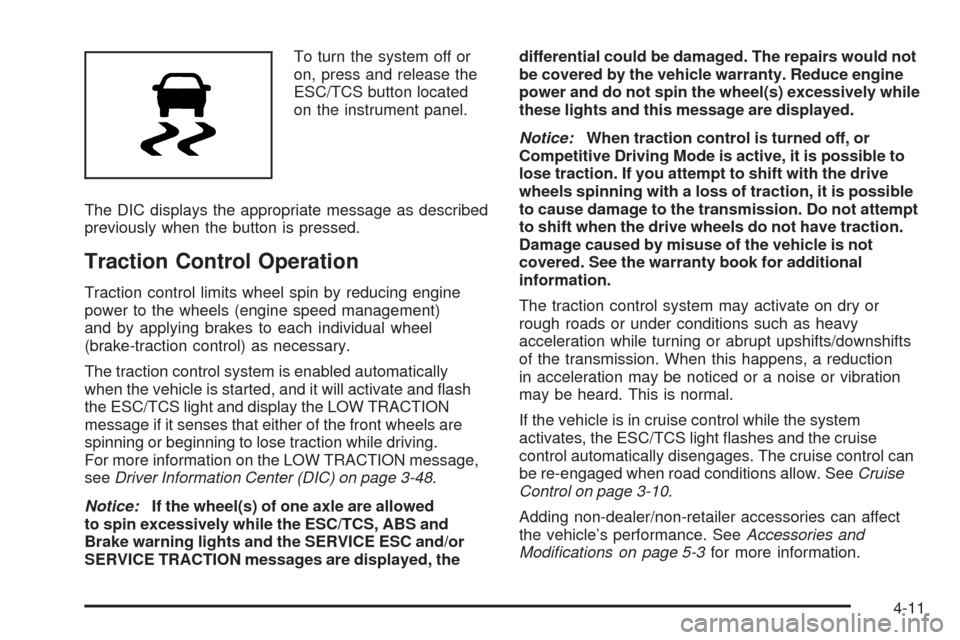
To turn the system off or
on, press and release the
ESC/TCS button located
on the instrument panel.
The DIC displays the appropriate message as described
previously when the button is pressed.
Traction Control Operation
Traction control limits wheel spin by reducing engine
power to the wheels (engine speed management)
and by applying brakes to each individual wheel
(brake-traction control) as necessary.
The traction control system is enabled automatically
when the vehicle is started, and it will activate and ash
the ESC/TCS light and display the LOW TRACTION
message if it senses that either of the front wheels are
spinning or beginning to lose traction while driving.
For more information on the LOW TRACTION message,
seeDriver Information Center (DIC) on page 3-48.
Notice:If the wheel(s) of one axle are allowed
to spin excessively while the ESC/TCS, ABS and
Brake warning lights and the SERVICE ESC and/or
SERVICE TRACTION messages are displayed, thedifferential could be damaged. The repairs would not
be covered by the vehicle warranty. Reduce engine
power and do not spin the wheel(s) excessively while
these lights and this message are displayed.
Notice:When traction control is turned off, or
Competitive Driving Mode is active, it is possible to
lose traction. If you attempt to shift with the drive
wheels spinning with a loss of traction, it is possible
to cause damage to the transmission. Do not attempt
to shift when the drive wheels do not have traction.
Damage caused by misuse of the vehicle is not
covered. See the warranty book for additional
information.
The traction control system may activate on dry or
rough roads or under conditions such as heavy
acceleration while turning or abrupt upshifts/downshifts
of the transmission. When this happens, a reduction
in acceleration may be noticed or a noise or vibration
may be heard. This is normal.
If the vehicle is in cruise control while the system
activates, the ESC/TCS light ashes and the cruise
control automatically disengages. The cruise control can
be re-engaged when road conditions allow. SeeCruise
Control on page 3-10.
Adding non-dealer/non-retailer accessories can affect
the vehicle’s performance. SeeAccessories and
Modifications on page 5-3for more information.
4-11
Page 389 of 450
Fuses Usage
25Engine Control Module,
Transmission Control Module
26 Door Locks
27 Interior Lights
28 Steering Wheel Control Illumination
29 Power Windows
Relays Usage
30 Climate Control System
31 Empty
32 Retained Accessory Power (RAP)
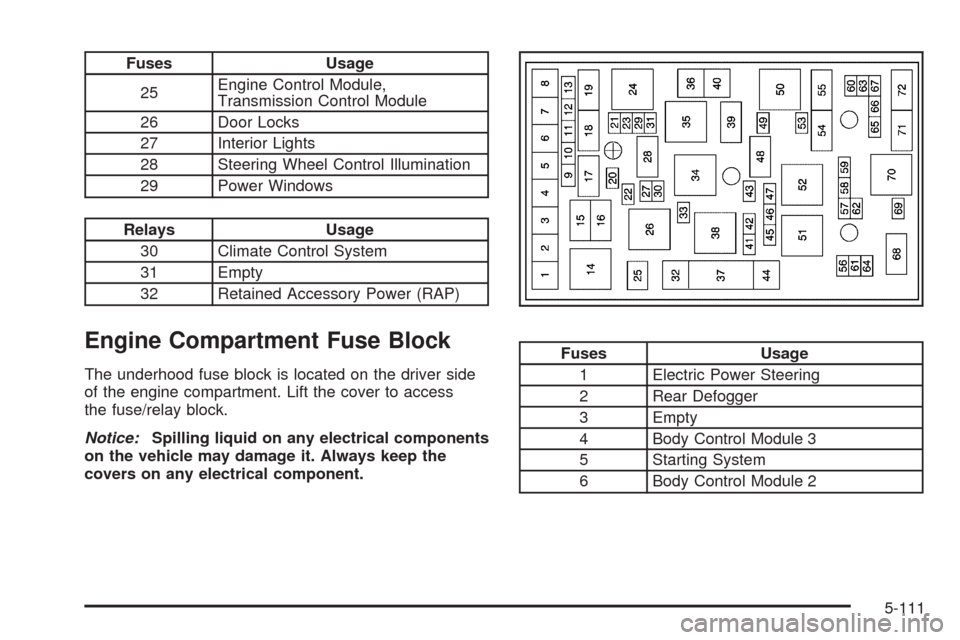
Engine Compartment Fuse Block
The underhood fuse block is located on the driver side
of the engine compartment. Lift the cover to access
the fuse/relay block.
Notice:Spilling liquid on any electrical components
on the vehicle may damage it. Always keep the
covers on any electrical component.
Fuses Usage
1 Electric Power Steering
2 Rear Defogger
3 Empty
4 Body Control Module 3
5 Starting System
6 Body Control Module 2
5-111