display CHEVROLET HHR 2010 1.G Repair Manual
[x] Cancel search | Manufacturer: CHEVROLET, Model Year: 2010, Model line: HHR, Model: CHEVROLET HHR 2010 1.GPages: 480, PDF Size: 5.25 MB
Page 271 of 480
Launch Control (SS Models Only)
Launch Control is a form of traction control, to control
tire spin while launching the vehicle during closed track
events and competitive driving. The feature is activated
when the vehicle is at rest while in Competitive Mode.
At rest, if the accelerator pedal is pressed to the floor
with the clutch engaged, the RPM is limited to a
predetermined level. A smooth, quick release of the
clutch while keeping the accelerator pedal on the floor
will provide controlled wheel spin for consistent
acceleration. Complete shifts as described inManual
Transmission Operation on page 3‑31.
LAUNCH CONTROL displays in the DIC after the
COMPETITIVE MODE message, when the vehicle is
stopped. The system will exit to COMPETITIVE MODE
after the vehicle is launched. See “Competitive Driving
Mode” earlier in this section. The normal Traction
Control System (TCS) will not be operating while in the
Competitive Driving mode and the TCS light on the
instrument panel cluster comes on. Adjust your driving
accordingly. See DIC Warnings and Messages
on
page 4‑48for more information.
Traction Control System (TCS)
The vehicle has a Traction Control System (TCS) that
limits wheel spin. This is especially useful in slippery
road conditions. The system operates only if it senses
that the front wheels are spinning too much or are
beginning to lose traction. When this happens, the
system works the front brakes and reduces engine
power by closing the throttle and managing engine
spark to limit wheel spin.
This light flashes while
the traction control system
is limiting wheel spin.
The system may be heard or felt while it is working.
This is normal and does not mean there is a problem
with the vehicle.
See Electronic Stability Control (ESC)/Traction Control
System (TCS) Indicator/Warning Light
on page 4‑33for
more information.
5-9
Page 272 of 480
If the vehicle is in cruise control while TCS begins to
limit wheel spin, the cruise control will automatically
disengage. The cruise control can be re-engaged when
road conditions allow. SeeTurn Signal/Multifunction
Lever on page 4‑4.
When this light is on and
either the SERVICE
TRACTION or TRACTION
OFF message is
displayed, the system
will not limit wheel spin.
Adjust your driving accordingly. See DIC Warnings and
Messages
on page 4‑48for more information.
The Traction Control System comes on automatically
whenever the vehicle is started. It is recommended to
leave the system on for normal driving conditions, but
it may be necessary to turn the system off if the vehicle
is stuck in sand, mud, ice or snow, and you want to
“rock” your vehicle to attempt to free it. It may also be
necessary to turn off the system when driving in off-road
conditions where high wheel spin is required. See If
Your Vehicle is Stuck in Sand, Mud, Ice, or Snow
on
page 5‑23.
To turn the system off or
on, press and release the
ESC/TCS button located
on the instrument panel.
The DIC displays the appropriate message as
described previously when the button is pressed.
Traction Control Operation
Traction control limits wheel spin by reducing engine
power to the wheels (engine speed management) and
by applying brakes to each individual wheel
(brake-traction control) as necessary.
The traction control system is enabled automatically
when the vehicle is started, and it will activate and flash
the ESC/TCS light and display the LOW TRACTION
message if it senses that either of the front wheels are
spinning or beginning to lose traction while driving. For
more information on the LOW TRACTION message,
see Driver Information Center (DIC) on page 4‑46.
5-10
Page 273 of 480
Notice:If the wheel(s) of one axle are allowed to
spin excessively while the ESC/TCS, ABS and
Brake warning lights and the SERVICE ESC and/or
SERVICE TRACTION messages are displayed, the
differential could be damaged. The repairs would
not be covered by the vehicle warranty. Reduce
engine power and do not spin the wheel(s)
excessively while these lights and this message
are displayed.
Notice: When traction control is turned off,
or Competitive Driving Mode is active, it is
possible to lose traction. If you attempt to shift with
the drive wheels spinning with a loss of traction,
it is possible to cause damage to the transmission.
Do not attempt to shift when the drive wheels do
not have traction. Damage caused by misuse of the
vehicle is not covered. See the warranty book for
additional information.
The traction control system may activate on dry or
rough roads or under conditions such as heavy
acceleration while turning or abrupt upshifts/downshifts
of the transmission. When this happens, a reduction
in acceleration may be noticed or a noise or vibration
may be heard. This is normal.
If the vehicle is in cruise control while the system
activates, the ESC/TCS light flashes and the cruise
control automatically disengages. The cruise control
can be re-engaged when road conditions allow. See
Cruise Control on page 4‑8. Adding non‐dealer/non‐retailer accessories can affect
the vehicle's performance. See
Accessories and
Modifications
on page 6‑3for more information.
Enhanced Traction System (ETS)
The vehicle may have an Enhanced Traction System
(ETS) that limits wheel spin. This is especially useful in
slippery road conditions. The system operates only if it
senses that one or both of the front wheels are spinning
or beginning to lose traction. When this happens, the
system reduces engine power and may also upshift the
transmission to limit wheel spin.
If the vehicle has ETS, there is not an ESC/TCS button
on the instrument panel. To turn the system off, shift to
L (Low) or R (Reverse). There is more information about
how to turn the system off later in this section.
The ETS indicator/warning light flashes and LOW
TRACTION appears on the Driver Information Center
(DIC) when the traction control system is actively
limiting wheel spin. The system may be heard or felt
while it is working, but this is normal. Slippery road
conditions may exist if this message is displayed, so
adjust your driving accordingly.
If the vehicle is in cruise control when the ETS begins
to limit wheel spin, the cruise control will automatically
disengage. The cruise control can be re-engaged when
road conditions allow. See Cruise Control on page 4‑8.
5-11
Page 274 of 480
The ETS indicator/warning light may come on for the
following reasons:
.The indicator/warning light flashes while the
traction control system is limiting wheel spin.
.If the system is turned off by moving the shift lever
to L (Low), the indicator/warning light comes on
and stays on. To turn the system back on, move
the shift lever back to a position other than L (Low).
The indicator/warning light should go off.
.The indicator/warning light will come on when the
parking brake is set with the engine running, and it
will stay on if the parking brake does not release
fully. If the transmission shift lever is in any position
other than L (Low) and the indicator/warning light
stays on after the parking brake is fully released,
there is a problem with the system.
.If the traction control system is affected by an
engine related problem, the system will turn off
and the indicator/warning light will come on.If the ETS indicator/warning light comes on and
stays on for an extended period of time when the
transmission shift lever is in any position other than
L (Low), the vehicle may need service.
When this light is on solid, the system will not limit
wheel spin. Adjust your driving accordingly.
Check the DIC messaging to determine whether it is
because of the driver turning off the system, or that the
system may not be working properly and the vehicle
requires service. When this light is turned on, either the
SERVICE TRACTION or TRACTION OFF message will
be displayed.
See
DIC Warnings and Messages
on page 4‑48for
more information on the messages associated with this
light.
To limit wheel spin, especially in slippery road
conditions, ETS should always be left on. But the
system can be turned off if needed.
To turn the system off, shift to L (Low) or R (Reverse).
When the system is turned off, the ETS indicator/
warning light will come on and stay on and the
TRACTION OFF message will be displayed when
the gear shift is in L (Low). The indicator/warning light
and message will not come on when the gear shift is in
R (Reverse). If the ETS is limiting wheel spin when the
5-12
Page 314 of 480
When replacing the fuel cap, turn it clockwise until
it clicks. Make sure the cap is fully installed. The
diagnostic system can determine if the fuel cap has
been left off or improperly installed. This would allow
fuel to evaporate into the atmosphere. SeeMalfunction
Indicator Lamp on page 4‑35.
The CHECK GAS CAP message displays on the Driver
Information Center (DIC) if the fuel cap is not properly
installed. See DIC Warnings and Messages
on
page 4‑48for more information.
To close the fuel door securely, push the door to the
closed position.
{WARNING:
If a fire starts while you are refueling, do not
remove the nozzle. Shut off the flow of fuel by
shutting off the pump or by notifying the station
attendant. Leave the area immediately.
Notice: If you need a new fuel cap, be sure to get
the right type. Your dealer/retailer can get one
for you. If you get the wrong type, it may not fit
properly. This may cause the malfunction indicator
lamp to light and may damage the fuel tank and
emissions system. See Malfunction Indicator Lamp
on page 4‑35.
6-12
Page 326 of 480
If the system is ever reset accidentally, the oil must
be changed at 3,000 miles (5 000 km) since the last
oil change. Remember to reset the oil life system
whenever the oil is changed.
How to Reset the Engine Oil Life
System
The Engine Oil Life System calculates when to change
your engine oil and filter based on vehicle use.
Whenever the oil is changed, reset the system so it
can calculate when the next oil change is required. If a
situation occurs where the oil is changed prior to a
CHANGE OIL SOON message being turned on, reset
the system.
After changing the engine oil, the system must be reset:1. Turn the ignition to ON/RUN, with the engine off.
2. Press the information and reset buttons on the Driver Information Center (DIC) at the same time to
enter the personalization menu. See DIC Vehicle
Personalization on page 4‑54. 3. Press the information button to scroll through the
available personalization menu modes until the
DIC display shows OIL‐LIFE RESET.
4. Press and hold the reset button until the DIC display shows ACKNOWLEDGED. This will tell
you the system has been reset.
5. Turn the key to LOCK/OFF.
For vehicles with the 2.2L (VIN Code V) or 2.4L
(VIN Code B) engines, you can also reset the system
as follows: 1. Turn the ignition key to ON/RUN with the engine off.
2. Fully press and release the accelerator pedal slowly three times within five seconds.
3. Turn the key to LOCK/OFF, then start the engine.
If the CHANGE OIL SOON message comes back on
when the vehicle is started, the engine oil life system
has not reset. Repeat the reset procedure.
6-24
Page 337 of 480
If Steam Is Coming From The Engine
Compartment
{WARNING:
Steam from an overheated engine can burn you
badly, even if you just open the hood. Stay away
from the engine if you see or hear steam coming
from it. Just turn it off and get everyone away from
the vehicle until it cools down. Wait until there is
no sign of steam or coolant before you open
the hood.
If you keep driving when your engine is
overheated, the liquids in it can catch fire. You or
others could be badly burned. Stop your engine if
it overheats, and get out of the vehicle until the
engine is cool.
If No Steam Is Coming From The
Engine Compartment
If an engine overheat warning is displayed but no
steam can be seen or heard, the problem may not be
too serious. Sometimes the engine can get a little too
hot when the vehicle:
.Climbs a long hill on a hot day.
.Stops after high-speed driving.
.Idles for long periods in traffic.
.Tows a trailer.
If the overheat warning is displayed with no sign of
steam: 1. Turn the air off.
2. Turn the heater on to the highest temperature and to the highest fan speed. Open the windows as
necessary.
3. In heavy traffic, let the engine idle in N (Neutral) while stopped. If it is safe to do so, pull off the
road, shift to P (Park) or N (Neutral) and let the
engine idle.
6-35
Page 338 of 480
If the temperature overheat gauge is no longer in the
overheat zone or an overheat warning no longer
displays, the vehicle can be driven. Continue to drive
the vehicle slow for about 10 minutes. Keep a safe
vehicle distance from the car in front of you. If the
warning does not come back on, continue to drive
normally.
If the warning continues, pull over, stop, and park the
vehicle right away.
If there is no sign of steam, idle the engine for
three minutes while parked. If the warning is still
displayed, turn off the engine until it cools down.
Windshield Washer Fluid
What to Use
When you need windshield washer fluid, be sure to
read the manufacturer's instructions before use. If you
will be operating your vehicle in an area where the
temperature may fall below freezing, use a fluid that has
sufficient protection against freezing.
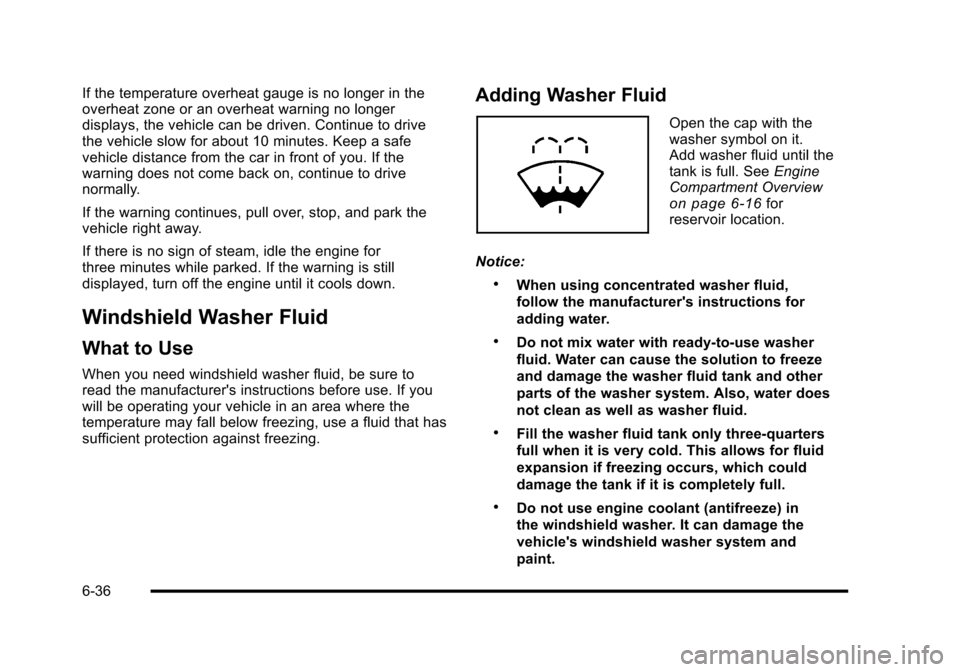
Adding Washer Fluid
Open the cap with the
washer symbol on it.
Add washer fluid until the
tank is full. SeeEngine
Compartment Overview
on page 6‑16for
reservoir location.
Notice:
.When using concentrated washer fluid,
follow the manufacturer's instructions for
adding water.
.Do not mix water with ready-to-use washer
fluid. Water can cause the solution to freeze
and damage the washer fluid tank and other
parts of the washer system. Also, water does
not clean as well as washer fluid.
.Fill the washer fluid tank only three-quarters
full when it is very cold. This allows for fluid
expansion if freezing occurs, which could
damage the tank if it is completely full.
.Do not use engine coolant (antifreeze) in
the windshield washer. It can damage the
vehicle's windshield washer system and
paint.
6-36
Page 368 of 480
If the warning light comes on, stop as soon as possible
and inflate the tires to the recommended pressure
shown on the tire loading information label. See
Loading the Vehicle on page 5‑24.
At the same time a message to check the pressure in a
specific tire appears on the Driver Information Center
(DIC) display. The low tire pressure warning light and
the DIC warning message come on at each ignition
cycle until the tires are inflated to the correct inflation
pressure. Using the DIC, tire pressure levels can be
viewed by the driver. For additional information and
details about the DIC operation and displays seeDIC
Operation and Displays
on page 4‑46and DIC
Warnings and Messages on page 4‑48.
The low tire pressure warning light may come on in cool
weather when the vehicle is first started, and then turn
off as you start to drive. This could be an early indicator
that the air pressure in the tire(s) are getting low and
need to be inflated to the proper pressure. A Tire and Loading Information label shows the size of
your vehicle's original equipment tires and the correct
inflation pressure for your vehicle's tires when they are
cold. See
Loading the Vehicle
on page 5‑24, for an
example of the Tire and Loading Information label and
its location on your vehicle. Also see Inflation - Tire
Pressure on page 6‑63.
Your vehicle's TPMS system can warn you about a low
tire pressure condition but it does not replace normal
tire maintenance. See Tire Inspection and Rotation
on
page 6‑69and Tires on page 6‑54.
Notice: Using non‐approved tire sealants could
damage the Tire Pressure Monitor System (TPMS)
sensors. TPMS sensor damage caused by using an
incorrect tire sealant is not covered by the vehicle
warranty. Always use the GM approved tire sealant
available through your dealer/retailer.
Factory-installed Tire Inflator Kits use a GM approved
liquid tire sealant. Using non-approved tire sealants
could damage the TPMS sensors. See Tire Sealant and
Compressor Kit
on page 6‑78for information regarding
the inflator kit materials and instructions.
6-66
Page 369 of 480
TPMS Malfunction Light and Message
The TPMS will not function properly if one or more of
the TPMS sensors are missing or inoperable. When the
system detects a malfunction, the low tire warning light
flashes for about one minute and then stays on for the
remainder of the ignition cycle. A DIC warning message
is also displayed. The low tire warning light and DIC
warning message come on at each ignition cycle until
the problem is corrected. Some of the conditions that
can cause the malfunction light and DIC message to
come on are:
.One of the road tires has been replaced with the
spare tire. The spare tire does not have a TPMS
sensor. The TPMS malfunction light and DIC
message should go off once you re‐install the
road tire containing the TPMS sensor.
.The TPMS sensor matching process was started
but not completed or not completed successfully
after rotating the vehicle's tires. The DIC message
and TPMS malfunction light should go off once the
TPMS sensor matching process is performed
successfully. See“TPMS Sensor Matching
Process” later in this section.
.One or more TPMS sensors are missing or
damaged. The DIC message and the TPMS
malfunction light should go off when the TPMS
sensors are installed and the sensor matching
process is performed successfully. See your
dealer/retailer for service.
.Replacement tires or wheels do not match your
vehicle's original equipment tires or wheels. Tires
and wheels other than those recommended for
your vehicle could prevent the TPMS from
functioning properly. See Buying New Tires
on
page 6‑72.
.Operating electronic devices or being near facilities
using radio wave frequencies similar to the TPMS
could cause the TPMS sensors to malfunction.
If the TPMS is not functioning it cannot detect or signal
a low tire condition. See your dealer/retailer for service
if the TPMS malfunction light and DIC message comes
on and stays on.
6-67