display CHEVROLET HHR 2011 1.G Repair Manual
[x] Cancel search | Manufacturer: CHEVROLET, Model Year: 2011, Model line: HHR, Model: CHEVROLET HHR 2011 1.GPages: 430, PDF Size: 4.57 MB
Page 295 of 430
Black plate (19,1)Chevrolet HHR Owner Manual - 2011
Used oil can be a threat to the environment. If you
change your own oil, be sure to drain all the oil from the
filter before disposal. Never dispose of oil by putting it in
the trash or pouring it on the ground, into sewers,
or into streams or bodies of water. Recycle it by taking it
to a place that collects used oil.
Engine Oil Life System
When to Change Engine Oil
This vehicle has the Engine Oil Life System, a computer
system that indicates when to change the engine oil
and filter. This is based on engine revolutions and
engine temperature, and not on mileage. Based on
driving conditions, the mileage at which an oil change is
indicated can vary considerably. For the oil life system
to work properly, the system must be reset every time
the oil is changed.
When the system has calculated that oil life has been
diminished, it indicates that an oil change is necessary.
A CHANGE OIL SOON message comes on. SeeDIC
Warnings and Messages
on page 4‑40. Change the
oil as soon as possible within the next 600 miles
(1 000 km). It is possible that, if driving under the best
conditions, the oil life system might indicate that an oil
change is not necessary for up to a year. The engine oil
and filter must be changed at least once a year and, at
this time, the system must be reset. Your dealer has
trained service people who will perform this work and reset the system. It is also important to check the oil
regularly over the course of an oil drain interval and
keep it at the proper level.
If the system is ever reset accidentally, the oil must be
changed at 3,000 miles (5 000 km) since the last oil
change. Remember to reset the oil life system
whenever the oil is changed.
How to Reset the Engine Oil Life
System
Reset the system whenever the engine oil is changed
so that the system can calculate the next engine oil
change. To reset the system:
1. Turn the ignition to ON/RUN, with the engine off.
2. Press the information and reset buttons on the Driver Information Center (DIC) at the same time to
enter the personalization menu. See DIC Vehicle
Personalization on page 4‑45.
3. Press the information button to scroll through the available personalization menu modes until the
DIC display shows OIL‐LIFE RESET.
4. Press and hold the reset button until the DIC display shows ACKNOWLEDGED. This will tell you
the system has been reset.
5. Turn the key to LOCK/OFF.
6-19
Page 305 of 430
Black plate (29,1)Chevrolet HHR Owner Manual - 2011
WARNING: (Continued)
If you keep driving when your engine is
overheated, the liquids in it can catch fire. You or
others could be badly burned. Stop your engine if
it overheats, and get out of the vehicle until the
engine is cool.
If No Steam Is Coming from the Engine
Compartment
If an engine overheat warning is displayed but no steam
can be seen or heard, the problem may not be too
serious. Sometimes the engine can get a little too hot
when the vehicle:
.Climbs a long hill on a hot day
.Stops after high-speed driving
.Idles for long periods in traffic
.Tows a trailerIf the overheat warning is displayed with no sign of
steam:
1. Turn the air off.
2. Turn the heater on to the highest temperature and to the highest fan speed. Open the windows as
necessary.
3. In heavy traffic, let the engine idle in N (Neutral) while stopped. If it is safe to do so, pull off the
road, shift to P (Park) or N (Neutral) and let the
engine idle.
If the temperature overheat gauge is no longer in the
overheat zone or an overheat warning no longer
displays, the vehicle can be driven. Continue to drive
the vehicle slowly for about 10 minutes. Keep a safe
vehicle distance from the car in front of you. If the
warning does not come back on, continue to drive
normally.
If the warning continues, pull over, stop, and park the
vehicle right away.
If there is no sign of steam, idle the engine for
three minutes while parked. If the warning is still
displayed, turn off the engine until it cools down.
6-29
Page 333 of 430
Black plate (57,1)Chevrolet HHR Owner Manual - 2011
Tire Pressure Monitor Operation
This vehicle may have a Tire Pressure Monitor System
(TPMS). The TPMS is designed to warn the driver when
a low tire pressure condition exists. If your vehicle has
this feature, TPMS sensors are mounted onto each tire
and wheel assembly, excluding the spare tire and wheel
assembly. The TPMS sensors monitor the air pressure
in the vehicle's tires and transmits the tire pressure
readings to a receiver located in the vehicle.
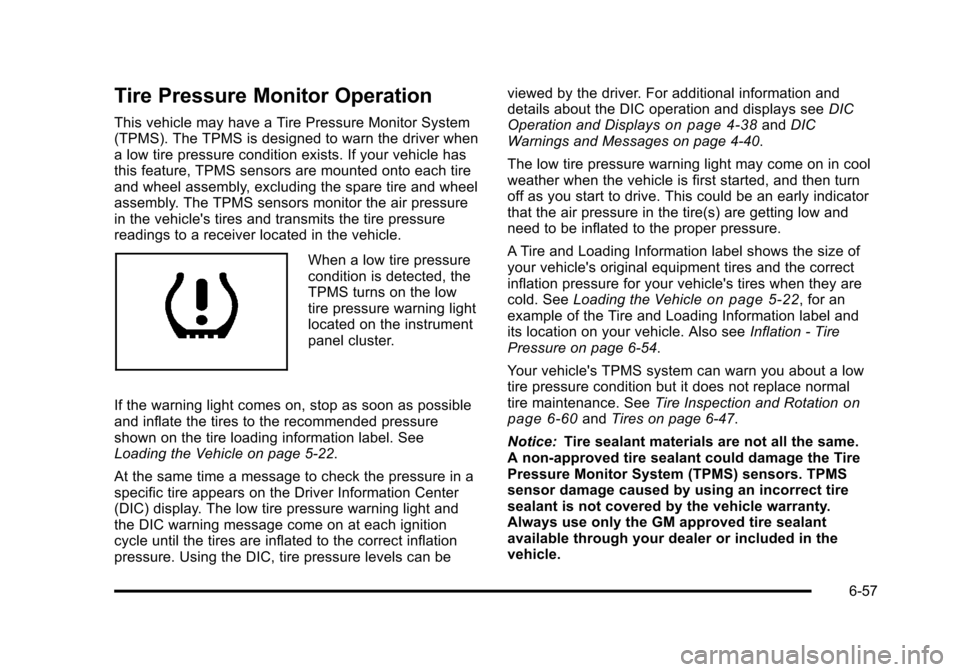
When a low tire pressure
condition is detected, the
TPMS turns on the low
tire pressure warning light
located on the instrument
panel cluster.
If the warning light comes on, stop as soon as possible
and inflate the tires to the recommended pressure
shown on the tire loading information label. See
Loading the Vehicle on page 5‑22.
At the same time a message to check the pressure in a
specific tire appears on the Driver Information Center
(DIC) display. The low tire pressure warning light and
the DIC warning message come on at each ignition
cycle until the tires are inflated to the correct inflation
pressure. Using the DIC, tire pressure levels can be viewed by the driver. For additional information and
details about the DIC operation and displays see
DIC
Operation and Displays
on page 4‑38and DIC
Warnings and Messages on page 4‑40.
The low tire pressure warning light may come on in cool
weather when the vehicle is first started, and then turn
off as you start to drive. This could be an early indicator
that the air pressure in the tire(s) are getting low and
need to be inflated to the proper pressure.
A Tire and Loading Information label shows the size of
your vehicle's original equipment tires and the correct
inflation pressure for your vehicle's tires when they are
cold. See Loading the Vehicle
on page 5‑22, for an
example of the Tire and Loading Information label and
its location on your vehicle. Also see Inflation - Tire
Pressure on page 6‑54.
Your vehicle's TPMS system can warn you about a low
tire pressure condition but it does not replace normal
tire maintenance. See Tire Inspection and Rotation
on
page 6‑60and Tires on page 6‑47.
Notice: Tire sealant materials are not all the same.
A non-approved tire sealant could damage the Tire
Pressure Monitor System (TPMS) sensors. TPMS
sensor damage caused by using an incorrect tire
sealant is not covered by the vehicle warranty.
Always use only the GM approved tire sealant
available through your dealer or included in the
vehicle.
6-57
Page 334 of 430
Black plate (58,1)Chevrolet HHR Owner Manual - 2011
Factory-installed Tire Inflator Kits use a GM approved
liquid tire sealant. Using non-approved tire sealants
could damage the TPMS sensors. SeeTire Sealant and
Compressor Kit
on page 6‑70for information regarding
the inflator kit materials and instructions.
TPMS Malfunction Light and Message
The TPMS will not function properly if one or more of
the TPMS sensors are missing or inoperable. When the
system detects a malfunction, the low tire warning light
flashes for about one minute and then stays on for the
remainder of the ignition cycle. A DIC warning message
is also displayed. The low tire warning light and DIC
warning message come on at each ignition cycle until
the problem is corrected. Some of the conditions that
can cause the malfunction light and DIC message to
come on are:
.One of the road tires has been replaced with the
spare tire. The spare tire does not have a TPMS
sensor. The TPMS malfunction light and DIC
message should go off once you re‐install the road
tire containing the TPMS sensor.
.The TPMS sensor matching process was started
but not completed or not completed successfully
after rotating the vehicle's tires. The DIC message
and TPMS malfunction light should go off once the
TPMS sensor matching process is performed
successfully. See “TPMS Sensor Matching
Process” later in this section.
.One or more TPMS sensors are missing or
damaged. The DIC message and the TPMS
malfunction light should go off when the TPMS
sensors are installed and the sensor matching
process is performed successfully. See your dealer
for service.
.Replacement tires or wheels do not match your
vehicle's original equipment tires or wheels. Tires
and wheels other than those recommended for
your vehicle could prevent the TPMS from
functioning properly. See Buying New Tires
on
page 6‑62.
.Operating electronic devices or being near facilities
using radio wave frequencies similar to the TPMS
could cause the TPMS sensors to malfunction.
If the TPMS is not functioning it cannot detect or signal
a low tire condition. See your dealer for service if the
TPMS malfunction light and DIC message comes on
and stays on.
6-58
Page 387 of 430
Black plate (3,1)Chevrolet HHR Owner Manual - 2011
Rotation of New Tires
To maintain ride, handling, and performance of the
vehicle, it is important that the first rotation service for
new tires be performed. Tires should be rotated every
12 000 km/7,500 miles. SeeTire Inspection and
Rotation on page 6‑60.
Scheduled Maintenance
When the Change Oil Soon Message
Displays
Change engine oil and filter. See Engine Oilon
page 6‑16. An Emission Control Service.
When the CHANGE OIL SOON message displays,
service is required for the vehicle as soon as possible,
within the next 1 000 km/600 miles. If driving under the
best conditions, the engine oil life system might not
indicate the need for vehicle service for more than a
year. The engine oil and filter must be changed at least
once a year and the oil life system must be reset. Your
dealer has trained service technicians who will perform
this work and reset the system. If the engine oil life
system is reset accidentally, service the vehicle within
5 000 km/3,000 miles since the last service. Reset the
oil life system whenever the oil is changed. See Engine
Oil Life System on page 6‑19.
When the Change Oil Soon message displays, certain
services, checks, and inspections are required.
Every Engine Oil Change
.Change engine oil and filter. Reset oil life system.
See Engine Oilon page 6‑16andEngine Oil Life
Systemon page 6‑19. An Emission Control
Service.
.Engine coolant level check. See Engine Coolanton page 6‑24.
.Engine cooling system inspection. Visual
inspection of hoses, pipes, fittings, and clamps and
replacement, if needed.
.Windshield washer fluid level check. See
Windshield Washer Fluid on page 6‑30.
.Windshield wiper blade inspection for wear,
cracking, or contamination and windshield and
wiper blade cleaning, if contaminated. See
Windshield and Wiper Blades
on page 6‑96. Worn
or damaged wiper blade replacement. See
Windshield Wiper Blade Replacement
on
page 6‑46.
.Tire inflation pressures check. See Inflation - Tire
Pressure on page 6‑54.
.Tire wear inspection. See Tire Inspection and
Rotation on page 6‑60.
.Rotate tires if necessary. See Tire Inspection and
Rotation on page 6‑60.
7-3
Page 392 of 430
Black plate (8,1)Chevrolet HHR Owner Manual - 2011
Parking Brake and Automatic
Transmission P (Park) Mechanism
Check
{WARNING:
When you are doing this check, the vehicle could
begin to move. You or others could be injured and
property could be damaged. Make sure there is
room in front of the vehicle in case it begins to
roll. Be ready to apply the regular brake at once
should the vehicle begin to move.
Park on a fairly steep hill, with the vehicle facing
downhill. Keeping your foot on the regular brake, set the
parking brake.
.To check the parking brake's holding ability: With
the engine running and the transmission in
N (Neutral), slowly remove foot pressure from the
regular brake pedal. Do this until the vehicle is held
by the parking brake only.
.To check the P (Park) mechanism's holding ability:
With the engine running, shift to P (Park). Then
release the parking brake followed by the regular
brake.
Contact your dealer if service is required.
Recommended Fluids and
Lubricants
Fluids and lubricants identified below by name, part
number, or specification can be obtained from your
dealer.
Usage Fluid/Lubricant
Engine Oil The engine requires engine oil
approved to the dexos™
specification.
Oils meeting this specification can
be identified with the dexos™
certification mark. Look for and use
only an engine oil that displays the
dexos™ certification mark of the
proper viscosity grade. See Engine
Oil on page 6‑16.
Engine Cooling System 50/50 mixture of clean, drinkable
water and use only DEX-COOL
Coolant. See
Engine Coolant
on
page 6‑24.
Hydraulic Brake System DOT 3 Hydraulic Brake Fluid
(GM Part No. U.S. 88863461,
in Canada 88863462).
Hydraulic Clutch System DOT 3 Hydraulic Brake Fluid
(GM Part No. U.S. 88863461,
in Canada 88863462).
7-8
Page 420 of 430

Black plate (4,1)Chevrolet HHR Owner Manual - 2011
Convenience Net . . . . . . . . . . . . . . . . . . . . . . . . . . . . . . . . . . 3-46
CoolantEngine . . . . . . . . . . . . . . . . . . . . . . . . . . . . . . . . . . . . . . . . . . . . 6-24
Engine Temperature Gauge . . . . . . . . . . . . . . . . . . . . . . 4-32
Engine Temperature Warning Light . . . . . . . . . . . . . . . 4-32
Cooling System . . . . . . . . . . . . . . . . . . . . . . . . . . . . . . . . . . . . 6-22
Courtesy Transportation Program . . . . . . . . . . . . . . . . . . . .8-9
Cruise Control . . . . . . . . . . . . . . . . . . . . . . . . . . . . . . . . . . . . . . .4-8
Cupholders . . . . . . . . . . . . . . . . . . . . . . . . . . . . . . . . . . . . . . . . 3-42
Customer Assistance . . . . . . . . . . . . . . . . . . . . . . . . . . . . . . . .8-5 Offices . . . . . . . . . . . . . . . . . . . . . . . . . . . . . . . . . . . . . . . . . . . . . 8-5
Text Telephone (TTY) Users . . . . . . . . . . . . . . . . . . . . . . . 8-5
Customer Information Service Publications Ordering Information . . . . . . . . 8-14
Customer Satisfaction Procedure . . . . . . . . . . . . . . . . . . . .8-2
D
Damage Repair, Collision . . . . . . . . . . . . . . . . . . . . . . . . . . 8-10
Data Recorders, Event . . . . . . . . . . . . . . . . . . . . . . . . . . . . 8-16
Daytime Running Lamps (DRL) . . . . . . . . . . . . . . . . . . . . 4-12
Defensive Driving . . . . . . . . . . . . . . . . . . . . . . . . . . . . . . . . . . . .5-2
Delayed Locking . . . . . . . . . . . . . . . . . . . . . . . . . . . . . . . . . . . . .3-9
Differential, Limited-Slip . . . . . . . . . . . . . . . . . . . . . . . . . . . 5-11
Disc, MP3 . . . . . . . . . . . . . . . . . . . . . . . . . . . . . . . . . . . . . . . . . 4-63
Doing Your Own Service Work . . . . . . . . . . . . . . . . . . . . . . .6-4
Dome Lamp . . . . . . . . . . . . . . . . . . . . . . . . . . . . . . . . . . . . . . . 4-14 Door
Automatic Door Lock . . . . . . . . . . . . . . . . . . . . . . . . . . . . . 3-10
Delayed Locking . . . . . . . . . . . . . . . . . . . . . . . . . . . . . . . . . . . 3-9
Locks . . . . . . . . . . . . . . . . . . . . . . . . . . . . . . . . . . . . . . . . . . . . . . 3-8
Power Locks . . . . . . . . . . . . . . . . . . . . . . . . . . . . . . . . . . . . . . . 3-9
Programmable Automatic Door Unlock . . . . . . . . . . . 3-10
Rear Door Security Locks . . . . . . . . . . . . . . . . . . . . . . . . 3-10
Rear Side Cargo . . . . . . . . . . . . . . . . . . . . . . . . . . . . . . . . . . 3-11
Driver Seat Height Adjuster . . . . . . . . . . . . . . . . . . . . . . . . . . . . . . . 2-5
Driver Information Center (DIC) . . . . . . . . . . . . . . . . . . . . 4-38
DIC Operation and Displays . . . . . . . . . . . . . . . . . . . . . . 4-38
DIC Vehicle Personalization . . . . . . . . . . . . . . . . . . . . . . 4-45
DIC Warnings and Messages . . . . . . . . . . . . . . . . . . . . . 4-40
Driving At Night . . . . . . . . . . . . . . . . . . . . . . . . . . . . . . . . . . . . . . . . . . . 5-16
Before a Long Trip . . . . . . . . . . . . . . . . . . . . . . . . . . . . . . . . 5-17
Defensive . . . . . . . . . . . . . . . . . . . . . . . . . . . . . . . . . . . . . . . . . . 5-2
Drunk . . . . . . . . . . . . . . . . . . . . . . . . . . . . . . . . . . . . . . . . . . . . . . 5-2
Highway Hypnosis . . . . . . . . . . . . . . . . . . . . . . . . . . . . . . . . 5-18
Hill and Mountain Roads . . . . . . . . . . . . . . . . . . . . . . . . . . 5-18
In Rain and on Wet Roads . . . . . . . . . . . . . . . . . . . . . . . . 5-16
Loss of Control . . . . . . . . . . . . . . . . . . . . . . . . . . . . . . . . . . . 5-14
Off-Road Recovery . . . . . . . . . . . . . . . . . . . . . . . . . . . . . . . 5-13
Rocking Your Vehicle to Get it Out . . . . . . . . . . . . . . . . 5-21
Winter . . . . . . . . . . . . . . . . . . . . . . . . . . . . . . . . . . . . . . . . . . . . 5-19
Driving for Better Fuel Economy . . . . . . . . . . . . . . . . . . . 1-22
i - 4