ignition CHEVROLET IMPALA 2003 8.G User Guide
[x] Cancel search | Manufacturer: CHEVROLET, Model Year: 2003, Model line: IMPALA, Model: CHEVROLET IMPALA 2003 8.GPages: 408, PDF Size: 2.75 MB
Page 87 of 408

ACC (ACCESSORY):This is the position in which you
can operate your electrical accessories. With the key
in this position, the ignition and automatic transaxle
will unlock.
ON:This is the position to which the switch returns
after you start the engine and release the switch. The
switch stays in ON while the engine is running. But
even when the engine is not running, you can use ON
to operate your electrical accessories and to display
some instrument panel cluster messages and
warning lights.
START:This position starts the engine. When the
engine starts, release the key. The ignition switch will
return to ON for normal driving.
While the engine is not running, ACC and ON allow
you to operate your electrical accessories, such as
the radio.
A warning chime will sound if you open the driver's door
while the ignition is in OFF or ACC and the key is in
the ignition.Retained Accessory Power (RAP)
With Retained Accessory Power (RAP), your power
windows, audio system and sunroof (option) will
continue to work for up to 10 minutes after the ignition is
turned to OFF and none of the doors is opened.
Starting Your Engine
Move your shift lever to PARK (P) or NEUTRAL (N).
Your engine won't start in any other position Ð that's a
safety feature. To restart when you're already moving,
use NEUTRAL (N) only.
Notice:Don't try to shift to PARK (P) if your
vehicle is moving. If you do, you could damage the
transaxle. Shift to PARK (P) only when your
vehicle is stopped.
2-19
Page 88 of 408

Starting Your 3400 V6 Engine
1. With your foot off the accelerator pedal, turn your
ignition key to START. When the engine starts, let
go of the key. The idle speed will go down as
your engine warms up.
Notice:Holding your key in START for longer than
15 seconds at a time will cause your battery to
be drained much sooner. And the excessive heat
can damage your starter motor. Wait about 15
seconds between each try to help avoid draining
your battery or damaging your starter.
2. If the engine doesn't start in 10 seconds, push the
accelerator pedal about one-quarter of the way
down while you turn the key to START. Do this until
the engine starts. As soon as it does, let go of
the key.3. If your engine still won't start (or starts but then
stops), it could be ¯ooded with too much gasoline.
Try pushing your accelerator pedal all the way to the
¯oor and holding it there as you hold the key in
START for a maximum of 15 seconds. This clears
the extra gasoline from the engine. If the engine
still won't start or starts brie¯y but then stops again,
repeat Step 1 or 2, depending on temperature.
When the engine starts, release the key and the
accelerator pedal.
Notice:Your engine is designed to work with the
electronics in your vehicle. If you add electrical
parts or accessories, you could change the way the
engine operates. Before adding electrical equipment,
check with your dealer. If you don't, your engine
might not perform properly.
2-20
Page 89 of 408

Starting Your 3800 Series II V6 Engine
1. With your foot off the accelerator pedal, turn
your ignition key to START. When the engine starts,
let go of the key. The idle speed will go down as
your engine gets warm.
Notice:Holding your key in START for longer than
15 seconds at a time will cause your battery to
be drained much sooner. And the excessive heat
can damage your starter motor. Wait about 15
seconds between each try to help avoid draining
your battery or damaging your starter.
2. If it doesn't start within 10 seconds, hold your key in
START for about 10 seconds at a time until your
engine starts. Wait about 15 seconds between each
try.3. If your engine still won't start (or starts but then
stops), it could be ¯ooded with too much gasoline.
Try pushing your accelerator pedal all the way to the
¯oor and holding it there as you hold the key in
START for about three seconds. If the vehicle starts
brie¯y but then stops again, do the same thing.
This time keep the pedal down for ®ve or six
seconds to clear the extra gasoline from the engine.
After waiting about 15 seconds, repeat the normal
starting procedure.
Notice:Your engine is designed to work with the
electronics in your vehicle. If you add electrical
parts or accessories, you could change the way the
engine operates. Before adding electrical equipment,
check with your dealer. If you don't, your engine
might not perform properly.
2-21
Page 92 of 408

There is also a display, like the graphic above, located
on the instrument panel cluster that will indicate the
gear the vehicle is in.
Maximum engine speed is limited on automatic transaxle
vehicles while you're in PARK (P) or NEUTRAL (N) to
protect driveline components from improper operation.
There are several different positions for your shift lever.
PARK (P):This position locks your front wheels. It's
the best position to use when you start your engine
because your vehicle can't move easily.
{CAUTION:
It can be dangerous to get out of your vehicle
if the shift lever is not fully in PARK (P) with
the parking brake ®rmly set. Your vehicle can
roll. If you have left the engine running, the
vehicle can move suddenly. You or others
could be injured. To be sure your vehicle won't
move, even when you're on fairly level ground,
use the steps that follow. If you're pulling a
trailer, see ªTowing a Trailerº in the Index.
Make sure the shift lever is fully in PARK (P) before
starting the engine. Your vehicle has an automatic
transaxle shift lock control system. You must fully apply
your regular brakes before you can shift from PARK (P)
while the ignition is in ON. If you cannot shift out of
PARK (P), ease pressure on the shift lever by pushing it
all the way into PARK (P) while keeping the brake
pedal pushed down. Release the shift lever button if you
have a console shift. Then move the shift lever out of
PARK (P). See
Shifting Out of Park (P) on page 2-30.
2-24
Page 95 of 408
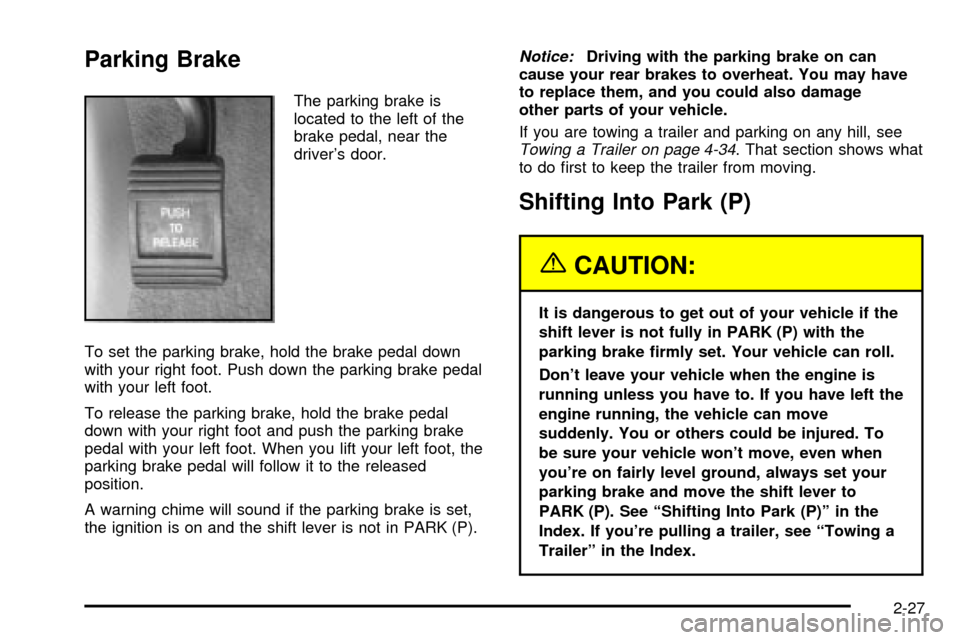
Parking Brake
The parking brake is
located to the left of the
brake pedal, near the
driver's door.
To set the parking brake, hold the brake pedal down
with your right foot. Push down the parking brake pedal
with your left foot.
To release the parking brake, hold the brake pedal
down with your right foot and push the parking brake
pedal with your left foot. When you lift your left foot, the
parking brake pedal will follow it to the released
position.
A warning chime will sound if the parking brake is set,
the ignition is on and the shift lever is not in PARK (P).
Notice:Driving with the parking brake on can
cause your rear brakes to overheat. You may have
to replace them, and you could also damage
other parts of your vehicle.
If you are towing a trailer and parking on any hill, see
Towing a Trailer on page 4-34. That section shows what
to do ®rst to keep the trailer from moving.
Shifting Into Park (P)
{CAUTION:
It is dangerous to get out of your vehicle if the
shift lever is not fully in PARK (P) with the
parking brake ®rmly set. Your vehicle can roll.
Don't leave your vehicle when the engine is
running unless you have to. If you have left the
engine running, the vehicle can move
suddenly. You or others could be injured. To
be sure your vehicle won't move, even when
you're on fairly level ground, always set your
parking brake and move the shift lever to
PARK (P). See ªShifting Into Park (P)º in the
Index. If you're pulling a trailer, see ªTowing a
Trailerº in the Index.
2-27
Page 96 of 408

Steering Column Shift Lever
1. Hold the brake pedal down with your right foot and
set the parking brake.
2. Move the shift lever into PARK (P) like this:
·Pull the lever toward you.
·Move the lever up as far as it will go.
3. Turn the ignition key to OFF.
4. Remove the key and take it with you. If you can
leave your vehicle with the ignition key in your
hand, your vehicle is in PARK (P).
2-28
Page 97 of 408
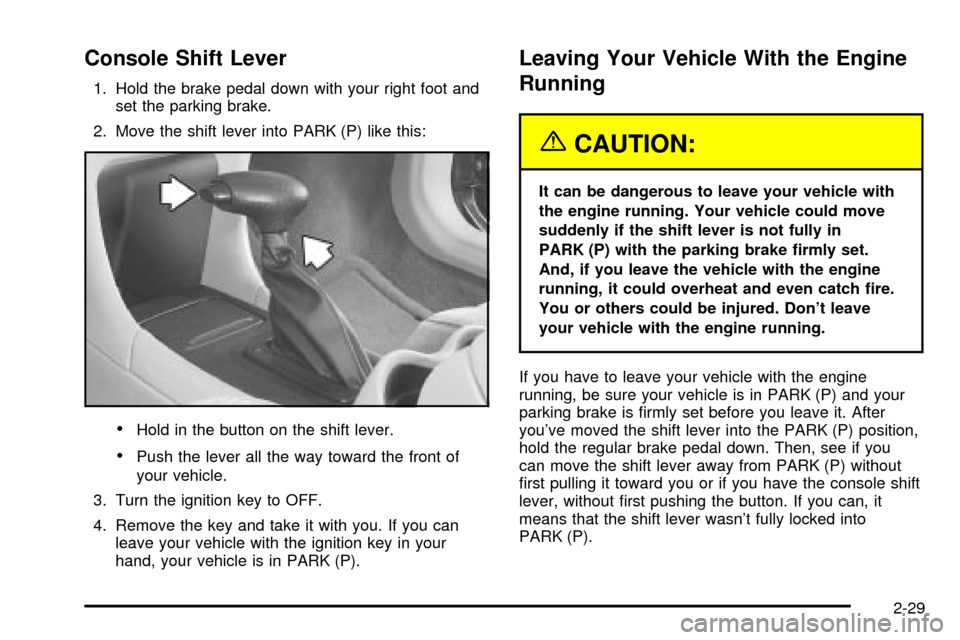
Console Shift Lever
1. Hold the brake pedal down with your right foot and
set the parking brake.
2. Move the shift lever into PARK (P) like this:
·Hold in the button on the shift lever.
·Push the lever all the way toward the front of
your vehicle.
3. Turn the ignition key to OFF.
4. Remove the key and take it with you. If you can
leave your vehicle with the ignition key in your
hand, your vehicle is in PARK (P).
Leaving Your Vehicle With the Engine
Running
{CAUTION:
It can be dangerous to leave your vehicle with
the engine running. Your vehicle could move
suddenly if the shift lever is not fully in
PARK (P) with the parking brake ®rmly set.
And, if you leave the vehicle with the engine
running, it could overheat and even catch ®re.
You or others could be injured. Don't leave
your vehicle with the engine running.
If you have to leave your vehicle with the engine
running, be sure your vehicle is in PARK (P) and your
parking brake is ®rmly set before you leave it. After
you've moved the shift lever into the PARK (P) position,
hold the regular brake pedal down. Then, see if you
can move the shift lever away from PARK (P) without
®rst pulling it toward you or if you have the console shift
lever, without ®rst pushing the button. If you can, it
means that the shift lever wasn't fully locked into
PARK (P).
2-29
Page 98 of 408

Torque Lock
If you are parking on a hill and you don't shift your
transaxle into PARK (P) properly, the weight of
the vehicle may put too much force on the parking pawl
in the transaxle. You may ®nd it difficult to pull the
shift lever out of PARK (P). This is called ªtorque lock.º
To prevent torque lock, set the parking brake and
then shift into PARK (P) properly before you leave the
driver's seat. To ®nd out how, see
Shifting Into Park (P)
on page 2-27.
When you are ready to drive, move the shift lever out of
PARK (P)
beforeyou release the parking brake.
If torque lock does occur, you may need to have another
vehicle push yours a little uphill to take some of the
pressure from the parking pawl in the transaxle, so you
can pull the shift lever out of PARK (P).
Shifting Out of Park (P)
Your vehicle has an automatic transaxle shift lock
control system. You must fully apply your regular brakes
before you can shift from PARK (P) when the ignition
is in ON. See
Automatic Transaxle Operation on
page 2-23.
If you cannot shift out of PARK (P), ease pressure on
the shift lever by pushing it all the way into PARK (P)
while keeping the brake pedal pushed down. Release
the shift lever button if you have a console shift.
Then move the shift lever out of PARK (P), being sure
to press the shift lever button if you have a console shift.
If you ever hold the brake pedal down but still can't
shift out of PARK (P), try this:
1. Turn the ignition key to ACC.
2. Apply and hold the brake pedal down until the end
of Step 4.
3. Shift to NEUTRAL (N).
4. Start the engine and shift to the drive gear
you want.
5. Have the vehicle ®xed as soon as you can.
2-30
Page 112 of 408
Sunroof
Your vehicle may have an express-open sunroof. It
includes a sliding and tilting glass panel and a
sunshade.
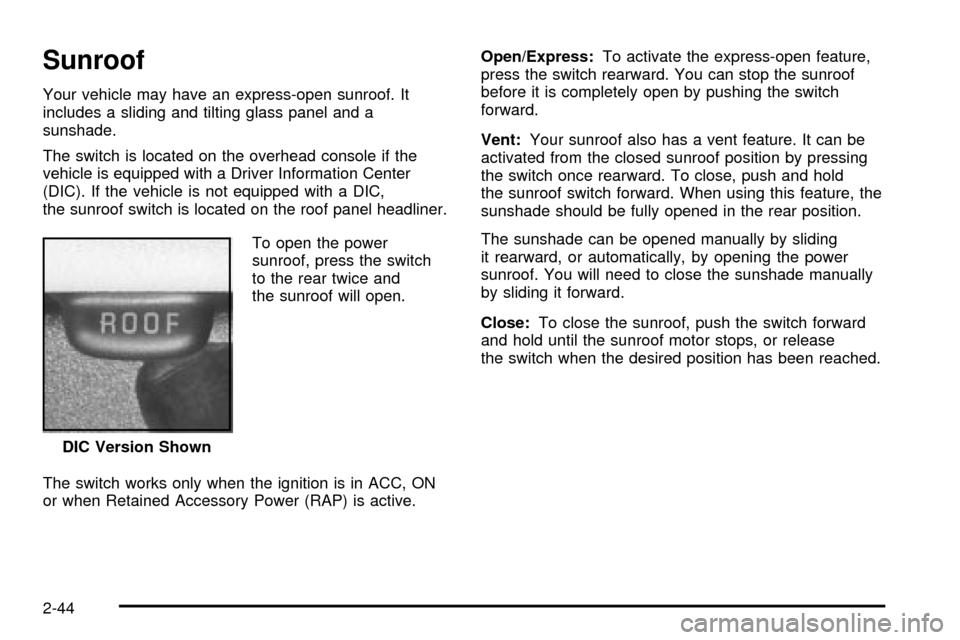
The switch is located on the overhead console if the
vehicle is equipped with a Driver Information Center
(DIC). If the vehicle is not equipped with a DIC,
the sunroof switch is located on the roof panel headliner.
To open the power
sunroof, press the switch
to the rear twice and
the sunroof will open.
The switch works only when the ignition is in ACC, ON
or when Retained Accessory Power (RAP) is active.Open/Express:To activate the express-open feature,
press the switch rearward. You can stop the sunroof
before it is completely open by pushing the switch
forward.
Vent:Your sunroof also has a vent feature. It can be
activated from the closed sunroof position by pressing
the switch once rearward. To close, push and hold
the sunroof switch forward. When using this feature, the
sunshade should be fully opened in the rear position.
The sunshade can be opened manually by sliding
it rearward, or automatically, by opening the power
sunroof. You will need to close the sunshade manually
by sliding it forward.
Close:To close the sunroof, push the switch forward
and hold until the sunroof motor stops, or release
the switch when the desired position has been reached.
DIC Version Shown
2-44
Page 113 of 408

Vehicle Personalization
Some of the convenience features can be reset or
customized to perform according to your preference.
Features you can program depend upon the options that
came with your vehicle. The following list shows
features that can be reset or customized along with the
options.
·Settings (Available for All)
·GM Oil Life System Reset (Available for All)
·Low Tire Pressure Reset (If Equipped)
·Delayed Headlamp Illumination (Available for All)
·Automatic Door Lock and Unlock (Available for All)
·Remote Visual Veri®cation (Available with Remote
Keyless Entry)
·Remote Audible Veri®cation (Available with Remote
Keyless Entry)
·Content Theft Operation (Optional with Content
Theft System)
·Trunk Jamb (Optional with Content Theft System)
·Horn Chirp On Timer (Available with Remote
Keyless Entry)
·Remote Keyless Entry Transmitter Programming
(Available with Remote Keyless Entry)
·Return to Original Factory Settings (Available
for All)
·Exit Vehicle Customization Mode
Programmable Modes
To reset or customize the features, ®rst enter the
vehicle customization main menu. To enter the main
menu, do the following:
1. Turn the ignition to ACC or ON. The radio must be
off.
2. Press and hold the TUNE or DISP knob on the
radio for at least ®ve seconds until SETTINGS is
displayed.
3. Press the SEEK or PSCAN up or down arrows to
scroll through each available feature on your main
menu.
4. Press the PREV or NEXT buttons to scroll through
the lower menu. An asterisk (*) will appear next to
the item that is the current setting.
The following information shows how to reset or
customize features after entering the main menu.
SETTINGS (Display Current Settings)
This feature displays your vehicle personalization
settings.
2-45