brake CHEVROLET IMPALA 2010 9.G User Guide
[x] Cancel search | Manufacturer: CHEVROLET, Model Year: 2010, Model line: IMPALA, Model: CHEVROLET IMPALA 2010 9.GPages: 432, PDF Size: 1.89 MB
Page 134 of 432
Shifting Into Park
{
WARNING:
It can be dangerous to get out of the vehicle if the
shift lever is not fully in P (Park) with the parking
brake firmly set. The vehicle can roll. If you have
left the engine running, the vehicle can move
suddenly. You or others could be injured. To be
sure the vehicle will not move, even when you are
on fairly level ground, use the steps that follow.
If you are pulling a trailer, seeTowing a Trailer on
page 5-28.
Steering Column Shift LeverIf the vehicle has a steering column shift lever, use this
procedure to shift the vehicle into P (Park):
1. Hold the brake pedal down.
2. Move the shift lever into P (Park) by pulling the shift
lever toward you and moving it up as far as it will go.3. With your foot still holding the brake pedal down,
set the parking brake. SeeParking Brake on
page 3-27for more information.
4. Turn the ignition key to LOCK/OFF.
5. Remove the key and take it with you. If you can
leave the vehicle with the ignition key in your
hand, the vehicle is in P (Park).
Console Shift LeverIf the vehicle is equipped with a console shift lever, use
this procedure to shift the vehicle into P (Park):
1. Hold the brake pedal down.
2. Move the shift lever into P (Park) by pushing the
lever all the way toward the front of the vehicle.
3. While keeping the brake pedal applied, set the
parking brake. SeeParking Brake on page 3-27
for more information.
4. Turn the ignition key to LOCK/OFF.
5. Remove the key and take it with you. If you can
leave the vehicle with the ignition key in your
hand, the vehicle is in P (Park).
3-28
Page 135 of 432
Leaving the Vehicle With the Engine
Running
{
WARNING:
It can be dangerous to leave the vehicle with the
engine running. The vehicle could move suddenly if
the shift lever is not fully in P (Park) with the parking
brake firmly set. And, if you leave the vehicle with
the engine running, it could overheat and even
catch fire. You or others could be injured. Do not
leave the vehicle with the engine running.
If you have to leave the vehicle with the engine running,
be sure your vehicle is in P (Park) and the parking
brake is firmly set before you leave it. SeeParking Brake
on page 3-27for more information.
Torque LockTorque lock is when the weight of the vehicle puts too
much force on the parking pawl in the transmission.
This happens when parking on a hill and shifting the
transmission into P (Park) is not done properly and then it
is difficult to shift out of P (Park). To prevent torque lock,
set the parking brake and then shift into P (Park). To find
out how, see “Shifting Into Park” in this section.
If torque lock does occur, your vehicle may need to be
pushed uphill by another vehicle to relieve the parking
pawl pressure, so you can shift out of P (Park).Shifting Out of ParkAutomatic Transmission Shift LockThe vehicle has an electronic shift lock release system.
The shift lock release is designed to:•
Prevent ignition key removal unless the shift lever is
in P (Park)
•
Prevent movement of the shift lever out of P (Park),
unless the ignition is in ON/RUN and the regular
brake pedal is applied.
3-29
Page 136 of 432
The shift lock is always functional except in the case of a
an uncharged or low voltage (less than 9 volt) battery.
If the vehicle has an uncharged battery or a battery with
low voltage, try charging or jump starting the battery.
SeeJump Starting on page 6-39.Console ShiftIf the console shift lever cannot be moved out of
P (Park):
1. Apply and maintain the regular brakes.
2. Turn the ignition to ON/RUN position. SeeIgnition
Positions on page 3-20for more information.
3. Let up on the shift lever and make sure the shift
lever is pushed all the way into P (Park).
4. Press the shift lever button
5. Then, move the shift into the desired gear.
If you still cannot move the shift lever from P (Park),
consult your dealer/retailer or a professional towing
service.
Column ShiftIf the column shift lever cannot be moved out of
P (Park):
1. Apply and maintain the regular brakes.
2. Turn the ignition key to the ON/RUN position. See
Ignition Positions on page 3-20for more information.
3. Shift out of the P (Park) position to the N (Neutral)
position.
4. Move the vehicle to a safe location.
If you still cannot move the shift lever from P (Park),
consult your dealer/retailer or a professional towing
service.Parking Over Things That Burn
{
WARNING:
Things that can burn could touch hot exhaust
parts under the vehicle and ignite. Do not park
over papers, leaves, dry grass, or other things that
can burn.
3-30
Page 138 of 432
Running the Vehicle While ParkedIt is better not to park with the engine running. But if you
ever have to, here are some things to know.
{
WARNING:
Idling a vehicle in an enclosed area with poor
ventilation is dangerous. Engine exhaust may
enter the vehicle. Engine exhaust contains Carbon
Monoxide (CO) which cannot be seen or smelled.
It can cause unconsciousness and even death.
Never run the engine in an enclosed area that has
no fresh air ventilation. For more information, see
Engine Exhaust on page 3-31.
{
WARNING:
It can be dangerous to get out of the vehicle if the
automatic transmission shift lever is not fully in
P (Park) with the parking brake firmly set. The
vehicle can roll. Do not leave the vehicle when the
engine is running unless you have to. If you have
left the engine running, the vehicle can move
suddenly. You or others could be injured. To be
sure the vehicle will not move, even when you are
on fairly level ground, always set the parking brake
and move the shift lever to P (Park).
Follow the proper steps to be sure the vehicle will not
move. SeeShifting Into Park on page 3-28.
If parking on a hill and pulling a trailer, seeTowing a
Trailer on page 5-28.
3-32
Page 151 of 432
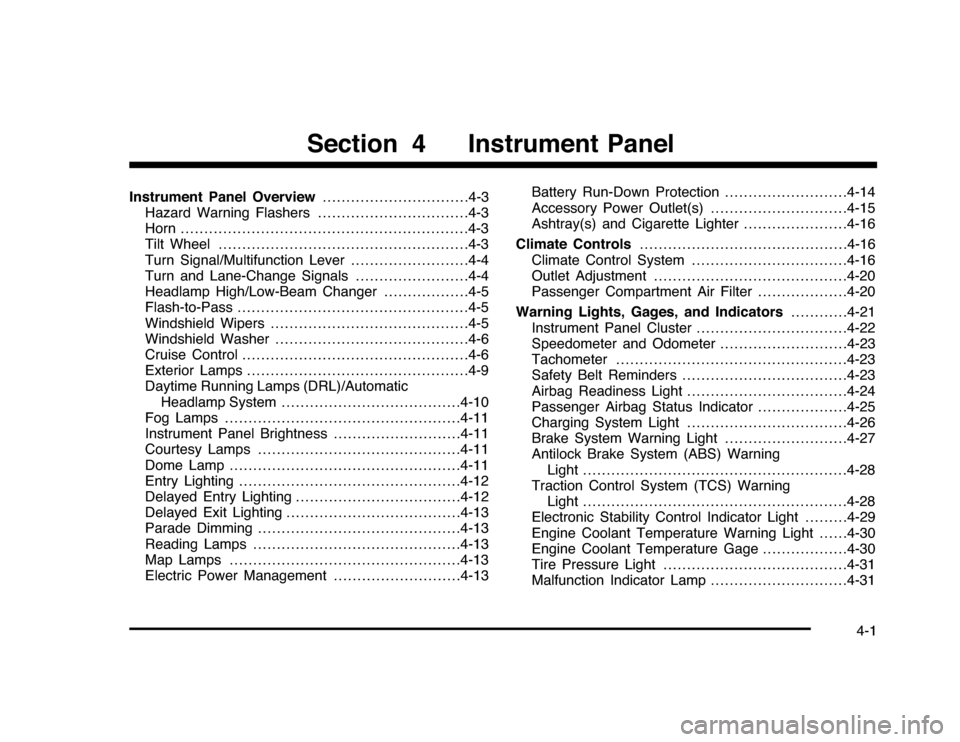
Instrument Panel Overview...............................4-3
Hazard Warning Flashers................................4-3
Horn.............................................................4-3
Tilt Wheel . . . ..................................................4-3
Turn Signal/Multifunction Lever.........................4-4
Turn and Lane-Change Signals........................4-4
Headlamp High/Low-Beam Changer..................4-5
Flash-to-Pass.................................................4-5
Windshield Wipers..........................................4-5
Windshield Washer.........................................4-6
Cruise Control................................................4-6
Exterior Lamps...............................................4-9
Daytime Running Lamps (DRL)/Automatic
Headlamp System......................................4-10
Fog Lamps..................................................4-11
Instrument Panel Brightness...........................4-11
Courtesy Lamps...........................................4-11
Dome Lamp . . ...............................................4-11
Entry Lighting...............................................4-12
Delayed Entry Lighting...................................4-12
Delayed Exit Lighting.....................................4-13
Parade Dimming...........................................4-13
Reading Lamps............................................4-13
Map Lamps . . ...............................................4-13
Electric Power Management...........................4-13Battery Run-Down Protection ..........................4-14
Accessory Power Outlet(s).............................4-15
Ashtray(s) and Cigarette Lighter......................4-16
Climate Controls............................................4-16
Climate Control System.................................4-16
Outlet Adjustment.........................................4-20
Passenger Compartment Air Filter...................4-20
Warning Lights, Gages, and Indicators............4-21
Instrument Panel Cluster . . ..............................4-22
Speedometer and Odometer
...........................4-23
Tachometer.................................................4-23
Safety Belt Reminders . . .................................4-23
Airbag Readiness Light ..................................4-24
Passenger Airbag Status Indicator...................4-25
Charging System Light ..................................4-26
Brake System Warning Light ..........................4-27
Antilock Brake System (ABS) Warning
Light........................................................4-28
Traction Control System (TCS) Warning
Light........................................................4-28
Electronic Stability Control Indicator Light . . . . . . . . .4-29
Engine Coolant Temperature Warning Light . . . . . .4-30
Engine Coolant Temperature Gage..................4-30
Tire Pressure Light.......................................4-31
Malfunction Indicator Lamp.............................4-31
Section 4 Instrument Panel
4-1
Page 157 of 432
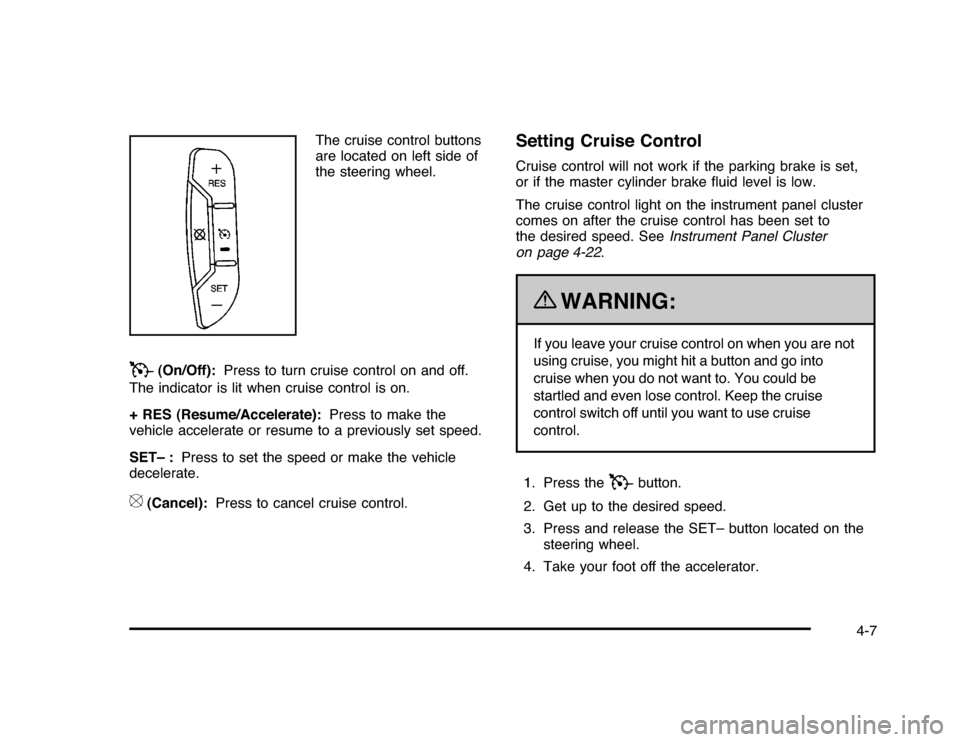
The cruise control buttons
are located on left side of
the steering wheel.
T
(On/Off):Press to turn cruise control on and off.
The indicator is lit when cruise control is on.
+ RES (Resume/Accelerate):Press to make the
vehicle accelerate or resume to a previously set speed.
SET– :Press to set the speed or make the vehicle
decelerate.
[
(Cancel):Press to cancel cruise control.
Setting Cruise ControlCruise control will not work if the parking brake is set,
or if the master cylinder brake fluid level is low.
The cruise control light on the instrument panel cluster
comes on after the cruise control has been set to
the desired speed. SeeInstrument Panel Cluster
on page 4-22.
{
WARNING:
If you leave your cruise control on when you are not
using cruise, you might hit a button and go into
cruise when you do not want to. You could be
startled and even lose control. Keep the cruise
control switch off until you want to use cruise
control.
1. Press the
T
button.
2. Get up to the desired speed.
3. Press and release the SET– button located on the
steering wheel.
4. Take your foot off the accelerator.
4-7
Page 158 of 432

Resuming a Set SpeedIf cruise control is set at a desired speed and the
brakes are applied, this shuts off the cruise control.
However, it does not need to be reset.
Once your vehicle reaches a speed of about 40 km/h
(25 mph) or more, press the +RES button on the
steering wheel. The vehicle goes back to the previously
selected speed and stays there.Increasing Speed While Using Cruise
ControlTo increase the cruise speed while using cruise control:•
Press and hold the +RES button on the steering
wheel until the desired speed is reached, then
release it.
•
To increase vehicle speed in small increments,
press the +RES button. Each time this is done,
the vehicle goes about 1.6 km/h (1 mph) faster.
Reducing Speed While Using Cruise
ControlTo reduce your speed while using cruise control:•
Press and hold the SET– button on the steering
wheel until the desired lower speed is reached,
then release it.
•
To slow down in very small amounts, press the
SET– button on the steering wheel briefly. Each
time this is done, the vehicle goes about 1.6 km/h
(1 mph) slower.
Passing Another Vehicle While Using
Cruise ControlUse the accelerator pedal to increase vehicle speed.
When you take your foot off the pedal, the vehicle
will slow down to the cruise speed you set earlier.Using Cruise Control on HillsHow well the cruise control will work on hills depends
upon the vehicle speed, load and the steepness of the
hills. When going up steep hills, you might have to
step on the accelerator pedal to maintain your speed.
When going downhill, you might have to brake or shift
to a lower gear to keep your speed down. If the brakes
are applied the cruise control will turn off.
4-8
Page 159 of 432
Ending Cruise ControlThere are three ways to end cruise control:•
Step lightly on the brake pedal.
•
Press the
[
button on the steering wheel.
•
Press the
T
button on the steering wheel.
Erasing Speed MemoryThe cruise control set speed memory is erased by
turning off the cruise control or the ignition.Exterior Lamps
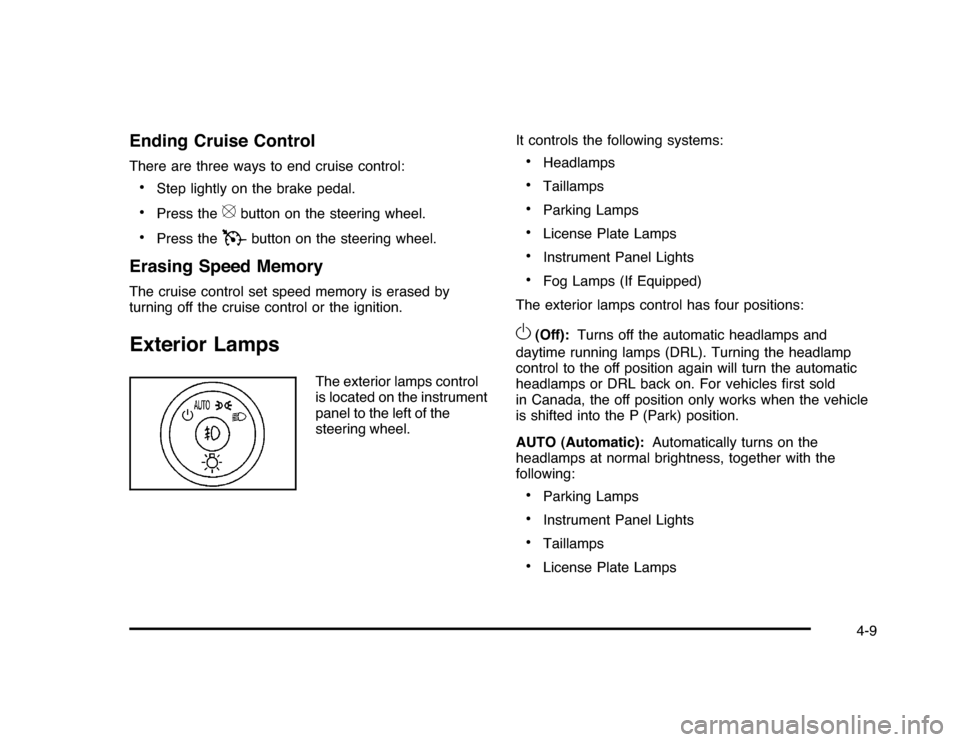
The exterior lamps control
is located on the instrument
panel to the left of the
steering wheel.It controls the following systems:
•
Headlamps
•
Taillamps
•
Parking Lamps
•
License Plate Lamps
•
Instrument Panel Lights
•
Fog Lamps (If Equipped)
The exterior lamps control has four positions:
O
(Off):Turns off the automatic headlamps and
daytime running lamps (DRL). Turning the headlamp
control to the off position again will turn the automatic
headlamps or DRL back on. For vehicles first sold
in Canada, the off position only works when the vehicle
is shifted into the P (Park) position.
AUTO (Automatic):Automatically turns on the
headlamps at normal brightness, together with the
following:•
Parking Lamps
•
Instrument Panel Lights
•
Taillamps
•
License Plate Lamps
4-9
Page 177 of 432
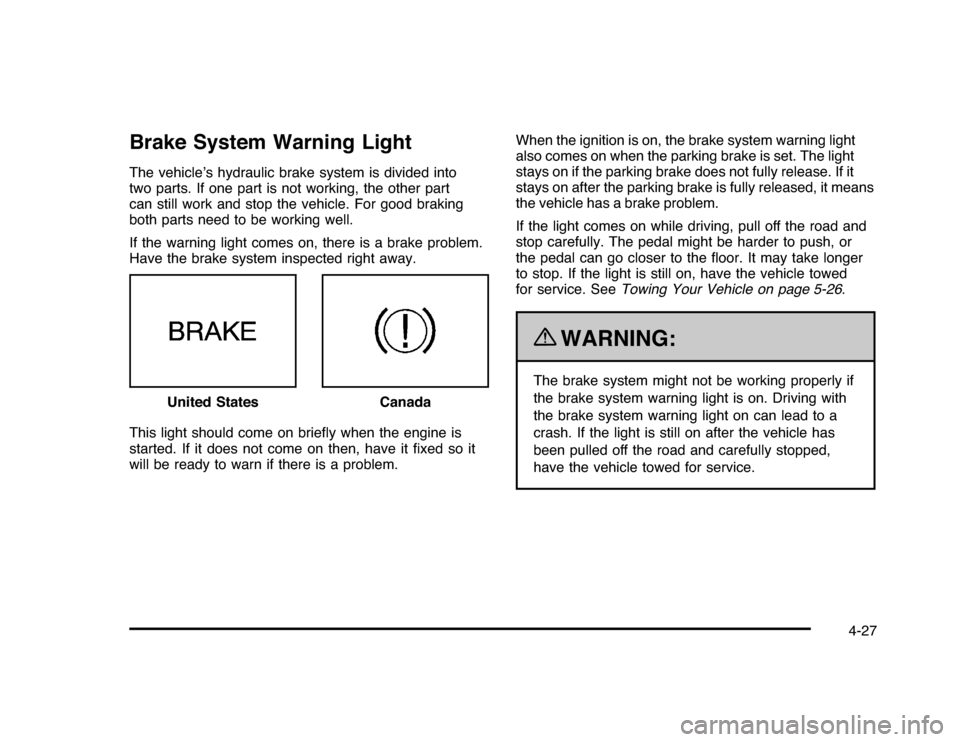
Brake System Warning LightThe vehicle’s hydraulic brake system is divided into
two parts. If one part is not working, the other part
can still work and stop the vehicle. For good braking
both parts need to be working well.
If the warning light comes on, there is a brake problem.
Have the brake system inspected right away.
This light should come on briefly when the engine is
started. If it does not come on then, have it fixed so it
will be ready to warn if there is a problem.When the ignition is on, the brake system warning light
also comes on when the parking brake is set. The light
stays on if the parking brake does not fully release. If it
stays on after the parking brake is fully released, it means
the vehicle has a brake problem.
If the light comes on while driving, pull off the road and
stop carefully. The pedal might be harder to push, or
the pedal can go closer to the floor. It may take longer
to stop. If the light is still on, have the vehicle towed
for service. SeeTowing Your Vehicle on page 5-26.
{
WARNING:
The brake system might not be working properly if
the brake system warning light is on. Driving with
the brake system warning light on can lead to a
crash. If the light is still on after the vehicle has
been pulled off the road and carefully stopped,
have the vehicle towed for service. United States
Canada
4-27
Page 178 of 432
Antilock Brake System (ABS)
Warning Light
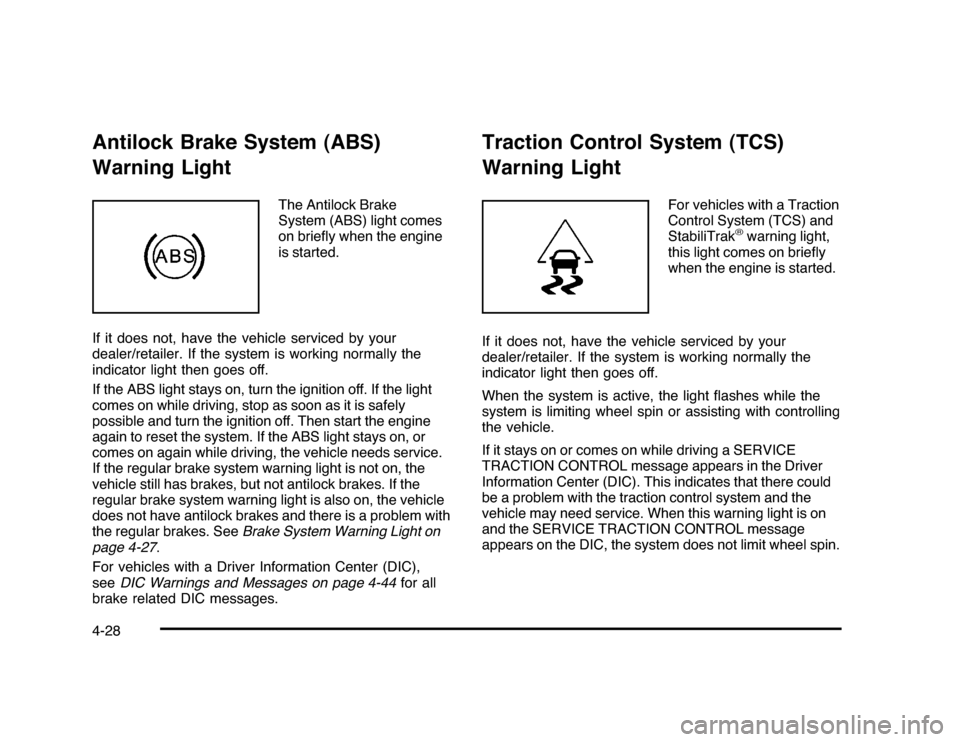
The Antilock Brake
System (ABS) light comes
on briefly when the engine
is started.
If it does not, have the vehicle serviced by your
dealer/retailer. If the system is working normally the
indicator light then goes off.
If the ABS light stays on, turn the ignition off. If the light
comes on while driving, stop as soon as it is safely
possible and turn the ignition off. Then start the engine
again to reset the system. If the ABS light stays on, or
comes on again while driving, the vehicle needs service.
If the regular brake system warning light is not on, the
vehicle still has brakes, but not antilock brakes. If the
regular brake system warning light is also on, the vehicle
does not have antilock brakes and there is a problem with
the regular brakes. SeeBrake System Warning Light on
page 4-27.
For vehicles with a Driver Information Center (DIC),
seeDIC Warnings and Messages on page 4-44for all
brake related DIC messages.
Traction Control System (TCS)
Warning Light
For vehicles with a Traction
Control System (TCS) and
StabiliTrak
®warning light,
this light comes on briefly
when the engine is started.
If it does not, have the vehicle serviced by your
dealer/retailer. If the system is working normally the
indicator light then goes off.
When the system is active, the light flashes while the
system is limiting wheel spin or assisting with controlling
the vehicle.
If it stays on or comes on while driving a SERVICE
TRACTION CONTROL message appears in the Driver
Information Center (DIC). This indicates that there could
be a problem with the traction control system and the
vehicle may need service. When this warning light is on
and the SERVICE TRACTION CONTROL message
appears on the DIC, the system does not limit wheel spin.
4-28