lock CHEVROLET IMPALA 2010 9.G Workshop Manual
[x] Cancel search | Manufacturer: CHEVROLET, Model Year: 2010, Model line: IMPALA, Model: CHEVROLET IMPALA 2010 9.GPages: 432, PDF Size: 1.89 MB
Page 162 of 432

Entry LightingFor vehicles with courtesy lamps, they come on and
stay on for a set time whenever the unlock symbol
is pressed on the Remote Keyless Entry (RKE)
transmitter, if the vehicle has one.
If a door is opened, the lamps stay on while it is open
and then turn off automatically about 20 seconds
after the door is closed. If the unlock symbol is pressed
and no door is opened, the lamps turn off after about
20 seconds.
Entry lighting includes a feature called theater dimming.
With theater dimming, the lamps do not turn off at
the end of the delay time. Instead, they slowly dim and
then go out. The delay time is canceled if the ignition
key is turned to ON/RUN or the power door lock switch
is pressed. The lamps will dim right away.
When the ignition is on, illuminated entry is inactive,
which means the courtesy lamps will not come on unless
a door is opened.
Delayed Entry LightingDelayed entry lighting illuminates the interior for a
period of time after all the doors have been closed.
The ignition must be off for delayed entry lighting
to work. Immediately after all the doors have been
closed, the delayed entry lighting feature continues to
work until one of the following occurs:•
The ignition is in ON/RUN.
•
The doors are locked.
•
An illumination period of about 25 seconds has
elapsed.
If during the illumination period a door is opened, the
timed illumination period is canceled and the interior
lamps remain on.
4-12
Page 163 of 432
Delayed Exit LightingThis feature illuminates the interior for a period of time
after the key is removed from the ignition.
The ignition must be off for delayed exit lighting to work.
When the key is removed, interior illumination activates
and remains on until one of the following occurs:•
The ignition is in ON/RUN.
•
The power door locks are activated.
•
An illumination period of 20 seconds has elapsed.
If during the illumination period a door is opened,
the timed illumination period will be canceled and the
interior lamps will remain on because a door is open.
Parade DimmingParade mode automatically prohibits the dimming of
the instrument panel displays during the daylight while
the headlamps are on so that the displays are still
able to be seen.Reading LampsThe vehicle has reading lamps that also act as the
dome lamp. Press the button near each lamp to turn
them on and off.
Map LampsThe vehicle has map lamps on the rearview mirror.
Press the button near each lamp on the mirror to turn
the map lamps on and off.Electric Power ManagementThe vehicle has Electric Power Management (EPM) that
estimates the battery’s temperature and state of charge.
It then adjusts the voltage for best performance and
extended life of the battery.
When the battery’s state of charge is low, the voltage is
raised slightly to quickly bring the charge back up. When
the state of charge is high, the voltage is lowered slightly
to prevent overcharging. If the vehicle has a voltmeter
gage or a voltage display on the Driver Information
Center (DIC), you may see the voltage move up or down.
This is normal. If there is a problem, an alert will be
displayed.
The battery can be discharged at idle if the electrical
loads are very high. This is true for all vehicles. This is
because the generator (alternator) may not be spinning
fast enough at idle to produce all the power that is
needed for very high electrical loads.
4-13
Page 167 of 432

A. Fan Control
B. Outside Air
C. Temperature Control
D. RecirculationE. Air Delivery Mode
Control
F. Air Conditioning
G. Rear Window
Defogger
Temperature Control:For dual zone, turn the
thumbwheels up or down to increase or decrease
the temperature on the driver or the passenger side
of the vehicle. For single zone, turn the knob clockwise
or counterclockwise to increase or decrease the
temperature.
9
(Fan Control):Turn clockwise or counterclockwise to
increase or decrease the fan speed. Positioning the knob
between two modes, can select a combination of those
modes.
If the airflow seems low when the fan is at the highest
setting, the passenger compartment air filter may need to
be replaced. There will be some airflow noticeable from
the various outlets when driving, even with the fan in
the off position. For more information, seePassenger
Compartment Air Filter on page 4-20andScheduled
Maintenance on page 7-3.
Air Delivery Mode Control:Turn clockwise or
counterclockwise to change the direction of the airflow
inside the vehicle.
To change the current mode, select one of the following:
H
(Vent):Air is directed to the instrument panel
outlets.
)
(Bi-Level):Air is divided between the instrument
panel outlets and the floor outlets. Single Zone
4-17
Page 169 of 432

Using these settings together for long periods of time
may cause the air inside the vehicle to become too dry.
To prevent this from happening, after the air inside
the vehicle has cooled, turn the recirculation mode off.
The air conditioning system removes moisture from
the air, so a small amount of water may drip under
the vehicle while idling or after turning off the engine.
This is normal.:
(Outside Air):Press to turn on outside air.
An indicator light comes on to show that it is on.
Outside air will circulate throughout the vehicle.
?
(Recirculation):Press to turn on the recirculation
mode. An indicator light comes on to show that
it is on.
This mode helps to quickly heat or cool the air inside the
vehicle once the temperature inside the vehicle is equal
to or better than the outside temperature. It can be used
to prevent outside air and odors from entering the vehicle.
The recirculation mode is not available in outside air,
floor, defog or defrost modes. If the button is selected
while in these modes, the indicator flashes three times.
Rear Window DefoggerThe rear window defogger uses a warming grid to
remove fog from the rear window.<
(Rear Window Defogger):The rear window
defogger turns off automatically after it has been
activated for 10 minutes. It can be turned off manually,
by pressing the button again or by turning the ignition
to the LOCK/OFF position. The rear window defogger
can be turned on again for additional window clearing.
The length of defogger operation will increase if the
vehicle is being driven.
For vehicles with heated outside rearview mirrors, the
mirrors heat to help clear fog or frost from the surface of
the mirror when the rear window defog button is
pressed. SeeOutside Power Mirrors on page 3-34.
Do not drive the vehicle until all the windows are clear.
Notice:Do not use anything sharp on the inside
of the rear window. If you do, you could cut or
damage the warming grid, and the repairs would not
be covered by the vehicle warranty. Do not attach
a temporary vehicle license, tape, a decal or
anything similar to the defogger grid.
4-19
Page 170 of 432

Outlet AdjustmentUse the thumbwheel located below or to the side of the
outlet, to change the direction of the air flow.Operation Tips•
Clear away any ice, snow or leaves from the air
inlets at the base of the windshield that may
block the flow of air into the vehicle.
•
Use of non-GM approved hood deflectors may
adversely affect the performance of the system.
•
Keep the path under the front seats clear of objects
to help circulate the air inside the vehicle more
effectively.
•
If the airflow seems low when the fan is at the
highest setting, the passenger compartment
air filter, if equipped, may need to replaced.
For more information, seePassenger Compartment
Air Filter on page 4-20andScheduled Maintenance
on page 7-3.
•
If fogging reoccurs while in vent or bi-level modes
with mild temperature throughout the vehicle, turn
on the air conditioner to reduce windshield fogging.
Passenger Compartment Air FilterThe vehicle has a passenger compartment particulate
air filter. It is located in the engine compartment,
below the air inlet grille on the passenger side.
The filter traps most of the pollen from air entering
the climate control system. It needs to be changed
periodically to ensure system performance. For
information on how often to change the passenger
compartment air filter, seeScheduled Maintenance
on page 7-3.
To change the passenger compartment air filter:
1. Turn off the ignition when the windshield wipers are
in the up position.
2. Raise the vehicle hood.
3. Pull back the hood weatherstrip from the
passengers side of the vehicle halfway to center.
4-20
Page 178 of 432
Antilock Brake System (ABS)
Warning Light
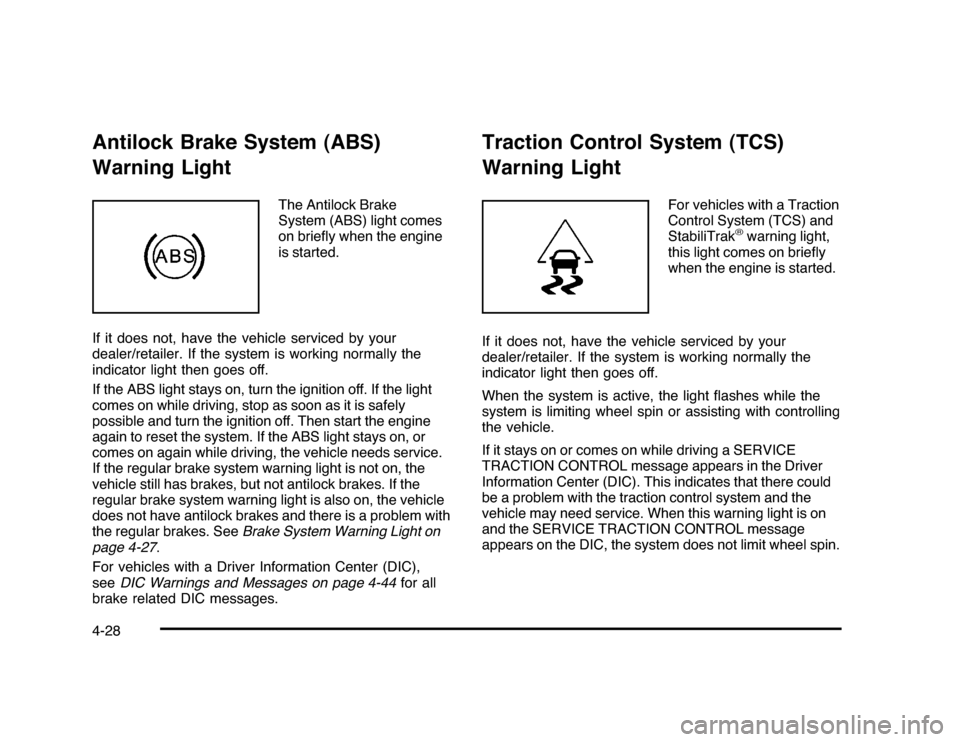
The Antilock Brake
System (ABS) light comes
on briefly when the engine
is started.
If it does not, have the vehicle serviced by your
dealer/retailer. If the system is working normally the
indicator light then goes off.
If the ABS light stays on, turn the ignition off. If the light
comes on while driving, stop as soon as it is safely
possible and turn the ignition off. Then start the engine
again to reset the system. If the ABS light stays on, or
comes on again while driving, the vehicle needs service.
If the regular brake system warning light is not on, the
vehicle still has brakes, but not antilock brakes. If the
regular brake system warning light is also on, the vehicle
does not have antilock brakes and there is a problem with
the regular brakes. SeeBrake System Warning Light on
page 4-27.
For vehicles with a Driver Information Center (DIC),
seeDIC Warnings and Messages on page 4-44for all
brake related DIC messages.
Traction Control System (TCS)
Warning Light
For vehicles with a Traction
Control System (TCS) and
StabiliTrak
®warning light,
this light comes on briefly
when the engine is started.
If it does not, have the vehicle serviced by your
dealer/retailer. If the system is working normally the
indicator light then goes off.
When the system is active, the light flashes while the
system is limiting wheel spin or assisting with controlling
the vehicle.
If it stays on or comes on while driving a SERVICE
TRACTION CONTROL message appears in the Driver
Information Center (DIC). This indicates that there could
be a problem with the traction control system and the
vehicle may need service. When this warning light is on
and the SERVICE TRACTION CONTROL message
appears on the DIC, the system does not limit wheel spin.
4-28
Page 191 of 432

Change Compass ZoneYour vehicle may have this feature. To change the
compass zone through the DIC, seeDIC Compass
on page 4-42.Calibrate CompassYour vehicle may have this feature. The compass can
be manually calibrated. To calibrate the compass
through the DIC, seeDIC Compass on page 4-42.Relearn Remote KeyTo access this display, the vehicle must be in P (Park).
This display allows you to match the Remote Keyless
Entry (RKE) transmitter to your vehicle. This procedure
will erase all previously learned transmitters. Therefore,
they must be relearned as additional transmitters.To match an RKE transmitter to your vehicle:
1. Press the vehicle information button until
PRESS
V
TO RELEARN REMOTE KEY displays.
2. Press the set/reset button until REMOTE KEY
LEARNING ACTIVE is displayed.
3. Press and hold the lock and unlock buttons on
the first transmitter at the same time for about
15 seconds.
A chime will sound indicating that the transmitter is
matched.
4. To match additional transmitters at this time, repeat
Step 3.
Each vehicle can have a maximum of eight
transmitters matched to it.
5. To exit the programming mode, you must cycle the
key to LOCK/OFF.
Blank DisplayThis display shows no information.
4-41
Page 203 of 432

AUTO DOOR UNLOCKThis feature allows you to select whether or not to
turn off the automatic door unlocking feature. It also
allows you to select which doors and when the doors will
automatically unlock. SeeProgrammable Automatic
Door Unlock on page 3-11for more information.
Press the customization button until AUTO DOOR
UNLOCK appears on the DIC display. Press the
set/reset button once to access the settings for this
feature. Then press the customization button to scroll
through the following settings:
OFF:None of the doors will automatically unlock.
DRIVER AT KEY OUT:Only the driver’s door will
unlock when the key is taken out of the ignition.
DRIVER IN PARK:Only the driver’s door will unlock
when the vehicle is shifted into P (Park).
ALL AT KEY OUT:All of the doors will unlock when
the key is taken out of the ignition.
ALL IN PARK (default):All of the doors will unlock
when the vehicle is shifted into P (Park).
NO CHANGE:No change will be made to this feature.
The current setting will remain.
To select a setting, press the set/reset button while the
desired setting is displayed on the DIC.
REMOTE DOOR LOCKThis feature allows you to select the type of feedback
you will receive when locking the vehicle with the
Remote Keyless Entry (RKE) transmitter. You will not
receive feedback when locking the vehicle with the RKE
transmitter if any of the doors are open. SeeRemote
Keyless Entry (RKE) System Operation on page 3-4
for more information.
Press the customization button until REMOTE DOOR
LOCK appears on the DIC display. Press the set/reset
button once to access the settings for this feature.
Then press the customization button to scroll through
the following settings:
HORN & LIGHTS OFF:There will be no feedback
when you press the lock button on the RKE transmitter.
LIGHTS ONLY:The exterior lamps will flash when
you press the lock button on the RKE transmitter.
HORN ONLY:The horn will sound on the second press
of the lock button on the RKE transmitter.
HORN & LIGHTS ON (default):The exterior lamps
will flash when you press the lock button on the
RKE transmitter, and the horn will sound when the lock
button is pressed again within five seconds of the
previous command.
NO CHANGE:No change will be made to this feature.
The current setting will remain.
4-53
Page 204 of 432

To select a setting, press the set/reset button while the
desired setting is displayed on the DIC.REMOTE DOOR UNLOCKThis feature allows you to select the type of feedback you
will receive when unlocking the vehicle with the Remote
Keyless Entry (RKE) transmitter. You will not receive
feedback when unlocking the vehicle with the RKE
transmitter if the doors are open. SeeRemote Keyless
Entry (RKE) System Operation on page 3-4for more
information.
Press the customization button until REMOTE DOOR
UNLOCK appears on the DIC display. Press the
set/reset button once to access the settings for this
feature. Then press the customization button to scroll
through the following settings:
LIGHTS OFF:The exterior lamps will not flash when
you press the unlock button on the RKE transmitter.
LIGHTS ON (default):The exterior lamps will
flash when you press the unlock button on the
RKE transmitter.
NO CHANGE:No change will be made to this feature.
The current setting will remain.
To select a setting, press the set/reset button while the
desired setting is displayed on the DIC.
EXIT LIGHTINGThis feature allows you to select the amount of time you
want the exterior lamps to remain on when it is dark
enough outside. This happens after the key is turned
from ON/RUN to LOCK/OFF.
Press the customization button until EXIT LIGHTING
appears on the DIC display. Press the set/reset button
once to access the settings for this feature. Then press
the customization button to scroll through the following
settings:
OFF:The exterior lamps will not turn on.
30 SECONDS (default):The exterior lamps will stay on
for 30 seconds.
1 MINUTE:The exterior lamps will stay on for
one minute.
2 MINUTES:The exterior lamps will stay on for
two minutes.
NO CHANGE:No change will be made to this feature.
The current setting will remain.
To select a setting, press the set/reset button while the
desired setting is displayed on the DIC.
4-54
Page 205 of 432

APPROACH LIGHTINGThis feature allows you to select whether or not to
have the exterior lights turn on briefly during low light
periods after unlocking the vehicle using the Remote
Keyless Entry (RKE) transmitter.
Press the customization button until APPROACH
LIGHTING appears on the DIC display. Press the
set/reset button once to access the settings for
this feature. Then press the customization button
to scroll through the following settings:
OFF:The exterior lights will not turn on when you
unlock the vehicle with the RKE transmitter.
ON (default):If it is dark enough outside, the exterior
lights will turn on briefly when you unlock the vehicle
with the RKE transmitter.
The lights will remain on for 20 seconds or until the lock
button on the RKE transmitter is pressed, or the vehicle is
no longer off. SeeRemote Keyless Entry (RKE) System
Operation on page 3-4for more information.
NO CHANGE:No change will be made to this feature.
The current setting will remain.
To select a setting, press the set/reset button while the
desired setting is displayed on the DIC.
CHIME VOLUMEThis feature allows you to select the volume level of the
chime.
Press the customization button until CHIME VOLUME
appears on the DIC display. Press the set/reset button
once to access the settings for this feature. Then press
the customization button to scroll through the following
settings:
NORMAL:The chime volume will be set to a normal
level.
LOUD:The chime volume will be set to a loud level.
NO CHANGE:No change will be made to this feature.
The current setting will remain.
There is no default for chime volume. The volume will
stay at the last known setting.
To select a setting, press the set/reset button while the
desired setting is displayed on the DIC.
4-55