buttons CHEVROLET IMPALA 2014 10.G Owners Manual
[x] Cancel search | Manufacturer: CHEVROLET, Model Year: 2014, Model line: IMPALA, Model: CHEVROLET IMPALA 2014 10.GPages: 422, PDF Size: 5.62 MB
Page 9 of 422

Black plate (3,1)Chevrolet Impala Owner Manual (GMNA-Localizing-U.S./Canada-5772216) -
2014 - 2nd crc - 5/14/13
In Brief 1-3
1.Instrument Panel Illumination
Control on page 6-4.
2. Air Vents on page 8-7.
3. Trunk Release. See Trunk on
page 2-14.
Parking Assist Button. See
Assistance Systems for Parking
or Backing on page 9-46 (If
Equipped).
Lane Departure Warning (LDW)
Button. See Lane Departure
Warning (LDW) on page 9-54.
4. Turn Signal Lever. See Turn and
Lane-Change Signals on
page 6-3.
5. Instrument Cluster on page 5-9.
Driver Information Center (DIC)
on page 5-27.
6. Windshield Wiper/Washer on
page 5-4.
7. Hazard Warning Flashers on
page 6-3.
8. Light Sensor. See Automatic
Headlamp System on page 6-2. 9. Storage Area with USB Port
Inside (If Equipped). See
Instrument Panel Storage on
page 4-1 andUSB Port on
page 7-14.
10. Infotainment on page 7-1.
11. CD Player on page 7-12.
12. Electric Parking Brake. See Parking Brake on page 9-31.
13. Data Link Connector (Out of View). See Malfunction
Indicator Lamp on page 5-17.
14. Hood Release. See Hood on
page 10-4.
15. Instrument Panel Storage on
page 4-1 (If Equipped).
Fuse Cover. See Instrument
Panel Fuse Block on
page 10-40. 16.
Cruise Control on page 9-35
(If Equipped).
Adaptive Cruise Control on
page 9-37 (If Equipped).
Heated Steering Wheel on
page 5-3 (If Equipped).
Forward Collision Alert (FCA)
System on page 9-48 (If
Equipped).
17. Steering Wheel Controls on
page 5-3 (Out of View).
18. Steering Wheel Adjustment on
page 5-2.
19. Horn on page 5-3.
20. Steering Wheel Controls on
page 5-3.
Driver Information Center
Buttons. See Driver Information
Center (DIC) on page 5-27.
21. Ignition Positions (Keyless
Access) on page 9-15 or
Ignition Positions (Key Access)
on page 9-17.
Page 16 of 422
Black plate (10,1)Chevrolet Impala Owner Manual (GMNA-Localizing-U.S./Canada-5772216) -
2014 - 2nd crc - 5/14/13
1-10 In Brief
To return the seatback to the upright
position:
1. Lift the lever fully withoutapplying pressure to the
seatback, and the seatback will
return to the upright position.
2. Push and pull on the seatback to make sure it is locked.
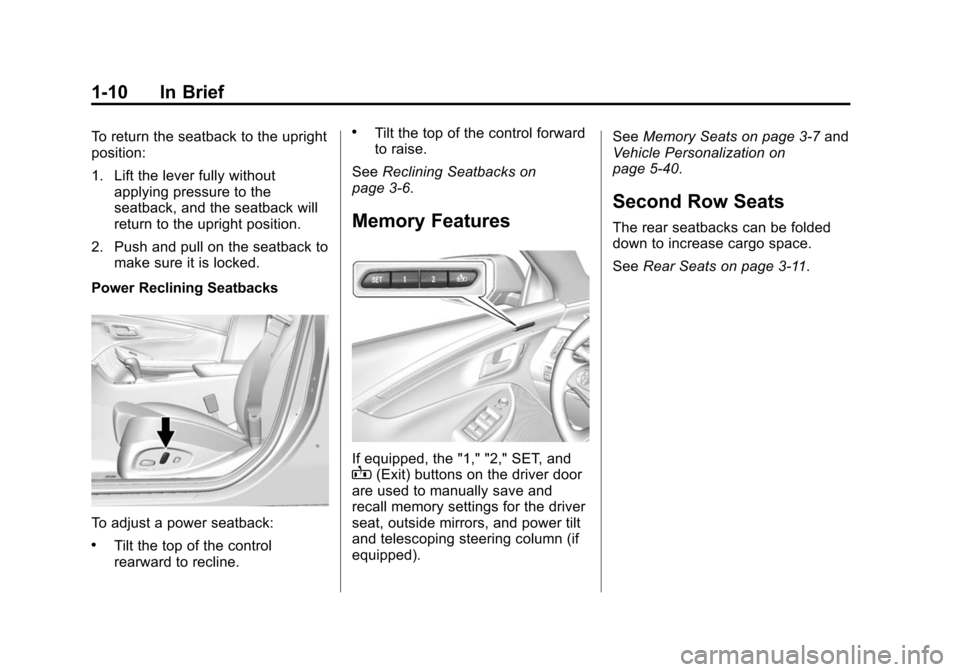
Power Reclining Seatbacks
To adjust a power seatback:
.Tilt the top of the control
rearward to recline.
.Tilt the top of the control forward
to raise.
See Reclining Seatbacks on
page 3-6.
Memory Features
If equipped, the "1," "2," SET, andB(Exit) buttons on the driver door
are used to manually save and
recall memory settings for the driver
seat, outside mirrors, and power tilt
and telescoping steering column (if
equipped). See
Memory Seats on page 3-7 and
Vehicle Personalization on
page 5-40.
Second Row Seats
The rear seatbacks can be folded
down to increase cargo space.
See Rear Seats on page 3-11.
Page 17 of 422
Black plate (11,1)Chevrolet Impala Owner Manual (GMNA-Localizing-U.S./Canada-5772216) -
2014 - 2nd crc - 5/14/13
In Brief 1-11
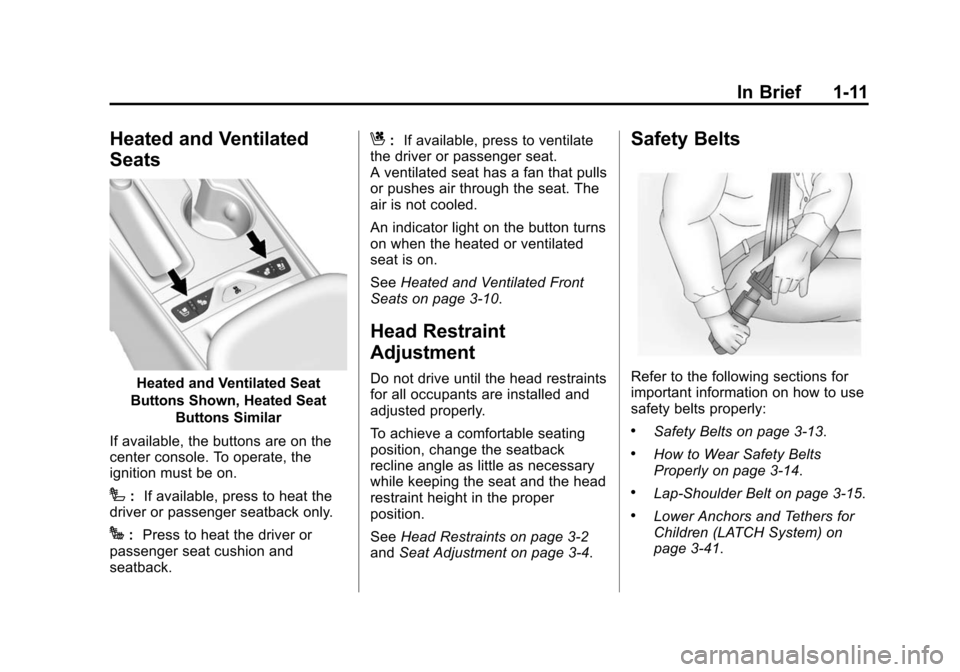
Heated and Ventilated
Seats
Heated and Ventilated Seat
Buttons Shown, Heated Seat Buttons Similar
If available, the buttons are on the
center console. To operate, the
ignition must be on.
I: If available, press to heat the
driver or passenger seatback only.
J: Press to heat the driver or
passenger seat cushion and
seatback.
C: If available, press to ventilate
the driver or passenger seat.
A ventilated seat has a fan that pulls
or pushes air through the seat. The
air is not cooled.
An indicator light on the button turns
on when the heated or ventilated
seat is on.
See Heated and Ventilated Front
Seats on page 3-10.
Head Restraint
Adjustment
Do not drive until the head restraints
for all occupants are installed and
adjusted properly.
To achieve a comfortable seating
position, change the seatback
recline angle as little as necessary
while keeping the seat and the head
restraint height in the proper
position.
See Head Restraints on page 3-2
and Seat Adjustment on page 3-4.
Safety Belts
Refer to the following sections for
important information on how to use
safety belts properly:
.Safety Belts on page 3-13.
.How to Wear Safety Belts
Properly on page 3-14.
.Lap-Shoulder Belt on page 3-15.
.Lower Anchors and Tethers for
Children (LATCH System) on
page 3-41.
Page 38 of 422
Black plate (4,1)Chevrolet Impala Owner Manual (GMNA-Localizing-U.S./Canada-5772216) -
2014 - 2nd crc - 5/14/13
2-4 Keys, Doors, and Windows
7(Vehicle Locator/Panic
Alarm): Press and release one
time to initiate vehicle locator. The
exterior lamps flash and the horn
chirps three times.
Press and hold
7for at least
three seconds to sound the panic
alarm. The horn sounds and the
turn signals flash for about
30 seconds until
7is pressed again
or the vehicle is started.
/(Remote Vehicle Start):
If equipped, press
Qand release
and then immediately press and
hold
/for four seconds to start the
engine from outside the vehicle
using the RKE transmitter. See
Remote Vehicle Start on page 2-9.
If equipped with a keyed ignition,
the buttons on the keys are disabled
when there is a key in the ignition.
Keyless Access Operation
Some vehicles have the Keyless
Access system that lets you lock
and unlock the doors and access the trunk without removing the RKE
transmitter from your pocket, purse,
briefcase, etc. The RKE transmitter
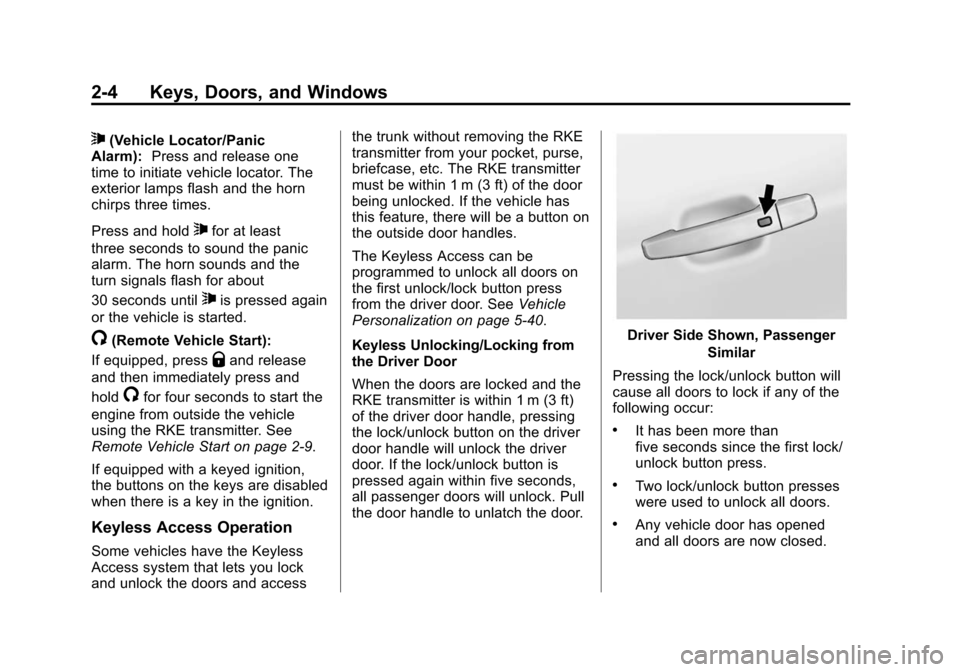
must be within 1 m (3 ft) of the door
being unlocked. If the vehicle has
this feature, there will be a button on
the outside door handles.
The Keyless Access can be
programmed to unlock all doors on
the first unlock/lock button press
from the driver door. See
Vehicle
Personalization on page 5-40.
Keyless Unlocking/Locking from
the Driver Door
When the doors are locked and the
RKE transmitter is within 1 m (3 ft)
of the driver door handle, pressing
the lock/unlock button on the driver
door handle will unlock the driver
door. If the lock/unlock button is
pressed again within five seconds,
all passenger doors will unlock. Pull
the door handle to unlatch the door.
Driver Side Shown, Passenger
Similar
Pressing the lock/unlock button will
cause all doors to lock if any of the
following occur:
.It has been more than
five seconds since the first lock/
unlock button press.
.Two lock/unlock button presses
were used to unlock all doors.
.Any vehicle door has opened
and all doors are now closed.
Page 42 of 422
Black plate (8,1)Chevrolet Impala Owner Manual (GMNA-Localizing-U.S./Canada-5772216) -
2014 - 2nd crc - 5/14/13
2-8 Keys, Doors, and Windows
6. Remove the transmitter from thetransmitter pocket and press
K.
To program additional
transmitters, repeat Steps 4–6.
When all additional transmitters
are programmed, press and hold
the ENGINE START/STOP
button for 12 seconds to exit
programming mode.
Starting the Vehicle with a Low
Transmitter Battery or Wireless
Interference
If the transmitter battery is weak or
there is wireless interference, the
DIC may display NO REMOTE
DETECTED or PLACE
TRANSMITTER IN POCKET TO
START when you try to start the
vehicle. The REPLACE BATTERY
IN REMOTE KEY message may
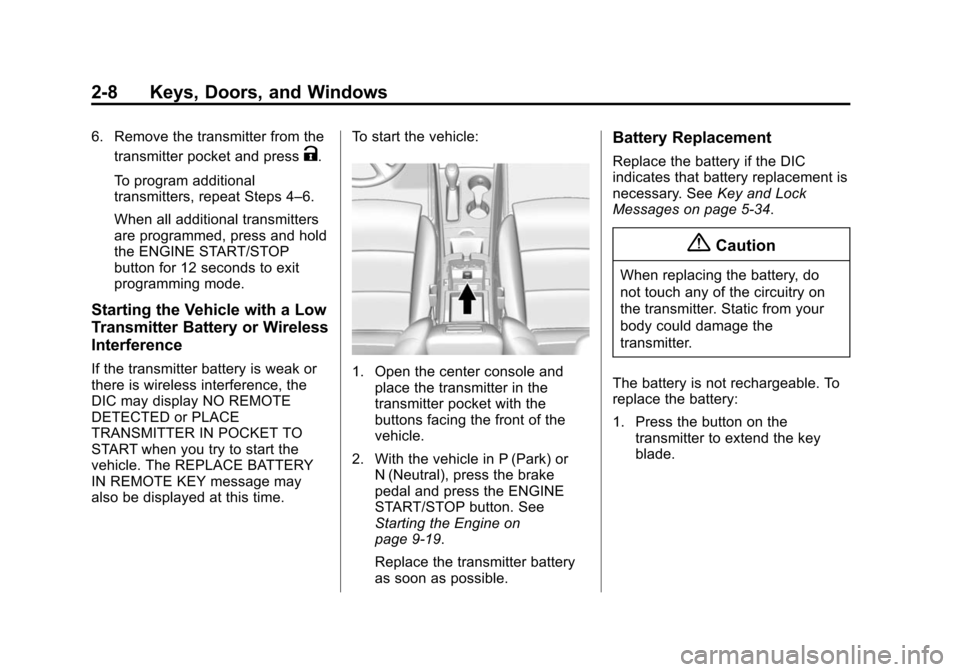
also be displayed at this time. To start the vehicle:1. Open the center console and
place the transmitter in the
transmitter pocket with the
buttons facing the front of the
vehicle.
2. With the vehicle in P (Park) or N (Neutral), press the brake
pedal and press the ENGINE
START/STOP button. See
Starting the Engine on
page 9-19.
Replace the transmitter battery
as soon as possible.
Battery Replacement
Replace the battery if the DIC
indicates that battery replacement is
necessary. See Key and Lock
Messages on page 5-34.
{Caution
When replacing the battery, do
not touch any of the circuitry on
the transmitter. Static from your
body could damage the
transmitter.
The battery is not rechargeable. To
replace the battery:
1. Press the button on the transmitter to extend the key
blade.
Page 65 of 422
Black plate (7,1)Chevrolet Impala Owner Manual (GMNA-Localizing-U.S./Canada-5772216) -
2014 - 2nd crc - 5/14/13
Seats and Restraints 3-7
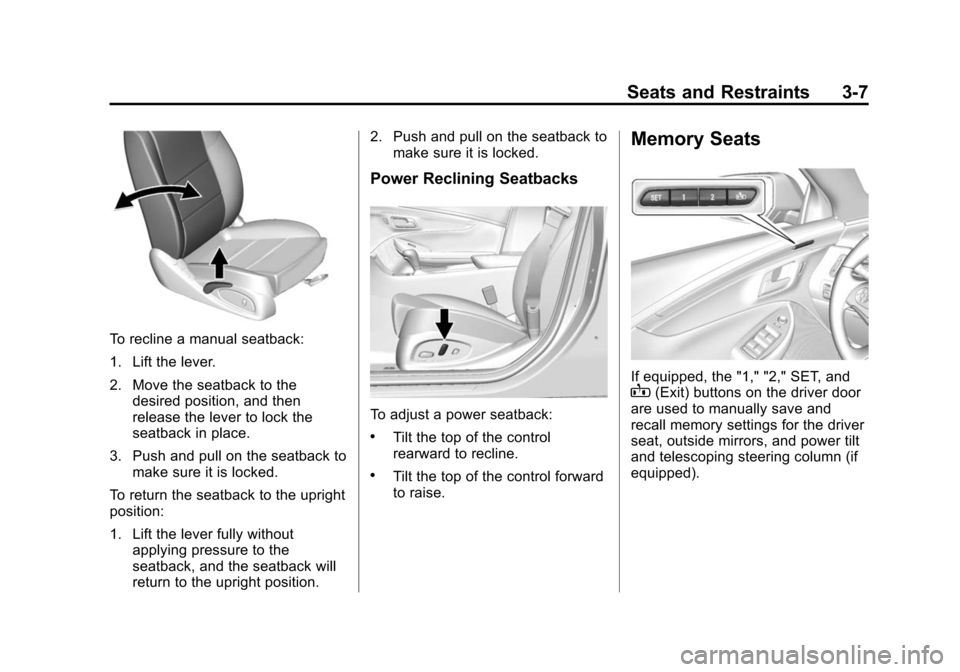
To recline a manual seatback:
1. Lift the lever.
2. Move the seatback to thedesired position, and then
release the lever to lock the
seatback in place.
3. Push and pull on the seatback to make sure it is locked.
To return the seatback to the upright
position:
1. Lift the lever fully without applying pressure to the
seatback, and the seatback will
return to the upright position. 2. Push and pull on the seatback to
make sure it is locked.
Power Reclining Seatbacks
To adjust a power seatback:
.Tilt the top of the control
rearward to recline.
.Tilt the top of the control forward
to raise.
Memory Seats
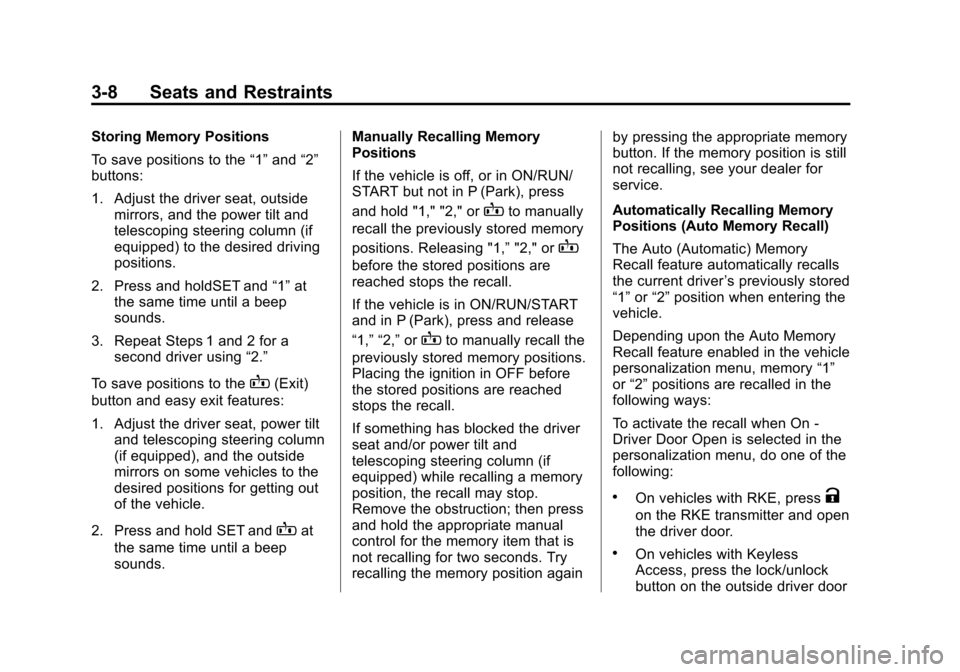
If equipped, the "1," "2," SET, andB(Exit) buttons on the driver door
are used to manually save and
recall memory settings for the driver
seat, outside mirrors, and power tilt
and telescoping steering column (if
equipped).
Page 66 of 422
Black plate (8,1)Chevrolet Impala Owner Manual (GMNA-Localizing-U.S./Canada-5772216) -
2014 - 2nd crc - 5/14/13
3-8 Seats and Restraints
Storing Memory Positions
To save positions to the“1”and “2”
buttons:
1. Adjust the driver seat, outside mirrors, and the power tilt and
telescoping steering column (if
equipped) to the desired driving
positions.
2. Press and holdSET and “1”at
the same time until a beep
sounds.
3. Repeat Steps 1 and 2 for a second driver using “2.”
To save positions to the
B(Exit)
button and easy exit features:
1. Adjust the driver seat, power tilt and telescoping steering column
(if equipped), and the outside
mirrors on some vehicles to the
desired positions for getting out
of the vehicle.
2. Press and hold SET and
Bat
the same time until a beep
sounds. Manually Recalling Memory
Positions
If the vehicle is off, or in ON/RUN/
START but not in P (Park), press
and hold "1," "2," or
Bto manually
recall the previously stored memory
positions. Releasing "1,” "2," or
B
before the stored positions are
reached stops the recall.
If the vehicle is in ON/RUN/START
and in P (Park), press and release
“1,” “2,”or
Bto manually recall the
previously stored memory positions.
Placing the ignition in OFF before
the stored positions are reached
stops the recall.
If something has blocked the driver
seat and/or power tilt and
telescoping steering column (if
equipped) while recalling a memory
position, the recall may stop.
Remove the obstruction; then press
and hold the appropriate manual
control for the memory item that is
not recalling for two seconds. Try
recalling the memory position again by pressing the appropriate memory
button. If the memory position is still
not recalling, see your dealer for
service.
Automatically Recalling Memory
Positions (Auto Memory Recall)
The Auto (Automatic) Memory
Recall feature automatically recalls
the current driver
’s previously stored
“1” or“2” position when entering the
vehicle.
Depending upon the Auto Memory
Recall feature enabled in the vehicle
personalization menu, memory “1”
or “2” positions are recalled in the
following ways:
To activate the recall when On -
Driver Door Open is selected in the
personalization menu, do one of the
following:
.On vehicles with RKE, pressK
on the RKE transmitter and open
the driver door.
.On vehicles with Keyless
Access, press the lock/unlock
button on the outside driver door
Page 68 of 422
Black plate (10,1)Chevrolet Impala Owner Manual (GMNA-Localizing-U.S./Canada-5772216) -
2014 - 2nd crc - 5/14/13
3-10 Seats and Restraints
Heated and Ventilated
Front Seats
{Warning
If you cannot feel temperature
change or pain to the skin, the
seat heater may cause burns. To
reduce the risk of burns, people
with such a condition should use
care when using the seat heater,
especially for long periods of
time. Do not place anything on
the seat that insulates against
heat, such as a blanket, cushion,
cover, or similar item. This may
cause the seat heater to
overheat. An overheated seat
heater may cause a burn or may
damage the seat.
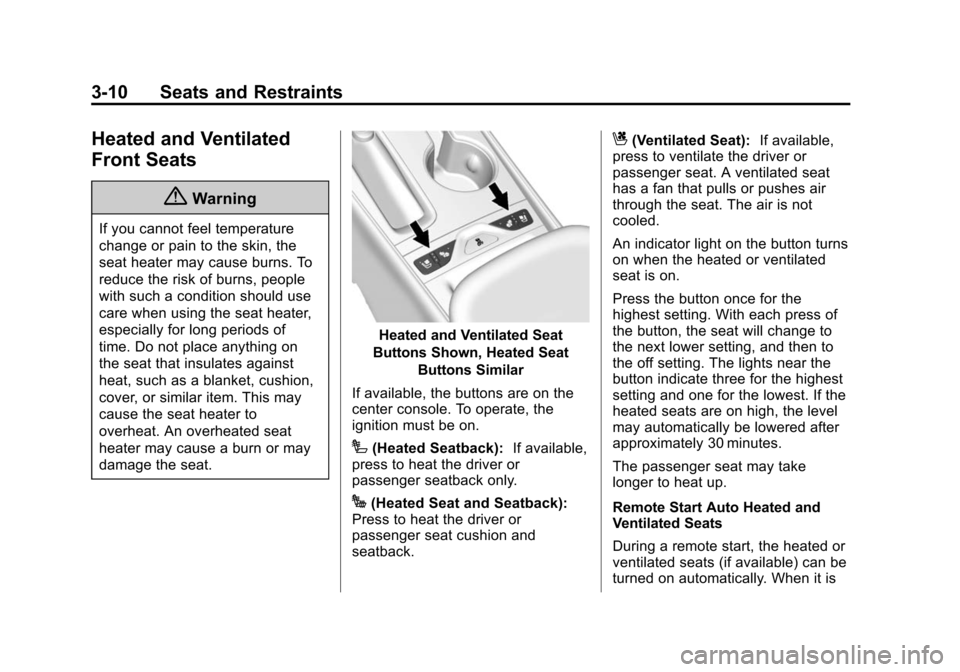
Heated and Ventilated Seat
Buttons Shown, Heated Seat Buttons Similar
If available, the buttons are on the
center console. To operate, the
ignition must be on.
I(Heated Seatback): If available,
press to heat the driver or
passenger seatback only.
J(Heated Seat and Seatback):
Press to heat the driver or
passenger seat cushion and
seatback.
C(Ventilated Seat): If available,
press to ventilate the driver or
passenger seat. A ventilated seat
has a fan that pulls or pushes air
through the seat. The air is not
cooled.
An indicator light on the button turns
on when the heated or ventilated
seat is on.
Press the button once for the
highest setting. With each press of
the button, the seat will change to
the next lower setting, and then to
the off setting. The lights near the
button indicate three for the highest
setting and one for the lowest. If the
heated seats are on high, the level
may automatically be lowered after
approximately 30 minutes.
The passenger seat may take
longer to heat up.
Remote Start Auto Heated and
Ventilated Seats
During a remote start, the heated or
ventilated seats (if available) can be
turned on automatically. When it is
Page 160 of 422
Black plate (46,1)Chevrolet Impala Owner Manual (GMNA-Localizing-U.S./Canada-5772216) -
2014 - 2nd crc - 5/14/13
5-46 Instruments and Controls
Guidance Lines
Select to turn Off or On. See
Assistance Systems for Parking or
Backing on page 9-46.
Rear Cross Traffic Alert
Select to turn Off or On. See
Assistance Systems for Parking or
Backing on page 9-46.
Rear Park Assist Symbols
Select to turn Off or On. See
Assistance Systems for Parking or
Backing on page 9-46.
Return to Factory Settings
Select and the following may be
displayed:
.Restore Vehicle Settings
.Clear All Private Data
.Restore Radio SettingsRestore Vehicle Settings
This allows selection of restoring
vehicle settings.
Select Cancel or Continue.
Clear All Private Data
This allows selection to clear all
private information from the vehicle.
Select Cancel or Continue.
Restore Radio Settings
This allows selection to restore
radio settings.
Select Cancel or Continue.
Software Information
Select to view the infotainment
system current software information.
Universal Remote
System
See
Radio Frequency Statement on
page 13-15.
Universal Remote System
Programming
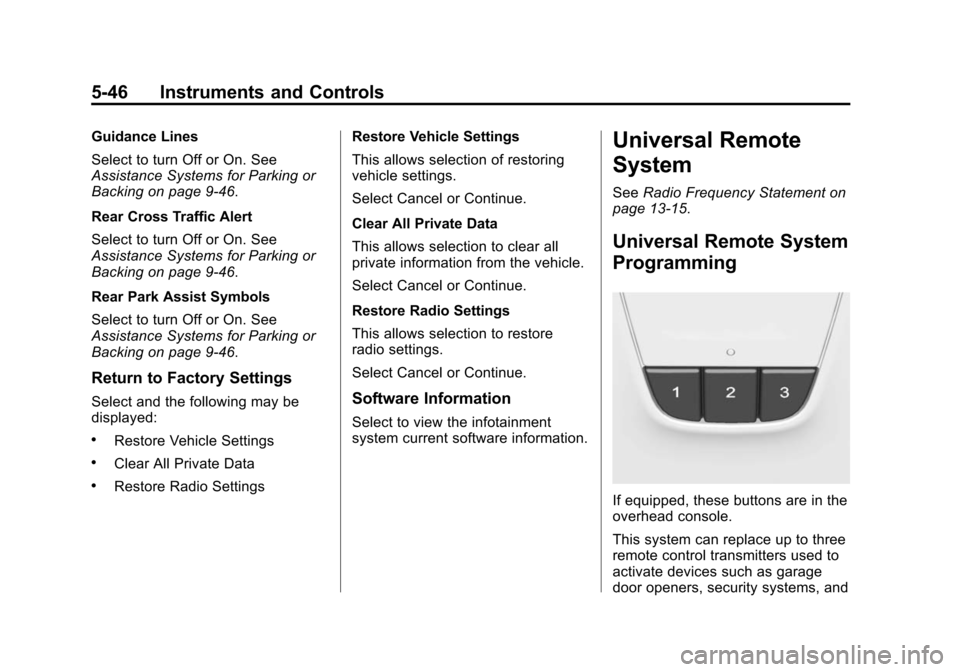
If equipped, these buttons are in the
overhead console.
This system can replace up to three
remote control transmitters used to
activate devices such as garage
door openers, security systems, and
Page 161 of 422
Black plate (47,1)Chevrolet Impala Owner Manual (GMNA-Localizing-U.S./Canada-5772216) -
2014 - 2nd crc - 5/14/13
Instruments and Controls 5-47
home automation devices. These
instructions refer to a garage door
opener, but can be used for other
devices.
Do not use the Universal Remote
system with any garage door opener
that does not have the stop and
reverse feature. This includes any
garage door opener model
manufactured before April 1, 1982.
Read these instructions completely
before programming the Universal
Remote system. It may help to have
another person assist with the
programming process.
Keep the original hand-held
transmitter for use in other vehicles
as well as for future programming.
Erase the programming when
vehicle ownership is terminated.
See“Erasing Universal Remote
System Buttons” later in this
section. To program a garage door opener,
park outside directly in line with and
facing the garage door opener
receiver. Clear all people and
objects near the garage door.
Make sure the hand-held transmitter
has a new battery for quick and
accurate transmission of the
radio-frequency signal.
Programming the Universal
Remote System
For questions or help programming
the Universal Remote system, call
1-800-355-3515 or see
www.homelink.com.
Programming involves
time-sensitive actions, and may time
out causing the procedure to be
repeated.
To program up to three devices:
1. Hold the end of the hand-held
transmitter about 3 to 8 cm (1 to
3 in) away from the Universal
Remote system buttons with the
indicator light in view. The
hand-held transmitter was
supplied by the manufacturer of
the garage door opener receiver.
2. At the same time, press and hold both the hand-held
transmitter button and one of the
three Universal Remote system
buttons to be used to operate
the garage door. Do not release
either button until the indicator
light changes from a slow to a
rapid flash. Then release both
buttons.
Some garage door openers may
require substitution of Step 2
with the procedure under in
“Radio Signals for Canada and
Some Gate Operators” later in
this section.