remote control CHEVROLET IMPALA 2015 10.G User Guide
[x] Cancel search | Manufacturer: CHEVROLET, Model Year: 2015, Model line: IMPALA, Model: CHEVROLET IMPALA 2015 10.GPages: 413, PDF Size: 5.51 MB
Page 52 of 413
Black plate (19,1)Chevrolet Impala Owner Manual (GMNA-Localizing-U.S./Canada-7576026) -
2015 - crc 2nd edition - 8/21/14
Keys, Doors, and Windows 2-19
The immobilization system is
disarmed when the ignition button is
pushed in and a valid transmitter is
found in the vehicle.
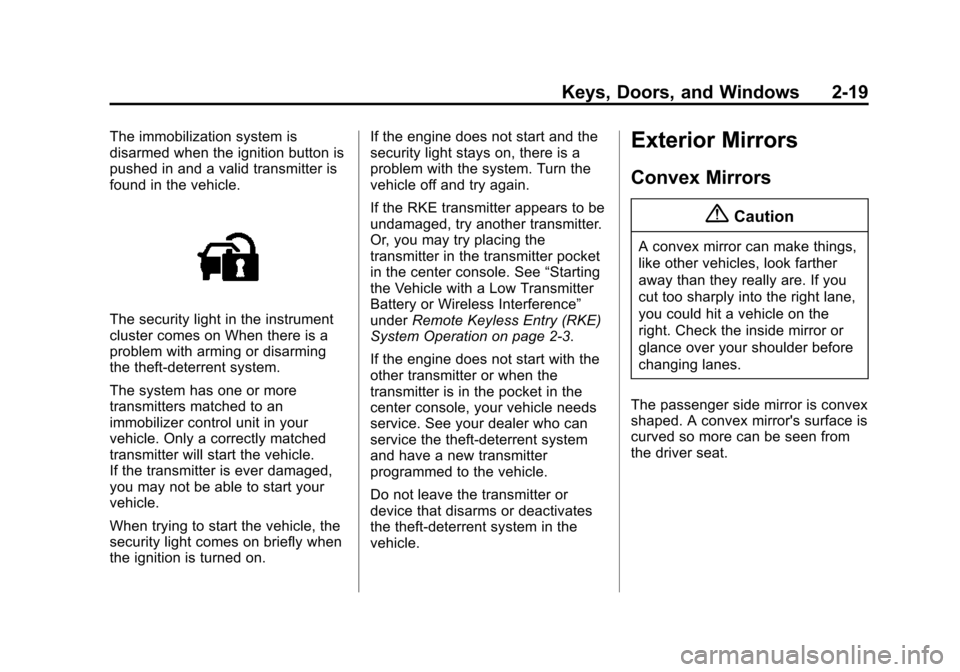
The security light in the instrument
cluster comes on When there is a
problem with arming or disarming
the theft-deterrent system.
The system has one or more
transmitters matched to an
immobilizer control unit in your
vehicle. Only a correctly matched
transmitter will start the vehicle.
If the transmitter is ever damaged,
you may not be able to start your
vehicle.
When trying to start the vehicle, the
security light comes on briefly when
the ignition is turned on.If the engine does not start and the
security light stays on, there is a
problem with the system. Turn the
vehicle off and try again.
If the RKE transmitter appears to be
undamaged, try another transmitter.
Or, you may try placing the
transmitter in the transmitter pocket
in the center console. See
“Starting
the Vehicle with a Low Transmitter
Battery or Wireless Interference”
under Remote Keyless Entry (RKE)
System Operation on page 2-3.
If the engine does not start with the
other transmitter or when the
transmitter is in the pocket in the
center console, your vehicle needs
service. See your dealer who can
service the theft-deterrent system
and have a new transmitter
programmed to the vehicle.
Do not leave the transmitter or
device that disarms or deactivates
the theft-deterrent system in the
vehicle.
Exterior Mirrors
Convex Mirrors
{Caution
A convex mirror can make things,
like other vehicles, look farther
away than they really are. If you
cut too sharply into the right lane,
you could hit a vehicle on the
right. Check the inside mirror or
glance over your shoulder before
changing lanes.
The passenger side mirror is convex
shaped. A convex mirror's surface is
curved so more can be seen from
the driver seat.
Page 55 of 413
Black plate (22,1)Chevrolet Impala Owner Manual (GMNA-Localizing-U.S./Canada-7576026) -
2015 - crc 2nd edition - 8/21/14
2-22 Keys, Doors, and Windows
The vehicle aerodynamics are
designed to improve fuel economy
performance. This may result in a
pulsing sound when either rear
window is down and the front
windows are up. To reduce the
sound, open either a front window
or the sunroof, if equipped.
Power Windows
{Warning
Children could be seriously
injured or killed if caught in the
path of a closing window. Never
leave the Remote Keyless Entry
(RKE) transmitter in a vehicle with
children. When there are children
in the rear seat, use the window
lockout switch to prevent
operation of the windows. See
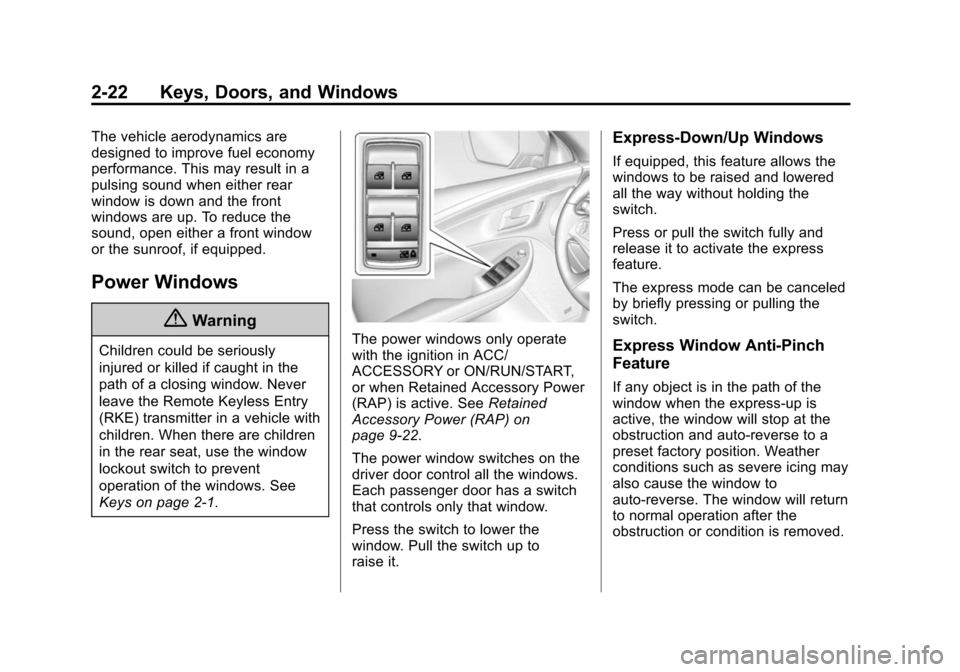
Keys on page 2-1.The power windows only operate
with the ignition in ACC/
ACCESSORY or ON/RUN/START,
or when Retained Accessory Power
(RAP) is active. SeeRetained
Accessory Power (RAP) on
page 9-22.
The power window switches on the
driver door control all the windows.
Each passenger door has a switch
that controls only that window.
Press the switch to lower the
window. Pull the switch up to
raise it.
Express-Down/Up Windows
If equipped, this feature allows the
windows to be raised and lowered
all the way without holding the
switch.
Press or pull the switch fully and
release it to activate the express
feature.
The express mode can be canceled
by briefly pressing or pulling the
switch.
Express Window Anti-Pinch
Feature
If any object is in the path of the
window when the express-up is
active, the window will stop at the
obstruction and auto-reverse to a
preset factory position. Weather
conditions such as severe icing may
also cause the window to
auto-reverse. The window will return
to normal operation after the
obstruction or condition is removed.
Page 117 of 413
Black plate (2,1)Chevrolet Impala Owner Manual (GMNA-Localizing-U.S./Canada-7576026) -
2015 - crc 2nd edition - 8/21/14
5-2 Instruments and Controls
Transmission Messages . . . . . 5-36
Vehicle ReminderMessages . . . . . . . . . . . . . . . . . . 5-36
Vehicle Speed Messages . . . . 5-37
Washer Fluid Messages . . . . . 5-37
Window Messages . . . . . . . . . . . 5-37
Vehicle Personalization
Vehicle Personalization . . . . . . 5-37
Universal Remote System
Universal Remote System . . . 5-44
Universal Remote System Programming . . . . . . . . . . . . . . . 5-44
Universal Remote System Operation . . . . . . . . . . . . . . . . . . 5-47
Controls
Steering Wheel
Adjustment
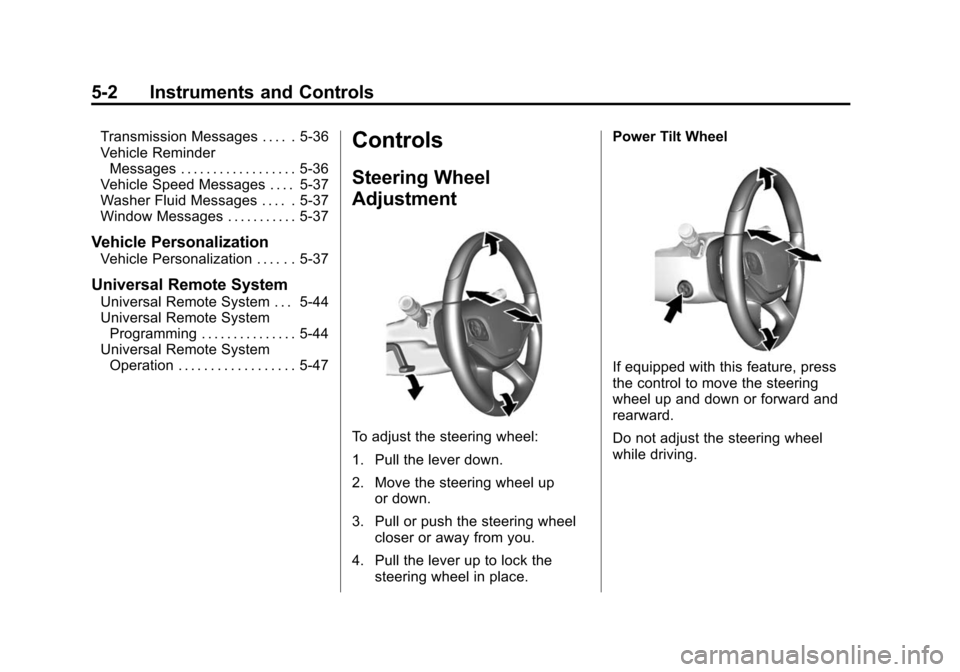
To adjust the steering wheel:
1. Pull the lever down.
2. Move the steering wheel up
or down.
3. Pull or push the steering wheel closer or away from you.
4. Pull the lever up to lock the steering wheel in place. Power Tilt Wheel
If equipped with this feature, press
the control to move the steering
wheel up and down or forward and
rearward.
Do not adjust the steering wheel
while driving.
Page 127 of 413
Black plate (12,1)Chevrolet Impala Owner Manual (GMNA-Localizing-U.S./Canada-7576026) -
2015 - crc 2nd edition - 8/21/14
5-12 Instruments and Controls
Units:Presspwhile Units is
displayed to enter the Units menu.
Choose English or metric units by
pressing
Vwhile the desired item is
highlighted.
Info Pages: Press
pwhile Info
Pages is displayed to enter the Info
Pages menu and select the items to
be displayed in the Info App. See
Driver Information Center (DIC) on
page 5-25.
Speed Warning: The Speed
Warning display allows the driver to
set a speed that they do not want to
exceed. To set the Speed Warning,
press
pwhen Speed Warning is
displayed. Press
worxto adjust
the value. Press
Vto set the speed.
Once the speed is set, this feature
can be turned off by pressing
V
while viewing this page. If the
selected speed limit is exceeded, a
pop-up warning is displayed with a
chime. Compass:
In certain vehicles the
compass setting will allow for
manually setting the compass. The
user can set the zone and calibrate
the compass. This setting page is
only available on vehicles that are
equipped with Remote Compass
Module.
Speedometer
The speedometer shows the
vehicle's speed in either kilometers
per hour (km/h) or miles per
hour (mph).
Odometer
The odometer shows how far the
vehicle has been driven, in either
kilometers or miles.
Trip Odometer
The trip odometer shows how far
the vehicle has been driven since
the trip odometer was last reset. The trip odometer is accessed and
reset through the Driver Information
Center (DIC). See
Driver
Information Center (DIC) on
page 5-25.
Tachometer
The tachometer displays the engine
speed in revolutions per
minute (rpm).
For vehicles with the Stop/Start
system, when the ignition is in ON/
RUN, the tachometer indicates the
vehicle status. When pointing to
AUTO STOP, the engine is off but
the vehicle is on and can move. The
engine could auto start at any time.
When the indicator points to OFF,
the vehicle is off.
When the engine is on, the
tachometer will indicate the engine’s
revolutions per minute (rpm). The
tachometer may vary by several
hundred rpm’s, during auto stop
mode, when the engine is shutting
off and restarting.
Page 146 of 413
Black plate (31,1)Chevrolet Impala Owner Manual (GMNA-Localizing-U.S./Canada-7576026) -
2015 - crc 2nd edition - 8/21/14
Instruments and Controls 5-31
Engine Oil Messages
CHANGE ENGINE OIL SOON
This message displays when the
engine oil needs to be changed.
When you change the engine oil, be
sure to reset the oil life system. See
Engine Oil Life System on
page 10-10,Driver Information
Center (DIC) on page 5-25, Engine
Oil on page 10-8, and Maintenance
Schedule on page 11-2.
ENGINE OIL HOT, IDLE
ENGINE
This message displays when the
engine oil temperature is too hot.
Stop and allow the vehicle to idle
until it cools down.
ENGINE OIL LOW —ADD OIL
On some vehicles, this message
displays when the engine oil level
may be too low. Check the oil level
before filling to the recommended
level. If the oil is not low and this message remains on, take the
vehicle to your dealer for service.
See
Engine Oil on page 10-8.
OIL PRESSURE LOW —STOP
ENGINE
This message displays if low oil
pressure levels occur. Stop the
vehicle as soon as safely possible
and do not operate it until the cause
of the low oil pressure has been
corrected. Check the oil as soon as
possible and have the vehicle
serviced by your dealer.
Engine Power Messages
ENGINE POWER IS REDUCED
This message displays when the
vehicle's engine power is reduced.
Reduced engine power can affect
the vehicle's ability to accelerate.
If this message is on, but there is no
reduction in performance, proceed
to your destination. The
performance may be reduced the
next time the vehicle is driven. The
vehicle may be driven at a reduced speed while this message is on, but
maximum acceleration and speed
may be reduced. Anytime this
message stays on, the vehicle
should be taken to your dealer for
service as soon as possible.
Fuel System Messages
FUEL LEVEL LOW
This message displays when the
vehicle is low on fuel. Refuel as
soon as possible.
TIGHTEN GAS CAP
This message displays when the
fuel cap is not on tight. Tighten the
fuel cap.
Key and Lock Messages
NO REMOTE DETECTED
This message displays when trying
to start the vehicle if an RKE
transmitter is not detected. The
transmitter battery may be weak.
Page 147 of 413
Black plate (32,1)Chevrolet Impala Owner Manual (GMNA-Localizing-U.S./Canada-7576026) -
2015 - crc 2nd edition - 8/21/14
5-32 Instruments and Controls
See“Starting the Vehicle with a Low
Transmitter Battery or Wireless
Interference” underRemote Keyless
Entry (RKE) System Operation on
page 2-3.
NO REMOTE PRESS BRAKE
TO RESTART
This message is displayed if the
remote is no longer detected in the
vehicle. Press the brake pedal to
restart the vehicle.
NUMBER OF KEYS
PROGRAMMED
This message displays when
programming new keys to the
vehicle.
REMOTE LEFT IN VEHICLE
This message displays when
leaving the vehicle with the RKE
transmitter still inside.
REPLACE BATTERY IN
REMOTE KEY
This message displays when the
battery in the RKE transmitter needs
to be replaced.
USE TRANSMITTER POCKET
TO START
This message displays when the
transmitter needs to be placed in
the transmitter pocket to start the
vehicle. See “Starting the Vehicle
with a Low Transmitter Battery or
Wireless Interference” under
Remote Keyless Entry (RKE)
System Operation on page 2-3.
Lamp Messages
AUTOMATIC LIGHT CONTROL
ON/OFF
This message is displayed when the
automatic light control has been
turned on or off. See Automatic
Headlamp System on page 6-2.
XX TURN INDICATOR FAILURE
When one of the turn signals is out,
this message displays to show
which bulb needs to be replaced.
See Bulb Replacement on
page 10-26 andReplacement Bulbs
on page 10-30.
TURN SIGNAL ON
This message is displayed if the
turn signal has been left on. Turn off
the turn signal.
Object Detection System
Messages
AUTOMATIC COLLISION
PREP OFF
This message displays when the
Active Emergency Braking System
has been turned off. See Active
Emergency Braking System on
page 9-48.
Page 154 of 413
Black plate (39,1)Chevrolet Impala Owner Manual (GMNA-Localizing-U.S./Canada-7576026) -
2015 - crc 2nd edition - 8/21/14
Instruments and Controls 5-39
Vehicle
Select and the following may
display:
.Climate and Air Quality
.Collision/Detection Systems
.Comfort and Convenience
.Lighting
.Power Door Locks
.Remote Lock, Unlock, Start
Climate and Air Quality
Select and the following may
display:
.Auto Fan Max Speed
.Air Conditioning Mode
.Auto Defog
.Auto Rear Defog
Auto Fan Max Speed
This feature will set the maximum
auto fan speed.
Select Low, Medium, or High. Air Conditioning Mode
This feature changes the mode of
the air conditioning.
Select Off, On, or Last Setting.
Auto Defog
When set to On, the front defog will
automatically react to temperature
and humidity conditions that may
cause fogging. Only vehicles with
the dual automatic climate control
will have this option.
Select Off or On.
Auto Rear Defog
If equipped, this allows the Auto
Rear Defog to be turned on or off.
This feature will automatically turn
on the rear window defogger when it
is cold outside.
Select Off or On.
Collision/Detection Systems
Select and the following may
display:
.Auto Collision Preparation
.Go Notifier
.Side Blind Zone Alert
.Rear Cross Traffic Alert
Auto Collision Preparation
This feature will turn on or off the
Forward Collision Alert feature as
well as the Automatic Braking
capability of the Auto Collision
Preparation feature. With the Alert
and Brake setting, both Forward
Collision Alert as well as the
Automatic Braking capability of the
Auto Collision Preparation feature
are available. The Alert setting
disables most automatic braking
functions of the Auto Collision
Preparation feature. Some
last-second automatic braking
capability is still provided with the
Alert setting, but it is much less
likely to be triggered by most driving
conditions. Off disables all Forward
Collision Alert and Automatic
Braking capabilities of the Auto
Collision Preparation feature.
Select Off, Alert and Brake, or Alert.
Page 156 of 413
Black plate (41,1)Chevrolet Impala Owner Manual (GMNA-Localizing-U.S./Canada-7576026) -
2015 - crc 2nd edition - 8/21/14
Instruments and Controls 5-41
.Daytime Tail Lights
Vehicle Locator Lights
This feature will flash the exterior
lamps when
Kon the Remote
Keyless Entry (RKE) transmitter is
pressed to locate the vehicle.
Select Off or On.
Exit Lighting
This allows the selection of how
long the exterior lamps stay on
when leaving the vehicle when it is
dark outside.
Select Off, 30 Seconds, 60
Seconds, or 120 Seconds.
Daytime Tail Lights
This feature allows the taillamps to
be on during the day.
Select Off or On.
Power Door Locks
Select and the following may
display:
.Unlocked Door Anti-Lockout
.Auto Door Unlock
.Delayed Door Lock
Unlocked Door Anti-Lockout
When on, this feature will keep the
driver door from locking when the
door is open. If Off is selected, the
Delayed Door Lock menu will be
available.
Select Off or On.
Auto Door Unlock
This allows selection of which of the
doors will automatically unlock when
the vehicle is shifted into P (Park).
Select Off, All Doors, or Driver Door.
Delayed Door Lock
When on, this feature will delay the
locking of the doors. To override the
delay, press the power door lock
switch on the door.
Select Off or On. Remote Lock, Unlock, Start
Select and the following may
display:
.Remote Unlock Light Feedback
.Remote Lock Feedback
.Remote Door Unlock
.Remote Start Auto Cool Seats
.Remote Start Auto Heat Seats
.Passive Door Unlock
.Passive Door Lock
.Remote Left in Vehicle Alert
Remote Unlock Light Feedback
When on, the exterior lamps will
flash when unlocking the vehicle
with the RKE transmitter.
Select Off or Flash Lights.
Remote Lock Feedback
This allows selection of what type of
feedback is given when locking the
vehicle with the RKE transmitter.
Select Off, Lights and Horn, Lights
Only, or Horn Only.
Page 157 of 413
Black plate (42,1)Chevrolet Impala Owner Manual (GMNA-Localizing-U.S./Canada-7576026) -
2015 - crc 2nd edition - 8/21/14
5-42 Instruments and Controls
Remote Door Unlock
This allows selection of which doors
will unlock when pressing
Kon the
RKE transmitter.
Select All Doors or Driver Door.
Remote Start Auto Cool Seats
If equipped and turned on, this
feature will turn the ventilated seats
on when using remote start on
warm days.
Select Off or On.
Remote Start Auto Heat Seats
If equipped and turned on, this
feature will turn the heated seats on
when using remote start on
cold days.
Select Off or On.
Passive Door Unlock
This allows the selection of what
doors will unlock when using the
button on the driver door to unlock
the vehicle.
Select All Doors or Driver Door. Passive Door Lock
This feature can be turned on or off,
or can be used to select feedback
when using the button on the driver
door to lock the vehicle. See
Remote Keyless Entry (RKE)
System Operation on page 2-3.
Select Off, On with Horn
Chirp, or On.
Remote Left in Vehicle Alert
This feature sounds an alert when
the RKE transmitter is left in the
vehicle.
Select Off or On.
Bluetooth
Select and the following may
display:
.Pair New Device
.Device Management
.Ringtones
.Voice Mail Numbers
Pair New Device
Select to pair a new device. See
“Pairing”
underBluetooth
(Overview) on page 7-19 or
Bluetooth (Infotainment Controls -
Base Radio) on page 7-21 or
Bluetooth (Voice Recognition - Base
Radio) on page 7-25 or“Pairing”
under “Bluetooth” in the infotainment
manual.
Device Management
Select to connect to a different
phone source, disconnect a phone,
or delete a phone.
Ringtones
Press to change the ring tone for
the specific phone. The phone does
not need to be connected to change
the ring.
Voice Mail Numbers
This feature displays the voice mail
number for all connected phones.
To change the voice mail number,
select EDIT or press the EDIT
Page 159 of 413
Black plate (44,1)Chevrolet Impala Owner Manual (GMNA-Localizing-U.S./Canada-7576026) -
2015 - crc 2nd edition - 8/21/14
5-44 Instruments and Controls
Restore Vehicle Settings
This allows vehicle settings to be
restored.
Select Restore or Cancel.
Clear All Private Data
This allows all private information
from the vehicle to be cleared.
Select Delete or Cancel.
Restore Radio Settings
This allows radio settings to be
restored.
Select Restore or Cancel.
Software Information
Select to view the infotainment
system current software information.
Universal Remote
System
SeeRadio Frequency Statement on
page 13-12.
Universal Remote System
Programming
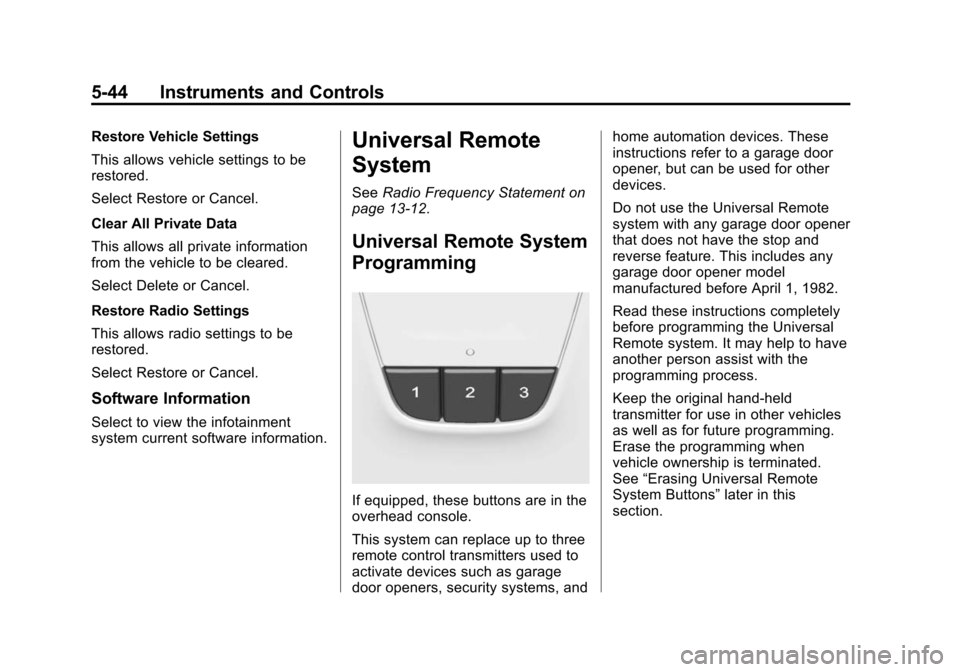
If equipped, these buttons are in the
overhead console.
This system can replace up to three
remote control transmitters used to
activate devices such as garage
door openers, security systems, and home automation devices. These
instructions refer to a garage door
opener, but can be used for other
devices.
Do not use the Universal Remote
system with any garage door opener
that does not have the stop and
reverse feature. This includes any
garage door opener model
manufactured before April 1, 1982.
Read these instructions completely
before programming the Universal
Remote system. It may help to have
another person assist with the
programming process.
Keep the original hand-held
transmitter for use in other vehicles
as well as for future programming.
Erase the programming when
vehicle ownership is terminated.
See
“Erasing Universal Remote
System Buttons” later in this
section.