instrument panel CHEVROLET IMPALA 2019 Owner's Guide
[x] Cancel search | Manufacturer: CHEVROLET, Model Year: 2019, Model line: IMPALA, Model: CHEVROLET IMPALA 2019Pages: 353, PDF Size: 5.13 MB
Page 157 of 353
Chevrolet Impala Owner Manual (GMNA-Localizing-U.S./Canada-12146115) -
2019 - crc - 8/27/18
156 Climate Controls
.Turn off the air conditioning
when it is not needed.
. Only use defrost when needed
to clear the windows.
Automatic Operation
The system automatically heats or
cools the vehicle to the desired
temperature:
. Fan Speed
. Air Delivery Mode
. Air Conditioning
. Recirculation
When AUTO is lit, all four functions
operate automatically. Each function
can also be manually set and the
setting is displayed. Functions not
manually set will continue to be
automatically controlled, even if the
AUTO indicator is not lit.
For automatic operation: 1. Press AUTO.
2. Set the temperature. Allow the system time to stabilize. Then
adjust the temperature as
needed for best comfort. To improve fuel efficiency and to
cool the vehicle faster, recirculation
may be automatically selected in
warm weather.
The recirculation light will not come
on when automatically controlled.
Press
hto manually select
recirculation; press it again to select
outside air.
Manual Operation
Driver and Passenger
Temperature Control : The
temperature can be adjusted
separately for the driver and
passenger.
Turn the knob clockwise or
counterclockwise to increase or
decrease the driver or passenger
temperature setting.
SYNC : Press to link all climate
zone settings to the driver settings.
The SYNC indicator light will turn
on. When the passenger settings
are adjusted, the SYNC indicator
light is off.
O: Press the knob to turn the fan
on or off. Fan Control :
Turn the knob
clockwise or counterclockwise to
increase or decrease the fan speed.
Press AUTO to return to automatic
operation.
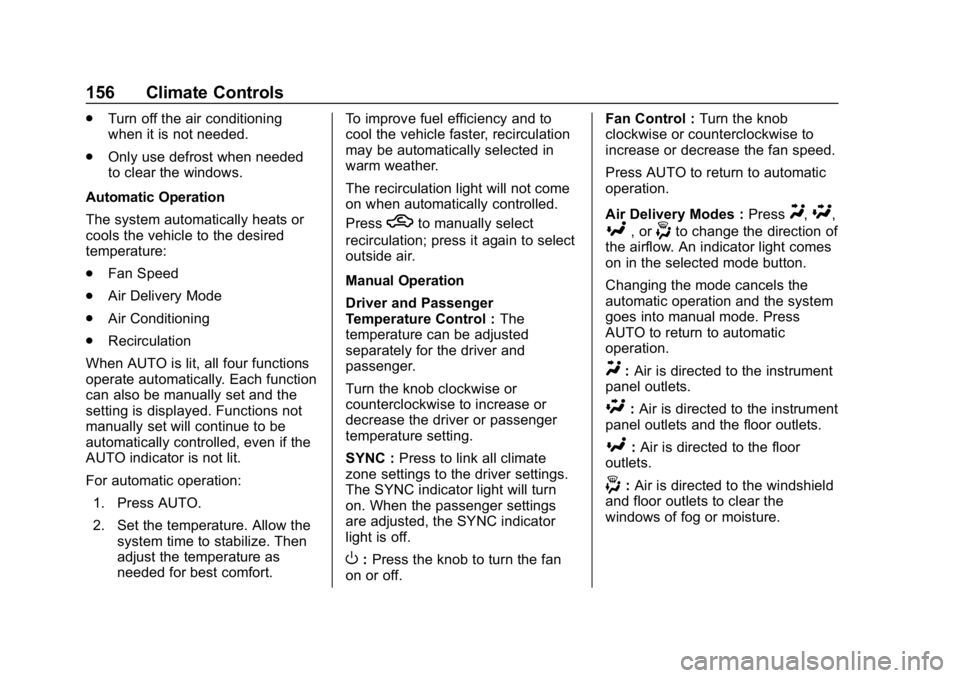
Air Delivery Modes : Press
Y,\,
[, or-to change the direction of
the airflow. An indicator light comes
on in the selected mode button.
Changing the mode cancels the
automatic operation and the system
goes into manual mode. Press
AUTO to return to automatic
operation.
Y: Air is directed to the instrument
panel outlets.
\: Air is directed to the instrument
panel outlets and the floor outlets.
[: Air is directed to the floor
outlets.
-: Air is directed to the windshield
and floor outlets to clear the
windows of fog or moisture.
Page 159 of 353
Chevrolet Impala Owner Manual (GMNA-Localizing-U.S./Canada-12146115) -
2019 - crc - 8/27/18
158 Climate Controls
on, see“Climate and Air Quality”
under Vehicle Personalization
0 132.
Rear Window Defogger
K:Press to turn the rear window
defogger on or off. An indicator light
on the button comes on to show that
the rear window defogger is on.
The upper region of gridlines on the
rear window are antenna lines and
are not intended to heat when the
defogger is activated.
If equipped with heated outside
mirrors, they turn on with the rear
window defogger and help to clear
fog or frost from the surface of the
mirror. See Heated Mirrors 044.
Caution
Using a razor blade or sharp
object on the inside rear window
can damage the antenna or
defogger. Repairs would not be
covered by the vehicle warranty.
Do not stick anything to the rear
window. Remote Start Climate Control
Operation :
If equipped with remote
start, the climate control system
may run when the vehicle is started
remotely. The system uses the
driver ’s previous settings to heat or
cool the inside of the vehicle. The
rear defog may come on during
remote start based on cold ambient
conditions. The rear defog indicator
light may not come on during a
remote start. The front heated seats
may turn on if it is cold outside. The
heated seat indicator lights may not
come on during a remote start.
See Remote Vehicle Start 034 and
Heated and Ventilated Front Seats
0 60, if equipped.
Sensors
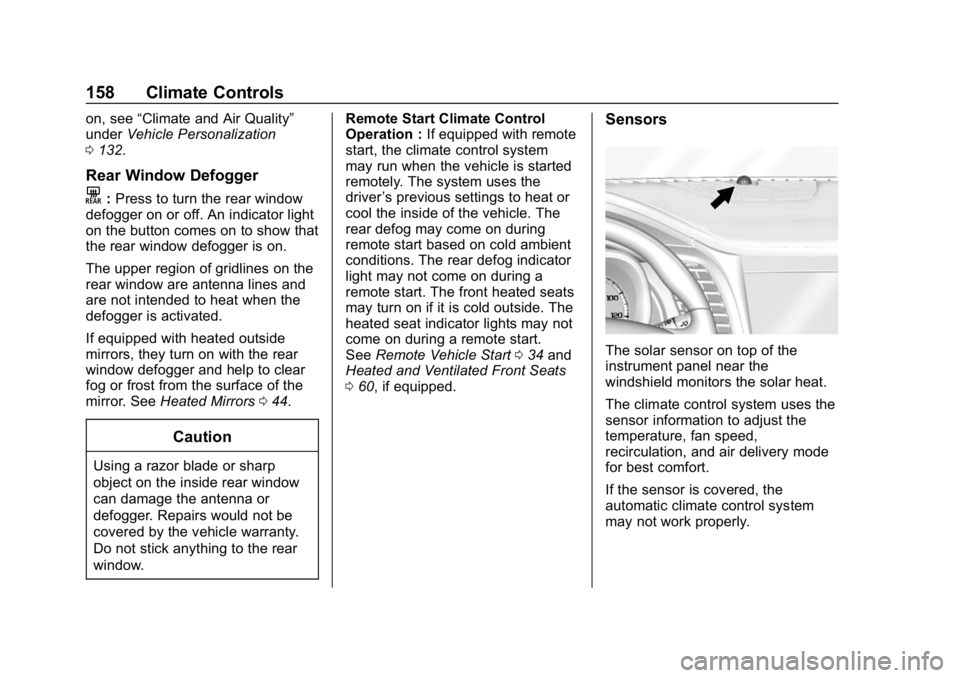
The solar sensor on top of the
instrument panel near the
windshield monitors the solar heat.
The climate control system uses the
sensor information to adjust the
temperature, fan speed,
recirculation, and air delivery mode
for best comfort.
If the sensor is covered, the
automatic climate control system
may not work properly.
Page 168 of 353
Chevrolet Impala Owner Manual (GMNA-Localizing-U.S./Canada-12146115) -
2019 - crc - 8/27/18
Driving and Operating 167
.Be alert on top of hills;
something could be in your lane
(e.g., stalled car, crash).
. Pay attention to special road
signs (e.g., falling rocks area,
winding roads, long grades,
passing or no-passing zones)
and take appropriate action.
Winter Driving
Driving on Snow or Ice
Snow or ice between the tires and
the road creates less traction or
grip, so drive carefully. Wet ice can
occur at about 0 °C (32 °F) when
freezing rain begins to fall. Avoid
driving on wet ice or in freezing rain
until roads can be treated.
For Slippery Road Driving:
.Accelerate gently. Accelerating
too quickly causes the wheels to
spin and makes the surface
under the tires slick.
. Turn on Traction Control. See
Traction Control/Electronic
Stability Control 0186. .
The Antilock Brake System
(ABS) improves vehicle stability
during hard stops, but the
brakes should be applied sooner
than when on dry pavement.
See Antilock Brake System
(ABS) 0183.
. Allow greater following distance
and watch for slippery spots. Icy
patches can occur on otherwise
clear roads in shaded areas.
The surface of a curve or an
overpass can remain icy when
the surrounding roads are clear.
Avoid sudden steering
maneuvers and braking while
on ice.
. Turn off cruise control.
Blizzard Conditions
Stop the vehicle in a safe place and
signal for help. Stay with the vehicle
unless there is help nearby.
If possible, use Roadside
Assistance. See Roadside
Assistance Program 0319. To get
help and keep everyone in the
vehicle safe: .
Turn on the hazard warning
flashers.
. Tie a red cloth to an outside
mirror.
{Warning
Snow can trap engine exhaust
under the vehicle. This may
cause exhaust gases to get
inside. Engine exhaust contains
carbon monoxide (CO), which
cannot be seen or smelled. It can
cause unconsciousness and even
death.
If the vehicle is stuck in snow:
. Clear snow from the base of
the vehicle, especially any
blocking the exhaust pipe.
. Open a window about 5 cm
(2 in) on the vehicle side
that is away from the wind,
to bring in fresh air.
. Fully open the air outlets on
or under the instrument
panel.
(Continued)
Page 201 of 353
Chevrolet Impala Owner Manual (GMNA-Localizing-U.S./Canada-12146115) -
2019 - crc - 8/27/18
200 Driving and Operating
Blocked sensors will not detect
objects and can also cause false
detections. Keep the sensors clean
of mud, dirt, snow, ice, and slush;
and clean sensors after a car wash
in freezing temperatures.
{Warning
The Park Assist system does not
detect children, pedestrians,
bicyclists, animals, or objects
below the bumper or that are too
close or too far from the vehicle.
It is not available at speeds
greater than 8 km/h (5 mph). To
prevent injury, death, or vehicle
damage, even with Park Assist,
always check the area around the
vehicle and check all mirrors
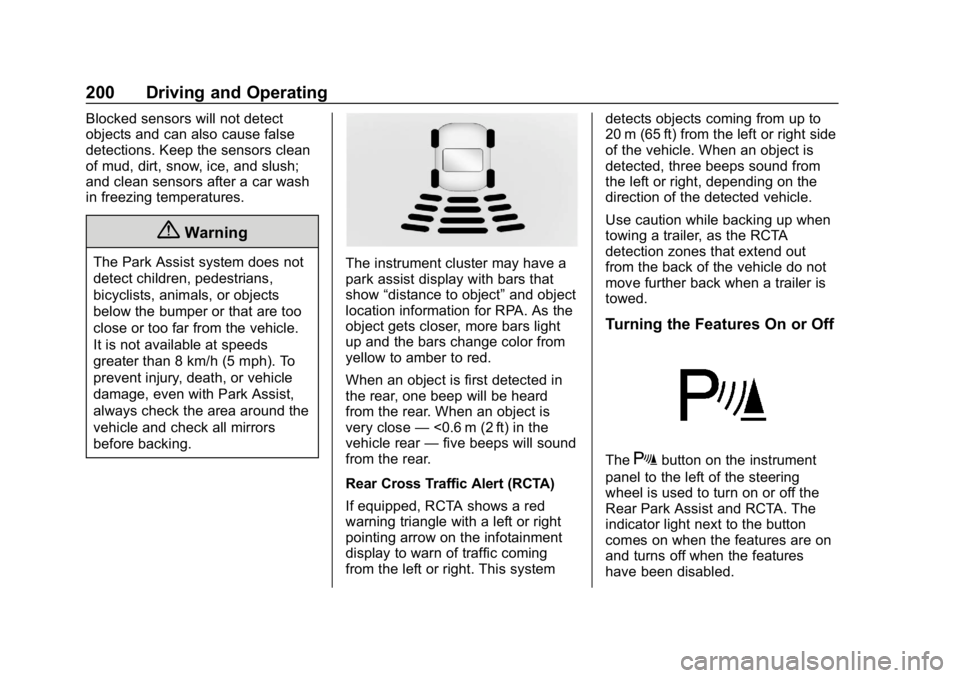
before backing.The instrument cluster may have a
park assist display with bars that
show“distance to object” and object
location information for RPA. As the
object gets closer, more bars light
up and the bars change color from
yellow to amber to red.
When an object is first detected in
the rear, one beep will be heard
from the rear. When an object is
very close —<0.6 m (2 ft) in the
vehicle rear —five beeps will sound
from the rear.
Rear Cross Traffic Alert (RCTA)
If equipped, RCTA shows a red
warning triangle with a left or right
pointing arrow on the infotainment
display to warn of traffic coming
from the left or right. This system detects objects coming from up to
20 m (65 ft) from the left or right side
of the vehicle. When an object is
detected, three beeps sound from
the left or right, depending on the
direction of the detected vehicle.
Use caution while backing up when
towing a trailer, as the RCTA
detection zones that extend out
from the back of the vehicle do not
move further back when a trailer is
towed.
Turning the Features On or Off
TheXbutton on the instrument
panel to the left of the steering
wheel is used to turn on or off the
Rear Park Assist and RCTA. The
indicator light next to the button
comes on when the features are on
and turns off when the features
have been disabled.
Page 208 of 353
Chevrolet Impala Owner Manual (GMNA-Localizing-U.S./Canada-12146115) -
2019 - crc - 8/27/18
Driving and Operating 207
Warning (Continued)
not in proper condition; or if
the sun shines directly into
the camera.
. Detect road edges.
. Detect lanes on winding or
hilly roads.
If LDW only detects lane
markings on one side of the road,
it will only warn you when
departing the lane on the side
where it has detected a lane
marking. Always keep your
attention on the road and
maintain proper vehicle position
within the lane, or vehicle
damage, injury, or death could
occur. Always keep the
windshield, headlamps, and
camera sensors clean and in
good repair. Do not use LDW in
bad weather conditions.
How the System Works
The LDW camera sensor is on the
windshield ahead of the rearview
mirror.
To turn LDW on and off, press
@on
the instrument panel to the left of
the steering wheel. The control
indicator will light when LDW is on.
When LDW is on,@is green if
LDW is available to warn of a lane
departure. If the vehicle crosses a
detected lane marking without using
the turn signal in that direction,
@
changes to amber and flashes.
Additionally, there will be three
beeps on the right or left, depending
on the lane departure direction.
When the System Does Not
Seem to Work Properly
The system may not detect lanes as
well when there are:
. Close vehicles ahead.
. Sudden lighting changes, such
as when driving through tunnels.
. Banked roads.
If the LDW system is not functioning
properly when lane markings are
clearly visible, cleaning the
windshield may help.
LDW alerts may occur due to tar
marks, shadows, cracks in the road,
temporary or construction lane
markings, or other road
imperfections. This is normal system
operation; the vehicle does not need
service. Turn LDW off if these
conditions continue.
Page 214 of 353
Chevrolet Impala Owner Manual (GMNA-Localizing-U.S./Canada-12146115) -
2019 - crc - 8/27/18
Driving and Operating 213
important for your safety and that of
your passengers. Read this section
carefully before pulling a trailer.
When towing a trailer:
.Become familiar with and follow
all state and local laws that
apply to trailer towing. These
requirements vary from state to
state.
. State laws may require the use
of extended side view mirrors.
Even if not required, you should
install extended side view
mirrors if your visibility is limited
or restricted while towing.
. Do not tow a trailer during the
first 800 km (500 mi) of vehicle
use to prevent damage to the
engine, axle, or other parts.
. It is recommended to perform
the first oil change before heavy
towing.
. During the first 800 km (500 mi)
of trailer towing, do not drive
over 80 km/h (50 mph) and do
not make starts at full throttle. .
Vehicles can tow in D (Drive).
If the transmission downshifts
too often, a lower gear may be
selected using Manual Mode
See Manual Mode 0182.
If equipped, the following driver
assistance features should be
turned off when towing a trailer:
. Adaptive Cruise Control (ACC)
. Super Cruise Control
. Lane Keep Assist (LKA)
. Park Assist
. Automatic Parking Assist (APA)
. Reverse Automatic
Braking (RAB)
If equipped, the following driver
assistance features should be
turned to alert or off when towing a
trailer:
. Forward Automatic Braking
System (FAB)
. Intelligent Brake Assist (IBA)
. Front Pedestrian Braking (FPB) If equipped with Lane Change Alert
(LCA), the LCA detection zones that
extend back from the side of the
vehicle do not move further back
when a trailer is towed. Use caution
while changing lanes when towing a
trailer.
If equipped with Rear Cross Traffic
Alert (RCTA), use caution while
backing up when towing a trailer, as
the RCTA detection zones that
extend out from the back of the
vehicle do not move further back
when a trailer is towed.
{Warning
To prevent serious injury or death
from carbon monoxide (CO),
when towing a trailer:
. Do not drive with the
liftgate, trunk/hatch,
or rear-most window open.
. Fully open the air outlets on
or under the instrument
panel.
(Continued)
Page 222 of 353
Chevrolet Impala Owner Manual (GMNA-Localizing-U.S./Canada-12146115) -
2019 - crc - 8/27/18
Vehicle Care 221
Vehicle Care
General Information
General Information . . . . . . . . . . 222
California Proposition65 Warning . . . . . . . . . . . . . . . . . 222
California Perchlorate Materials Requirements . . . . . 223
Accessories and Modifications . . . . . . . . . . . . . . . . 223
Vehicle Checks
Doing Your OwnService Work . . . . . . . . . . . . . . . 223
Hood . . . . . . . . . . . . . . . . . . . . . . . . . 224
Engine Compartment Overview . . . . . . . . . . . . . . . . . . . . 225
Engine Oil . . . . . . . . . . . . . . . . . . . . 228
Engine Oil Life System . . . . . . . 230
Automatic Transmission Fluid . . . . . . . . . . . . . . . . . . . . . . . . 231
Engine Air Cleaner/Filter . . . . . . 232
Cooling System . . . . . . . . . . . . . . 233
Engine Overheating . . . . . . . . . . 237
Overheated Engine Protection Operating Mode . . . . . . . . . . . . . 238
Washer Fluid . . . . . . . . . . . . . . . . . 238
Brakes . . . . . . . . . . . . . . . . . . . . . . . 239
Brake Fluid . . . . . . . . . . . . . . . . . . . 240 Battery - North America . . . . . . 241
Starter Switch Check . . . . . . . . . 242
Automatic Transmission Shift
Lock Control Function
Check . . . . . . . . . . . . . . . . . . . . . . . 243
Park Brake and P (Park) Mechanism Check . . . . . . . . . . 243
Wiper Blade Replacement . . . . 243
Windshield Replacement . . . . . 244
Gas Strut(s) . . . . . . . . . . . . . . . . . . 244
Headlamp Aiming
Headlamp Aiming . . . . . . . . . . . . 246
Bulb Replacement
Bulb Replacement . . . . . . . . . . . . 246
Halogen Bulbs . . . . . . . . . . . . . . . . 246
High Intensity Discharge (HID) Lighting . . . . . . . . . . . . . . . . . . . . . 246
LED Lighting . . . . . . . . . . . . . . . . . 246
Headlamps, Front Turn Signal, Sidemarker, and Parking
Lamps . . . . . . . . . . . . . . . . . . . . . . 247
Taillamps, Turn Signal, Stoplamps, and Back-Up
Lamps . . . . . . . . . . . . . . . . . . . . . . 248
License Plate Lamp . . . . . . . . . . 249
Electrical System
High Voltage Devices and Wiring . . . . . . . . . . . . . . . . . . . . . . . 250 Electrical System Overload . . . 250
Fuses and Circuit Breakers . . . 251
Engine Compartment Fuse
Block . . . . . . . . . . . . . . . . . . . . . . . . 251
Instrument Panel Fuse
Block . . . . . . . . . . . . . . . . . . . . . . . . 254
Wheels and Tires
Tires . . . . . . . . . . . . . . . . . . . . . . . . . . 256
All-Season Tires . . . . . . . . . . . . . . 257
Winter Tires . . . . . . . . . . . . . . . . . . 258
Low-Profile Tires . . . . . . . . . . . . . 258
Summer Tires . . . . . . . . . . . . . . . . 258
Tire Sidewall Labeling . . . . . . . . 259
Tire Designations . . . . . . . . . . . . . 261
Tire Terminology andDefinitions . . . . . . . . . . . . . . . . . . 262
Tire Pressure . . . . . . . . . . . . . . . . . 264
Tire Pressure for High-Speed Operation . . . . . . . . . . . . . . . . . . . 266
Tire Pressure Monitor System . . . . . . . . . . . . . . . . . . . . . . 266
Tire Pressure Monitor Operation . . . . . . . . . . . . . . . . . . . 267
Tire Inspection . . . . . . . . . . . . . . . . 270
Tire Rotation . . . . . . . . . . . . . . . . . 270
When It Is Time for New Tires . . . . . . . . . . . . . . . . . . . . . . . . 271
Buying New Tires . . . . . . . . . . . . . 272
Different Size Tires and Wheels . . . . . . . . . . . . . . . . . . . . . . 273
Page 225 of 353
Chevrolet Impala Owner Manual (GMNA-Localizing-U.S./Canada-12146115) -
2019 - crc - 8/27/18
224 Vehicle Care
If equipped with remote vehicle
start, open the hood before
performing any service work to
prevent remote starting the vehicle
accidentally. SeeRemote Vehicle
Start 034.
Keep a record with all parts receipts
and list the mileage and the date of
any service work performed. See
Maintenance Records 0311.
Caution
Even small amounts of
contamination can cause damage
to vehicle systems. Do not allow
contaminants to contact the fluids,
reservoir caps, or dipsticks.
Hood
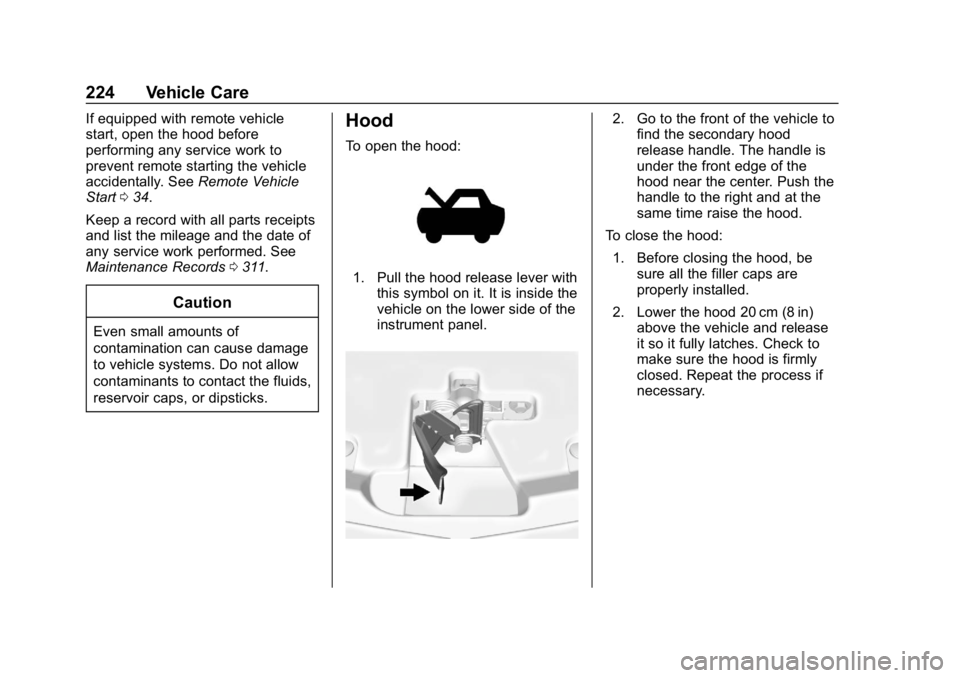
To open the hood:
1. Pull the hood release lever with
this symbol on it. It is inside the
vehicle on the lower side of the
instrument panel.
2. Go to the front of the vehicle tofind the secondary hood
release handle. The handle is
under the front edge of the
hood near the center. Push the
handle to the right and at the
same time raise the hood.
To close the hood: 1. Before closing the hood, be sure all the filler caps are
properly installed.
2. Lower the hood 20 cm (8 in) above the vehicle and release
it so it fully latches. Check to
make sure the hood is firmly
closed. Repeat the process if
necessary.
Page 255 of 353
Chevrolet Impala Owner Manual (GMNA-Localizing-U.S./Canada-12146115) -
2019 - crc - 8/27/18
254 Vehicle Care
FusesUsage
42 Cooling fan high speed
44 Starter control
45 Cooling fan low speed
46 Cooling fan control
47 Pre catalytic converter O2 sensors/Canister
purge solenoid
49 Right HID headlamp
50 Left HID headlamp
51 Horn
52 Display/Ignition
53 Inside rearview mirror/ Rear vision camera
54 Instrument panel/ Ignition
55 Exterior rearview mirror
56 Front washer
60 Heated mirror
62 Obstacle detection Fuses
Usage
64 Rain sensor/Rear seat audio
66 Trunk release
67 Chassis control module
69 Battery voltage sensor
71 Memory seat
Relays Usage
1 A/C clutch
2 Starter pinion
4 Front wiper speed
5 Front wiper control
6 Cabin Coolant pump/ Air solenoid
7 Powertrain
8 Transmission auxiliary pump
9 Cooling fan high speed
10 Cooling fan low speed
11 Starter Relays
Usage
13 Cooling fan control
14 Low-beam HID headlamp
15 Run/Crank
17 Rear window defogger
Instrument Panel Fuse
Block
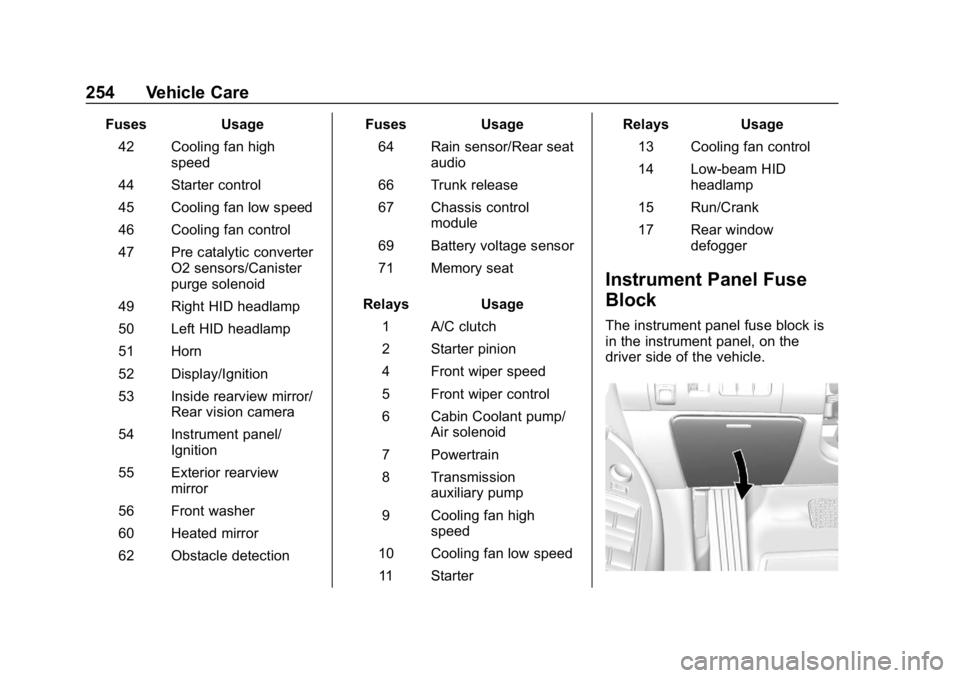
The instrument panel fuse block is
in the instrument panel, on the
driver side of the vehicle.
Page 256 of 353
Chevrolet Impala Owner Manual (GMNA-Localizing-U.S./Canada-12146115) -
2019 - crc - 8/27/18
Vehicle Care 255
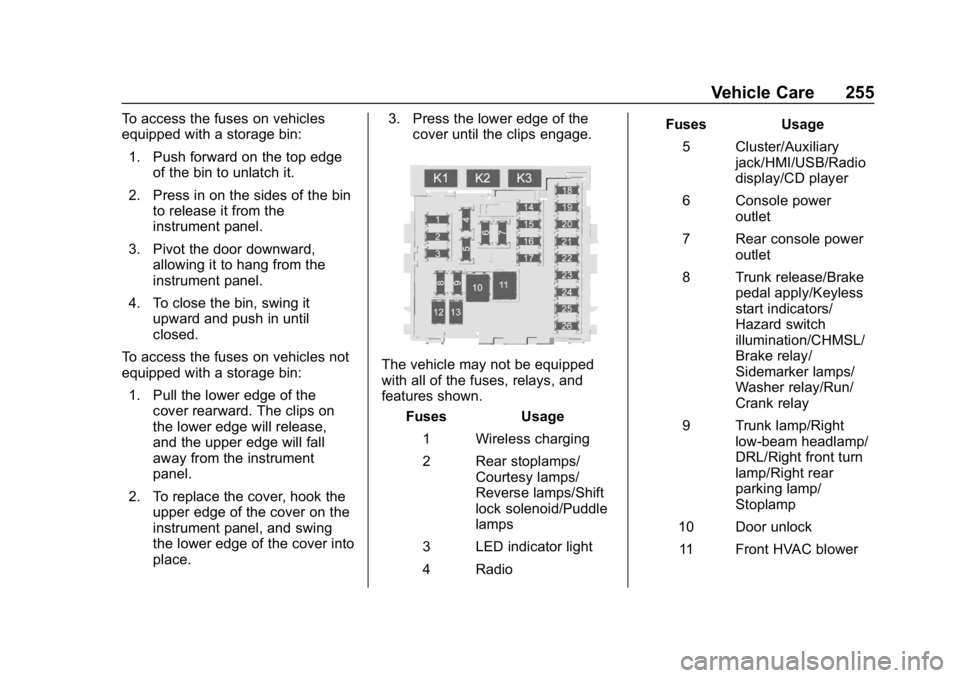
To access the fuses on vehicles
equipped with a storage bin:1. Push forward on the top edge of the bin to unlatch it.
2. Press in on the sides of the bin to release it from the
instrument panel.
3. Pivot the door downward, allowing it to hang from the
instrument panel.
4. To close the bin, swing it upward and push in until
closed.
To access the fuses on vehicles not
equipped with a storage bin: 1. Pull the lower edge of the cover rearward. The clips on
the lower edge will release,
and the upper edge will fall
away from the instrument
panel.
2. To replace the cover, hook the upper edge of the cover on the
instrument panel, and swing
the lower edge of the cover into
place. 3. Press the lower edge of the
cover until the clips engage.
The vehicle may not be equipped
with all of the fuses, relays, and
features shown.
Fuses Usage
1 Wireless charging
2 Rear stoplamps/ Courtesy lamps/
Reverse lamps/Shift
lock solenoid/Puddle
lamps
3 LED indicator light
4 Radio Fuses Usage
5 Cluster/Auxiliary jack/HMI/USB/Radio
display/CD player
6 Console power outlet
7 Rear console power outlet
8 Trunk release/Brake pedal apply/Keyless
start indicators/
Hazard switch
illumination/CHMSL/
Brake relay/
Sidemarker lamps/
Washer relay/Run/
Crank relay
9 Trunk lamp/Right low-beam headlamp/
DRL/Right front turn
lamp/Right rear
parking lamp/
Stoplamp
10 Door unlock 11 Front HVAC blower