center console CHEVROLET IMPALA 2019 Owner's Manual
[x] Cancel search | Manufacturer: CHEVROLET, Model Year: 2019, Model line: IMPALA, Model: CHEVROLET IMPALA 2019Pages: 353, PDF Size: 5.13 MB
Page 8 of 353

Chevrolet Impala Owner Manual (GMNA-Localizing-U.S./Canada-12146115) -
2019 - crc - 8/27/18
In Brief 7
1.Instrument Panel Illumination
Control 0147.
2. Air Vents 0159.
3. Trunk Release. See Trunk
0 39.
Park Assist Button. See
Assistance Systems for
Parking or Backing 0198 (If
Equipped).
Lane Departure Warning
(LDW) Button. See Lane
Departure Warning (LDW)
0 206.
4. Turn Signal Lever. See Turn
and Lane-Change Signals
0 147.
5. Instrument Cluster 0114.
Driver Information Center (DIC)
0 129.
6. Windshield Wiper/Washer
0108.
7. Hazard Warning Flashers
0146.
8. Light Sensor. See Automatic
Headlamp System 0146. 9. Storage Area with USB Port
Inside (If Equipped). See
Instrument Panel Storage
0102 and“USB Port” in the
infotainment manual.
10. Infotainment 0151.
11. Climate Control Systems
0152.
Dual Automatic Climate Control
System 0155.
12. Storage Area with Accessory Power Outlet Inside.
SeeCenter Console Storage
0 103 andPower Outlets
0 109.
13. Heated and Ventilated Front
Seats 060 (If Equipped).
14. Traction Control/Electronic
Stability Control 0186.
15. Shift Lever. See Automatic
Transmission 0180.
16. Ignition Positions 0172.
17. Steering Wheel Controls 0107.
Driver Information Center
Buttons. See Driver Information
Center (DIC) 0129. 18.
Steering Wheel Controls 0107
(Out of View).
19. Horn 0107.
20. Steering Wheel Adjustment
0107.
21. Cruise Control 0188 (If
Equipped).
Adaptive Cruise Control 0190
(If Equipped).
Heated Steering Wheel 0107
(If Equipped).
Forward Collision Alert (FCA)
System 0201 (If Equipped).
22. Instrument Panel Storage
0102 (If Equipped).
Fuse Cover. See Instrument
Panel Fuse Block 0254.
23. Hood Release. See Hood
0 224.
24. Data Link Connector (Out of View). See Malfunction
Indicator Lamp (Check Engine
Light) 0122.
25. Electric Parking Brake 0184.
Page 14 of 353
Chevrolet Impala Owner Manual (GMNA-Localizing-U.S./Canada-12146115) -
2019 - crc - 8/27/18
In Brief 13
Second Row Seats
The rear seatbacks can be folded
down to increase cargo space.
SeeRear Seats 062.
Heated and Ventilated
Seats
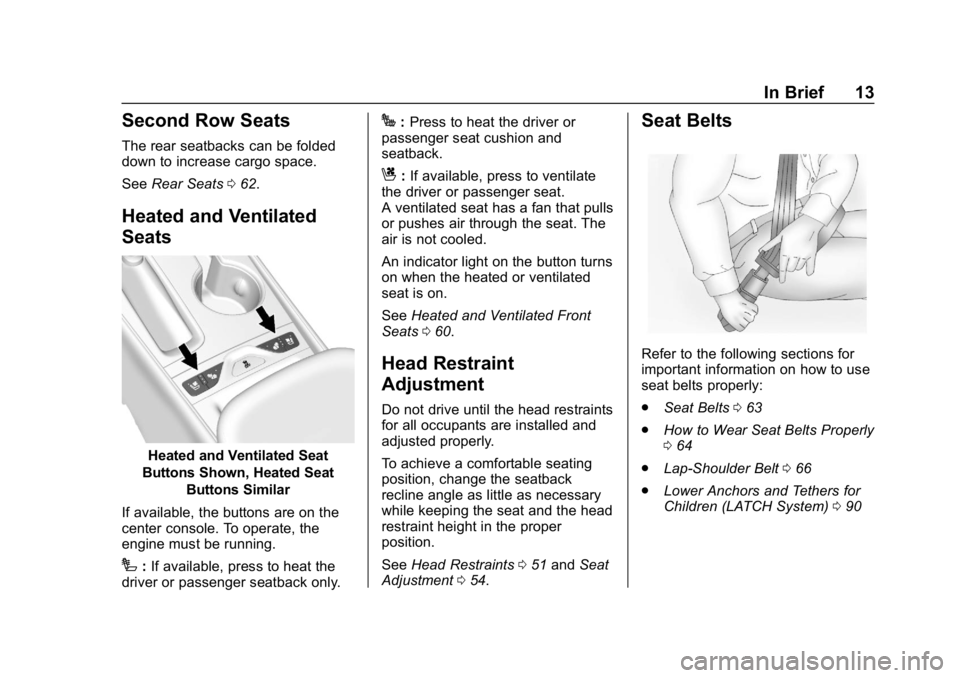
Heated and Ventilated Seat
Buttons Shown, Heated Seat
Buttons Similar
If available, the buttons are on the
center console. To operate, the
engine must be running.
I: If available, press to heat the
driver or passenger seatback only.
J: Press to heat the driver or
passenger seat cushion and
seatback.
C: If available, press to ventilate
the driver or passenger seat.
A ventilated seat has a fan that pulls
or pushes air through the seat. The
air is not cooled.
An indicator light on the button turns
on when the heated or ventilated
seat is on.
See Heated and Ventilated Front
Seats 060.
Head Restraint
Adjustment
Do not drive until the head restraints
for all occupants are installed and
adjusted properly.
To achieve a comfortable seating
position, change the seatback
recline angle as little as necessary
while keeping the seat and the head
restraint height in the proper
position.
See Head Restraints 051 and Seat
Adjustment 054.
Seat Belts
Refer to the following sections for
important information on how to use
seat belts properly:
.
Seat Belts 063
. How to Wear Seat Belts Properly
064
. Lap-Shoulder Belt 066
. Lower Anchors and Tethers for
Children (LATCH System) 090
Page 23 of 353
Chevrolet Impala Owner Manual (GMNA-Localizing-U.S./Canada-12146115) -
2019 - crc - 8/27/18
22 In Brief
Lane Change Alert (LCA)
If equipped, the LCA system is a
lane-changing aid that assists
drivers with avoiding lane change
crashes that occur with moving
vehicles in the side blind zone (or
spot) areas or with vehicles rapidly
approaching these areas from
behind. The LCA warning display
will light up in the corresponding
outside mirror and will flash if the
turn signal is on. The Side Blind
Zone Alert (SBZA) system is
included as part of the LCA system.
SeeSide Blind Zone Alert (SBZA)
0 204 andLane Change Alert (LCA)
0 204.
Rear Vision
Camera (RVC)
If equipped, RVC shows a view of
the area behind the vehicle on the
infotainment display when the
vehicle is shifted into R (Reverse) to
aid with parking and low-speed
backing maneuvers. See
Assistance Systems for Parking
or Backing 0198.
Rear Cross Traffic Alert
(RCTA) System
If equipped, the RCTA system uses
a triangle with an arrow on the
infotainment display to warn of
traffic behind your vehicle that may
cross your vehicle's path while in
R (Reverse). In addition, beeps will
sound.
See Assistance Systems for Parking
or Backing 0198.
Park Assist
If equipped, Rear Park Assist (RPA)
uses sensors on the rear bumper to
assist with parking and avoiding
objects while in R (Reverse).
It operates at speeds less than
8 km/h (5 mph). RPA may show a
warning triangle on the infotainment
display and/or a graphic on the
instrument cluster to provide the
object distance. In addition, multiple
beeps may occur if very close to an
object. See
Assistance Systems for Parking
or Backing 0198.
Power Outlets
The accessory power outlets can be
used to plug in electrical equipment,
such as a cell phone or MP3 player.
The vehicle has three accessory
power outlets:
.
Inside the front storage area
below the climate control system
. Inside the center console
. On the rear of the center
console
Lift the cover to access the
accessory power outlet.
See Power Outlets 0109.
Page 25 of 353
Chevrolet Impala Owner Manual (GMNA-Localizing-U.S./Canada-12146115) -
2019 - crc - 8/27/18
24 In Brief
Open/Close (Manual Mode) :
Press and hold the front or rear of
Qto open or close the sunshade.
Release the switch to stop at the
desired position.
The sunroof/sunshade is equipped
with an automatic reversal system.
See Sunroof 048.
Performance and
Maintenance
Traction Control/
Electronic Stability
Control
The Traction Control System (TCS)
limits wheel spin. The system turns
on automatically every time the
vehicle is started.
The StabiliTrak/Electronic Stability
Control (ESC) system assists with
directional control of the vehicle in
difficult driving conditions. The
system also turns on automatically
every time the vehicle is started.
.
To turn off TCS, press and
release
gon the center console.
The Traction Off light
i
illuminates.
. To turn off both TCS and
StabiliTrak/ESC, press and hold
g, until the Traction Off lightiand the StabiliTrak/ESC Off lightgilluminate. .
Press and release
gagain to
turn on both systems.
See Traction Control/Electronic
Stability Control 0186.
Tire Pressure Monitor
This vehicle may have a Tire
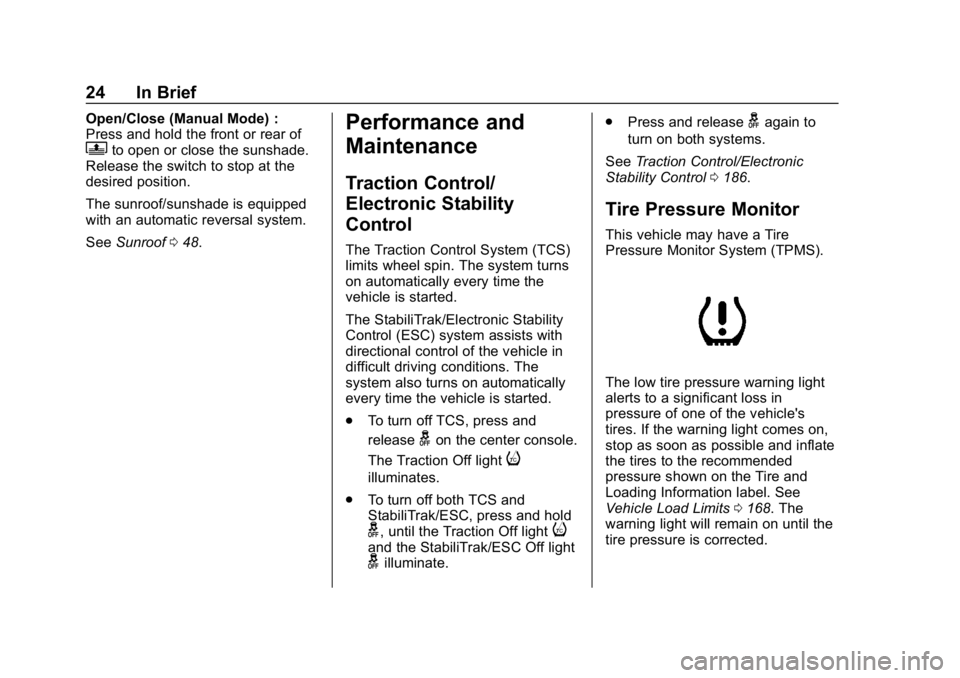
Pressure Monitor System (TPMS).
The low tire pressure warning light
alerts to a significant loss in
pressure of one of the vehicle's
tires. If the warning light comes on,
stop as soon as possible and inflate
the tires to the recommended
pressure shown on the Tire and
Loading Information label. See
Vehicle Load Limits 0168. The
warning light will remain on until the
tire pressure is corrected.
Page 33 of 353
Chevrolet Impala Owner Manual (GMNA-Localizing-U.S./Canada-12146115) -
2019 - crc - 8/27/18
32 Keys, Doors, and Windows
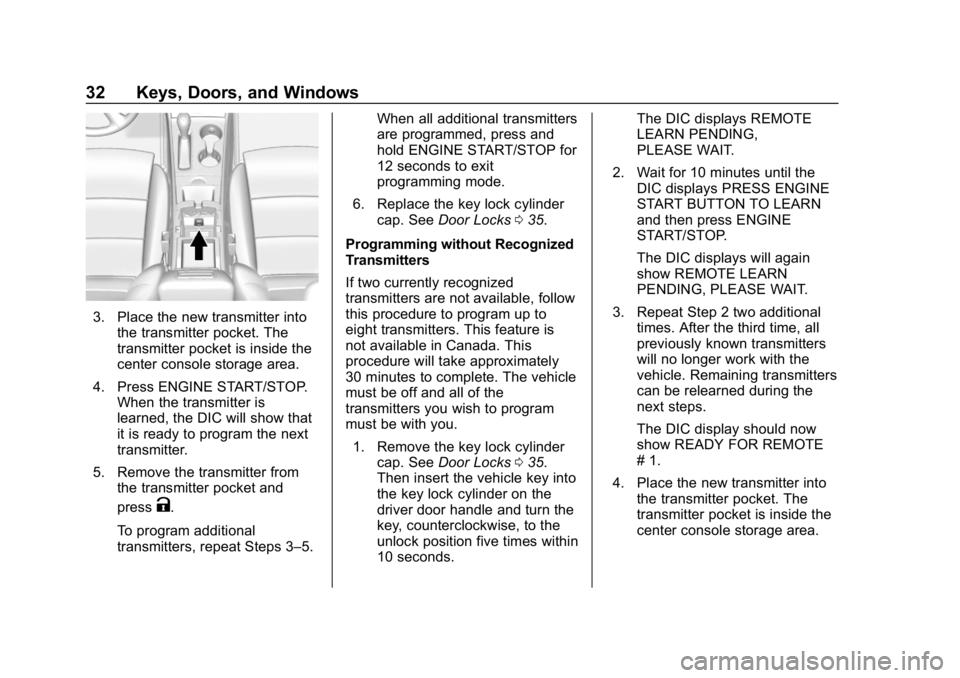
3. Place the new transmitter intothe transmitter pocket. The
transmitter pocket is inside the
center console storage area.
4. Press ENGINE START/STOP. When the transmitter is
learned, the DIC will show that
it is ready to program the next
transmitter.
5. Remove the transmitter from the transmitter pocket and
press
K.
To program additional
transmitters, repeat Steps 3–5. When all additional transmitters
are programmed, press and
hold ENGINE START/STOP for
12 seconds to exit
programming mode.
6. Replace the key lock cylinder cap. See Door Locks 035.
Programming without Recognized
Transmitters
If two currently recognized
transmitters are not available, follow
this procedure to program up to
eight transmitters. This feature is
not available in Canada. This
procedure will take approximately
30 minutes to complete. The vehicle
must be off and all of the
transmitters you wish to program
must be with you. 1. Remove the key lock cylinder cap. See Door Locks 035.
Then insert the vehicle key into
the key lock cylinder on the
driver door handle and turn the
key, counterclockwise, to the
unlock position five times within
10 seconds. The DIC displays REMOTE
LEARN PENDING,
PLEASE WAIT.
2. Wait for 10 minutes until the DIC displays PRESS ENGINE
START BUTTON TO LEARN
and then press ENGINE
START/STOP.
The DIC displays will again
show REMOTE LEARN
PENDING, PLEASE WAIT.
3. Repeat Step 2 two additional times. After the third time, all
previously known transmitters
will no longer work with the
vehicle. Remaining transmitters
can be relearned during the
next steps.
The DIC display should now
show READY FOR REMOTE
# 1.
4. Place the new transmitter into the transmitter pocket. The
transmitter pocket is inside the
center console storage area.
Page 34 of 353
Chevrolet Impala Owner Manual (GMNA-Localizing-U.S./Canada-12146115) -
2019 - crc - 8/27/18
Keys, Doors, and Windows 33
5. Press ENGINE START/STOP.When the transmitter is
learned, the DIC will show that
it is ready to program the next
transmitter.
6. Remove the transmitter from the transmitter pocket and
press
K.
To program additional
transmitters, repeat Steps 4–6.
When all additional transmitters
are programmed, press and
hold ENGINE START/STOP for
12 seconds to exit
programming mode.
7. Replace the key lock cylinder cap. See Door Locks 035.
Starting the Vehicle with a Low
Transmitter Battery or Wireless
Interference
If the transmitter battery is weak or
there is wireless interference, the
DIC may display NO REMOTE
DETECTED or PLACE
TRANSMITTER IN POCKET TO
START when you try to start the vehicle. The DIC may display
REPLACE BATTERY IN
REMOTE KEY.
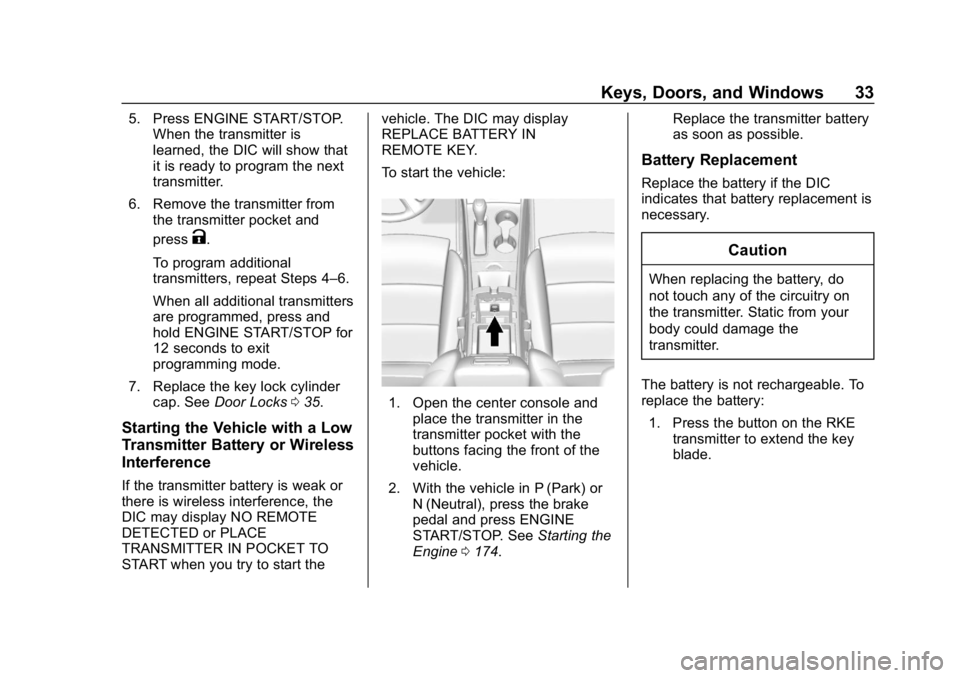
To start the vehicle:
1. Open the center console and
place the transmitter in the
transmitter pocket with the
buttons facing the front of the
vehicle.
2. With the vehicle in P (Park) or N (Neutral), press the brake
pedal and press ENGINE
START/STOP. See Starting the
Engine 0174. Replace the transmitter battery
as soon as possible.
Battery Replacement
Replace the battery if the DIC
indicates that battery replacement is
necessary.
Caution
When replacing the battery, do
not touch any of the circuitry on
the transmitter. Static from your
body could damage the
transmitter.
The battery is not rechargeable. To
replace the battery: 1. Press the button on the RKE transmitter to extend the key
blade.
Page 43 of 353
Chevrolet Impala Owner Manual (GMNA-Localizing-U.S./Canada-12146115) -
2019 - crc - 8/27/18
42 Keys, Doors, and Windows
.Unlock the vehicle using the
Keyless Access system.
. Start the vehicle.
To avoid setting off the alarm by
accident:
. Lock the vehicle after all
occupants have left the vehicle
and all doors are closed.
. Always unlock a door with the
RKE transmitter or use the
Keyless Access system.
Unlocking the driver door with the
key will not disarm the system or
turn off the alarm.
How to Detect a Tamper
Condition
IfKis pressed on the transmitter
and the lights flash three times, an
alarm occurred previously while the
alarm system was armed.
If the alarm has been activated, a
message will appear on the Driver
Information Center (DIC).
Immobilizer
See Radio Frequency Statement
0 325.
Immobilizer Operation
This vehicle has a passive
theft-deterrent system.
The system does not have to be
manually armed or disarmed.
The vehicle is automatically
immobilized when the vehicle is
turned off.
The immobilization system is
disarmed when ENGINE START/
STOP is pressed and a valid RKE
transmitter is found in the vehicle.
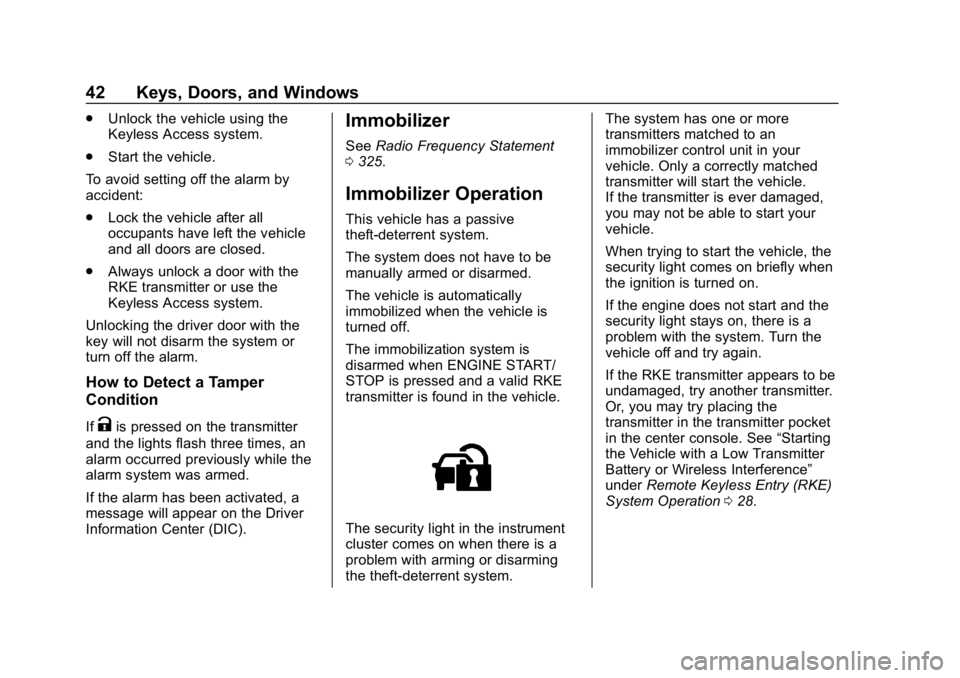
The security light in the instrument
cluster comes on when there is a
problem with arming or disarming
the theft-deterrent system. The system has one or more
transmitters matched to an
immobilizer control unit in your
vehicle. Only a correctly matched
transmitter will start the vehicle.
If the transmitter is ever damaged,
you may not be able to start your
vehicle.
When trying to start the vehicle, the
security light comes on briefly when
the ignition is turned on.
If the engine does not start and the
security light stays on, there is a
problem with the system. Turn the
vehicle off and try again.
If the RKE transmitter appears to be
undamaged, try another transmitter.
Or, you may try placing the
transmitter in the transmitter pocket
in the center console. See
“Starting
the Vehicle with a Low Transmitter
Battery or Wireless Interference”
under Remote Keyless Entry (RKE)
System Operation 028.
Page 44 of 353
Chevrolet Impala Owner Manual (GMNA-Localizing-U.S./Canada-12146115) -
2019 - crc - 8/27/18
Keys, Doors, and Windows 43
If the engine does not start with the
other transmitter or when the
transmitter is in the pocket in the
center console, your vehicle needs
service. See your dealer who can
service the theft-deterrent system
and have a new transmitter
programmed to the vehicle.
Do not leave the transmitter or
device that disarms or deactivates
the theft-deterrent system in the
vehicle.Exterior Mirrors
Convex Mirrors
{Warning
A convex mirror can make things,
like other vehicles, look farther
away than they really are. If you
cut too sharply into the right lane,
you could hit a vehicle on the
right. Check the inside mirror or
glance over your shoulder before
changing lanes.
The passenger side mirror is convex
shaped. A convex mirror's surface is
curved so more can be seen from
the driver seat.
Power Mirrors
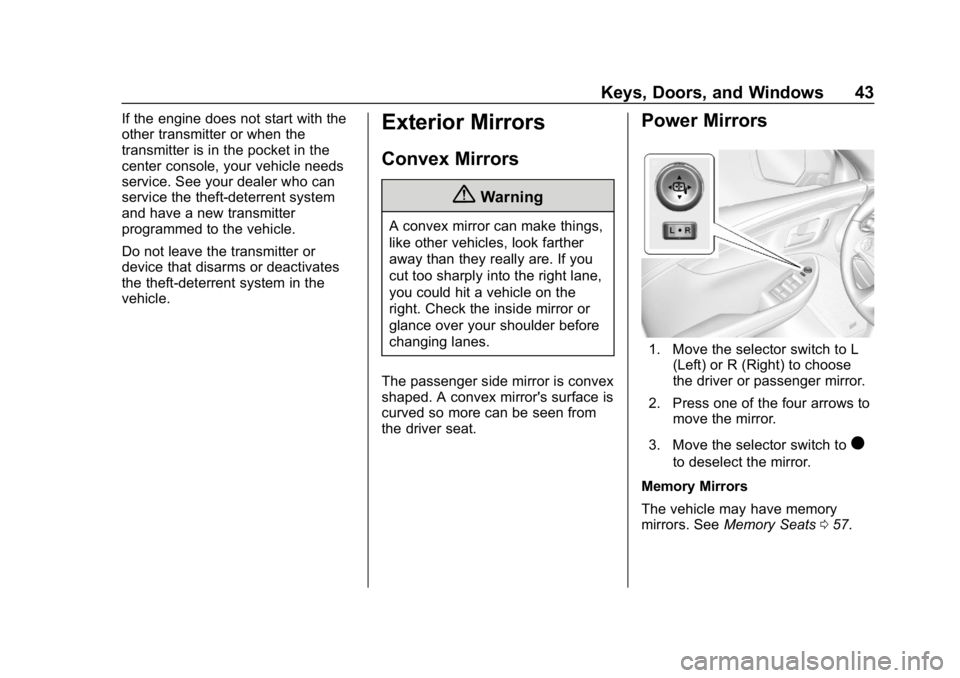
1. Move the selector switch to L (Left) or R (Right) to choose
the driver or passenger mirror.
2. Press one of the four arrows to move the mirror.
3. Move the selector switch to
)
to deselect the mirror.
Memory Mirrors
The vehicle may have memory
mirrors. See Memory Seats 057.
Page 62 of 353
Chevrolet Impala Owner Manual (GMNA-Localizing-U.S./Canada-12146115) -
2019 - crc - 8/27/18
Seats and Restraints 61
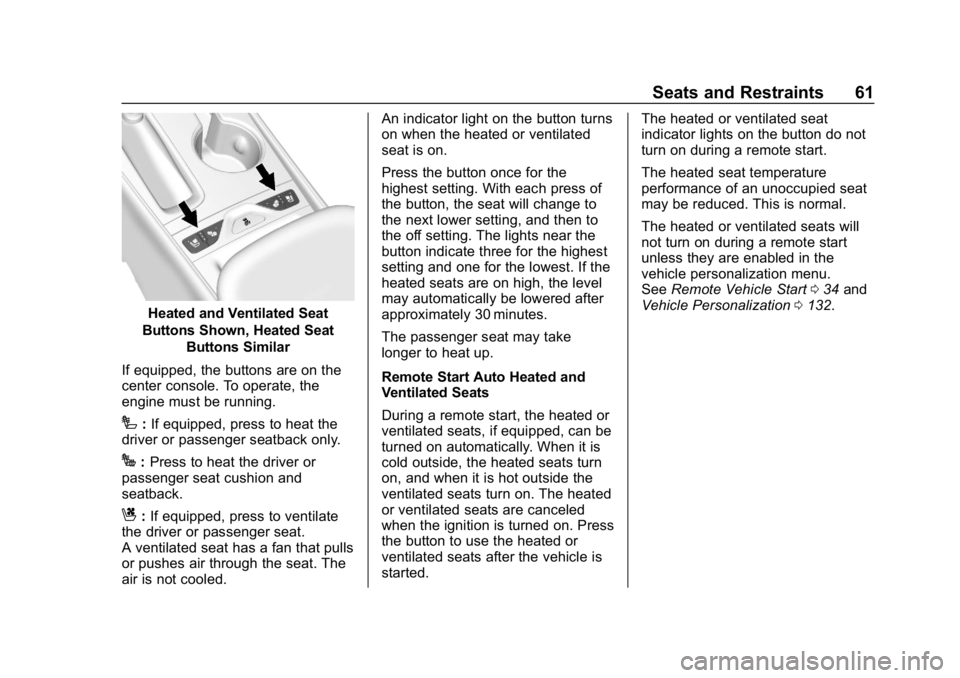
Heated and Ventilated Seat
Buttons Shown, Heated Seat Buttons Similar
If equipped, the buttons are on the
center console. To operate, the
engine must be running.
I: If equipped, press to heat the
driver or passenger seatback only.
J: Press to heat the driver or
passenger seat cushion and
seatback.
C: If equipped, press to ventilate
the driver or passenger seat.
A ventilated seat has a fan that pulls
or pushes air through the seat. The
air is not cooled. An indicator light on the button turns
on when the heated or ventilated
seat is on.
Press the button once for the
highest setting. With each press of
the button, the seat will change to
the next lower setting, and then to
the off setting. The lights near the
button indicate three for the highest
setting and one for the lowest. If the
heated seats are on high, the level
may automatically be lowered after
approximately 30 minutes.
The passenger seat may take
longer to heat up.
Remote Start Auto Heated and
Ventilated Seats
During a remote start, the heated or
ventilated seats, if equipped, can be
turned on automatically. When it is
cold outside, the heated seats turn
on, and when it is hot outside the
ventilated seats turn on. The heated
or ventilated seats are canceled
when the ignition is turned on. Press
the button to use the heated or
ventilated seats after the vehicle is
started.
The heated or ventilated seat
indicator lights on the button do not
turn on during a remote start.
The heated seat temperature
performance of an unoccupied seat
may be reduced. This is normal.
The heated or ventilated seats will
not turn on during a remote start
unless they are enabled in the
vehicle personalization menu.
See
Remote Vehicle Start 034 and
Vehicle Personalization 0132.
Page 103 of 353
Chevrolet Impala Owner Manual (GMNA-Localizing-U.S./Canada-12146115) -
2019 - crc - 8/27/18
102 Storage
Storage
Storage Compartments
Storage Compartments . . . . . . . 102
Instrument Panel Storage . . . . 102
Glove Box . . . . . . . . . . . . . . . . . . . . 103
Cupholders . . . . . . . . . . . . . . . . . . . 103
Center Console Storage . . . . . . 103
Umbrella Storage . . . . . . . . . . . . . 104
Additional Storage Features
Cargo ManagementSystem . . . . . . . . . . . . . . . . . . . . . . 104
Convenience Net . . . . . . . . . . . . . 105
Storage
Compartments
{Warning
Do not store heavy or sharp
objects in storage compartments.
In a crash, these objects may
cause the cover to open and
could result in injury.
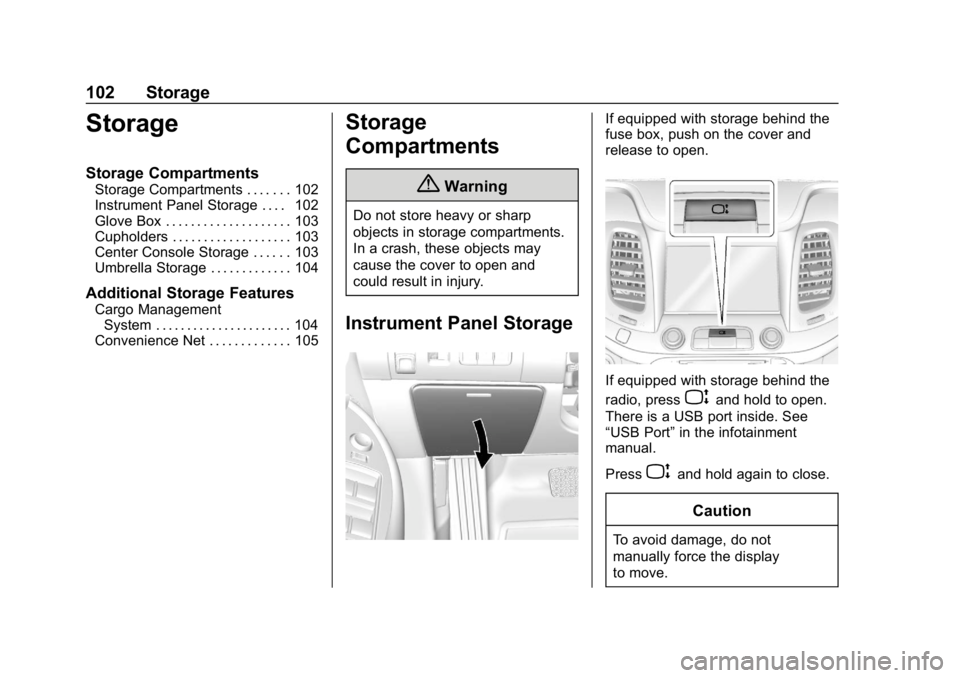
Instrument Panel Storage
If equipped with storage behind the
fuse box, push on the cover and
release to open.
If equipped with storage behind the
radio, press
Pand hold to open.
There is a USB port inside. See
“USB Port” in the infotainment
manual.
Press
Pand hold again to close.
Caution
To avoid damage, do not
manually force the display
to move.