ignition CHEVROLET KODIAK 2004 Owners Manual
[x] Cancel search | Manufacturer: CHEVROLET, Model Year: 2004, Model line: KODIAK, Model: CHEVROLET KODIAK 2004Pages: 366, PDF Size: 6.87 MB
Page 64 of 366
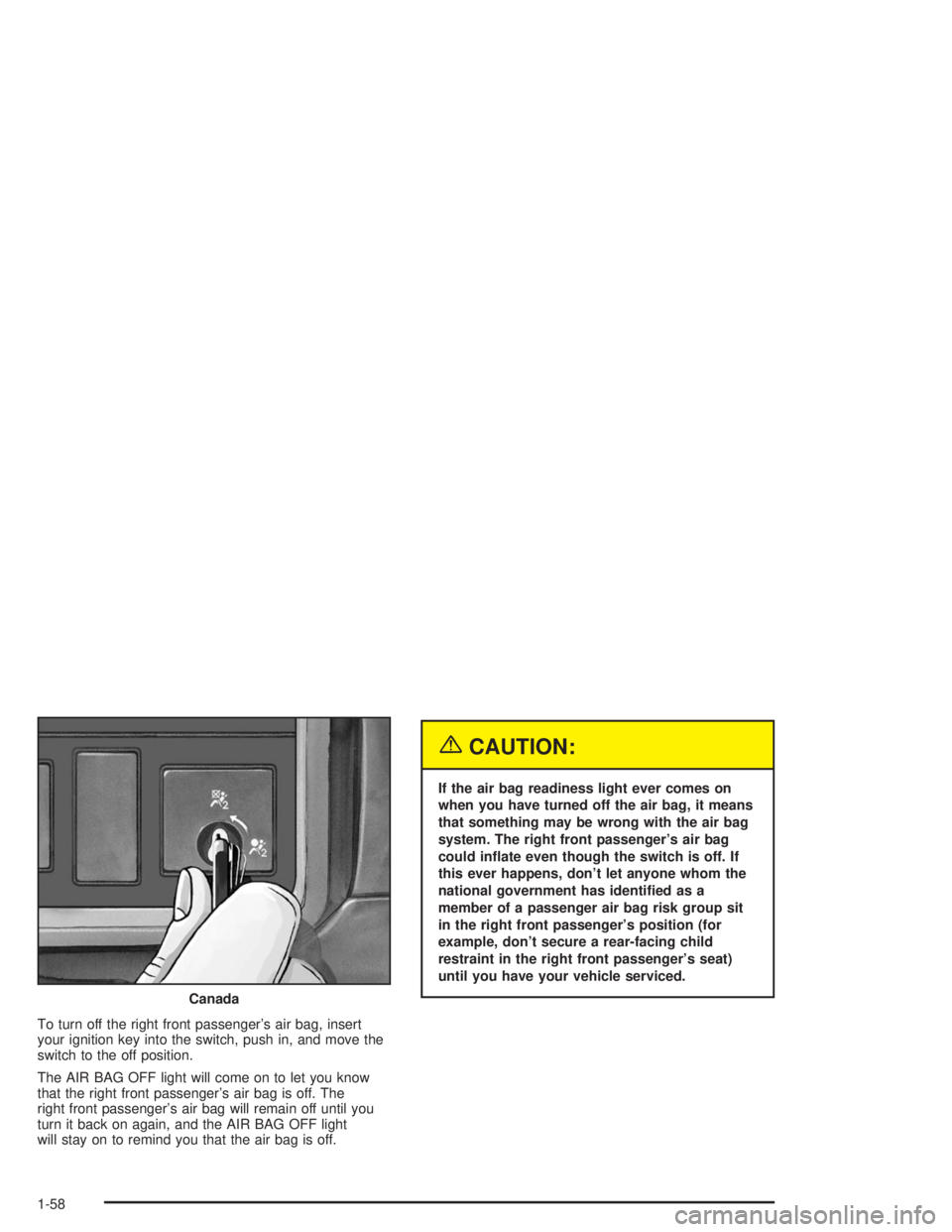
To turn off the right front passenger’s air bag, insert
your ignition key into the switch, push in, and move the
switch to the off position.
The AIR BAG OFF light will come on to let you know
that the right front passenger’s air bag is off. The
right front passenger’s air bag will remain off until you
turn it back on again, and the AIR BAG OFF light
will stay on to remind you that the air bag is off.
{CAUTION:
If the air bag readiness light ever comes on
when you have turned off the air bag, it means
that something may be wrong with the air bag
system. The right front passenger’s air bag
could inate even though the switch is off. If
this ever happens, don’t let anyone whom the
national government has identied as a
member of a passenger air bag risk group sit
in the right front passenger’s position (for
example, don’t secure a rear-facing child
restraint in the right front passenger’s seat)
until you have your vehicle serviced.
Canada
1-58
Page 65 of 366
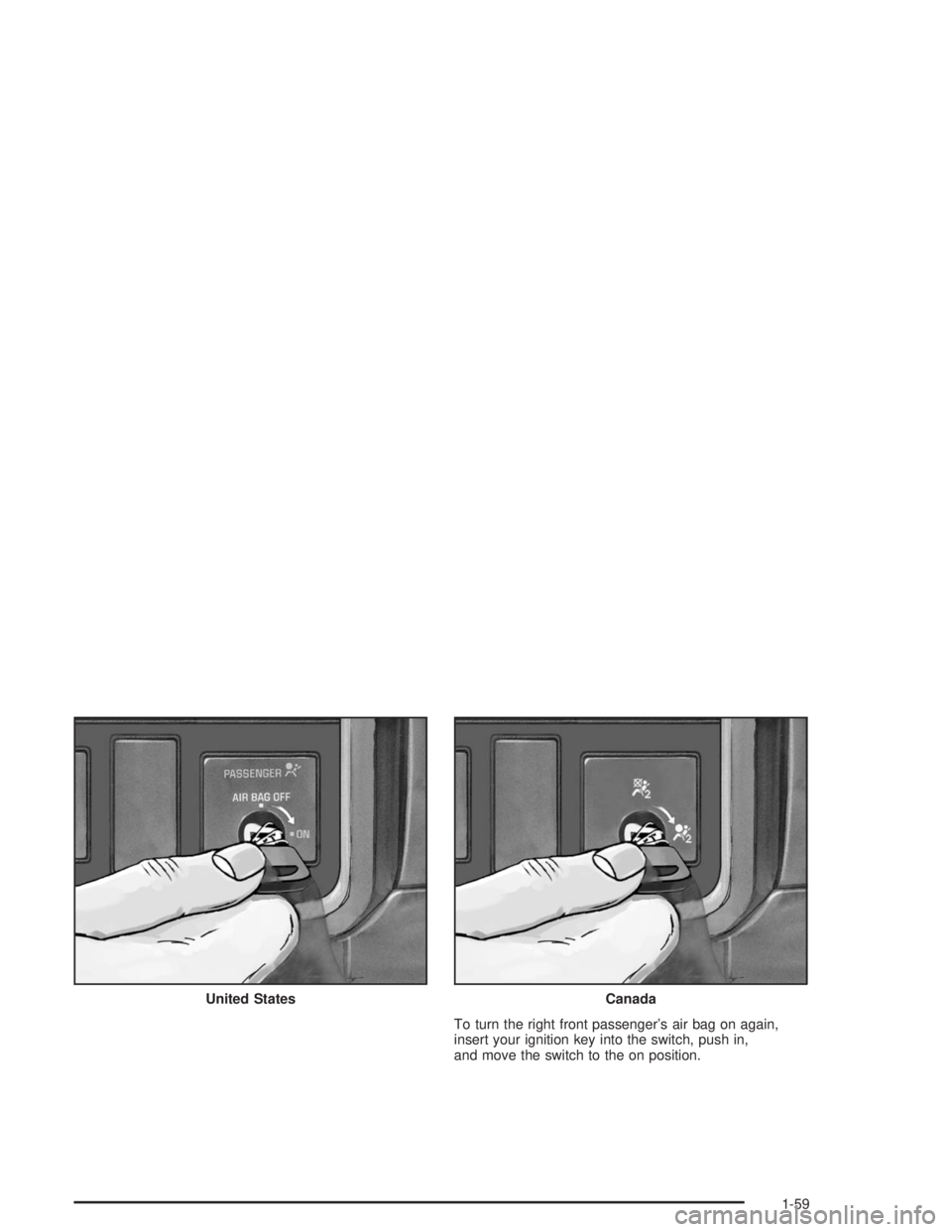
To turn the right front passenger’s air bag on again,
insert your ignition key into the switch, push in,
and move the switch to the on position. United States
Canada
1-59
Page 66 of 366
Servicing Your Air Bag-Equipped
Vehicle
Air bags affect how your vehicle should be serviced.
There are parts of the air bag system in several places
around your vehicle. You don’t want the system to
inflate while someone is working on your vehicle. Your
dealer and the service manual have information
about servicing your vehicle and the air bag system. To
purchase a service manual, seeService Publications
Ordering Information on page 7-7.
{CAUTION:
For up to 10 minutes after the ignition key is
turned off and the battery is disconnected, an
air bag can still inate during improper
service. You can be injured if you are close to
an air bag when it inates. Avoid yellow wires,
wires wrapped with yellow tape or yellow
connectors. They are probably part of the air
bag system. Be sure to follow proper service
procedures, and make sure the person
performing work for you is qualied to do so.
The air bag system does not need regular maintenance.
1-60
Page 69 of 366
Keys...............................................................2-2
Remote Keyless Entry System.........................2-3
Remote Keyless Entry System Operation...........2-4
Doors and Locks.............................................2-6
Door Locks....................................................2-6
Power Door Locks..........................................2-7
Windows.........................................................2-8
Manual Windows............................................2-8
Power Windows.............................................2-9
Sliding Rear Window.....................................2-10
Sun Visors...................................................2-10
Theft-Deterrent Systems..................................2-10
Starting and Operating Your Vehicle................2-11
New Vehicle Break-In....................................2-11
Ignition Positions..........................................2-12
Starting Your Gasoline Engine........................2-12
Starting Your Diesel Engine...........................2-14
Starting Your DURAMAX™ Diesel Engine........2-19Engine Checks Before Operating....................2-22
Engine Coolant Heater..................................2-23
Diesel Engine Exhaust Brake.........................2-25
Two-Speed Rear Axle Electric Shift Control......2-26
Automatic Transmission Operation...................2-28
Manual Transmission Operation......................2-30
Parking.......................................................2-33
Parking Over Things That Burn.......................2-37
Engine Exhaust............................................2-37
Running Your Engine While You Are Parked. . . .2-38
Mirrors...........................................................2-39
Manual Rearview Mirror.................................2-39
Outside Manual Mirrors..................................2-39
Outside Power Mirrors...................................2-40
Outside Convex Mirrors.................................2-40
Outside Heated Mirrors..................................2-41
Storage Areas................................................2-41
Center Console Storage Area.........................2-42
Section 2 Features and Controls
2-1
Page 70 of 366
Keys
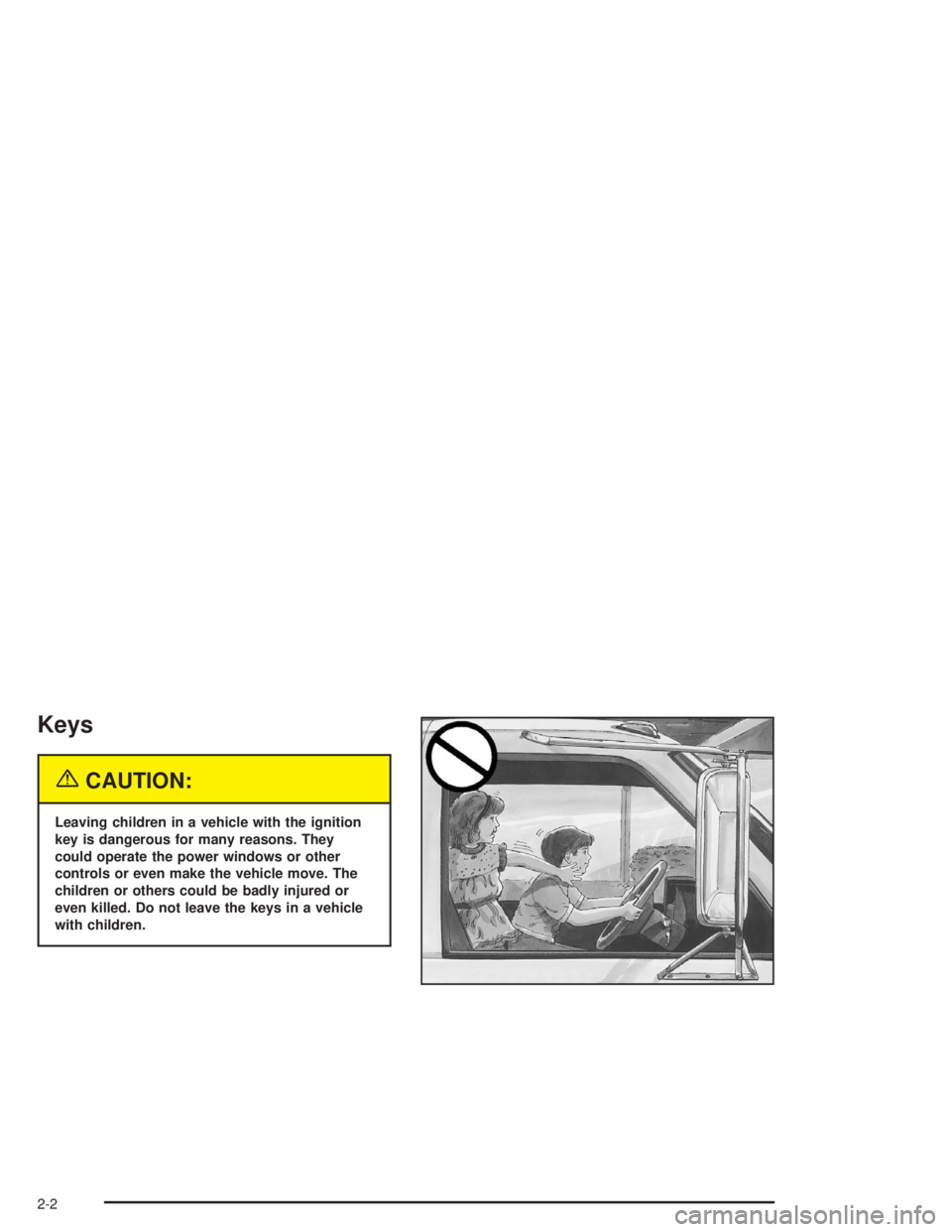
{CAUTION:
Leaving children in a vehicle with the ignition
key is dangerous for many reasons. They
could operate the power windows or other
controls or even make the vehicle move. The
children or others could be badly injured or
even killed. Do not leave the keys in a vehicle
with children.
2-2
Page 71 of 366
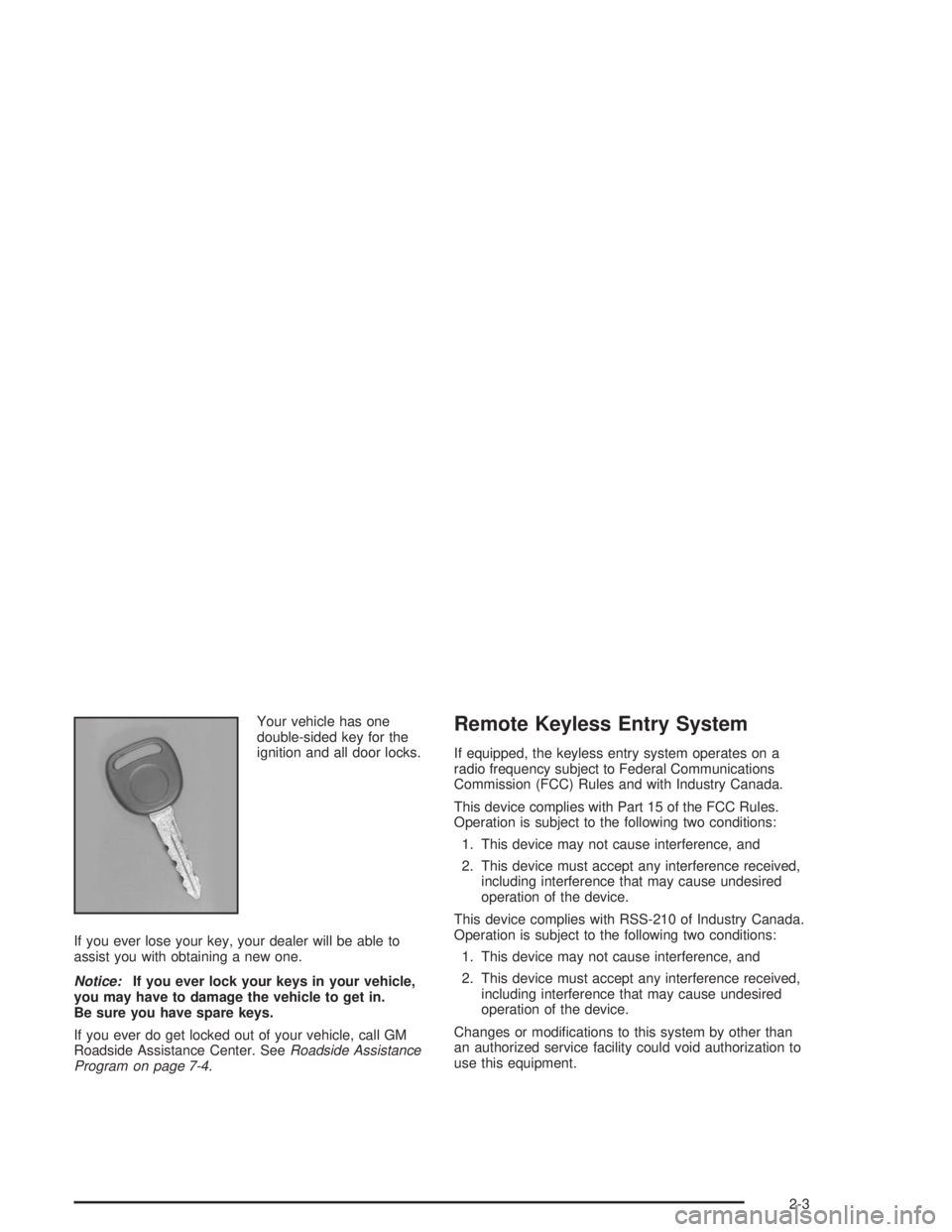
Your vehicle has one
double-sided key for the
ignition and all door locks.
If you ever lose your key, your dealer will be able to
assist you with obtaining a new one.
Notice:If you ever lock your keys in your vehicle,
you may have to damage the vehicle to get in.
Be sure you have spare keys.
If you ever do get locked out of your vehicle, call GM
Roadside Assistance Center. SeeRoadside Assistance
Program on page 7-4.Remote Keyless Entry System
If equipped, the keyless entry system operates on a
radio frequency subject to Federal Communications
Commission (FCC) Rules and with Industry Canada.
This device complies with Part 15 of the FCC Rules.
Operation is subject to the following two conditions:
1. This device may not cause interference, and
2. This device must accept any interference received,
including interference that may cause undesired
operation of the device.
This device complies with RSS-210 of Industry Canada.
Operation is subject to the following two conditions:
1. This device may not cause interference, and
2. This device must accept any interference received,
including interference that may cause undesired
operation of the device.
Changes or modifications to this system by other than
an authorized service facility could void authorization to
use this equipment.
2-3
Page 72 of 366
At times you may notice a decrease in range. This is
normal for any remote keyless entry system. If the
transmitter does not work or if you have to stand closer
to your vehicle for the transmitter to work, try this:
•Check the distance. You may be too far from your
vehicle. You may need to stand closer during
rainy or snowy weather.
•Check the location. Other vehicles or objects may
be blocking the signal. Take a few steps to the
left or right, hold the transmitter higher, and
try again.
•Check to determine if battery replacement is
necessary. See “Battery Replacement” under
Remote Keyless Entry System Operation on
page 2-4.
•If you are still having trouble, see your dealer or a
qualified technician for service.
Remote Keyless Entry System
Operation
If your vehicle has this feature, you can lock and unlock
your doors from about 3 feet (1 m) up to 30 feet
(9 m) away using the remote keyless entry transmitter
supplied with your vehicle.
To unlock the driver’s door, press the UNLOCK button
one time. If you press the button again within five
seconds, all of the doors will unlock. When the UNLOCK
button is pressed, the interior dome lamps are turned
on for about 40 seconds or until the ignition switch
is activated. Press the LOCK button to lock all doors.
2-4
Page 77 of 366
Power Windows
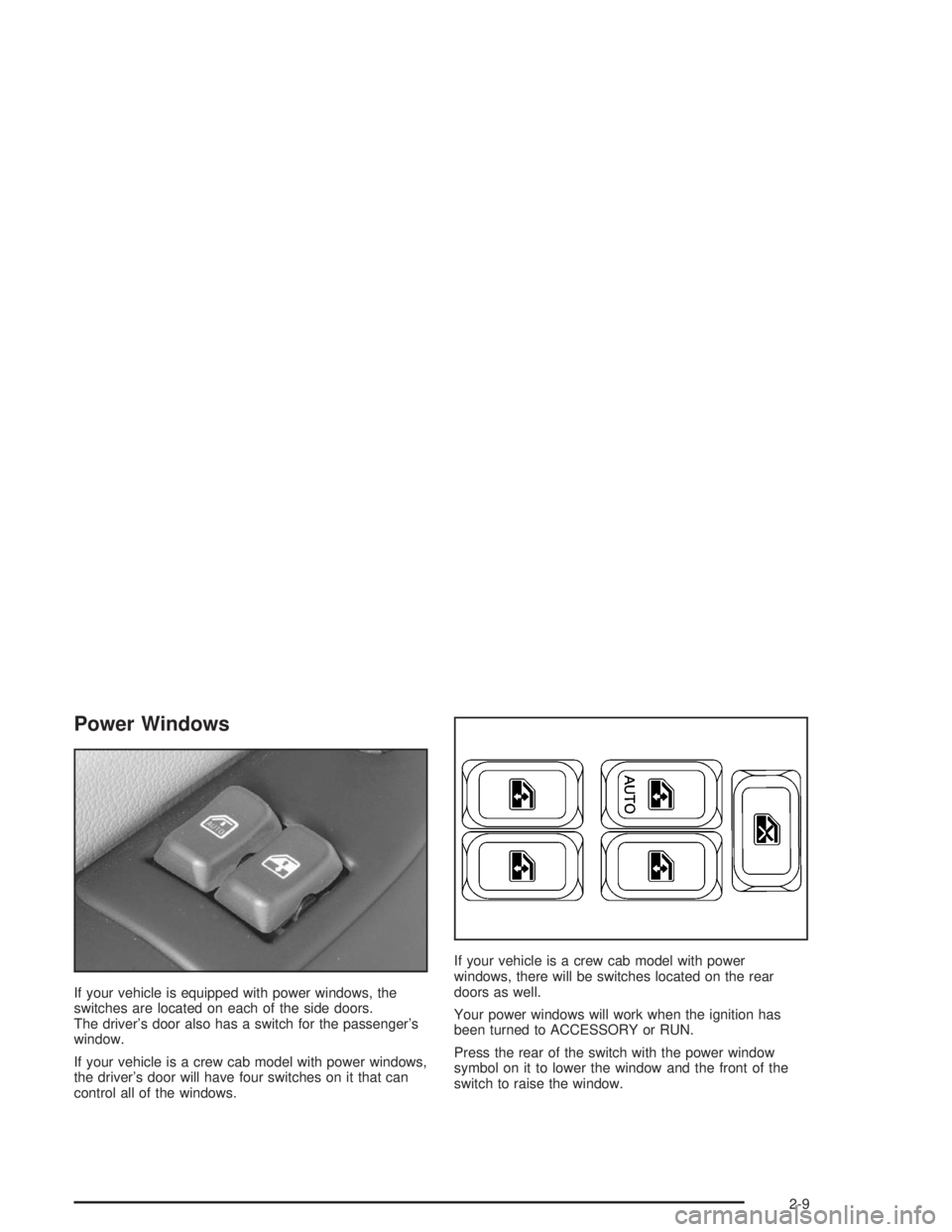
If your vehicle is equipped with power windows, the
switches are located on each of the side doors.
The driver’s door also has a switch for the passenger’s
window.
If your vehicle is a crew cab model with power windows,
the driver’s door will have four switches on it that can
control all of the windows.If your vehicle is a crew cab model with power
windows, there will be switches located on the rear
doors as well.
Your power windows will work when the ignition has
been turned to ACCESSORY or RUN.
Press the rear of the switch with the power window
symbol on it to lower the window and the front of the
switch to raise the window.
2-9
Page 80 of 366
Ignition Positions
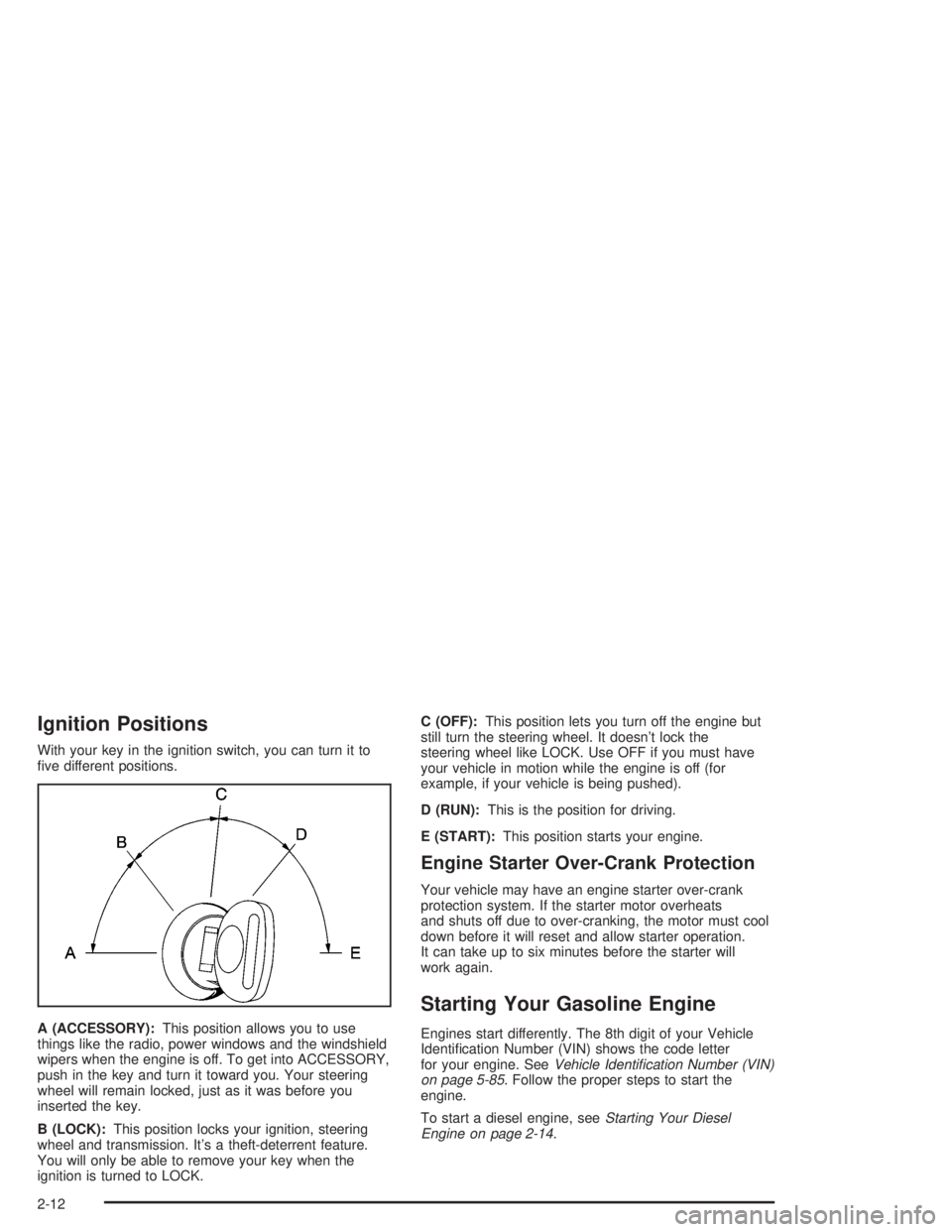
With your key in the ignition switch, you can turn it to
five different positions.
A (ACCESSORY):This position allows you to use
things like the radio, power windows and the windshield
wipers when the engine is off. To get into ACCESSORY,
push in the key and turn it toward you. Your steering
wheel will remain locked, just as it was before you
inserted the key.
B (LOCK):This position locks your ignition, steering
wheel and transmission. It’s a theft-deterrent feature.
You will only be able to remove your key when the
ignition is turned to LOCK.C (OFF):This position lets you turn off the engine but
still turn the steering wheel. It doesn’t lock the
steering wheel like LOCK. Use OFF if you must have
your vehicle in motion while the engine is off (for
example, if your vehicle is being pushed).
D (RUN):This is the position for driving.
E (START):This position starts your engine.
Engine Starter Over-Crank Protection
Your vehicle may have an engine starter over-crank
protection system. If the starter motor overheats
and shuts off due to over-cranking, the motor must cool
down before it will reset and allow starter operation.
It can take up to six minutes before the starter will
work again.
Starting Your Gasoline Engine
Engines start differently. The 8th digit of your Vehicle
Identification Number (VIN) shows the code letter
for your engine. SeeVehicle Identication Number (VIN)
on page 5-85. Follow the proper steps to start the
engine.
To start a diesel engine, seeStarting Your Diesel
Engine on page 2-14.
2-12
Page 81 of 366
Automatic Transmission
Set the parking brake and move your shift lever to
NEUTRAL (N) or PARK (P) if so equipped. Your engine
won’t start in any other position – that’s a safety
feature.
Manual Transmission
Set the parking brake, shift to neutral and hold the
clutch pedal to the floor while starting the engine.
Starter Motor Operation
•The starter motor will disengage if you release the
key or the engine reaches a predetermined engine
speed.
•To prevent overheating, the starter motor will
disengage after continuously operating for
15 seconds. You must release the key from the
start position to re-engage the starter.
•The starter motor will not engage if the engine is
already running.
•The starter motor will disengage if, after two
seconds, the starter pinion gear does not engage
the flywheel or there is no engine rpm signal
from the engine speed sensor.
Starting Your Engine
1. Without pushing the accelerator pedal, turn your
ignition key to START. When the engine starts, let
go of the key. The idle speed will go down as
your engine gets warm.
2. If the engine doesn’t start in 10 seconds, push the
accelerator pedal all the way down and crank the
engine for five more seconds, unless it starts
sooner.
3. If your engine still won’t start (or starts but then
stops), it could be flooded with too much gasoline.
Wait 15 seconds to let the starter motor cool
down. Do Steps 1 through 3 again.
When the engine starts, let go of the key and the
accelerator pedal.
Notice:Your engine is designed to work with the
electronics in your vehicle. If you add electrical
parts or accessories, you could change the way the
engine operates. Before adding electrical equipment,
check with your dealer. If you do not, your engine
might not perform properly.
If you ever need to have your vehicle towed, see
Towing Your Vehicle on page 4-31.
2-13