instrument panel CHEVROLET KODIAK 2006 Owner's Guide
[x] Cancel search | Manufacturer: CHEVROLET, Model Year: 2006, Model line: KODIAK, Model: CHEVROLET KODIAK 2006Pages: 398, PDF Size: 5.72 MB
Page 136 of 398
Marker Lamps
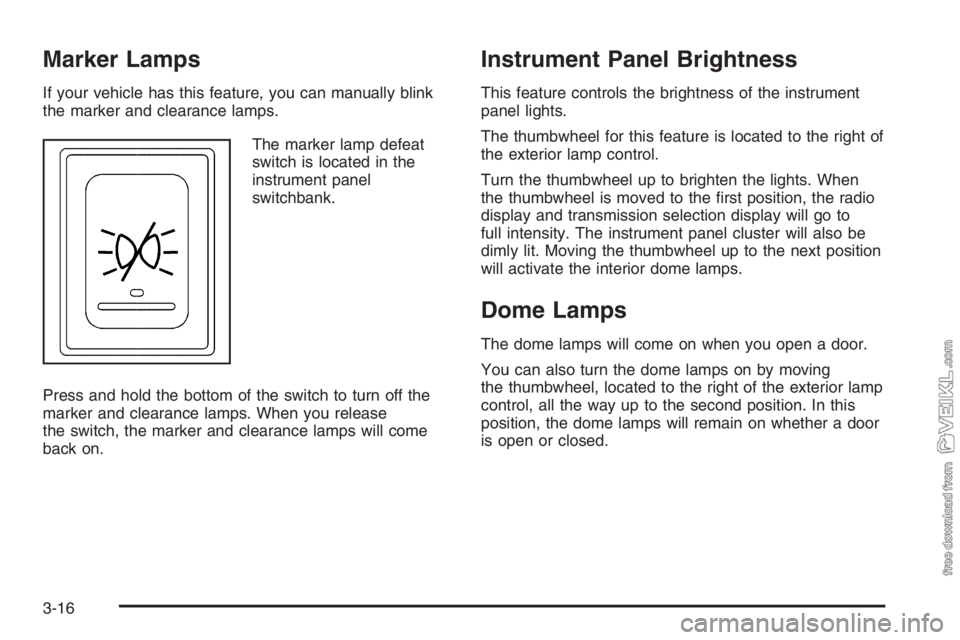
If your vehicle has this feature, you can manually blink
the marker and clearance lamps.
The marker lamp defeat
switch is located in the
instrument panel
switchbank.
Press and hold the bottom of the switch to turn off the
marker and clearance lamps. When you release
the switch, the marker and clearance lamps will come
back on.
Instrument Panel Brightness
This feature controls the brightness of the instrument
panel lights.
The thumbwheel for this feature is located to the right of
the exterior lamp control.
Turn the thumbwheel up to brighten the lights. When
the thumbwheel is moved to the first position, the radio
display and transmission selection display will go to
full intensity. The instrument panel cluster will also be
dimly lit. Moving the thumbwheel up to the next position
will activate the interior dome lamps.
Dome Lamps
The dome lamps will come on when you open a door.
You can also turn the dome lamps on by moving
the thumbwheel, located to the right of the exterior lamp
control, all the way up to the second position. In this
position, the dome lamps will remain on whether a door
is open or closed.
3-16
Page 138 of 398
Instrument Panel Switchbank
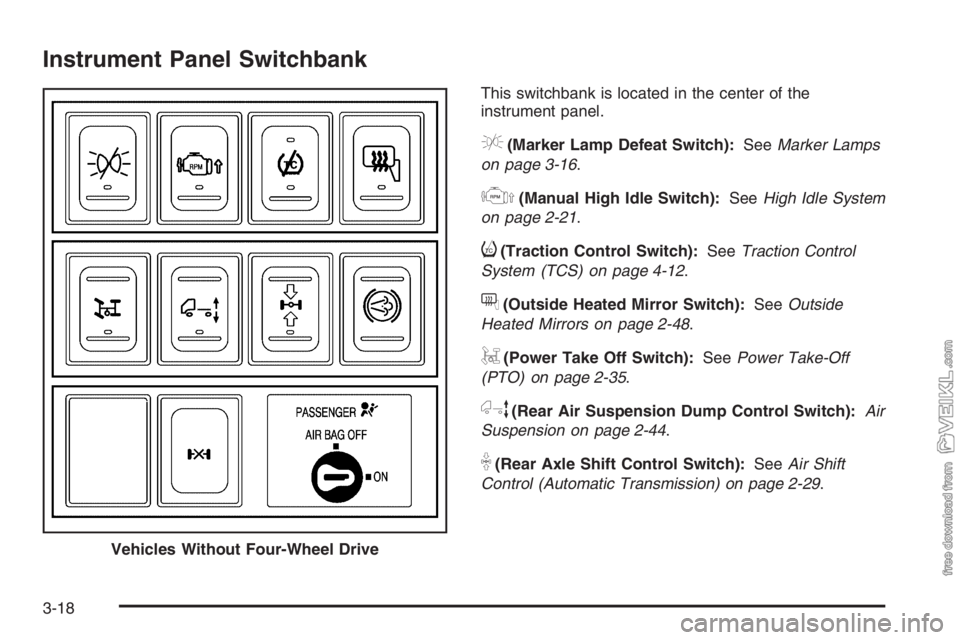
This switchbank is located in the center of the
instrument panel.
e(Marker Lamp Defeat Switch):SeeMarker Lamps
on page 3-16.
j(Manual High Idle Switch):SeeHigh Idle System
on page 2-21.
i(Traction Control Switch):SeeTraction Control
System (TCS) on page 4-12.
f(Outside Heated Mirror Switch):SeeOutside
Heated Mirrors on page 2-48.
g(Power Take Off Switch):SeePower Take-Off
(PTO) on page 2-35.
h(Rear Air Suspension Dump Control Switch):Air
Suspension on page 2-44.
k(Rear Axle Shift Control Switch):SeeAir Shift
Control (Automatic Transmission) on page 2-29.
Vehicles Without Four-Wheel Drive
3-18
Page 139 of 398
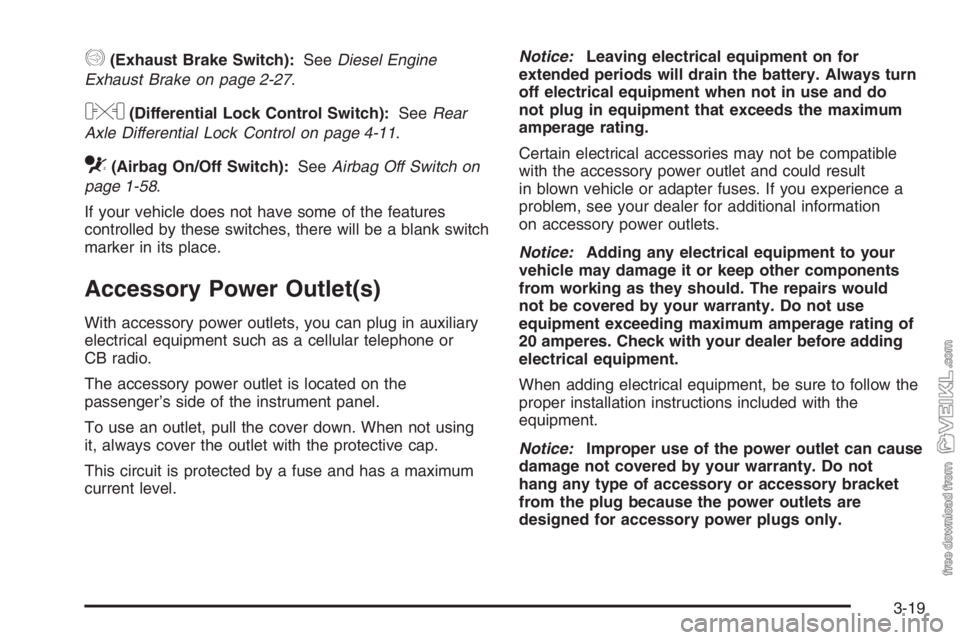
q(Exhaust Brake Switch):SeeDiesel Engine
Exhaust Brake on page 2-27.
l(Differential Lock Control Switch):SeeRear
Axle Differential Lock Control on page 4-11.
c(Airbag On/Off Switch):SeeAirbag Off Switch on
page 1-58.
If your vehicle does not have some of the features
controlled by these switches, there will be a blank switch
marker in its place.
Accessory Power Outlet(s)
With accessory power outlets, you can plug in auxiliary
electrical equipment such as a cellular telephone or
CB radio.
The accessory power outlet is located on the
passenger’s side of the instrument panel.
To use an outlet, pull the cover down. When not using
it, always cover the outlet with the protective cap.
This circuit is protected by a fuse and has a maximum
current level.Notice:Leaving electrical equipment on for
extended periods will drain the battery. Always turn
off electrical equipment when not in use and do
not plug in equipment that exceeds the maximum
amperage rating.
Certain electrical accessories may not be compatible
with the accessory power outlet and could result
in blown vehicle or adapter fuses. If you experience a
problem, see your dealer for additional information
on accessory power outlets.
Notice:Adding any electrical equipment to your
vehicle may damage it or keep other components
from working as they should. The repairs would
not be covered by your warranty. Do not use
equipment exceeding maximum amperage rating of
20 amperes. Check with your dealer before adding
electrical equipment.
When adding electrical equipment, be sure to follow the
proper installation instructions included with the
equipment.
Notice:Improper use of the power outlet can cause
damage not covered by your warranty. Do not
hang any type of accessory or accessory bracket
from the plug because the power outlets are
designed for accessory power plugs only.
3-19
Page 141 of 398
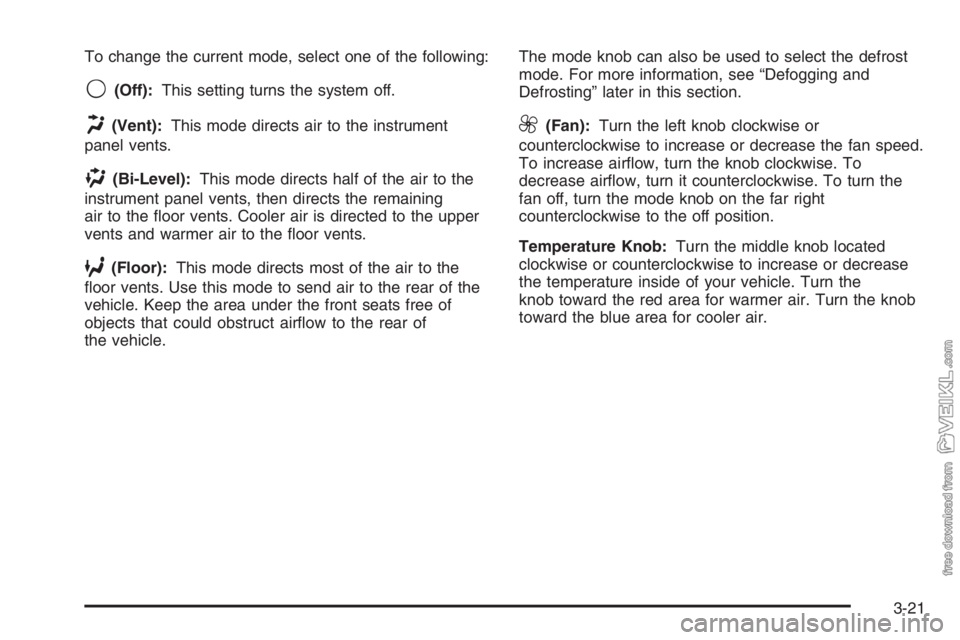
To change the current mode, select one of the following:
9(Off):This setting turns the system off.
H(Vent):This mode directs air to the instrument
panel vents.
)(Bi-Level):This mode directs half of the air to the
instrument panel vents, then directs the remaining
air to the floor vents. Cooler air is directed to the upper
vents and warmer air to the floor vents.
6(Floor):This mode directs most of the air to the
floor vents. Use this mode to send air to the rear of the
vehicle. Keep the area under the front seats free of
objects that could obstruct airflow to the rear of
the vehicle.The mode knob can also be used to select the defrost
mode. For more information, see “Defogging and
Defrosting” later in this section.
9(Fan):Turn the left knob clockwise or
counterclockwise to increase or decrease the fan speed.
To increase airflow, turn the knob clockwise. To
decrease airflow, turn it counterclockwise. To turn the
fan off, turn the mode knob on the far right
counterclockwise to the off position.
Temperature Knob:Turn the middle knob located
clockwise or counterclockwise to increase or decrease
the temperature inside of your vehicle. Turn the
knob toward the red area for warmer air. Turn the knob
toward the blue area for cooler air.
3-21
Page 142 of 398
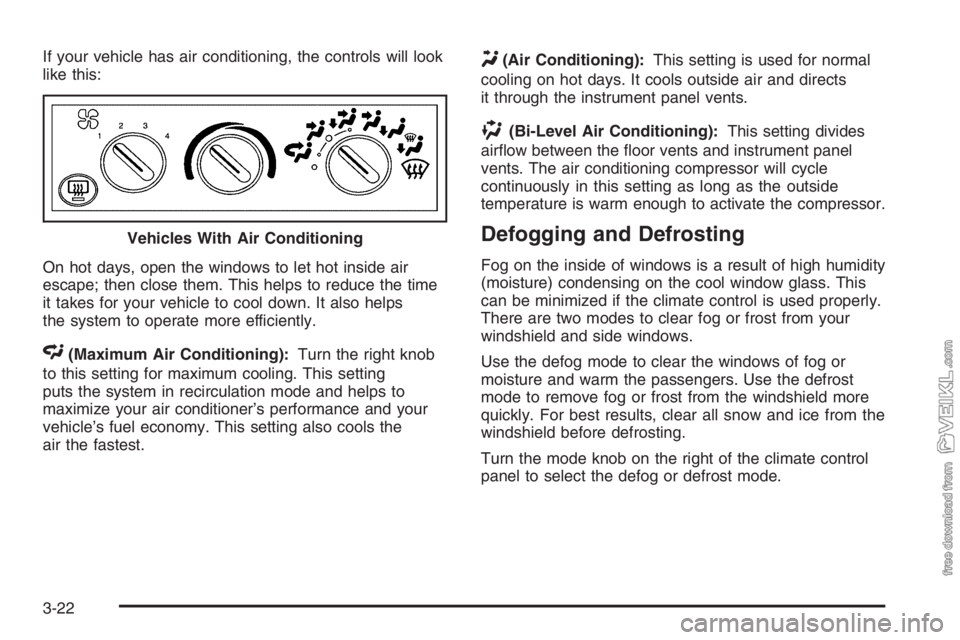
If your vehicle has air conditioning, the controls will look
like this:
On hot days, open the windows to let hot inside air
escape; then close them. This helps to reduce the time
it takes for your vehicle to cool down. It also helps
the system to operate more efficiently.
<(Maximum Air Conditioning):Turn the right knob
to this setting for maximum cooling. This setting
puts the system in recirculation mode and helps to
maximize your air conditioner’s performance and your
vehicle’s fuel economy. This setting also cools the
air the fastest.
Y(Air Conditioning):This setting is used for normal
cooling on hot days. It cools outside air and directs
it through the instrument panel vents.
)(Bi-Level Air Conditioning):This setting divides
airflow between the floor vents and instrument panel
vents. The air conditioning compressor will cycle
continuously in this setting as long as the outside
temperature is warm enough to activate the compressor.
Defogging and Defrosting
Fog on the inside of windows is a result of high humidity
(moisture) condensing on the cool window glass. This
can be minimized if the climate control is used properly.
There are two modes to clear fog or frost from your
windshield and side windows.
Use the defog mode to clear the windows of fog or
moisture and warm the passengers. Use the defrost
mode to remove fog or frost from the windshield more
quickly. For best results, clear all snow and ice from the
windshield before defrosting.
Turn the mode knob on the right of the climate control
panel to select the defog or defrost mode. Vehicles With Air Conditioning
3-22
Page 144 of 398
Outlet Adjustment
Your vehicle has air outlets on the instrument panel that
allow you to adjust the direction and amount of airflow
inside the vehicle.
Move the lever on the outlet up or down to direct the
airflow. Increase or reduce the amount of airflow
by opening and closing the louvers. The outlets can be
moved side-to-side to direct the airflow.
Operation Tips
•
Keep the hood and front air inlets free of ice, snow,
or any other obstruction (such as leaves). The
heater and defroster will work far better, reducing
the chance of fogging the inside of your windows.
•Keep the air path under the front seats clear
of objects. This helps air to circulate throughout
your vehicle.
•Adding outside equipment to the front of your
vehicle, such as hood-air deflectors, may affect the
performance of the heating and air conditioning
system. Check with your dealer before adding
equipment to the outside of your vehicle.
Rear Heating System
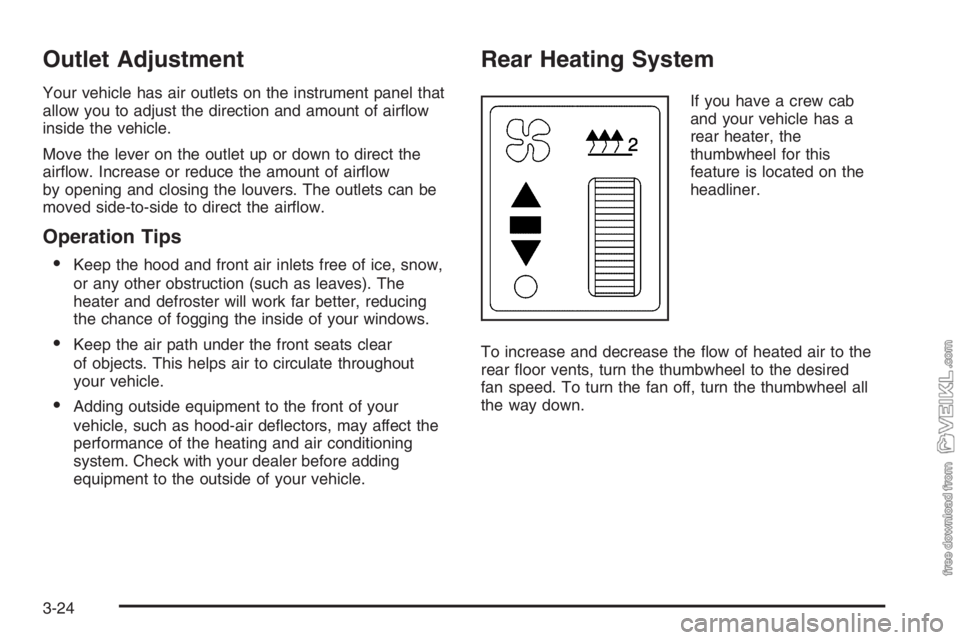
If you have a crew cab
and your vehicle has a
rear heater, the
thumbwheel for this
feature is located on the
headliner.
To increase and decrease the flow of heated air to the
rear floor vents, turn the thumbwheel to the desired
fan speed. To turn the fan off, turn the thumbwheel all
the way down.
3-24
Page 146 of 398
Instrument Panel Cluster
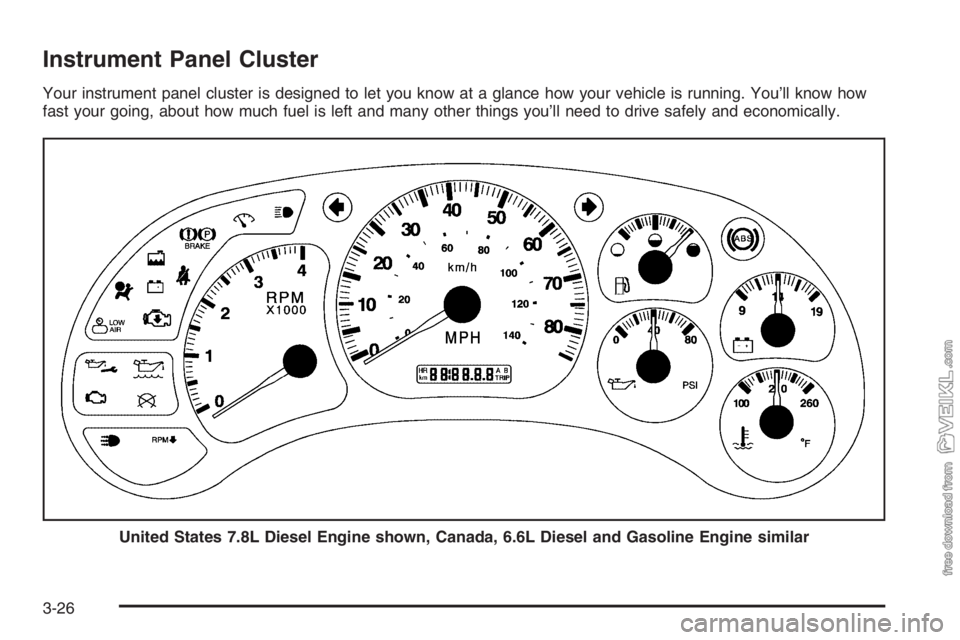
Your instrument panel cluster is designed to let you know at a glance how your vehicle is running. You’ll know how
fast your going, about how much fuel is left and many other things you’ll need to drive safely and economically.
United States 7.8L Diesel Engine shown, Canada, 6.6L Diesel and Gasoline Engine similar
3-26
Page 149 of 398
Airbag Readiness Light
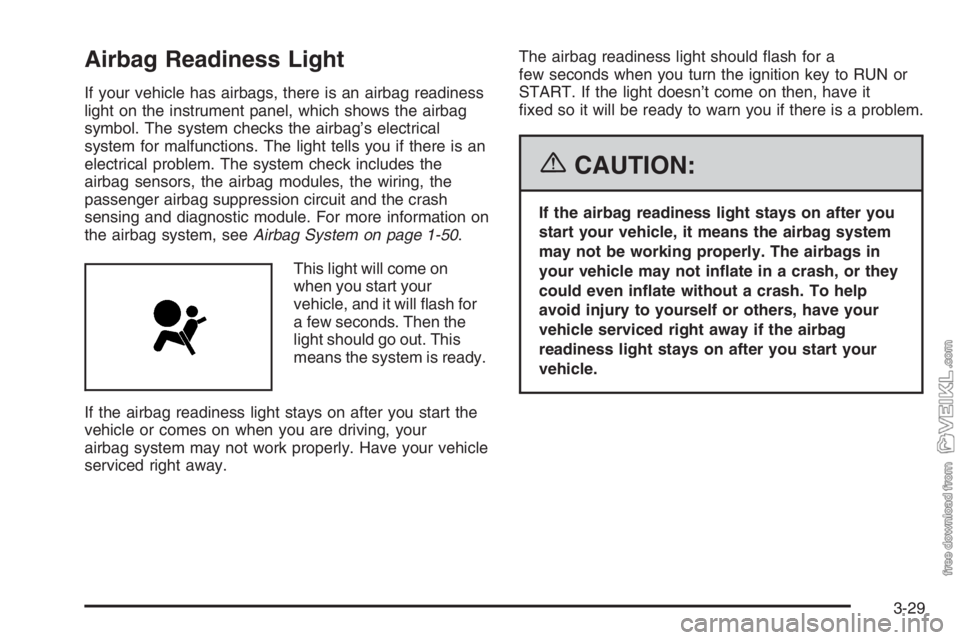
If your vehicle has airbags, there is an airbag readiness
light on the instrument panel, which shows the airbag
symbol. The system checks the airbag’s electrical
system for malfunctions. The light tells you if there is an
electrical problem. The system check includes the
airbag sensors, the airbag modules, the wiring, the
passenger airbag suppression circuit and the crash
sensing and diagnostic module. For more information on
the airbag system, seeAirbag System on page 1-50.
This light will come on
when you start your
vehicle, and it will flash for
a few seconds. Then the
light should go out. This
means the system is ready.
If the airbag readiness light stays on after you start the
vehicle or comes on when you are driving, your
airbag system may not work properly. Have your vehicle
serviced right away.The airbag readiness light should flash for a
few seconds when you turn the ignition key to RUN or
START. If the light doesn’t come on then, have it
fixed so it will be ready to warn you if there is a problem.
{CAUTION:
If the airbag readiness light stays on after you
start your vehicle, it means the airbag system
may not be working properly. The airbags in
your vehicle may not inate in a crash, or they
could even inate without a crash. To help
avoid injury to yourself or others, have your
vehicle serviced right away if the airbag
readiness light stays on after you start your
vehicle.
3-29
Page 151 of 398
{CAUTION:
If the airbag readiness light ever comes on
when you have turned off the airbag, it means
that something may be wrong with the airbag
system. The right front passenger’s airbag
could inate even though the switch is off. If
this ever happens, do not let anyone whom the
national government has identied as a
member of a passenger airbag risk group sit in
the right front passenger’s position (for
example, do not secure a rear-facing child
restraint in the right front passenger’s seat)
until you have your vehicle serviced. See
Airbag Off Switch on page 1-58andAirbag
Readiness Light on page 3-29for more on this,
including important safety information.
Charging System Light
The charging system light
may be located in the
instrument panel cluster, or
with the auxiliary warning
lights in the center of
the instrument panel.
It should come on briefly when you turn on the ignition,
before the engine is running, as a check to show
that it is working.
If it stays on, or comes on while you are driving, have
your vehicle checked right away. You could have a loose
generator drive belt or some other problem.
Driving while this light is on will drain your battery. If you
must drive a short distance with the light on, turn off
your radio and other accessories. Sustained driving with
a generator failure could result in a lack of back-up
braking if the engine quits or the power steering pump
should fail.
3-31
Page 152 of 398
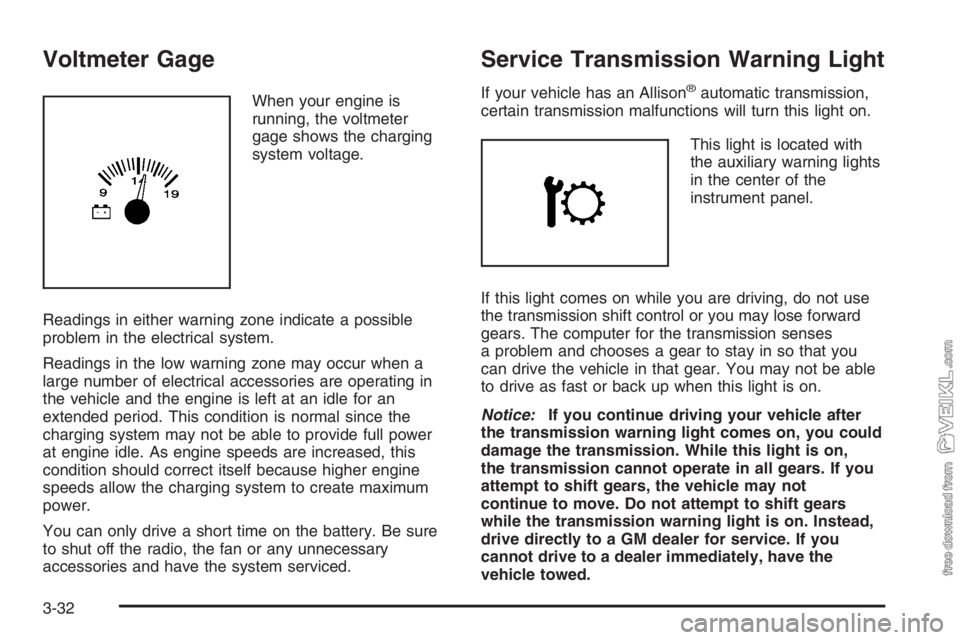
Voltmeter Gage
When your engine is
running, the voltmeter
gage shows the charging
system voltage.
Readings in either warning zone indicate a possible
problem in the electrical system.
Readings in the low warning zone may occur when a
large number of electrical accessories are operating in
the vehicle and the engine is left at an idle for an
extended period. This condition is normal since the
charging system may not be able to provide full power
at engine idle. As engine speeds are increased, this
condition should correct itself because higher engine
speeds allow the charging system to create maximum
power.
You can only drive a short time on the battery. Be sure
to shut off the radio, the fan or any unnecessary
accessories and have the system serviced.
Service Transmission Warning Light
If your vehicle has an Allison®automatic transmission,
certain transmission malfunctions will turn this light on.
This light is located with
the auxiliary warning lights
in the center of the
instrument panel.
If this light comes on while you are driving, do not use
the transmission shift control or you may lose forward
gears. The computer for the transmission senses
a problem and chooses a gear to stay in so that you
can drive the vehicle in that gear. You may not be able
to drive as fast or back up when this light is on.
Notice:If you continue driving your vehicle after
the transmission warning light comes on, you could
damage the transmission. While this light is on,
the transmission cannot operate in all gears. If you
attempt to shift gears, the vehicle may not
continue to move. Do not attempt to shift gears
while the transmission warning light is on. Instead,
drive directly to a GM dealer for service. If you
cannot drive to a dealer immediately, have the
vehicle towed.
3-32