set CHEVROLET KODIAK 2007 Owner's Manual
[x] Cancel search | Manufacturer: CHEVROLET, Model Year: 2007, Model line: KODIAK, Model: CHEVROLET KODIAK 2007Pages: 430, PDF Size: 6.06 MB
Page 138 of 430
Engine Coolant Temperature Gage............ 173
Low Coolant Warning Light....................... 173
Wait to Start Indicator............................... 174
Malfunction Indicator Lamp........................ 174
Oil Pressure Gage..................................... 175
Low Oil Level Light................................... 176
Change Engine Oil Light........................... 176
Engine Overspeed Warning Light.............. 177
Engine Shutdown Warning Light................ 177
Transmission Temperature Gage............... 178
Exhaust Brake Indicator Light.................... 178
Differential Lock Indicator Light.................. 178
Reduced Engine Power Light.................... 179
Highbeam On Light................................... 179
Daytime Running Lamps (DRL)
Indicator Light........................................ 179
Low Washer Fluid Warning Light............... 180
Check Gages Warning Light...................... 180
Fuel Gage................................................. 181Water in Fuel Warning Light...................... 182
Air Filter Restriction Indicator..................... 182
Air Pressure Gage..................................... 183
Hourmeter Gage........................................ 183
Audio System(s)......................................... 184
Setting the Time........................................ 185
AM-FM Radio............................................ 186
Radio with Cassette.................................. 189
Radio with CD........................................... 195
Theft-Deterrent Feature
(Non-RDS Radios)................................. 201
Radio Reception........................................ 201
Care of the Cassette Tape Player............. 202
Care of Your CDs..................................... 203
Care of the CD Player.............................. 204
Fixed Mast Antenna.................................. 204
Chime Level Adjustment............................ 204
Section 3 Instrument Panel
138
Page 142 of 430
Hazard Warning Flashers
The hazard warning flashers warn others. They
also let police know you have a problem.
Your front and rear turn signal lamps will flash
on and off.
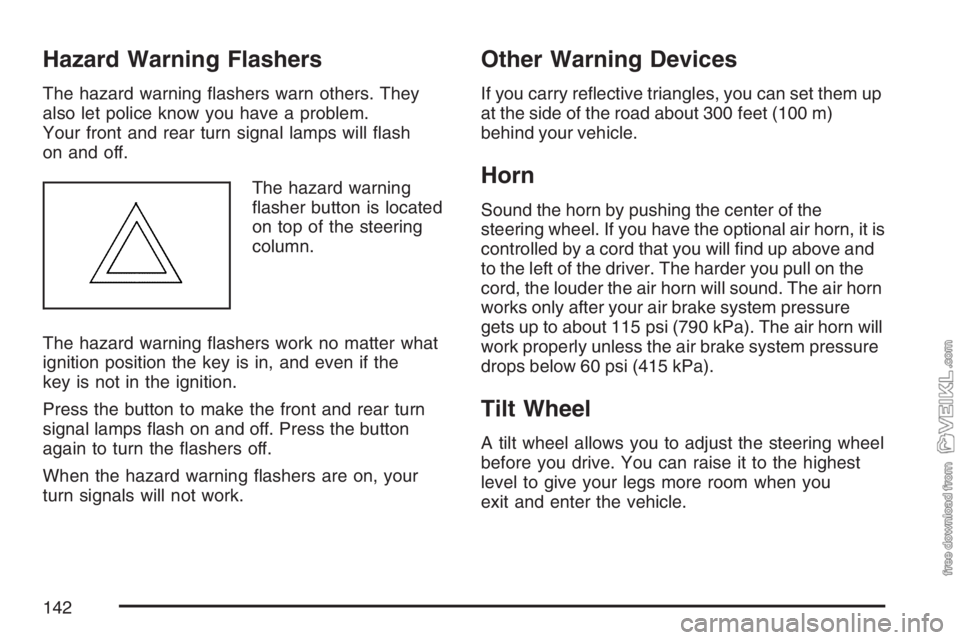
The hazard warning
flasher button is located
on top of the steering
column.
The hazard warning flashers work no matter what
ignition position the key is in, and even if the
key is not in the ignition.
Press the button to make the front and rear turn
signal lamps flash on and off. Press the button
again to turn the flashers off.
When the hazard warning flashers are on, your
turn signals will not work.
Other Warning Devices
If you carry reflective triangles, you can set them up
at the side of the road about 300 feet (100 m)
behind your vehicle.
Horn
Sound the horn by pushing the center of the
steering wheel. If you have the optional air horn, it is
controlled by a cord that you will find up above and
to the left of the driver. The harder you pull on the
cord, the louder the air horn will sound. The air horn
works only after your air brake system pressure
gets up to about 115 psi (790 kPa). The air horn will
work properly unless the air brake system pressure
drops below 60 psi (415 kPa).
Tilt Wheel
A tilt wheel allows you to adjust the steering wheel
before you drive. You can raise it to the highest
level to give your legs more room when you
exit and enter the vehicle.
142
Page 145 of 430
Windshield Wipers
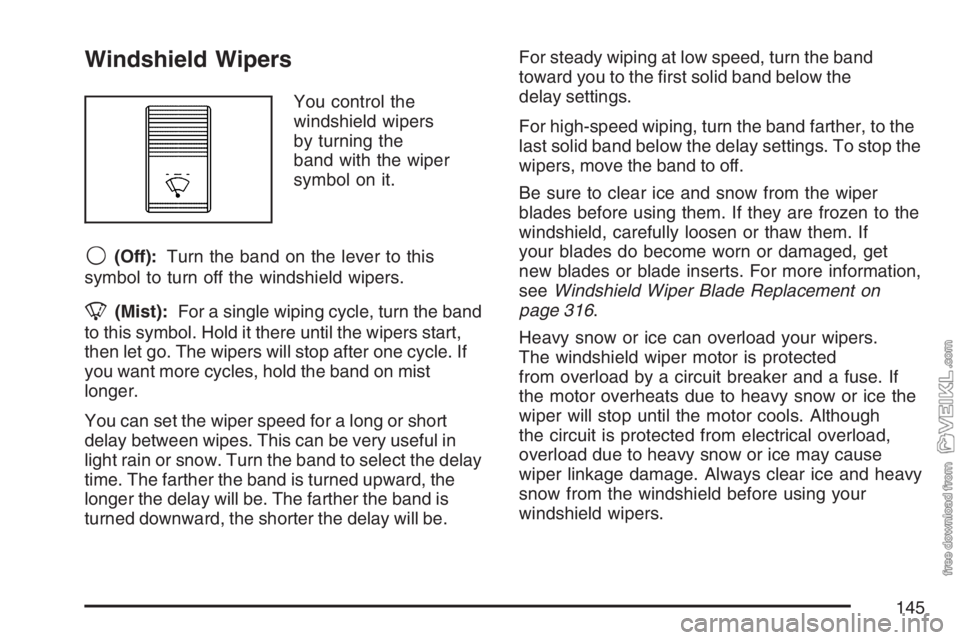
You control the
windshield wipers
by turning the
band with the wiper
symbol on it.
9(Off):Turn the band on the lever to this
symbol to turn off the windshield wipers.
8(Mist):For a single wiping cycle, turn the band
to this symbol. Hold it there until the wipers start,
then let go. The wipers will stop after one cycle. If
you want more cycles, hold the band on mist
longer.
You can set the wiper speed for a long or short
delay between wipes. This can be very useful in
light rain or snow. Turn the band to select the delay
time. The farther the band is turned upward, the
longer the delay will be. The farther the band is
turned downward, the shorter the delay will be.For steady wiping at low speed, turn the band
toward you to the first solid band below the
delay settings.
For high-speed wiping, turn the band farther, to the
last solid band below the delay settings. To stop the
wipers, move the band to off.
Be sure to clear ice and snow from the wiper
blades before using them. If they are frozen to the
windshield, carefully loosen or thaw them. If
your blades do become worn or damaged, get
new blades or blade inserts. For more information,
seeWindshield Wiper Blade Replacement on
page 316.
Heavy snow or ice can overload your wipers.
The windshield wiper motor is protected
from overload by a circuit breaker and a fuse. If
the motor overheats due to heavy snow or ice the
wiper will stop until the motor cools. Although
the circuit is protected from electrical overload,
overload due to heavy snow or ice may cause
wiper linkage damage. Always clear ice and heavy
snow from the windshield before using your
windshield wipers.
145
Page 146 of 430
Windshield Washer
L(Washer Fluid):There is a paddle marked
with the windshield washer symbol at the top of the
multifunction lever. To spray washer fluid on the
windshield, press the paddle. The wipers will clear
the window and then either stop or return to
your preset speed.
{CAUTION:
In freezing weather, do not use your
washer until the windshield is warmed.
Otherwise the washer uid can form ice
on the windshield, blocking your vision.
Cruise Control
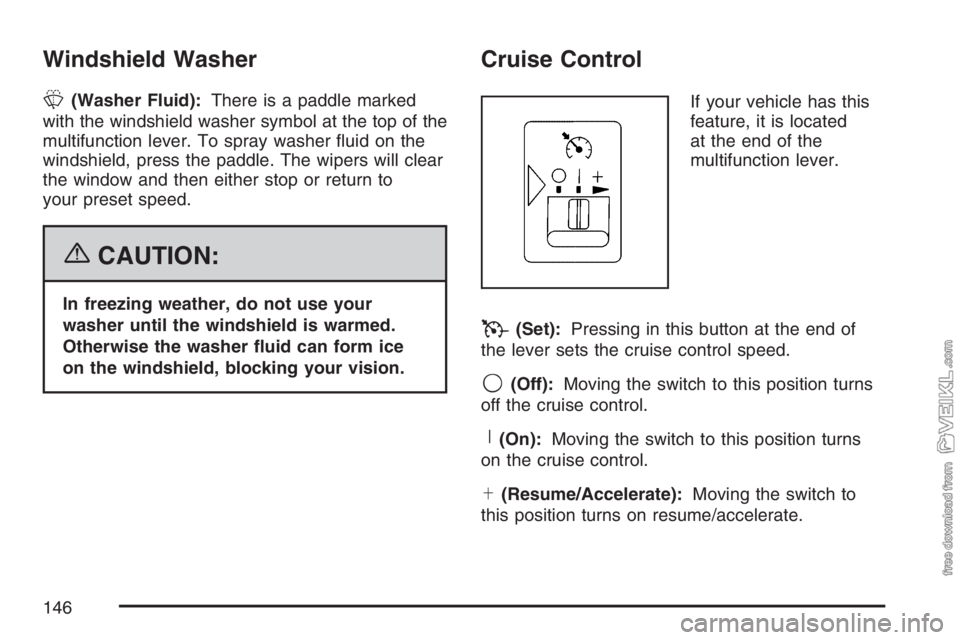
If your vehicle has this
feature, it is located
at the end of the
multifunction lever.
T(Set):Pressing in this button at the end of
the lever sets the cruise control speed.
9(Off):Moving the switch to this position turns
off the cruise control.
R(On):Moving the switch to this position turns
on the cruise control.
S(Resume/Accelerate):Moving the switch to
this position turns on resume/accelerate.
146
Page 147 of 430
With cruise control, you can maintain a speed
of about 25 mph (40 km/h) or more without
keeping your foot on the accelerator. Cruise
control does not work at speeds below about
25 mph (40 km/h).
If you have an automatic transmission and you
apply your brakes, the cruise control will shut off.
If you have a manual transmission and you
apply your brakes or push the clutch pedal, the
cruise control will shut off.
{CAUTION:
Cruise control can be dangerous where
you cannot drive safely at a steady speed.
So, do not use your cruise control on
winding roads or in heavy traffic.
Cruise control can be dangerous on
slippery roads. On such roads, fast
changes in tire traction can cause
excessive wheel slip, and you could lose
control. Do not use cruise control on
slippery roads.
Setting Cruise Control
{CAUTION:
If you leave your cruise control on when
you are not using cruise, you might hit a
button and go into cruise when you do not
want to. You could be startled and even
lose control. Keep the cruise control switch
off until you want to use cruise control.
1. Move the cruise control switch to on.
2. Get up to the speed you want.
3. Press in the set button at the end of the lever
and release it.
4. Take your foot off the accelerator pedal. The
accelerator pedal will not go down.
147
Page 148 of 430
Resuming a Set Speed
Suppose you set your cruise control at a desired
speed and then you apply the brake. This, of
course, shuts off the cruise control. But you don’t
need to reset it.
Once you’re going about 25 mph (40 km/h) or
more, you can move the cruise control switch
briefly from on to resume/accelerate.
The vehicle will return to your chosen speed and
stay there.
If you hold the switch at resume/accelerate, the
vehicle will keep going faster until you release the
switch or apply the brake. So unless you want
to go faster, don’t hold the switch at
resume/accelerate.
Increasing Speed While Using
Cruise Control
There are two ways to go to a higher speed:
•Use the accelerator pedal to get to the higher
speed. Press the button at the end of the
lever, then release the button and the
accelerator pedal. You’ll now cruise at the
higher speed.
•Move the cruise switch from on to resume/
accelerate. Hold it there until you get up to the
speed you want, and then release the switch.
To increase your speed in very small amounts,
move the switch briefly to resume/accelerate.
Each time you do this, your vehicle will go
about 1 mph (1.6 km/h) faster.
Reducing Speed While Using
Cruise Control
Press in the button at the end of the lever until you
reach the lower speed you want, then release it.
To slow down in very small amounts, tap the
button briefly. Each time you do this, you’ll
go 1 mph (1.6 km/h) slower.
148
Page 149 of 430
Passing Another Vehicle While Using
Cruise Control
Use the accelerator pedal to increase your speed.
When you take your foot off the pedal, your
vehicle will slow down to the cruise control speed
you set earlier.
Using Cruise Control on Hills
How well your cruise control will work on hills
depends upon your speed, load and the steepness
of the hills. When going up steep hills, you may
want to step on the accelerator pedal to maintain
your speed. When going downhill, you may
have to brake or shift to a lower gear to keep your
speed down. Of course, applying the brake or
clutch takes you out of cruise control. Many drivers
find this to be too much trouble and don’t use
cruise control on steep hills.
If your vehicle is equipped with the exhaust brake
option and the exhaust brake is turned on, the
exhaust brake may come on and try to slow down
the vehicle to the set cruise control speed if the
vehicle has accelerated past the set cruise control
speed while going downhill.
Ending Cruise Control
There are four different ways to turn off the
cruise control:
•Step lightly on the brake pedal (manual and
automatic transmissions).
•Press the clutch pedal to the floor (manual
transmissions).
•Move the cruise switch to off, or
•Shift the transmission to NEUTRAL (N).
Erasing Speed Memory
When you turn off the ignition, your cruise control
set speed memory is erased.
149
Page 151 of 430
Daytime Running Lamps (DRL)
Daytime Running Lamps (DRL) can make it easier
for others to see the front of your vehicle during
the day. DRL can be helpful in many different
driving conditions, but they can be especially
helpful in the short periods after dawn and before
sunset. Fully functional daytime running lamps
are required on all vehicles first sold in Canada.
The DRL system will make your headlamps come
on at reduced brightness when the following
conditions are met:
•The ignition is on,
•the exterior lamp control is off, and
•the parking brake is released.
When the DRL are on, only your headlamps will
be on. The taillamps, sidemarker and other lamps
won’t be on. Your instrument panel won’t be lit
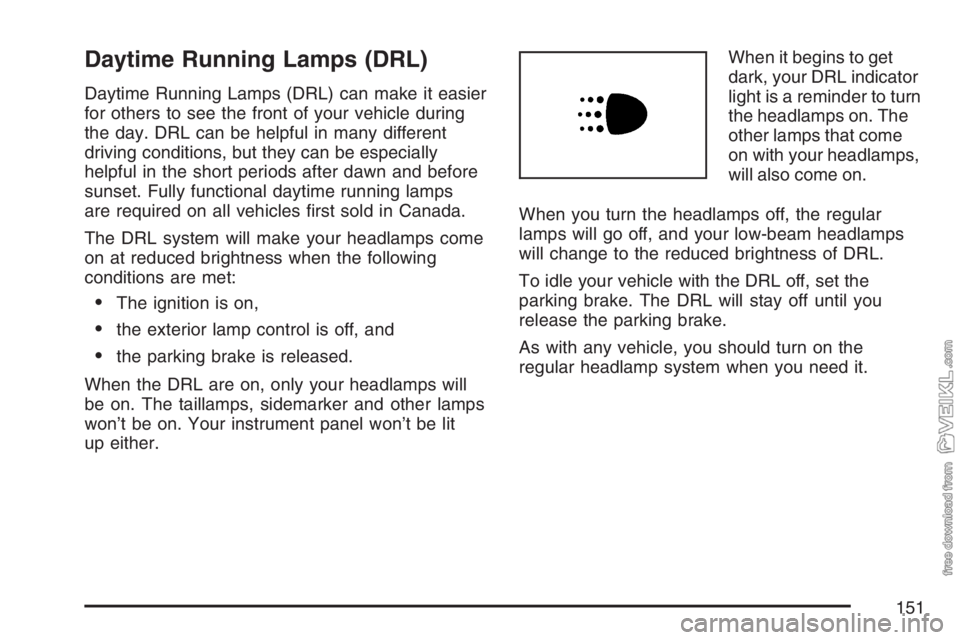
up either.When it begins to get
dark, your DRL indicator
light is a reminder to turn
the headlamps on. The
other lamps that come
on with your headlamps,
will also come on.
When you turn the headlamps off, the regular
lamps will go off, and your low-beam headlamps
will change to the reduced brightness of DRL.
To idle your vehicle with the DRL off, set the
parking brake. The DRL will stay off until you
release the parking brake.
As with any vehicle, you should turn on the
regular headlamp system when you need it.
151
Page 153 of 430
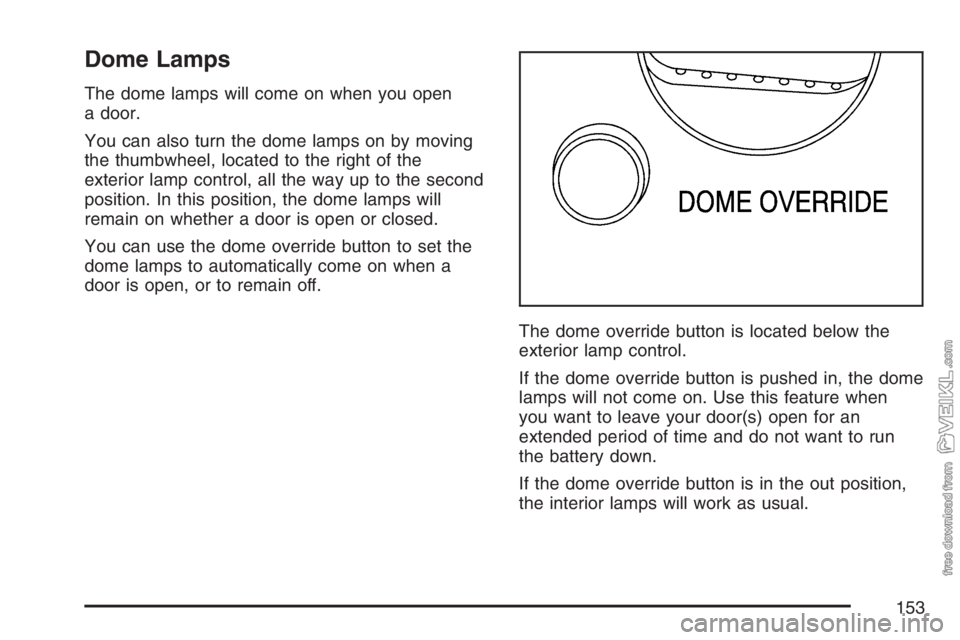
Dome Lamps
The dome lamps will come on when you open
a door.
You can also turn the dome lamps on by moving
the thumbwheel, located to the right of the
exterior lamp control, all the way up to the second
position. In this position, the dome lamps will
remain on whether a door is open or closed.
You can use the dome override button to set the
dome lamps to automatically come on when a
door is open, or to remain off.
The dome override button is located below the
exterior lamp control.
If the dome override button is pushed in, the dome
lamps will not come on. Use this feature when
you want to leave your door(s) open for an
extended period of time and do not want to run
the battery down.
If the dome override button is in the out position,
the interior lamps will work as usual.
153
Page 158 of 430
To change the current mode, select one of the
following:
9(Off):This setting turns the system off.
H(Vent):This mode directs air to the instrument
panel vents.
)(Bi-Level):This mode directs half of the air to
the instrument panel vents, then directs the
remaining air to the floor vents. Cooler air is
directed to the upper vents and warmer air to the
floor vents.
6(Floor):This mode directs most of the air to
the floor vents. Use this mode to send air to
the rear of the vehicle. Keep the area under the
front seats free of objects that could obstruct
airflow to the rear of the vehicle.
The mode knob can also be used to select the
defrost mode. For more information, see
“Defogging and Defrosting” later in this section.
9(Fan):Turn the left knob clockwise or
counterclockwise to increase or decrease the fan
speed. To increase airflow, turn the knob clockwise.
To decrease airflow, turn it counterclockwise. To
turn the fan off, turn the mode knob on the far right
counterclockwise to the off position.Temperature Knob:Turn the middle knob
located clockwise or counterclockwise to increase
or decrease the temperature inside of your
vehicle. Turn the knob toward the red area for
warmer air. Turn the knob toward the blue area for
cooler air.
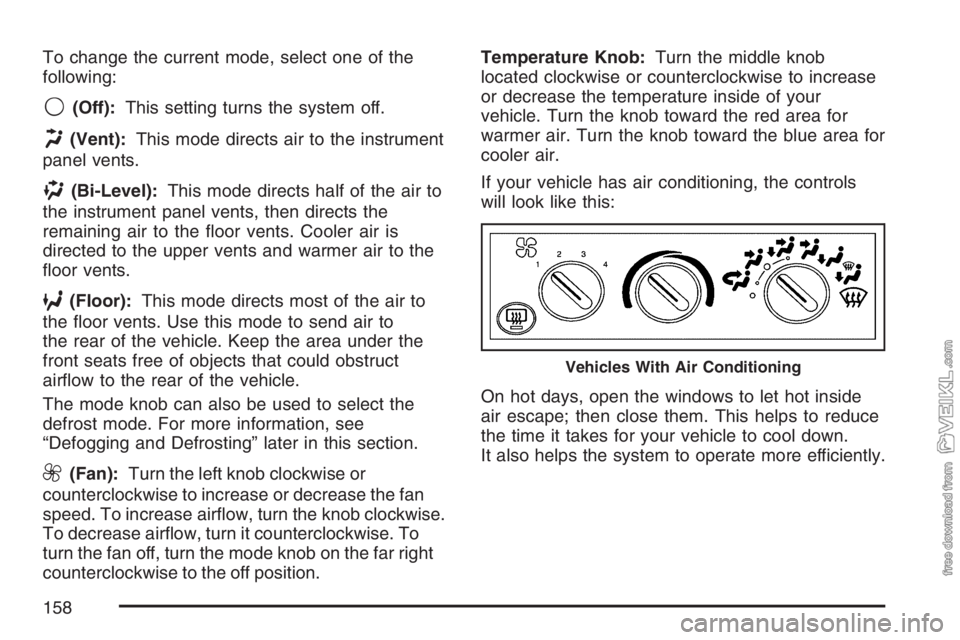
If your vehicle has air conditioning, the controls
will look like this:
On hot days, open the windows to let hot inside
air escape; then close them. This helps to reduce
the time it takes for your vehicle to cool down.
It also helps the system to operate more efficiently.
Vehicles With Air Conditioning
158