set CHEVROLET KODIAK 2007 Owner's Guide
[x] Cancel search | Manufacturer: CHEVROLET, Model Year: 2007, Model line: KODIAK, Model: CHEVROLET KODIAK 2007Pages: 430, PDF Size: 6.06 MB
Page 159 of 430
<(Maximum Air Conditioning):Turn the right
knob to this setting for maximum cooling. This
setting puts the system in recirculation mode and
helps to maximize your air conditioner’s
performance and your vehicle’s fuel economy.
This setting also cools the air the fastest.
Y(Air Conditioning):This setting is used for
normal cooling on hot days. It cools outside air and
directs it through the instrument panel vents.
)(Bi-Level Air Conditioning):This setting
divides airflow between the floor vents and
instrument panel vents. The air conditioning
compressor will cycle continuously in this setting
as long as the outside temperature is warm
enough to activate the compressor.
Defogging and Defrosting
Fog on the inside of windows is a result of high
humidity (moisture) condensing on the cool window
glass. This can be minimized if the climate
control is used properly. There are two modes to
clear fog or frost from your windshield and
side windows.Use the defog mode to clear the windows of fog or
moisture and warm the passengers. Use the defrost
mode to remove fog or frost from the windshield
more quickly. For best results, clear all snow and
ice from the windshield before defrosting.
Turn the mode knob on the right of the climate
control panel to select the defog or defrost mode.
-(Defog):With this setting, the outside air
comes out of both the floor and defroster outlets.
Adjust the temperature knob for warmer or
cooler air. The air conditioning compressor may
operate in this setting to dehumidify the air.
0(Defrost):This setting operates the defroster.
Most of the air comes out near the windshield,
with some going to the floor outlets and front side
windows. The air conditioning compressor may
operate in this setting to dehumidify the air.
The defog setting is useful for cold weather with a
large number of passengers or very humid
conditions to help keep the windshield clear. Use
defrost to remove fog or ice from the windshield
quickly in extremely cold conditions. The
temperature knob should be in the red area and
the fan control toward high. Do not drive the
vehicle until all the windows are clear.
159
Page 163 of 430
Speedometer and Odometer
Your speedometer lets you see your speed
in both miles per hour (mph) and kilometers per
hour (km/h).
Your odometer shows how far your vehicle
has been driven, in either miles (used in the
United States) or kilometers (used in Canada).
Trip Odometer
The trip odometer can tell you how far your
vehicle has been driven since you last set the trip
odometer to zero.
While the engine is running, press the reset
button, located to the right of the trip odometer, to
toggle between the trip odometer and the
regular odometer. Holding the reset button for
two seconds while the engine is running and the
trip odometer is displayed, will reset it.
To display the odometer reading with the ignition
off, press the reset button.
The hourmeter gage is accessed through the trip
odometer, for more information seeHourmeter
Gage on page 183.
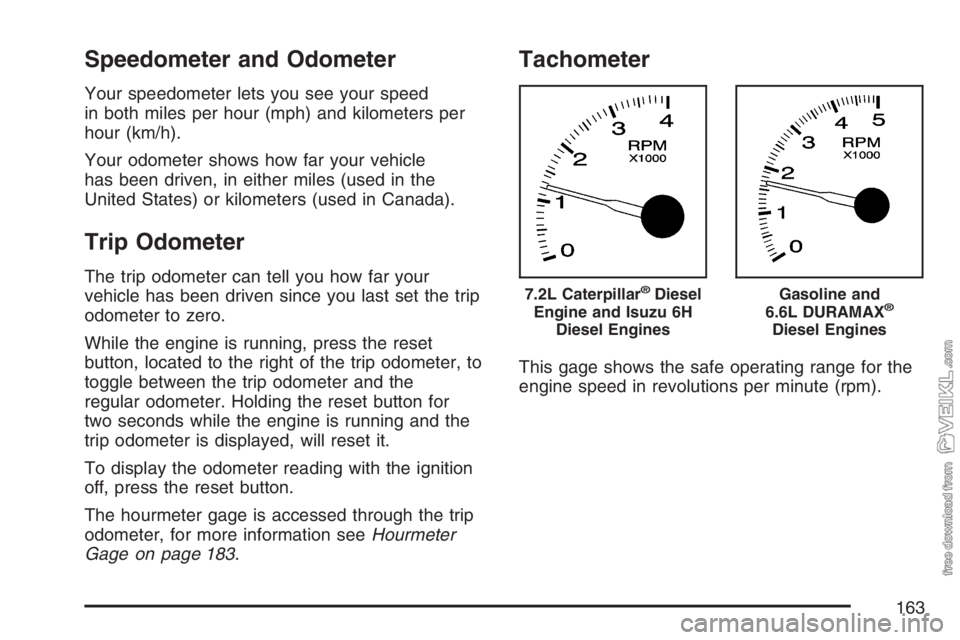
Tachometer
This gage shows the safe operating range for the
engine speed in revolutions per minute (rpm).
7.2L Caterpillar®Diesel
Engine and Isuzu 6H
Diesel EnginesGasoline and
6.6L DURAMAX®
Diesel Engines
163
Page 164 of 430
Engine Speed Limiter
All engines have electronic engine speed limiting.
The engine limited speeds range between
2,900 and 4,400 rpm depending on engine option
content.
Engine Road Speed Governor
This system controls maximum vehicle speed
automatically and reduces engine power
until vehicle speed gets down to maximum
governed speed.
The default setting for C4500 and C5500 models
up to 19,500 lbs GVWR is 80 to 85 mph
(128 to 136 km/h). Most other models have a
default setting of 75 mph (120 km/h), although
some tire sizes and tread patterns may limit
maximum speed to 55 to 65 mph (86 to 105 km/h).
You may have a label on the headliner of your
vehicle with more information on your engine
road speed governor. See your GM dealer
for assistance with programming your engine
limited speed.
Safety Belt Reminder Light
When the key is turned to RUN or START, a light
will come on for several seconds to remind
people to fasten their safety belts.
The safety belt light will
also come on and stay
on for several seconds.
Safety Belt Reminder Tone
If your vehicle has this feature, when you turn
your key to RUN or START, a tone will sound for
several seconds to remind people to fasten
their safety belts.
164
Page 171 of 430
Parking Brake Warning Light
This light will also come on when you set the
parking brake. The light will stay on if your parking
brake does not release fully.
Air Brake System Warning Light
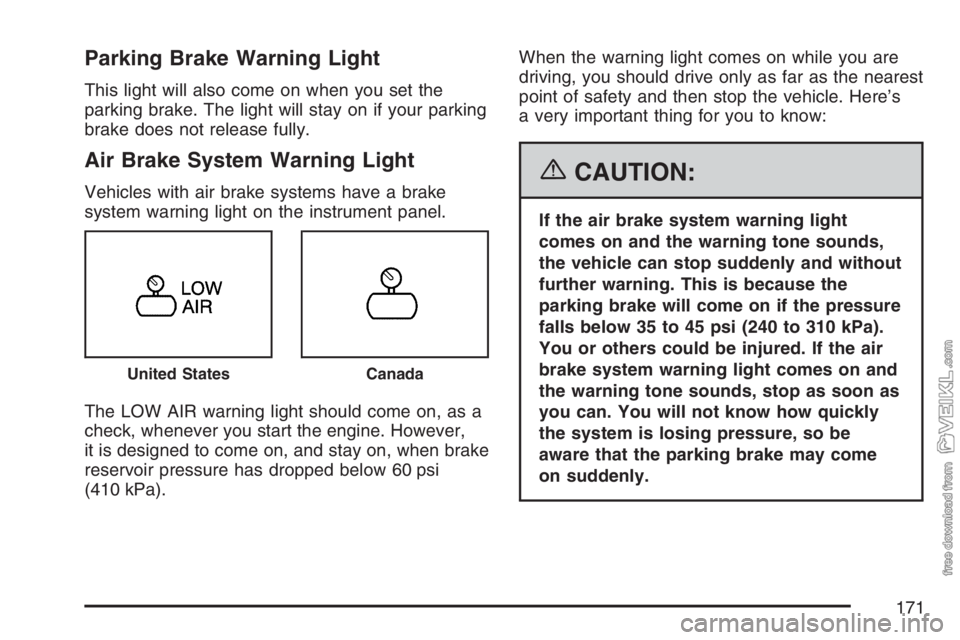
Vehicles with air brake systems have a brake
system warning light on the instrument panel.
The LOW AIR warning light should come on, as a
check, whenever you start the engine. However,
it is designed to come on, and stay on, when brake
reservoir pressure has dropped below 60 psi
(410 kPa).When the warning light comes on while you are
driving, you should drive only as far as the nearest
point of safety and then stop the vehicle. Here’s
a very important thing for you to know:{CAUTION:
If the air brake system warning light
comes on and the warning tone sounds,
the vehicle can stop suddenly and without
further warning. This is because the
parking brake will come on if the pressure
falls below 35 to 45 psi (240 to 310 kPa).
You or others could be injured. If the air
brake system warning light comes on and
the warning tone sounds, stop as soon as
you can. You will not know how quickly
the system is losing pressure, so be
aware that the parking brake may come
on suddenly.
United StatesCanada
171
Page 177 of 430
For additional information on when to change
engine oil for gasoline engines or DURAMAX®
diesel engines, seeEngine Oil (Caterpillar®Diesel
Engine) on page 268orEngine Oil (Gasoline
Engine) on page 268orEngine Oil (DURAMAX
®/
Isuzu Diesel Engine) on page 272andScheduled
Maintenance on page 363. To reset the change
engine oil light, seeEngine Oil Life System
(Gasoline Engine) on page 276orEngine Oil Life
System (DURAMAX
®Diesel) on page 278or
Engine Oil Life System (Caterpillar®Diesel Engine)
on page 279.
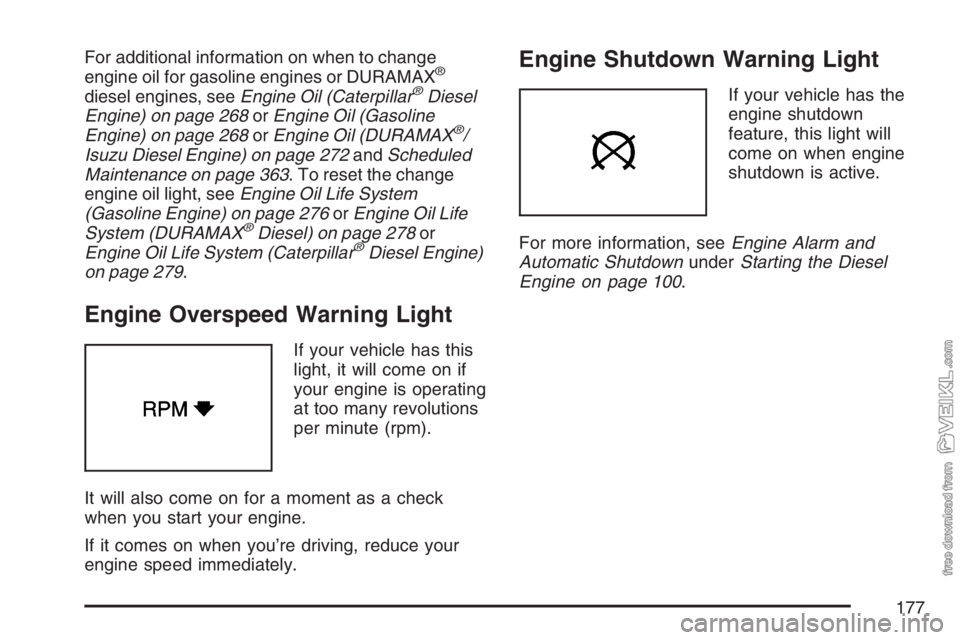
Engine Overspeed Warning Light
If your vehicle has this
light, it will come on if
your engine is operating
at too many revolutions
per minute (rpm).
It will also come on for a moment as a check
when you start your engine.
If it comes on when you’re driving, reduce your
engine speed immediately.
Engine Shutdown Warning Light
If your vehicle has the
engine shutdown
feature, this light will
come on when engine
shutdown is active.
For more information, seeEngine Alarm and
Automatic ShutdownunderStarting the Diesel
Engine on page 100.
177
Page 182 of 430
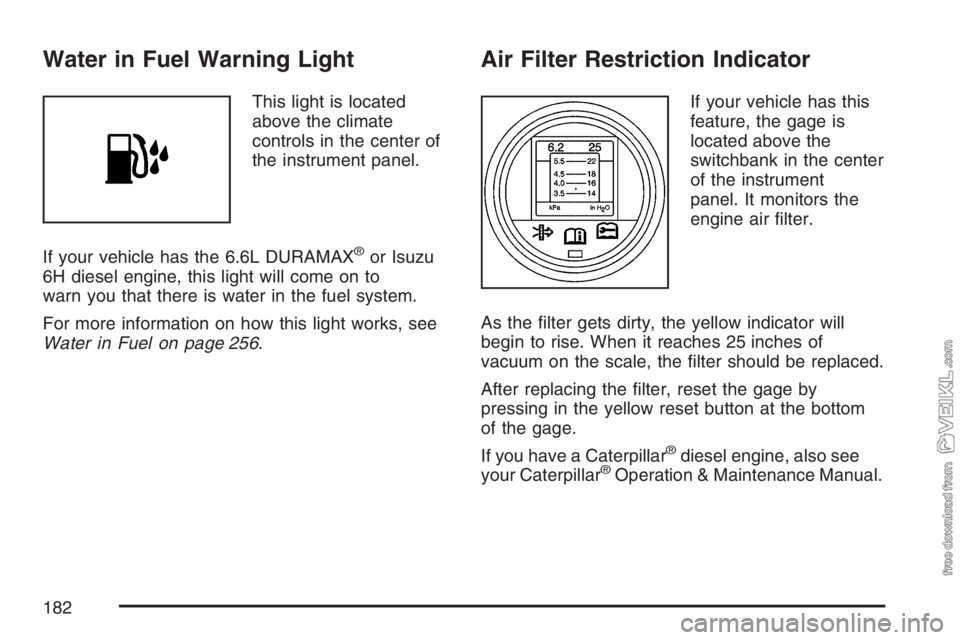
Water in Fuel Warning Light
This light is located
above the climate
controls in the center of
the instrument panel.
If your vehicle has the 6.6L DURAMAX
®or Isuzu
6H diesel engine, this light will come on to
warn you that there is water in the fuel system.
For more information on how this light works, see
Water in Fuel on page 256.
Air Filter Restriction Indicator
If your vehicle has this
feature, the gage is
located above the
switchbank in the center
of the instrument
panel. It monitors the
engine air filter.
As the filter gets dirty, the yellow indicator will
begin to rise. When it reaches 25 inches of
vacuum on the scale, the filter should be replaced.
After replacing the filter, reset the gage by
pressing in the yellow reset button at the bottom
of the gage.
If you have a Caterpillar
®diesel engine, also see
your Caterpillar®Operation & Maintenance Manual.
182
Page 183 of 430
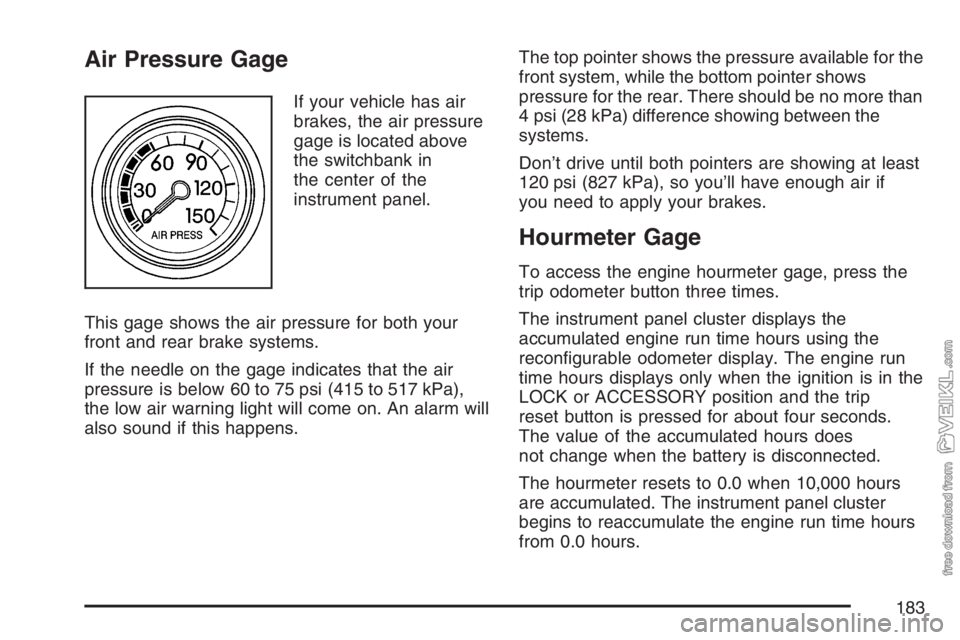
Air Pressure Gage
If your vehicle has air
brakes, the air pressure
gage is located above
the switchbank in
the center of the
instrument panel.
This gage shows the air pressure for both your
front and rear brake systems.
If the needle on the gage indicates that the air
pressure is below 60 to 75 psi (415 to 517 kPa),
the low air warning light will come on. An alarm will
also sound if this happens.The top pointer shows the pressure available for the
front system, while the bottom pointer shows
pressure for the rear. There should be no more than
4 psi (28 kPa) difference showing between the
systems.
Don’t drive until both pointers are showing at least
120 psi (827 kPa), so you’ll have enough air if
you need to apply your brakes.
Hourmeter Gage
To access the engine hourmeter gage, press the
trip odometer button three times.
The instrument panel cluster displays the
accumulated engine run time hours using the
reconfigurable odometer display. The engine run
time hours displays only when the ignition is in the
LOCK or ACCESSORY position and the trip
reset button is pressed for about four seconds.
The value of the accumulated hours does
not change when the battery is disconnected.
The hourmeter resets to 0.0 when 10,000 hours
are accumulated. The instrument panel cluster
begins to reaccumulate the engine run time hours
from 0.0 hours.
183
Page 184 of 430
Audio System(s)
If your vehicle came without a radio, the wiring
provisions for a radio and an antenna were
installed at the assembly plant, so that if you want,
a radio can be installed at the dealer.
Determine which radio your vehicle has and then
read the pages following to familiarize yourself
with its features.
Driving without distraction is a necessity for a
safer driving experience. SeeDefensive Driving on
page 206. By taking a few moments to read this
manual and get familiar with your vehicle’s
audio system, you can use it with less effort, as
well as take advantage of its features. While your
vehicle is parked, set up your audio system by
presetting your favorite radio stations, setting the
tone and adjusting the speakers. Then, when
driving conditions permit, you can tune to
your favorite stations using the presets and
steering wheel controls if the vehicle has them.{CAUTION:
This system provides you with a far greater
access to audio stations and song listings.
Giving extended attention to entertainment
tasks while driving can cause a crash and
you or others can be injured or killed.
Always keep your eyes on the road and
your mind on the drive — avoid engaging
in extended searching while driving.
Keeping your mind on the drive is important for
safe driving. For more information, seeDefensive
Driving on page 206.
Here are some ways in which you can help avoid
distraction while driving.
184
Page 185 of 430
While your vehicle is parked:
•Familiarize yourself with all of its controls.
•Familiarize yourself with its operation.
•Set up your audio system by presetting your
favorite radio stations, setting the tone, and
adjusting the speakers. Then, when driving
conditions permit, you can tune to your favorite
radio stations using the presets and steering
wheel controls if the vehicle has them.
Notice:Before adding any sound equipment to
your vehicle, such as an audio system, CD
player, CB radio, mobile telephone, or two-way
radio, make sure that it can be added by
checking with your dealer. Also, check federal
rules covering mobile radio and telephone
units. If sound equipment can be added, it is
very important to do it properly. Added sound
equipment may interfere with the operation of
your vehicle’s engine, radio, or other systems,
and even damage them. Your vehicle’s systems
may interfere with the operation of sound
equipment that has been added.Notice:The chime signals related to safety
belts, parking brake, and other functions
of your vehicle operate through the
radio/entertainment system. If that equipment
is replaced or additional equipment is added
to your vehicle, the chimes may not work. Make
sure that replacement or additional equipment
is compatible with your vehicle before
installing it.
Setting the Time
Press and hold the HR (down) or MIN (up) arrow
for two seconds. Then press HR until the
correct hour appears on the display. Press and
hold MIN until the correct minute appears on
the display. The time can be set with the ignition
on or off.
185
Page 186 of 430
AM-FM Radio
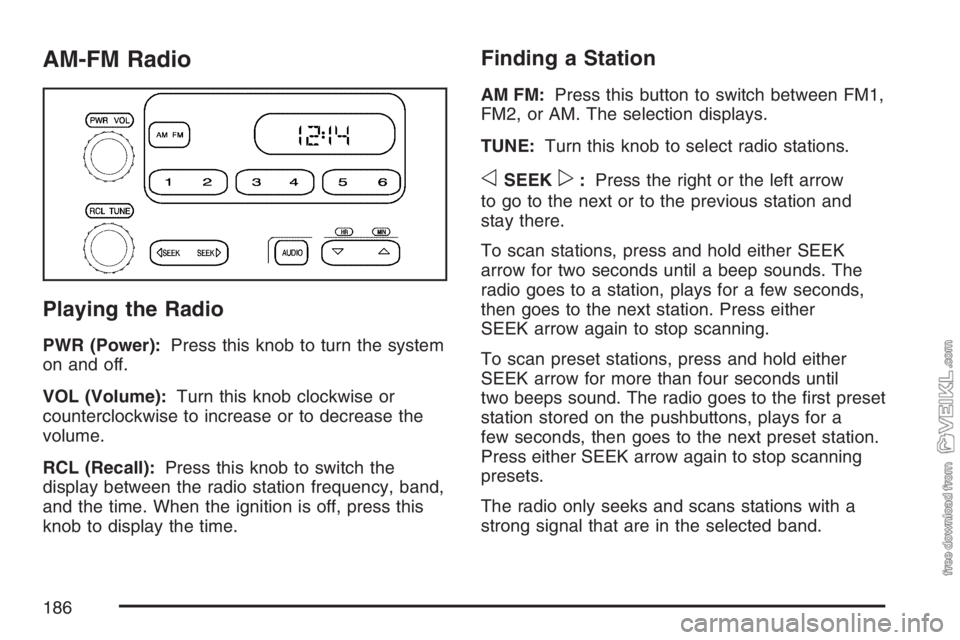
Playing the Radio
PWR (Power):Press this knob to turn the system
on and off.
VOL (Volume):Turn this knob clockwise or
counterclockwise to increase or to decrease the
volume.
RCL (Recall):Press this knob to switch the
display between the radio station frequency, band,
and the time. When the ignition is off, press this
knob to display the time.
Finding a Station
AM FM:Press this button to switch between FM1,
FM2, or AM. The selection displays.
TUNE:Turn this knob to select radio stations.
oSEEKp:Press the right or the left arrow
to go to the next or to the previous station and
stay there.
To scan stations, press and hold either SEEK
arrow for two seconds until a beep sounds. The
radio goes to a station, plays for a few seconds,
then goes to the next station. Press either
SEEK arrow again to stop scanning.
To scan preset stations, press and hold either
SEEK arrow for more than four seconds until
two beeps sound. The radio goes to the first preset
station stored on the pushbuttons, plays for a
few seconds, then goes to the next preset station.
Press either SEEK arrow again to stop scanning
presets.
The radio only seeks and scans stations with a
strong signal that are in the selected band.
186