lock CHEVROLET KODIAK 2007 Workshop Manual
[x] Cancel search | Manufacturer: CHEVROLET, Model Year: 2007, Model line: KODIAK, Model: CHEVROLET KODIAK 2007Pages: 430, PDF Size: 6.06 MB
Page 183 of 430
Air Pressure Gage
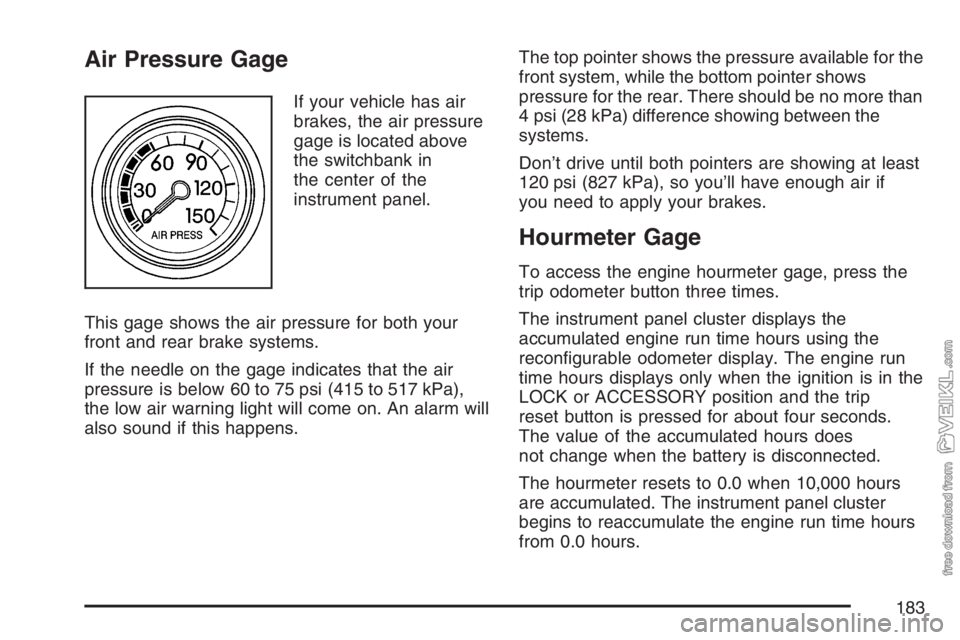
If your vehicle has air
brakes, the air pressure
gage is located above
the switchbank in
the center of the
instrument panel.
This gage shows the air pressure for both your
front and rear brake systems.
If the needle on the gage indicates that the air
pressure is below 60 to 75 psi (415 to 517 kPa),
the low air warning light will come on. An alarm will
also sound if this happens.The top pointer shows the pressure available for the
front system, while the bottom pointer shows
pressure for the rear. There should be no more than
4 psi (28 kPa) difference showing between the
systems.
Don’t drive until both pointers are showing at least
120 psi (827 kPa), so you’ll have enough air if
you need to apply your brakes.
Hourmeter Gage
To access the engine hourmeter gage, press the
trip odometer button three times.
The instrument panel cluster displays the
accumulated engine run time hours using the
reconfigurable odometer display. The engine run
time hours displays only when the ignition is in the
LOCK or ACCESSORY position and the trip
reset button is pressed for about four seconds.
The value of the accumulated hours does
not change when the battery is disconnected.
The hourmeter resets to 0.0 when 10,000 hours
are accumulated. The instrument panel cluster
begins to reaccumulate the engine run time hours
from 0.0 hours.
183
Page 186 of 430
AM-FM Radio
Playing the Radio
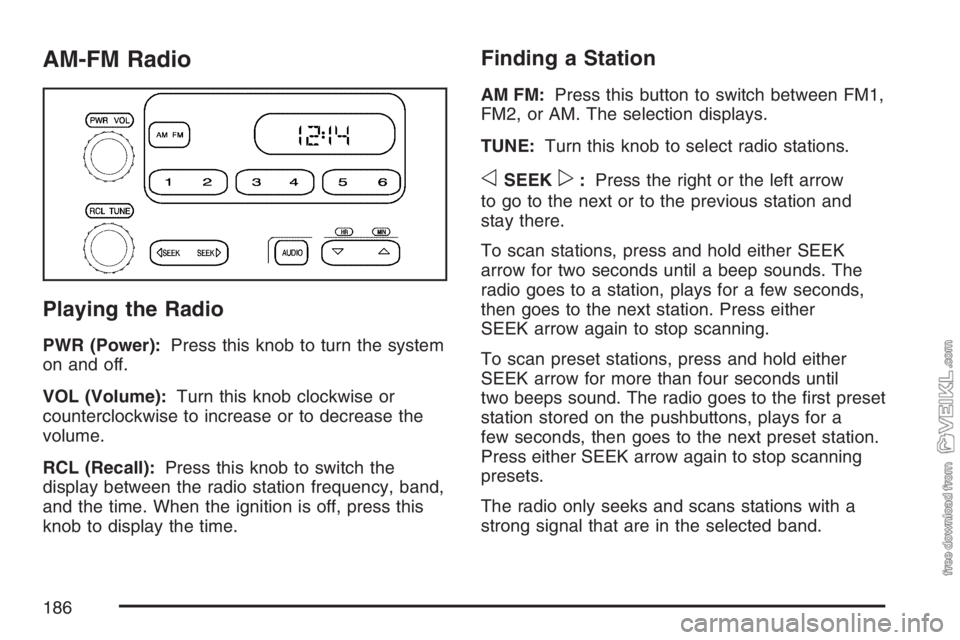
PWR (Power):Press this knob to turn the system
on and off.
VOL (Volume):Turn this knob clockwise or
counterclockwise to increase or to decrease the
volume.
RCL (Recall):Press this knob to switch the
display between the radio station frequency, band,
and the time. When the ignition is off, press this
knob to display the time.
Finding a Station
AM FM:Press this button to switch between FM1,
FM2, or AM. The selection displays.
TUNE:Turn this knob to select radio stations.
oSEEKp:Press the right or the left arrow
to go to the next or to the previous station and
stay there.
To scan stations, press and hold either SEEK
arrow for two seconds until a beep sounds. The
radio goes to a station, plays for a few seconds,
then goes to the next station. Press either
SEEK arrow again to stop scanning.
To scan preset stations, press and hold either
SEEK arrow for more than four seconds until
two beeps sound. The radio goes to the first preset
station stored on the pushbuttons, plays for a
few seconds, then goes to the next preset station.
Press either SEEK arrow again to stop scanning
presets.
The radio only seeks and scans stations with a
strong signal that are in the selected band.
186
Page 188 of 430
Adjusting the Speakers (Balance/Fade)
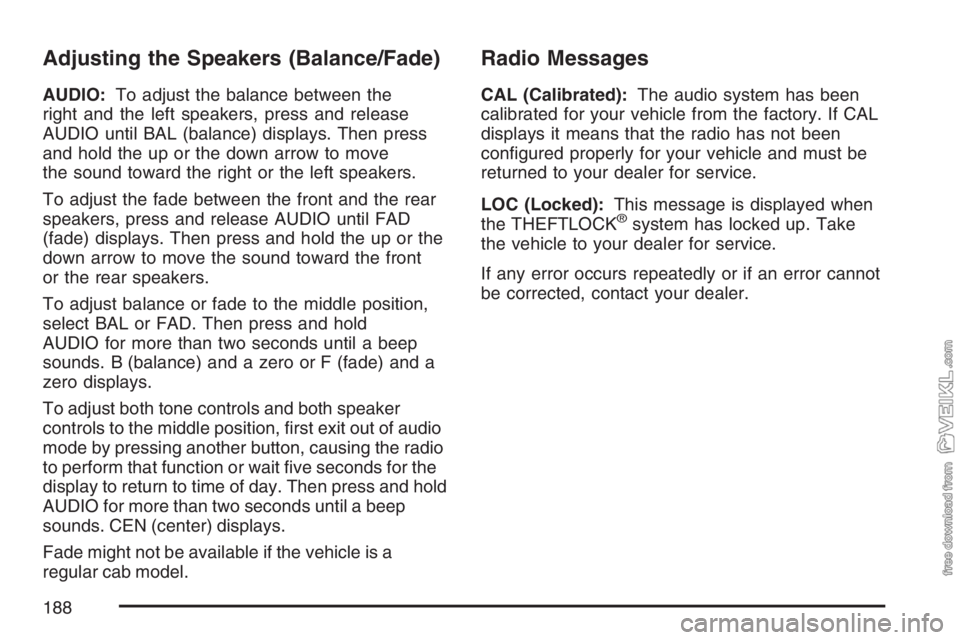
AUDIO:To adjust the balance between the
right and the left speakers, press and release
AUDIO until BAL (balance) displays. Then press
and hold the up or the down arrow to move
the sound toward the right or the left speakers.
To adjust the fade between the front and the rear
speakers, press and release AUDIO until FAD
(fade) displays. Then press and hold the up or the
down arrow to move the sound toward the front
or the rear speakers.
To adjust balance or fade to the middle position,
select BAL or FAD. Then press and hold
AUDIO for more than two seconds until a beep
sounds. B (balance) and a zero or F (fade) and a
zero displays.
To adjust both tone controls and both speaker
controls to the middle position, first exit out of audio
mode by pressing another button, causing the radio
to perform that function or wait five seconds for the
display to return to time of day. Then press and hold
AUDIO for more than two seconds until a beep
sounds. CEN (center) displays.
Fade might not be available if the vehicle is a
regular cab model.
Radio Messages
CAL (Calibrated):The audio system has been
calibrated for your vehicle from the factory. If CAL
displays it means that the radio has not been
configured properly for your vehicle and must be
returned to your dealer for service.
LOC (Locked):This message is displayed when
the THEFTLOCK
®system has locked up. Take
the vehicle to your dealer for service.
If any error occurs repeatedly or if an error cannot
be corrected, contact your dealer.
188
Page 189 of 430
Radio with Cassette
Playing the Radio
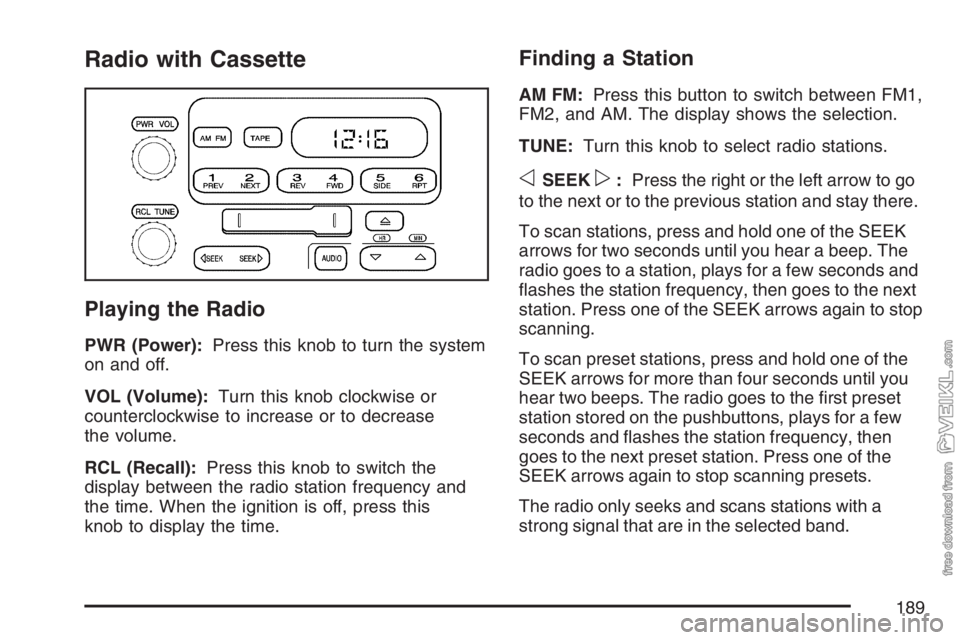
PWR (Power):Press this knob to turn the system
on and off.
VOL (Volume):Turn this knob clockwise or
counterclockwise to increase or to decrease
the volume.
RCL (Recall):Press this knob to switch the
display between the radio station frequency and
the time. When the ignition is off, press this
knob to display the time.
Finding a Station
AM FM:Press this button to switch between FM1,
FM2, and AM. The display shows the selection.
TUNE:Turn this knob to select radio stations.
oSEEKp:Press the right or the left arrow to go
to the next or to the previous station and stay there.
To scan stations, press and hold one of the SEEK
arrows for two seconds until you hear a beep. The
radio goes to a station, plays for a few seconds and
flashes the station frequency, then goes to the next
station. Press one of the SEEK arrows again to stop
scanning.
To scan preset stations, press and hold one of the
SEEK arrows for more than four seconds until you
hear two beeps. The radio goes to the first preset
station stored on the pushbuttons, plays for a few
seconds and flashes the station frequency, then
goes to the next preset station. Press one of the
SEEK arrows again to stop scanning presets.
The radio only seeks and scans stations with a
strong signal that are in the selected band.
189
Page 190 of 430
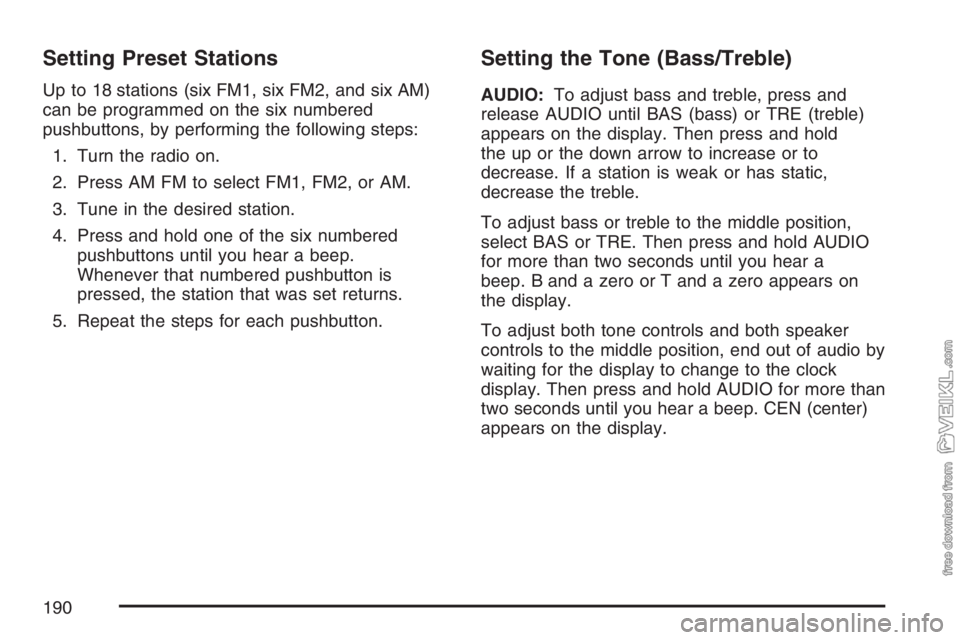
Setting Preset Stations
Up to 18 stations (six FM1, six FM2, and six AM)
can be programmed on the six numbered
pushbuttons, by performing the following steps:
1. Turn the radio on.
2. Press AM FM to select FM1, FM2, or AM.
3. Tune in the desired station.
4. Press and hold one of the six numbered
pushbuttons until you hear a beep.
Whenever that numbered pushbutton is
pressed, the station that was set returns.
5. Repeat the steps for each pushbutton.
Setting the Tone (Bass/Treble)
AUDIO:To adjust bass and treble, press and
release AUDIO until BAS (bass) or TRE (treble)
appears on the display. Then press and hold
the up or the down arrow to increase or to
decrease. If a station is weak or has static,
decrease the treble.
To adjust bass or treble to the middle position,
select BAS or TRE. Then press and hold AUDIO
for more than two seconds until you hear a
beep. B and a zero or T and a zero appears on
the display.
To adjust both tone controls and both speaker
controls to the middle position, end out of audio by
waiting for the display to change to the clock
display. Then press and hold AUDIO for more than
two seconds until you hear a beep. CEN (center)
appears on the display.
190
Page 191 of 430
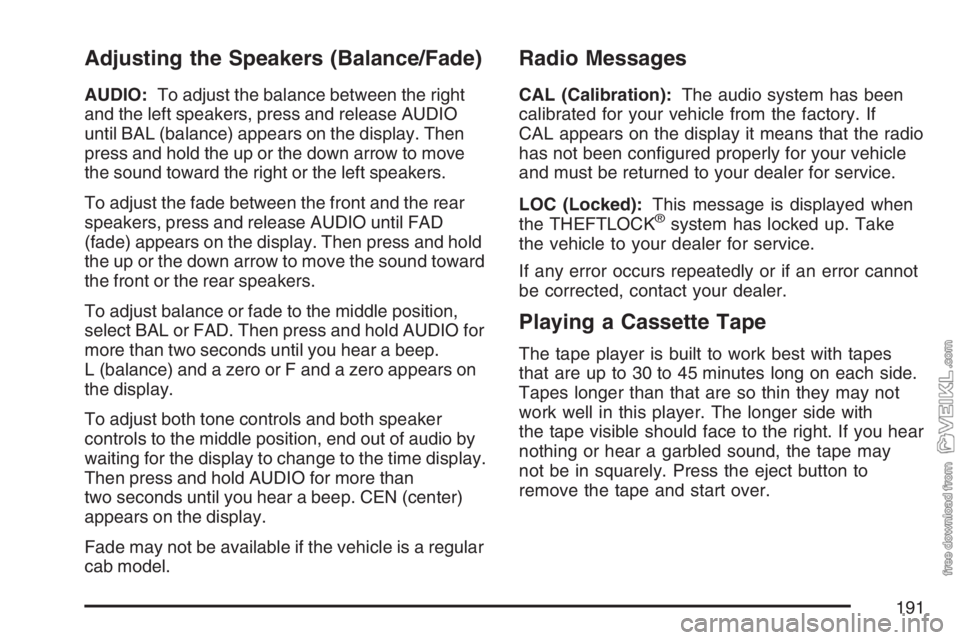
Adjusting the Speakers (Balance/Fade)
AUDIO:To adjust the balance between the right
and the left speakers, press and release AUDIO
until BAL (balance) appears on the display. Then
press and hold the up or the down arrow to move
the sound toward the right or the left speakers.
To adjust the fade between the front and the rear
speakers, press and release AUDIO until FAD
(fade) appears on the display. Then press and hold
the up or the down arrow to move the sound toward
the front or the rear speakers.
To adjust balance or fade to the middle position,
select BAL or FAD. Then press and hold AUDIO for
more than two seconds until you hear a beep.
L (balance) and a zero or F and a zero appears on
the display.
To adjust both tone controls and both speaker
controls to the middle position, end out of audio by
waiting for the display to change to the time display.
Then press and hold AUDIO for more than
two seconds until you hear a beep. CEN (center)
appears on the display.
Fade may not be available if the vehicle is a regular
cab model.
Radio Messages
CAL (Calibration):The audio system has been
calibrated for your vehicle from the factory. If
CAL appears on the display it means that the radio
has not been configured properly for your vehicle
and must be returned to your dealer for service.
LOC (Locked):This message is displayed when
the THEFTLOCK
®system has locked up. Take
the vehicle to your dealer for service.
If any error occurs repeatedly or if an error cannot
be corrected, contact your dealer.
Playing a Cassette Tape
The tape player is built to work best with tapes
that are up to 30 to 45 minutes long on each side.
Tapes longer than that are so thin they may not
work well in this player. The longer side with
the tape visible should face to the right. If you hear
nothing or hear a garbled sound, the tape may
not be in squarely. Press the eject button to
remove the tape and start over.
191
Page 195 of 430
Radio with CD
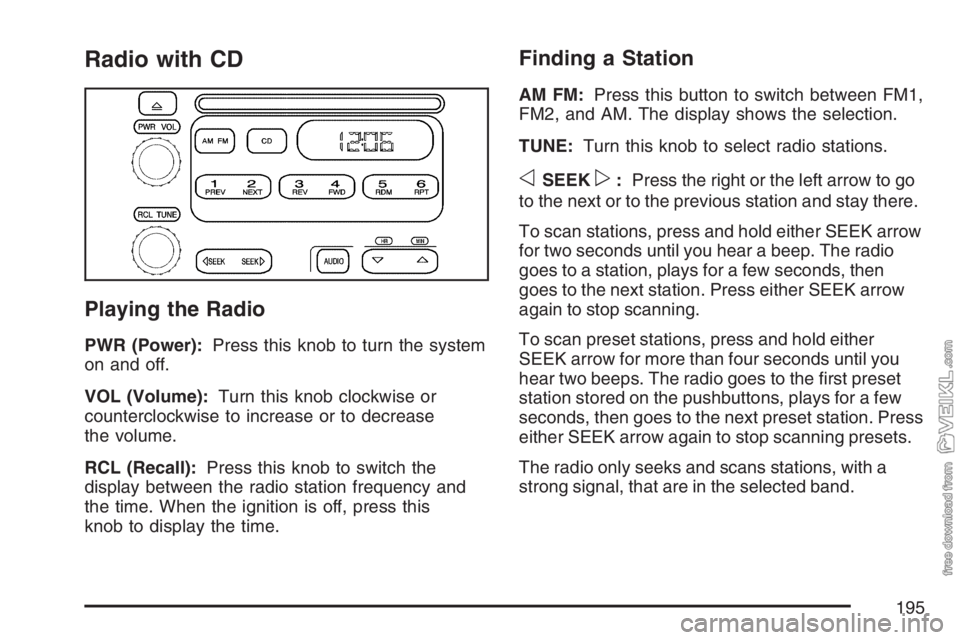
Playing the Radio
PWR (Power):Press this knob to turn the system
on and off.
VOL (Volume):Turn this knob clockwise or
counterclockwise to increase or to decrease
the volume.
RCL (Recall):Press this knob to switch the
display between the radio station frequency and
the time. When the ignition is off, press this
knob to display the time.
Finding a Station
AM FM:Press this button to switch between FM1,
FM2, and AM. The display shows the selection.
TUNE:Turn this knob to select radio stations.
oSEEKp:Press the right or the left arrow to go
to the next or to the previous station and stay there.
To scan stations, press and hold either SEEK arrow
for two seconds until you hear a beep. The radio
goes to a station, plays for a few seconds, then
goes to the next station. Press either SEEK arrow
again to stop scanning.
To scan preset stations, press and hold either
SEEK arrow for more than four seconds until you
hear two beeps. The radio goes to the first preset
station stored on the pushbuttons, plays for a few
seconds, then goes to the next preset station. Press
either SEEK arrow again to stop scanning presets.
The radio only seeks and scans stations, with a
strong signal, that are in the selected band.
195
Page 197 of 430
Adjusting the Speakers (Balance/Fade)
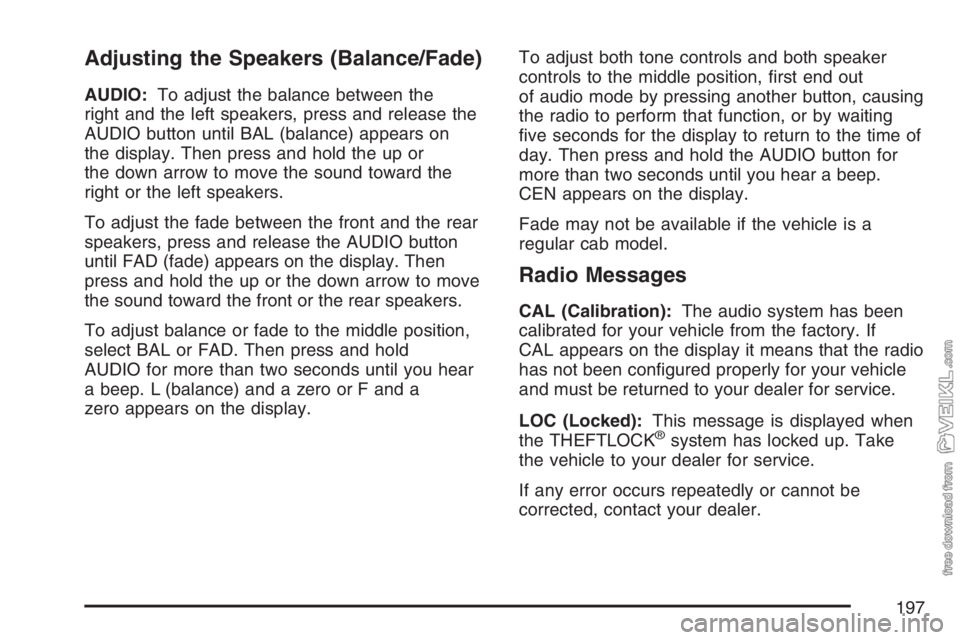
AUDIO:To adjust the balance between the
right and the left speakers, press and release the
AUDIO button until BAL (balance) appears on
the display. Then press and hold the up or
the down arrow to move the sound toward the
right or the left speakers.
To adjust the fade between the front and the rear
speakers, press and release the AUDIO button
until FAD (fade) appears on the display. Then
press and hold the up or the down arrow to move
the sound toward the front or the rear speakers.
To adjust balance or fade to the middle position,
select BAL or FAD. Then press and hold
AUDIO for more than two seconds until you hear
a beep. L (balance) and a zero or F and a
zero appears on the display.To adjust both tone controls and both speaker
controls to the middle position, first end out
of audio mode by pressing another button, causing
the radio to perform that function, or by waiting
five seconds for the display to return to the time of
day. Then press and hold the AUDIO button for
more than two seconds until you hear a beep.
CEN appears on the display.
Fade may not be available if the vehicle is a
regular cab model.
Radio Messages
CAL (Calibration):The audio system has been
calibrated for your vehicle from the factory. If
CAL appears on the display it means that the radio
has not been configured properly for your vehicle
and must be returned to your dealer for service.
LOC (Locked):This message is displayed when
the THEFTLOCK
®system has locked up. Take
the vehicle to your dealer for service.
If any error occurs repeatedly or cannot be
corrected, contact your dealer.
197
Page 201 of 430
Theft-Deterrent Feature
(Non-RDS Radios)
THEFTLOCK®is designed to discourage theft of
your vehicle’s radio. The feature works
automatically by learning a portion of the Vehicle
Identification Number (VIN). If the radio is
moved to a different vehicle, it will not operate and
LOC will appear on the display.
With THEFTLOCK
®activated, the radio will not
operate if stolen.
Radio Reception
You may experience frequency interference and
static during normal radio reception if items
such as cellphone chargers, vehicle convenience
accessories, and external electronic devices
are plugged into the accessory power outlet. If
there is interference or static, unplug the item from
the accessory power outlet.
AM
The range for most AM stations is greater than for
FM, especially at night. The longer range can
cause station frequencies to interfere with each
other. For better radio reception, most AM
radio stations will boost the power levels during
the day, and then reduce these levels during
the night. Static can also occur when things like
storms and power lines interfere with radio
reception. When this happens, try reducing the
treble on your radio.
FM Stereo
FM stereo will give the best sound, but FM signals
will reach only about 10 to 40 miles (16 to 65 km).
Tall buildings or hills can interfere with FM
signals, causing the sound to fade in and out.
201
Page 205 of 430
Your Driving, the Road, and Your Vehicle.... 206
Defensive Driving...................................... 206
Drunken Driving........................................ 207
Control of a Vehicle.................................. 210
Braking...................................................... 210
Hydraulic Brake Systems........................... 211
Anti-Lock Brake System (ABS).................. 212
Braking in Emergencies............................. 213
Trailer Brake Hand Control Valve.............. 214
Rear Axle Differential Lock Control............ 215
Traction Control System (TCS).................. 216
Steering.................................................... 217
Off-Road Recovery.................................... 219
Passing..................................................... 220
Loss of Control.......................................... 221
Driving at Night......................................... 223Driving in Rain and on Wet Roads............ 224
City Driving............................................... 227
Freeway Driving........................................ 228
Highway Hypnosis..................................... 229
Hill and Mountain Roads........................... 230
Winter Driving........................................... 231
If Your Vehicle is Stuck in Sand,
Mud, Ice, or Snow ................................. 236
Rocking Your Vehicle to Get It Out........... 236
Tow Hooks................................................ 237
Loading Your Vehicle................................ 238
Adding a Snow Plow or Similar
Equipment.............................................. 240
Towing........................................................ 241
Towing Your Vehicle ................................. 241
Trailer Connections................................... 243
Section 4 Driving Your Vehicle
205