tow CHEVROLET KODIAK 2009 Owner's Manual
[x] Cancel search | Manufacturer: CHEVROLET, Model Year: 2009, Model line: KODIAK, Model: CHEVROLET KODIAK 2009Pages: 376, PDF Size: 5.39 MB
Page 148 of 376
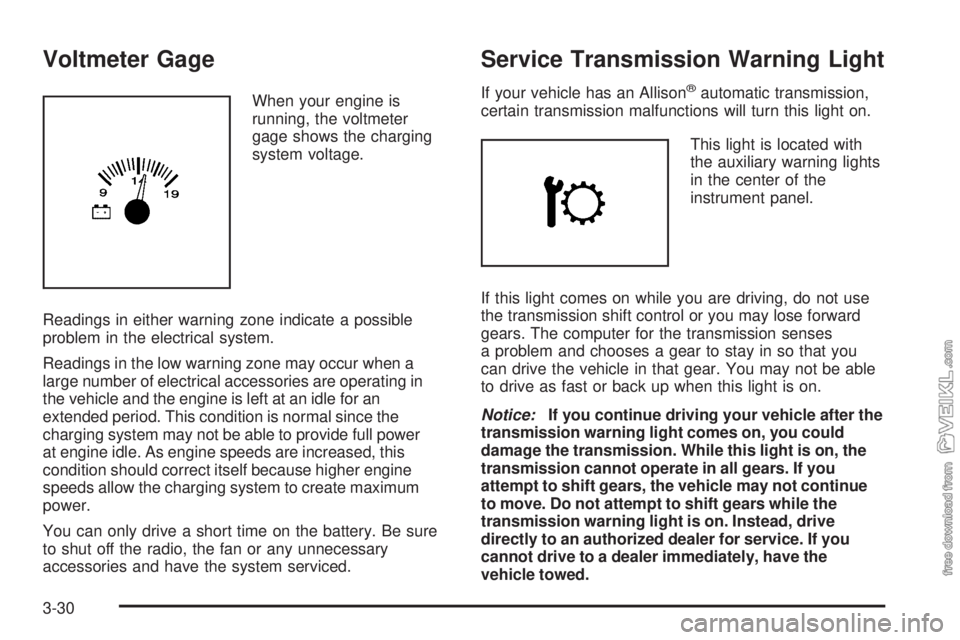
Voltmeter Gage
When your engine is
running, the voltmeter
gage shows the charging
system voltage.
Readings in either warning zone indicate a possible
problem in the electrical system.
Readings in the low warning zone may occur when a
large number of electrical accessories are operating in
the vehicle and the engine is left at an idle for an
extended period. This condition is normal since the
charging system may not be able to provide full power
at engine idle. As engine speeds are increased, this
condition should correct itself because higher engine
speeds allow the charging system to create maximum
power.
You can only drive a short time on the battery. Be sure
to shut off the radio, the fan or any unnecessary
accessories and have the system serviced.
Service Transmission Warning Light
If your vehicle has an Allison®automatic transmission,
certain transmission malfunctions will turn this light on.
This light is located with
the auxiliary warning lights
in the center of the
instrument panel.
If this light comes on while you are driving, do not use
the transmission shift control or you may lose forward
gears. The computer for the transmission senses
a problem and chooses a gear to stay in so that you
can drive the vehicle in that gear. You may not be able
to drive as fast or back up when this light is on.
Notice:If you continue driving your vehicle after the
transmission warning light comes on, you could
damage the transmission. While this light is on, the
transmission cannot operate in all gears. If you
attempt to shift gears, the vehicle may not continue
to move. Do not attempt to shift gears while the
transmission warning light is on. Instead, drive
directly to an authorized dealer for service. If you
cannot drive to a dealer immediately, have the
vehicle towed.
3-30
Page 150 of 376
If the light comes on while driving, pull off the road and
stop carefully. The pedal might be harder to push or
might go the floor. It can take longer to stop. If the light
remains on, have the vehicle towed for service. See
Towing Your Vehicle on page 4-23for more information.
The brake warning light may come on, and the
warning tone may sound, when you are turning and
braking at the same time. This is normal. See “Hydraulic
Brake Systems” underBraking on page 4-4.
Parking Brake Warning Light
Your vehicle has a brake warning light. When the
ignition is on, this light will come on when you set your
parking brake. The light will stay on if your parking
brake does not release fully.
This light should also come on when you turn the
ignition key to START. If it does not come on then, have
it fixed so it will be ready to remind you if the parking
brake is applied or has not released fully.
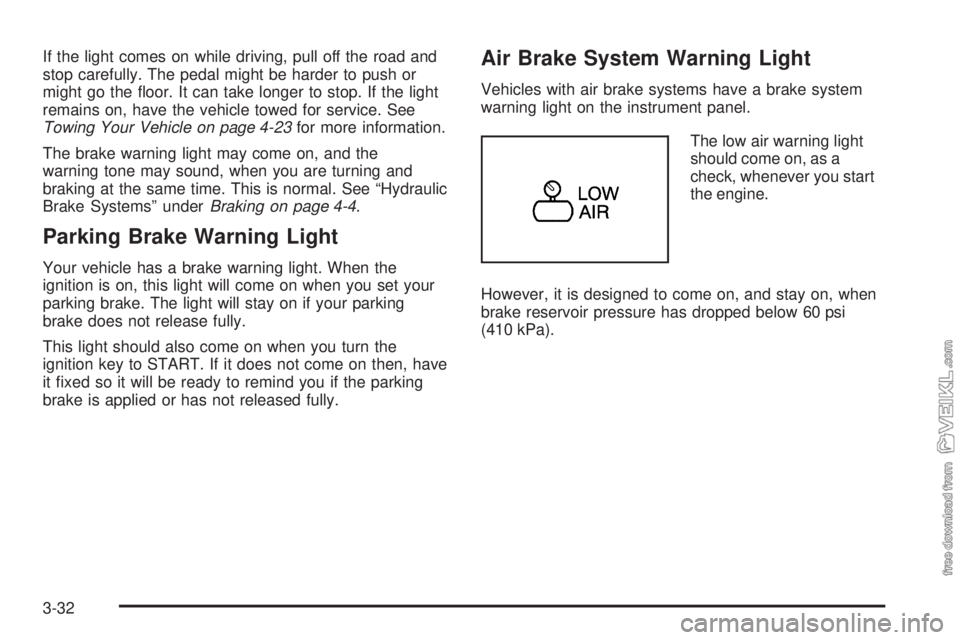
Air Brake System Warning Light
Vehicles with air brake systems have a brake system
warning light on the instrument panel.
The low air warning light
should come on, as a
check, whenever you start
the engine.
However, it is designed to come on, and stay on, when
brake reservoir pressure has dropped below 60 psi
(410 kPa).
3-32
Page 168 of 376
Setting Preset Stations
Up to 18 stations (six FM1, six FM2, and six AM), can
be programmed on the six numbered pushbuttons,
by performing the following steps:
1. Turn the radio on.
2. Press AM FM to select FM1, FM2, or AM.
3. Tune in the desired station.
4. Press and hold one of the six numbered
pushbuttons until a beep sounds. When that
numbered pushbutton is pressed, the station that
was set, returns.
5. Repeat Steps 2 through 4 for each pushbutton.
Setting the Tone (Bass/Treble)
AUDIO:To adjust the bass or the treble, press
and release the AUDIO button until BAS (bass) or
TRE (treble) displays. Then press and hold the
up
wor the downxarrow to increase or to
decrease. If a station is weak or has static,
decrease the treble.To adjust bass or treble to the middle position, select
BAS or TRE. Then press and hold the AUDIO button for
more than two seconds until a beep sounds. B and a
zero or T and a zero displays.
To adjust both tone controls and both speaker controls
to the middle position, first end out of audio mode
by pressing another button, causing the radio to perform
that function, or by waiting five seconds for the display
to return to the time of day. Then press and hold
the AUDIO button for more than two seconds until a
beep sounds. CEN (center) displays.
Adjusting the Speakers (Balance/Fade)
AUDIO:To adjust the balance between the right
and the left speakers, press and release the AUDIO
button until BAL (balance) displays. Then press and hold
the up
wor the downxarrow to move the sound
toward the right or the left speakers.
To adjust the fade between the front and the rear
speakers, press and release the AUDIO button until
FAD (fade) displays. Then press and hold either arrow to
move the sound toward the front or the rear speakers.
3-50
Page 177 of 376
Your Driving, the Road, and the Vehicle............4-2
Driving for Better Fuel Economy.......................4-2
Defensive Driving...........................................4-2
Drunk Driving.................................................4-3
Control of a Vehicle........................................4-3
Braking.........................................................4-4
Hydraulic Brake Systems.................................4-4
Antilock Brake System (ABS)...........................4-5
Braking in Emergencies...................................4-5
Trailer Brake Hand Control Valve......................4-6
Rear Axle Differential Lock Control....................4-7
Traction Control System (TCS).........................4-8
Steering........................................................4-9
Off-Road Recovery.......................................4-11
Passing.......................................................4-11Loss of Control.............................................4-12
Driving at Night............................................4-13
Driving in Rain and on Wet Roads..................4-14
Highway Hypnosis........................................4-15
Hill and Mountain Roads................................4-16
Winter Driving..............................................4-17
If Your Vehicle is Stuck in Sand, Mud,
Ice, or Snow.............................................4-19
Rocking Your Vehicle to Get It Out.................4-19
Tow Hooks..................................................4-20
Loading the Vehicle......................................4-20
Adding a Snow Plow or Similar Equipment.......4-22
Towing..........................................................4-23
Towing Your Vehicle.....................................4-23
Trailer Connections.......................................4-25
Section 4 Driving Your Vehicle
4-1
Page 195 of 376
Repeat this until help arrives but only when you feel
really uncomfortable from the cold. Moving about
to keep warm also helps.
If it takes some time for help to arrive, now and then
when you run the engine, push the accelerator
pedal slightly so the engine runs faster than the idle
speed. This keeps the battery charged to restart
the vehicle and to signal for help with the headlamps.
Do this as little as possible to save fuel.
If Your Vehicle is Stuck in Sand,
Mud, Ice, or Snow
Slowly and cautiously spin the wheels to free the
vehicle when stuck in sand, mud, ice, or snow. See
Rocking Your Vehicle to Get It Out on page 4-19.
If the vehicle has a traction system, it can often help to
free a stuck vehicle. Refer to the vehicle’s traction
system in the Index. If stuck too severely for the traction
system to free the vehicle, turn the traction system off
and use the rocking method.
{CAUTION:
If you let your vehicle’s tires spin at high speed,
they can explode, and you or others could be
injured. The vehicle can overheat, causing an
engine compartment fire or other damage. Spin the
wheels as little as possible and avoid going above
35 mph (55 km/h) as shown on the speedometer.
Rocking Your Vehicle to Get It Out
Turn the steering wheel left and right to clear the area
around the front wheels. For four-wheel-drive vehicles,
shift into 4HI. Turn off any traction system. Shift back and
forth between R (Reverse) and a forward gear, or with a
manual transmission, between 1 (First) or 2 (Second) and
R (Reverse), spinning the wheels as little as possible.
To prevent transmission wear, wait until the wheels stop
spinning before shifting gears. Release the accelerator
pedal while shifting, and press lightly on the accelerator
pedal when the transmission is in gear. Slowly spinning
the wheels in the forward and reverse directions causes a
rocking motion that could free the vehicle. If that does not
get the vehicle out after a few tries, it might need to be
towed out. If the vehicle does need to be towed out, see
Towing Your Vehicle on page 4-23.
4-19
Page 196 of 376
Tow Hooks
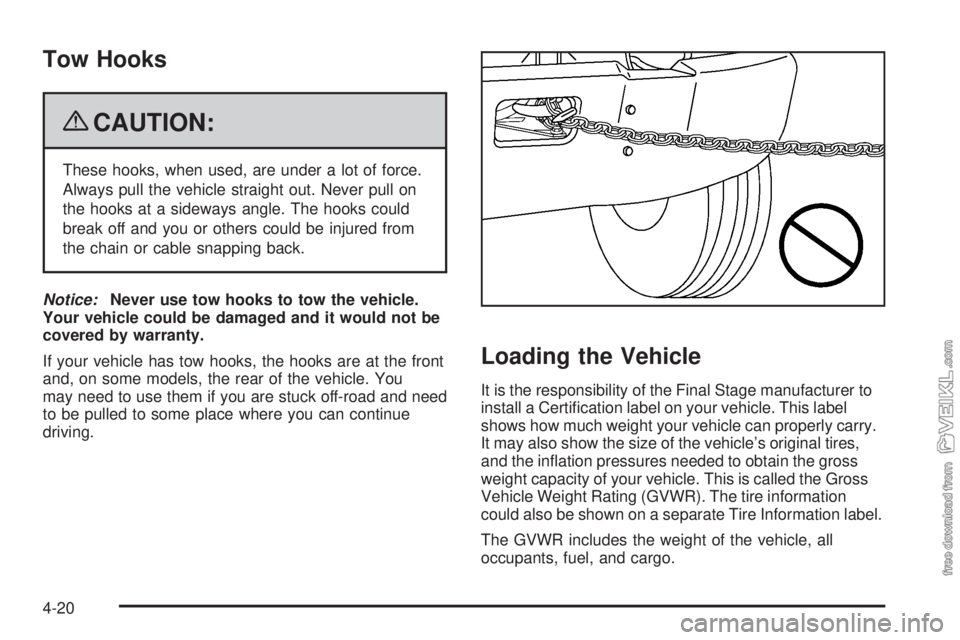
{CAUTION:
These hooks, when used, are under a lot of force.
Always pull the vehicle straight out. Never pull on
the hooks at a sideways angle. The hooks could
break off and you or others could be injured from
the chain or cable snapping back.
Notice:Never use tow hooks to tow the vehicle.
Your vehicle could be damaged and it would not be
covered by warranty.
If your vehicle has tow hooks, the hooks are at the front
and, on some models, the rear of the vehicle. You
may need to use them if you are stuck off-road and need
to be pulled to some place where you can continue
driving.
Loading the Vehicle
It is the responsibility of the Final Stage manufacturer to
install a Certification label on your vehicle. This label
shows how much weight your vehicle can properly carry.
It may also show the size of the vehicle’s original tires,
and the inflation pressures needed to obtain the gross
weight capacity of your vehicle. This is called the Gross
Vehicle Weight Rating (GVWR). The tire information
could also be shown on a separate Tire Information label.
The GVWR includes the weight of the vehicle, all
occupants, fuel, and cargo.
4-20
Page 199 of 376
Towing
Towing Your Vehicle
Consult your dealer/retailer or a professional towing
service to have the vehicle towed. They can provide the
right equipment and know-how to tow it without
damage. SeeRoadside Assistance Program on
page 7-5.
Releasing Air-Operated Parking Brakes
If the vehicle has air brakes, there could be a special
towing problem. If the vehicle has to be towed because
of a complete loss of air pressure from both systems,
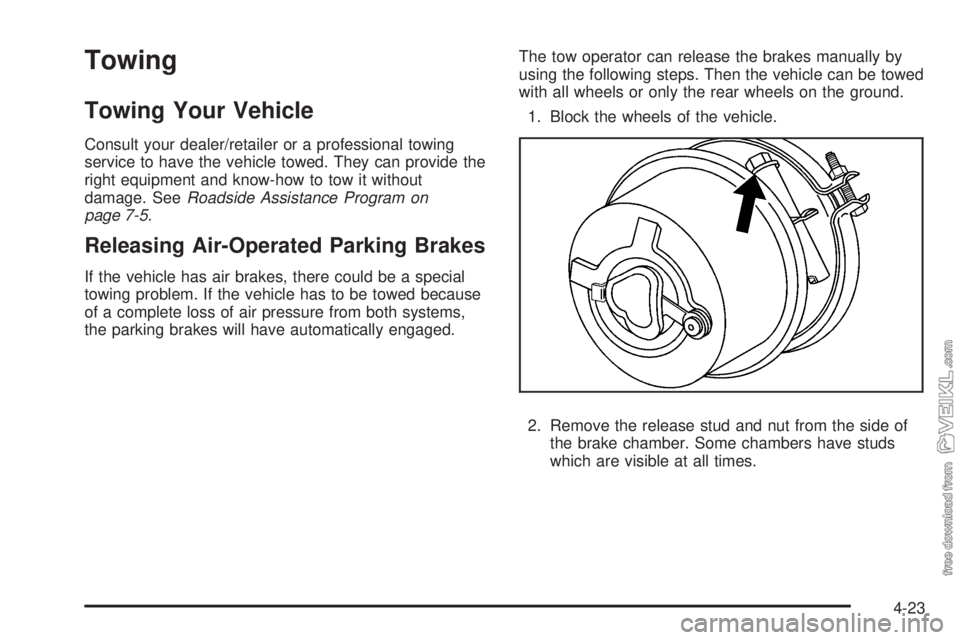
the parking brakes will have automatically engaged.The tow operator can release the brakes manually by
using the following steps. Then the vehicle can be towed
with all wheels or only the rear wheels on the ground.
1. Block the wheels of the vehicle.
2. Remove the release stud and nut from the side of
the brake chamber. Some chambers have studs
which are visible at all times.
4-23
Page 201 of 376
Trailer Connections
Heavy-Duty Trailer Wiring Package
The vehicle may be equipped with an eight-wire trailer
towing harness. This harness, with a seven-pin universal
heavy-duty trailer connector, is attached to a bracket
on the platform hitch.
The Center High-Mounted Stoplamp (CHMSL) wire is
tied next to the trailer wiring harness for use with a
trailer.
The eight-wire harness contains the following trailer
circuits:
•Yellow: Left Stop/Turn Signal
•Dark Green: Right Stop/Turn Signal
•Brown: Taillamps
•White: Ground
•Light Green: Back-up Lamps
•Light Blue: CHMSL
•Red: Battery Feed
•Dark Blue: Trailer Brake
Trailer Connections
(C7/C8 Models Only)
If the vehicle has these trailer connections, they are
located at the rear of the cab for a tractor and at the rear
of the chassis when towing a trailer. There will be an
air connection and an electrical connection.
Be sure that the couplings to the trailer are made
correctly.
Air Connections
If the trailer air line connections will not be connected to
another piece of equipment, be sure to replace their
protective caps.
Electrical Connections
This system is a seven-wire cable that will connect to
the trailer, supplying power to the trailer’s lighting
system. When not in use, it is stored in the trailer
air-hose storage bracket.
4-25
Page 227 of 376
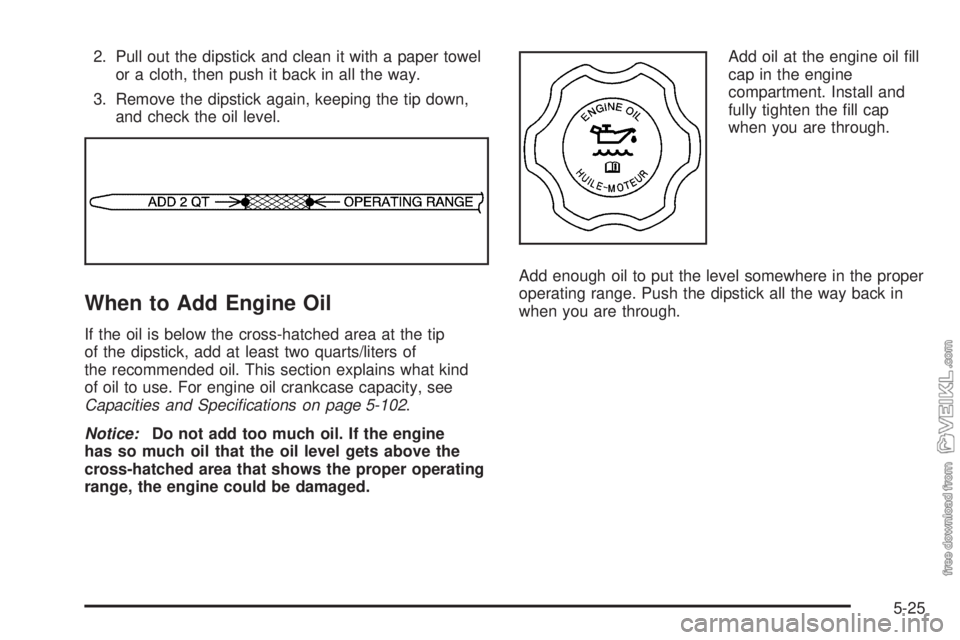
2. Pull out the dipstick and clean it with a paper towel
or a cloth, then push it back in all the way.
3. Remove the dipstick again, keeping the tip down,
and check the oil level.
When to Add Engine Oil
If the oil is below the cross-hatched area at the tip
of the dipstick, add at least two quarts/liters of
the recommended oil. This section explains what kind
of oil to use. For engine oil crankcase capacity, see
Capacities and Specifications on page 5-102.
Notice:Do not add too much oil. If the engine
has so much oil that the oil level gets above the
cross-hatched area that shows the proper operating
range, the engine could be damaged.Add oil at the engine oil fill
cap in the engine
compartment. Install and
fully tighten the fill cap
when you are through.
Add enough oil to put the level somewhere in the proper
operating range. Push the dipstick all the way back in
when you are through.
5-25
Page 230 of 376
Engine Oil (Isuzu Diesel Engine)
Checking Engine Oil
It is a good idea to check the engine oil level every time
you get fuel.
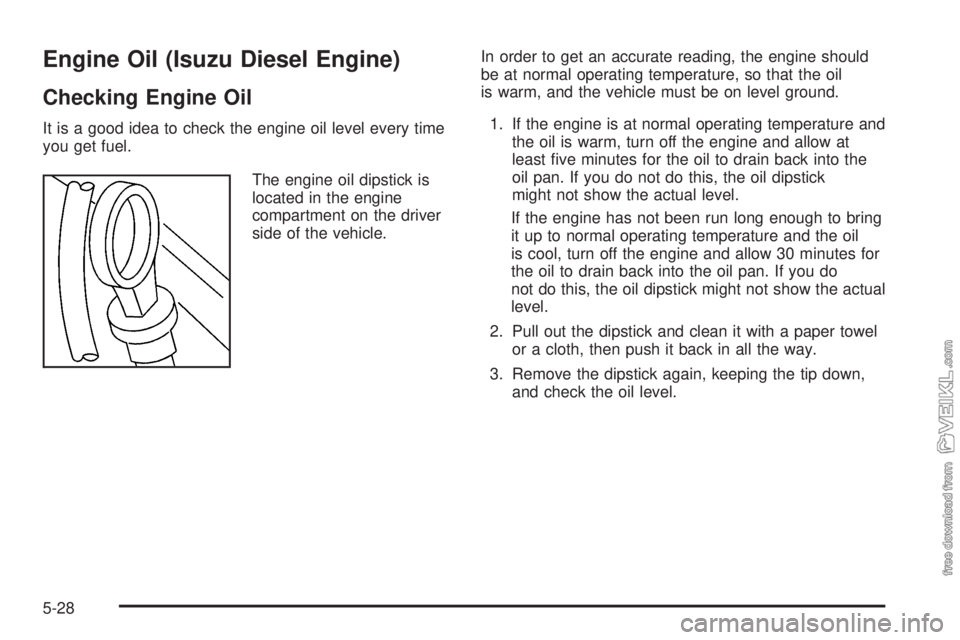
The engine oil dipstick is
located in the engine
compartment on the driver
side of the vehicle.In order to get an accurate reading, the engine should
be at normal operating temperature, so that the oil
is warm, and the vehicle must be on level ground.
1. If the engine is at normal operating temperature and
the oil is warm, turn off the engine and allow at
least five minutes for the oil to drain back into the
oil pan. If you do not do this, the oil dipstick
might not show the actual level.
If the engine has not been run long enough to bring
it up to normal operating temperature and the oil
is cool, turn off the engine and allow 30 minutes for
the oil to drain back into the oil pan. If you do
not do this, the oil dipstick might not show the actual
level.
2. Pull out the dipstick and clean it with a paper towel
or a cloth, then push it back in all the way.
3. Remove the dipstick again, keeping the tip down,
and check the oil level.
5-28