fuel filter CHEVROLET LOW CAB FORWARD 2018 Owner's Manual
[x] Cancel search | Manufacturer: CHEVROLET, Model Year: 2018, Model line: LOW CAB FORWARD, Model: CHEVROLET LOW CAB FORWARD 2018Pages: 358, PDF Size: 6.32 MB
Page 86 of 358
Chevrolet Low Cab Forward Owner Manual (GMNA-Localizing-U.S.-
11254764) - 2018 - crc - 12/5/16
Instruments and Controls 85
display. Complete the resetting by
pressing and holding the DIC
selector for more than two seconds.
To cancel the setting procedure,
press the DIC selector once. The
display will go back to the previous
screen.
Resetting/Setting the Change
Interval (Odometer Reading)
Engine Oil and Filter Light :On
the DIC, go to the engine oil and
filter light. Enter the resetting screen
by pressing and holding the DIC
selector for more than two seconds.
Complete the resetting by pressing
and holding the DIC selector for
more than two seconds.
Transmission and Differential
Gear Oil Light, Fuel Filter Light,
Power Steering Fluid Light, and
Tire Rotation Light : On the DIC,
go to the particular maintenance
item to reset/adjust. Enter the
setting change screen by pressing
and holding the DIC selector. Set
the change interval by turning the
DIC selector. (Transmission and
Differential Oil, Steering Fluid, and
Tire Rotation Only). Turn clockwise to increase distance and
counterclockwise to decrease
distance. The distance increases
and decreases by 4,000 km
(2,500 mi) increments. Complete the
resetting by pressing and holding
the DIC selector.
Transmission and Differential Gear
Oil and Power Steering Fluid: Initial
value: 48,000 km (30,000 mi).
Adjustable minimum value:
32,000 km (20,000 mi). Adjustable
maximum value: 48,000 km
(30,000 mi).
Tire Rotation: Initial value: OFF.
Adjustable minimum value:
6,000 km (4,000 mi). Adjustable
maximum value: 62,000 km
(39,000 mi).
Starter Indicator Light :
On the
DIC, go to the starter indicator light.
Enter the resetting screen by
pressing and holding the DIC
selector for more than ten seconds.
Complete the resetting by pressing
and holding the DIC selector for
more than ten seconds. If you want to cancel the setting
procedure, press the DIC selector
once. The display will go back to the
previous screen.
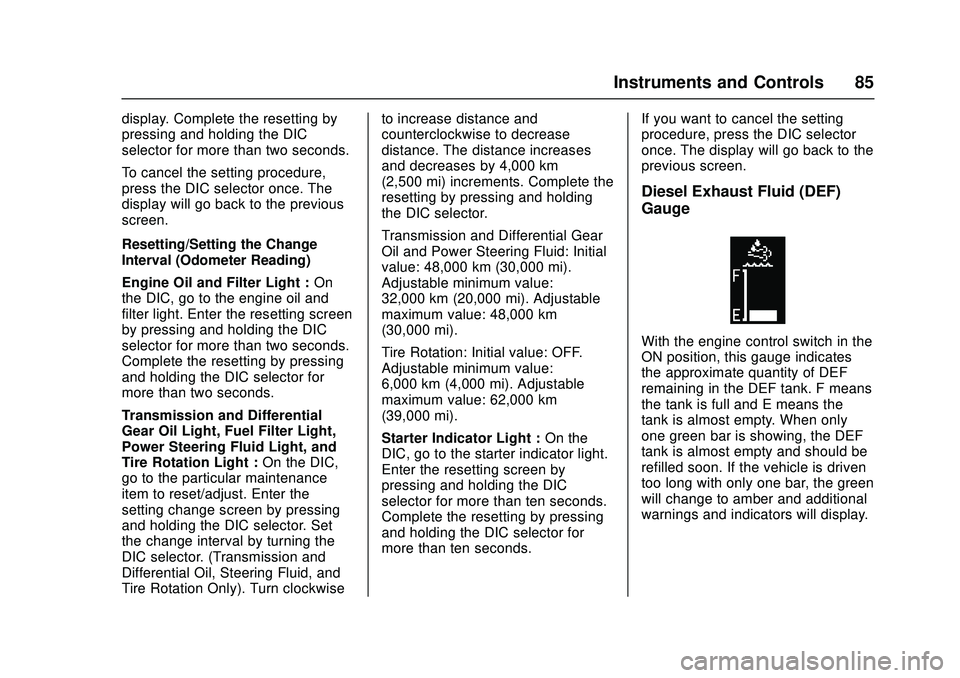
Diesel Exhaust Fluid (DEF)
Gauge
With the engine control switch in the
ON position, this gauge indicates
the approximate quantity of DEF
remaining in the DEF tank. F means
the tank is full and E means the
tank is almost empty. When only
one green bar is showing, the DEF
tank is almost empty and should be
refilled soon. If the vehicle is driven
too long with only one bar, the green
will change to amber and additional
warnings and indicators will display.
Page 88 of 358
Chevrolet Low Cab Forward Owner Manual (GMNA-Localizing-U.S.-
11254764) - 2018 - crc - 12/5/16
Instruments and Controls 87
Low Coolant Warning Light
LOW COOLANT
If this message and light come on,
the system is low on engine coolant
and the engine may overheat.
A warning tone also sounds. If this
light comes on while driving, stop
the vehicle immediately and check
the cooling system for leaks. See
Engine Coolant0231 and have the
vehicle serviced by your dealer. This
light will also activate the engine
alarm and automatic shutdown
system.
See Engine Alarm and Automatic
Shutdown 0155 andEngine
Shutdown Warning Light 080.
Water Separator (Fuel Filter)
Warning Light
WATER SEPARATOR
This message displays and a
warning light appears when the
level in the water separator on the
fuel line is beyond the specified
level. Drain water following the
instructions in the Water in Fuel section and make sure the warning
light goes out. See
Water in Fuel
0 209.
If you continue driving with the
message displayed, the fuel
injection system may fail. See Water
in Fuel 0209.
Air Cleaner Light
CHECK AIR FILTER
This message displays and a
warning light appears when the next
air cleaner element service interval
is near or has already been
reached.
Replace the air cleaner element.
See Engine Air Cleaner/Filter 0231.
Low Fuel Warning Light
LOW FUEL
This message displays and a
warning light appears when the fuel
level in the tank becomes too low
while the engine is running. Add fuel
at the earliest possible time. If the
vehicle runs out of fuel, air bleeding
procedure must be performed. See
Fuel for Diesel Engines 0206,
Fuel Gauge 072, and Running Out
of Fuel 0212.
Regeneration Required
Warning Light
REGEN. REQUIRED
This light (amber) comes on when
Running regeneration or Switch
regeneration is required. When this
light comes on, perform DPF
regeneration soon. If the engine
continues to run without performing
DPF regeneration, this light will
change color from amber to red.
If this light turns red, perform DPF
regeneration immediately. If you do
not perform DPF regeneration, the
check engine malfunction indicator
light and reduced engine power
indicator light will come on,
imposing performance restriction on
the vehicle. If this happens, the
vehicle must be serviced at your
dealer. See Diesel Particulate Filter
0 161.
Page 91 of 358

Chevrolet Low Cab Forward Owner Manual (GMNA-Localizing-U.S.-
11254764) - 2018 - crc - 12/5/16
90 Instruments and Controls
MAINTENANCE ON or
MAINTENANCE OFF
This indicator displays and hides
maintenance items. When
MAINTENANCE ON is displayed,
maintenance items will be
displayed. When MAINTENANCE
OFF is displayed, maintenance
items will not be displayed.
When MAINTENANCE OFF is
displayed, there will be no display of
maintenance items such as rotation
intervals or replacement intervals
even when such intervals arrive.
ENG OIL & FILTER
When this message and light
display green, it shows the distance
remaining until the next engine oil
and filter change. When this
message displays amber, the next
change of engine oil and filter is
near or has been reached.
T/M & DIFF OIL
When this message and light
display green, it shows the distance
remaining until the next
transmission oil and differential oil
change. When this messagedisplays amber, the next change of
transmission oil and differential oil is
near or has been reached.
FUEL FILTER
When this message and light
display green, it shows the distance
remaining until the next fuel filter
change. When this message
displays amber, the next change of
fuel filter is near or has been
reached.
STEERING OIL
When this message and light
display green, it shows the distance
remaining until the next power
steering fluid change. When this
message displays amber, the next
change of power steering fluid is
near or has been reached.
TIRE ROTATION
When this message and light show
green with OFF, it means the
vehicle has been shipped from the
factory with no tire rotation interval
set. When this message displays
green it has the distance until the
next tire rotation displayed. When
this message displays amber the
next tire rotation is near or has
already been reached.
STARTER
When this message and light is
green, it displays the number of
engine starts remaining until a
starter motor is replaced. When this
message and light is amber, it
displays when the time for a starter
motor replacement is near or has
already been reached.
For the starter indicator light, the
displayed color will change from
green to amber when remaining
time is below 0 times and the
screen is selected.
For resetting or setting maintenance
data intervals, see
Driver
Information Center (DIC) 082.
Hour Meter
HOUR METER
This message and light indicate how
many hours the engine has been
run. The figure(s) on the left side of
Page 122 of 358

Chevrolet Low Cab Forward Owner Manual (GMNA-Localizing-U.S.-
11254764) - 2018 - crc - 12/5/16
Driving and Operating 121
Driving and
Operating
Driving Information
Driver Behavior . . . . . . . . . . . . . . . 122
Distracted Driving . . . . . . . . . . . . 122
Control of a Vehicle . . . . . . . . . . . 122
Braking . . . . . . . . . . . . . . . . . . . . . . . 126
Steering . . . . . . . . . . . . . . . . . . . . . . 131
Driving on Wet Roads . . . . . . . . 132
Hill and Mountain Roads . . . . . 132
Winter Driving . . . . . . . . . . . . . . . . 133
If the Vehicle Is Stuck . . . . . . . . 136
Emergencies(Troubleshooting) . . . . . . . . . . . 137
Emergencies (Disabled Vehicle) . . . . . . . . . . . . . . . . . . . . . 146
Starting and Operating
New Vehicle Break-In . . . . . . . . . 147
Pedals . . . . . . . . . . . . . . . . . . . . . . . . 148
Ignition Positions . . . . . . . . . . . . . 148
Starting and Stopping theVehicle . . . . . . . . . . . . . . . . . . . . . . 149
Operating Temperature . . . . . . . 153
Winter Cover . . . . . . . . . . . . . . . . . 154
Engine Heater . . . . . . . . . . . . . . . . 154
Engine Alarm and Automatic Shutdown . . . . . . . . . . . . . . . . . . . 155 Idle Shutdown . . . . . . . . . . . . . . . . 155
High Idle System . . . . . . . . . . . . . 155
Engine Checks Before
Operating . . . . . . . . . . . . . . . . . . . 156
Parking over Things
That Burn . . . . . . . . . . . . . . . . . . . 157
Engine Exhaust
Engine Exhaust . . . . . . . . . . . . . . 159
Running the Vehicle WhileParked . . . . . . . . . . . . . . . . . . . . . . 160
Diesel Particulate Filter
Diesel Particulate Filter . . . . . . . 161
Diesel Exhaust Fluid
Diesel Exhaust Fluid . . . . . . . . . . 170
Automatic Transmission
Automatic Transmission . . . . . . 185
Selector Lever . . . . . . . . . . . . . . . . 194
Overdrive Off . . . . . . . . . . . . . . . . . 195
Brakes
Antilock BrakeSystem (ABS) . . . . . . . . . . . . . . . 196
Parking Brake . . . . . . . . . . . . . . . . 200
Exhaust Brake . . . . . . . . . . . . . . . . 201
Cruise Control
Cruise Control . . . . . . . . . . . . . . . . 202
Fuel
Fuel for Diesel Engines . . . . . . . 206
Biodiesel . . . . . . . . . . . . . . . . . . . . . 207
Cold Weather Operation . . . . . . 209
Water in Fuel . . . . . . . . . . . . . . . . . 209
Running Out of Fuel . . . . . . . . . . 212
Filling the Tank . . . . . . . . . . . . . . . 213
Conversions and Add-Ons
Add-On Electrical Equipment . . . . . . . . . . . . . . . . . . 215
Power Take-Off (PTO) . . . . . . . . 215
Page 140 of 358

Chevrolet Low Cab Forward Owner Manual (GMNA-Localizing-U.S.-
11254764) - 2018 - crc - 12/5/16
Driving and Operating 139
SymptomCauseCorrective Action Reference
Engine does not
start Starter turns over No fuel
Make sure there are no
fuel leaks, and then
add fuel-
Air in the fuel system Bleed fuel system See
Running Out
of Fuel 0212
Fuel filter clogged
4-
Fuel is frozen Warm fuel pipe with hot
water or wait until it gets
warmer
-
Common rail system is
faulty
4-
Preheating system is
faulty
4-
Engine starts, but immediately stops Idling speed too low
4-
Fuel filter is clogged
4-
Air cleaner is clogged
4-
Common rail system is
faulty
4-
Fuel system is faulty
4-
Page 141 of 358

Chevrolet Low Cab Forward Owner Manual (GMNA-Localizing-U.S.-
11254764) - 2018 - crc - 12/5/16
140 Driving and Operating
SymptomCauseCorrective Action Reference
Unsteady engine speed There is water or air in
the fuel system
Drain water from fuel
filter or bleed the systemSee
Running Out
of Fuel 0212 or
Water in Fuel
0 209
Fuel system is faulty
4-
White exhaust smoke Engine not sufficiently
warming up
Allow the engine to
warm up
-
Too much engine oil Correct the oil level See
Engine Oil
0 223
Engine Control system
faulty
4-
Fuel system faulty
4-
Exhaust injector
4-
Continuous idling for a
long period (more than
two hours) With the vehicle
stationary in a place
where it will not obstruct
traffic, hold down the
accelerator pedal and
check that white smoke
is not emitted
-
Page 142 of 358

Chevrolet Low Cab Forward Owner Manual (GMNA-Localizing-U.S.-
11254764) - 2018 - crc - 12/5/16
Driving and Operating 141
SymptomCauseCorrective Action Reference
Black exhaust smoke Engine Control system
faulty
4-
The air cleaner clogged
4-
Fuel system faulty
4-
Exhaust system clogged
4-
Exhaust injector
4-
Diesel particulate filter
(DPF) faulty
4-
Engine is overheating No engine coolant Add engine coolant
See
Engine
Coolant 0231
Front of radiator is
clogged with dirt Wash clean with tap
waterSee
Exterior Care
0 293
Radiator cap not
sufficiently tightened Make sure it is firmly
tightened or replace the
radiator cap
-
Fan belt loose Adjust the tension or
replace the beltSee
Engine Drive
Belt Routing 0341
Engine coolant dirty
4-
Fan clutch is faulty
4-
Radiator cap dirty or
faulty Clean or replace -
Page 143 of 358
Chevrolet Low Cab Forward Owner Manual (GMNA-Localizing-U.S.-
11254764) - 2018 - crc - 12/5/16
142 Driving and Operating
SymptomCauseCorrective Action Reference
Oil pressure is low Improper engine oil
viscosity
Change to an oil with
proper viscositySee
Engine Oil
0 223
Engine oil level too low Add engine oil See
Engine Oil
0 223
Engine inner
components are faulty
4-
Meter, indicator/warning
lights or switches faulty
4-
Not enough engine power Parking brake not fully
released
Make sure it is fully
released
-
Brake dragging
4-
Air cleaner clogged
4-
Fuel filter clogged
4-
Engine control system
faulty
4-
Common rail system
faulty
4-
Engine faulty
4-
DPF clogged
4-
Page 153 of 358
Chevrolet Low Cab Forward Owner Manual (GMNA-Localizing-U.S.-
11254764) - 2018 - crc - 12/5/16
152 Driving and Operating
Cold Weather Starting
If you plan ahead for cold weather,
starting and driving your vehicle
should be no problem. The following
tips will help ensure good starting in
cold weather.
Oil gets thicker as it gets colder,
which slows down the engine
cranking speed. The diesel engine
functions by the heat of
compression (and glow plugs when
cold), rather than through the use of
spark plugs as in a gasoline engine.
So, your engine must crank faster
than a gasoline engine before it will
start.
To be sure the engine can turn fast
enough to start, use SAE 10W-40
viscosity engine oil when prevailing
temperatures drop below 0 °C
(32 °F). See the oil quality and oil
viscosity recommendations. Using
the proper viscosity oil will make
starting easier down to -23 °C
(-10 °F). When prevailing
temperatures drop below -23 °C
(-10 °F), the engine block heater
may be needed for starting. See
Engine Heater0154. Maintenance Items to Aid Cold
Weather Starting
Since the basic principle of diesel
engine ignition is based on
compression, the diesel engine is
somewhat harder to start than a
gasoline engine when the
temperature is below freezing.
To help prevent hard starting
problems, special attention should
be given to following normal
maintenance items:
1. Neglecting to have the fuel filter and water separator
serviced can be one of the
major contributors to hard
starting. If water is permitted to
accumulate in the primary filter,
it will freeze and make starting
the engine impossible.
2. Make sure the fuel tank vent is open.
3. Always refuel at the end of a day's operation. Moisture will
condense in an empty tank;
therefore, the tank should be filled before leaving the vehicle
standing for an extended
period.
Do not use starting aids in the air
intake system. Such aids can cause
immediate engine damage. See
Fuel for Diesel Engines 0206.
Stopping the Engine
When stopping the engine, take the
following steps: 1. Bring the vehicle to a complete stop.
2. Firmly apply the parking brake.
3. Move the selector lever to the P position and make sure that
the shift indicator shows P.
4. Allow the engine to idle for approximately 3 minutes.
5. Turn the engine control switch to the ACC or LOCK position.
Do not shut down the engine
immediately after driving the vehicle.
Otherwise, a seizure or other
failures may result.
Page 174 of 358

Chevrolet Low Cab Forward Owner Manual (GMNA-Localizing-U.S.-
11254764) - 2018 - crc - 12/5/16
Driving and Operating 173
Warning (Continued)
Do not add substances such as
gasoline or diesel fuel to the DEF
tank. You and others could be
seriously injured.
Caution
When opening the DEF tank cap,
be careful not to let dirt or other
foreign matter enter inside the
DEF tank. Intrusion of foreign
matter can cause a clogging of
the filter or affect the quality of
DEF, which may result in a SCR
system failure.
If DEF is spilled on the body or
frame, it may cause generation of
rust, so wipe it off and then rinse
it away with water.
When DEF dries it will leave a
crystalline residue, this condition is
normal. Wash with water or wipe
away the residue to prevent it from
entering the DEF tank. Adding DEF in Cold Weather
DEF freezes at low temperature but
the engine coolant circulates to
thaw the DEF tank and to prevent
DEF from freezing. Vehicle can be
driven normally when DEF is frozen.
If the refill diesel exhaust fluid (DEF)
warning light is on and the
remaining DEF in the DEF tank is
frozen, the warning lights, indicator
lights and restriction will not be
canceled until the DEF thaws even
if the DEF tank is refilled.
It is not recommended parking the
vehicle for long periods with the refill
diesel exhaust fluid (DEF) warning
light on in cold weather. The DEF
gauge will not register correctly
should the DEF freeze in this
condition causing the DEF low level
warning system not to reset when
DEF is added. Take the following
actions to avoid this condition in
cold weather:
1. Refill the DEF as soon as possible after parking the
vehicle. 2. Turn the engine control switch
to the ON position from the
LOCK position.
3. Wait for the warning buzzers and warning lights to turn off.
4. If the buzzer does not stop, return the engine control switch
back to the LOCK position and
add more DEF, and then start
over from step (2) above.
5. Turn the engine control switch to the LOCK position.
The DEF freezes at approximately
−11 °C (12 °F).
In cold weather, when the vehicle is
left without performing these actions
and the DEF tank freezes, the low
DEF level warnings and indicators
may not turn off when DEF is added
until after the tank defrosts.
Make sure to stop the engine before
adding the DEF. See Warning
Buzzers 091.
When DEF Freezes
Engine coolant circulates through
the DEF tank to thaw it when frozen
and prevent it from freezing while