buttons CHEVROLET MALIBU 2008 6.G User Guide
[x] Cancel search | Manufacturer: CHEVROLET, Model Year: 2008, Model line: MALIBU, Model: CHEVROLET MALIBU 2008 6.GPages: 412, PDF Size: 2.22 MB
Page 156 of 412
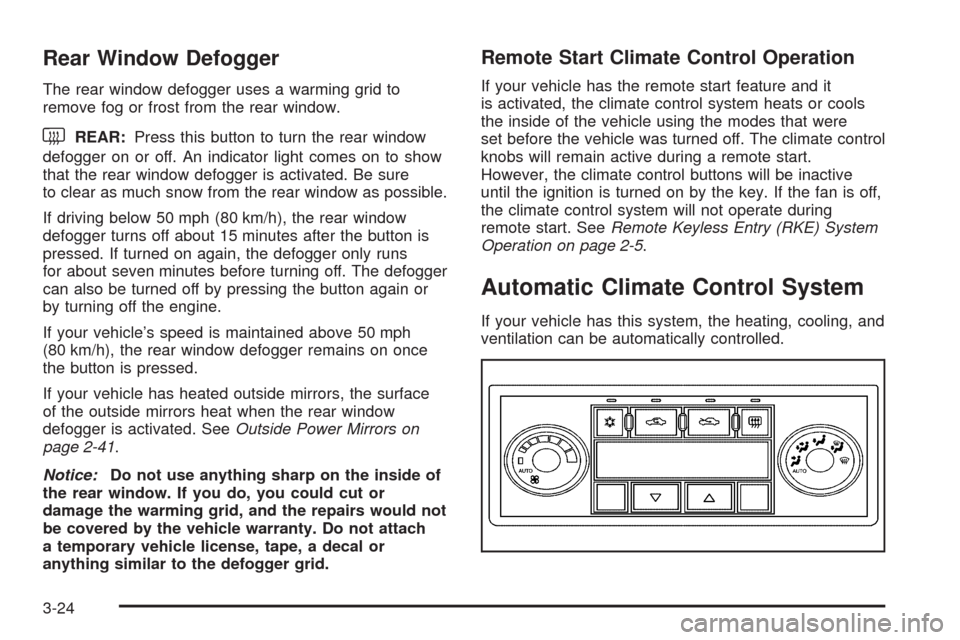
Rear Window Defogger
The rear window defogger uses a warming grid to
remove fog or frost from the rear window.
that the rear window defogger is activated. Be sure
to clear as much snow from the rear window as possible.
If driving below 50 mph (80 km/h), the rear window
defogger turns off about 15 minutes after the button is
pressed. If turned on again, the defogger only runs
for about seven minutes before turning off. The defogger
can also be turned off by pressing the button again or
by turning off the engine.
If your vehicle’s speed is maintained above 50 mph
(80 km/h), the rear window defogger remains on once
the button is pressed.
If your vehicle has heated outside mirrors, the surface
of the outside mirrors heat when the rear window
defogger is activated. SeeOutside Power Mirrors on
page 2-41.
Notice:Do not use anything sharp on the inside of
the rear window. If you do, you could cut or
damage the warming grid, and the repairs would not
be covered by the vehicle warranty. Do not attach
a temporary vehicle license, tape, a decal or
anything similar to the defogger grid.
Remote Start Climate Control Operation
If your vehicle has the remote start feature and it
is activated, the climate control system heats or cools
the inside of the vehicle using the modes that were
set before the vehicle was turned off. The climate control
knobs will remain active during a remote start.
However, the climate control buttons will be inactive
until the ignition is turned on by the key. If the fan is off,
the climate control system will not operate during
remote start. SeeRemote Keyless Entry (RKE) System
Operation on page 2-5.
Automatic Climate Control System
If your vehicle has this system, the heating, cooling, and
ventilation can be automatically controlled.
3-24
Page 157 of 412
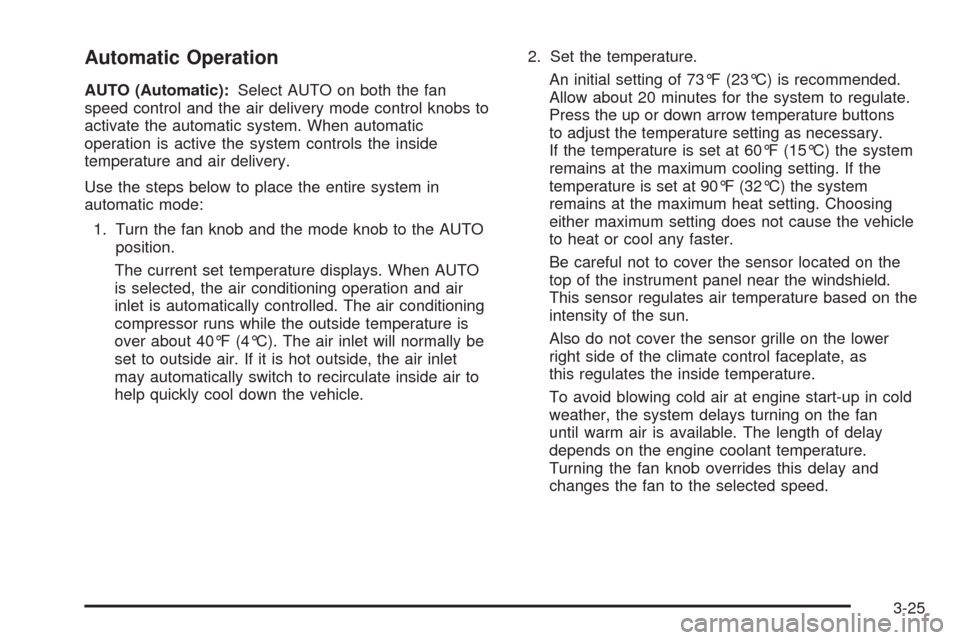
Automatic Operation
AUTO (Automatic):Select AUTO on both the fan
speed control and the air delivery mode control knobs to
activate the automatic system. When automatic
operation is active the system controls the inside
temperature and air delivery.
Use the steps below to place the entire system in
automatic mode:
1. Turn the fan knob and the mode knob to the AUTO
position.
The current set temperature displays. When AUTO
is selected, the air conditioning operation and air
inlet is automatically controlled. The air conditioning
compressor runs while the outside temperature is
over about 40°F (4°C). The air inlet will normally be
set to outside air. If it is hot outside, the air inlet
may automatically switch to recirculate inside air to
help quickly cool down the vehicle.2. Set the temperature.
An initial setting of 73°F (23°C) is recommended.
Allow about 20 minutes for the system to regulate.
Press the up or down arrow temperature buttons
to adjust the temperature setting as necessary.
If the temperature is set at 60°F (15°C) the system
remains at the maximum cooling setting. If the
temperature is set at 90°F (32°C) the system
remains at the maximum heat setting. Choosing
either maximum setting does not cause the vehicle
to heat or cool any faster.
Be careful not to cover the sensor located on the
top of the instrument panel near the windshield.
This sensor regulates air temperature based on the
intensity of the sun.
Also do not cover the sensor grille on the lower
right side of the climate control faceplate, as
this regulates the inside temperature.
To avoid blowing cold air at engine start-up in cold
weather, the system delays turning on the fan
until warm air is available. The length of delay
depends on the engine coolant temperature.
Turning the fan knob overrides this delay and
changes the fan to the selected speed.
3-25
Page 158 of 412
Manual Operation
The air delivery mode or fan speed can be manually
adjusted.
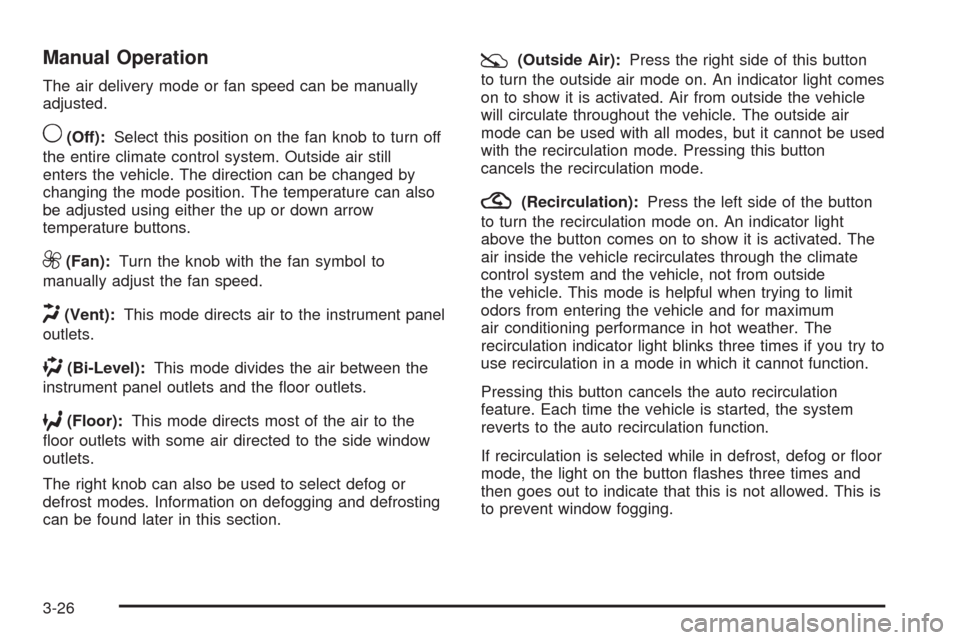
9(Off):Select this position on the fan knob to turn off
the entire climate control system. Outside air still
enters the vehicle. The direction can be changed by
changing the mode position. The temperature can also
be adjusted using either the up or down arrow
temperature buttons.
9(Fan):Turn the knob with the fan symbol to
manually adjust the fan speed.
H(Vent):This mode directs air to the instrument panel
outlets.
)(Bi-Level):This mode divides the air between the
instrument panel outlets and the oor outlets.
6(Floor):This mode directs most of the air to the
oor outlets with some air directed to the side window
outlets.
The right knob can also be used to select defog or
defrost modes. Information on defogging and defrosting
can be found later in this section.
:(Outside Air):Press the right side of this button
to turn the outside air mode on. An indicator light comes
on to show it is activated. Air from outside the vehicle
will circulate throughout the vehicle. The outside air
mode can be used with all modes, but it cannot be used
with the recirculation mode. Pressing this button
cancels the recirculation mode.
?(Recirculation):Press the left side of the button
to turn the recirculation mode on. An indicator light
above the button comes on to show it is activated. The
air inside the vehicle recirculates through the climate
control system and the vehicle, not from outside
the vehicle. This mode is helpful when trying to limit
odors from entering the vehicle and for maximum
air conditioning performance in hot weather. The
recirculation indicator light blinks three times if you try to
use recirculation in a mode in which it cannot function.
Pressing this button cancels the auto recirculation
feature. Each time the vehicle is started, the system
reverts to the auto recirculation function.
If recirculation is selected while in defrost, defog or oor
mode, the light on the button ashes three times and
then goes out to indicate that this is not allowed. This is
to prevent window fogging.
3-26
Page 159 of 412
When the weather is cool or damp, operating the
system in recirculation for extended periods of time can
cause fogging of the vehicle’s windows. To clear the
fog, select either defog or defrost. Make sure the
air conditioning is on. Allow the air conditioning to run
automatically to help dehumidify the air.
Temperature Control:Press the up and down arrows
to increase or decrease the temperature inside the
vehicle.
#(Air Conditioning):Press this button to turn the air
conditioning compressor on and off. A light above
the button comes on while the air conditioning is on.
When air conditioning is selected or is in AUTO mode,
the system runs the air conditioning automatically to
cool and dehumidify the air entering the vehicle.
On hot days, open the windows long enough to let hot
inside air escape. This reduces the time it takes for
the vehicle to cool down. Then keep the windows closed
for the air conditioner to work its best.On cool, but sunny days while using manual operation
of the automatic system, use bi-level to deliver warm
air to the oor and cooler air to the instrument
panel outlets. To warm or cool the air delivered, press
the temperature buttons to the desired setting.
In AUTO mode the system cools and dehumidies the
air inside the vehicle. Also while in AUTO mode,
the system maximizes its performance by using
recirculation as necessary.
Heating:On cold days when using manual operation of
the automatic system, use oor mode to deliver air to
the oor outlets. To warm or cool the air delivered, push
the temperature buttons to the desired setting.
To use the automatic mode, turn the knob to AUTO and
adjust the temperature by pressing the temperature
buttons.
3-27
Page 161 of 412
Remote Start Climate Control Operation
If the vehicle has remote start and it is activated,
the climate control system heats and cools the inside of
the vehicle using the previous system settings before
the vehicle was turned off. The climate control knobs will
remain active during a remote start. However, the
climate control buttons will be inactive until the ignition
is turned on by the key. If the fan is off, the climate
control system will not operate during remote start.
With the automatic climate control system, the climate
control displays “RS” in place of the temperature to
indicate that remote start is activated. For best
performance, turn both the fan and mode knobs to
AUTO. If the temperature is cold enough and the mode
knob is set to AUTO, the system begins in defrost to
clear the windows. SeeRemote Keyless Entry
(RKE) System Operation on page 2-5.
Outlet Adjustment
Use the lever located in the center of each outlet by
moving it either up and down or side-to-side, to change
the direction and amount of airow in the vehicle.
Operation Tips
Clear away any ice, snow, or leaves from the air
inlets at the base of the windshield that may
block the ow of air into the vehicle.
Do not use non-GM approved hood deectors as
they could adversely affect the performance of
the system.
Keep the path under the front seats clear of objects
to help circulate the air inside of the vehicle more
effectively.
When an objectionable odor outside the vehicle is
encountered, use the recirculation mode, with the
temperature knob at a comfortable setting to prevent
the odor from entering the vehicle through the
ventilation system. This can be helpful when driving
through a long tunnel with poor ventilation.
However, extended usage of this mode in cold or
cool weather can cause window fogging.
3-29
Page 178 of 412
Driver Information Center (DIC)
Your vehicle has a Driver Information Center (DIC).
The DIC display gives you the status of many of your
vehicle’s systems. The DIC is also used to display driver
personalization menu modes and warning/status
messages. All messages will appear in the DIC display,
located at the bottom of the instrument panel cluster.
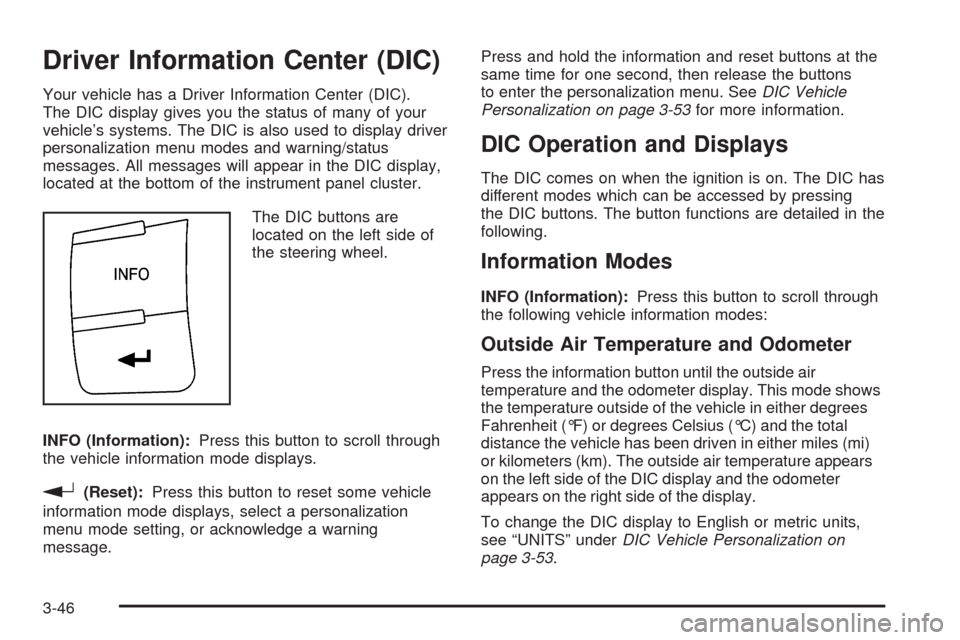
The DIC buttons are
located on the left side of
the steering wheel.
INFO (Information):Press this button to scroll through
the vehicle information mode displays.
r(Reset):Press this button to reset some vehicle
information mode displays, select a personalization
menu mode setting, or acknowledge a warning
message.Press and hold the information and reset buttons at the
same time for one second, then release the buttons
to enter the personalization menu. SeeDIC Vehicle
Personalization on page 3-53for more information.
DIC Operation and Displays
The DIC comes on when the ignition is on. The DIC has
different modes which can be accessed by pressing
the DIC buttons. The button functions are detailed in the
following.
Information Modes
INFO (Information):Press this button to scroll through
the following vehicle information modes:
Outside Air Temperature and Odometer
Press the information button until the outside air
temperature and the odometer display. This mode shows
the temperature outside of the vehicle in either degrees
Fahrenheit (°F) or degrees Celsius (°C) and the total
distance the vehicle has been driven in either miles (mi)
or kilometers (km). The outside air temperature appears
on the left side of the DIC display and the odometer
appears on the right side of the display.
To change the DIC display to English or metric units,
see “UNITS” underDIC Vehicle Personalization on
page 3-53.
3-46
Page 180 of 412
OIL LIFE
Press the information button until OIL LIFE displays.
The engine oil life system shows an estimate of the oil’s
remaining useful life. It shows 100% when the system
is reset after an oil change. It alerts you to change the oil
on a schedule consistent with your driving conditions.
In addition to the engine oil life system monitoring the oil
life, additional maintenance is recommended in the
Maintenance Schedule in this manual. SeeEngine Oil
on page 5-19andScheduled Maintenance on page 6-4.
Always reset the engine oil life system after an oil
change. See “How to Reset the Engine Oil Life System”
underEngine Oil Life System on page 5-22.
Tire Pressure
The pressure for each tire can be viewed in the DIC.
The tire pressure is shown in either pounds per square
inch (psi) or kilopascals (kPa). Press the information
button until LF ## PSI (kPa) ## RF displays for the
front tires. Press the information button again until
LR ## PSI (kPa) ## RR displays for the rear tires.
If a low tire pressure condition is detected by the system
while driving, a message advising you to check the
tire pressure appears in the display. SeeInflation - Tire
Pressure on page 5-60andDIC Warnings and
Messages on page 3-48for more information.
DIC Warnings and Messages
These messages appear if there is a problem detected
in one of your vehicle’s systems.
A message clears when the vehicle’s condition is no
longer present. To acknowledge a message and clear it
from the display, press and hold any of the DIC
buttons. If the condition is still present, the warning
message comes back on the next time the vehicle is
turned off and back on. With most messages, a warning
chime sounds when the message displays. Your
vehicle may have other warning messages.
AUTO (Automatic) LIGHTS OFF
This message displays if the automatic headlamp
system is disabled with the headlamp switch. See
Automatic Headlamp System on page 3-15for more
information.
AUTO (Automatic) LIGHTS ON
This message displays if the automatic headlamp
system is enabled with the headlamp switch. See
Automatic Headlamp System on page 3-15for more
information.
3-48
Page 185 of 412
TRACTION OFF
If your vehicle has the Traction Control System (TCS),
this message displays and the ESC/TCS light on
the instrument panel cluster comes on solid when the
system is turned off. Adjust your driving accordingly.
SeeTraction Control System (TCS) on page 4-6
andElectronic Stability Control (ESC)/Traction Control
System (TCS) Indicator/Warning Light on page 3-39
for more information.
TRUNK AJAR
This message displays when the trunk is not closed
completely. Make sure that the trunk is closed
completely. SeeTrunk on page 2-13for more
information.
DIC Vehicle Personalization
Your vehicle has personalization capabilities that allow
you to program certain features to a preferred setting.
All of the features listed may not be available on
your vehicle. Only the features available will be
displayed on the DIC.The default settings for the features were set when your
vehicle left the factory, but may have been changed
from their default state since that time.
To change feature settings, use the following procedure:
Entering Personalization Menu
1. Turn the ignition on while the vehicle is stopped.
To avoid excessive drain on the battery, it is
recommended that the headlamps are turned off.
2. Press and hold the information and reset buttons at
the same time for one second, then release to enter
the personalization menu.
If the vehicle speed is greater than 2 mph (3 km/h),
only the UNITS menu will be accessible.
3. Press the information button to scroll through the
available personalization menu modes.
Press the reset button to scroll through the available
settings for each mode.
If you do not make a selection within ten seconds,
the display will go back to the previous information
displayed.
3-53
Page 188 of 412
LIGHT FLASH
This feature, which allows the vehicle’s exterior
hazard/turn signal lighting to ash every time the lock,
unlock, or trunk release buttons on the Remote Keyless
Entry (RKE) transmitter are pressed, can be enabled
or disabled. When LIGHT FLASH appears on the
display, press and hold the reset button for at least
one second to scroll through the available settings:
OFF:The exterior hazard/turn signal lighting will
not ash when the lock, unlock, or trunk release buttons
on the RKE transmitter are pressed.
ON (default):The exterior hazard/turn signal lighting
will ash when the lock, unlock, or trunk release buttons
on the RKE transmitter are pressed.
SeeRemote Keyless Entry (RKE) System Operation on
page 2-5for more information.
To select a setting and move on to the next feature,
press the information button while the desired setting is
displayed on the DIC.
DELAY LOCK
This feature, which delays the actual locking of the
vehicle, can be enabled or disabled. When DELAY
LOCK appears on the display, press and hold the reset
button for at least one second to scroll through the
available settings:
ON (default):The doors will not lock until ve seconds
after the last door is closed. You can temporarily
override delayed locking by pressing the power lock
switch or the lock button on the Remote Keyless Entry
(RKE) transmitter a second time.
OFF:The doors will lock immediately when pressing
the power lock switch or the lock button on the
RKE transmitter.
SeePower Door Locks on page 2-11,Delayed Locking
on page 2-11, andRemote Keyless Entry (RKE)
System Operation on page 2-5for more information.
To select a setting and move on to the next feature,
press the information button while the desired setting is
displayed on the DIC.
3-56
Page 198 of 412
Setting Preset Stations (AM-FM Radio)
If the radio does not have XM™, up to 18 stations
(six FM1, six FM2, and six AM), can be programmed on
the six numbered pushbuttons, by performing the
following steps:
1. Turn the radio on.
2. Press BAND to select FM1, FM2, or AM.
3. Tune in the desired station.
4. Press and hold one of the six numbered
pushbuttons for three seconds until a beep sounds.
Whenever that pushbutton is pressed and
released, the station that was set, returns.
5. Repeat the Steps 2 through 4 for each pushbutton.
If your vehicle has XM™ and has a FAV button, a
maximum of 36 stations can be programmed as
favorites using the six pushbuttons positioned below the
radio station frequency labels and by using the radio
favorites page button (FAV button).
FAV (Favorites):Press to go through up to six pages
of favorites, each having six favorite stations available
per page. Each page of favorites can contain any
combination of AM, FM, or XM™ (if equipped) stations.To store a station as a favorite, perform the
following steps:
1. Tune to the desired radio station.
2. Press the FAV button to display the page where
you want the station stored.
3. Press and hold one of the six pushbuttons until a
beep sounds. When that pushbutton is pressed
and released, the station that was set, returns.
4. Repeat the steps for each pushbutton radio station
you want stored as a favorite.
The number of favorites pages can be setup using the
MENU button. To setup the number of favorites
pages, perform the following steps:
1. Press the MENU button to display the radio
setup menu.
2. Press the pushbutton located below the
FAV 1-6 label.
3. Select the desired number of favorites pages by
pressing the pushbutton located below the
displayed page numbers.
4. Press the FAV button, or let the menu time out, to
return to the original main radio screen showing the
radio station frequency labels and to begin the
process of programming your favorites for the
chosen amount of numbered pages.
3-66