display CHEVROLET MALIBU 2017 9.G Owners Manual
[x] Cancel search | Manufacturer: CHEVROLET, Model Year: 2017, Model line: MALIBU, Model: CHEVROLET MALIBU 2017 9.GPages: 419, PDF Size: 7.81 MB
Page 255 of 419
Chevrolet Malibu Owner Manual (GMNA-Localizing-U.S./Canada/Mexico-10122664) - 2017 - crc - 5/23/16
254 Driving and Operating
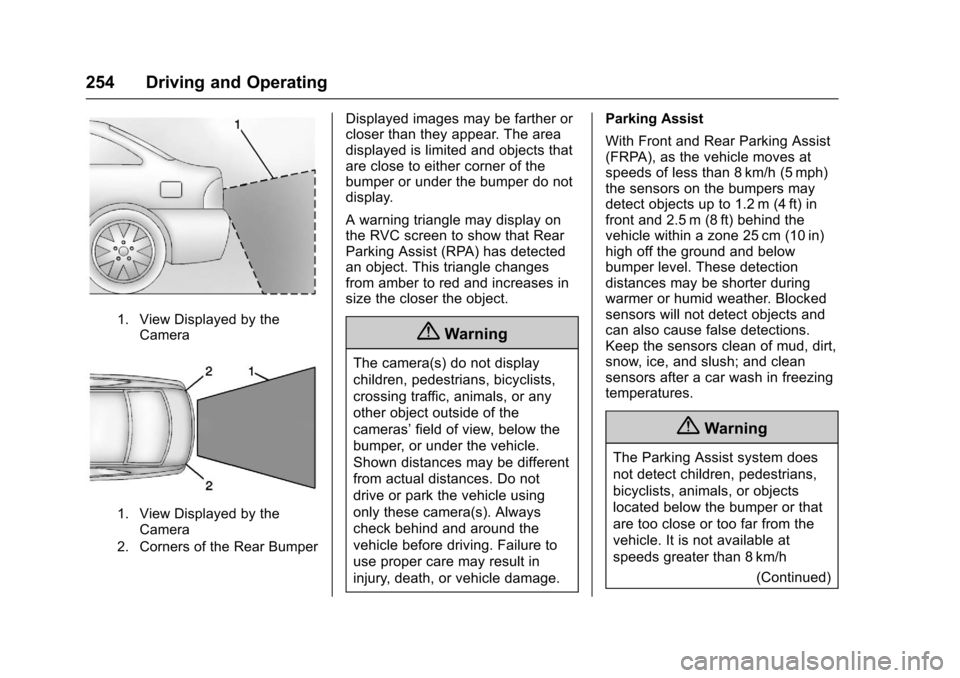
1. View Displayed by theCamera
1. View Displayed by theCamera
2. Corners of the Rear Bumper
Displayed images may be farther orcloser than they appear. The areadisplayed is limited and objects thatare close to either corner of thebumper or under the bumper do notdisplay.
Awarningtrianglemaydisplayonthe RVC screen to show that RearParking Assist (RPA) has detectedan object. This triangle changesfrom amber to red and increases insize the closer the object.
{Warning
The camera(s) do not display
children, pedestrians, bicyclists,
crossing traffic, animals, or any
other object outside of the
cameras’field of view, below the
bumper, or under the vehicle.
Shown distances may be different
from actual distances. Do not
drive or park the vehicle using
only these camera(s). Always
check behind and around the
vehicle before driving. Failure to
use proper care may result in
injury, death, or vehicle damage.
Parking Assist
With Front and Rear Parking Assist(FRPA), as the vehicle moves atspeeds of less than 8 km/h (5 mph)the sensors on the bumpers maydetect objects up to 1.2 m (4 ft) infront and 2.5 m (8 ft) behind thevehicle within a zone 25 cm (10 in)high off the ground and belowbumper level. These detectiondistances may be shorter duringwarmer or humid weather. Blockedsensors will not detect objects andcan also cause false detections.Keep the sensors clean of mud, dirt,snow, ice, and slush; and cleansensors after a car wash in freezingtemperatures.
{Warning
The Parking Assist system does
not detect children, pedestrians,
bicyclists, animals, or objects
located below the bumper or that
are too close or too far from the
vehicle. It is not available at
speeds greater than 8 km/h
(Continued)
Page 256 of 419
Chevrolet Malibu Owner Manual (GMNA-Localizing-U.S./Canada/Mexico-10122664) - 2017 - crc - 5/23/16
Driving and Operating 255
Warning (Continued)
(5 mph). To prevent injury, death,
or vehicle damage, even with
Parking Assist, always check the
area around the vehicle and
check all mirrors before moving
forward or backing.
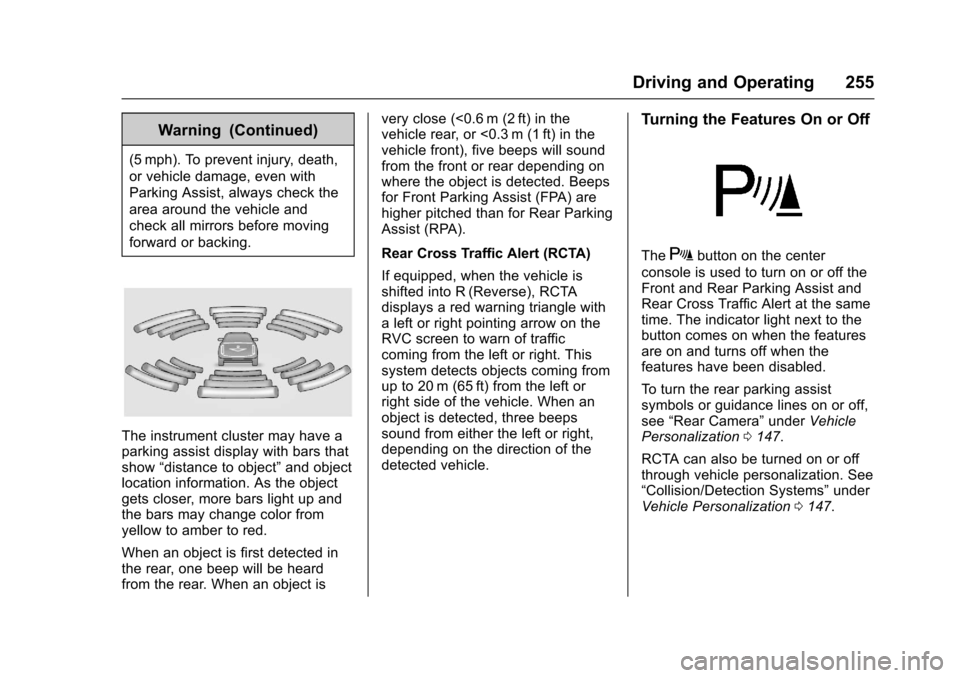
The instrument cluster may have aparking assist display with bars thatshow“distance to object”and objectlocation information. As the objectgets closer, more bars light up andthe bars may change color fromyellow to amber to red.
When an object is first detected inthe rear, one beep will be heardfrom the rear. When an object is
very close (<0.6 m (2 ft) in thevehicle rear, or <0.3 m (1 ft) in thevehicle front), five beeps will soundfrom the front or rear depending onwhere the object is detected. Beepsfor Front Parking Assist (FPA) arehigher pitched than for Rear ParkingAssist (RPA).
Rear Cross Traffic Alert (RCTA)
If equipped, when the vehicle isshifted into R (Reverse), RCTAdisplays a red warning triangle withaleftorrightpointingarrowontheRVC screen to warn of trafficcoming from the left or right. Thissystem detects objects coming fromup to 20 m (65 ft) from the left orright side of the vehicle. When anobject is detected, three beepssound from either the left or right,depending on the direction of thedetected vehicle.
Turning the Features On or Off
TheXbutton on the center
console is used to turn on or off theFront and Rear Parking Assist andRear Cross Traffic Alert at the sametime. The indicator light next to thebutton comes on when the featuresare on and turns off when thefeatures have been disabled.
To t u r n t h e r e a r p a r k i n g a s s i s tsymbols or guidance lines on or off,see“Rear Camera”underVehiclePersonalization0147.
RCTA can also be turned on or offthrough vehicle personalization. See“Collision/Detection Systems”underVehicle Personalization0147.
Page 257 of 419
Chevrolet Malibu Owner Manual (GMNA-Localizing-U.S./Canada/Mexico-10122664) - 2017 - crc - 5/23/16
256 Driving and Operating
Automatic Parking
Assist (APA)
If equipped, APA searches for andsteers the vehicle into parallel orperpendicular parking spots. Whenusing APA, you must still shift gears,and control the brakes andaccelerator. The Driver informationCenter (DIC) and audible beepshelp to guide parking maneuvers.
{Warning
APA does not apply the brakes.
APA may not detect objects in the
parking space, objects that are
soft or narrow, objects high off the
ground such as flatbed trucks,
or objects below ground level
such as large potholes. Always
verify that the parking space is
appropriate for parking a vehicle.
APA does not respond to changes
in the parking space, such as
movement of an adjacent vehicle,
or a person or object entering the
parking space. APA does not
(Continued)
Warning (Continued)
detect or avoid traffic that is
behind or alongside of the
vehicle. Always be prepared to
stop the vehicle during the
parking maneuver.
PressOon the center console to
enable the system to search for aparking space that is large enoughand within 1.5 m (5 ft) of the vehicle.The vehicle speed must be below30 km/h (18 mph).
The system cannot:
.Detect whether it is a legalparking space.
.Park exactly lined up with thevehicle next to it if the spot isapproached at an angle or if theparking space is angled.
.Park exactly centered in a spotthat is marked too large.
.Always detect short curbs.
If the vehicle is equipped withperpendicular parking mode, press
and holdOduring the search
process to switch the APA parkingmode between perpendicular andparallel parking.
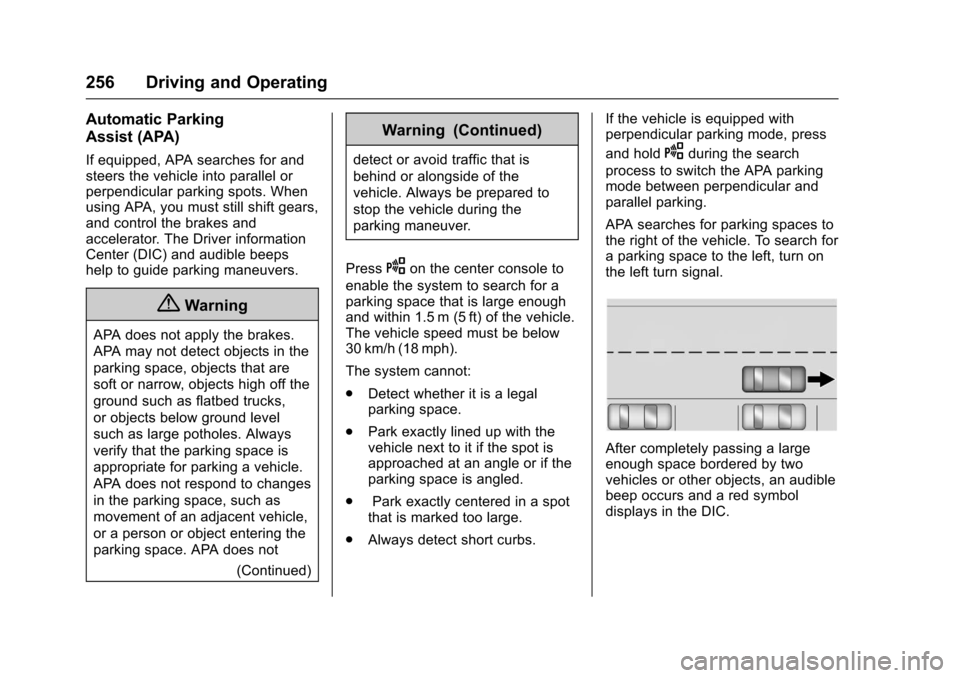
APA searches for parking spaces tothe right of the vehicle. To search foraparkingspacetotheleft,turnonthe left turn signal.
After completely passing a largeenough space bordered by twovehicles or other objects, an audiblebeep occurs and a red symboldisplays in the DIC.
Page 258 of 419
Chevrolet Malibu Owner Manual (GMNA-Localizing-U.S./Canada/Mexico-10122664) - 2017 - crc - 5/23/16
Driving and Operating 257
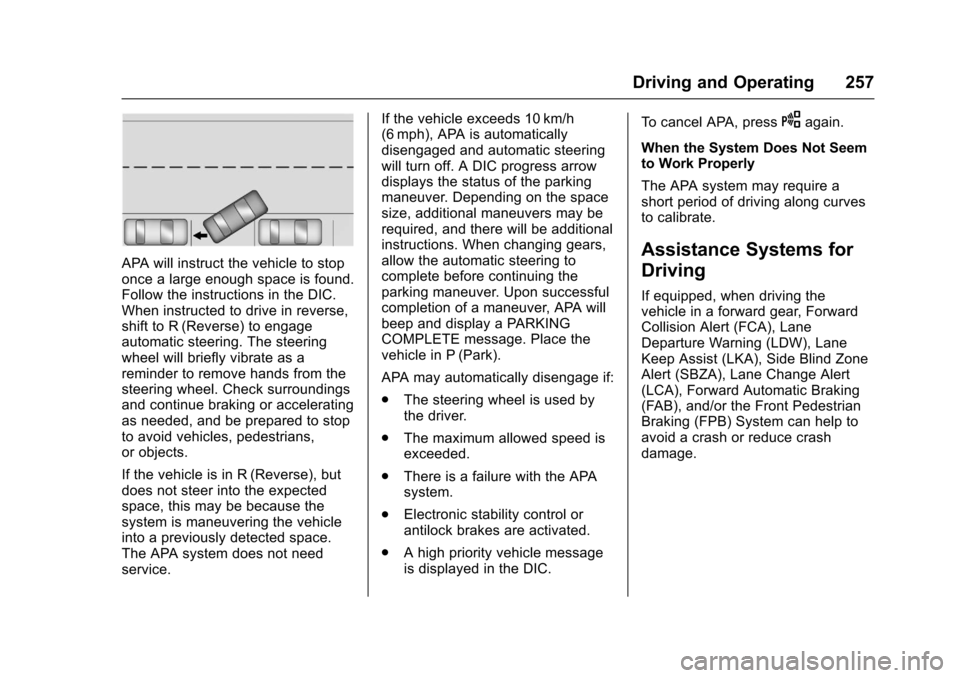
APA will instruct the vehicle to stoponce a large enough space is found.Follow the instructions in the DIC.When instructed to drive in reverse,shift to R (Reverse) to engageautomatic steering. The steeringwheel will briefly vibrate as areminder to remove hands from thesteering wheel. Check surroundingsand continue braking or acceleratingas needed, and be prepared to stopto avoid vehicles, pedestrians,or objects.
If the vehicle is in R (Reverse), butdoes not steer into the expectedspace, this may be because thesystem is maneuvering the vehicleinto a previously detected space.The APA system does not needservice.
If the vehicle exceeds 10 km/h(6 mph), APA is automaticallydisengaged and automatic steeringwill turn off. A DIC progress arrowdisplays the status of the parkingmaneuver. Depending on the spacesize, additional maneuvers may berequired, and there will be additionalinstructions. When changing gears,allow the automatic steering tocomplete before continuing theparking maneuver. Upon successfulcompletion of a maneuver, APA willbeep and display a PARKINGCOMPLETE message. Place thevehicle in P (Park).
APA may automatically disengage if:
.The steering wheel is used bythe driver.
.The maximum allowed speed isexceeded.
.There is a failure with the APAsystem.
.Electronic stability control orantilock brakes are activated.
.Ahighpriorityvehiclemessageis displayed in the DIC.
To c a n c e l A PA , p r e s sOagain.
When the System Does Not Seemto Work Properly
The APA system may require ashort period of driving along curvesto calibrate.
Assistance Systems for
Driving
If equipped, when driving thevehicle in a forward gear, ForwardCollision Alert (FCA), LaneDeparture Warning (LDW), LaneKeep Assist (LKA), Side Blind ZoneAlert (SBZA), Lane Change Alert(LCA), Forward Automatic Braking(FAB), and/or the Front PedestrianBraking (FPB) System can help toavoid a crash or reduce crashdamage.
Page 259 of 419
Chevrolet Malibu Owner Manual (GMNA-Localizing-U.S./Canada/Mexico-10122664) - 2017 - crc - 5/23/16
258 Driving and Operating
Forward Collision Alert
(FCA) System
If equipped, the FCA system mayhelp to avoid or reduce the harmcaused by front-end crashes. Whenapproaching a vehicle ahead tooquickly, FCA provides a flashing redalert on the windshield and rapidlybeeps. FCA also lights an ambervisual alert if following anothervehicle much too closely.
FCA detects vehicles within adistance of approximately 60 m(197 ft) and operates at speedsabove 8 km/h (5 mph). If the vehiclehas Adaptive Cruise Control (ACC),it can detect vehicles to distances ofapproximately 110 m (360 ft) andoperates at all speeds. SeeAdaptive Cruise Control0245.
{Warning
FCA is a warning system and
does not apply the brakes. When
approaching a slower-moving or
stopped vehicle ahead too rapidly,
or when following a vehicle too
closely, FCA may not provide a
warning with enough time to help
avoid a crash. It also may not
provide any warning at all. FCA
does not warn of pedestrians,
animals, signs, guardrails,
bridges, construction barrels,
or other objects. Be ready to take
action and apply the brakes. See
Defensive Driving0216.
FCA can be disabled with the FCAsteering wheel control.
Detecting the Vehicle Ahead
FCA warnings will not occur unlessthe FCA system detects a vehicleahead. When a vehicle is detected,the vehicle ahead indicator willdisplay green. Vehicles may not bedetected on curves, highway exitramps, or hills, due to poor visibility;or if a vehicle ahead is partiallyblocked by pedestrians or otherobjects. FCA will not detect anothervehicle ahead until it is completelyin the driving lane.
{Warning
FCA does not provide a warning
to help avoid a crash, unless it
detects a vehicle. FCA may not
detect a vehicle ahead if the FCA
sensor is blocked by dirt, snow,
(Continued)
Page 260 of 419
Chevrolet Malibu Owner Manual (GMNA-Localizing-U.S./Canada/Mexico-10122664) - 2017 - crc - 5/23/16
Driving and Operating 259
Warning (Continued)
or ice, or if the windshield is
damaged. It may also not detect a
vehicle on winding or hilly roads,
or in conditions that can limit
visibility such as fog, rain,
or snow, or if the headlamps or
windshield are not cleaned or in
proper condition. Keep the
windshield, headlamps, and FCA
sensors clean and in good repair.
Collision Alert
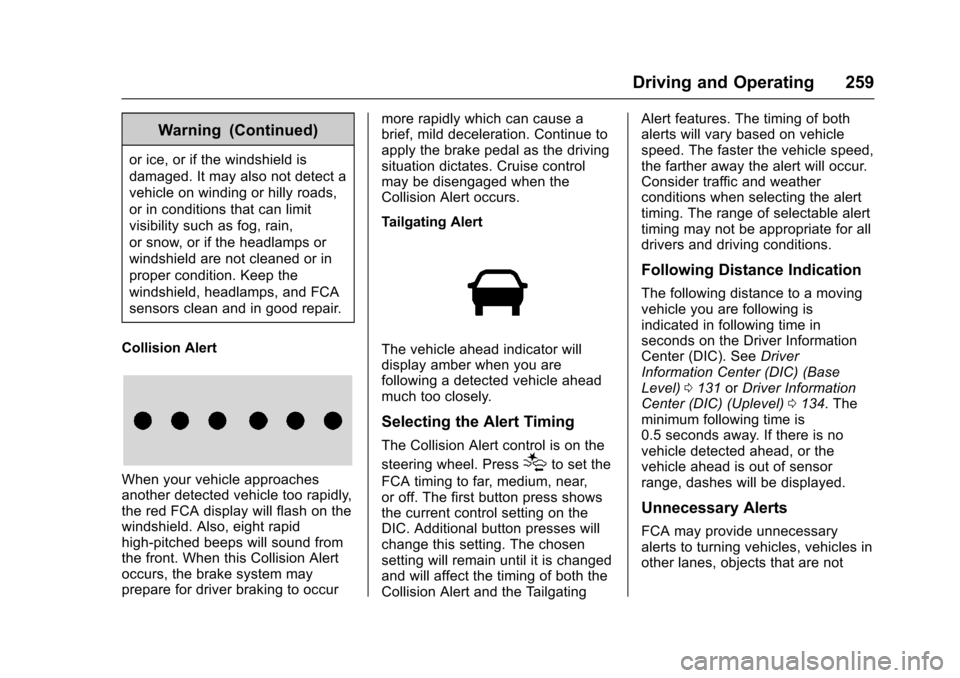
When your vehicle approachesanother detected vehicle too rapidly,the red FCA display will flash on thewindshield. Also, eight rapidhigh-pitched beeps will sound fromthe front. When this Collision Alertoccurs, the brake system mayprepare for driver braking to occur
more rapidly which can cause abrief, mild deceleration. Continue toapply the brake pedal as the drivingsituation dictates. Cruise controlmay be disengaged when theCollision Alert occurs.
Tailgating Alert
The vehicle ahead indicator willdisplay amber when you arefollowing a detected vehicle aheadmuch too closely.
Selecting the Alert Timing
The Collision Alert control is on the
steering wheel. Press[to set the
FCA timing to far, medium, near,or off. The first button press showsthe current control setting on theDIC. Additional button presses willchange this setting. The chosensetting will remain until it is changedand will affect the timing of both theCollision Alert and the Tailgating
Alert features. The timing of bothalerts will vary based on vehiclespeed. The faster the vehicle speed,the farther away the alert will occur.Consider traffic and weatherconditions when selecting the alerttiming. The range of selectable alerttiming may not be appropriate for alldrivers and driving conditions.
Following Distance Indication
The following distance to a movingvehicle you are following isindicated in following time inseconds on the Driver InformationCenter (DIC). SeeDriverInformation Center (DIC) (BaseLevel)0131orDriver InformationCenter (DIC) (Uplevel)0134.Theminimum following time is0.5 seconds away. If there is novehicle detected ahead, or thevehicle ahead is out of sensorrange, dashes will be displayed.
Unnecessary Alerts
FCA may provide unnecessaryalerts to turning vehicles, vehicles inother lanes, objects that are not
Page 262 of 419
Chevrolet Malibu Owner Manual (GMNA-Localizing-U.S./Canada/Mexico-10122664) - 2017 - crc - 5/23/16
Driving and Operating 261
{Warning
FA B m a y a u t o m a t i c a l l y b r a k e t h e
vehicle suddenly in situations
where it is unexpected and
undesired. It could respond to a
turning vehicle ahead, guardrails,
signs, and other non-moving
objects. To override FAB, firmly
press the accelerator pedal, if it is
safe to do so.
Intelligent Brake Assist (IBA)
IBA may activate when the brakepedal is applied quickly by providingaboosttobrakingbasedonthespeed of approach and distance toavehicleahead.
Minor brake pedal pulsations orpedal movement during this time isnormal and the brake pedal shouldcontinue to be applied as needed.IBA will automatically disengageonly when the brake pedal isreleased.
{Warning
IBA may increase vehicle braking
in situations when it may not be
necessary. You could block the
flow of traffic. If this occurs, take
your foot off the brake pedal and
then apply the brakes as needed.
FA B a n d I B A c a n b e d i s a b l e dthrough vehicle personalization. See“Collision/Detection Systems”underVehicle Personalization0147.
{Warning
Using FAB or IBA while towing a
trailer could cause you to lose
control of the vehicle and crash.
Turn the system to Alert, or if the
vehicle has ACC to Off, when
towing a trailer.
Front Pedestrian Braking
(FPB) System
If equipped, the Front PedestrianBraking (FPB) system may helpavoid or reduce the harm caused byfront-end crashes with nearbypedestrians when driving in aforward gear. FPB displays apedestrian ahead indicator when anearby pedestrian is detecteddirectly ahead. When approaching adetected pedestrian too quickly,FPB provides a red flashing alert onthe windshield and rapidly beeps.FPB can provide a boost to brakingor automatically brake the vehicle.This system includes IntelligentBrake Assist (IBA), and the ForwardAutomatic Braking (FAB) may alsorespond to pedestrians. SeeForward Automatic Braking(FAB)0260.
The FPB system can detect andalert to pedestrians in a forwardgear at speeds between 8 km/h(5 mph) and 80 km/h (50 mph).During daytime driving, the systemdetects pedestrians up to a distance
Page 263 of 419
Chevrolet Malibu Owner Manual (GMNA-Localizing-U.S./Canada/Mexico-10122664) - 2017 - crc - 5/23/16
262 Driving and Operating
of approximately 40 m (131 ft).During nighttime driving, systemperformance is very limited.
{Warning
FPB does not provide an alert or
automatically brake the vehicle,
unless it detects a pedestrian.
FPB may not detect pedestrians,
including children:
.When the pedestrian is notdirectly ahead, fully visible,or standing upright, or whenpart of a group.
.Due to poor visibility,including nighttimeconditions, fog, rain,or snow.
.If the FPB sensor is blockedby dirt, snow, or ice.
.If the headlamps orwindshield are not cleanedor in proper condition.
(Continued)
Warning (Continued)
Be ready to take action and apply
the brakes. For more information,
seeDefensive Driving0216.
Keep the windshield, headlamps,
and FPB sensor clean and in
good repair.
FPB can be set to Off, Alert andBrake, or Alert Only through vehiclepersonalization. See“FrontPedestrian Detection”in“Collision/Detection Systems”underVehiclePersonalization0147.
Detecting the Pedestrian
Ahead
FPB alerts and automatic brakingwill not occur unless the FPBsystem detects a pedestrian. Whenanearbypedestrianisdetecteddirectly in front of the vehicle, thepedestrian ahead indicator willdisplay.
Front Pedestrian Alert
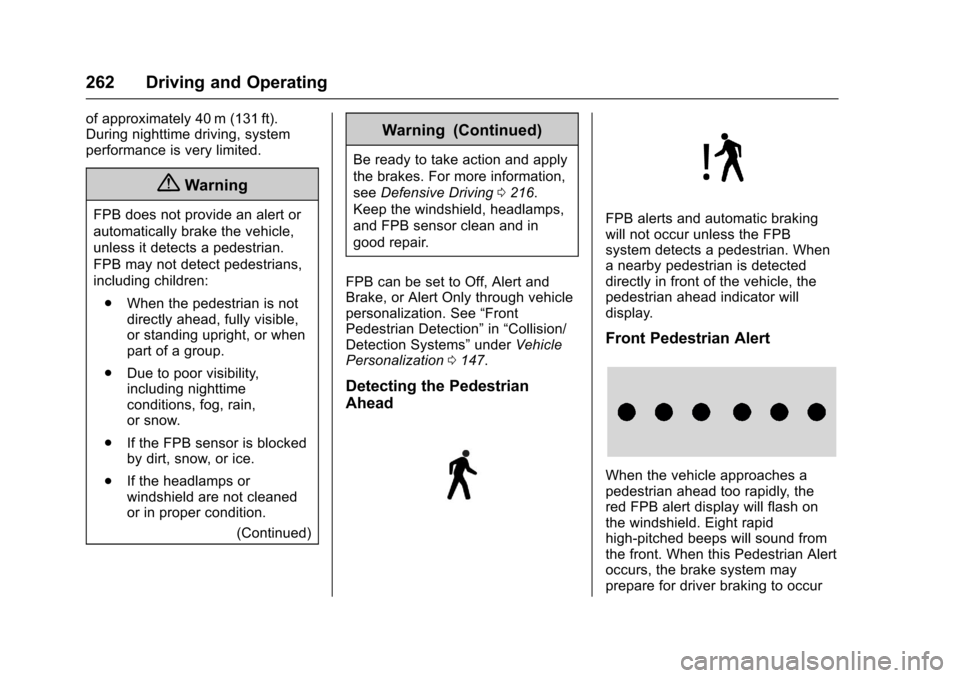
When the vehicle approaches apedestrian ahead too rapidly, thered FPB alert display will flash onthe windshield. Eight rapidhigh-pitched beeps will sound fromthe front. When this Pedestrian Alertoccurs, the brake system mayprepare for driver braking to occur
Page 264 of 419
Chevrolet Malibu Owner Manual (GMNA-Localizing-U.S./Canada/Mexico-10122664) - 2017 - crc - 5/23/16
Driving and Operating 263
more rapidly which can cause abrief, mild deceleration. Continue toapply the brake pedal as needed.Cruise control may be disengagedwhen the Front Pedestrian Alertoccurs.
Automatic Braking
If FPB detects it is about to crashinto a pedestrian directly ahead ofthe vehicle, and the brakes have notbeen applied, it may automaticallybrake moderately or brake hard.This can help to avoid some verylow-speed pedestrian crashes orreduce pedestrian injury. FPB canautomatically brake to detectedpedestrians between 8 km/h (5 mph)and 80 km/h (50 mph). Automaticbraking levels may be reducedunder certain conditions, such ashigher speeds.
If this happens, Automatic Brakingmay engage the Electric ParkingBrake (EPB) to hold the vehicle at astop. Release the EPB. A firm pressof the accelerator pedal will alsorelease Automatic Braking andthe EPB.
{Warning
FPB may alert or automatically
brake the vehicle suddenly in
situations where it is unexpected
and undesired. It could falsely
alert or brake for objects similar in
shape or size to pedestrians,
including shadows. This is normal
operation and the vehicle does
not need service. To override
Automatic Braking, firmly press
the accelerator pedal, if it is safe
to do so.
Automatic Braking can be disabledthrough vehicle personalization. See“Front Pedestrian Detection”in“Collision/Detection Systems”underVehicle Personalization0147.
{Warning
Using the Front Pedestrian
Braking system while towing a
trailer could cause you to lose
(Continued)
Warning (Continued)
control of the vehicle and crash.
Turn the system to Alert or Off
when towing a trailer.
Cleaning the System
If FPB does not seem to operateproperly, cleaning the outside of thewindshield in front of the rearviewmirror may correct the issue.
Side Blind Zone
Alert (SBZA)
If equipped, the SBZA system is alane-changing aid that assistsdrivers with avoiding crashes thatoccur with moving vehicles in theside blind zone (or spot) areas.When the vehicle is in a forwardgear, the left or right side mirrordisplay will light up if a movingvehicle is detected in that blindzone. If the turn signal is activatedand a vehicle is also detected onthe same side, the display will flashas an extra warning not to changelanes. Since this system is part of
Page 265 of 419
Chevrolet Malibu Owner Manual (GMNA-Localizing-U.S./Canada/Mexico-10122664) - 2017 - crc - 5/23/16
264 Driving and Operating
the Lane Change Alert (LCA)system, read the entire LCA sectionbefore using this feature.
Lane Change Alert (LCA)
If equipped, the LCA system is alane-changing aid that assistsdrivers with avoiding lane changecrashes that occur with movingvehicles in the side blind zone (orspot) areas or with vehicles rapidlyapproaching these areas frombehind. The LCA warning displaywill light up in the correspondingoutside side mirror and will flash ifthe turn signal is on.
{Warning
LCA does not alert the driver to
vehicles outside of the system
detection zones, pedestrians,
bicyclists, or animals. It may not
provide alerts when changing
lanes under all driving conditions.
Failure to use proper care when
changing lanes may result in
injury, death, or vehicle damage.
(Continued)
Warning (Continued)
Before making a lane change,
always check mirrors, glance over
your shoulder, and use the turn
signals.
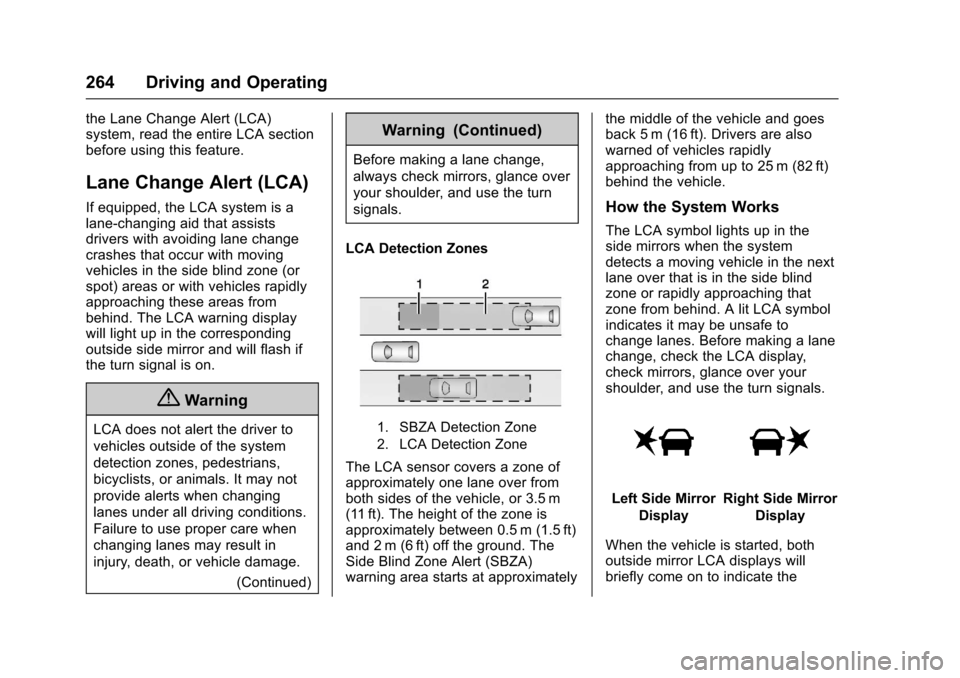
LCA Detection Zones
1. SBZA Detection Zone
2. LCA Detection Zone
The LCA sensor covers a zone ofapproximately one lane over fromboth sides of the vehicle, or 3.5 m(11 ft). The height of the zone isapproximately between 0.5 m (1.5 ft)and 2 m (6 ft) off the ground. TheSide Blind Zone Alert (SBZA)warning area starts at approximately
the middle of the vehicle and goesback 5 m (16 ft). Drivers are alsowarned of vehicles rapidlyapproaching from up to 25 m (82 ft)behind the vehicle.
How the System Works
The LCA symbol lights up in theside mirrors when the systemdetects a moving vehicle in the nextlane over that is in the side blindzone or rapidly approaching thatzone from behind. A lit LCA symbolindicates it may be unsafe tochange lanes. Before making a lanechange, check the LCA display,check mirrors, glance over yourshoulder, and use the turn signals.
Left Side Mirror
Display
Right Side Mirror
Display
When the vehicle is started, bothoutside mirror LCA displays willbriefly come on to indicate the