Battery CHEVROLET MALIBU 2017 9.G User Guide
[x] Cancel search | Manufacturer: CHEVROLET, Model Year: 2017, Model line: MALIBU, Model: CHEVROLET MALIBU 2017 9.GPages: 419, PDF Size: 7.81 MB
Page 52 of 419
Chevrolet Malibu Owner Manual (GMNA-Localizing-U.S./Canada/Mexico-10122664) - 2017 - crc - 5/23/16
Keys, Doors, and Windows 51
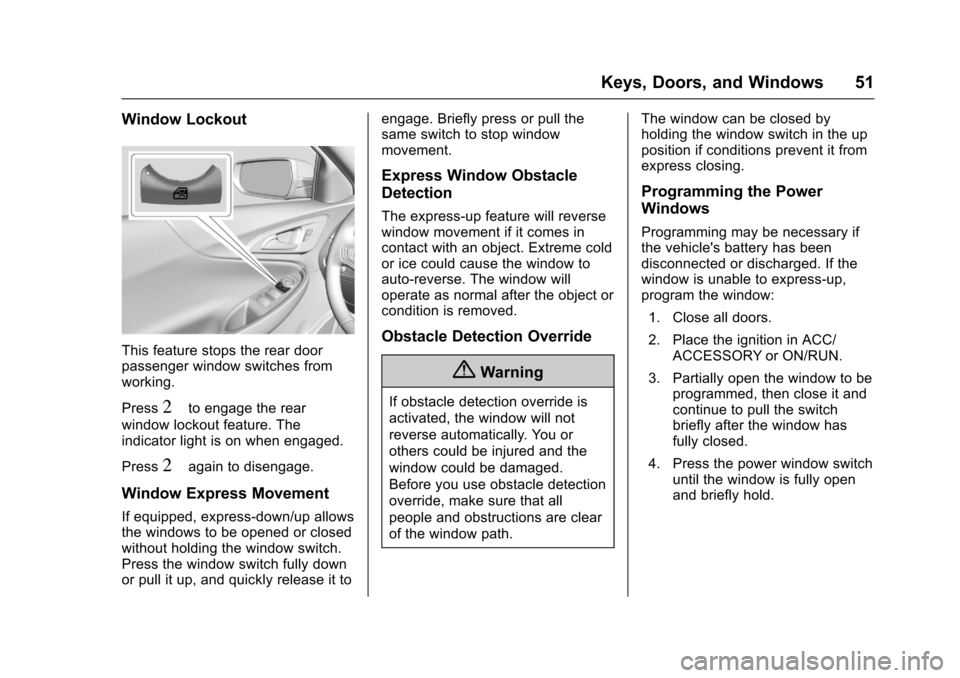
Window Lockout
This feature stops the rear doorpassenger window switches fromworking.
Press2to engage the rear
window lockout feature. Theindicator light is on when engaged.
Press2again to disengage.
Window Express Movement
If equipped, express-down/up allowsthe windows to be opened or closedwithout holding the window switch.Press the window switch fully downor pull it up, and quickly release it to
engage. Briefly press or pull thesame switch to stop windowmovement.
Express Window Obstacle
Detection
The express-up feature will reversewindow movement if it comes incontact with an object. Extreme coldor ice could cause the window toauto-reverse. The window willoperate as normal after the object orcondition is removed.
Obstacle Detection Override
{Warning
If obstacle detection override is
activated, the window will not
reverse automatically. You or
others could be injured and the
window could be damaged.
Before you use obstacle detection
override, make sure that all
people and obstructions are clear
of the window path.
The window can be closed byholding the window switch in the upposition if conditions prevent it fromexpress closing.
Programming the Power
Windows
Programming may be necessary ifthe vehicle's battery has beendisconnected or discharged. If thewindow is unable to express-up,program the window:
1. Close all doors.
2. Place the ignition in ACC/ACCESSORY or ON/RUN.
3. Partially open the window to beprogrammed, then close it andcontinue to pull the switchbriefly after the window hasfully closed.
4. Press the power window switchuntil the window is fully openand briefly hold.
Page 77 of 419
Chevrolet Malibu Owner Manual (GMNA-Localizing-U.S./Canada/Mexico-10122664) - 2017 - crc - 5/23/16
76 Seats and Restraints
prevent the driver from seeing out ofthe windshield or being able to steerthe vehicle, nor does it preventpeople from leaving the vehicle.
{Warning
When an airbag inflates, there
may be dust in the air. This dust
could cause breathing problems
for people with a history of
asthma or other breathing trouble.
To a v o i d t h i s , e v e r y o n e i n t h e
vehicle should get out as soon as
it is safe to do so. If you have
breathing problems but cannot
get out of the vehicle after an
airbag inflates, then get fresh air
by opening a window or a door.
If you experience breathing
problems following an airbag
deployment, you should seek
medical attention.
The vehicle has a feature that mayautomatically unlock the doors, turnon the interior lamps and hazardwarning flashers, and shut off thefuel system after the airbags inflate.
The feature may also activate,without airbag inflation, after anevent that exceeds a predeterminedthreshold. You can lock the doors,and turn off the interior lamps, andturn off the hazard warning flashersby using the controls for thosefeatures.
{Warning
Acrashsevereenoughtoinflate
the airbags may have also
damaged important functions in
the vehicle, such as the fuel
system, brake and steering
systems, etc. Even if the vehicle
appears to be drivable after a
moderate crash, there may be
concealed damage that could
make it difficult to safely operate
the vehicle.
Use caution if you should attempt
to restart the engine after a crash
has occurred.
Hybrid vehicles have a high voltagebattery and a standard 12-voltbattery. If an airbag inflates or the
vehicle has been in a crash, thevehicle's sensing system may shutdown the high voltage system.When this occurs, the high voltagebattery is disconnected and thevehicle is not charging the 12-voltbattery or the electrical system. Thevehicle may start but it shuts downonce the 12-volt battery is depleted.The airbag readiness light and/orthe 12-volt battery warning light aredisplayed. Before the vehicle can beoperated again, it must be servicedat your dealer.
In many crashes severe enough toinflate the airbag, windshields arebroken by vehicle deformation.Additional windshield breakage mayalso occur from the front outboardpassenger airbag.
.Airbags are designed to inflateonly once. After an airbaginflates, you will need some newparts for the airbag system.If you do not get them, theairbag system will not be thereto help protect you in anothercrash. A new system will includeairbag modules and possibly
Page 82 of 419
Chevrolet Malibu Owner Manual (GMNA-Localizing-U.S./Canada/Mexico-10122664) - 2017 - crc - 5/23/16
Seats and Restraints 81
Athicklayerofadditionalmaterial,such as a blanket or cushion,or aftermarket equipment such asseat covers, seat heaters, and seatmassagers can affect how well thepassenger sensing systemoperates. We recommend that younot use seat covers or otheraftermarket equipment except whenapproved by GM for your specificvehicle. SeeAdding Equipment tothe Airbag-Equipped Vehicle081for more information aboutmodifications that can affect howthe system operates.
The on indicator may be lit if anobject, such as a briefcase,handbag, grocery bag, laptop,or other electronic device is put onan unoccupied seat. If this is notdesired remove the object fromthe seat.
{Warning
Stowing of articles under the
passenger seat or between the
passenger seat cushion and
(Continued)
Warning (Continued)
seatback may interfere with the
proper operation of the passenger
sensing system.
Servicing the
Airbag-Equipped Vehicle
Airbags affect how the vehicleshould be serviced. There are partsof the airbag system in severalplaces around the vehicle. Yourdealer and the service manual haveinformation about servicing thevehicle and the airbag system. Topurchase a service manual, seeService Publications OrderingInformation0392.
{Warning
For up to 10 seconds after the
vehicle is turned off and the
battery is disconnected, an airbag
can still inflate during improper
service. You can be injured if you
(Continued)
Warning (Continued)
are close to an airbag when it
inflates. Avoid yellow connectors.
They are probably part of the
airbag system. Be sure to follow
proper service procedures, and
make sure the person performing
work for you is qualified to do so.
Adding Equipment to the
Airbag-Equipped Vehicle
Adding accessories that change thevehicle's frame, bumper system,height, front end, or side sheetmetal, may keep the airbag systemfrom working properly. Theoperation of the airbag system canalso be affected by changing anyparts of the front seats, safety belts,the airbag sensing and diagnosticmodule, steering wheel, instrumentpanel, any of the airbag modules,ceiling or pillar garnish trim, frontsensors, side impact sensors,or airbag wiring.
Page 104 of 419
Chevrolet Malibu Owner Manual (GMNA-Localizing-U.S./Canada/Mexico-10122664) - 2017 - crc - 5/23/16
Instruments and Controls 103
Instruments and
Controls
Controls
Steering Wheel Adjustment . . . 104Steering Wheel Controls . . . . . . 104Heated Steering Wheel . . . . . . . 105Horn . . . . . . . . . . . . . . . . . . . . . . . . . . 105Windshield Wiper/Washer . . . . 105Compass . . . . . . . . . . . . . . . . . . . . . 106Clock . . . . . . . . . . . . . . . . . . . . . . . . . 107Power Outlets . . . . . . . . . . . . . . . . 108Wireless Charging . . . . . . . . . . . . 109
Warning Lights, Gauges, and
Indicators
Warning Lights, Gauges, andIndicators . . . . . . . . . . . . . . . . . . . . 111Instrument Cluster (BaseLevel) . . . . . . . . . . . . . . . . . . . . . . . 112Instrument Cluster(Uplevel) . . . . . . . . . . . . . . . . . . . . 114Speedometer . . . . . . . . . . . . . . . . . 117Odometer . . . . . . . . . . . . . . . . . . . . . 117Trip Odometer . . . . . . . . . . . . . . . . 117Ta c h o m e t e r ( N o n - H y b r i d ) . . . . . 11 7Fuel Gauge . . . . . . . . . . . . . . . . . . . 118Power Indicator Gauge(Hybrid) . . . . . . . . . . . . . . . . . . . . . 119
Engine Coolant TemperatureGauge . . . . . . . . . . . . . . . . . . . . . . 119Safety Belt Reminders . . . . . . . . 120Airbag Readiness Light . . . . . . . 120Passenger Airbag StatusIndicator . . . . . . . . . . . . . . . . . . . . 121Charging System Light . . . . . . . 122Malfunction Indicator Lamp(Check Engine Light) . . . . . . . . 122Brake System WarningLight . . . . . . . . . . . . . . . . . . . . . . . . 124Electric Parking BrakeLight . . . . . . . . . . . . . . . . . . . . . . . . 124Service Electric Parking BrakeLight . . . . . . . . . . . . . . . . . . . . . . . . 125Antilock Brake System (ABS)Warning Light . . . . . . . . . . . . . . . 125Lane Keep Assist (LKA)Light . . . . . . . . . . . . . . . . . . . . . . . . 125Vehicle Ahead Indicator . . . . . . 126Pedestrian Ahead Indicator . . . 126Traction Off Light . . . . . . . . . . . . . 126StabiliTrak®OFF Light . . . . . . . . 127Traction Control System (TCS)/StabiliTrak®Light . . . . . . . . . . . 127Tire Pressure Light . . . . . . . . . . . 127Engine Oil Pressure Light . . . . 128Low Fuel Warning Light(Uplevel) . . . . . . . . . . . . . . . . . . . . 128Low Fuel Warning Light (BaseLevel) . . . . . . . . . . . . . . . . . . . . . . . 129
Security Light . . . . . . . . . . . . . . . . . 129Vehicle Ready Light(Hybrid) . . . . . . . . . . . . . . . . . . . . . 129High-Beam On Light . . . . . . . . . . 129Lamps On Reminder . . . . . . . . . 130Cruise Control Light . . . . . . . . . . 130Door Ajar Light (Uplevel) . . . . . 130
Information Displays
Power Flows (Hybrid) . . . . . . . . . 131Energy Information(Hybrid) . . . . . . . . . . . . . . . . . . . . . 131Driver Information Center (DIC)(Base Level) . . . . . . . . . . . . . . . . 131Driver Information Center (DIC)(Uplevel) . . . . . . . . . . . . . . . . . . . . 134
Vehicle Messages
Vehicle Messages . . . . . . . . . . . . 138Battery Voltage and ChargingMessages . . . . . . . . . . . . . . . . . . . 138Brake System Messages . . . . . 138Compass Messages . . . . . . . . . . 139Cruise Control Messages . . . . . 139Door Ajar Messages . . . . . . . . . . 140Engine Cooling SystemMessages . . . . . . . . . . . . . . . . . . . 140Engine Oil Messages . . . . . . . . . 141Engine Power Messages . . . . . 141Fuel System Messages . . . . . . . 141Key and Lock Messages . . . . . 141
Page 120 of 419
Chevrolet Malibu Owner Manual (GMNA-Localizing-U.S./Canada/Mexico-10122664) - 2017 - crc - 5/23/16
Instruments and Controls 119
Power Indicator Gauge
(Hybrid)
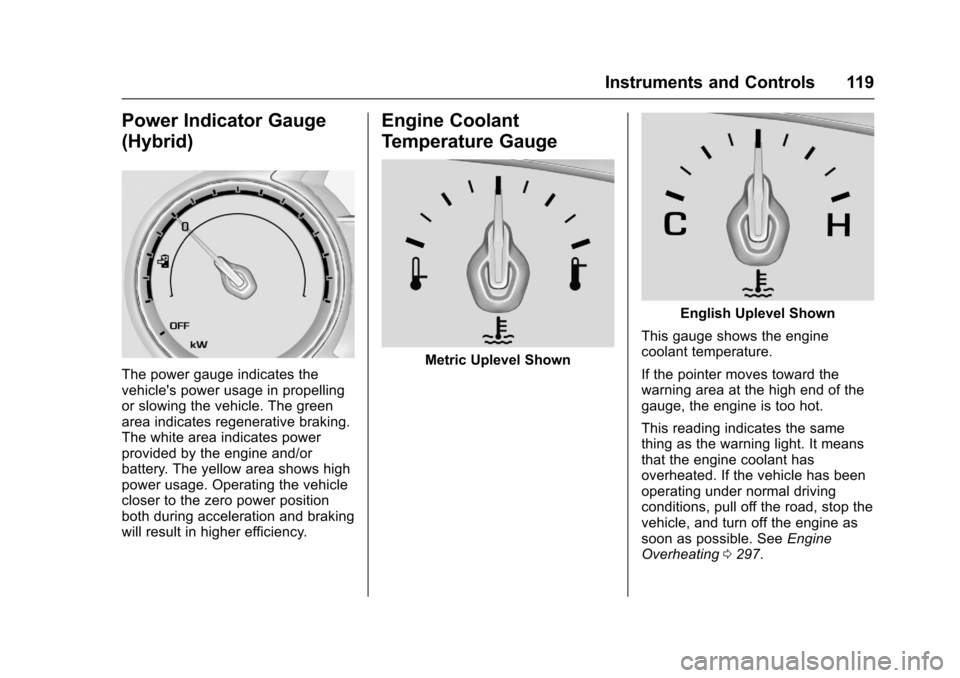
The power gauge indicates thevehicle's power usage in propellingor slowing the vehicle. The greenarea indicates regenerative braking.The white area indicates powerprovided by the engine and/orbattery. The yellow area shows highpower usage. Operating the vehiclecloser to the zero power positionboth during acceleration and brakingwill result in higher efficiency.
Engine Coolant
Temperature Gauge
Metric Uplevel Shown
English Uplevel Shown
This gauge shows the enginecoolant temperature.
If the pointer moves toward thewarning area at the high end of thegauge, the engine is too hot.
This reading indicates the samething as the warning light. It meansthat the engine coolant hasoverheated. If the vehicle has beenoperating under normal drivingconditions, pull off the road, stop thevehicle, and turn off the engine assoon as possible. SeeEngineOverheating0297.
Page 123 of 419
Chevrolet Malibu Owner Manual (GMNA-Localizing-U.S./Canada/Mexico-10122664) - 2017 - crc - 5/23/16
122 Instruments and Controls
Charging System Light
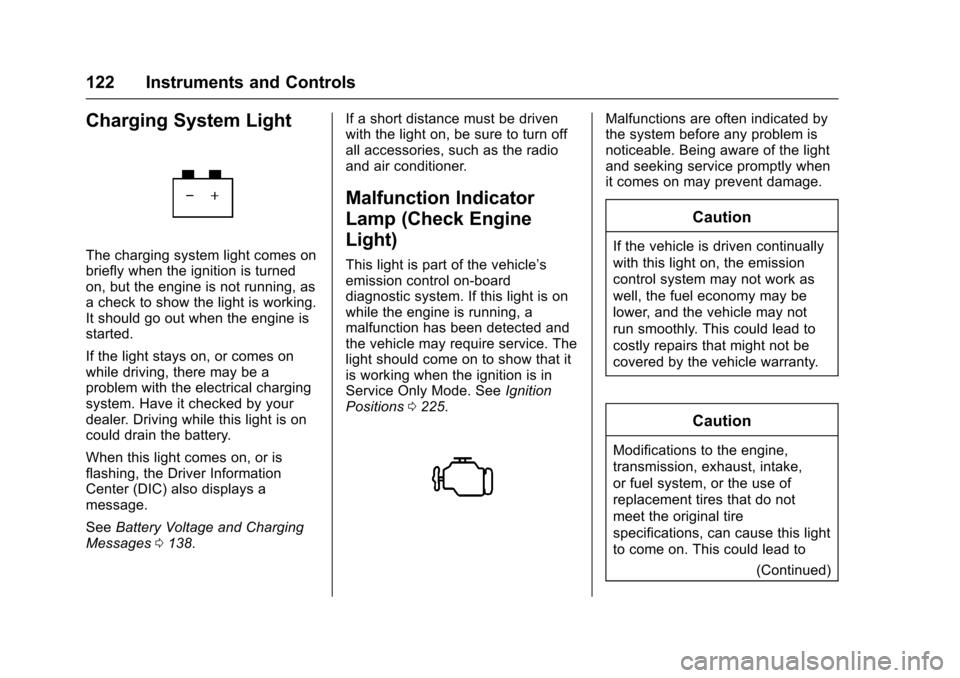
The charging system light comes onbriefly when the ignition is turnedon, but the engine is not running, asachecktoshowthelightisworking.It should go out when the engine isstarted.
If the light stays on, or comes onwhile driving, there may be aproblem with the electrical chargingsystem. Have it checked by yourdealer. Driving while this light is oncould drain the battery.
When this light comes on, or isflashing, the Driver InformationCenter (DIC) also displays amessage.
SeeBattery Voltage and ChargingMessages0138.
If a short distance must be drivenwith the light on, be sure to turn offall accessories, such as the radioand air conditioner.
Malfunction Indicator
Lamp (Check Engine
Light)
This light is part of the vehicle’semission control on-boarddiagnostic system. If this light is onwhile the engine is running, amalfunction has been detected andthe vehicle may require service. Thelight should come on to show that itis working when the ignition is inService Only Mode. SeeIgnitionPositions0225.
Malfunctions are often indicated bythe system before any problem isnoticeable. Being aware of the lightand seeking service promptly whenit comes on may prevent damage.
Caution
If the vehicle is driven continually
with this light on, the emission
control system may not work as
well, the fuel economy may be
lower, and the vehicle may not
run smoothly. This could lead to
costly repairs that might not be
covered by the vehicle warranty.
Caution
Modifications to the engine,
transmission, exhaust, intake,
or fuel system, or the use of
replacement tires that do not
meet the original tire
specifications, can cause this light
to come on. This could lead to
(Continued)
Page 125 of 419
Chevrolet Malibu Owner Manual (GMNA-Localizing-U.S./Canada/Mexico-10122664) - 2017 - crc - 5/23/16
124 Instruments and Controls
The vehicle may not passinspection if:
.The light is on when the engineis running.
.The light does not come onwhen the ignition is in ServiceOnly Mode.
.Critical emission control systemshave not been completelydiagnosed. If this happens, thevehicle would not be ready forinspection and might requireseveral days of routine drivingbefore the system is ready forinspection. This can happen ifthe 12-volt battery has recentlybeen replaced or run down, or ifthe vehicle has been recentlyserviced.
See your dealer if the vehicle willnot pass or cannot be made readyfor the test.
Brake System Warning
Light
The vehicle brake system consistsof two hydraulic circuits. If onecircuit is not working, the remaining
circuit can still work to stop thevehicle. For normal brakingperformance, both circuits need tobe working.
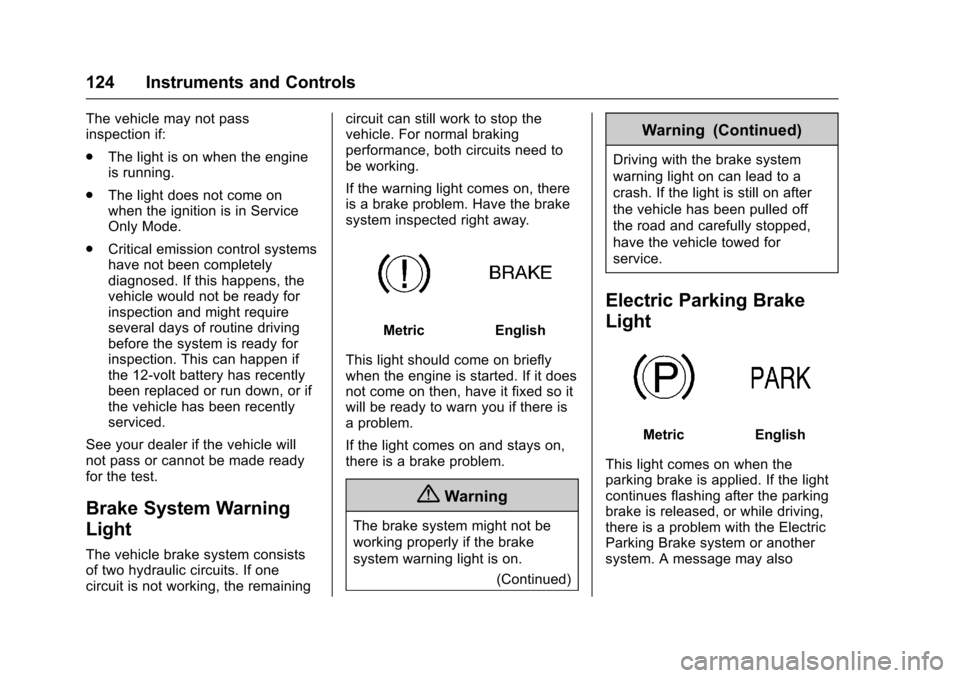
If the warning light comes on, thereis a brake problem. Have the brakesystem inspected right away.
MetricEnglish
This light should come on brieflywhen the engine is started. If it doesnot come on then, have it fixed so itwill be ready to warn you if there isaproblem.
If the light comes on and stays on,there is a brake problem.
{Warning
The brake system might not be
working properly if the brake
system warning light is on.
(Continued)
Warning (Continued)
Driving with the brake system
warning light on can lead to a
crash. If the light is still on after
the vehicle has been pulled off
the road and carefully stopped,
have the vehicle towed for
service.
Electric Parking Brake
Light
MetricEnglish
This light comes on when theparking brake is applied. If the lightcontinues flashing after the parkingbrake is released, or while driving,there is a problem with the ElectricParking Brake system or anothersystem. A message may also
Page 132 of 419
Chevrolet Malibu Owner Manual (GMNA-Localizing-U.S./Canada/Mexico-10122664) - 2017 - crc - 5/23/16
Instruments and Controls 131
Information Displays
Power Flows (Hybrid)
To v i e w t h e P o w e r F l o w s c r e e n s i n
the infotainment display, touch[
on the Home screen or on theApplication Tray on the top of theinfotainment display. Then touchFLOW at the bottom of the touchscreen.
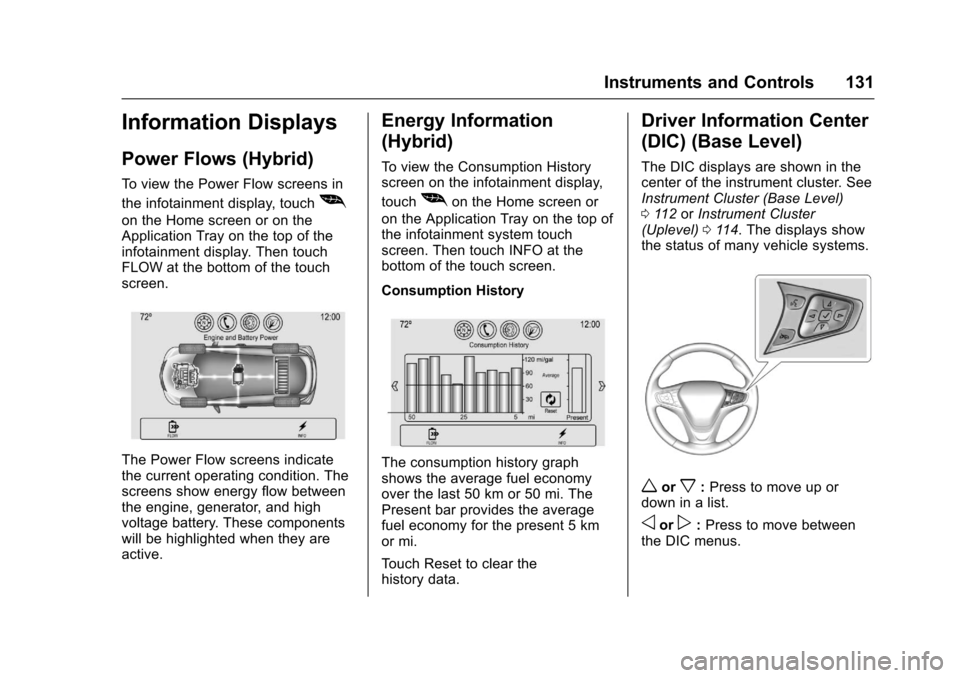
The Power Flow screens indicatethe current operating condition. Thescreens show energy flow betweenthe engine, generator, and highvoltage battery. These componentswill be highlighted when they areactive.
Energy Information
(Hybrid)
To v i e w t h e C o n s u m p t i o n H i s t o r yscreen on the infotainment display,
touch[on the Home screen or
on the Application Tray on the top ofthe infotainment system touchscreen. Then touch INFO at thebottom of the touch screen.
Consumption History
The consumption history graphshows the average fuel economyover the last 50 km or 50 mi. ThePresent bar provides the averagefuel economy for the present 5 kmor mi.
To u c h R e s e t t o c l e a r t h ehistory data.
Driver Information Center
(DIC) (Base Level)
The DIC displays are shown in thecenter of the instrument cluster. SeeInstrument Cluster (Base Level)011 2orInstrument Cluster(Uplevel)011 4.Thedisplaysshowthe status of many vehicle systems.
worx:Press to move up ordown in a list.
oorp:Press to move betweenthe DIC menus.
Page 134 of 419
Chevrolet Malibu Owner Manual (GMNA-Localizing-U.S./Canada/Mexico-10122664) - 2017 - crc - 5/23/16
Instruments and Controls 133
Remaining Oil Life :Displays anestimate of the oil's remaining usefullife. If REMAINING OIL LIFE 99% isdisplayed, that means 99% of thecurrent oil life remains.
When the remaining oil life is low,the CHANGE ENGINE OIL SOONmessage will appear on the display.SeeEngine Oil Messages0141.The oil should be changed as soonas possible. SeeEngine Oil0288.In addition to the engine oil lifesystem monitoring the oil life,additional maintenance isrecommended in the MaintenanceSchedule. SeeMaintenanceSchedule0369.
The Oil Life display must be resetafter each oil change. Do not resetthe Oil Life display accidentally atany time other than when the oil hasjust been changed. It cannot bereset accurately until the next oilchange. To reset the engine oil lifesystem, seeEngine Oil LifeSystem0291.
Oil Pressure :Oil pressure isdisplayed in either kilopascal (kPa)or in pounds per square inch (psi).
Oil pressure can vary with enginespeed, outside temperature, and oilviscosity. On some models, the oilpump will vary engine oil pressureaccording to engine needs. Oilpressure may change quickly as theengine speed or load varies. This isnormal. If the oil pressure warninglight or Driver Information Center(DIC) message indicates oilpressure outside the normaloperating range, check the vehicle'soil as soon as possible. SeeEngineOil Messages0141.
Tire Pressure :Displays a vehiclewith the approximate pressures ofall four tires. Tire pressure isdisplayed in either kilopascal (kPa)or in pounds per square inch (psi).SeeTire Pressure Monitor System0327andTire Pressure MonitorOperation0328.
Battery Voltage :Displays thecurrent battery voltage, if equipped.Battery voltage changes are normalwhile driving. SeeCharging SystemLight0122.Ifthereisaproblemwith the battery charging system,
the DIC will display a message. SeeBattery Voltage and ChargingMessages0138.
Coolant Temperature :Shows theengine coolant temperature in eitherdegrees Celsius (°C) or degreesFahrenheit (°F).
Speed Warning :This display isused to set the vehicle speed atwhich the speed warning chimesounds and the alert is displayed.The speed can be set by pressingVwhile the speed warning displayis showing.
Units :Movewxto change
between Metric or US when the Unit
display is active. PressVto confirm
the setting. This will change thedisplays on the DIC to the type ofmeasurements you select.
ECO Drive Assist Menu (ECO)
Items
Usewxto scroll through the
menu items. Not all items areavailable on every vehicle. Thefollowing is a list of all possiblemenu items:
Page 138 of 419
Chevrolet Malibu Owner Manual (GMNA-Localizing-U.S./Canada/Mexico-10122664) - 2017 - crc - 5/23/16
Instruments and Controls 137
Following Distance Indicator :When Adaptive Cruise Control(ACC) is not engaged, the currentfollow time to the vehicle ahead isdisplayed as a time value on thispage. When ACC has beenengaged, the display switches to thegap setting page. This page showsthe current gap setting along withthe vehicle ahead indicator.
Battery Voltage :Displays thecurrent battery voltage, if equipped.Battery voltage changes are normalwhile driving. SeeCharging SystemLight0122.Ifthereisaproblemwith the battery charging system,the DIC will display a message. SeeBattery Voltage and ChargingMessages0138.
Coolant Temperature :Shows theengine coolant temperature in eitherdegrees Celsius (°C) or degreesFahrenheit (°F).
Oil Pressure :Oil pressure isdisplayed in either kilopascal (kPa)or in pounds per square inch (psi).
Oil pressure can vary with enginespeed, outside temperature, and oilviscosity. On some models, the oil
pump will vary engine oil pressureaccording to engine needs. Oilpressure may change quickly as theengine speed or load varies. This isnormal. If the oil pressure warninglight or Driver Information Center(DIC) message indicates oilpressure outside the normaloperating range, check the vehicle'soil as soon as possible. SeeEngineOil Messages0141.
Drive Cycle Info (Hybrid) :Thisscreen displays the distancetraveled and average fuel economyfor the current trip. The screen willalso be shown when the vehicle isturned off displaying the previoustrip’sinformation.
Efficiency Gauge (Hybrid) :Thisgauge is a guide to driving in anefficient manner by keeping theindicator in the center of the gauge.
.Accel: If the indicator moves tothe right of the gauge,acceleration is too aggressive tooptimize efficiency.
.Brake: If the indicator moves tothe left side of the gauge,braking is too aggressive tooptimize efficiency.
To t a l P o w e r D i s p l a y ( H y b r i d ) :Provides a numeric display of thetotal power being used to propel orstop the vehicle. The display showsthe power being provided by thebattery or charging the battery aswell as the power provided by theengine.
EV Operation (Hybrid) :The barmoves from left to right as the driverrequests more power from thepropulsion system. While in EVmode, maintaining the bar in thegreen zone will allow the driver tomaximize EV operation.
Blank Page :Shows noinformation.