Stop CHEVROLET MALIBU 2017 9.G User Guide
[x] Cancel search | Manufacturer: CHEVROLET, Model Year: 2017, Model line: MALIBU, Model: CHEVROLET MALIBU 2017 9.GPages: 419, PDF Size: 7.81 MB
Page 41 of 419
Chevrolet Malibu Owner Manual (GMNA-Localizing-U.S./Canada/Mexico-10122664) - 2017 - crc - 5/23/16
40 Keys, Doors, and Windows
Conditions in Which Remote StartWill Not Work
The remote vehicle start feature willnot operate if:
.Atransmitterisinthevehicle.
.The hood is not closed.
.The hazard warning flashersare on.
.The malfunction indicator lampis on.
.The engine coolant temperatureis too high.
.The oil pressure is low.
.Tw o r e m o t e v e h i c l e s t a r t s , o r asingle remote start with anextension, have alreadybeen used.
.The vehicle is not in P (Park).
Door Locks
{Warning
Unlocked doors can be
dangerous.
.Passengers, especiallychildren, can easily openthe doors and fall out of amoving vehicle. The doorscan be unlocked andopened while the vehicle ismoving. The chance ofbeing thrown out of thevehicle in a crash isincreased if the doors arenot locked. So, allpassengers should wearsafety belts properly and thedoors should be lockedwhenever the vehicle isdriven.
.Yo u n g c h i l d r e n w h o g e t i n t ounlocked vehicles may beunable to get out. A childcan be overcome byextreme heat and can sufferpermanent injuries or even
(Continued)
Warning (Continued)
death from heat stroke.Always lock the vehiclewhenever leaving it.
.Outsiders can easily enterthrough an unlocked doorwhen you slow down or stopthe vehicle. Locking thedoors can help prevent thisfrom happening.
To l o c k o r u n l o c k t h e d o o r s f r o m t h eoutside:
.PressQorKon the Remote
Keyless Entry (RKE) transmitter.SeeRemote Keyless Entry(RKE) System Operation032.
.Use the key in the driver door.The key lock cylinder is coveredwith a cap.
Page 52 of 419
Chevrolet Malibu Owner Manual (GMNA-Localizing-U.S./Canada/Mexico-10122664) - 2017 - crc - 5/23/16
Keys, Doors, and Windows 51
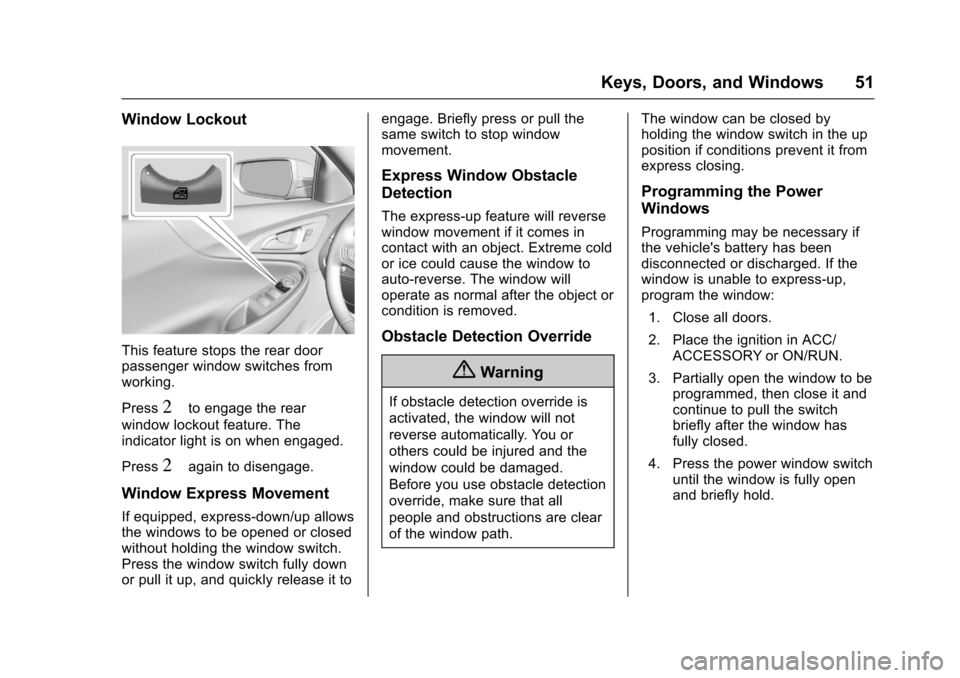
Window Lockout
This feature stops the rear doorpassenger window switches fromworking.
Press2to engage the rear
window lockout feature. Theindicator light is on when engaged.
Press2again to disengage.
Window Express Movement
If equipped, express-down/up allowsthe windows to be opened or closedwithout holding the window switch.Press the window switch fully downor pull it up, and quickly release it to
engage. Briefly press or pull thesame switch to stop windowmovement.
Express Window Obstacle
Detection
The express-up feature will reversewindow movement if it comes incontact with an object. Extreme coldor ice could cause the window toauto-reverse. The window willoperate as normal after the object orcondition is removed.
Obstacle Detection Override
{Warning
If obstacle detection override is
activated, the window will not
reverse automatically. You or
others could be injured and the
window could be damaged.
Before you use obstacle detection
override, make sure that all
people and obstructions are clear
of the window path.
The window can be closed byholding the window switch in the upposition if conditions prevent it fromexpress closing.
Programming the Power
Windows
Programming may be necessary ifthe vehicle's battery has beendisconnected or discharged. If thewindow is unable to express-up,program the window:
1. Close all doors.
2. Place the ignition in ACC/ACCESSORY or ON/RUN.
3. Partially open the window to beprogrammed, then close it andcontinue to pull the switchbriefly after the window hasfully closed.
4. Press the power window switchuntil the window is fully openand briefly hold.
Page 53 of 419

Chevrolet Malibu Owner Manual (GMNA-Localizing-U.S./Canada/Mexico-10122664) - 2017 - crc - 5/23/16
52 Keys, Doors, and Windows
Sun Visors
Pull the sun visor down to blockglare. Detach the sun visor from thecenter mount to pivot to the sidewindow, or to extend along the rod,if available.
The vehicle may have mirror lamps.The lamps turn on and off when thecover is opened and closed.
Roof
Sunroof
If equipped, the ignition must be onor in ACC/ACCESSORY, or inRetained Accessory Power (RAP) tooperate the sunroof. SeeIgnitionPositions0225andRetainedAccessory Power (RAP)0230.
1. Sunroof Switch
2. Sunshade Switch
Sunroof Express Operation
Press and release~(1) to vent.
Press and release again toexpress-open. Press the switch atany time to stop movement.
Pressg(1) to express-close.
Sunroof Manual Operation
The sunroof can change to manual
mode by holding~(1) while
opening. The sunroof will now openas long as the switch is held. Pressand release again to change back toexpress operation.
Power Sunshade
PressC(2) to express-open the
power sunshade. PressQ(2) to
express-close the power sunshade.Press again at any time to stopmovement.
The sunroof cannot be opened orclosed if the vehicle has anelectrical failure.
Page 54 of 419
Chevrolet Malibu Owner Manual (GMNA-Localizing-U.S./Canada/Mexico-10122664) - 2017 - crc - 5/23/16
Keys, Doors, and Windows 53
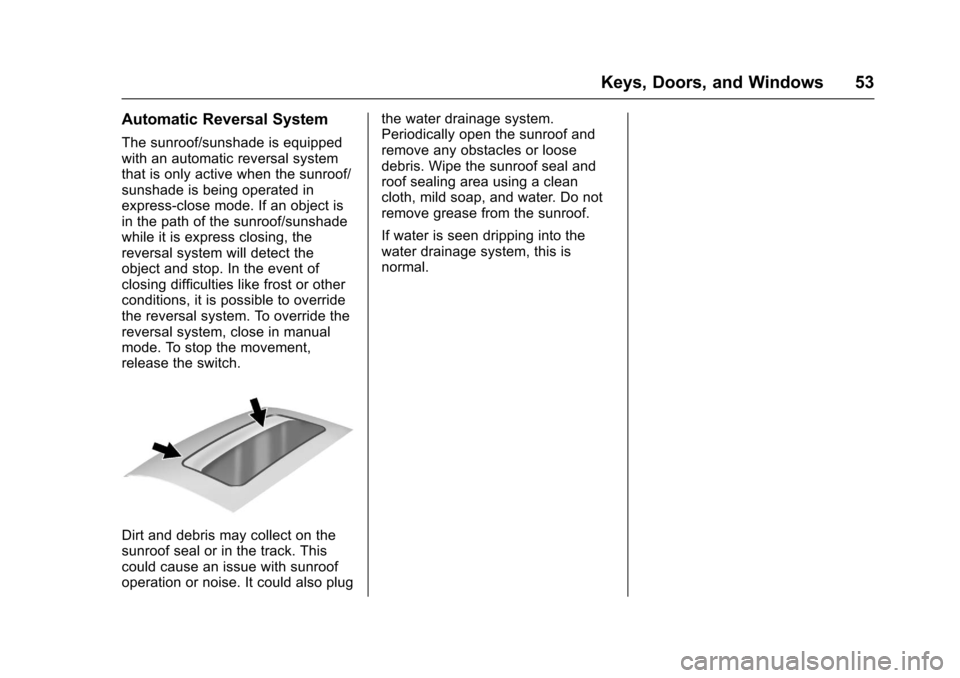
Automatic Reversal System
The sunroof/sunshade is equippedwith an automatic reversal systemthat is only active when the sunroof/sunshade is being operated inexpress-close mode. If an object isin the path of the sunroof/sunshadewhile it is express closing, thereversal system will detect theobject and stop. In the event ofclosing difficulties like frost or otherconditions, it is possible to overridethe reversal system. To override thereversal system, close in manualmode. To stop the movement,release the switch.
Dirt and debris may collect on thesunroof seal or in the track. Thiscould cause an issue with sunroofoperation or noise. It could also plug
the water drainage system.Periodically open the sunroof andremove any obstacles or loosedebris. Wipe the sunroof seal androof sealing area using a cleancloth, mild soap, and water. Do notremove grease from the sunroof.
If water is seen dripping into thewater drainage system, this isnormal.
Page 59 of 419
Chevrolet Malibu Owner Manual (GMNA-Localizing-U.S./Canada/Mexico-10122664) - 2017 - crc - 5/23/16
58 Seats and Restraints
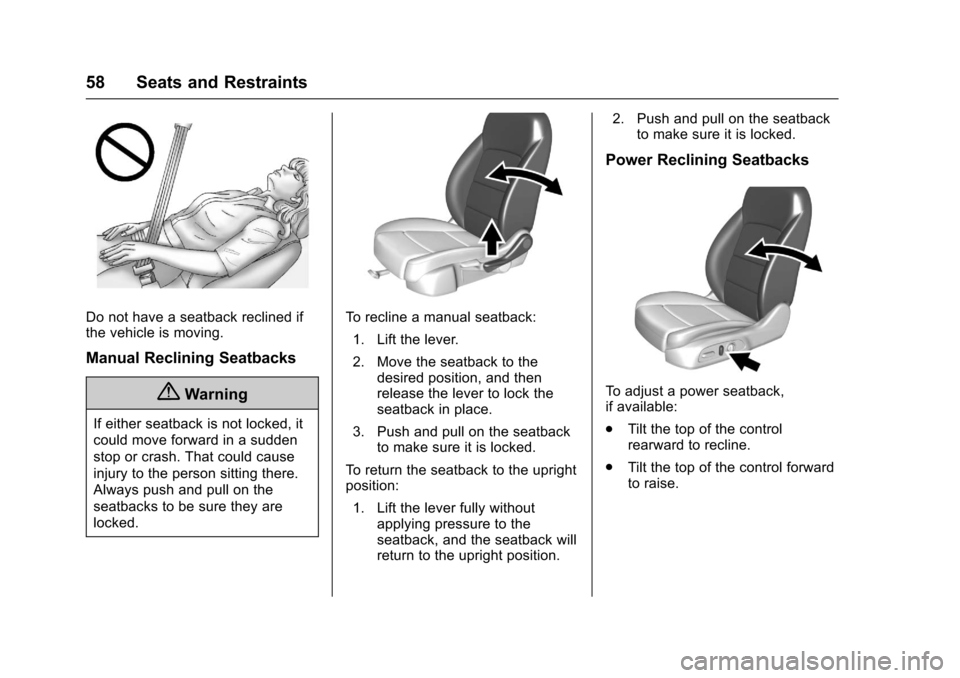
Do not have a seatback reclined ifthe vehicle is moving.
Manual Reclining Seatbacks
{Warning
If either seatback is not locked, it
could move forward in a sudden
stop or crash. That could cause
injury to the person sitting there.
Always push and pull on the
seatbacks to be sure they are
locked.
To r e c l i n e a m a n u a l s e a t b a c k :
1. Lift the lever.
2. Move the seatback to thedesired position, and thenrelease the lever to lock theseatback in place.
3. Push and pull on the seatbackto make sure it is locked.
To r e t u r n t h e s e a t b a c k t o t h e u p r i g h tposition:
1. Lift the lever fully withoutapplying pressure to theseatback, and the seatback willreturn to the upright position.
2. Push and pull on the seatbackto make sure it is locked.
Power Reclining Seatbacks
To a d j u s t a p o w e r s e a t b a c k ,if available:
.Tilt the top of the controlrearward to recline.
.Tilt the top of the control forwardto raise.
Page 60 of 419
Chevrolet Malibu Owner Manual (GMNA-Localizing-U.S./Canada/Mexico-10122664) - 2017 - crc - 5/23/16
Seats and Restraints 59
Memory Seats
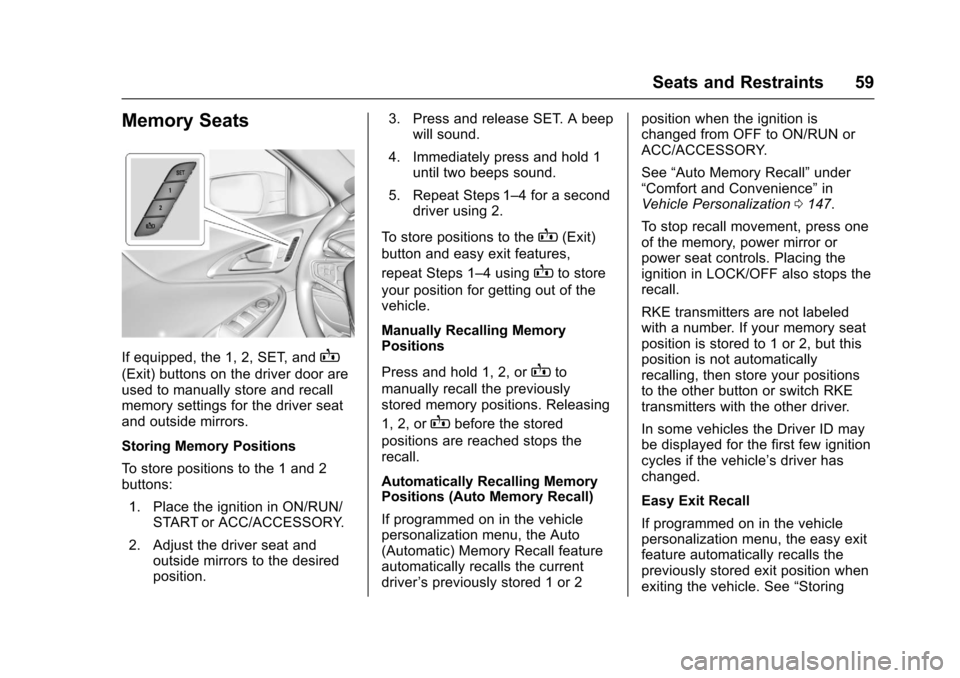
If equipped, the 1, 2, SET, andB
(Exit) buttons on the driver door areused to manually store and recallmemory settings for the driver seatand outside mirrors.
Storing Memory Positions
To s t o r e p o s i t i o n s t o t h e 1 a n d 2buttons:
1. Place the ignition in ON/RUN/START or ACC/ACCESSORY.
2. Adjust the driver seat andoutside mirrors to the desiredposition.
3. Press and release SET. A beepwill sound.
4. Immediately press and hold 1until two beeps sound.
5. Repeat Steps 1–4foraseconddriver using 2.
To s t o r e p o s i t i o n s t o t h eB(Exit)
button and easy exit features,
repeat Steps 1–4usingBto store
your position for getting out of thevehicle.
Manually Recalling MemoryPositions
Press and hold 1, 2, orBto
manually recall the previouslystored memory positions. Releasing
1, 2, orBbefore the stored
positions are reached stops therecall.
Automatically Recalling MemoryPositions (Auto Memory Recall)
If programmed on in the vehiclepersonalization menu, the Auto(Automatic) Memory Recall featureautomatically recalls the currentdriver’spreviouslystored1or2
position when the ignition ischanged from OFF to ON/RUN orACC/ACCESSORY.
See“Auto Memory Recall”under“Comfort and Convenience”inVehicle Personalization0147.
To s t o p r e c a l l m o v e m e n t , p r e s s o n eof the memory, power mirror orpower seat controls. Placing theignition in LOCK/OFF also stops therecall.
RKE transmitters are not labeledwith a number. If your memory seatposition is stored to 1 or 2, but thisposition is not automaticallyrecalling, then store your positionsto the other button or switch RKEtransmitters with the other driver.
In some vehicles the Driver ID maybe displayed for the first few ignitioncycles if the vehicle’sdriverhaschanged.
Easy Exit Recall
If programmed on in the vehiclepersonalization menu, the easy exitfeature automatically recalls thepreviously stored exit position whenexiting the vehicle. See“Storing
Page 61 of 419
Chevrolet Malibu Owner Manual (GMNA-Localizing-U.S./Canada/Mexico-10122664) - 2017 - crc - 5/23/16
60 Seats and Restraints
Memory Positions”previously in thissection. See alsoVehiclePersonalization0147.
Easy exit recall automaticallyactivates when one of the followingoccurs:
.The vehicle is turned off and thedriver door is opened within ashort time.
.The vehicle is turned off with thedriver door open.
To s t o p r e c a l l m o v e m e n t , p r e s s o n eof the memory, driver seat oroutside mirror.
Obstructions
If something has blocked the driverseat while recalling a memoryposition, the recall may stop.Remove the obstruction. Then doone of the following:
.If automatically or manuallyrecalling the stored memoryposition, press and hold theappropriate manual control fortwo seconds. Try recalling againby pressing the appropriatememory button.
.If automatically recalling theposition, press and hold theappropriate manual control forthe memory item that is notrecalling for two seconds. Tryrecalling again by opening the
driver door and pressingKon
the RKE transmitter.
.If recalling the exit position,press and hold the appropriatemanual control for the exitfeature not recalling fortwo seconds. Then try recallingthe exit position again.
If the memory position is still notrecalling, see your dealer forservice.
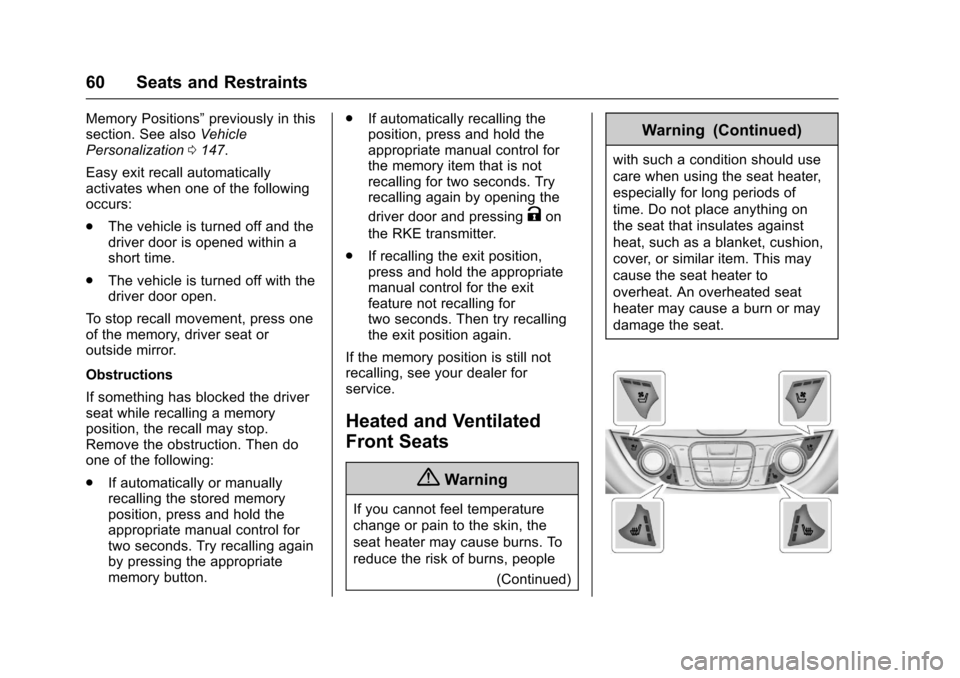
Heated and Ventilated
Front Seats
{Warning
If you cannot feel temperature
change or pain to the skin, the
seat heater may cause burns. To
reduce the risk of burns, people
(Continued)
Warning (Continued)
with such a condition should use
care when using the seat heater,
especially for long periods of
time. Do not place anything on
the seat that insulates against
heat, such as a blanket, cushion,
cover, or similar item. This may
cause the seat heater to
overheat. An overheated seat
heater may cause a burn or may
damage the seat.
Page 64 of 419
Chevrolet Malibu Owner Manual (GMNA-Localizing-U.S./Canada/Mexico-10122664) - 2017 - crc - 5/23/16
Seats and Restraints 63
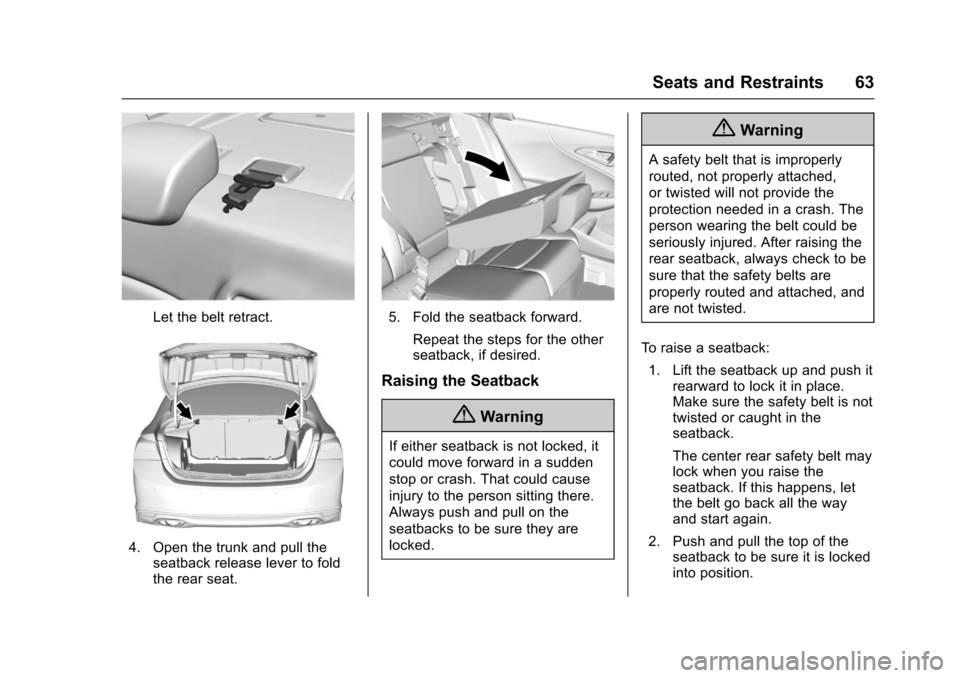
Let the belt retract.
4. Open the trunk and pull theseatback release lever to foldthe rear seat.
5. Fold the seatback forward.
Repeat the steps for the otherseatback, if desired.
Raising the Seatback
{Warning
If either seatback is not locked, it
could move forward in a sudden
stop or crash. That could cause
injury to the person sitting there.
Always push and pull on the
seatbacks to be sure they are
locked.
{Warning
Asafetybeltthatisimproperly
routed, not properly attached,
or twisted will not provide the
protection needed in a crash. The
person wearing the belt could be
seriously injured. After raising the
rear seatback, always check to be
sure that the safety belts are
properly routed and attached, and
are not twisted.
To r a i s e a s e a t b a c k :
1. Lift the seatback up and push itrearward to lock it in place.Make sure the safety belt is nottwisted or caught in theseatback.
The center rear safety belt maylock when you raise theseatback. If this happens, letthe belt go back all the wayand start again.
2. Push and pull the top of theseatback to be sure it is lockedinto position.
Page 66 of 419
Chevrolet Malibu Owner Manual (GMNA-Localizing-U.S./Canada/Mexico-10122664) - 2017 - crc - 5/23/16
Seats and Restraints 65
Warning (Continued)
passengers to ride in any area of
the vehicle that is not equipped
with seats and safety belts.
Always wear a safety belt, and
check that all passenger(s) are
restrained properly too.
This vehicle has indicators as areminder to buckle the safety belts.SeeSafety Belt Reminders0120.
Why Safety Belts Work
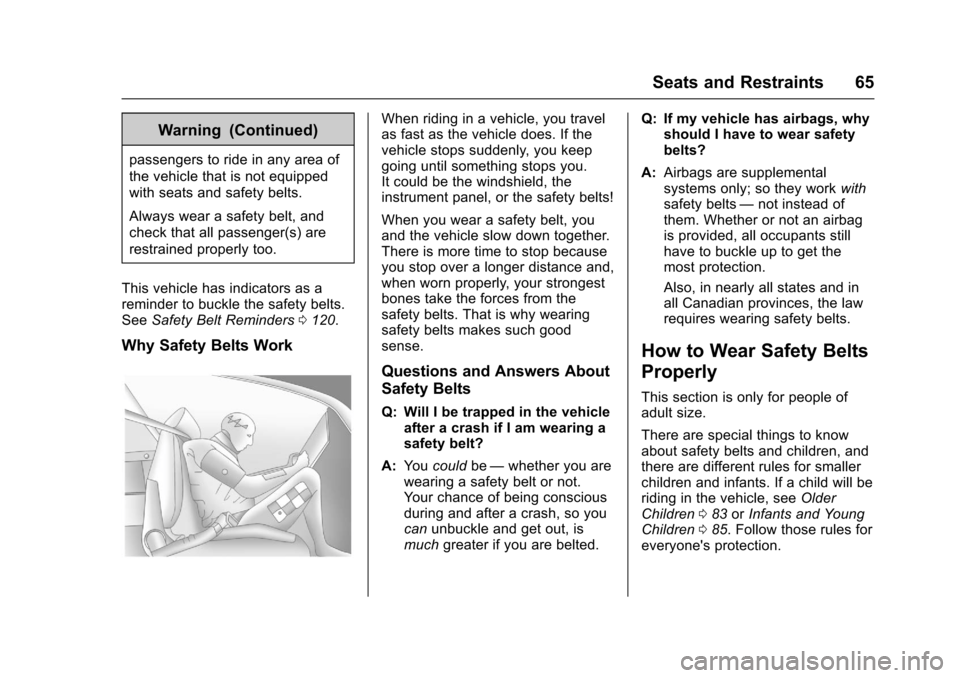
When riding in a vehicle, you travelas fast as the vehicle does. If thevehicle stops suddenly, you keepgoing until something stops you.It could be the windshield, theinstrument panel, or the safety belts!
When you wear a safety belt, youand the vehicle slow down together.There is more time to stop becauseyou stop over a longer distance and,when worn properly, your strongestbones take the forces from thesafety belts. That is why wearingsafety belts makes such goodsense.
Questions and Answers About
Safety Belts
Q: Will I be trapped in the vehicleafter a crash if I am wearing asafety belt?
A:Yo ucouldbe—whether you arewearing a safety belt or not.Yo u r c h a n c e o f b e i n g c o n s c i o u sduring and after a crash, so youcanunbuckle and get out, ismuchgreater if you are belted.
Q: If my vehicle has airbags, whyshould I have to wear safetybelts?
A:Airbags are supplementalsystems only; so they workwithsafety belts—not instead ofthem. Whether or not an airbagis provided, all occupants stillhave to buckle up to get themost protection.
Also, in nearly all states and inall Canadian provinces, the lawrequires wearing safety belts.
How to Wear Safety Belts
Properly
This section is only for people ofadult size.
There are special things to knowabout safety belts and children, andthere are different rules for smallerchildren and infants. If a child will beriding in the vehicle, seeOlderChildren083orInfants and YoungChildren085.Followthoserulesforeveryone's protection.
Page 67 of 419
Chevrolet Malibu Owner Manual (GMNA-Localizing-U.S./Canada/Mexico-10122664) - 2017 - crc - 5/23/16
66 Seats and Restraints
It is very important for all occupantsto buckle up. Statistics show thatunbelted people are hurt more oftenin crashes than those who arewearing safety belts.
There are important things to knowabout wearing a safety belt properly.
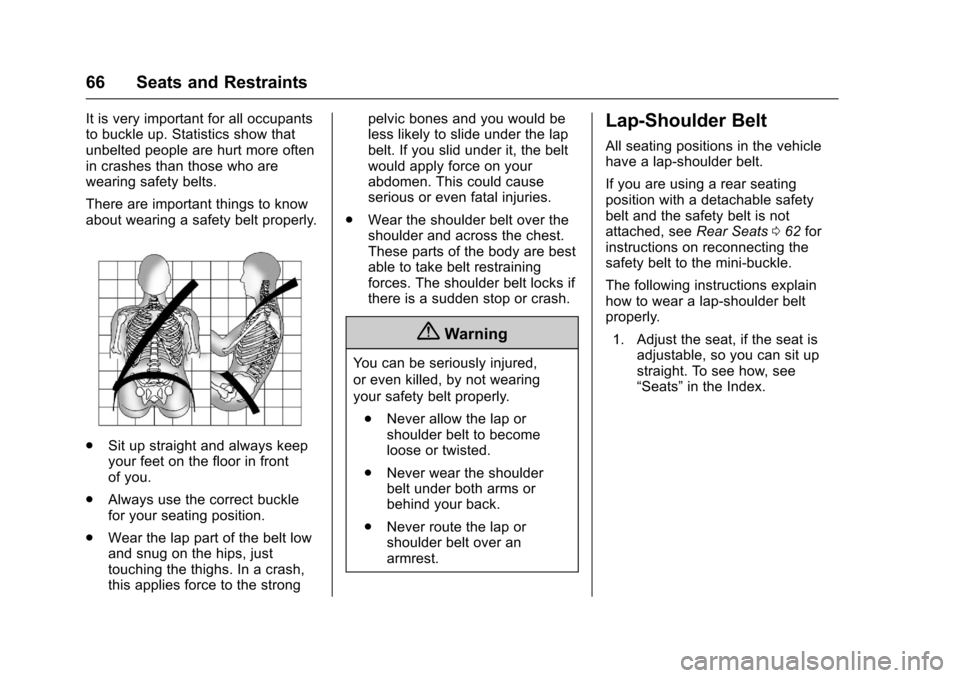
.Sit up straight and always keepyour feet on the floor in frontof you.
.Always use the correct bucklefor your seating position.
.Wear the lap part of the belt lowand snug on the hips, justtouching the thighs. In a crash,this applies force to the strong
pelvic bones and you would beless likely to slide under the lapbelt. If you slid under it, the beltwould apply force on yourabdomen. This could causeserious or even fatal injuries.
.Wear the shoulder belt over theshoulder and across the chest.These parts of the body are bestable to take belt restrainingforces. The shoulder belt locks ifthere is a sudden stop or crash.
{Warning
Yo u c a n b e s e r i o u s l y i n j u r e d ,
or even killed, by not wearing
your safety belt properly.
.Never allow the lap orshoulder belt to becomeloose or twisted.
.Never wear the shoulderbelt under both arms orbehind your back.
.Never route the lap orshoulder belt over anarmrest.
Lap-Shoulder Belt
All seating positions in the vehiclehave a lap-shoulder belt.
If you are using a rear seatingposition with a detachable safetybelt and the safety belt is notattached, seeRear Seats062forinstructions on reconnecting thesafety belt to the mini-buckle.
The following instructions explainhow to wear a lap-shoulder beltproperly.
1. Adjust the seat, if the seat isadjustable, so you can sit upstraight. To see how, see“Seats”in the Index.