ignition CHEVROLET MALIBU 2017 9.G User Guide
[x] Cancel search | Manufacturer: CHEVROLET, Model Year: 2017, Model line: MALIBU, Model: CHEVROLET MALIBU 2017 9.GPages: 419, PDF Size: 7.81 MB
Page 53 of 419

Chevrolet Malibu Owner Manual (GMNA-Localizing-U.S./Canada/Mexico-10122664) - 2017 - crc - 5/23/16
52 Keys, Doors, and Windows
Sun Visors
Pull the sun visor down to blockglare. Detach the sun visor from thecenter mount to pivot to the sidewindow, or to extend along the rod,if available.
The vehicle may have mirror lamps.The lamps turn on and off when thecover is opened and closed.
Roof
Sunroof
If equipped, the ignition must be onor in ACC/ACCESSORY, or inRetained Accessory Power (RAP) tooperate the sunroof. SeeIgnitionPositions0225andRetainedAccessory Power (RAP)0230.
1. Sunroof Switch
2. Sunshade Switch
Sunroof Express Operation
Press and release~(1) to vent.
Press and release again toexpress-open. Press the switch atany time to stop movement.
Pressg(1) to express-close.
Sunroof Manual Operation
The sunroof can change to manual
mode by holding~(1) while
opening. The sunroof will now openas long as the switch is held. Pressand release again to change back toexpress operation.
Power Sunshade
PressC(2) to express-open the
power sunshade. PressQ(2) to
express-close the power sunshade.Press again at any time to stopmovement.
The sunroof cannot be opened orclosed if the vehicle has anelectrical failure.
Page 60 of 419
Chevrolet Malibu Owner Manual (GMNA-Localizing-U.S./Canada/Mexico-10122664) - 2017 - crc - 5/23/16
Seats and Restraints 59
Memory Seats
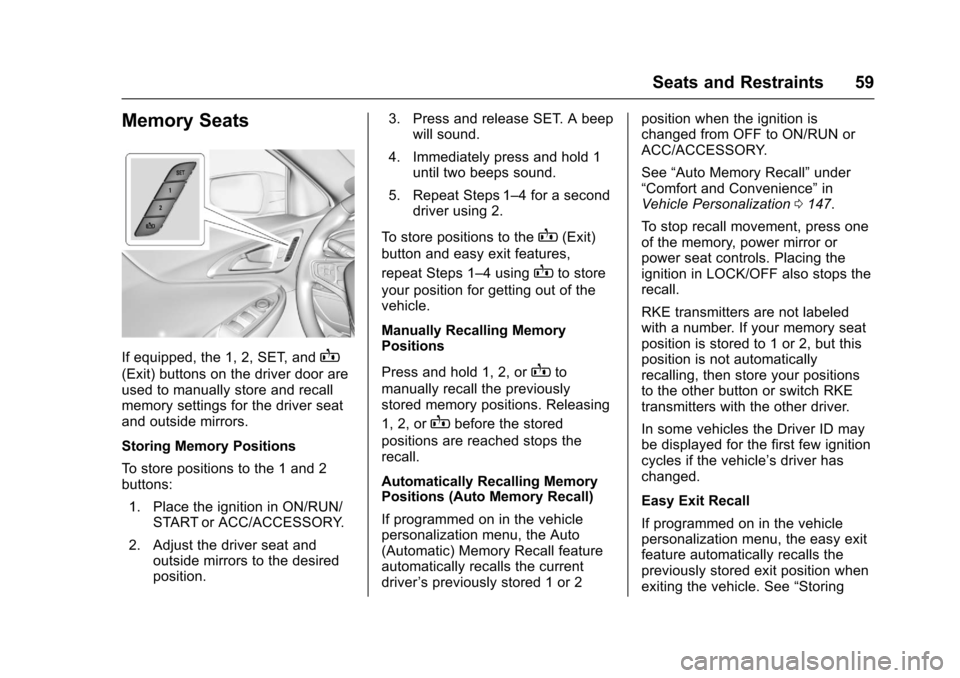
If equipped, the 1, 2, SET, andB
(Exit) buttons on the driver door areused to manually store and recallmemory settings for the driver seatand outside mirrors.
Storing Memory Positions
To s t o r e p o s i t i o n s t o t h e 1 a n d 2buttons:
1. Place the ignition in ON/RUN/START or ACC/ACCESSORY.
2. Adjust the driver seat andoutside mirrors to the desiredposition.
3. Press and release SET. A beepwill sound.
4. Immediately press and hold 1until two beeps sound.
5. Repeat Steps 1–4foraseconddriver using 2.
To s t o r e p o s i t i o n s t o t h eB(Exit)
button and easy exit features,
repeat Steps 1–4usingBto store
your position for getting out of thevehicle.
Manually Recalling MemoryPositions
Press and hold 1, 2, orBto
manually recall the previouslystored memory positions. Releasing
1, 2, orBbefore the stored
positions are reached stops therecall.
Automatically Recalling MemoryPositions (Auto Memory Recall)
If programmed on in the vehiclepersonalization menu, the Auto(Automatic) Memory Recall featureautomatically recalls the currentdriver’spreviouslystored1or2
position when the ignition ischanged from OFF to ON/RUN orACC/ACCESSORY.
See“Auto Memory Recall”under“Comfort and Convenience”inVehicle Personalization0147.
To s t o p r e c a l l m o v e m e n t , p r e s s o n eof the memory, power mirror orpower seat controls. Placing theignition in LOCK/OFF also stops therecall.
RKE transmitters are not labeledwith a number. If your memory seatposition is stored to 1 or 2, but thisposition is not automaticallyrecalling, then store your positionsto the other button or switch RKEtransmitters with the other driver.
In some vehicles the Driver ID maybe displayed for the first few ignitioncycles if the vehicle’sdriverhaschanged.
Easy Exit Recall
If programmed on in the vehiclepersonalization menu, the easy exitfeature automatically recalls thepreviously stored exit position whenexiting the vehicle. See“Storing
Page 62 of 419
Chevrolet Malibu Owner Manual (GMNA-Localizing-U.S./Canada/Mexico-10122664) - 2017 - crc - 5/23/16
Seats and Restraints 61
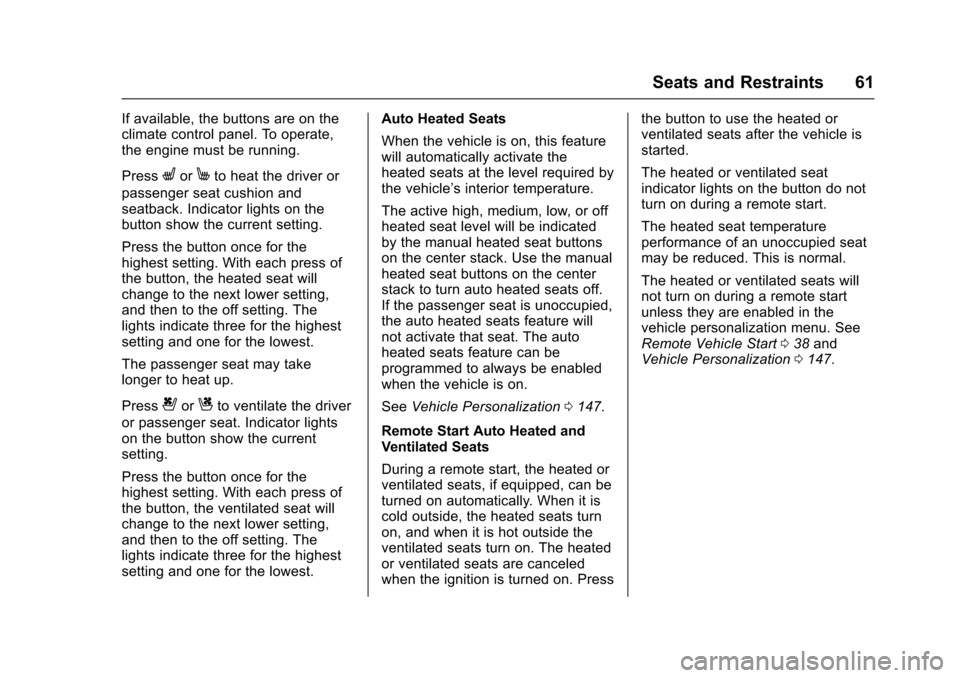
If available, the buttons are on theclimate control panel. To operate,the engine must be running.
PressLorMto heat the driver or
passenger seat cushion andseatback. Indicator lights on thebutton show the current setting.
Press the button once for thehighest setting. With each press ofthe button, the heated seat willchange to the next lower setting,and then to the off setting. Thelights indicate three for the highestsetting and one for the lowest.
The passenger seat may takelonger to heat up.
Press{orCto ventilate the driver
or passenger seat. Indicator lightson the button show the currentsetting.
Press the button once for thehighest setting. With each press ofthe button, the ventilated seat willchange to the next lower setting,and then to the off setting. Thelights indicate three for the highestsetting and one for the lowest.
Auto Heated Seats
When the vehicle is on, this featurewill automatically activate theheated seats at the level required bythe vehicle’sinteriortemperature.
The active high, medium, low, or offheated seat level will be indicatedby the manual heated seat buttonson the center stack. Use the manualheated seat buttons on the centerstack to turn auto heated seats off.If the passenger seat is unoccupied,the auto heated seats feature willnot activate that seat. The autoheated seats feature can beprogrammed to always be enabledwhen the vehicle is on.
SeeVehicle Personalization0147.
Remote Start Auto Heated andVentilated Seats
During a remote start, the heated orventilated seats, if equipped, can beturned on automatically. When it iscold outside, the heated seats turnon, and when it is hot outside theventilated seats turn on. The heatedor ventilated seats are canceledwhen the ignition is turned on. Press
the button to use the heated orventilated seats after the vehicle isstarted.
The heated or ventilated seatindicator lights on the button do notturn on during a remote start.
The heated seat temperatureperformance of an unoccupied seatmay be reduced. This is normal.
The heated or ventilated seats willnot turn on during a remote startunless they are enabled in thevehicle personalization menu. SeeRemote Vehicle Start038andVehicle Personalization0147.
Page 106 of 419
Chevrolet Malibu Owner Manual (GMNA-Localizing-U.S./Canada/Mexico-10122664) - 2017 - crc - 5/23/16
Instruments and Controls 105
c:Press to reject an incomingcall or end a current call. Press tomute or unmute the infotainmentsystem when not on a call.
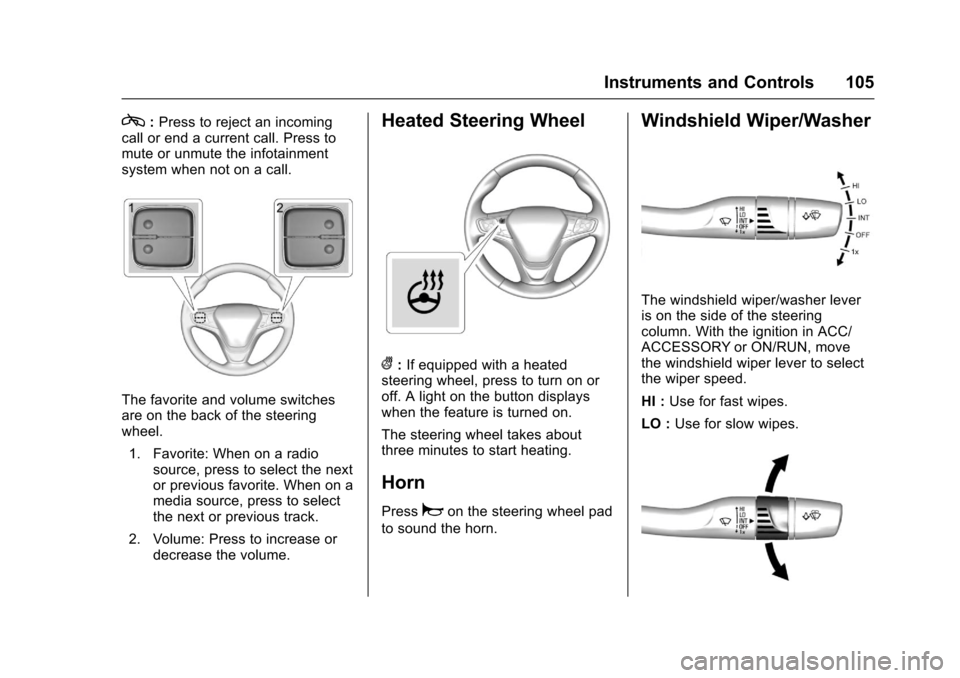
The favorite and volume switchesare on the back of the steeringwheel.
1. Favorite: When on a radiosource, press to select the nextor previous favorite. When on amedia source, press to selectthe next or previous track.
2. Volume: Press to increase ordecrease the volume.
Heated Steering Wheel
(:If equipped with a heatedsteering wheel, press to turn on oroff. A light on the button displayswhen the feature is turned on.
The steering wheel takes aboutthree minutes to start heating.
Horn
Pressaon the steering wheel pad
to sound the horn.
Windshield Wiper/Washer
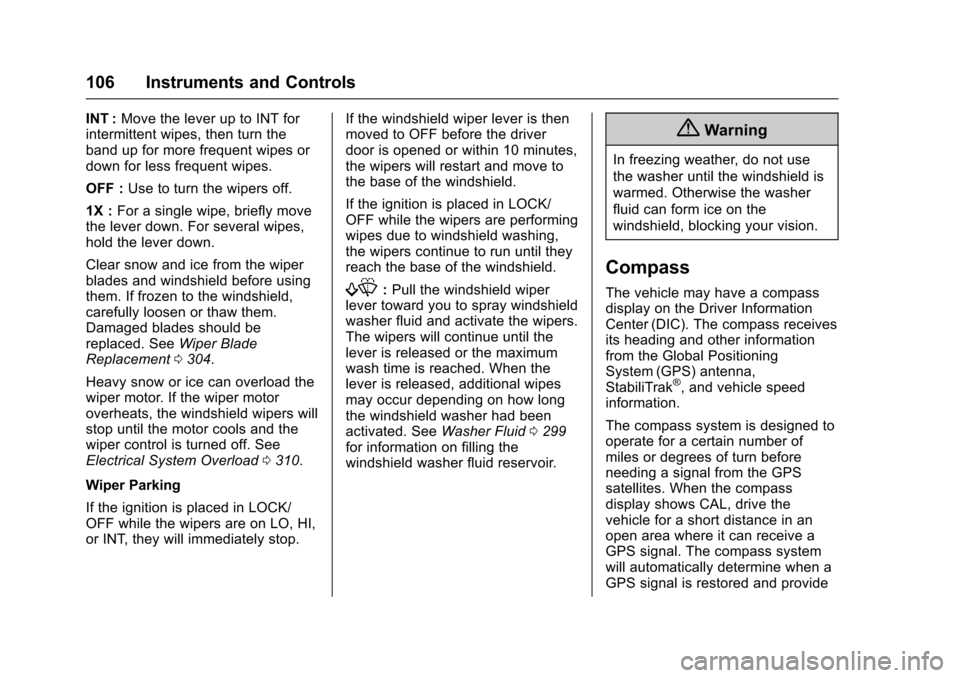
The windshield wiper/washer leveris on the side of the steeringcolumn. With the ignition in ACC/ACCESSORY or ON/RUN, movethe windshield wiper lever to selectthe wiper speed.
HI :Use for fast wipes.
LO :Use for slow wipes.
Page 107 of 419
Chevrolet Malibu Owner Manual (GMNA-Localizing-U.S./Canada/Mexico-10122664) - 2017 - crc - 5/23/16
106 Instruments and Controls
INT :Move the lever up to INT forintermittent wipes, then turn theband up for more frequent wipes ordown for less frequent wipes.
OFF :Use to turn the wipers off.
1X :For a single wipe, briefly movethe lever down. For several wipes,hold the lever down.
Clear snow and ice from the wiperblades and windshield before usingthem. If frozen to the windshield,carefully loosen or thaw them.Damaged blades should bereplaced. SeeWiper BladeReplacement0304.
Heavy snow or ice can overload thewiper motor. If the wiper motoroverheats, the windshield wipers willstop until the motor cools and thewiper control is turned off. SeeElectrical System Overload0310.
Wiper Parking
If the ignition is placed in LOCK/OFF while the wipers are on LO, HI,or INT, they will immediately stop.
If the windshield wiper lever is thenmoved to OFF before the driverdoor is opened or within 10 minutes,the wipers will restart and move tothe base of the windshield.
If the ignition is placed in LOCK/OFF while the wipers are performingwipes due to windshield washing,the wipers continue to run until theyreach the base of the windshield.
f:Pull the windshield wiperlever toward you to spray windshieldwasher fluid and activate the wipers.The wipers will continue until thelever is released or the maximumwash time is reached. When thelever is released, additional wipesmay occur depending on how longthe windshield washer had beenactivated. SeeWasher Fluid0299for information on filling thewindshield washer fluid reservoir.
{Warning
In freezing weather, do not use
the washer until the windshield is
warmed. Otherwise the washer
fluid can form ice on the
windshield, blocking your vision.
Compass
The vehicle may have a compassdisplay on the Driver InformationCenter (DIC). The compass receivesits heading and other informationfrom the Global PositioningSystem (GPS) antenna,StabiliTrak®,andvehiclespeedinformation.
The compass system is designed tooperate for a certain number ofmiles or degrees of turn beforeneeding a signal from the GPSsatellites. When the compassdisplay shows CAL, drive thevehicle for a short distance in anopen area where it can receive aGPS signal. The compass systemwill automatically determine when aGPS signal is restored and provide
Page 109 of 419
Chevrolet Malibu Owner Manual (GMNA-Localizing-U.S./Canada/Mexico-10122664) - 2017 - crc - 5/23/16
108 Instruments and Controls
4. Touch0to return to the
Time and Date menu.
Setting the 12/24 Hour Format
1. Press{,thentouchSettings.
2. Touch Time and Date, thenselect 12h or 24h format.
3. Touch0to return to the
Time and Date menu.
Setting the Month and Day
Format
1. Press{,thentouchSettings.
2. Touch Time and Date, then SetDate Format.
3. Select DD/MM/YYYY (day/month/year), MM/DD/YYYY(month/day/year), or YYYY/MM/DD (year/month/day)format.
4. Touch0to return to the
Time and Date menu.
Power Outlets
Power Outlet 12 Volt DirectCurrent
The accessory power outlets can beused to plug in electrical equipment,such as a cell phone or MP3 player.
There are two accessory poweroutlets:
.One on the center stack belowthe climate control system.
.One on the rear of the centerfloor console.
The outlet is powered when theignition is in ON/RUN or ACC/ACCESSORY, or until the driverdoor is opened within 10 minutes ofturning off the vehicle. SeeRetainedAccessory Power (RAP)0230.
Open the protective cover to use theaccessory power outlet.
Certain electrical accessories maynot be compatible with theaccessory power outlets and couldoverload vehicle or adapter fuses.If there is a problem, see yourdealer.
When adding electrical equipment,be sure to follow the installationinstructions included with theequipment. SeeAdd-On ElectricalEquipment0277.
Caution
Hanging heavy equipment from
the power outlet can cause
damage not covered by the
vehicle warranty. The power
outlets are designed for
accessory power plugs only, such
as cell phone charge cords.
Always unplug electrical equipmentwhen not in use and do not plug inequipment that exceeds themaximum 20 amps rating.
Power Outlet 110/120 Volt
Alternating Current
If equipped with this power outlet itcan be used to plug in electricalequipment that uses a maximumlimit of 150 watts.
Page 110 of 419
Chevrolet Malibu Owner Manual (GMNA-Localizing-U.S./Canada/Mexico-10122664) - 2017 - crc - 5/23/16
Instruments and Controls 109
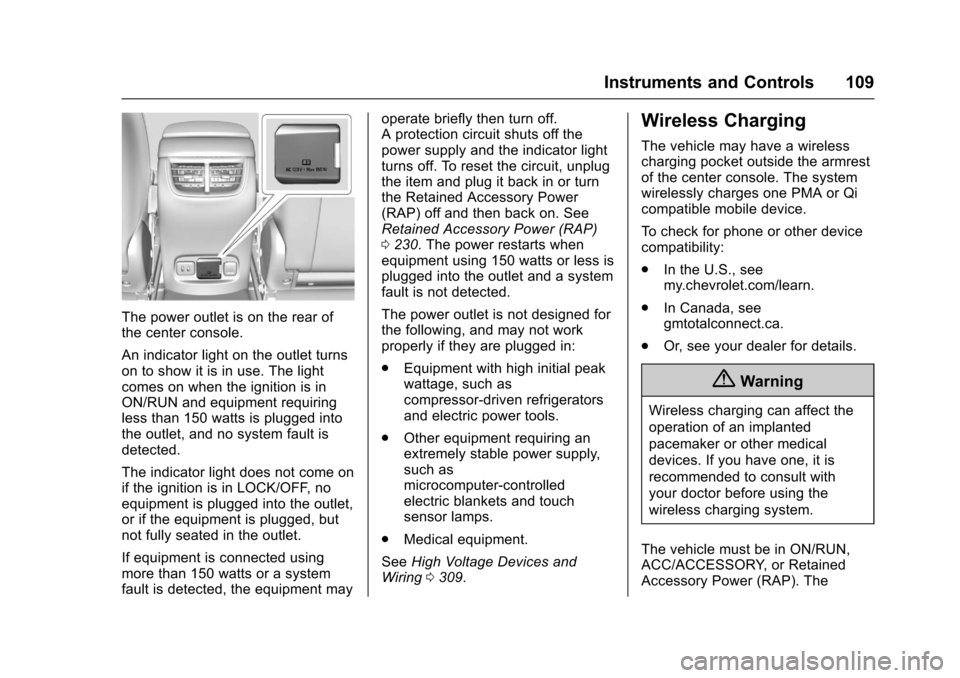
The power outlet is on the rear ofthe center console.
An indicator light on the outlet turnson to show it is in use. The lightcomes on when the ignition is inON/RUN and equipment requiringless than 150 watts is plugged intothe outlet, and no system fault isdetected.
The indicator light does not come onif the ignition is in LOCK/OFF, noequipment is plugged into the outlet,or if the equipment is plugged, butnot fully seated in the outlet.
If equipment is connected usingmore than 150 watts or a systemfault is detected, the equipment may
operate briefly then turn off.Aprotectioncircuitshutsoffthepower supply and the indicator lightturns off. To reset the circuit, unplugthe item and plug it back in or turnthe Retained Accessory Power(RAP) off and then back on. SeeRetained Accessory Power (RAP)0230.Thepowerrestartswhenequipment using 150 watts or less isplugged into the outlet and a systemfault is not detected.
The power outlet is not designed forthe following, and may not workproperly if they are plugged in:
.Equipment with high initial peakwattage, such ascompressor-driven refrigeratorsand electric power tools.
.Other equipment requiring anextremely stable power supply,such asmicrocomputer-controlledelectric blankets and touchsensor lamps.
.Medical equipment.
SeeHigh Voltage Devices andWiring0309.
Wireless Charging
The vehicle may have a wirelesscharging pocket outside the armrestof the center console. The systemwirelessly charges one PMA or Qicompatible mobile device.
To c h e c k f o r p h o n e o r o t h e r d e v i c ecompatibility:
.In the U.S., seemy.chevrolet.com/learn.
.In Canada, seegmtotalconnect.ca.
.Or, see your dealer for details.
{Warning
Wireless charging can affect the
operation of an implanted
pacemaker or other medical
devices. If you have one, it is
recommended to consult with
your doctor before using the
wireless charging system.
The vehicle must be in ON/RUN,ACC/ACCESSORY, or RetainedAccessory Power (RAP). The
Page 118 of 419
Chevrolet Malibu Owner Manual (GMNA-Localizing-U.S./Canada/Mexico-10122664) - 2017 - crc - 5/23/16
Instruments and Controls 117
Info Pages :Presspwhile Info
Pages is displayed to enter the InfoPages menu and select the items tobe displayed in the Info app. SeeDriver Information Center (DIC)(Base Level)0131orDriverInformation Center (DIC)(Uplevel)0134.
Speed Warning :The SpeedWarning display allows the driver toset a speed that they do not want toexceed. To set the Speed Warning,
presspwhen Speed Warning is
displayed. Pressworxto adjust
the value. PressVto set the speed.
Once the speed is set, this feature
can be turned off by pressingV
while viewing this page. If theselected speed limit is exceeded, apop-up warning is displayed with achime.
Speedometer
The speedometer shows thevehicle's speed in either kilometersper hour (km/h) or miles perhour (mph).
Odometer
The odometer shows how far thevehicle has been driven, in eitherkilometers or miles.
Trip Odometer
The trip odometer shows how farthe vehicle has been driven sincethe trip odometer was last reset.
The trip odometer is accessed andreset through the Driver InformationCenter (DIC). SeeDriverInformation Center (DIC) (BaseLevel)0131orDriver InformationCenter (DIC) (Uplevel)0134.
Tachometer (Non-Hybrid)
The tachometer displays the enginespeed in revolutions perminute (rpm).
For vehicles with the Stop/Startsystem, when the ignition is in ON/RUN, the tachometer indicates thevehicle status. When pointing toAUTO STOP, the engine is off butthe vehicle is on and can move. The
engine could auto start at any time.When the indicator points to OFF,the vehicle is off.
When the engine is on, thetachometer will indicate the engine’srevolutions per minute (rpm). Thetachometer may vary by severalhundred rpm’s, during Auto Stopmode, when the engine is shuttingoff and restarting.
Aslightbumpmaybefeltwhenthetransmission is determining themost fuel efficient operating range.
Caution
If the engine is operated with the
rpm’sinthewarningareaatthe
high end of the tachometer, the
vehicle could be damaged, and
the damage would not be covered
by the vehicle warranty. Do not
operate the engine with the rpm’s
in the warning area.
Page 119 of 419
Chevrolet Malibu Owner Manual (GMNA-Localizing-U.S./Canada/Mexico-10122664) - 2017 - crc - 5/23/16
118 Instruments and Controls
Fuel Gauge
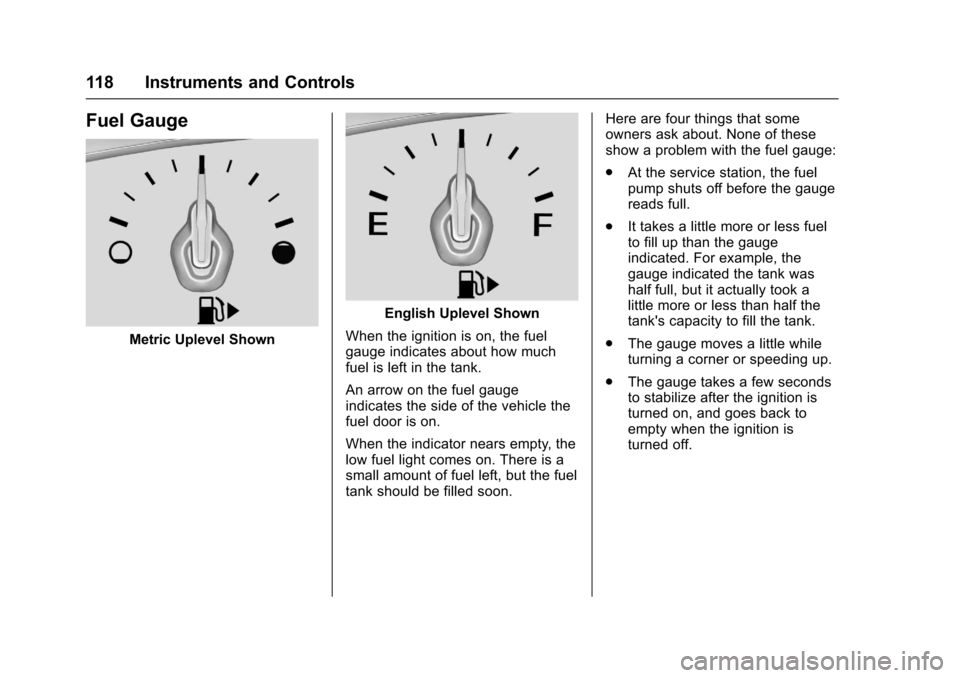
Metric Uplevel Shown
English Uplevel Shown
When the ignition is on, the fuelgauge indicates about how muchfuel is left in the tank.
An arrow on the fuel gaugeindicates the side of the vehicle thefuel door is on.
When the indicator nears empty, thelow fuel light comes on. There is asmall amount of fuel left, but the fueltank should be filled soon.
Here are four things that someowners ask about. None of theseshow a problem with the fuel gauge:
.At the service station, the fuelpump shuts off before the gaugereads full.
.It takes a little more or less fuelto fill up than the gaugeindicated. For example, thegauge indicated the tank washalf full, but it actually took alittle more or less than half thetank's capacity to fill the tank.
.The gauge moves a little whileturning a corner or speeding up.
.The gauge takes a few secondsto stabilize after the ignition isturned on, and goes back toempty when the ignition isturned off.
Page 123 of 419
Chevrolet Malibu Owner Manual (GMNA-Localizing-U.S./Canada/Mexico-10122664) - 2017 - crc - 5/23/16
122 Instruments and Controls
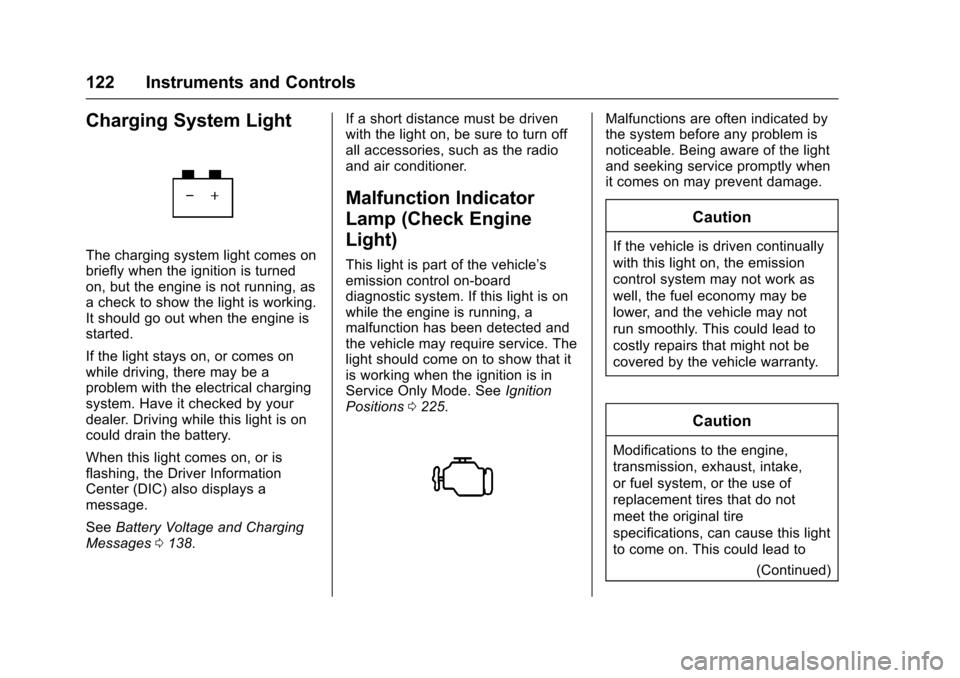
Charging System Light
The charging system light comes onbriefly when the ignition is turnedon, but the engine is not running, asachecktoshowthelightisworking.It should go out when the engine isstarted.
If the light stays on, or comes onwhile driving, there may be aproblem with the electrical chargingsystem. Have it checked by yourdealer. Driving while this light is oncould drain the battery.
When this light comes on, or isflashing, the Driver InformationCenter (DIC) also displays amessage.
SeeBattery Voltage and ChargingMessages0138.
If a short distance must be drivenwith the light on, be sure to turn offall accessories, such as the radioand air conditioner.
Malfunction Indicator
Lamp (Check Engine
Light)
This light is part of the vehicle’semission control on-boarddiagnostic system. If this light is onwhile the engine is running, amalfunction has been detected andthe vehicle may require service. Thelight should come on to show that itis working when the ignition is inService Only Mode. SeeIgnitionPositions0225.
Malfunctions are often indicated bythe system before any problem isnoticeable. Being aware of the lightand seeking service promptly whenit comes on may prevent damage.
Caution
If the vehicle is driven continually
with this light on, the emission
control system may not work as
well, the fuel economy may be
lower, and the vehicle may not
run smoothly. This could lead to
costly repairs that might not be
covered by the vehicle warranty.
Caution
Modifications to the engine,
transmission, exhaust, intake,
or fuel system, or the use of
replacement tires that do not
meet the original tire
specifications, can cause this light
to come on. This could lead to
(Continued)