ignition CHEVROLET MALIBU 2017 9.G Owner's Guide
[x] Cancel search | Manufacturer: CHEVROLET, Model Year: 2017, Model line: MALIBU, Model: CHEVROLET MALIBU 2017 9.GPages: 419, PDF Size: 7.81 MB
Page 167 of 419
Chevrolet Malibu Owner Manual (GMNA-Localizing-U.S./Canada/Mexico-10122664) - 2017 - crc - 5/23/16
166 Lighting
Automatic Headlamp
System
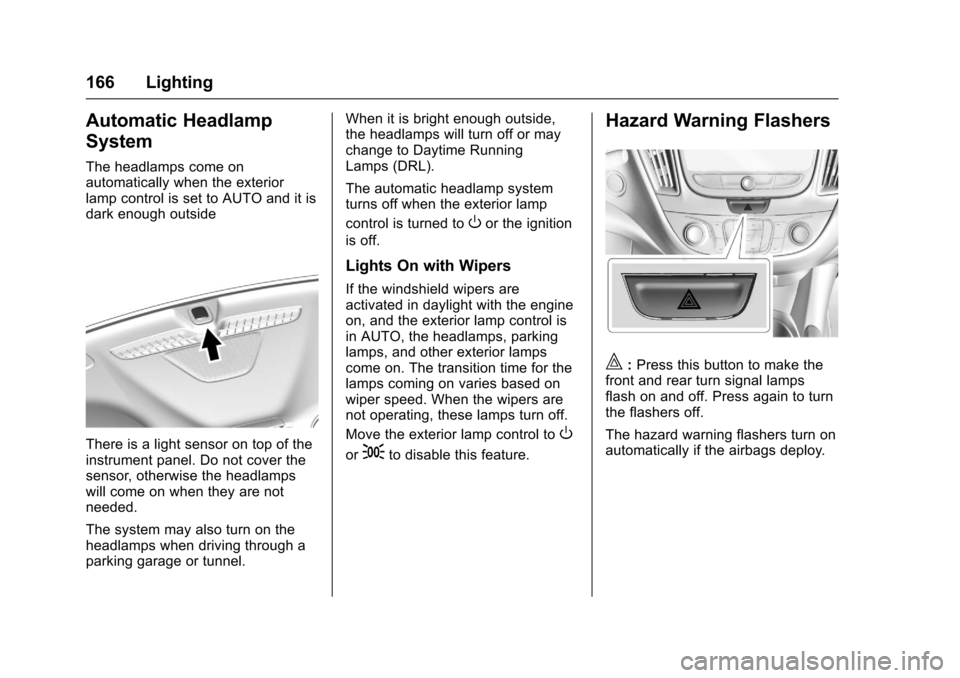
The headlamps come onautomatically when the exteriorlamp control is set to AUTO and it isdark enough outside
There is a light sensor on top of theinstrument panel. Do not cover thesensor, otherwise the headlampswill come on when they are notneeded.
The system may also turn on theheadlamps when driving through aparking garage or tunnel.
When it is bright enough outside,the headlamps will turn off or maychange to Daytime RunningLamps (DRL).
The automatic headlamp systemturns off when the exterior lamp
control is turned toOor the ignition
is off.
Lights On with Wipers
If the windshield wipers areactivated in daylight with the engineon, and the exterior lamp control isin AUTO, the headlamps, parkinglamps, and other exterior lampscome on. The transition time for thelamps coming on varies based onwiper speed. When the wipers arenot operating, these lamps turn off.
Move the exterior lamp control toO
or;to disable this feature.
Hazard Warning Flashers
|:Press this button to make thefront and rear turn signal lampsflash on and off. Press again to turnthe flashers off.
The hazard warning flashers turn onautomatically if the airbags deploy.
Page 170 of 419
Chevrolet Malibu Owner Manual (GMNA-Localizing-U.S./Canada/Mexico-10122664) - 2017 - crc - 5/23/16
Lighting 169
Lighting Features
Entry Lighting
Some exterior lamps and most ofthe interior lamps turn on briefly atnight or in areas with limited lightingwhen the Remote Keyless Entry
(RKE) transmitterKbutton is
pressed. SeeRemote Keyless Entry(RKE) System Operation032.Afterabout 30 seconds the exterior lampsturn off, then the dome lamps andremaining interior lamps dim to off.Entry lighting can be disabledmanually by changing the ignitionout of the OFF position, or by
pressing the RKE transmitterQ
button.
This feature can be changed. SeeVehicle Personalization0147.
Exit Lighting
Some exterior lamps and interiorlights come on at night, or in areaswith limited lighting, when the driverdoor is opened after the ignition isturned off. The dome lamp comeson after the ignition is changed to
the OFF position. The exteriorlamps and dome lamp remain on forasetamountoftime,thenautomatically turn off.
The exterior lamps turn offimmediately by turning the exteriorlamp control off.
This feature can be changed. SeeVehicle Personalization0147.
Battery Load
Management
The vehicle has Electric PowerManagement (EPM), whichestimates the battery's temperatureand state of charge. It then adjuststhe voltage for best performanceand extended life of the battery.
When the battery's state of chargeis low, the voltage is raised slightlyto quickly bring the charge back up.When the state of charge is high,the voltage is lowered slightly toprevent overcharging. If the vehiclehas a voltage display on the DriverInformation Center (DIC), you may
see the voltage move up or down.This is normal. If there is a problem,an alert will be displayed.
The battery can be discharged atidle if the electrical loads are veryhigh. This is true for all vehicles.This is because the generator(alternator) may not be spinning fastenough at idle to produce all thepower that is needed for very highelectrical loads.
Ahighelectricalloadoccurswhenseveral of the following are on, suchas: headlamps, high beams, foglamps, rear window defogger,climate control fan at high speed,heated seats, engine cooling fans,trailer loads, and loads plugged intoaccessory power outlets.
EPM works to prevent excessivedischarge of the battery. It does thisby balancing the generator's outputand the vehicle's electrical needs.It can increase engine idle speed togenerate more power, wheneverneeded. It can temporarily reducethe power demands of someaccessories.
Page 171 of 419
Chevrolet Malibu Owner Manual (GMNA-Localizing-U.S./Canada/Mexico-10122664) - 2017 - crc - 5/23/16
170 Lighting
Normally, these actions occur insteps or levels, without beingnoticeable. In rare cases at thehighest levels of corrective action,this action may be noticeable to thedriver. If so, a DIC message mightbe displayed and it is recommendedthat the driver reduce the electricalloads as much as possible. SeeBattery Voltage and ChargingMessages0138.
Battery Power Protection
The battery saver feature isdesigned to protect the vehicle'sbattery.
If some interior lamps are left onand the ignition is turned off, thebattery rundown protection systemautomatically turns the lamp off aftersome time.
Exterior Lighting Battery
Saver
The exterior lamps turn off about10 minutes after the ignition isturned off, if the parking lamps orheadlamps have been manually lefton. This protects against draining
the battery. To restart the 10-minutetimer, turn the exterior lamp controlto the off position and then back tothe parking lamp or headlampposition.
To k e e p t h e l a m p s o n f o r m o r e t h a n10 minutes, the ignition must be inthe ACC/ACCESSORY or ON/RUNposition.
Page 173 of 419
Chevrolet Malibu Owner Manual (GMNA-Localizing-U.S./Canada/Mexico-10122664) - 2017 - crc - 5/23/16
172 Infotainment System
functions may gray out when theyare unavailable. Many infotainmentfeatures are also available throughthe instrument cluster and steeringwheel controls.
Before driving:
.Become familiar with theoperation, faceplate buttons, andscreen buttons.
.Set up the audio by presettingfavorite stations, setting thetone, and adjusting thespeakers.
.Set up phone numbers inadvance so they can be calledeasily by pressing a singlebutton or by using a single voicecommand if equipped withBluetooth phone capability.
SeeDefensive Driving0216.
To p l a y t h e i n f o t a i n m e n t s y s t e m w i t hthe ignition off, seeRetainedAccessory Power (RAP)0230.
Theft-Deterrent Feature
The infotainment system has anelectronic security system installedto prevent theft.
The infotainment system only worksin the vehicle in which it was firstinstalled, and cannot be used inanother vehicle.
Page 177 of 419
Chevrolet Malibu Owner Manual (GMNA-Localizing-U.S./Canada/Mexico-10122664) - 2017 - crc - 5/23/16
176 Infotainment System
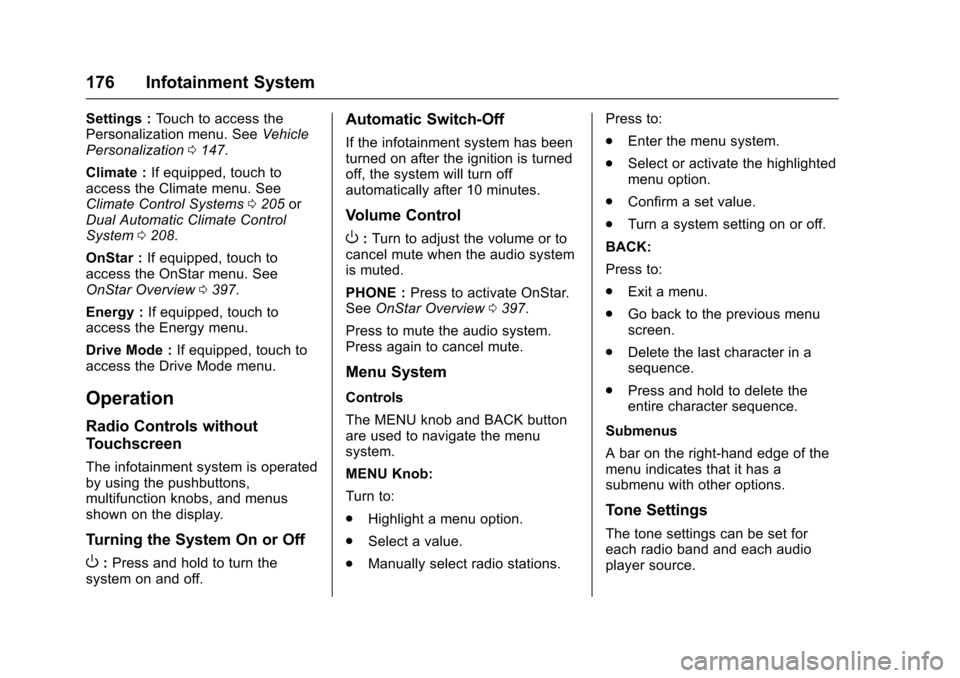
Settings :To u c h t o a c c e s s t h ePersonalization menu. SeeVehiclePersonalization0147.
Climate :If equipped, touch toaccess the Climate menu. SeeClimate Control Systems0205orDual Automatic Climate ControlSystem0208.
OnStar :If equipped, touch toaccess the OnStar menu. SeeOnStar Overview0397.
Energy :If equipped, touch toaccess the Energy menu.
Drive Mode :If equipped, touch toaccess the Drive Mode menu.
Operation
Radio Controls without
Touchscreen
The infotainment system is operatedby using the pushbuttons,multifunction knobs, and menusshown on the display.
Turning the System On or Off
O:Press and hold to turn thesystem on and off.
Automatic Switch-Off
If the infotainment system has beenturned on after the ignition is turnedoff, the system will turn offautomatically after 10 minutes.
Volume Control
O:Turn to adjust the volume or tocancel mute when the audio systemis muted.
PHONE :Press to activate OnStar.SeeOnStar Overview0397.
Press to mute the audio system.Press again to cancel mute.
Menu System
Controls
The MENU knob and BACK buttonare used to navigate the menusystem.
MENU Knob:
Turn to:
.Highlight a menu option.
.Select a value.
.Manually select radio stations.
Press to:
.Enter the menu system.
.Select or activate the highlightedmenu option.
.Confirm a set value.
.Turn a system setting on or off.
BACK:
Press to:
.Exit a menu.
.Go back to the previous menuscreen.
.Delete the last character in asequence.
.Press and hold to delete theentire character sequence.
Submenus
Abarontheright-handedgeofthemenu indicates that it has asubmenu with other options.
Tone Settings
The tone settings can be set foreach radio band and each audioplayer source.
Page 179 of 419
Chevrolet Malibu Owner Manual (GMNA-Localizing-U.S./Canada/Mexico-10122664) - 2017 - crc - 5/23/16
178 Infotainment System
Automatic Switch-Off
If the infotainment system has beenturned on after the ignition is turnedoff, the system will turn offautomatically after 10 minutes.
Volume Control
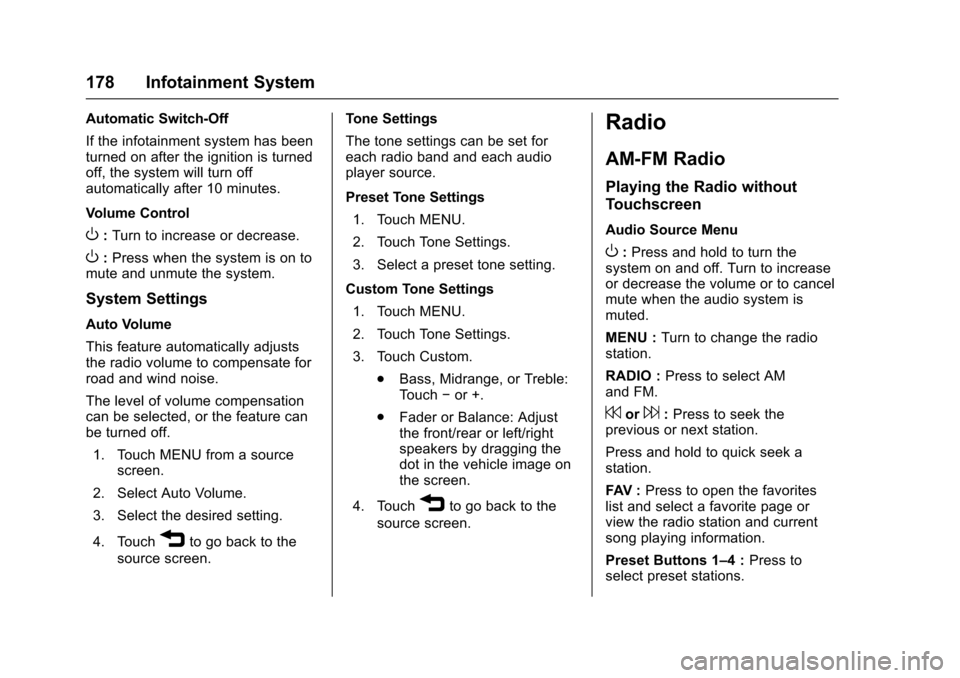
O:Turn to increase or decrease.
O:Press when the system is on tomute and unmute the system.
System Settings
Auto Volume
This feature automatically adjuststhe radio volume to compensate forroad and wind noise.
The level of volume compensationcan be selected, or the feature canbe turned off.
1. Touch MENU from a sourcescreen.
2. Select Auto Volume.
3. Select the desired setting.
4. Touch3to go back to the
source screen.
Tone Settings
The tone settings can be set foreach radio band and each audioplayer source.
Preset Tone Settings
1. Touch MENU.
2. Touch Tone Settings.
3. Select a preset tone setting.
Custom Tone Settings
1. Touch MENU.
2. Touch Tone Settings.
3. Touch Custom.
.Bass, Midrange, or Treble:To u c h✓or +.
.Fader or Balance: Adjustthe front/rear or left/rightspeakers by dragging thedot in the vehicle image onthe screen.
4. Touch3to go back to the
source screen.
Radio
AM-FM Radio
Playing the Radio without
Touchscreen
Audio Source Menu
O:Press and hold to turn thesystem on and off. Turn to increaseor decrease the volume or to cancelmute when the audio system ismuted.
MENU :Turn to change the radiostation.
RADIO :Press to select AMand FM.
7or6:Press to seek theprevious or next station.
Press and hold to quick seek astation.
FAV :Press to open the favoriteslist and select a favorite page orview the radio station and currentsong playing information.
Preset Buttons 1–4:Press toselect preset stations.
Page 185 of 419
Chevrolet Malibu Owner Manual (GMNA-Localizing-U.S./Canada/Mexico-10122664) - 2017 - crc - 5/23/16
184 Infotainment System
Audio Players
Avoiding Untrusted Media
Devices
When using media devices such asCDs, DVDs, Blu-ray Discs®,SDcards, USB drives, and mobiledevices, consider the source.Untrusted media devices couldcontain files that affect systemoperation or performance. Avoid useif the content or origin cannot betrusted.
USB Port
Using the USB Port
The infotainment system can playmusic by connecting an auxiliarydevice to the USB port.
USB Support
The USB ports are in the centerconsole, and use the USB 2.0standard.
USB Supported Devices
.USB Flash Drives
.iPods/iPhones
.Portable USB Hard Drives
Not all iPods and USB drives arecompatible with the USB port.
Make sure the iPod has the latestfirmware from Apple®for properoperation. iPod firmware can beupdated using the latest iTunes®
application. See www.apple.com/itunes.
For help with identifying your iPod,go to www.apple.com/support.
The USB port can play both lowerand upper case .mp3, .wma, .ogg,and .wav files stored on a USBstorage device.
Supported Apple®Devices
To v i e w s u p p o r t e d d e v i c e s i n t h eU.S., see www.my.chevrolet.com\learned.
To v i e w s u p p o r t e d d e v i c e s i nCanada, seewww.chevroletowner.ca.
To v i e w s u p p o r t e d d e v i c e s i nMexico, see your dealer.
USB Supported File and FolderStructure
The infotainment system supports:
.FAT 1 6 .
.FAT 3 2 .
.exFAT.
Connecting a USB Storage
Device or iPod/iPhone
To c o n n e c t a U S B s t o r a g e d e v i c e ,connect the device to the USB port.
To c o n n e c t a n i P o d / i P h o n e , c o n n e c tone end of the device’scabletotheiPod/iPhone and the other end tothe USB port.
The iPod/iPhone charges while it isconnected to the vehicle if thevehicle is in ACC/ACCESSORY orON/RUN. SeeIgnition Positions0225.Whenthevehicleisturnedoff, the iPod/iPhone automaticallypowers off and will not charge ordraw power from the vehicle'sbattery.
For more information on USBusage, see“Audio SystemInformation”following.
Page 186 of 419
Chevrolet Malibu Owner Manual (GMNA-Localizing-U.S./Canada/Mexico-10122664) - 2017 - crc - 5/23/16
Infotainment System 185
Audio System Information
The infotainment system can playthe music files contained in the USBstorage device or iPod/iPhoneproducts.
Using MP3/WMA/OGG/WAV Files
.Music files with .mp3, .wma,.ogg, and .wav file nameextensions can be played.
.MP3 files that can be played: Bitrate: 8 kbps to 320 kbps.Sampling frequency: 48 kHz,44.1 kHz, 32 kHz, 24 kHz, 22.05kHz, and 16 kHz.
.Files with a bit rate above128 kbps will result in higherquality sound.
.ID3 Tag information for MP3files, such as the album nameand the artist, can be played.
.To d i s p l a y a l b u m t i t l e , t r a c k t i t l e ,and artist information, the fileshould be compatible with theID3 Tag V1 and V2 formats.
Using USB Storage Devices andiPod/iPhone
.Use a USB or flash memory typestorage device. Do not connectusing a USB adaptor.
.Do not connect and reconnectthe USB device repeatedly in ashort time, as this may causestatic electricity and problemsusing the device.
.Use a USB device with a metalconnecting terminal.
.Connection with i-Stick TypeUSB storage devices may befaulty due to vehicle vibration.
.Do not touch the USBconnecting terminal.
.Only USB storage devicesformatted in FAT16/32 or exFATfile systems are recognized.NTFS and other file systems arenot recognized.
.The time it takes to process fileswill depend on the USB storagedevice type and capacity, andthe type of files stored.
.Some USB storage device filesmay not be compatible.
.Up to two USB devices and oneiPod can be played through aUSB hub. All devices may not besupported, depending on theperformance of the USB hub.If there is not enough powersupply, it may not operatenormally.
.Do not disconnect the USBstorage device while it is playing.This may cause damage to theproduct or affect theperformance of the USB device.
.Disconnect the USB storagedevice when the ignition isturned off. If the ignition is turnedon while the USB device isconnected, the USB device maybe damaged or may not operatenormally.
.USB storage devices can onlybe connected for playing music,viewing photo files,or upgrading.
Page 187 of 419
Chevrolet Malibu Owner Manual (GMNA-Localizing-U.S./Canada/Mexico-10122664) - 2017 - crc - 5/23/16
186 Infotainment System
.Do not use the USB terminal tocharge USB accessoryequipment. The heat generatedmay cause performance issuesor damage.
.Music files to which Digital RightManagement (DRM) is appliedcannot be played.
.USB storage device that has acapacity limit of no more than5,000 files, such as music,photo, video, 15 levels of folderstructure. Normal usage cannotbe guaranteed for a storagedevice that exceeds this limit.The iPod/iPhone can play allmusic files that are supported.The music file lists will onlydisplay up to 5,000 files on thescreen. These files are sorted inalphabetical order.
.Some iPod/iPhone productmodels may not support theconnectivity or functionality ofthis product.
.Only connect the iPod/iPhonewith connection cablessupported by iPod/iPhoneproducts. Other connectioncables cannot be used.
.The iPod/iPhone may bedamaged if it is connected to thevehicle with the ignition on.When not in use, disconnect theiPod/iPhone.
.When the iPod/iPhone isconnected to the USB port byusing the iPod/iPhone cable, theBluetooth music is notsupported.
.The iPod/iPhone playbackfunctions and the informationdisplayed may be different whenplayed on the infotainmentsystem.
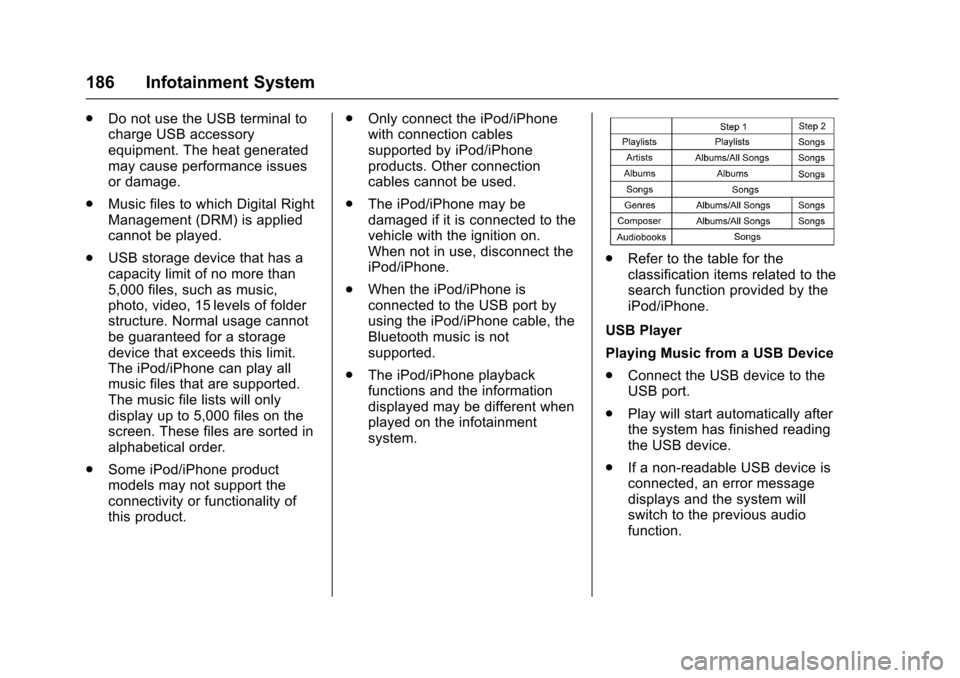
.Refer to the table for theclassification items related to thesearch function provided by theiPod/iPhone.
USB Player
Playing Music from a USB Device
.Connect the USB device to theUSB port.
.Play will start automatically afterthe system has finished readingthe USB device.
.If a non-readable USB device isconnected, an error messagedisplays and the system willswitch to the previous audiofunction.
Page 208 of 419
Chevrolet Malibu Owner Manual (GMNA-Localizing-U.S./Canada/Mexico-10122664) - 2017 - crc - 5/23/16
Climate Controls 207
Rear Window Defogger
K:Press to turn the rear windowdefogger on or off. An indicator lighton the button comes on to show thatthe rear window defogger is on. Thedefogger turns off when the ignitionis placed in the ACC/ACCESSORYor LOCK/OFF position.
The upper lines on the rear windoware antenna grids and are notintended to defrost the glass.
The rear window defogger can beset to automatic operation. See“Climate and Air Quality”underVehicle Personalization0147.When Auto Rear Defog is selected,the rear window defogger turns onautomatically when the interiortemperature is cold and the outsidetemperature is about 7 °C (44 °F)and below. The auto rear defoggerturns off automatically.
If the vehicle is equipped withheated outside mirrors, they turn onwhen the rear window defoggerbutton is on and help to clear fog orfrost from the surface of the mirror.SeeHeated Mirrors049.
Caution
Do not try to clear frost or other
material from the inside of the
front windshield and rear window
with a razor blade or anything
else that is sharp. This may
damage the rear window
defogger grid and affect the
radio's ability to pick up stations
clearly. The repairs would not be
covered by the vehicle warranty.
LorM:If equipped, pressLorMto heat the driver or passenger seat.SeeHeated and Ventilated FrontSeats060.
Remote Start Climate ControlOperation :If equipped with remotestart, the climate control systemmay run when the vehicle is startedremotely. The system uses thedriver’sprevioussettingstoheatorcool the inside of the vehicle. Therear defog may come on duringremote start based on cold ambientconditions. The rear defog indicatorlight does not come on during aremote start. The front heated seatswill turn on if it is cold outside. Theheated seat indicator lights do notcome on during a remote start.