warning CHEVROLET MALIBU 2017 9.G Repair Manual
[x] Cancel search | Manufacturer: CHEVROLET, Model Year: 2017, Model line: MALIBU, Model: CHEVROLET MALIBU 2017 9.GPages: 419, PDF Size: 7.81 MB
Page 129 of 419
Chevrolet Malibu Owner Manual (GMNA-Localizing-U.S./Canada/Mexico-10122664) - 2017 - crc - 5/23/16
128 Instruments and Controls
When the Light Flashes First andThen Is On Steady
If the light flashes for about a minuteand then stays on, there may be aproblem with the TPMS. If theproblem is not corrected, the lightwill come on at every ignition cycle.SeeTire Pressure MonitorOperation0328.
Engine Oil Pressure Light
Caution
Lack of proper engine oil
maintenance can damage the
engine. Driving with the engine oil
low can also damage the engine.
The repairs would not be covered
by the vehicle warranty. Check
the oil level as soon as possible.
Add oil if required, but if the oil
level is within the operating range
and the oil pressure is still low,
have the vehicle serviced. Always
follow the maintenance schedule
for changing engine oil.
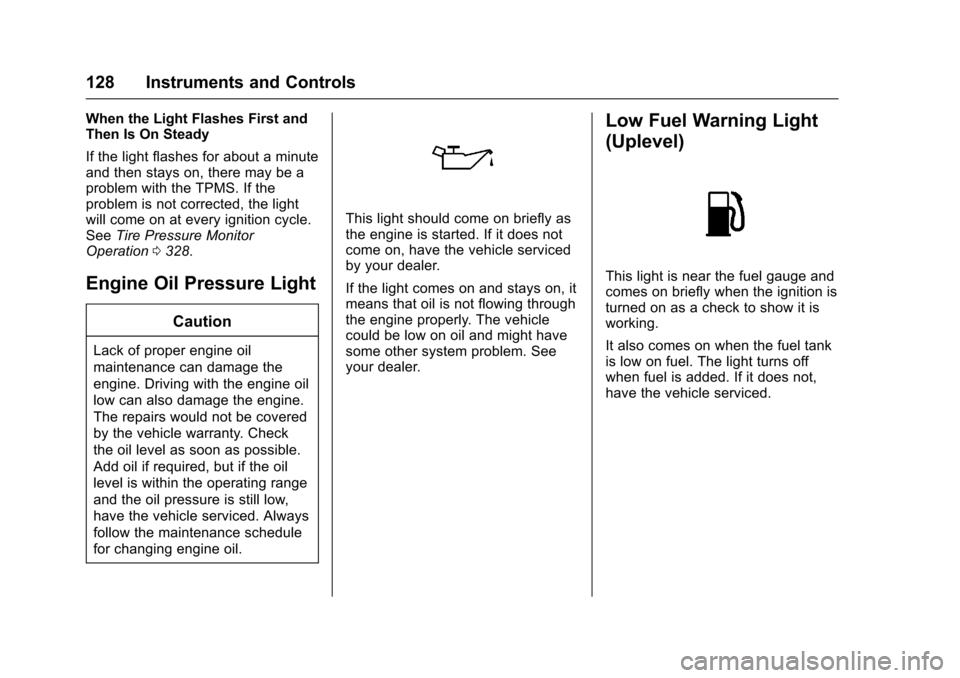
This light should come on briefly asthe engine is started. If it does notcome on, have the vehicle servicedby your dealer.
If the light comes on and stays on, itmeans that oil is not flowing throughthe engine properly. The vehiclecould be low on oil and might havesome other system problem. Seeyour dealer.
Low Fuel Warning Light
(Uplevel)
This light is near the fuel gauge andcomes on briefly when the ignition isturned on as a check to show it isworking.
It also comes on when the fuel tankis low on fuel. The light turns offwhen fuel is added. If it does not,have the vehicle serviced.
Page 130 of 419
Chevrolet Malibu Owner Manual (GMNA-Localizing-U.S./Canada/Mexico-10122664) - 2017 - crc - 5/23/16
Instruments and Controls 129
Low Fuel Warning Light
(Base Level)
Metric Shown
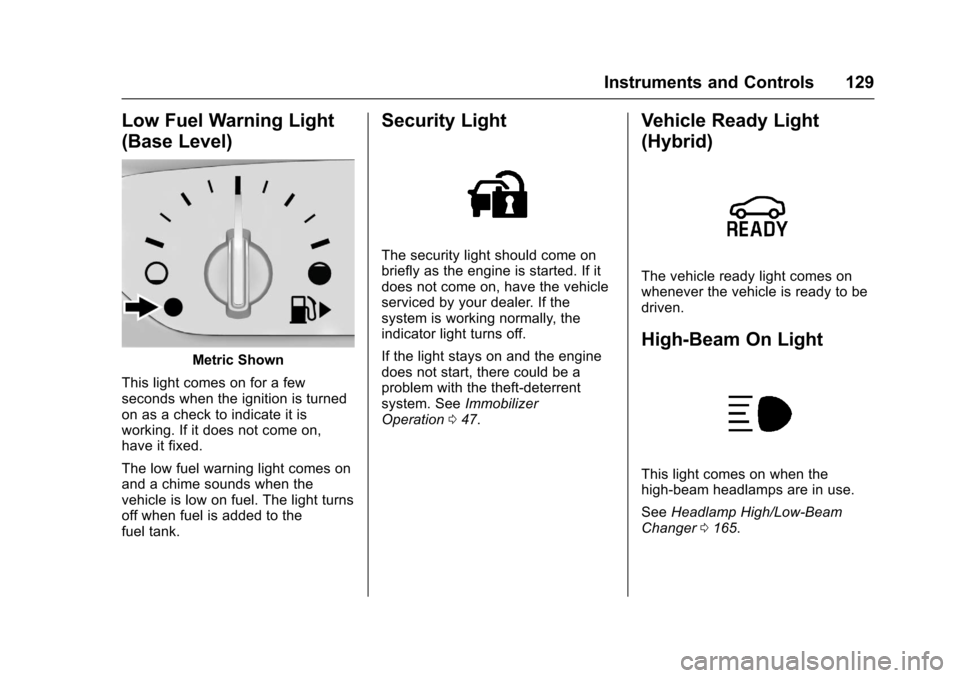
This light comes on for a fewseconds when the ignition is turnedon as a check to indicate it isworking. If it does not come on,have it fixed.
The low fuel warning light comes onand a chime sounds when thevehicle is low on fuel. The light turnsoff when fuel is added to thefuel tank.
Security Light
The security light should come onbriefly as the engine is started. If itdoes not come on, have the vehicleserviced by your dealer. If thesystem is working normally, theindicator light turns off.
If the light stays on and the enginedoes not start, there could be aproblem with the theft-deterrentsystem. SeeImmobilizerOperation047.
Vehicle Ready Light
(Hybrid)
The vehicle ready light comes onwhenever the vehicle is ready to bedriven.
High-Beam On Light
This light comes on when thehigh-beam headlamps are in use.
SeeHeadlamp High/Low-BeamChanger0165.
Page 134 of 419
Chevrolet Malibu Owner Manual (GMNA-Localizing-U.S./Canada/Mexico-10122664) - 2017 - crc - 5/23/16
Instruments and Controls 133
Remaining Oil Life :Displays anestimate of the oil's remaining usefullife. If REMAINING OIL LIFE 99% isdisplayed, that means 99% of thecurrent oil life remains.
When the remaining oil life is low,the CHANGE ENGINE OIL SOONmessage will appear on the display.SeeEngine Oil Messages0141.The oil should be changed as soonas possible. SeeEngine Oil0288.In addition to the engine oil lifesystem monitoring the oil life,additional maintenance isrecommended in the MaintenanceSchedule. SeeMaintenanceSchedule0369.
The Oil Life display must be resetafter each oil change. Do not resetthe Oil Life display accidentally atany time other than when the oil hasjust been changed. It cannot bereset accurately until the next oilchange. To reset the engine oil lifesystem, seeEngine Oil LifeSystem0291.
Oil Pressure :Oil pressure isdisplayed in either kilopascal (kPa)or in pounds per square inch (psi).
Oil pressure can vary with enginespeed, outside temperature, and oilviscosity. On some models, the oilpump will vary engine oil pressureaccording to engine needs. Oilpressure may change quickly as theengine speed or load varies. This isnormal. If the oil pressure warninglight or Driver Information Center(DIC) message indicates oilpressure outside the normaloperating range, check the vehicle'soil as soon as possible. SeeEngineOil Messages0141.
Tire Pressure :Displays a vehiclewith the approximate pressures ofall four tires. Tire pressure isdisplayed in either kilopascal (kPa)or in pounds per square inch (psi).SeeTire Pressure Monitor System0327andTire Pressure MonitorOperation0328.
Battery Voltage :Displays thecurrent battery voltage, if equipped.Battery voltage changes are normalwhile driving. SeeCharging SystemLight0122.Ifthereisaproblemwith the battery charging system,
the DIC will display a message. SeeBattery Voltage and ChargingMessages0138.
Coolant Temperature :Shows theengine coolant temperature in eitherdegrees Celsius (°C) or degreesFahrenheit (°F).
Speed Warning :This display isused to set the vehicle speed atwhich the speed warning chimesounds and the alert is displayed.The speed can be set by pressingVwhile the speed warning displayis showing.
Units :Movewxto change
between Metric or US when the Unit
display is active. PressVto confirm
the setting. This will change thedisplays on the DIC to the type ofmeasurements you select.
ECO Drive Assist Menu (ECO)
Items
Usewxto scroll through the
menu items. Not all items areavailable on every vehicle. Thefollowing is a list of all possiblemenu items:
Page 138 of 419
Chevrolet Malibu Owner Manual (GMNA-Localizing-U.S./Canada/Mexico-10122664) - 2017 - crc - 5/23/16
Instruments and Controls 137
Following Distance Indicator :When Adaptive Cruise Control(ACC) is not engaged, the currentfollow time to the vehicle ahead isdisplayed as a time value on thispage. When ACC has beenengaged, the display switches to thegap setting page. This page showsthe current gap setting along withthe vehicle ahead indicator.
Battery Voltage :Displays thecurrent battery voltage, if equipped.Battery voltage changes are normalwhile driving. SeeCharging SystemLight0122.Ifthereisaproblemwith the battery charging system,the DIC will display a message. SeeBattery Voltage and ChargingMessages0138.
Coolant Temperature :Shows theengine coolant temperature in eitherdegrees Celsius (°C) or degreesFahrenheit (°F).
Oil Pressure :Oil pressure isdisplayed in either kilopascal (kPa)or in pounds per square inch (psi).
Oil pressure can vary with enginespeed, outside temperature, and oilviscosity. On some models, the oil
pump will vary engine oil pressureaccording to engine needs. Oilpressure may change quickly as theengine speed or load varies. This isnormal. If the oil pressure warninglight or Driver Information Center(DIC) message indicates oilpressure outside the normaloperating range, check the vehicle'soil as soon as possible. SeeEngineOil Messages0141.
Drive Cycle Info (Hybrid) :Thisscreen displays the distancetraveled and average fuel economyfor the current trip. The screen willalso be shown when the vehicle isturned off displaying the previoustrip’sinformation.
Efficiency Gauge (Hybrid) :Thisgauge is a guide to driving in anefficient manner by keeping theindicator in the center of the gauge.
.Accel: If the indicator moves tothe right of the gauge,acceleration is too aggressive tooptimize efficiency.
.Brake: If the indicator moves tothe left side of the gauge,braking is too aggressive tooptimize efficiency.
To t a l P o w e r D i s p l a y ( H y b r i d ) :Provides a numeric display of thetotal power being used to propel orstop the vehicle. The display showsthe power being provided by thebattery or charging the battery aswell as the power provided by theengine.
EV Operation (Hybrid) :The barmoves from left to right as the driverrequests more power from thepropulsion system. While in EVmode, maintaining the bar in thegreen zone will allow the driver tomaximize EV operation.
Blank Page :Shows noinformation.
Page 144 of 419
Chevrolet Malibu Owner Manual (GMNA-Localizing-U.S./Canada/Mexico-10122664) - 2017 - crc - 5/23/16
Instruments and Controls 143
FORWARD COLLISION
SYSTEM UNAVAILABLE
This message displays when theForward Automatic Braking (FAB)has been unavailable for some time.The FAB System does not needservice.
This can occur under the followingconditions:
.The front of the vehicle orwindshield is not clean. Keepthese areas clean and free ofmud, dirt, snow, ice, and slush.For cleaning instructions, seeExterior Care0358.
.Heavy rain or snow is interferingwith the object detectionperformance.
This message may also bedisplayed if there is a problem withthe StabiliTrak system. SeeTr a c t i o nControl/Electronic StabilityControl0241
FORWARD COLLISION
ALERT OFF
This message displays when theForward Collision Alert has beenturned off.
FRONT CAMERA BLOCKED
CLEAN WINDSHIELD
This message displays when thecamera is blocked. Cleaning theoutside of the windshield behind therearview mirror may correct theissue. The Front Pedestrian Braking(FPB), Lane Keep Assist (LKA), andLane Departure Warning (LDW) willnot operate. Adaptive Cruise Control(ACC), Forward Collision Alert(FCA), and the Forward AutomaticBraking (FAB) may not work or maynot work as well.
LANE CHANGE ALERT OFF
This message indicates that thedriver has turned the Side BlindZone Alert (SBZA) and LaneChange Alert (LCA) systems off.
LANE KEEPING ASSIST
UNAVAILABLE
This message displays when theLane Keep Assist (LKA) and LaneDeparture Warning (LDW) system istemporarily unavailable. The LKAsystem does not need service.
This message could be due to thecamera being blocked. Cleaning theoutside of the windshield behind therearview mirror may correct theissue.
PARK ASSIST OFF
This message displays when theParking Assist system has beenturned off or when there is atemporary condition causing thesystem to be disabled.
SERVICE FORWARD
COLLISION SYSTEM
If this message displays, take thevehicle to your dealer to repair thesystem.
Page 145 of 419
Chevrolet Malibu Owner Manual (GMNA-Localizing-U.S./Canada/Mexico-10122664) - 2017 - crc - 5/23/16
144 Instruments and Controls
SERVICE DRIVER ASSIST
SYSTEM
If this message displays, take thevehicle to your dealer to repair thesystem.
Adaptive Cruise Control (ACC),Forward Collision Alert (FCA),Active Emergency Braking System,Assistance Systems for Parking orBacking, and/or Lane Keep Assist(LKA) system may not work. Do notuse these systems until the vehiclehas been repaired.
SERVICE FRONT CAMERA
If this message remains on aftercontinued driving, the vehicle needsservice. Take the vehicle to yourdealer. Do not use the FrontPedestrian Braking (FPB), ForwardCollision Alert (FCA), ForwardAutomatic Braking (FAB), LaneKeep Assist (LKA), and LaneDeparture Warning (LDW) features.
SERVICE PARK ASSIST
This message displays if there is aproblem with the Parking Assistsystem. Do not use this system tohelp you park. See your dealer forservice.
SERVICE SIDE DETECTION
SYSTEM
If this message remains on aftercontinued driving, the vehicle needsservice. Side Blind Zone Alert(SBZA), Lane Change Alert (LCA),and Rear Cross Traffic Alert (RCTA)features will not work. Take thevehicle to your dealer.
SIDE DETECTION SYSTEM
UNAVAILABLE
This message indicates that SideBlind Zone Alert (SBZA), LaneChange Alert (LCA), and RearCross Traffic Alert (RCTA) aredisabled either because the sensoris blocked and cannot detectvehicles in the blind zone, or thevehicle is passing through an openarea, such as the desert, wherethere is insufficient data foroperation. This message may also
activate during heavy rain or due toroad spray. The vehicle does notneed service. For cleaning, see"Washing the Vehicle" underExterior Care0358.
TAKE STEERING
If LKA does not detect active driversteering, an alert and chime may beprovided. Move the steering wheelto dismiss. SeeLane Keep Assist(LKA)0266.
Propulsion Power
Messages
PROPULSION POWER IS
REDUCED
This message displays when thepropulsion power is reduced andcan affect the ability to accelerate.If this message is on, but there is noreduction in performance, proceedto your destination. Theperformance may be reduced thenext time the vehicle is driven. Thevehicle may be driven at a reducedspeed while this message is on, butmaximum acceleration and speedmay be reduced. If this message
Page 147 of 419
Chevrolet Malibu Owner Manual (GMNA-Localizing-U.S./Canada/Mexico-10122664) - 2017 - crc - 5/23/16
146 Instruments and Controls
STEERING ASSIST IS
REDUCED DRIVE WITH CARE
This message can appear forseveral reasons. Take the vehicle toyour dealer if the problem persists.
Starting the Vehicle
Messages
INITIALIZING—WAIT TO
SHIFT
In extreme cold temperatures thehybrid vehicle can take up to30 seconds to start. Wait to shiftfrom P (Park) while the vehicle isstarting.
PRESS BRAKE TO START
This message displays whenattempting to start the vehiclewithout first pressing the brakepedal.
Tire Messages
SERVICE TIRE MONITOR
SYSTEM
This message displays if there is aproblem with the Tire PressureMonitor System (TPMS). SeeTirePressure Monitor Operation0328.
TIRE LEARNING ACTIVE
This message displays when thesystem is learning new tires. SeeTire Pressure MonitorOperation0328.
TIRE PRESSURE LOW ADD
AIR TO TIRE
On vehicles with the Tire PressureMonitor System (TPMS), thismessage displays when thepressure in one or more of thevehicle's tires is low.
The low tire pressure warning lightwill also come on. SeeTirePressure Light0127.
If a tire pressure message displays,inflate the tires until the tire pressureis equal to the values shown on theTire and Loading Information label.SeeTires0317,Vehicle LoadLimits0325,andTirePressure0325.
More than one tire pressuremessage can be received at a time.The DIC also shows the tirepressure values. SeeDriverInformation Center (DIC) (BaseLevel)0131orDriver InformationCenter (DIC) (Uplevel)0134.
Transmission Messages
SERVICE TRANSMISSION
This message displays if there is aproblem with the transmission. Seeyour dealer.
SHIFT DENIED
This message displays whenattempting to use the automatictransmission manual mode to shiftto too low or too high of a gear. SeeManual Mode0235.
Page 164 of 419
Chevrolet Malibu Owner Manual (GMNA-Localizing-U.S./Canada/Mexico-10122664) - 2017 - crc - 5/23/16
Lighting 163
Lighting
Exterior Lighting
Exterior Lamp Controls . . . . . . . 163Exterior Lamps OffReminder . . . . . . . . . . . . . . . . . . . 165Headlamp High/Low-BeamChanger . . . . . . . . . . . . . . . . . . . . 165Flash-to-Pass . . . . . . . . . . . . . . . . 165Daytime RunningLamps (DRL) . . . . . . . . . . . . . . . 165Automatic HeadlampSystem . . . . . . . . . . . . . . . . . . . . . . 166Hazard Warning Flashers . . . . . 166Turn and Lane-ChangeSignals . . . . . . . . . . . . . . . . . . . . . . 167
Interior Lighting
Instrument Panel IlluminationControl . . . . . . . . . . . . . . . . . . . . . . 167Courtesy Lamps . . . . . . . . . . . . . . 168Dome Lamps . . . . . . . . . . . . . . . . . 168Reading Lamps . . . . . . . . . . . . . . 168
Lighting Features
Entry Lighting . . . . . . . . . . . . . . . . 169Exit Lighting . . . . . . . . . . . . . . . . . . 169Battery Load Management . . . 169Battery Power Protection . . . . . 170Exterior Lighting BatterySaver . . . . . . . . . . . . . . . . . . . . . . . 170
Exterior Lighting
Exterior Lamp Controls
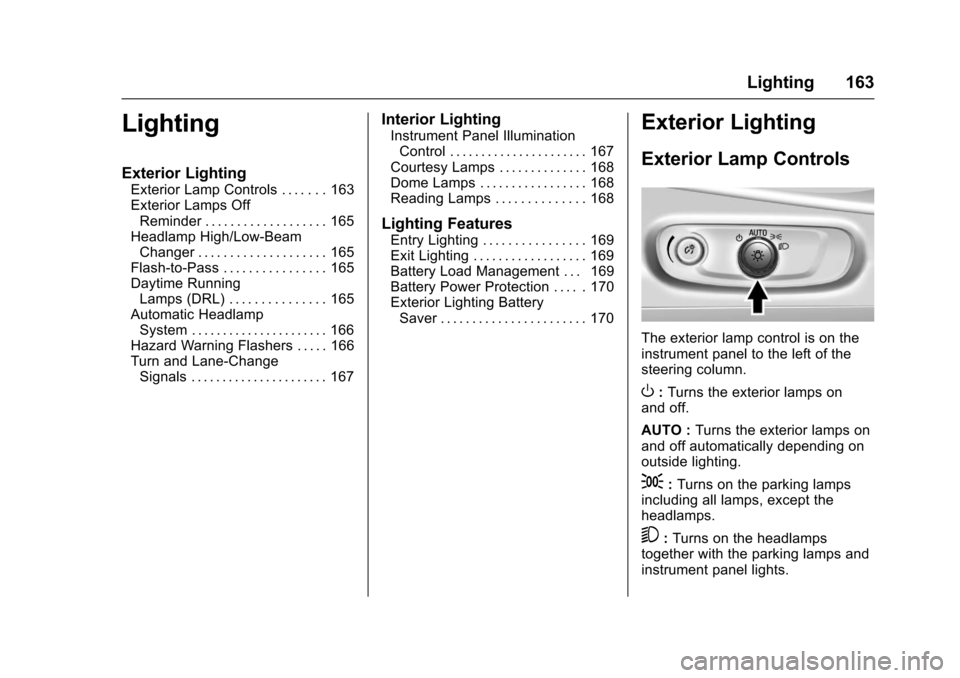
The exterior lamp control is on theinstrument panel to the left of thesteering column.
O:Turns the exterior lamps onand off.
AUTO :Turns the exterior lamps onand off automatically depending onoutside lighting.
;:Turns on the parking lampsincluding all lamps, except theheadlamps.
5:Turns on the headlampstogether with the parking lamps andinstrument panel lights.
Page 166 of 419
Chevrolet Malibu Owner Manual (GMNA-Localizing-U.S./Canada/Mexico-10122664) - 2017 - crc - 5/23/16
Lighting 165
.The other vehicle's lamps cannotbe detected due to denseexhaust, smoke, fog, snow, roadspray, mist, or other airborneobstructions.
.The vehicle's windshield is dirty,cracked, or obstructed bysomething that blocks the viewof the light sensor.
.The vehicle is loaded such thatthe front end points upward,causing the light sensor to aimhigh and not detect headlampsand taillamps.
.Driving on winding or hilly roads.
The IntelliBeam system may need tobe disabled if any of the aboveconditions exist.
Exterior Lamps Off
Reminder
Awarningchimesoundsifthedriverdoor is opened while the ignition isoff and the exterior lamps are on.
Headlamp High/
Low-Beam Changer
3:Push the turn signal lever awayfrom you and release, to turn thehigh beams on. To return to lowbeams, push the lever again or pullit toward you and release.
This indicator light turns on in theinstrument cluster when thehigh-beam headlamps are on.
Flash-to-Pass
To f l a s h t h e h i g h b e a m s , p u l l t h eturn signal lever toward you, andrelease.
Daytime Running
Lamps (DRL)
DRL can make it easier for others tosee the front of your vehicle duringthe day. Fully functional DRL arerequired on all vehicles first sold inCanada.
The DRL system comes on indaylight when the followingconditions are met:
.The ignition is on.
.The exterior lamp control is inAUTO, if equipped.
.The light sensor determines it isdaytime.
.The vehicle is not in P (Park).
When the DRL are on, the taillamps,sidemarker lamps, instrument panellights, and other lamps will notbe on.
The DRL turn off when the
headlamps are turned toOor(,
or when the ignition is off.
Page 167 of 419
Chevrolet Malibu Owner Manual (GMNA-Localizing-U.S./Canada/Mexico-10122664) - 2017 - crc - 5/23/16
166 Lighting
Automatic Headlamp
System
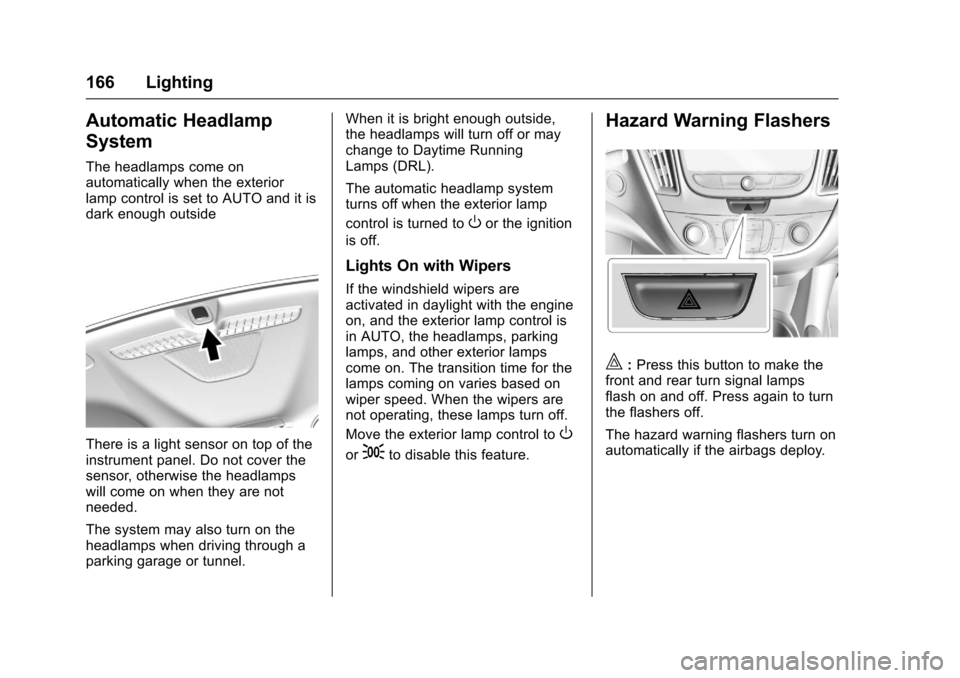
The headlamps come onautomatically when the exteriorlamp control is set to AUTO and it isdark enough outside
There is a light sensor on top of theinstrument panel. Do not cover thesensor, otherwise the headlampswill come on when they are notneeded.
The system may also turn on theheadlamps when driving through aparking garage or tunnel.
When it is bright enough outside,the headlamps will turn off or maychange to Daytime RunningLamps (DRL).
The automatic headlamp systemturns off when the exterior lamp
control is turned toOor the ignition
is off.
Lights On with Wipers
If the windshield wipers areactivated in daylight with the engineon, and the exterior lamp control isin AUTO, the headlamps, parkinglamps, and other exterior lampscome on. The transition time for thelamps coming on varies based onwiper speed. When the wipers arenot operating, these lamps turn off.
Move the exterior lamp control toO
or;to disable this feature.
Hazard Warning Flashers
|:Press this button to make thefront and rear turn signal lampsflash on and off. Press again to turnthe flashers off.
The hazard warning flashers turn onautomatically if the airbags deploy.