time CHEVROLET OPTRA 5 2007 1.G User Guide
[x] Cancel search | Manufacturer: CHEVROLET, Model Year: 2007, Model line: OPTRA 5, Model: CHEVROLET OPTRA 5 2007 1.GPages: 422, PDF Size: 2.39 MB
Page 78 of 422
The passenger sensing system is designed to turn
off the right front passenger’s frontal airbag and
seat-mounted side impact airbag (if equipped) if:
•The right front passenger seat is unoccupied.
•The system determines that an infant is
present in a rear-facing infant seat.
•The system determines that a small child is
present in a forward-facing child restraint.
•The system determines that a small child is
present in a booster seat.
•A right front passenger takes his/her weight off
of the seat for a period of time.
•The right front passenger seat is occupied by
a smaller person, such as a child who has
outgrown child restraints.
•Or, if there is a critical problem with the airbag
system or the passenger sensing system.When the passenger sensing system has turned
off the right front passenger’s frontal airbag
and seat-mounted side impact airbag (if equipped),
the off symbol near the clock will light and stay
lit to remind you that the airbag or airbags are off.
SeePassenger Airbag Status Indicator on
page 165.
If a child restraint has been installed and the off
symbol is not lit, turn the vehicle off. Remove
the child restraint from the vehicle and reinstall the
child restraint following the child restraint
manufacturer’s directions and refer toSecuring a
Child Restraint in the Right Front Seat Position
on page 62.
78
Page 79 of 422
If, after reinstalling the child restraint and restarting
the vehicle, the off symbol is still not lit, check to
make sure that the vehicle’s seatback is not
pressing the child restraint into the seat cushion.
If this happens, slightly recline the vehicle’s
seatback and adjust the seat cushion if possible.
Also make sure the child restraint is not trapped
under the vehicle head restraint. If this happens,
adjust the head restraint.
If the off symbol is still not lit, secure the child in
the child restraint in a rear seat position in
the vehicle and check with your dealer.The passenger sensing system is designed to
enable (may inflate) the right front passenger’s
frontal airbag and seat-mounted side impact airbag
(if equipped) anytime the system senses that a
person of adult size is sitting properly in the right
front passenger’s seat. When the passenger
sensing system has allowed the airbag or airbags
to be enabled, the off symbol will not light.
For some children who have outgrown child
restraints and for very small adults, the passenger
sensing system may or may not turn off the
right front passenger’s frontal airbag and side
airbag (if equipped), depending upon the person’s
seating posture and body build. Everyone in
your vehicle who has outgrown child restraints
should wear a safety belt properly — whether or
not there is an airbag for that person.
79
Page 85 of 422
Replacing Restraint System Parts
After a Crash
{CAUTION:
A crash can damage the restraint systems
in your vehicle. A damaged restraint
system may not properly protect the
person using it, resulting in serious injury
or even death in a crash. To help make
sure your restraint systems are working
properly after a crash, have them
inspected and any necessary
replacements made as soon as possible.If you have had a crash, do you need new belts or
LATCH system parts?
After a very minor collision, nothing may be
necessary. But if the belts were stretched, as they
would be if worn during a more severe crash,
then you need new parts.
If the LATCH system was being used during a
more severe crash, you may need new LATCH
system parts.
If belts are cut or damaged, replace them.
Collision damage also may mean you will need to
have LATCH system, safety belt or seat parts
repaired or replaced. New parts and repairs may
be necessary even if the belt or LATCH system
was not being used at the time of the collision.
If an airbag inflates, you will need to replace airbag
system parts. See the part about the airbag
system earlier in this section.
85
Page 91 of 422
Remote Keyless Entry (RKE)
System
If the vehicle has the Remote Keyless Entry (RKE)
system, it operates on a radio frequency subject
to Federal Communications Commission (FCC)
Rules and with Industry Canada.
This device complies with Part 15 of the FCC
Rules. Operation is subject to the following
two conditions:
1. This device may not cause interference.
2. This device must accept any interference
received, including interference that may
cause undesired operation of the device.
This device complies with RSS-210 of Industry
Canada. Operation is subject to the following
two conditions:
1. This device may not cause interference.
2. This device must accept any interference
received, including interference that may
cause undesired operation of the device.Changes or modifications to this system by other
than an authorized service facility could void
authorization to use this equipment.
At times you may notice a decrease in range. This
is normal for any RKE system. If the transmitter
does not work or if you have to stand closer
to your vehicle for the transmitter to work, try this:
•Check the distance. You may be too far
from your vehicle. You may need to stand
closer during rainy or snowy weather.
•Check the location. Other vehicles or objects
may be blocking the signal. Take a few steps
to the left or right, hold the transmitter
higher, and try again.
•Check to determine if battery replacement is
necessary. See “Battery Replacement”
underRemote Keyless Entry (RKE) System
Operation on page 92.
•If you are still having trouble, see your dealer
or a qualified technician for service.
91
Page 93 of 422
S(Panic):If your vehicle has this feature, press
this button to turn on the hazard warning
flashers. The hazard warning lamps will flash for
about 28 seconds. Press this button again to
turn off the hazard warning lamps.
The lock, unlock, and panic buttons, on the
remote keyless entry transmitter, will not operate
while the key is in the ignition. The theft-deterrent
system will not activate while the key is in the
ignition.
Matching Transmitter(s) to Your Vehicle
Each remote keyless entry transmitter is coded to
prevent another transmitter from unlocking
your vehicle. If a transmitter is lost or stolen, a
replacement can be purchased through your
dealer. Remember to bring any remaining
transmitters with you when you go to your dealer.
When the dealer matches the replacement
transmitter to your vehicle, any remaining
transmitters must also be matched. Once your
dealer has coded the new transmitter, the
lost transmitter will not unlock your vehicle.
Each vehicle can have a maximum of four
transmitters matched to it.
Battery Replacement
Under normal use, the battery in the remote
keyless entry transmitter should last about
two years.
The battery is weak if the LED light fails to
illuminate or if the transmitter will not work at the
normal operating range. If you have to get
close to your vehicle before the transmitter works,
it is probably time to change the battery.
Notice:When replacing the battery, use care
not to touch any of the circuitry. Static from
your body transferred to these surfaces
may damage the transmitter.
93
Page 105 of 422
How the System Alarm is Activated
If a door or the trunk or liftgate is opened without
using the key or the remote keyless entry
transmitter, the horn will sound and the lamps will
flash for up to 30 seconds.
How to Turn Off the System Alarm
If the system alarm is active, it can be deactivated
using one of the following methods:
•Press the lock or unlock button on the remote
keyless entry transmitter.
•Unlock the driver’s or passenger’s front door
using the key.
Otherwise, the alarm will automatically stop after
30 seconds. The system will then lock the
doors and reactivate the theft-deterrent system.
How to Detect a Tamper Condition
If the hazard warning lamps flash once when you
press the lock or unlock buttons on the remote
keyless entry transmitter, that means the
theft-deterrent system alarm was triggered while
you were away, from the vehicle.
Starting and Operating
Your Vehicle
New Vehicle Break-In
Notice:Your vehicle does not need an
elaborate break-in. But it will perform better in
the long run if you follow these guidelines:
Do not drive at any one constant speed,
fast or slow, for the rst 500 miles
(805 km). Do not make full-throttle starts.
Avoid downshifting to brake, or slow,
the vehicle.
Avoid making hard stops for the rst
200 miles (322 km) or so. During this time
your new brake linings are not yet
broken in. Hard stops with new linings can
mean premature wear and earlier
replacement. Follow this breaking-in
guideline every time you get new brake
linings.
Following break-in, engine speed and load can
be gradually increased.
105
Page 108 of 422
Starting Your Engine
1. With your foot off the accelerator pedal, turn
the ignition key to START. When the engine
starts, let go of the key. The idle speed will go
down as your engine gets warm.
Notice:Holding your key in START for longer
than 15 seconds at a time will cause your
battery to be drained much sooner. And the
excessive heat can damage your starter motor.
Wait about 15 seconds between each try to
help avoid draining your battery or damaging
your starter.
2. If it does not start, wait about 15 seconds and
try again to start the engine by turning the
ignition key to START. Wait about 15 seconds
between each try.
After the engine has run about 10 seconds to
warm up, your vehicle is ready to be driven.
Do not “race” your engine when it is cold.
If the weather is below freezing (32°F or 0°C),
let the engine run for a few minutes to
warm up.3. If the engine still does not start, or starts but
then stops, it could be flooded with too much
gasoline. Try pushing the accelerator pedal
all the way to the floor and holding it there
as you hold the key in START for about
three seconds. If the vehicle starts briefly
but then stops again, do the same thing, but
this time keep the pedal down for five or
six seconds. This clears the extra gasoline
from the engine.
Notice:Your engine is designed to work with
the electronics in your vehicle. If you add
electrical parts or accessories, you could
change the way the engine operates. Before
adding electrical equipment, check with
your dealer. If you do not, your engine might
not perform properly. Any resulting damage
would not be covered by your vehicle’s
warranty.
108
Page 112 of 422
AUTOMATIC OVERDRIVE (D):This position is
for normal driving.
Notice:Driving your vehicle if you notice that
it is moving slowly or not shifting gears as
you increase speed may damage the transaxle.
Have your vehicle serviced right away.
THIRD (3):This position is also used for normal
driving, however, it offers more power and lower
fuel economy than AUTOMATIC OVERDRIVE (D).
Here are some times you might choose THIRD (3)
instead of AUTOMATIC OVERDRIVE (D):
•When driving on hilly, winding roads.
•When going down a steep hill.
SECOND (2):This position gives you more power
but lower fuel economy. Use SECOND (2) on
hills. It can help control the vehicles speed as you
go down steep mountain roads, but then you
would also want to use your brakes off and on.
Notice:Do not drive in SECOND (2) at speeds
over 65 mph (105 km/h), or you can damage
the transaxle. Use THIRD (3) or AUTOMATIC
OVERDRIVE (D) as much as possible. Do not
shift into SECOND (2) unless you are going
slower than 65 mph (105 km/h) or you can
damage your engine.FIRST (1):This position gives you even more
power but lower fuel economy than SECOND (2).
Use it on very steep hills, or in deep snow or
mud. If the shift lever is put in FIRST (1),
the transaxle does not shift into first gear until the
vehicle is going slowly enough.
Notice:Spinning the tires or holding the
vehicle in one place on a hill using only the
accelerator pedal may damage the transaxle.
If you are stuck, do not spin the tires.
When stopping on a hill, use the brakes, or
parking brake to hold the vehicle in place.
If there is a malfunction with the automatic
transaxle, the Check Engine Light or the HOLD
indicator light will turn on or flash. SeeMalfunction
Indicator Lamp on page 172orHold Mode Light
on page 170.
Take your vehicle to your dealer as soon as
possible.
112
Page 115 of 422
NEUTRAL:Use this position when you start or
idle the engine.
REVERSE (R):To back up, press down the
clutch pedal, lift up the ring on the shift lever and
shift into REVERSE (R). Let up on the clutch
pedal slowly while pressing the accelerator pedal.
Notice:Shifting to REVERSE (R) while your
vehicle is moving forward could damage the
transaxle. The repairs would not be covered by
your warranty. Shift to REVERSE (R) only after
your vehicle is stopped.
Also, use REVERSE (R), along with the parking
brake, for parking your vehicle.Shift Speeds
{CAUTION:
If you skip a gear when you downshift,
you could lose control of your vehicle.
You could injure yourself or others. Do
not shift down more than one gear at a
time when you downshift.
115
Page 123 of 422
Mirrors
Manual Rearview Mirror
When you are sitting in a comfortable driving
position, adjust the mirror so you can see clearly
behind your vehicle. Grip the mirror in the center to
move it up or down and side to side. The day/night
adjustment allows you to adjust the mirror to avoid
glare from any headlamps behind you. Push or pull
the tab for daytime/night use.
Outside Manual Mirrors
The outside rearview mirrors should be adjusted
so you can see the side of your vehicle when you
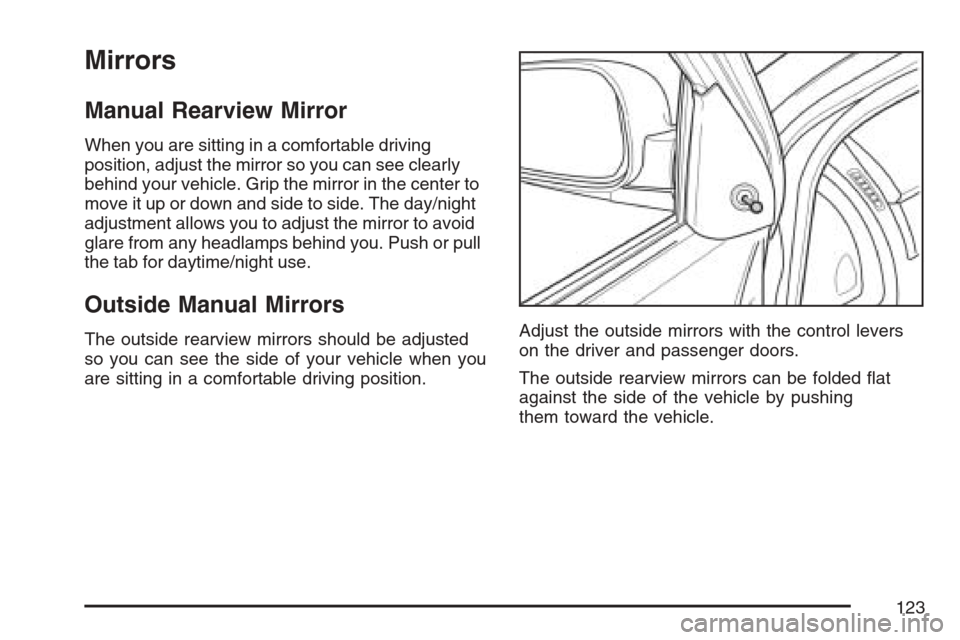
are sitting in a comfortable driving position.Adjust the outside mirrors with the control levers
on the driver and passenger doors.
The outside rearview mirrors can be folded flat
against the side of the vehicle by pushing
them toward the vehicle.
123