audio CHEVROLET S10 1993 2.G User Guide
[x] Cancel search | Manufacturer: CHEVROLET, Model Year: 1993, Model line: S10, Model: CHEVROLET S10 1993 2.GPages: 356, PDF Size: 20.85 MB
Page 140 of 356
Downloaded from www.Manualslib.com manuals search engine I r. . .. >-
Comfort Controls & Audio Systems
SEEK
Press the SEEK button to cause the receiver to SEEK the next higher station
and stop.
SCAN
When you press SCAN, the radio will go to the next station a\
nd pause and
will keep scanning until you press SCAN again. SCAN appears in the
VF
display.
Pushbuttons
The four pushbuttons let you return to favorite stations.
You can set the pushbuttons for up
to fourteen favorite stations (7 AM and
7 FM). Just:
Tune in the desired station.
Press the SET pushbutton. (SET appears in the VF display for a few
seconds.)
Within 5 seconds, push one of the four pushbuttons to store the station.
Whenever you press that button, the preset station will return.\
NOTE:
Up to three additional stations may be preset on each band by pressing two
adjoining buttons at the same time. (The station will return when the same
two buttons are pressed again.)
Clock
To set the clock, just:
Push the SET pushbutton.
Within 5 seconds, press and hold
on the display. SEEK
until the correct minute appears
Press and hold SCAN until the correct hour appears on the dis\
play.
TREBLE
Slide the TREBLE lever up to increase the treble response. If a station is
weak or noisy, slide the TREBLE lever down to reduce the noise.
BASS
Slide the BASS lever up to increase the bass response. Adjust the BASS
lever
to give a pleasing sound to your ear.
3-1 2
Page 141 of 356
Downloaded from www.Manualslib.com manuals search engine How to Operate Your ETP AM-FM Stereo Audio
Cassette System
F
B-.
I K4310
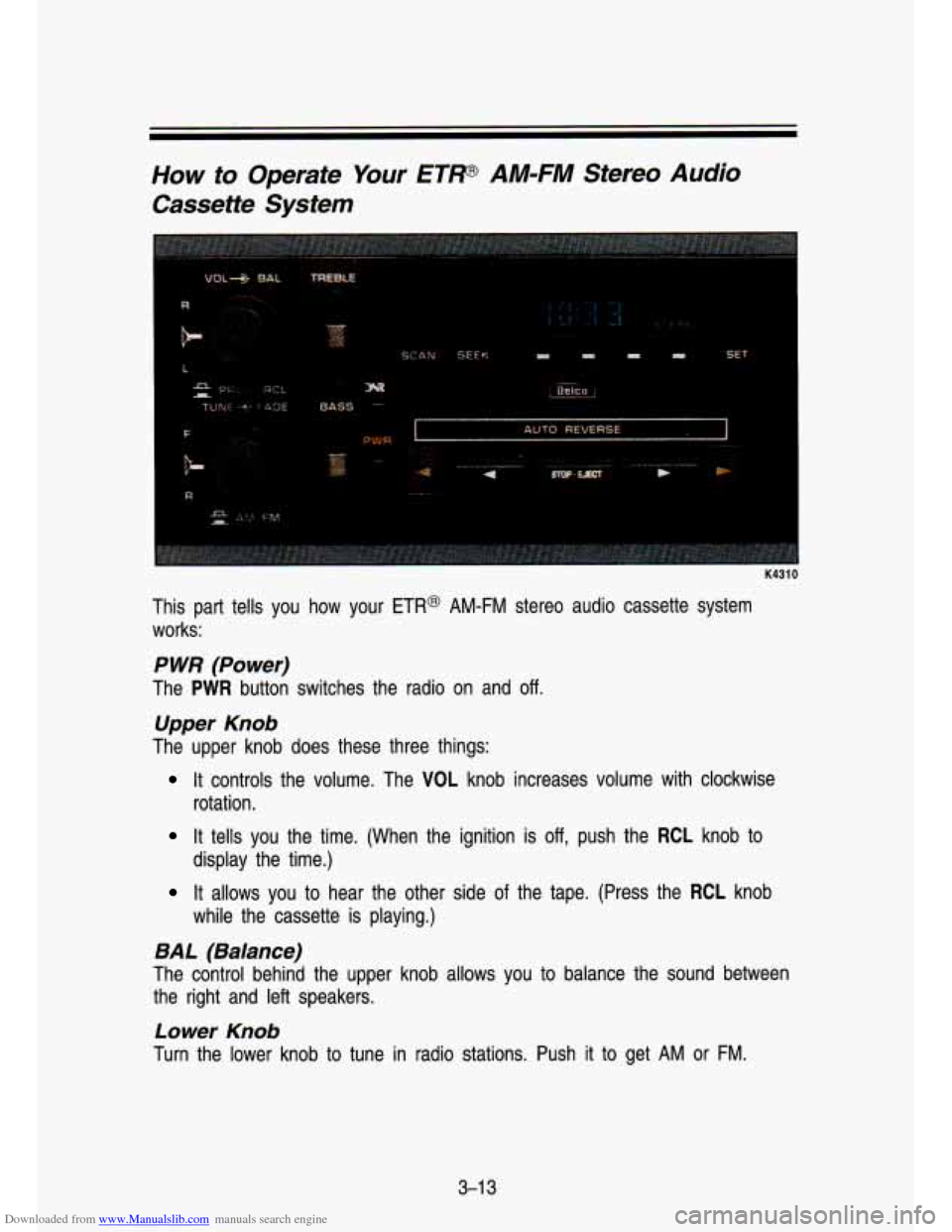
This part tells you how your ETR@ AM-FM stereo audio cassette system
works:
P WR (Power)
The PWR button switches the radio on and off.
Upper Knob
The upper knob does these three things:
It controls the volume. The VOL knob increases volume with clockwise
rotation.
It tells you the time. (When the ignition is off, push the RCL knob to
It allows you to hear the other side of the tape. (Press the RCL knob
display the time.)
while
the cassette is playing.)
BAL (Balance)
The control behind the upper knob allows you to balance the sound between
the right and left speakers.
Lower Knob
Turn the lower knob to tune in radio stations. Push it to get AM or FM.
3-1 3
Page 142 of 356

Downloaded from www.Manualslib.com manuals search engine Comfort Confmls & Audio Systems
FADE
The control behind the lower knob fades the sound between your\
front and rear speakers.
SEEK
Pressing the SEEK button will cause the receiver to SEEK the next higher
station and stop.
SCAN
When you press SCAN, the radio will go to the next station and pause, and
will keep scanning until you press SCAN again. SCAN appears in the VF
display.
Pushbuttons
The four pushbuttons let you return to favorite stations. You can set the
pushbuttons for up to fourteen favorite stations
(7 AM and 7 FM). Just:
Tune in the desired station.
Press the SET pushbutton. (SET appears in the VF display for \
5
seconds.)
Within 5 seconds, push one of the four pushbuttons to store the station.
Whenever you press that button, the preset station will return.\
. ~ ~~.
NOTE:
In addition to the four stations set as above, up to three additional stations
may be preset on each band by pressing two adjoining pushbutto\
ns at the
same time.
Tune in the desired station.
Press the SET pushbutton. (SET appears in the VF display for 5
seconds.)
Within 5 seconds, press any two adjoining pushbuttons at the same time. \
(The station will return when the same two buttons are presse\
d again.)
Clock
To set the clock, just:
Press the SET pushbutton.
Within 5 seconds, press and hold SEEK until the correct minute appears
Press and hold SCAN until the correct hour appears on the dis\
play.
on the display.
3-1 4
Page 144 of 356
Downloaded from www.Manualslib.com manuals search engine Comfort Contmls & Audio Systems
How to Operate Your ETW AM-FM Stereo Audio
Cassette System With Equalizer
K4311
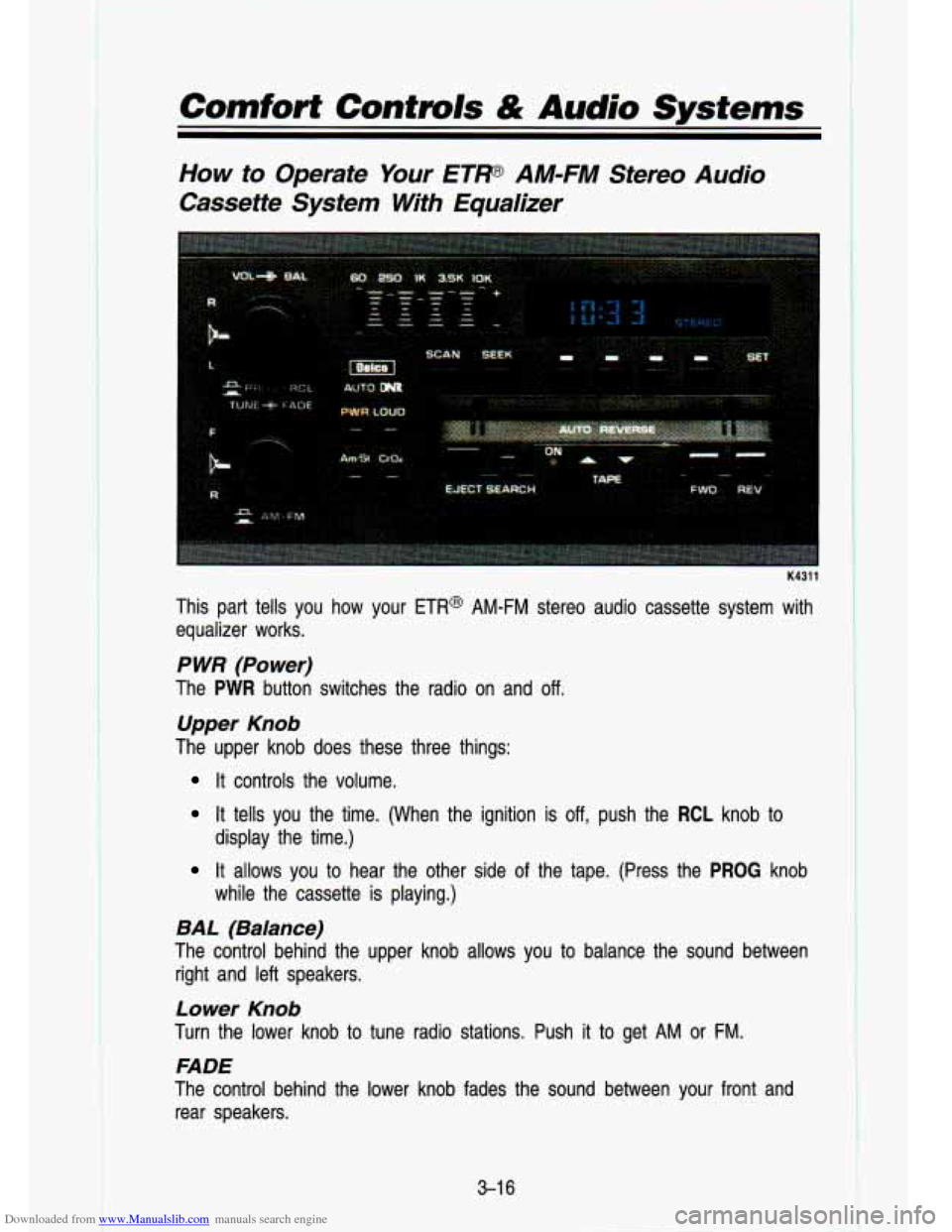
This part tells you how your ETR@ AM-FM stereo audio cassette system with
equalizer works.
P WR (Power)
The PWR button switches the radio on and off.
Upper Knob
The upper knob does these three things:
It controls the volume.
It tells you the time. (When the ignition is off, push the RCL knob to
It allows you to hear the other side of the tape. (Press the PROG knob
display the time.)
while the cassette is playing.)
BAL (Balance)
The control behind the upper knob allows you to balance the sound between
right and left speakers.
Lower Knob
Turn the lower knob to tune radio stations. Push it to get AM or FM.
FADE
The control behind the lower knob fades the sound between your\
front and rear speakers.
3-1 6
Page 146 of 356
Downloaded from www.Manualslib.com manuals search engine Comfort Controls & Audio Systems
Am-St Button
The Am-St is just below the PWR button. Push this when you tune to an
AM station that broadcasts in stereo. Your STEREO light will come on when
you’re receiving
AM stereo. If you push Am-St and there is no more noise, it
means the station is weak. You’ll hear the station better if you don’t use
Am-St. Just push the Am-St button again
to delete stereo.
LOUD
The loudness button is next to the PWR button. Push it to get more bass
sound.
DNP
Your audio system has automatic Dynamic Noise Reduction. It helps remove
background hiss noise from the radio or tape player.
DNR@ is a registered trademark of the National Semiconductor Corporation.
To Play A Cassette
Your tape player is built to work best with tapes that are 30 to 45 minutes
long on each side. Tapes longer than that are
so thin they may not work well
in this player.
Once the tape is playing, use the upper and lower knobs for \
volume, balance
and fade, just as you did for radio. The arrows indicate which side of the
tape is being played.
Cr02
The Cr02 button lets you set the system for the type of cassette being used.
If you are using chrome or metal tapes, push the Cr02 button in.
FWD (Forward)
To rapidly advance the tape, press FWD, and the tape will rapidly go forward
until you press the REV button lightly.
REV (Reverse)
To rapidly reverse the tape, press REV, and the tape will rapidly\
reverse until
you press the
WD button lightly.
SEARCH
Push the SEARCH button to the right. (The ON light will come on.)
Push
FWD to go to the beginning of the next selection.
Push REV with the SEARCH
ON light lit, and the tape will reverse to the
beginning
of the current selection.
3-1 8
Page 148 of 356
Downloaded from www.Manualslib.com manuals search engine Comfort Controls & Audio Systems
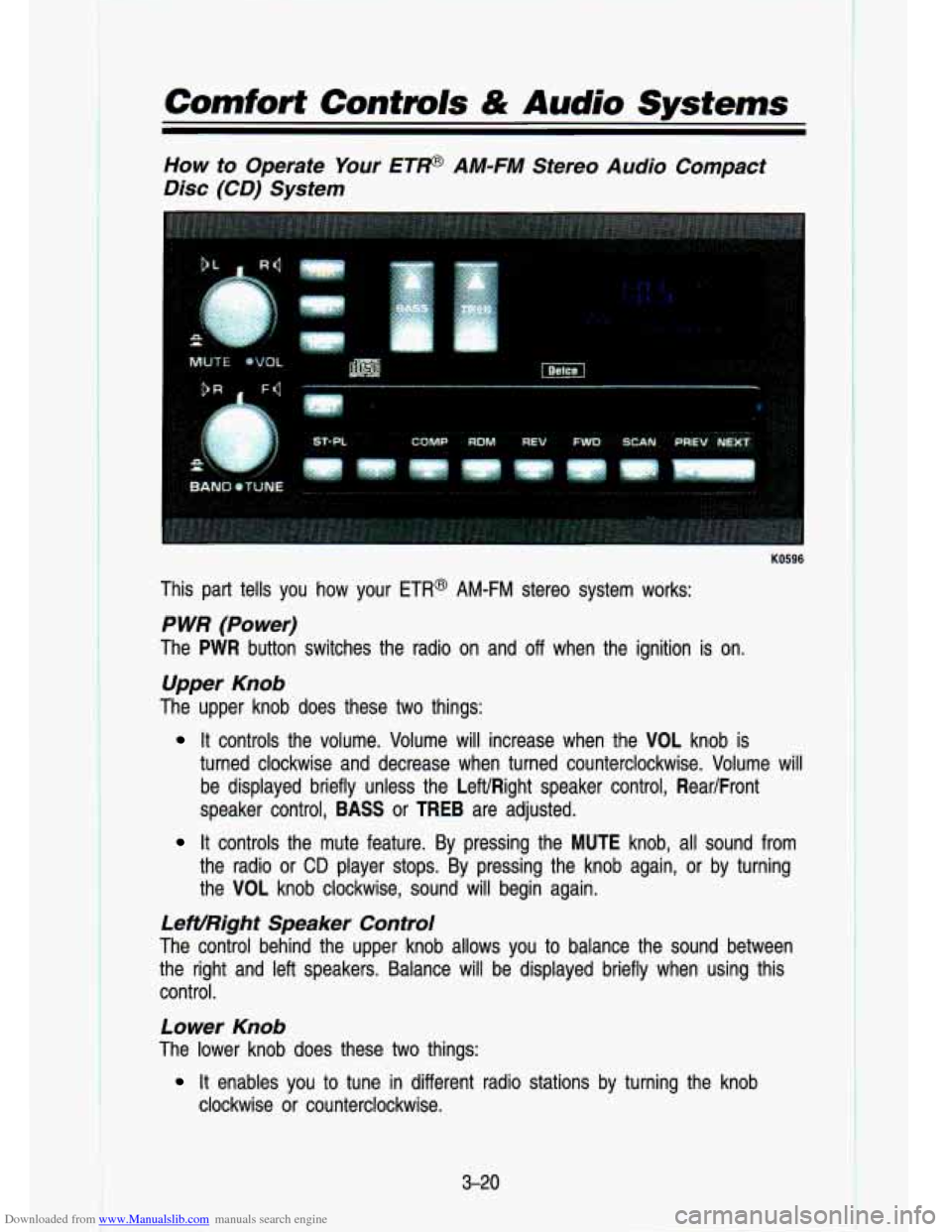
How to Operate Your ETP AM-FM Stereo Audio Compact
Disc (CD) System
KO596
This part tells you how your ETR@ AM-FM stereo system works:
P WR (Power)
The PWR button switches the radio on and off when the ignition is on.
Upper Knob
The upper knob does these two things:
It controls the volume. Volume will increase when the VOL knob\
is
turned clockwise and decrease when turned counterclockwise. Volum\
e will
be displayed briefly unless the LeWRight speaker control, Rear/Front
speaker control,
BASS or TREB are adjusted.
It controls the mute feature. By pressing the MUTE knob, all sound from
the radio or
CD player stops. By pressing the knob again, or by turning
the VOL knob clockwise, sound will begin again.
LeWRight Speaker Control
The control behind the upper knob allows you to balance the s\
ound between
the right and left speakers. Balance will be displayed briefly \
when using this
control.
Lower Knob
The lower knob does these two things:
clockwise or counterclockwise.
It enables you to tune in different radio stations by turning the knob
3-20
Page 152 of 356
Downloaded from www.Manualslib.com manuals search engine Comfort Contmls & Audio Systems
4. Press the 1 and 4 buttons together. Hold them down until “- - -” shows
on the display.
You are now ready to enter your secret code. Don’t wait more than
15
seconds between steps.
5. Press SET and 000 will appear on the display.
6. Press the SEEK b button to make the first number appear.
7. Rotate the TUNE knob right or left to make the last two numb\
ers agree
8. Press BAND and 000 will appear again. Now you are ready to enter the
9. Repeat steps
6 and 7 for the last three digits of your code.
with your code.
last three digits of your code.
IO. Press BAND and rEP will appear for 5 seconds and then 000 will
11. Repeat steps 6 through 10. This time SEC will appear-indicating that
To Unlock The System Afier A Power Loss
When battery power is reapplied to a secured radio, the radio won’t turn on
and LOC will appear on the display.
Enter your secret code as follows: pause no more than
15 seconds between
steps. appear.
the radio is secure.
1. Turn the ignition on. (Radio off.)
2. Depress the SET button. The display will show 000.
3. Enter the six digits of the code following steps 6-9 above. The display
will show the numbers as entered.
4. Depress the BAND knob and the time appears-indicating that the \
disabling sequence was successful.
If the display indicates SEC, the
numbers did not match and the unit is still secured.
Disabling The Theft System
1. Depress presets 1 and 4 for 5 seconds with ignition on and radio power
off. The display will show SEC, indicating the unit is in the secure mode.
2. Depress the SET button. The display will show 000.
3. Enter the first three digits of the code following steps 6 and 7 of the
preceding paragraphs. The display will show the numbers as entered.
3-24
Page 154 of 356
Downloaded from www.Manualslib.com manuals search engine L
Comfort Controls & Audio Systems
Fixed Mast Antenna
The fixed mast antenna can withstand most car washes without being
damaged.
If the mast should ever become slightly bent, you can straighten it
out by hand.
If the mast is badly bent, as it might be by vandals, you should
replace it.
Check every once in a while
to be sure the mast is still tiahtened to the
fender.
3-26
Page 347 of 356
Downloaded from www.Manualslib.com manuals search engine INDEX
Section
A
Accessory Power Outlet .............. 2-53
Air Cleaner
.................................... 6-14
Air Conditioning
................... 3-6, 6-35
Fan Lever
..................................... 3-6
Function Lever
............................ 3-6
Refrigerant Capacity
................. 6-65
Temperature Lever
...................... 3-6
Antenna, Fixed Mast
................... 3-26
Antilock Brakes (See “Brakes”)
Appearance Care
.......................... 6-50
Materials
.................................... 6-56
Arbitration Program
........................ 8-3
Audio Systems
............................... 3-7
AM Radio
..................................... 3-9
AM-FM Stereo Audio Compact
Disc (CD) System
................... 3-20
AM-FM Stereo Audio System
........................ 3-1 1
AM-FM Stereo Audio System with Cassette Deck
............ >.3-13
AM-FM Stereo Audio System
with Cassette Deck and Equalizer
................................. 3-1 6
Anti-Theft System
.................... 3-23
Compact Disc Care
.................. 3-25
Automatic Transmission
............... 2-1 6
Fluid
............................................ 6-1 6
Axle
Front
........................................... 6-22
Rear
............................................ 6-2 1
A
B
Battery ........................................... 6-31
Belts (See “Safety Belts”)
Better Business Bureau Mediation
.................................... -8-3
Blizzard
.......................................... 4.53
Brakes
Adjustment
................................. 4-17
Antilock
...................................... 4-14
Fluid
........................................... 6-29
Leak Check
............................... 6-30
Master Cylinder
........................ 6-29
Parking
....................................... 2-21
Pedal Travel
.............................. 4-17
Rear Drum Brakes
................... 4-17
Replacing Parts
........................ 6-30
System Warning Light .2-66, 4-16
Trailer
......................................... 4-59
Wear Indicators
........................ 4-16
Braking
.......................................... 4-12
In Emergencies
........................ 4-17
Break-In, New Vehicle
................... 2-9
Bulb Replacement
....................... 6-31
Replacement Chart
.................. 6-63
C
Capacities and Specification
Charts
........................................ 6-61
Carbon Monoxide
... 2.26. 2.27. 4-53
Cassette Tape Player
(See “Audio Systems”)
9-1
Page 351 of 356
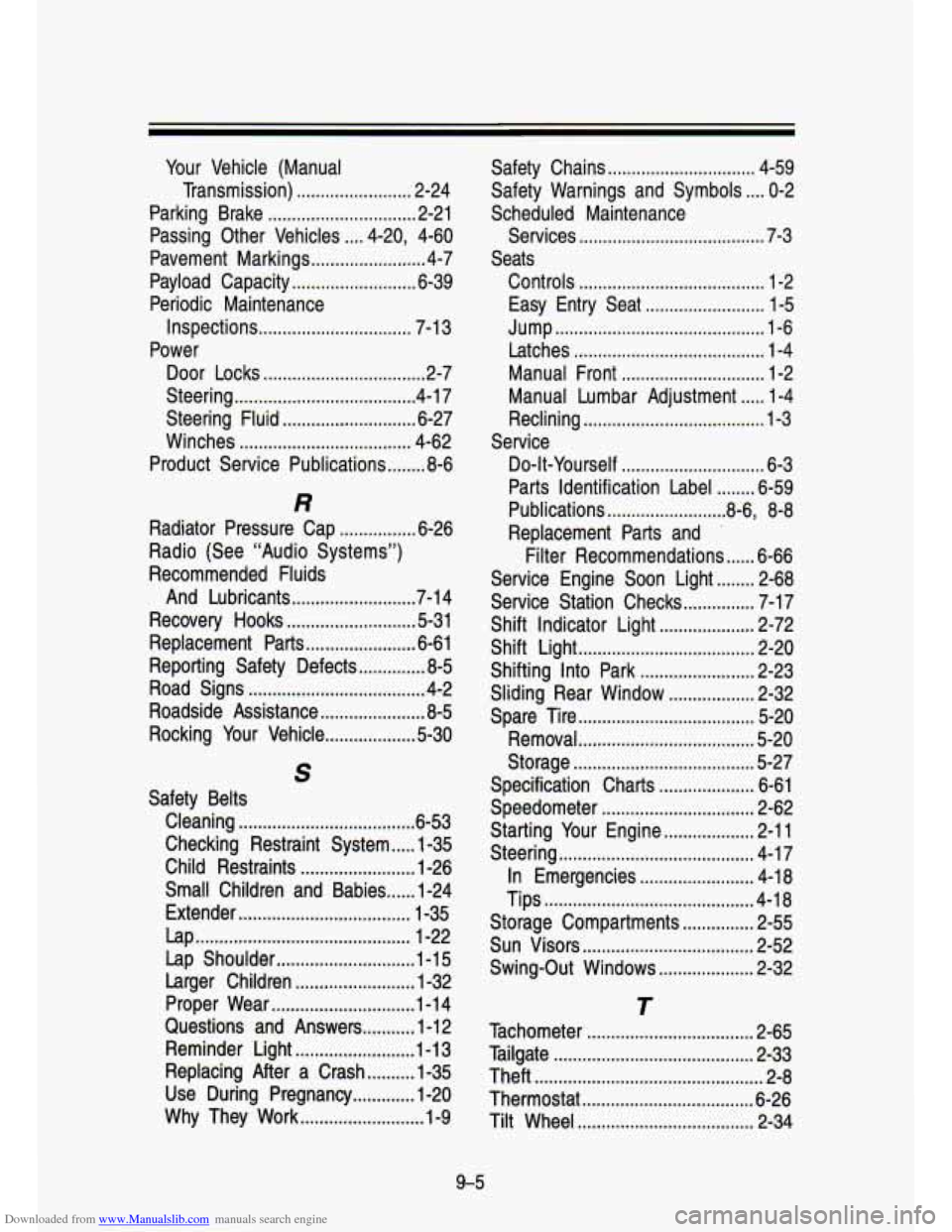
Downloaded from www.Manualslib.com manuals search engine Your Vehicle (Manual
Transmission)
........................ 2-24
Parking Brake
............................... 2-21
Passing Other Vehicles
.... 4.20. 4-60
Pavement Markings
........................ 4-7
Payload Capacity
.......................... 6-39
Periodic Maintenance
Inspections
................................ 7-1 3
Power
Door Locks
.................................. 2-7
Steering
...................................... 4-1 7
Steering Fluid
............................ 6-27
Winches
.................................... 4-62
Product Service Publications
........ 8-6
R
Radiator Pressure Cap ................ 6-26
Radio (See “Audio Systems”)
Recommended Fluids
And Lubricants
.......................... 7-1 4
Recovery Hooks
........................... 5-31
Replacement Parts
....................... 6-61
Reporting Safety Defects
.............. 8-5
Road Signs
..................................... 4-2
Roadside Assistance
...................... 8-5
Rocking Your Vehicle
................... 5-30
S
Safety Belts
Cleaning
..................................... 6-53
Checking Restraint System
..... 1-35
Child Restraints
........................ 1-26
Small Children and Babies
...... 1-24
Extender
.................................... 1-35
Lap
............................................. 1-22
Lap Shoulder
............................. 1-1 5
Larger Children ......................... 1-32
Proper Wear
.............................. 1-1 4
Questions and Answers
........... 1-1 2
Reminder Light
......................... 1-1 3
Replacing After a Crash
.......... 1-35
Use During Pregnancy
............. 1-20
Why They Work
.......................... 1-9 Safety Chains
............................... 4-59
Scheduled Maintenance
Seats Safety Warnings and Symbols
.... 0-2
Services
....................................... 7-3
Controls
....................................... 1-2
Jump
............................................ 1-6
Latches
........................................ 1-4
Manual Front
.............................. 1-2
Manual Lumbar Adjustment
..... 1-4
Reclining
...................................... 1-3
Do-It-Yourself
.............................. 6-3
Parts Identification Label
........ 6-59
Publications ......................... 8-6, 8-8
Replacement Parts and Filter Recommendations
...... 6-66
Service Engine Soon Light
........ 2-68
Service Station Checks
............... 7-17
Shift Indicator Light
.................... 2-72
Shift Light
..................................... 2-20
Shifting Into Park
........................ 2-23
Sliding Rear Window
.................. 2-32
Easy Entry Seat
......................... 1-5
Service
Spare Tire
..................................... 5-20
Removal
..................................... 5-20
Storage
...................................... 5-27
Speedometer
................................ 2-62
Starting Your Engine
................... 2-11
Steering
......................................... 4-17
Tips
............................................ 4-18
Storage Compartments
............... 2-55
Sun Visors
.................................... 2-52
Swing-Out Windows
.................... 2-32
T
Tachometer ................................... 2-65
Tailgate
.......................................... 2-33
Theft
................................................ 2-8
Thermostat
.................................... 6-26
Tilt Wheel
..................................... 2-34
Specification Charts .................... 6-61
In Emergencies
........................ 4-18
9-5