air condition CHEVROLET S10 1994 2.G Owners Manual
[x] Cancel search | Manufacturer: CHEVROLET, Model Year: 1994, Model line: S10, Model: CHEVROLET S10 1994 2.GPages: 340, PDF Size: 18.45 MB
Page 101 of 340
Downloaded from www.Manualslib.com manuals search engine Instrument Panel ~ . -, .
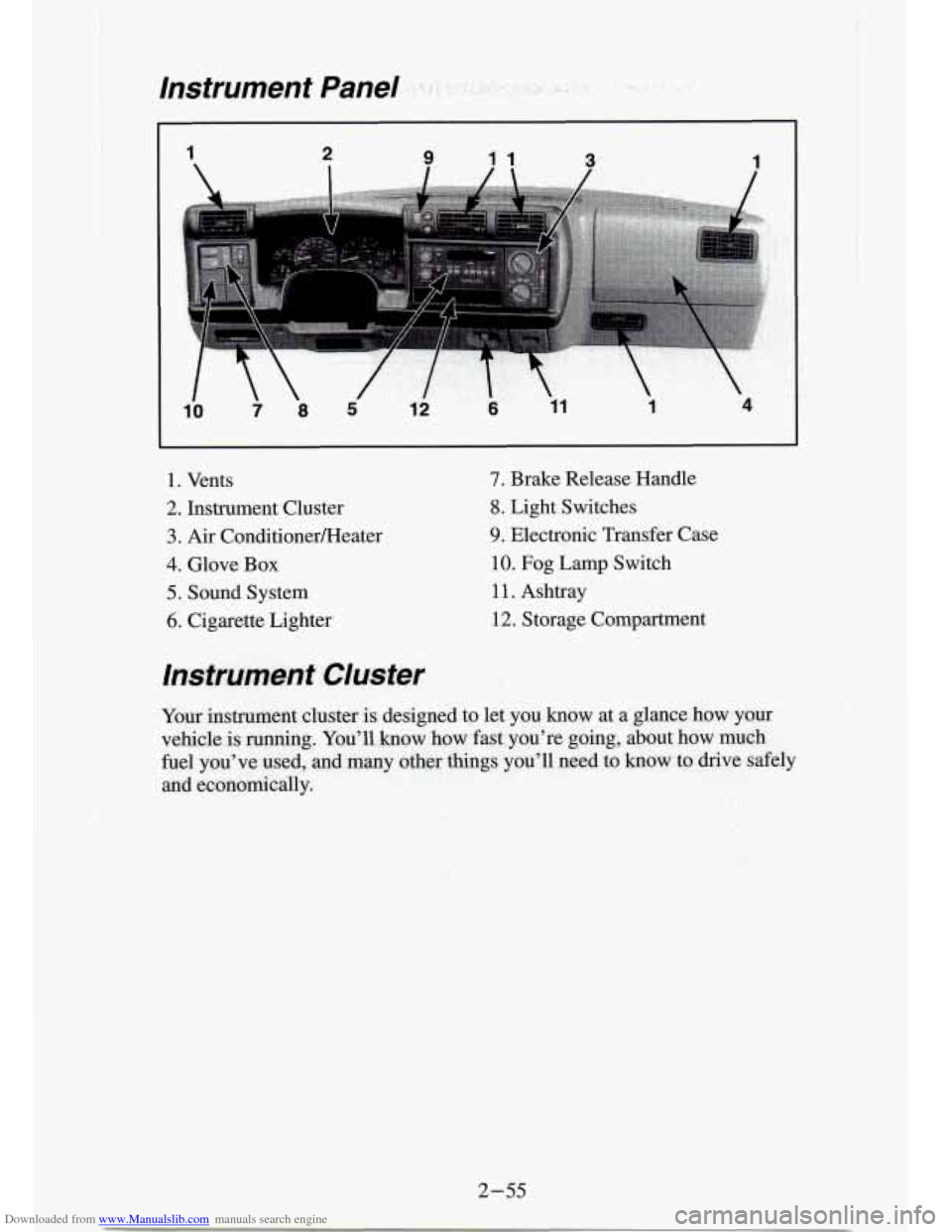
1. Vents
2. Instrument Cluster
3. Air ConditionerFteater
4. Glove Box
5. Sound System
6. Cigarette Lighter
7. Brake Release Handle
8. Light Switches
9. Electronic Transfer Case
10. Fog Lamp Switch
1 1. Ashtray
12. Storage Compartment
Instrument Cluster
Your instmmnt dustex is designed to let you know at a glance how yaur
vehicle is.
running. You’ll how bow fast^ you’re going, about how much
fuel you’ve
used, -and many other things you’ll need to know to drive safely
and economically.
2 - 5.5
Page 109 of 340
Downloaded from www.Manualslib.com manuals search engine Charging System Light
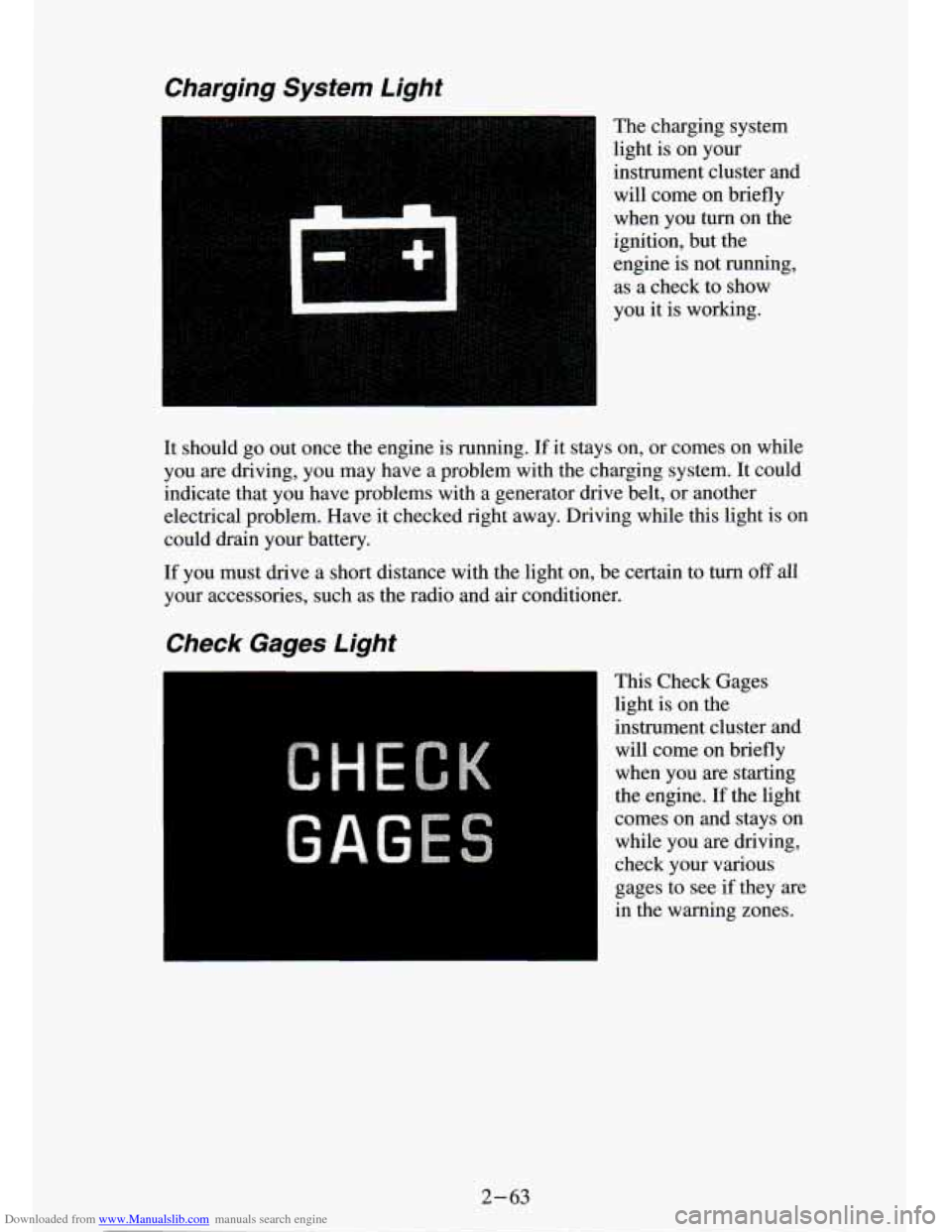
The charging system
light is on your
instrument cluster and will come on briefly
when you turn on the
ignition, but the
engine is not running,
as a check to show
you it is working.
It should
go out once the engine is running. If it stays on, or comes on while
you are driving, you may have a problem with the charging system.
It could
indicate that you have problems with a generator drive belt, or another
electrical problem. Have it checked right away. Driving while this light is on
could drain your battery.
If you must drive a short distance with the light on, be certain to turn off all
your accessories, such as the radio and air conditioner.
Check Gages Light
This Check Gages
light is on the
instrument cluster and
will come on briefly
when you are starting
the engine.
If the light
comes on and stays on while you are driving,
check your various
gages to see
if they are
in the warning zones.
2-63
Page 115 of 340

Downloaded from www.Manualslib.com manuals search engine Comfort Controls & Audio Systems
Section
I .
In this part you’ll find out how to operate the comfort co\
ntrol systems and audio systems offered with your vehicle
. Be sure to read about the particular
system supplied with your vehicle
.
For explanation of vehicle symbols. refer to “Vehicle Symbols” in the
Introduction
.
Comfort Controls
Flow-Through Ventilation System
........................... 3-2
Heater Controls
.......................................... 3-3
Heater/Air Conditioning Controls
........................... 3-4
Engine Coolant Heater (Engine Block Heater)
.................... 3-5
Audiosystems
............................................. 3-5
FMStereo
.............................................. 3-6
AM
................................................... 3-6
AM Stereo
.................. ... -* ........ I ............ 3-6
How to Operate Your
E I R@ AM Radio ....................... 3-7
How to Operate Your ETR@ AM-FM Stereo Audio System
...... 3-8
How to Operate Your ETR@ AM-FM Stereo Audio Cassette
System
............................................. 3-10
How to Operate Your ETR@ AM-FM Stereo Audio Cassette System
With Equalizer
....................................... 3-13
Care
of Your Cassette Tape Player .......................... 3-16
How to Operate Your
ETR@ AM-FM Stereo Audio Compact Disc
(CD)Systern
........................................ 3-17
Care of Compact Disc
.................................... 3-22
Fixed Mast Antenna
..................................... 3-22
3-1
Page 116 of 340

Downloaded from www.Manualslib.com manuals search engine Comfort Controls
Flow-Through Ventilation System
Your vehicle's flow-through ventilation system supplies outside a\
ir to the
inside of your vehicle when it is moving. With the side windows closed, air
will flow into the front air inlet grilles, through the vehicle, and out the rear
air exhaust valve. Outside air will also enter the vehicle whe\
n the heater
or
the air conditioning fan is running.
Ventilation Tips
Keep the hood and front air inlet free of ice, snow, or any other
obstruction (such as leaves). The heater and defroster will w\
ork far
better, reducing the chance
of fogging the inside of your windows.
When you enter a vehicle in cold weather, turn the blower fan to HI for
a few moments before driving off. This helps clear the intake ducts of
snow and moisture, and reduces the chance of fogging the insid\
e of
your windows.
Keep the air path under the front seats clear of objects. This helps air to
circulate throughout your vehicle.
Page 117 of 340
Downloaded from www.Manualslib.com manuals search engine Air Vents
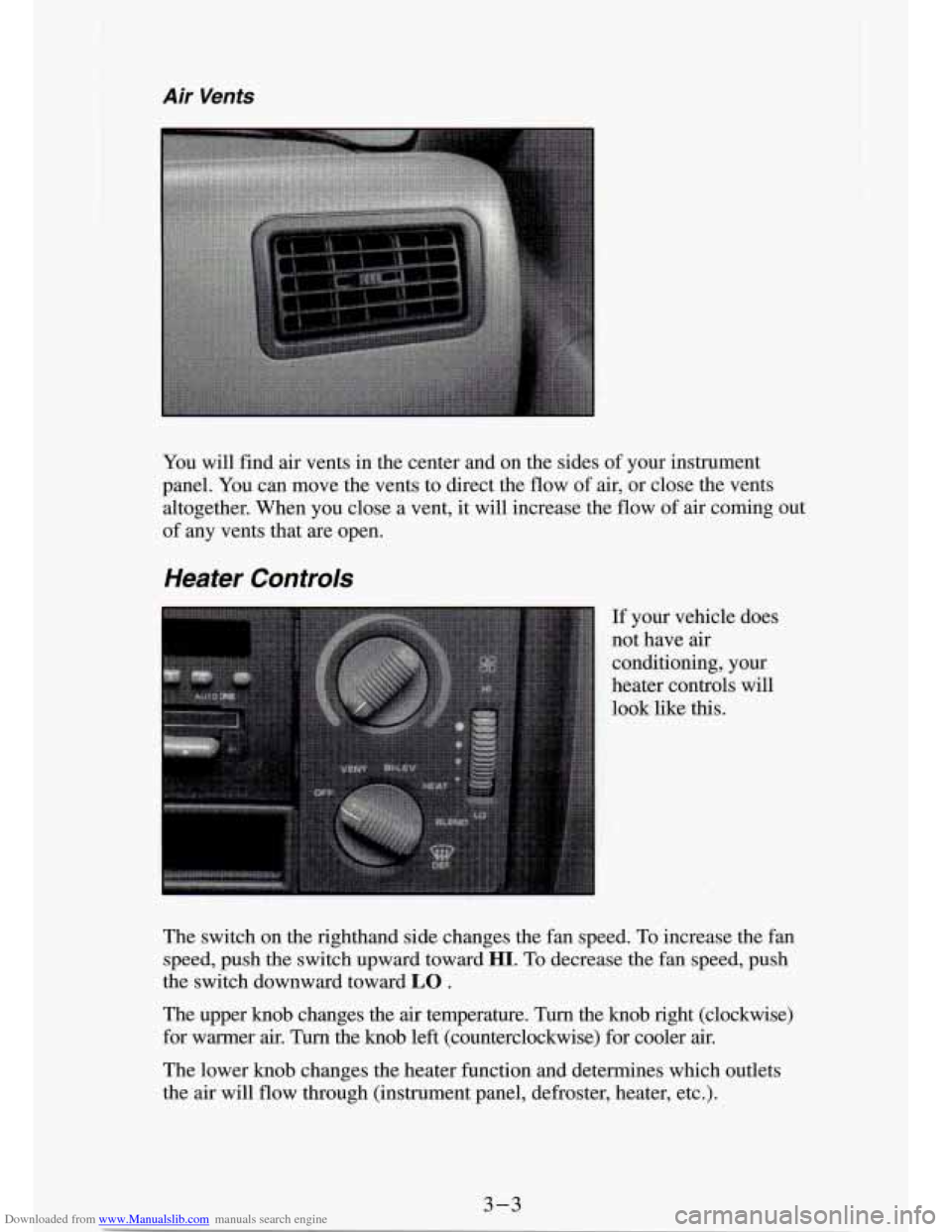
You will find air vents in the center and on the sides of your instrument
panel. You can move the vents to direct the flow
of air, or close the vents
altogether. When you close a vent,
it will increase the flow of air coming out
of any vents that are open.
Heater Controls
If your vehicle does
not have
air
conditioning, your
heater controls will
look like this.
The switch on the righthand side changes the fan speed. To increase the
fan
speed, push the switch upward toward HI. To decrease the fan speed, push
the switch downward toward
LO .
The upper knob changes the air temperature. Turn the knob right (clockwise)
for warmer
air. Turn the knob left (counterclockwise) for cooler air.
The lower knob changes the heater function and determines which\
outlets
the
air will flow through (instrument panel, defroster, heater, etc.).
3-3
Page 118 of 340
Downloaded from www.Manualslib.com manuals search engine OFF: This setting turns off all heating functions. Some outside air will still
come out of the heater outlet whenever the vehicle is moving forward.
VENT Airflow is through the instrument panel vents. Set the upper knob to
the temperature desired. This setting is useful for mild outside temperatures,
when little heating
or cooling is desired.
BI-LEV: Outside air comes in through the heater floor vents and the
instrument panel vents. This setting is useful in cool weather \
with bright sunlight.
HEAT Heated air comes out through the heater floor vents and windsh\
ield
defroster vents. This setting is useful for cold weather.
BLEND: Airflow is divided equally between the heater floor vent and t\
he
windshield defroster vents. This setting is useful in cool weather when you
have fog or ice on the windshield or side windows.
DEF: This setting directs most air through the windshield defroster \
vents
and some through the heater vents. This setting is useful when\
you have fog
or ice on the windshield.
Heater/Air Conditioning Controls
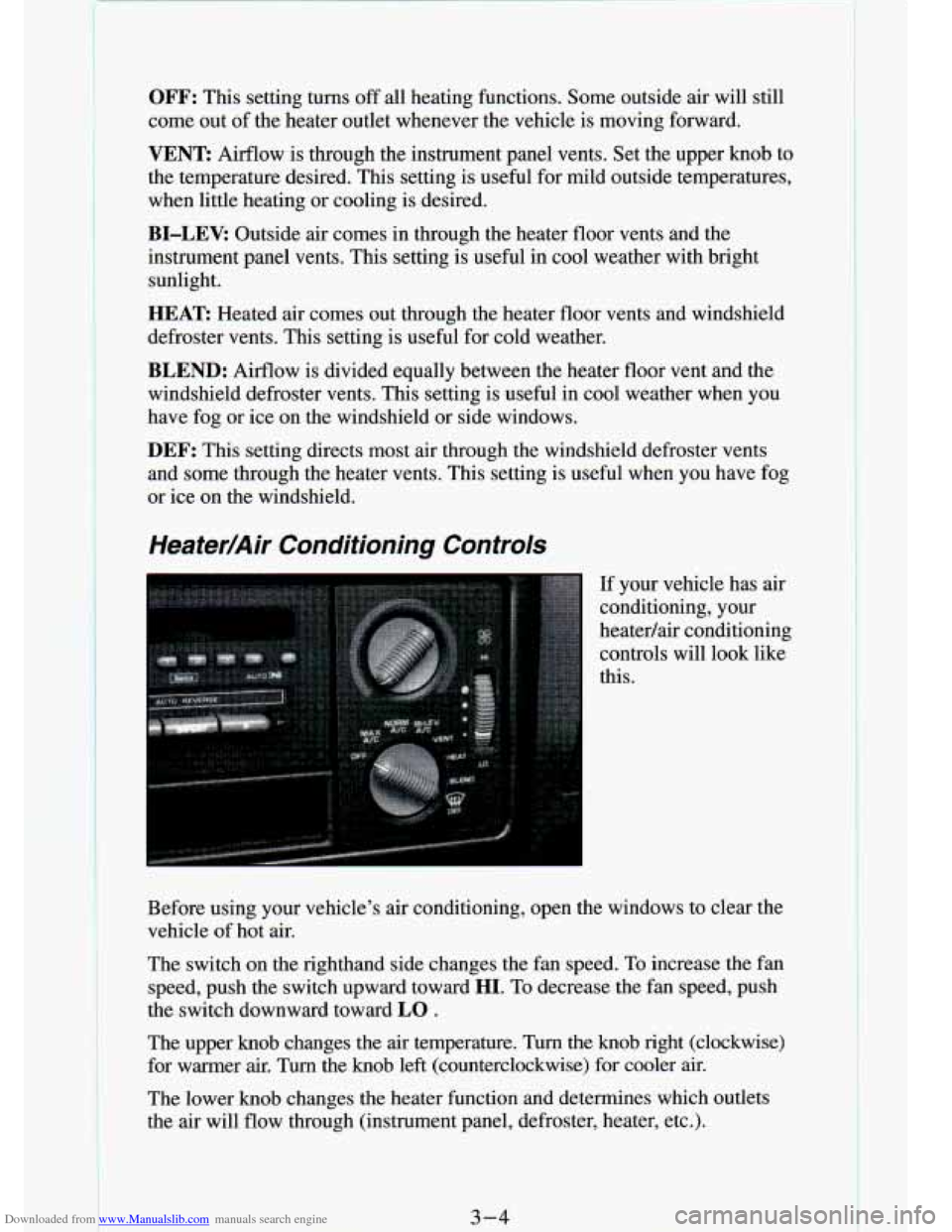
If your vehicle has air
conditioning, your
heatedair conditioning
controls will look like
this.
Before using your vehicle's air conditioning, open the windows \
to clear the vehicle
of hot air.
The switch on the righthand side changes the fan speed. To increase the fan
speed, push the switch upward toward
HI. To decrease the fan speed, push
the switch downward toward
LO .
The upper knob changes the air temperature. Turn the knob righ\
t (clockwise)
for warmer air. Turn the knob left (counterclockwise) for coo\
ler air.
The lower knob changes the heater function and determines which out\
lets
the air will flow through (instrument panel, defroster, heater, etc\
.).
3-4
Page 195 of 340
Downloaded from www.Manualslib.com manuals search engine /f No Steam Is Coming From Your Engine
If you get the overheat warning but see or hear no steam, the problem may
not be too serious. Sometimes the engine can get a little too hot when you:
0 Climb a long hill on a hot day.
0 Stop after high speed driving.
0 Idle for long periods in traffic.
0 Tow a trailer.
If you get the overheat warning with no sign of steam, try this for a minute
or
so:
1. If you have an air conditioner, turn it off.
2. Turn on your heater to full hot at the highest fan speed and open the
window as necessary.
3.
If you’re in a traffic jam, shift to “N” (Neutral).
If you no longer have the overheat warning, you can drive. Just to be safe,
drive slower for about ten minutes. If the warning doesn’t come back on,
you can drive normally.
If the warning continues, pull over, stop, and park your vehicle \
right away.
If there’s still no sign
of steam, push the accelerator until the engine speed is
about twice as fast as normal idle speed. Bring the engine speed back to
normal idle speed after two or three minutes. Now see
if the warning stops.
But then,
if you still have the warning, TURN OFF THE ENGINE AND
GET EVERYONE
OUT OF THE VEHICLE until it cools down.
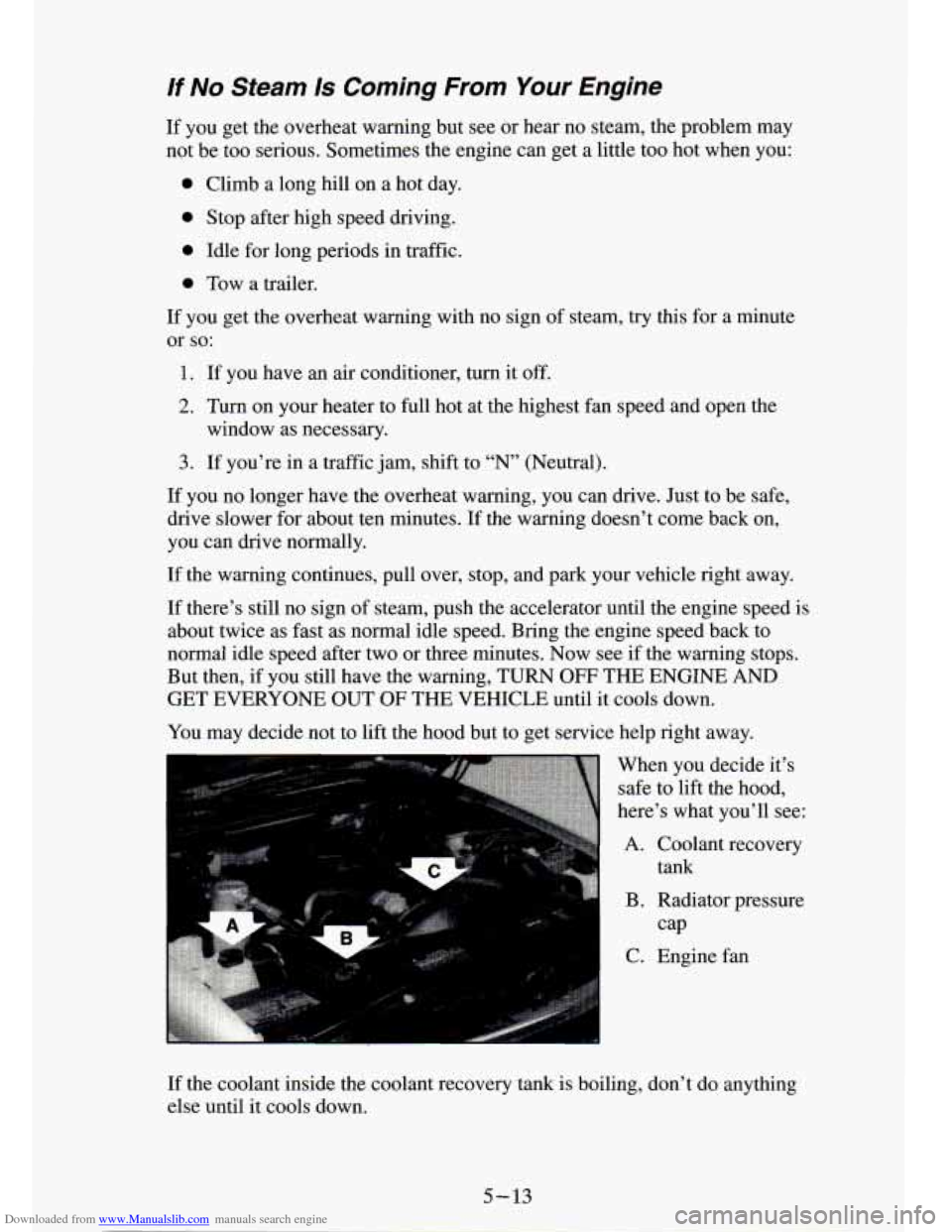
You may decide not to lift the hood but to get service help right away.
When you decide it’s safe to lift the hood,
here’s what you’ll see:
A. Coolant recovery tank
B. Radiator pressure
C. Engine fan
cap
If the coolant inside the coolant recovery tank is boiling, don’t do anything
else until it cools down.
5-13
Page 201 of 340
Downloaded from www.Manualslib.com manuals search engine 7. By this time the coolant level inside the filler neck may be lower. If the
level is lower, add more of the proper
mix through the filler neck until
the level reaches the base of the filler neck.
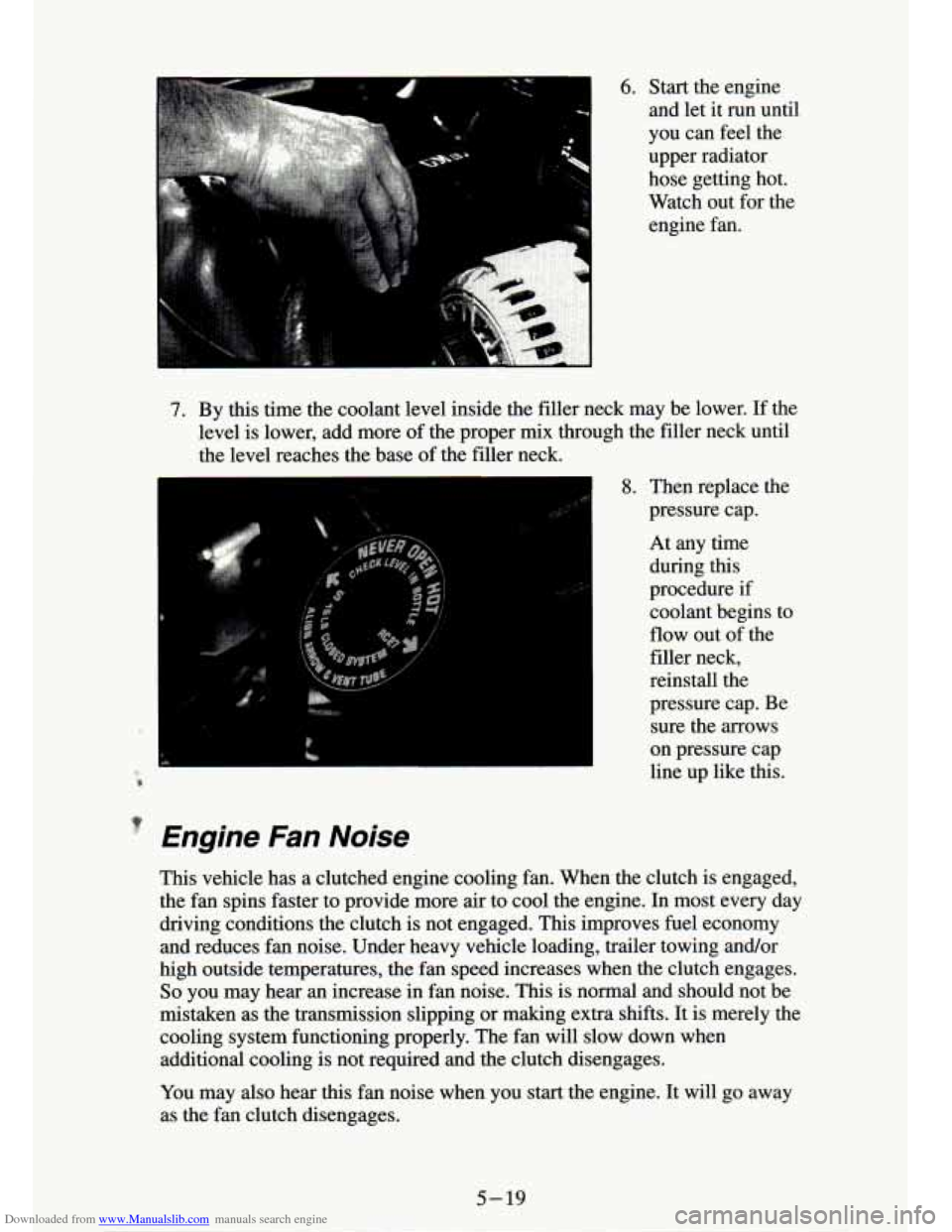
8. Then replace the
pressure cap.
At any time during
this
procedure if coolant begins to
flow out of the
filler neck,
reinstall the
pressure cap. Be sure the arrows
on pressure cap
line up like this.
P
' Engine Fan Noise
This vehicle has a clutched engine cooling fan. When the clutch is engaged,
the fan spins faster to provide more air
to cool the engine. In most every day
driving conditions the clutch is not engaged. This improves fuel economy
and reduces fan noise. Under heavy vehicle loading, trailer towing and/or
high outside temperatures, the fan speed increases when the clutch engages.
So you may hear an increase in fan noise. This is normal and should not be
mistaken as the transmission slipping or making extra shifts. It is merely the
cooling system functioning properly. The fan will slow down when
additional cooling is not required and the clutch disengages.
You may also hear this fan noise when you
start the engine. It will go away
as the
fan clutch disengages.
5-19
Page 242 of 340
Downloaded from www.Manualslib.com manuals search engine I NOTICE:
If you use an improper coolant mix, your engine could overheat
and be badly damaged. The repair cost wouldn’t be covered by
your warranty. Too much water in the
mix can freeze and crack
the engine, radiator, heater core and other parts.
Some conditions, such as air trapped in the cooling system, ca\
n affect the
coolant level in the radiator. Check the coolant level when th\
e engine
is cold
and foilow the steps under “Adding Coolant” for the proper way to add
coolant.
If you have to add coolant more than four times a year, have your dealer
check your cooling system.
I NOTICE:
If you use the proper coolant, you don’t have to add extra
inhibitors or additives which claim to improve the system. These
can be harmful.
Adding Coolant
To Check Coolant
When your engine is cold, the coolant level should be at “ADD,” or a little
higher. When your engine is warm, the level should be up to
“FULL HOT,”
or a little higher.
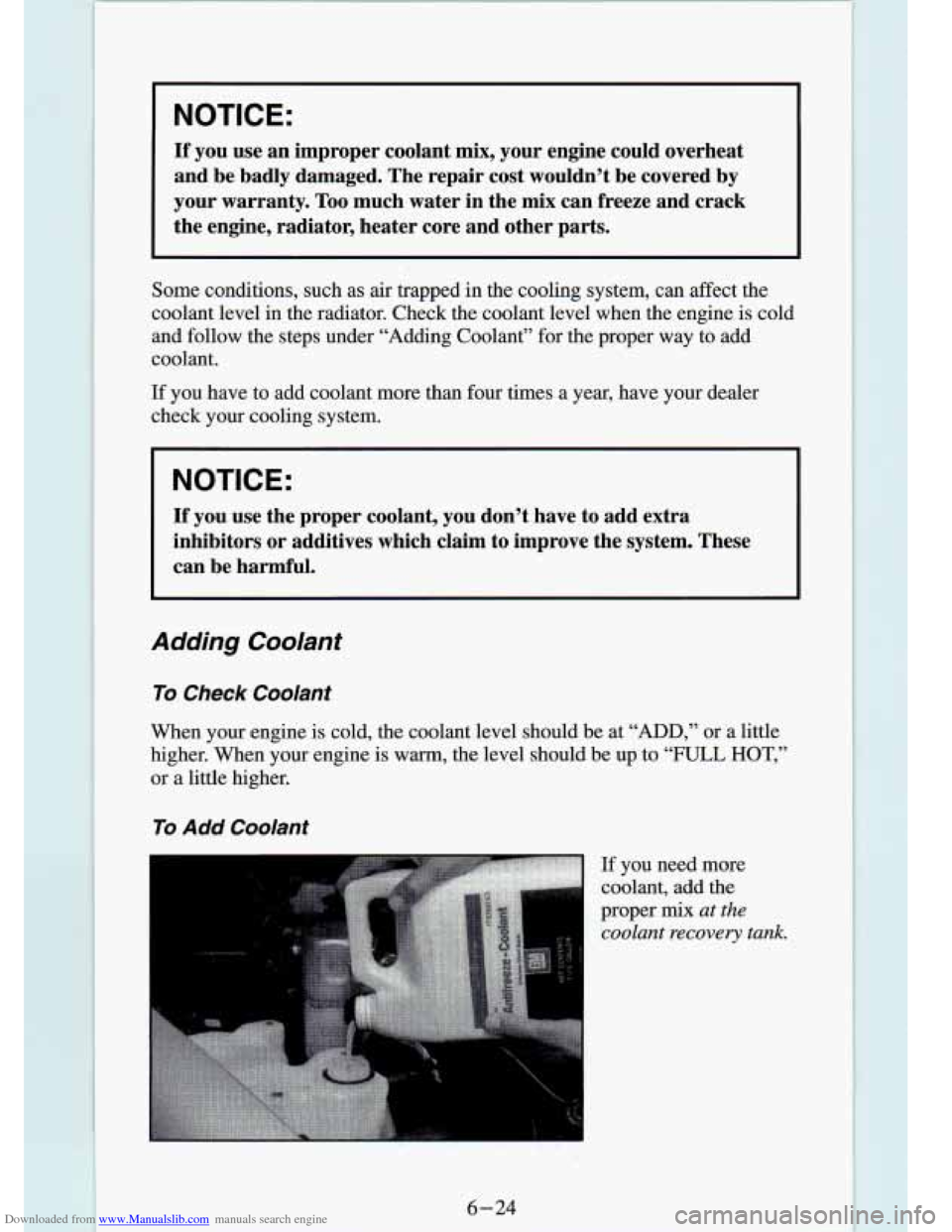
To Add Coolant
I
If you need more
coolant, add the
proper
mix at the
coolant recovery tank.
6-24
Page 246 of 340
Downloaded from www.Manualslib.com manuals search engine Windshield Washer Fluid
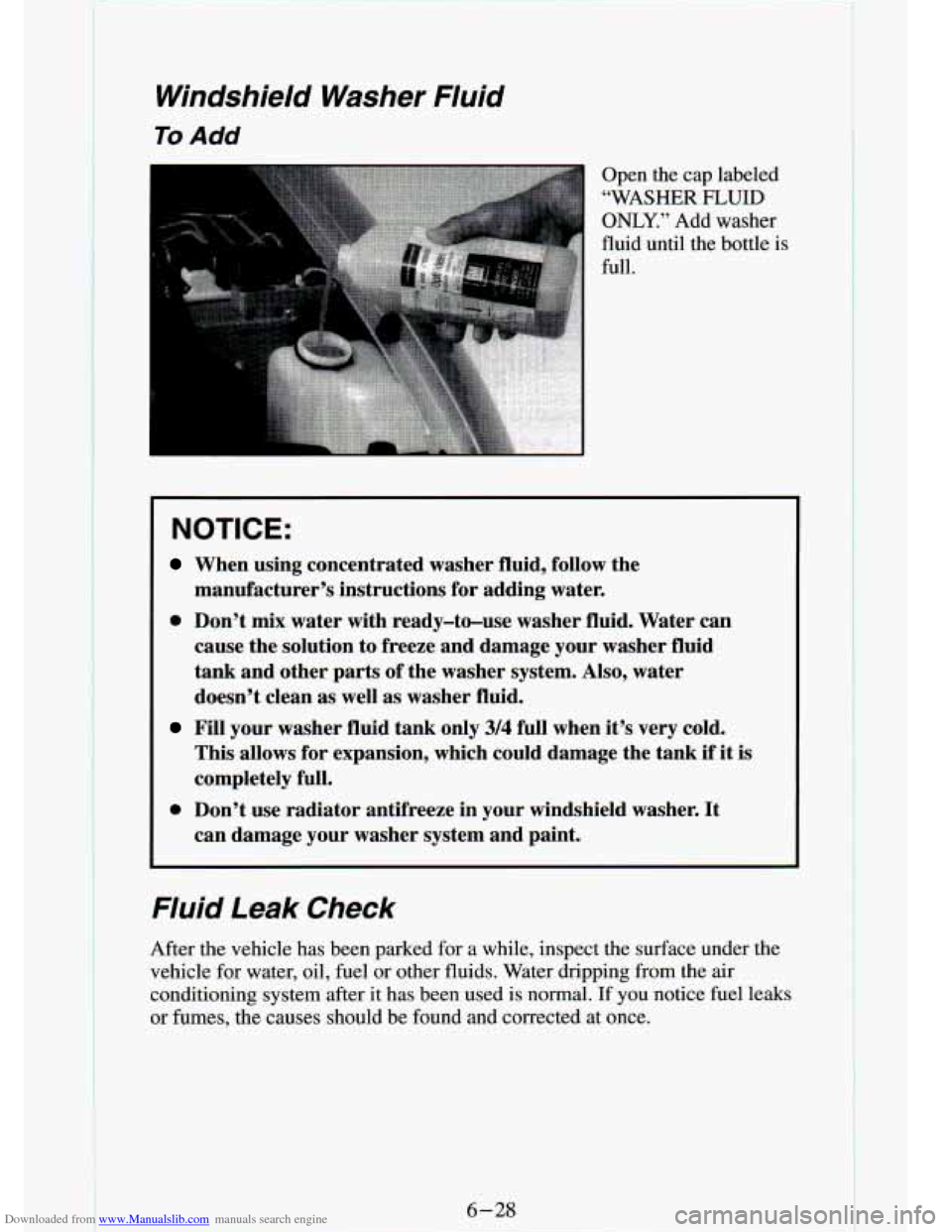
To Add
I Open the cap labeled
“WASHER
FLUID
ONLY.” Add washer
fluid until the bottle
is
full.
NOTICE:
When using concentrated washer fluid, follow the
manufacturer’s instructions for adding water.
0 Don’t mix water with ready-to-use washer fluid. Water can
cause the solution
to freeze and damage your washer fluid
tank and other parts
of the washer system, AIso, water
doesn’t clean as well as washer fluid.
Fill your washer fluid tank only 3/4 full when it’s very cold.
This allows for expansion, which could damage the tank
if it is
completely full.
can damage your washer system and paint.
0 Don’t use radiator antifreeze in your windshield washer. It
Fluid Leak Check
After the vehicle has been parked for a while, inspect the su\
rface under the
vehicle for water, oil, fuel or other fluids. Water dripping from the air
conditioning system after it has been used is normal. If you notice fuel leaks
or fumes, the causes should be found and corrected at once.
6-28