service CHEVROLET SILVERADO 2007 1.G Repair Manual
[x] Cancel search | Manufacturer: CHEVROLET, Model Year: 2007, Model line: SILVERADO, Model: CHEVROLET SILVERADO 2007 1.GPages: 684, PDF Size: 3.4 MB
Page 408 of 684
Driving in Water
{CAUTION:
Driving through rushing water can be
dangerous. Deep water can sweep your
vehicle downstream and you and your
passengers could drown. If it is only
shallow water, it can still wash away the
ground from under your tires, and you
could lose traction and roll the vehicle
over. Do not drive through rushing water.
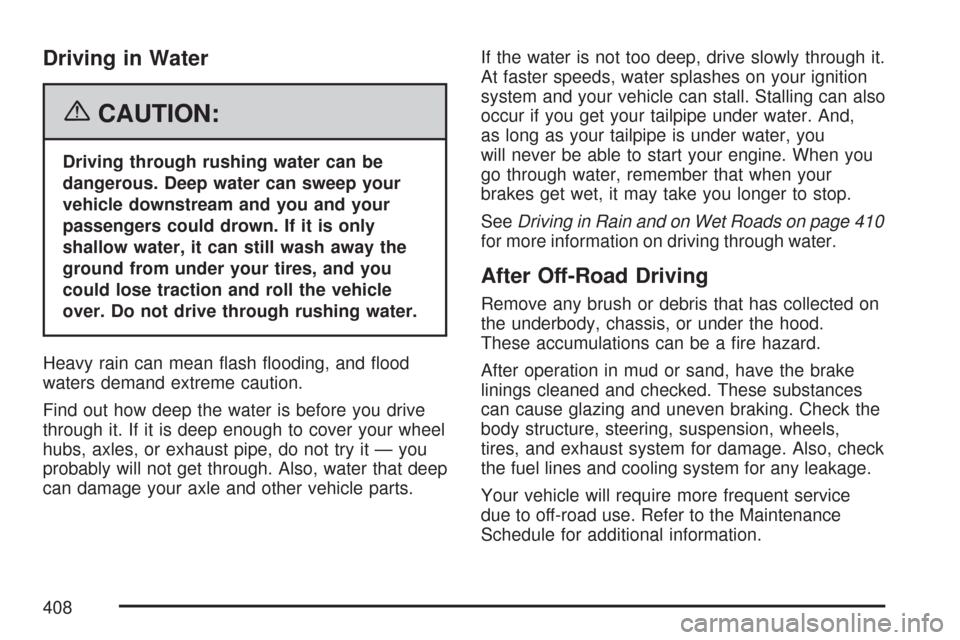
Heavy rain can mean ash ooding, and ood
waters demand extreme caution.
Find out how deep the water is before you drive
through it. If it is deep enough to cover your wheel
hubs, axles, or exhaust pipe, do not try it — you
probably will not get through. Also, water that deep
can damage your axle and other vehicle parts.If the water is not too deep, drive slowly through it.
At faster speeds, water splashes on your ignition
system and your vehicle can stall. Stalling can also
occur if you get your tailpipe under water. And,
as long as your tailpipe is under water, you
will never be able to start your engine. When you
go through water, remember that when your
brakes get wet, it may take you longer to stop.
SeeDriving in Rain and on Wet Roads on page 410
for more information on driving through water.
After Off-Road Driving
Remove any brush or debris that has collected on
the underbody, chassis, or under the hood.
These accumulations can be a re hazard.
After operation in mud or sand, have the brake
linings cleaned and checked. These substances
can cause glazing and uneven braking. Check the
body structure, steering, suspension, wheels,
tires, and exhaust system for damage. Also, check
the fuel lines and cooling system for any leakage.
Your vehicle will require more frequent service
due to off-road use. Refer to the Maintenance
Schedule for additional information.
408
Page 416 of 684
Before changing lanes, check your mirrors.
Then use your turn signal.
Just before you leave the lane, glance quickly
over your shoulder to make sure there is not
another vehicle in your blind spot.
Once you are moving on the freeway, make
certain you allow a reasonable following distance.
Expect to move slightly slower at night.
When you want to leave the freeway, move to the
proper lane well in advance. If you miss your
exit, do not, under any circumstances, stop and
back up. Drive on to the next exit.
The exit ramp can be curved, sometimes quite
sharply. The exit speed is usually posted.
Reduce your speed according to your
speedometer, not to your sense of motion. After
driving for any distance at higher speeds, you may
tend to think you are going slower than you
actually are.Before Leaving on a Long Trip
Make sure you are ready. Try to be well rested.
If you must start when you are not fresh — such as
after a day’s work — do not plan to make too
many miles that rst part of the journey. Wear
comfortable clothing and shoes you can easily
drive in.
Is your vehicle ready for a long trip? If you keep it
serviced and maintained, it is ready to go. If it
needs service, have it done before starting out.
Of course, you will nd experienced and able
service experts in GM dealerships all across
North America. They will be ready and willing to
help if you need it.
416
Page 417 of 684
Here are some things you can check before a trip:
Windshield Washer Fluid:Is the reservoir
full? Are all windows clean inside and outside?
Wiper Blades:Are they in good shape?
Fuel, Engine Oil, Other Fluids:Have you
checked all levels?
Lamps:Are they all working? Are the lenses
clean?
Tires:They are vitally important to a safe,
trouble-free trip. Is the tread good enough
for long-distance driving? Are the tires
all inated to the recommended pressure?
Weather Forecasts:What is the weather
outlook along your route? Should you
delay your trip a short time to avoid a major
storm system?
Maps:Do you have up-to-date maps?
Highway Hypnosis
Is there actually such a condition as highway
hypnosis? Or is it just plain falling asleep at the
wheel? Call it highway hypnosis, lack of
awareness, or whatever.
There is something about an easy stretch of road
with the same scenery, along with the hum of the
tires on the road, the drone of the engine, and the
rush of the wind against the vehicle that can make
you sleepy. Do not let it happen to you! If it does,
your vehicle can leave the road in less than a
second, and you could crash and be injured.
What can you do about highway hypnosis?
First, be aware that it can happen.
Then here are some tips:
Make sure your vehicle is well ventilated,
with a comfortably cool interior.
Keep your eyes moving. Scan the road ahead
and to the sides. Check your vehicle’s mirrors
and instruments frequently.
If you get sleepy, pull off the road into a rest,
service, or parking area and take a nap, get
some exercise, or both. For safety, treat
drowsiness on the highway as an emergency.
417
Page 441 of 684
Secure loose items to prevent weight shifts that
could affect the balance of your vehicle. When the
truck-camper is loaded, drive to a scale and
weigh on the front and on the rear wheels
separately to determine axle loads. Individual axle
loads should not exceed either of the gross
axle weight ratings (GAWR). The total of the axle
loads should not exceed your vehicle’s gross
vehicle weight rating (GVWR). These ratings are
given on the vehicle certication label attached
to the rear edge of the driver’s door. See
“Certication/Tire Label” underLoading Your
Vehicle on page 427. If weight ratings are
exceeded, move or remove items to bring all
weights below the ratings.
When you install and load your slide-in camper,
check the manufacturer’s instructions.
If you want more information on curb weights,
cargo weights, Cargo Weight Rating and the
correct center of gravity zone for your vehicle,
your dealer can help you. Just ask for a copy of
“Consumer Information, Truck-Camper Loading.”Pickup Conversion to Chassis Cab
General Motors is aware that some vehicle owners
may consider having the pickup box removed
and a commercial or recreational body installed.
Owners should be aware that, as manufactured,
there are differences between a chassis cab and a
pickup with the box removed which may affect
vehicle safety. The components necessary
to adapt a pickup to permit its safe use with a
specialized body should be installed by the
body builder.
Towing
Towing Your Vehicle
Consult your dealer or a professional towing
service if you need to have your disabled vehicle
towed. SeeRoadside Assistance Program on
page 654.
If you want to tow your vehicle behind another
vehicle for recreational purposes (such as behind
a motorhome), see “Recreational Vehicle
Towing” following.
441
Page 470 of 684
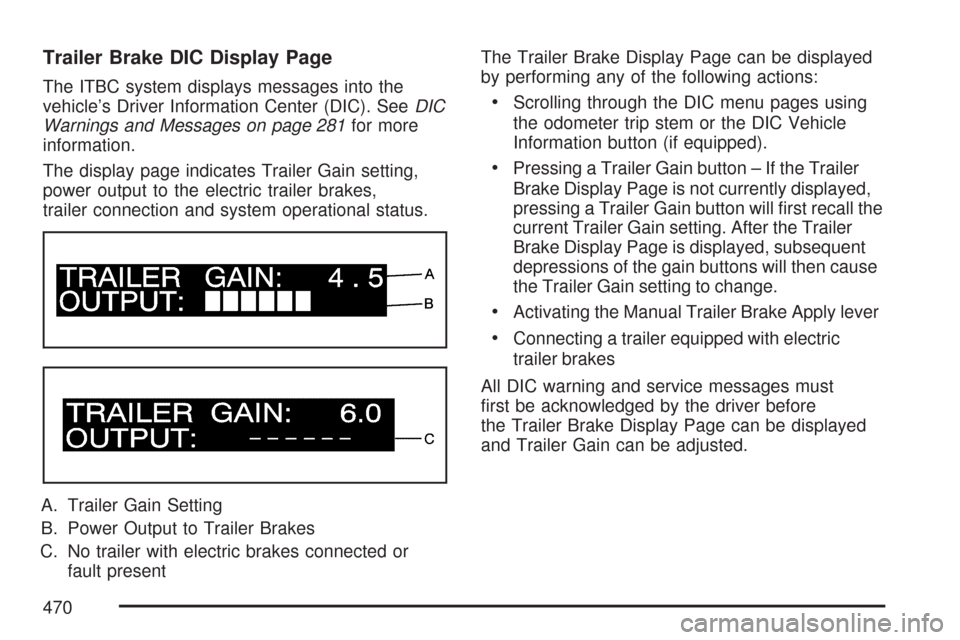
Trailer Brake DIC Display Page
The ITBC system displays messages into the
vehicle’s Driver Information Center (DIC). SeeDIC
Warnings and Messages on page 281for more
information.
The display page indicates Trailer Gain setting,
power output to the electric trailer brakes,
trailer connection and system operational status.
A. Trailer Gain Setting
B. Power Output to Trailer Brakes
C. No trailer with electric brakes connected or
fault presentThe Trailer Brake Display Page can be displayed
by performing any of the following actions:Scrolling through the DIC menu pages using
the odometer trip stem or the DIC Vehicle
Information button (if equipped).
Pressing a Trailer Gain button – If the Trailer
Brake Display Page is not currently displayed,
pressing a Trailer Gain button will rst recall the
current Trailer Gain setting. After the Trailer
Brake Display Page is displayed, subsequent
depressions of the gain buttons will then cause
the Trailer Gain setting to change.
Activating the Manual Trailer Brake Apply lever
Connecting a trailer equipped with electric
trailer brakes
All DIC warning and service messages must
rst be acknowledged by the driver before
the Trailer Brake Display Page can be displayed
and Trailer Gain can be adjusted.
470
Page 471 of 684
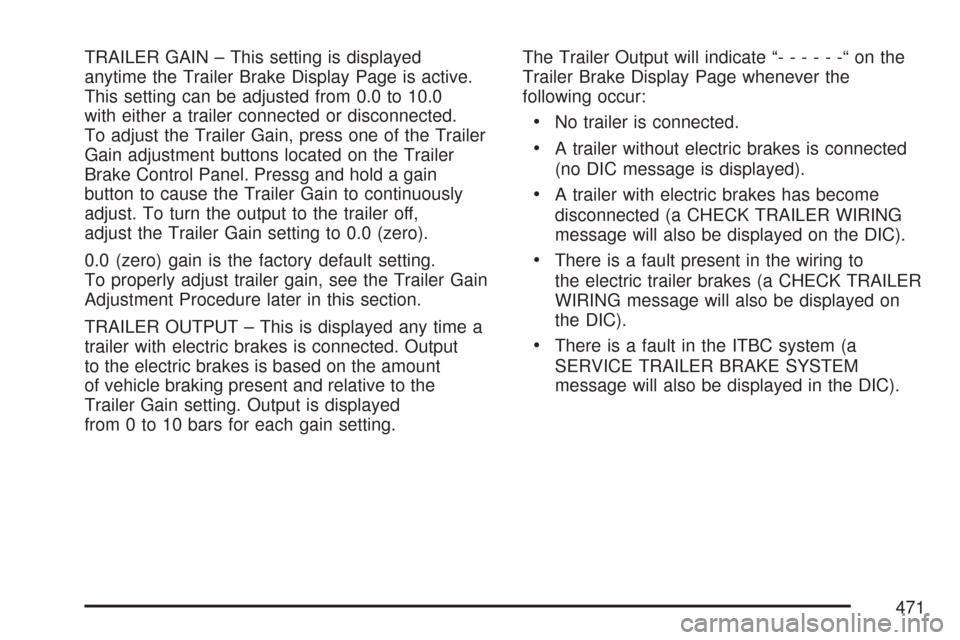
TRAILER GAIN – This setting is displayed
anytime the Trailer Brake Display Page is active.
This setting can be adjusted from 0.0 to 10.0
with either a trailer connected or disconnected.
To adjust the Trailer Gain, press one of the Trailer
Gain adjustment buttons located on the Trailer
Brake Control Panel. Pressg and hold a gain
button to cause the Trailer Gain to continuously
adjust. To turn the output to the trailer off,
adjust the Trailer Gain setting to 0.0 (zero).
0.0 (zero) gain is the factory default setting.
To properly adjust trailer gain, see the Trailer Gain
Adjustment Procedure later in this section.
TRAILER OUTPUT – This is displayed any time a
trailer with electric brakes is connected. Output
to the electric brakes is based on the amount
of vehicle braking present and relative to the
Trailer Gain setting. Output is displayed
from 0 to 10 bars for each gain setting.The Trailer Output will indicate “------“onthe
Trailer Brake Display Page whenever the
following occur:
No trailer is connected.
A trailer without electric brakes is connected
(no DIC message is displayed).
A trailer with electric brakes has become
disconnected (a CHECK TRAILER WIRING
message will also be displayed on the DIC).
There is a fault present in the wiring to
the electric trailer brakes (a CHECK TRAILER
WIRING message will also be displayed on
the DIC).
There is a fault in the ITBC system (a
SERVICE TRAILER BRAKE SYSTEM
message will also be displayed in the DIC).
471
Page 472 of 684
Manual Trailer Brake Apply
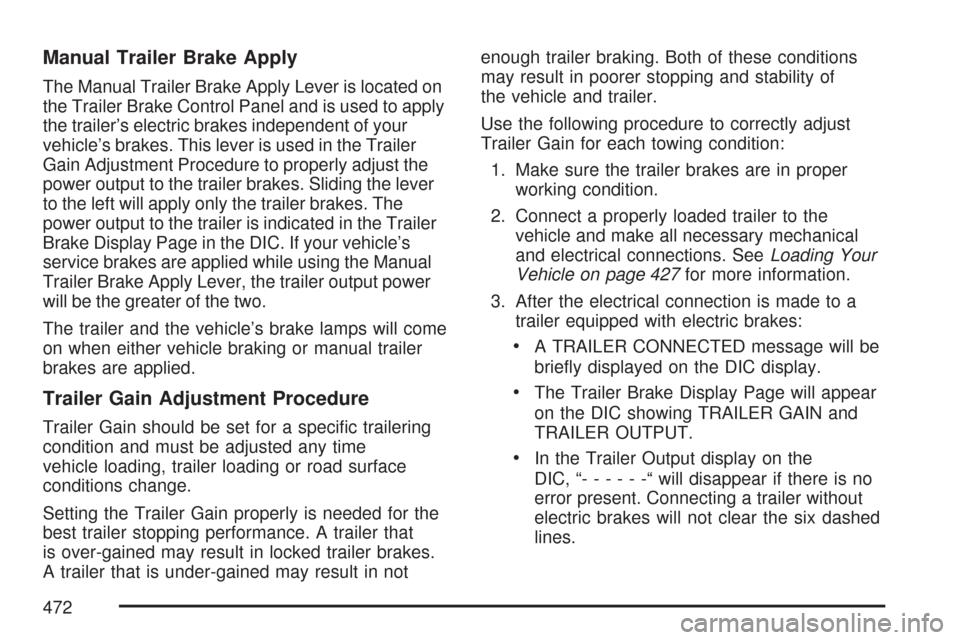
The Manual Trailer Brake Apply Lever is located on
the Trailer Brake Control Panel and is used to apply
the trailer’s electric brakes independent of your
vehicle’s brakes. This lever is used in the Trailer
Gain Adjustment Procedure to properly adjust the
power output to the trailer brakes. Sliding the lever
to the left will apply only the trailer brakes. The
power output to the trailer is indicated in the Trailer
Brake Display Page in the DIC. If your vehicle’s
service brakes are applied while using the Manual
Trailer Brake Apply Lever, the trailer output power
will be the greater of the two.
The trailer and the vehicle’s brake lamps will come
on when either vehicle braking or manual trailer
brakes are applied.
Trailer Gain Adjustment Procedure
Trailer Gain should be set for a specic trailering
condition and must be adjusted any time
vehicle loading, trailer loading or road surface
conditions change.
Setting the Trailer Gain properly is needed for the
best trailer stopping performance. A trailer that
is over-gained may result in locked trailer brakes.
A trailer that is under-gained may result in notenough trailer braking. Both of these conditions
may result in poorer stopping and stability of
the vehicle and trailer.
Use the following procedure to correctly adjust
Trailer Gain for each towing condition:
1. Make sure the trailer brakes are in proper
working condition.
2. Connect a properly loaded trailer to the
vehicle and make all necessary mechanical
and electrical connections. SeeLoading Your
Vehicle on page 427for more information.
3. After the electrical connection is made to a
trailer equipped with electric brakes:
A TRAILER CONNECTED message will be
briey displayed on the DIC display.
The Trailer Brake Display Page will appear
on the DIC showing TRAILER GAIN and
TRAILER OUTPUT.
In the Trailer Output display on the
DIC, “------“will disappear if there is no
error present. Connecting a trailer without
electric brakes will not clear the six dashed
lines.
472
Page 474 of 684
If the disconnect occurs while the vehicle is
moving, this message will continue until the
ignition is turned off. This message will also
turn off if the driver acknowledges this message
off or if the trailer harness is re-connected.
2. There is an electrical fault in the wiring to the
electric trailer brakes. This message will
continue as long as there is an electrical fault in
the trailer wiring. This message will also turn off
if the driver acknowledges this message off.
To determine if the electrical fault is on the vehicle
side or trailer side of the trailer wiring harness
connection, do the following:
1. Disconnect the trailer wiring harness from the
vehicle.
2. Turn the ignition OFF.
3. Wait ten seconds, then turn the ignition back
to RUN.
4. If the CHECK TRAILER WIRING message
re-appears, the electrical fault is on the
vehicle side.
If the CHECK TRAILER WIRING message
only re-appears when you connect the trailer
wiring harness to the vehicle, the electrical
fault is on the trailer side.SERVICE TRAILER BRAKE SYSTEM – This
message will be displayed when there is a problem
with the ITBC system. If this message persists over
multiple ignition cycles there is problem with the
ITBC system. Take your vehicle to an authorized
GM dealer to have the ITBC system diagnosed and
repaired.
If either the CHECK TRAILER WIRING or
SERVICE TRAILER BRAKE SYSTEM message is
displayed while you are driving your vehicle, you no
longer have power available to your trailer brakes.
When traffic conditions allow, carefully pull your
vehicle over to the side of the road and turn the
ignition off. Check the wiring connection to the
trailer and turn the ignition back on. If either of these
messages continues, either your vehicle or your
trailer needs service.
An authorized GM dealer may be able to diagnose
and repair problems with your trailer. However, any
diagnosis and repair of your trailer is not covered
under your GM Warranty. Please contact your
trailer dealer for assistance with trailer repairs and
trailer warranty information.
474
Page 480 of 684
Maintenance When Trailer Towing
Your vehicle will need service more often when
you’re pulling a trailer. SeeScheduled
Maintenance (Gasoline Engine) on page 627for
more information. Things that are especially
important in trailer operation are automatic
transmission uid (don’t overll), engine oil, axle
lubricant, belt, cooling system and brake system.
Each of these is covered in this manual, and
the Index will help you nd them quickly. If you’re
trailering, it’s a good idea to review these
sections before you start your trip.
Check periodically to see that all hitch nuts and
bolts are tight.
Trailer Wiring Harness
Your vehicle is equipped with one of the following
wiring harnesses for towing a trailer or hauling
a slide-in camper.
Basic Trailer Wiring
All regular, extended cab and crew cab pickups
have a seven-wire trailer towing harness.
For vehicles not equipped with heavy duty
trailering, the harness is clipped to the vehicle’s
frame behind the spare tire mount. The harness
requires the installation of a trailer connector,
which is available through your dealer.
If you need to tow a light-duty trailer with a
standard four-way round pin connector, you can
also get an adapter from your dealer.
480
Page 481 of 684
Heavy-DutyTrailer Wiring Harness
Package
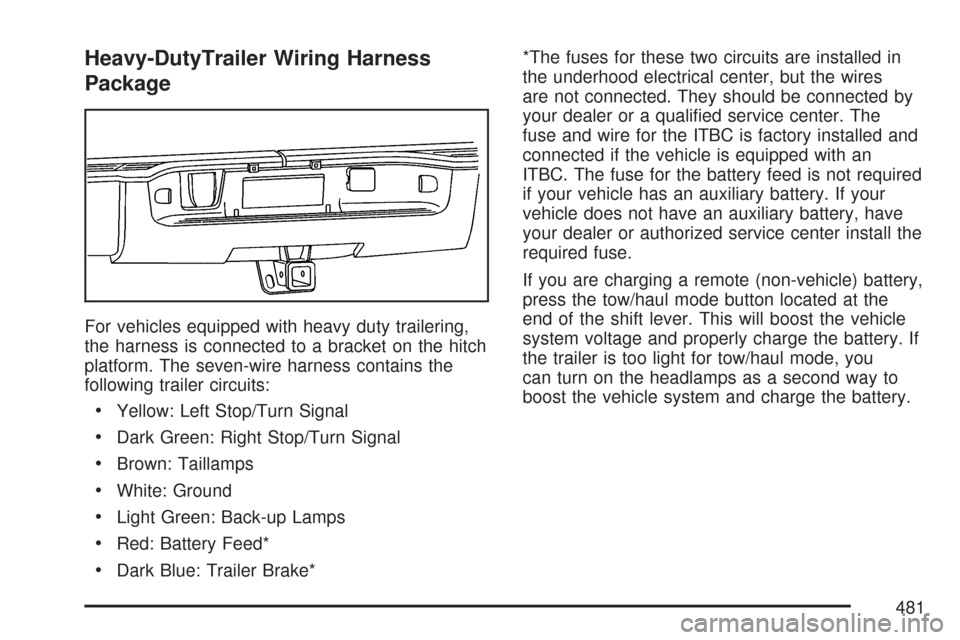
For vehicles equipped with heavy duty trailering,
the harness is connected to a bracket on the hitch
platform. The seven-wire harness contains the
following trailer circuits:
Yellow: Left Stop/Turn Signal
Dark Green: Right Stop/Turn Signal
Brown: Taillamps
White: Ground
Light Green: Back-up Lamps
Red: Battery Feed*
Dark Blue: Trailer Brake**The fuses for these two circuits are installed in
the underhood electrical center, but the wires
are not connected. They should be connected by
your dealer or a qualied service center. The
fuse and wire for the ITBC is factory installed and
connected if the vehicle is equipped with an
ITBC. The fuse for the battery feed is not required
if your vehicle has an auxiliary battery. If your
vehicle does not have an auxiliary battery, have
your dealer or authorized service center install the
required fuse.
If you are charging a remote (non-vehicle) battery,
press the tow/haul mode button located at the
end of the shift lever. This will boost the vehicle
system voltage and properly charge the battery. If
the trailer is too light for tow/haul mode, you
can turn on the headlamps as a second way to
boost the vehicle system and charge the battery.
481