service CHEVROLET SILVERADO 2009 2.G Repair Manual
[x] Cancel search | Manufacturer: CHEVROLET, Model Year: 2009, Model line: SILVERADO, Model: CHEVROLET SILVERADO 2009 2.GPages: 600, PDF Size: 3.24 MB
Page 400 of 600
Trailer Brake DIC Display Page
The ITBC system displays messages into the vehicle’s
Driver Information Center (DIC). SeeDIC Warnings
and Messages on page 3-66for more information.
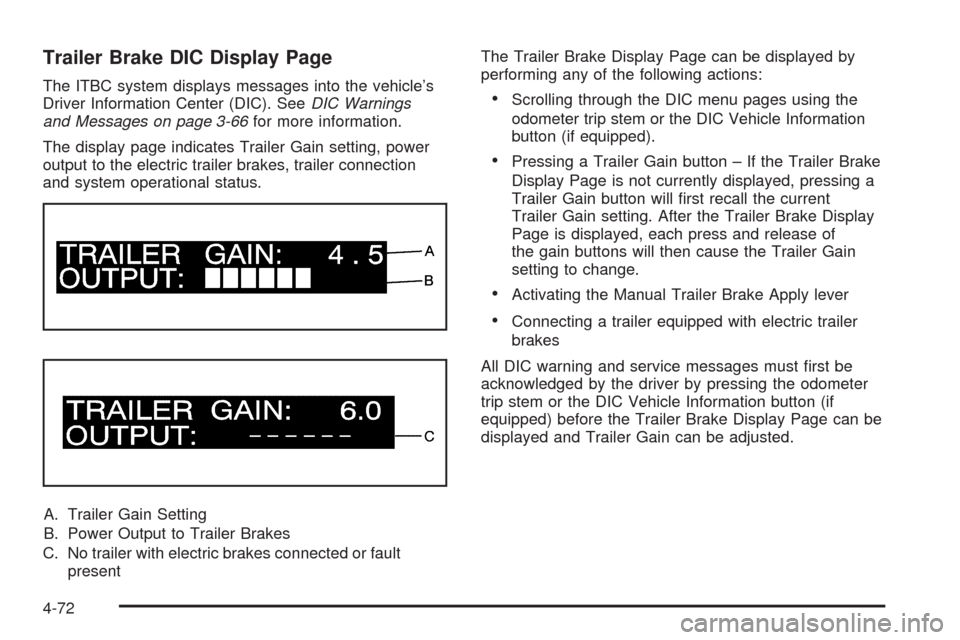
The display page indicates Trailer Gain setting, power
output to the electric trailer brakes, trailer connection
and system operational status.
A. Trailer Gain Setting
B. Power Output to Trailer Brakes
C. No trailer with electric brakes connected or fault
presentThe Trailer Brake Display Page can be displayed by
performing any of the following actions:Scrolling through the DIC menu pages using the
odometer trip stem or the DIC Vehicle Information
button (if equipped).
Pressing a Trailer Gain button – If the Trailer Brake
Display Page is not currently displayed, pressing a
Trailer Gain button will rst recall the current
Trailer Gain setting. After the Trailer Brake Display
Page is displayed, each press and release of
the gain buttons will then cause the Trailer Gain
setting to change.
Activating the Manual Trailer Brake Apply lever
Connecting a trailer equipped with electric trailer
brakes
All DIC warning and service messages must rst be
acknowledged by the driver by pressing the odometer
trip stem or the DIC Vehicle Information button (if
equipped) before the Trailer Brake Display Page can be
displayed and Trailer Gain can be adjusted.
4-72
Page 401 of 600
TRAILER GAIN – This setting is displayed anytime the
Trailer Brake Display Page is active. This setting
can be adjusted from 0.0 to 10.0 with either a trailer
connected or disconnected. To adjust the Trailer Gain,
press one of the Trailer Gain adjustment buttons
located on the Trailer Brake Control Panel. Press and
hold a gain button to cause the Trailer Gain to
continuously adjust. To turn the output to the trailer off,
adjust the Trailer Gain setting to 0.0 (zero).
0.0 (zero) gain is the factory default setting. To properly
adjust trailer gain, see the Trailer Gain Adjustment
Procedure later in this section.
TRAILER OUTPUT – This is displayed any time a trailer
with electric brakes is connected. Output to the electric
brakes is based on the amount of vehicle braking
present and relative to the Trailer Gain setting. Output is
displayed from 0 to 10 bars for each gain setting.
The Trailer Output will indicate “------“ontheTrailer
Brake Display Page whenever the following occur:
No trailer is connected.
A trailer without electric brakes is connected
(no DIC message is displayed).
A trailer with electric brakes has become
disconnected (a CHECK TRAILER WIRING
message will also be displayed on the DIC).
There is a fault present in the wiring to the electric
trailer brakes (a CHECK TRAILER WIRING
message will also be displayed on the DIC).
There is a fault in the ITBC system (a SERVICE
TRAILER BRAKE SYSTEM message will also
be displayed in the DIC).
Manual Trailer Brake Apply
The Manual Trailer Brake Apply Lever is located on the
Trailer Brake Control Panel and is used to apply the
trailer’s electric brakes independent of the vehicle’s
brakes. This lever is used in the Trailer Gain Adjustment
Procedure to properly adjust the power output to the
trailer brakes. Sliding the lever to the left will apply only
the trailer brakes. The power output to the trailer is
indicated in the Trailer Brake Display Page in the DIC. If
the vehicle’s service brakes are applied while using
the Manual Trailer Brake Apply Lever, the trailer output
power will be the greater of the two.
The trailer and the vehicle’s brake lamps will come on
when either vehicle braking or manual trailer brakes are
applied.
4-73
Page 403 of 600
Other ITBC Related DIC Messages
In addition to displaying TRAILER GAIN and TRAILER
OUTPUT through the DIC, trailer connection and
ITBC system status is displayed in the DIC.
TRAILER CONNECTED – This message will be briey
displayed when a trailer with electric brakes is rst
connected to the vehicle. This message will
automatically turn off in about ten seconds. The driver
can also acknowledge this message before it
automatically turns off.
CHECK TRAILER WIRING – This message will be
displayed if:
1. The ITBC system rst determines connection to a
trailer with electric brakes and then the trailer
harness becomes disconnected from the vehicle.
If the disconnect occurs while the vehicle is
stationary, this message will automatically turn off in
about thirty seconds. This message will also turn
off if the driver acknowledges this message off or if
the trailer harness is re-connected.
If the disconnect occurs while the vehicle is moving,
this message will continue until the ignition is
turned off. This message will also turn off if the
driver acknowledges this message off or if the trailer
harness is re-connected.2. There is an electrical fault in the wiring to the
electric trailer brakes. This message will continue as
long as there is an electrical fault in the trailer
wiring. This message will also turn off if the driver
acknowledges this message off.
To determine if the electrical fault is on the vehicle side
or trailer side of the trailer wiring harness connection,
do the following:
1. Disconnect the trailer wiring harness from the
vehicle.
2. Turn the ignition OFF.
3. Wait ten seconds, then turn the ignition back
to RUN.
4. If the CHECK TRAILER WIRING message
re-appears, the electrical fault is on the vehicle side.
If the CHECK TRAILER WIRING message only
re-appears when connecting the trailer wiring
harness to the vehicle, the electrical fault is on the
trailer side.
SERVICE TRAILER BRAKE SYSTEM – This message
will be displayed when there is a problem with the
ITBC system. If this message persists over multiple
ignition cycles there is a problem with the ITBC system.
Take the vehicle to an authorized GM dealer to have
the ITBC system diagnosed and repaired.
4-75
Page 404 of 600
If either the CHECK TRAILER WIRING or SERVICE
TRAILER BRAKE SYSTEM message is displayed while
driving the vehicle, power is no longer available to
the trailer brakes. When traffic conditions allow, carefully
pull the vehicle over to the side of the road and turn
the ignition off. Check the wiring connection to the trailer
and turn the ignition back on. If either of these
messages continues, either the vehicle or trailer needs
service.
An authorized GM dealer may be able to diagnose and
repair problems with the trailer. However, any
diagnosis and repair of the trailer is not covered under
the vehicle warranty. Please contact your trailer
dealer for assistance with trailer repairs and trailer
warranty information.Driving with a Trailer
{CAUTION:
When towing a trailer, exhaust gases may collect
at the rear of the vehicle and enter if the liftgate,
trunk/hatch, or rear-most window is open.
Engine exhaust contains carbon monoxide (CO)
which cannot be seen or smelled. It can cause
unconsciousness and even death.
To maximize safety when towing a trailer:
Have the exhaust system inspected for
leaks and make necessary repairs before
starting a trip.
Never drive with the liftgate, trunk/hatch, or
rear-most window open.
Fully open the air outlets on or under the
instrument panel.
Adjust the Climate Control system to a setting
that brings in only outside air and set the fan
speed to the highest setting. See Climate
Control System in the Index.
For more information about carbon monoxide, see
Engine Exhaust on page 2-55.
4-76
Page 408 of 600
Leaving After Parking on a Hill
1. Apply and hold the brake pedal while you:
Start the engine
Shift into a gear
Release the parking brake
2. Let up on the brake pedal.
3. Drive slowly until the trailer is clear of the chocks.
4. Stop and have someone pick up and store the
chocks.
Maintenance When Trailer Towing
The vehicle needs service more often when pulling a
trailer. See this manual’s Maintenance Schedule
or Index for more information. Things that are especially
important in trailer operation are automatic transmission
uid, engine oil, axle lubricant, belts, cooling system
and brake system. It is a good idea to inspect
these before and during the trip.
Check periodically to see that all hitch nuts and bolts
are tight.
Trailer Wiring Harness
The vehicle is equipped with one of the following wiring
harnesses for towing a trailer or hauling a slide-in
camper.
Basic Trailer Wiring
All regular, extended cab and crew cab pickups have a
seven-wire trailer towing harness.
For vehicles not equipped with heavy duty trailering, the
harness is secured to the vehicle’s frame behind the
spare tire mount. The harness requires the installation of
a trailer connector, which is available through your
dealer/retailer.
If towing a light-duty trailer with a standard four-way
round pin connector, an adapter is available from your
dealer/retailer.
4-80
Page 409 of 600
Heavy-DutyTrailer Wiring Harness
Package
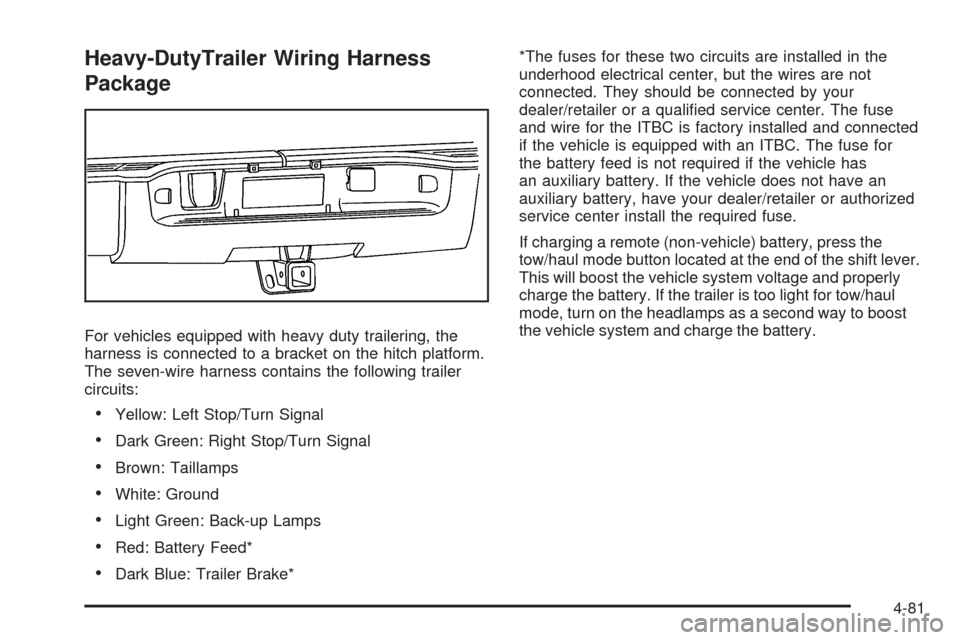
For vehicles equipped with heavy duty trailering, the
harness is connected to a bracket on the hitch platform.
The seven-wire harness contains the following trailer
circuits:
Yellow: Left Stop/Turn Signal
Dark Green: Right Stop/Turn Signal
Brown: Taillamps
White: Ground
Light Green: Back-up Lamps
Red: Battery Feed*
Dark Blue: Trailer Brake**The fuses for these two circuits are installed in the
underhood electrical center, but the wires are not
connected. They should be connected by your
dealer/retailer or a qualied service center. The fuse
and wire for the ITBC is factory installed and connected
if the vehicle is equipped with an ITBC. The fuse for
the battery feed is not required if the vehicle has
an auxiliary battery. If the vehicle does not have an
auxiliary battery, have your dealer/retailer or authorized
service center install the required fuse.
If charging a remote (non-vehicle) battery, press the
tow/haul mode button located at the end of the shift lever.
This will boost the vehicle system voltage and properly
charge the battery. If the trailer is too light for tow/haul
mode, turn on the headlamps as a second way to boost
the vehicle system and charge the battery.
4-81
Page 411 of 600
Electric Brake Control Wiring
Provisions
These wiring provisions are included with the vehicle
as part of the trailer wiring package. These provisions
are for an electric brake controller. The instrument panel
contains blunt cut wires behind the steering column
for the trailer brake controller. The harness contains the
following wires:
Dark Blue: Brake Signal to Trailer Connector
Red/Black: Battery
Light Blue/White: Brake Switch
White: Ground
It should be installed by your dealer/retailer or a
qualied service center.
If the vehicle is equipped with an ITBC, the blunt cuts
exist, but are not connected further in the harness.
If an aftermarket trailer brake controller is installed,
the ITBC must be disconnected. Do not power
both ITBC and aftermarket controllers to control the
trailer brakes at the same time.
Auxiliary Battery
The auxiliary battery provision can be used to supply
electrical power to additional equipment that may
be added, such as a slide-in camper. If the vehicle hasthis provision, this relay will be located on the drivers
side of the vehicle, next to the underhood electrical
center.
Be sure to follow the proper installation instructions that
are included with any electrical equipment that is installed.
Notice:Leaving electrical equipment on for
extended periods will drain the battery. Always turn
off electrical equipment when not in use and do not
use equipment that exceeds the maximum amperage
rating for the auxiliary battery provision.
Trailer Recommendations
Subtract the hitch loads from the Cargo Weight Rating
(CWR). CWR is the maximum weight of the load the
vehicle can carry. It does not include the weight of the
people inside, but you can gure about 150 lbs. (68 kg)
for each passenger. The total cargo load must not be
more than the vehicles CWR.
Weigh the vehicle with the trailer attached, so the
GVWR or GAWR are not exceeded. If using a
weight-distributing hitch, weigh the vehicle without the
spring bars in place.
The best performance is obtained by correctly spreading
out the weight of the load and choosing the correct
hitch and trailer brakes.
For more information seeTowing a Trailer on page 4-51.
4-83
Page 413 of 600
Service............................................................5-4
Accessories and Modications..........................5-4
California Proposition 65 Warning.....................5-5
California Perchlorate Materials Requirements.....5-5
Doing Your Own Service Work.........................5-5
Adding Equipment to the Outside of the
Vehicle......................................................5-6
Fuel................................................................5-6
Gasoline Octane............................................5-6
Gasoline Specications....................................5-7
California Fuel...............................................5-7
Additives.......................................................5-7
Fuel E85 (85% Ethanol)..................................5-8
Fuels in Foreign Countries...............................5-9
Filling the Tank............................................5-10
Filling a Portable Fuel Container.....................5-12
Checking Things Under the Hood....................5-12
Hood Release..............................................5-13
Engine Compartment Overview.......................5-14
Engine Oil...................................................5-15
Engine Oil Life System..................................5-18
Engine Air Cleaner/Filter................................5-19
Automatic Transmission Fluid (4-Speed
Transmission)...........................................5-21Automatic Transmission Fluid (6-Speed
Transmission)...........................................5-24
Cooling System............................................5-28
Engine Coolant.............................................5-29
Engine Overheating.......................................5-34
Overheated Engine Protection
Operating Mode.........................................5-37
Engine Fan Noise.........................................5-37
Power Steering Fluid.....................................5-38
Windshield Washer Fluid................................5-39
Brakes........................................................5-40
Battery........................................................5-43
Jump Starting
...............................................5-44
Rear Axle.......................................................5-49
Four-Wheel Drive............................................5-51
Front Axle......................................................5-53
Noise Control System.....................................5-54
Tampering with Noise Control System
Prohibited.................................................5-54
Headlamp Aiming...........................................5-55
Section 5 Service and Appearance Care
5-1
Page 414 of 600
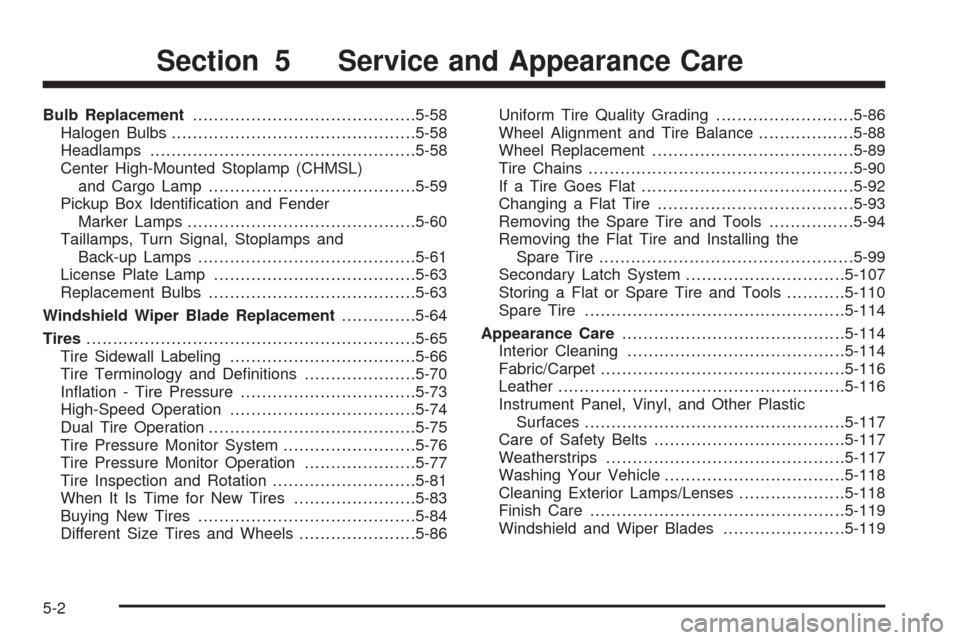
Bulb Replacement..........................................5-58
Halogen Bulbs..............................................5-58
Headlamps..................................................5-58
Center High-Mounted Stoplamp (CHMSL)
and Cargo Lamp.......................................5-59
Pickup Box Identication and Fender
Marker Lamps...........................................5-60
Taillamps, Turn Signal, Stoplamps and
Back-up Lamps.........................................5-61
License Plate Lamp......................................5-63
Replacement Bulbs.......................................5-63
Windshield Wiper Blade Replacement..............5-64
Tires..............................................................5-65
Tire Sidewall Labeling...................................5-66
Tire Terminology and Denitions.....................5-70
Ination - Tire Pressure.................................5-73
High-Speed Operation...................................5-74
Dual Tire Operation.......................................5-75
Tire Pressure Monitor System.........................5-76
Tire Pressure Monitor Operation.....................5-77
Tire Inspection and Rotation...........................5-81
When It Is Time for New Tires.......................5-83
Buying New Tires.........................................5-84
Different Size Tires and Wheels......................5-86Uniform Tire Quality Grading..........................5-86
Wheel Alignment and Tire Balance..................5-88
Wheel Replacement......................................5-89
Tire Chains..................................................5-90
If a Tire Goes Flat........................................5-92
Changing a Flat Tire.....................................5-93
Removing the Spare Tire and Tools................5-94
Removing the Flat Tire and Installing the
Spare Tire................................................5-99
Secondary Latch System..............................5-107
Storing a Flat or Spare Tire and Tools...........5-110
Spare Tire.................................................5-114
Appearance Care
..........................................5-114
Interior Cleaning.........................................5-114
Fabric/Carpet..............................................5-116
Leather......................................................5-116
Instrument Panel, Vinyl, and Other Plastic
Surfaces.................................................5-117
Care of Safety Belts....................................5-117
Weatherstrips.............................................5-117
Washing Your Vehicle..................................5-118
Cleaning Exterior Lamps/Lenses....................5-118
Finish Care................................................5-119
Windshield and Wiper Blades.......................5-119
Section 5 Service and Appearance Care
5-2
Page 415 of 600
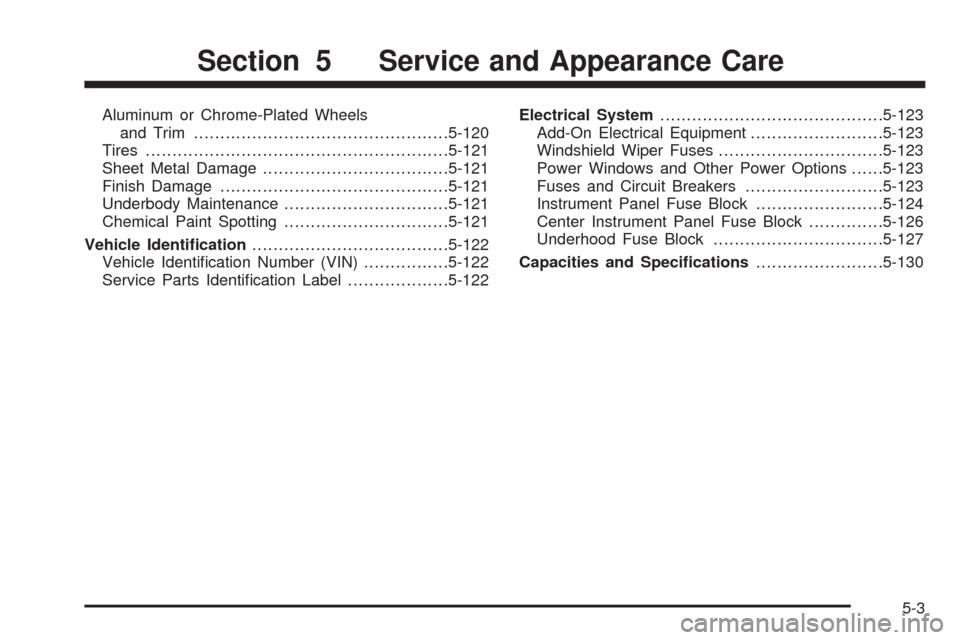
Aluminum or Chrome-Plated Wheels
and Trim................................................5-120
Tires.........................................................5-121
Sheet Metal Damage...................................5-121
Finish Damage...........................................5-121
Underbody Maintenance...............................5-121
Chemical Paint Spotting...............................5-121
Vehicle Identication.....................................5-122
Vehicle Identication Number (VIN)................5-122
Service Parts Identication Label...................5-122Electrical System..........................................5-123
Add-On Electrical Equipment.........................5-123
Windshield Wiper Fuses...............................5-123
Power Windows and Other Power Options......5-123
Fuses and Circuit Breakers..........................5-123
Instrument Panel Fuse Block........................5-124
Center Instrument Panel Fuse Block..............5-126
Underhood Fuse Block................................5-127
Capacities and Specications........................5-130
Section 5 Service and Appearance Care
5-3