warning CHEVROLET SILVERADO 2011 2.G Owners Manual
[x] Cancel search | Manufacturer: CHEVROLET, Model Year: 2011, Model line: SILVERADO, Model: CHEVROLET SILVERADO 2011 2.GPages: 588, PDF Size: 7.99 MB
Page 337 of 588
Black plate (43,1)Chevrolet Silverado Owner Manual - 2011
Driving and Operating 9-43
{WARNING
It can be dangerous to get out
of the vehicle if the automatic
transmission shift lever is not fully
in P (Park) with the parking brake
firmly set. The vehicle can roll.
Do not leave the vehicle when
the engine is running unless you
have to. If you have left the
engine running, the vehicle can
move suddenly. You or others
could be injured. To be sure the
vehicle will not move, even when
you are on fairly level ground,
always set the parking brake and
move the shift lever to P (Park).
{WARNING
Four-wheel drive vehicles with the
transfer case in N (Neutral) will
allow the vehicle to roll, even if
the automatic transmission shift
lever is in P (Park). So, be sure
the transfer case is in a drive
gear—not in N (Neutral). Always
set the parking brake.
Follow the proper steps to be
sure the vehicle will not move.
See Shifting Into Park
on
page 9‑38.
If pulling a trailer, see Driving
Characteristics and Towing Tips
on
page 9‑90.
Automatic
Transmission
If the vehicle is a hybrid, see
the hybrid supplement for more
information.
Vehicles with an automatic
transmission have an electronic
shift position indicator within
the instrument panel cluster.
This display comes on when
the ignition key is turned to
the ON/RUN position.
Page 338 of 588
Black plate (44,1)Chevrolet Silverado Owner Manual - 2011
9-44 Driving and Operating
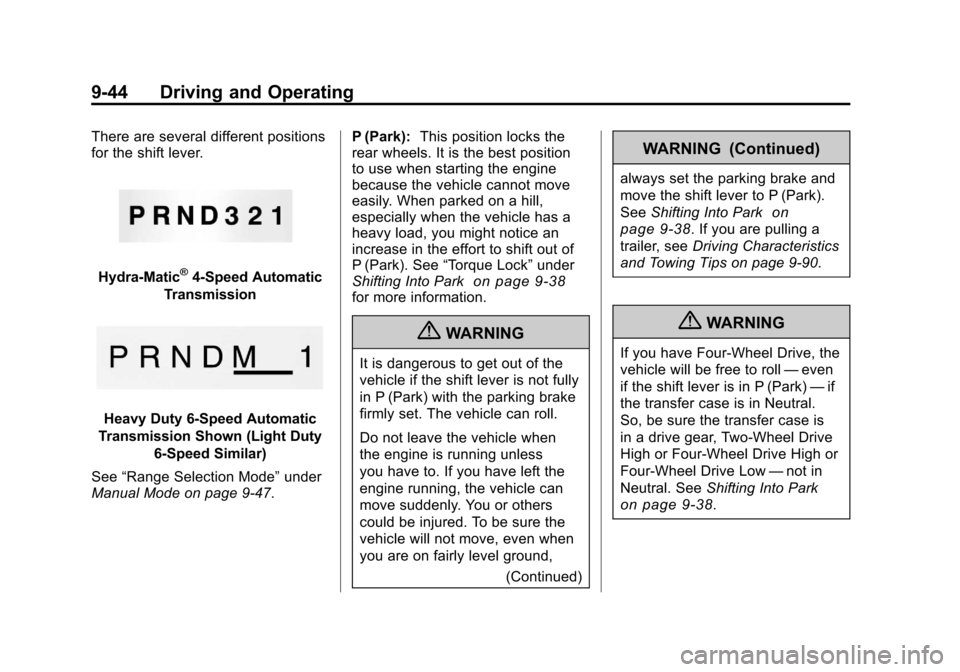
There are several different positions
for the shift lever.
Hydra-Matic®4-Speed Automatic
Transmission
Heavy Duty 6-Speed Automatic
Transmission Shown (Light Duty 6‐Speed Similar)
See “Range Selection Mode” under
Manual Mode on page 9‑47. P (Park):
This position locks the
rear wheels. It is the best position
to use when starting the engine
because the vehicle cannot move
easily. When parked on a hill,
especially when the vehicle has a
heavy load, you might notice an
increase in the effort to shift out of
P (Park). See “Torque Lock” under
Shifting Into Park
on page 9‑38for more information.
{WARNING
It is dangerous to get out of the
vehicle if the shift lever is not fully
in P (Park) with the parking brake
firmly set. The vehicle can roll.
Do not leave the vehicle when
the engine is running unless
you have to. If you have left the
engine running, the vehicle can
move suddenly. You or others
could be injured. To be sure the
vehicle will not move, even when
you are on fairly level ground,
(Continued)
WARNING (Continued)
always set the parking brake and
move the shift lever to P (Park).
SeeShifting Into Park
on
page 9‑38
. If you are pulling a
trailer, see Driving Characteristics
and Towing Tips on page 9‑90.
{WARNING
If you have Four-Wheel Drive, the
vehicle will be free to roll —even
if the shift lever is in P (Park) —if
the transfer case is in Neutral.
So, be sure the transfer case is
in a drive gear, Two-Wheel Drive
High or Four-Wheel Drive High or
Four-Wheel Drive Low —not in
Neutral. See Shifting Into Park
on page 9‑38.
Page 339 of 588
Black plate (45,1)Chevrolet Silverado Owner Manual - 2011
Driving and Operating 9-45
R (Reverse):Use this gear to
back up.
Notice: Shifting to R (Reverse)
while the vehicle is moving
forward could damage the
transmission. The repairs would
not be covered by the vehicle
warranty. Shift to R (Reverse) only
after the vehicle is stopped.
To rock the vehicle back and forth to
get out of snow, ice, or sand without
damaging the transmission, see If
the Vehicle is Stuck on page 9‑22.
N (Neutral): In this position, the
engine does not connect with the
wheels. To restart when you are
already moving, use N (Neutral)
only. Also, use N (Neutral) when
the vehicle is being towed.{WARNING
Shifting into a drive gear while the
engine is running at high speed is
dangerous. Unless your foot is
firmly on the brake pedal, the
vehicle could move very rapidly.
You could lose control and hit
people or objects. Do not shift
into a drive gear while the engine
is running at high speed.
Notice: Shifting out of P (Park)
or N (Neutral) with the engine
running at high speed may
damage the transmission. The
repairs would not be covered
by the vehicle warranty. Be sure
the engine is not running at high
speed when shifting the vehicle. D (Drive):
This position is for
normal driving. It provides the best
fuel economy. If you need more
power for passing, and you are:
.Going less than about 55 km/h
(35 mph), push the accelerator
pedal about halfway down.
.Going about 55 km/h (35 mph) or
more, push the accelerator all
the way down.
By doing this, the vehicle shifts
down to the next gear and has
more power.
D (Drive) can be used when towing
a trailer, carrying a heavy load,
driving on steep hills, or for off-road
driving. You might want to shift
the transmission to a lower gear
selection if the transmission shifts
too often.
Page 346 of 588
Black plate (52,1)Chevrolet Silverado Owner Manual - 2011
9-52 Driving and Operating
You can shift into 1 (First) when
you are going less than 30 km/h
(20 mph). If you have come to a
complete stop and it is hard to shift
into 1 (First), put the shift lever in
Neutral and let up on the clutch.
Then press the clutch pedal back
down and shift into 1 (First).
2 (Second):Press the clutch pedal
as you let up on the accelerator
pedal and shift into 2 (Second).
Then, slowly let up on the clutch
pedal as you press the accelerator
pedal.
3 (Third), 4 (Fourth) and 5 (Fifth):
Shift into 3 (Third), 4 (Fourth) and
5 (Fifth) the same way you do for
2 (Second). Slowly let up on the
clutch pedal as you press the
accelerator pedal. To stop, let up on the accelerator
pedal and press the brake pedal.
Just before the vehicle stops, press
the clutch pedal and the brake
pedal, and shift to Neutral.
Neutral:
Use this position when
you start or idle the engine.
R (Reverse): To back up, press the
clutch pedal. After the vehicle stops,
shift into R (Reverse). Slowly let up
on the clutch pedal as you press
the accelerator pedal. If it is hard
to shift, let the shift lever return to
Neutral and release the clutch
pedal. Then press the clutch again
and shift into R (Reverse). Do not
attempt to shift into 5 (Fifth) prior
to shifting into R (Reverse). The
transmission has a lock out feature
which prevents a 5 (Fifth) gear to
R (Reverse) gear shift. Notice:
Shifting to R (Reverse)
while the vehicle is moving
forward could damage the
transmission. The repairs would
not be covered by the vehicle
warranty. Shift to R (Reverse) only
after the vehicle is stopped.
Use R (Reverse), along with the
parking brake, for parking the
vehicle.
Shift Speeds
{WARNING
If you skip a gear when you
downshift, you could lose control
of the vehicle. You could injure
yourself or others. Do not shift
down more than one gear at a
time when you downshift.
Page 349 of 588
Black plate (55,1)Chevrolet Silverado Owner Manual - 2011
Driving and Operating 9-55
If the vehicle has StabiliTrak®,
shifting into Four-Wheel Drive
Low will turn Traction Control and
StabiliTrak
®off. See StabiliTrak®
System on page 9‑70.
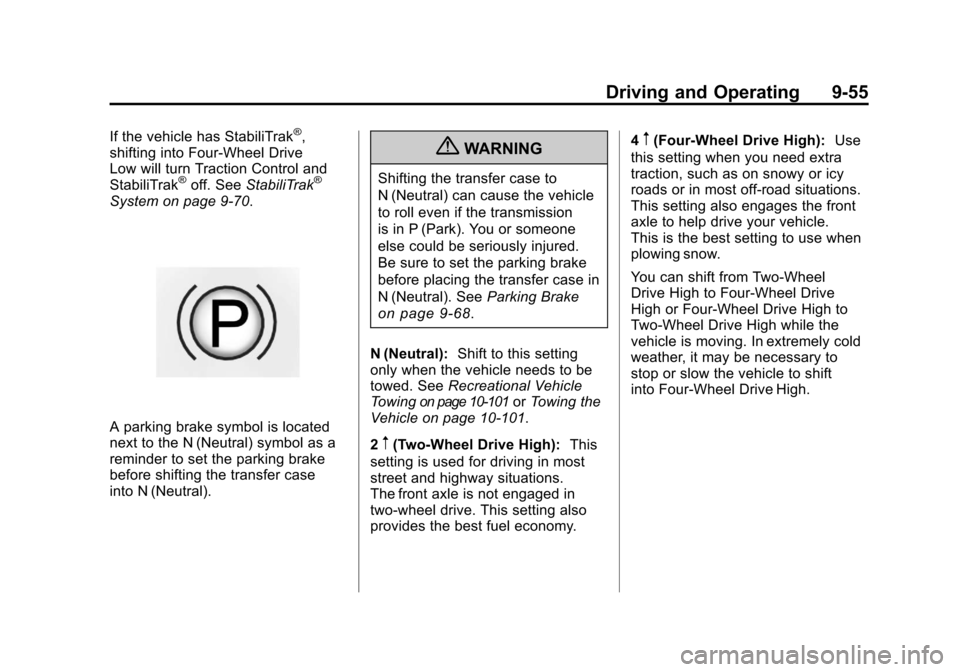
A parking brake symbol is located
next to the N (Neutral) symbol as a
reminder to set the parking brake
before shifting the transfer case
into N (Neutral).
{WARNING
Shifting the transfer case to
N (Neutral) can cause the vehicle
to roll even if the transmission
is in P (Park). You or someone
else could be seriously injured.
Be sure to set the parking brake
before placing the transfer case in
N (Neutral). See Parking Brake
on page 9‑68.
N (Neutral): Shift to this setting
only when the vehicle needs to be
towed. See Recreational Vehicle
Towing
on page 10‑101or Towing the
Vehicle on page 10‑101.
2
m(Two-Wheel Drive High): This
setting is used for driving in most
street and highway situations.
The front axle is not engaged in
two-wheel drive. This setting also
provides the best fuel economy. 4
m(Four-Wheel Drive High):
Use
this setting when you need extra
traction, such as on snowy or icy
roads or in most off-road situations.
This setting also engages the front
axle to help drive your vehicle.
This is the best setting to use when
plowing snow.
You can shift from Two-Wheel
Drive High to Four-Wheel Drive
High or Four-Wheel Drive High to
Two-Wheel Drive High while the
vehicle is moving. In extremely cold
weather, it may be necessary to
stop or slow the vehicle to shift
into Four-Wheel Drive High.
Page 351 of 588
Black plate (57,1)Chevrolet Silverado Owner Manual - 2011
Driving and Operating 9-57
Shifting In or Out of Four-Wheel
Drive Low
Notice:Shifting the transfer
case into Four-Wheel-Drive Low
while moving at speeds faster
than 5 km/h (3 mph) may cause
premature wear to the transfer
case, and may cause the gears
to grind. To avoid causing
premature wear, and grinding the
gears, do not shift the transfer
case into Four-Wheel-Drive Low
while the vehicle is moving faster
than 5 km/h (3 mph).
.Shifting into Four-Wheel Drive
Low should be done, if possible,
with the vehicle at a slight roll,
5 km/h (3 mph) or less.
.Shift the transmission into
N (Neutral).
{WARNING
Shifting the transfer case to
N (Neutral) can cause the vehicle
to roll even if the transmission
is in P (Park). You or someone
else could be seriously injured.
Be sure to set the parking brake
before placing the transfer case in
N (Neutral). See Parking Brake
on page 9‑68.
.Shifting into Four-Wheel Drive
Low with the vehicle at a stop
may be more difficult. You may
be unable to complete the shift
to Four-Wheel Drive Low, and
the transfer case will end up in
N (Neutral). This is normal, and
is a function of the gear teeth
aligning in the transfer case.
When this happens, make
sure the engine is on, shift
the transmission momentarily
to D (Drive) and back to
N (Neutral), and then complete
the transfer case shift.
.Shift the transfer case shift lever
in one continuous motion into
the Four-Wheel Drive Low
position.
.When in Four-Wheel Drive
Low do not drive faster than
72 km/h (45 mph). This will
reduce wear and extend the
life of your transfer case.
Shifting In or Out of Neutral
1. With the vehicle running and the engine at an idle, set the parking
brake.
2. Place the transmission into N (Neutral).
Shift the transfer case in one
continuous motion into or out
of the N (Neutral) position.
Page 353 of 588
Black plate (59,1)Chevrolet Silverado Owner Manual - 2011
Driving and Operating 9-59
2m(Two-Wheel Drive High):This
setting is used for driving in most
street and highway situations.
The front axle is not engaged in
Two-Wheel Drive. This setting also
provides the best fuel economy.
4
m(Four-Wheel Drive High): Use
the Four-Wheel Drive High position
when extra traction is needed, such
as on snowy or icy roads or in most
off-road situations. This setting also
engages the front axle to help drive
the vehicle. This is the best setting
to use when plowing snow.
4
n(Four-Wheel Drive Low): This
setting also engages the front axle
and delivers extra torque. You may
never need this setting. It sends
maximum power to all four wheels. You might choose Four-Wheel
Drive Low while driving off-road in
deep sand, deep mud, deep snow,
and while climbing or descending
steep hills.
If the vehicle has StabiliTrak,
®
shifting into Four-Wheel Drive
Low will turn Traction Control and
StabiliTrak
®off. See
StabiliTrak®
System on page 9‑70.
{WARNING
Shifting the transfer case to
N (Neutral) can cause the vehicle
to roll even if the transmission
is in P (Park). You or someone
else could be seriously injured.
Be sure to set the parking brake
before placing the transfer case
in N (Neutral). See Parking Brake
on page 9‑68. N (Neutral):
Shift the vehicle's
transfer case to N (Neutral)
only when towing the vehicle.
See Recreational Vehicle Towing
on
page 10‑101or Towing the Vehicleon
page 10‑101for more information.
If the SERVICE 4 WHEEL DRIVE
message stays on, you should
take the vehicle to your dealer
for service. See “SERVICE
4 WHEEL DRIVE message”
under Transmission Messages
on
page 5‑52.
Shifting Into Two-Wheel
Drive High
Turn the knob to the Two-Wheel
Drive High position. This can be
done at any speed, except when
shifting from Four-Wheel Drive Low.
See “Shifting Out of Four-Wheel
Drive Low” for more information.
Page 357 of 588
Black plate (63,1)Chevrolet Silverado Owner Manual - 2011
Driving and Operating 9-63
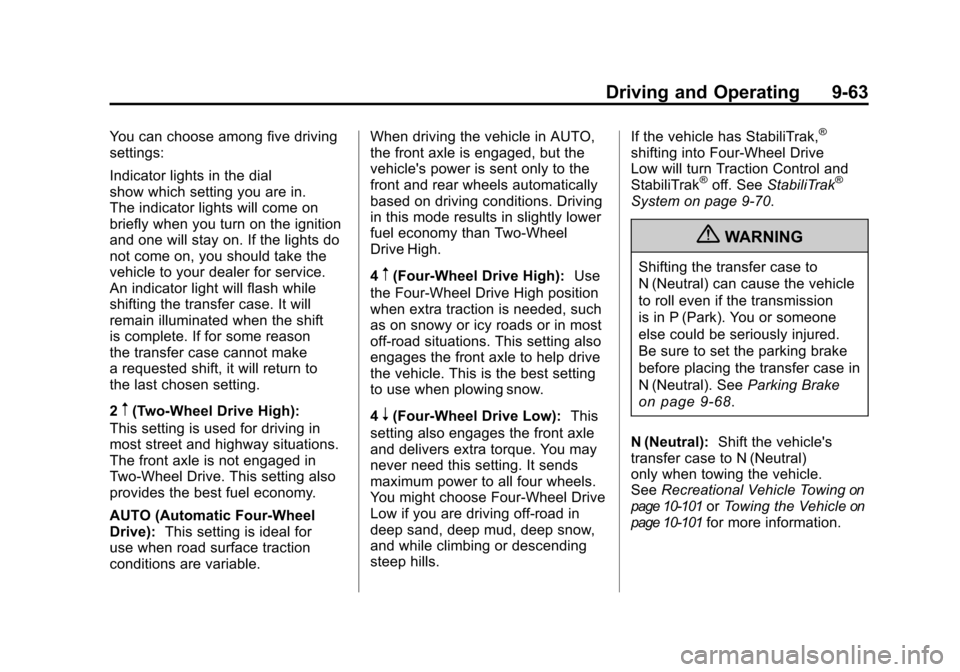
You can choose among five driving
settings:
Indicator lights in the dial
show which setting you are in.
The indicator lights will come on
briefly when you turn on the ignition
and one will stay on. If the lights do
not come on, you should take the
vehicle to your dealer for service.
An indicator light will flash while
shifting the transfer case. It will
remain illuminated when the shift
is complete. If for some reason
the transfer case cannot make
a requested shift, it will return to
the last chosen setting.
2
m(Two-Wheel Drive High):
This setting is used for driving in
most street and highway situations.
The front axle is not engaged in
Two-Wheel Drive. This setting also
provides the best fuel economy.
AUTO (Automatic Four-Wheel
Drive): This setting is ideal for
use when road surface traction
conditions are variable. When driving the vehicle in AUTO,
the front axle is engaged, but the
vehicle's power is sent only to the
front and rear wheels automatically
based on driving conditions. Driving
in this mode results in slightly lower
fuel economy than Two-Wheel
Drive High.
4
m(Four-Wheel Drive High):
Use
the Four-Wheel Drive High position
when extra traction is needed, such
as on snowy or icy roads or in most
off-road situations. This setting also
engages the front axle to help drive
the vehicle. This is the best setting
to use when plowing snow.
4
n(Four-Wheel Drive Low): This
setting also engages the front axle
and delivers extra torque. You may
never need this setting. It sends
maximum power to all four wheels.
You might choose Four-Wheel Drive
Low if you are driving off-road in
deep sand, deep mud, deep snow,
and while climbing or descending
steep hills. If the vehicle has StabiliTrak,
®
shifting into Four-Wheel Drive
Low will turn Traction Control and
StabiliTrak
®off. See
StabiliTrak®
System on page 9‑70.
{WARNING
Shifting the transfer case to
N (Neutral) can cause the vehicle
to roll even if the transmission
is in P (Park). You or someone
else could be seriously injured.
Be sure to set the parking brake
before placing the transfer case in
N (Neutral). See Parking Brake
on page 9‑68.
N (Neutral): Shift the vehicle's
transfer case to N (Neutral)
only when towing the vehicle.
See Recreational Vehicle Towing
on
page 10‑101or Towing the Vehicleon
page 10‑101for more information.
Page 361 of 588
Black plate (67,1)Chevrolet Silverado Owner Manual - 2011
Driving and Operating 9-67
Brakes
Antilock Brake
System (ABS)
This vehicle might have the Antilock
Brake System (ABS), an advanced
electronic braking system that helps
prevent a braking skid.
When the engine is started and the
vehicle begins to drive away, ABS
checks itself. A momentary motor or
clicking noise might be heard while
this test is going on. This is normal.
If there is a problem with ABS, this
warning light stays on. SeeAntilock
Brake System (ABS) Warning Light
on page 5‑30. Along with ABS, the vehicle has a
Dynamic Rear Proportioning (DRP)
system. If there is a DRP problem,
both the brake and ABS warning
lights come on accompanied by
a 10‐second chime. The lights
and chime will come on each time
the ignition is turned on until the
problem is repaired. See your
dealer for service.
Let us say the road is wet and you
are driving safely. Suddenly, an
animal jumps out in front of you.
You slam on the brakes and
continue braking. Here is what
happens with ABS:
A computer senses that the wheels
are slowing down. If one of the
wheels is about to stop rolling, the
computer will separately work the
brakes at each front wheel and at
both rear wheels.
ABS can change the brake pressure
to each wheel, as required, faster
than any driver could. This can help
the driver steer around the obstacle
while braking hard. As the brakes are applied, the
computer keeps receiving updates
on wheel speed and controls
braking pressure accordingly.
Remember: ABS does not change
the time needed to get a foot up to
the brake pedal or always decrease
stopping distance. If you get too
close to the vehicle in front of you,
there will not be enough time to
apply the brakes if that vehicle
suddenly slows or stops. Always
leave enough room up ahead to
stop, even with ABS.
Using ABS
Do not pump the brakes. Just hold
the brake pedal down firmly and let
antilock work. You might feel the
brakes vibrate or hear some noise,
but this is normal.
Page 362 of 588
Black plate (68,1)Chevrolet Silverado Owner Manual - 2011
9-68 Driving and Operating
Braking in Emergencies
If the vehicle has ABS, it allows
the driver to steer and brake at
the same time. However, if the
vehicle does not have ABS, the
first reaction, to hit the brake pedal
hard and hold it down, might be
the wrong thing to do. The wheels
can stop rolling. Once they do,
the vehicle cannot respond to the
driver's steering. Momentum will
carry it in whatever direction it was
headed when the wheels stopped
rolling. That could be off the road,
into the very thing the driver was
trying to avoid, or into traffic.
If the vehicle does not have ABS,
use a squeeze braking technique.
This gives maximum braking while
maintaining steering control. Do this
by pushing on the brake pedal with
steadily increasing pressure.
In an emergency, you will probably
want to squeeze the brakes hard
without locking the wheels. If you
hear or feel the wheels sliding, easeoff the brake pedal. This helps
retain steering control. With ABS,
it is different.
In many emergencies, steering can
help more than even the very best
braking.
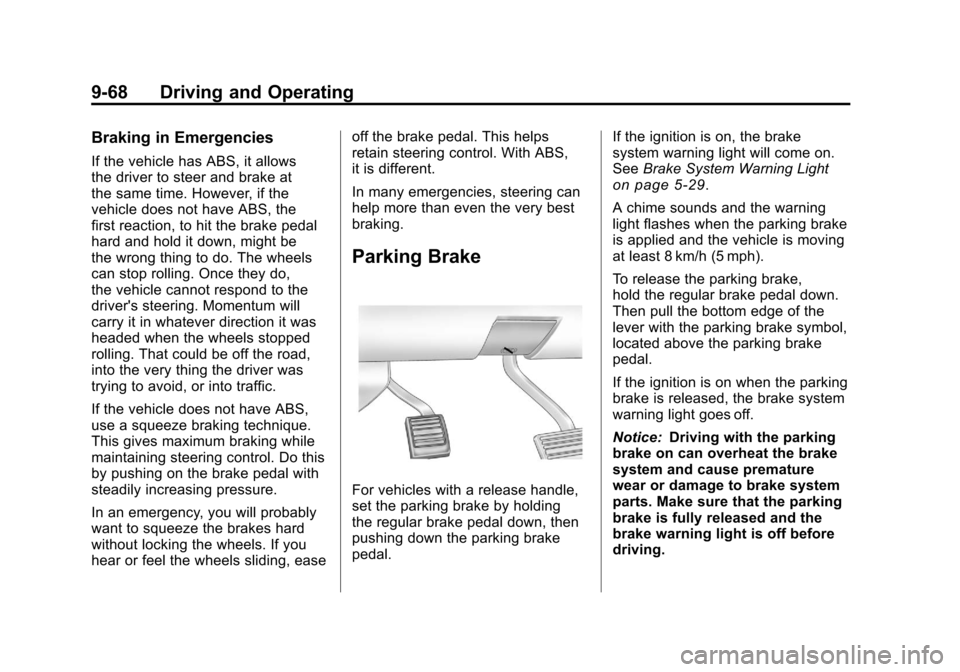
Parking Brake
For vehicles with a release handle,
set the parking brake by holding
the regular brake pedal down, then
pushing down the parking brake
pedal.
If the ignition is on, the brake
system warning light will come on.
See
Brake System Warning Light
on page 5‑29.
A chime sounds and the warning
light flashes when the parking brake
is applied and the vehicle is moving
at least 8 km/h (5 mph).
To release the parking brake,
hold the regular brake pedal down.
Then pull the bottom edge of the
lever with the parking brake symbol,
located above the parking brake
pedal.
If the ignition is on when the parking
brake is released, the brake system
warning light goes off.
Notice: Driving with the parking
brake on can overheat the brake
system and cause premature
wear or damage to brake system
parts. Make sure that the parking
brake is fully released and the
brake warning light is off before
driving.