seat adjustment CHEVROLET SILVERADO 2012 2.G Owners Manual
[x] Cancel search | Manufacturer: CHEVROLET, Model Year: 2012, Model line: SILVERADO, Model: CHEVROLET SILVERADO 2012 2.GPages: 584, PDF Size: 8.03 MB
Page 7 of 584
Black plate (1,1)Chevrolet Silverado Owner Manual - 2012
In Brief 1-1
In Brief
Instrument Panel
Instrument Panel(Base/Uplevel Version) . . . . . . 1-2
Instrument Panel (Premium Version) . . . . . . . . . . . 1-6
Initial Drive Information
Initial Drive Information . . . . . . . . 1-8
Remote Keyless Entry (RKE)System . . . . . . . . . . . . . . . . . . . . . . 1-8
Remote Vehicle Start . . . . . . . . . 1-8
Door Locks . . . . . . . . . . . . . . . . . . . 1-9
Windows . . . . . . . . . . . . . . . . . . . . . . 1-9
Seat Adjustment . . . . . . . . . . . . . 1-10
Memory Features . . . . . . . . . . . . 1-13
Heated and Ventilated Seats . . . . . . . . . . . . . . . . . . . . . . . 1-14
Head Restraint Adjustment . . . . . . . . . . . . . . . . . 1-14
Safety Belts . . . . . . . . . . . . . . . . . . 1-15
Passenger Sensing System . . . . . . . . . . . . . . . . . . . . . 1-15
Mirror Adjustment . . . . . . . . . . . . 1-16 Steering Wheel
Adjustment . . . . . . . . . . . . . . . . . 1-17
Throttle and Brake Pedal Adjustment . . . . . . . . . . . . . . . . . 1-17
Interior Lighting . . . . . . . . . . . . . . 1-17
Exterior Lighting . . . . . . . . . . . . . 1-18
Windshield Wiper/Washer . . . . 1-19
Climate Controls . . . . . . . . . . . . . 1-20
Transmission . . . . . . . . . . . . . . . . 1-22
Four-Wheel Drive . . . . . . . . . . . . 1-23Vehicle Features
Radio(s) . . . . . . . . . . . . . . . . . . . . . 1-25
Satellite Radio . . . . . . . . . . . . . . . 1-26
Portable Audio Devices . . . . . . 1-26
Bluetooth
®. . . . . . . . . . . . . . . . . . . 1-27
Steering Wheel Controls . . . . . 1-27
Cruise Control . . . . . . . . . . . . . . . 1-28
Navigation System . . . . . . . . . . . 1-28
Driver Information
Center (DIC) . . . . . . . . . . . . . . . 1-28
Rear Vision Camera (RVC) . . . . . . . . . . . . . 1-29
Ultrasonic Parking Assist . . . . 1-30
Power Outlets . . . . . . . . . . . . . . . 1-30
Universal Remote System . . . 1-30
Sunroof . . . . . . . . . . . . . . . . . . . . . . 1-31
Performance and Maintenance
StabiliTrak®System . . . . . . . . . 1-33
Tire Pressure Monitor . . . . . . . . 1-33
Engine Oil Life System . . . . . . 1-34
Fuel E85 (85% Ethanol) . . . . . 1-34
Driving for Better Fuel Economy . . . . . . . . . . . . . . . . . . . 1-34
Roadside Assistance Program . . . . . . . . . . . . . . . . . . . . 1-35
OnStar
®. . . . . . . . . . . . . . . . . . . . . 1-35
Page 16 of 584
Black plate (10,1)Chevrolet Silverado Owner Manual - 2012
1-10 In Brief
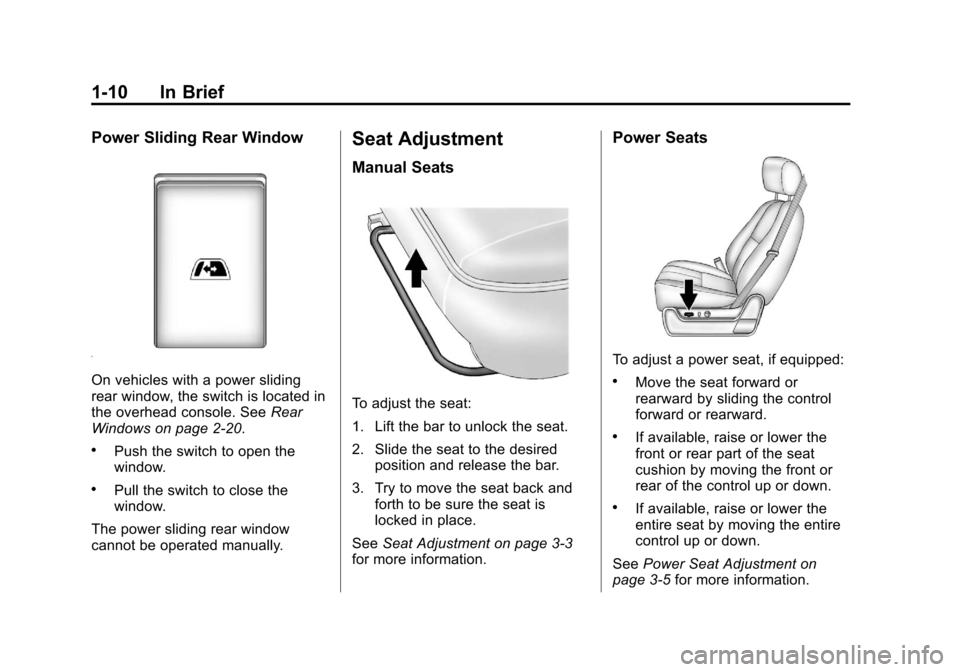
Power Sliding Rear Window
On vehicles with a power sliding
rear window, the switch is located in
the overhead console. SeeRear
Windows on page 2‑20.
.Push the switch to open the
window.
.Pull the switch to close the
window.
The power sliding rear window
cannot be operated manually.
Seat Adjustment
Manual Seats
To adjust the seat:
1. Lift the bar to unlock the seat.
2. Slide the seat to the desired position and release the bar.
3. Try to move the seat back and forth to be sure the seat is
locked in place.
See Seat Adjustment on page 3‑3
for more information.
Power Seats
To adjust a power seat, if equipped:
.Move the seat forward or
rearward by sliding the control
forward or rearward.
.If available, raise or lower the
front or rear part of the seat
cushion by moving the front or
rear of the control up or down.
.If available, raise or lower the
entire seat by moving the entire
control up or down.
See Power Seat Adjustment on
page 3‑5 for more information.
Page 20 of 584
Black plate (14,1)Chevrolet Silverado Owner Manual - 2012
1-14 In Brief
Heated and Ventilated
Seats
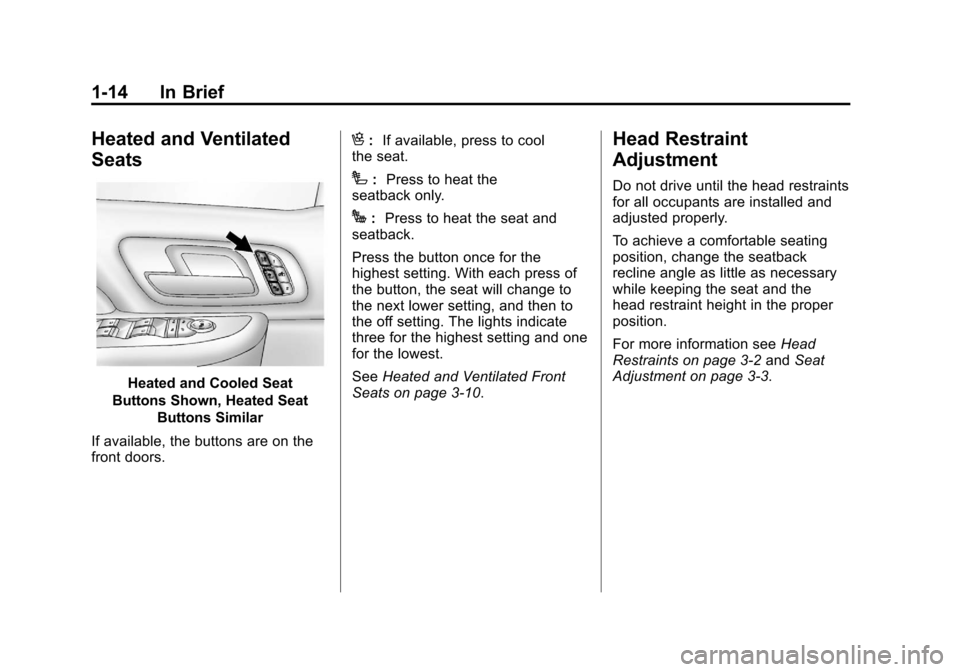
Heated and Cooled Seat
Buttons Shown, Heated Seat Buttons Similar
If available, the buttons are on the
front doors.
H: If available, press to cool
the seat.
I: Press to heat the
seatback only.
J: Press to heat the seat and
seatback.
Press the button once for the
highest setting. With each press of
the button, the seat will change to
the next lower setting, and then to
the off setting. The lights indicate
three for the highest setting and one
for the lowest.
See Heated and Ventilated Front
Seats on page 3‑10.
Head Restraint
Adjustment
Do not drive until the head restraints
for all occupants are installed and
adjusted properly.
To achieve a comfortable seating
position, change the seatback
recline angle as little as necessary
while keeping the seat and the
head restraint height in the proper
position.
For more information see Head
Restraints on page 3‑2 andSeat
Adjustment on page 3‑3.
Page 65 of 584
Black plate (1,1)Chevrolet Silverado Owner Manual - 2012
Seats and Restraints 3-1
Seats and
Restraints
Head Restraints
Head Restraints . . . . . . . . . . . . . . . 3-2
Front Seats
Seat Adjustment . . . . . . . . . . . . . . 3-3
Center Seat . . . . . . . . . . . . . . . . . . . 3-5
Power Seat Adjustment . . . . . . . 3-5
Lumbar Adjustment . . . . . . . . . . . 3-6
Reclining Seatbacks . . . . . . . . . . 3-6
Memory Seats . . . . . . . . . . . . . . . . 3-8
Heated and Ventilated FrontSeats . . . . . . . . . . . . . . . . . . . . . . . 3-10
Rear Seats
Rear Seats (Extended CabFull Bench) . . . . . . . . . . . . . . . . . 3-11
Rear Seats (All Split Bench and Hybrid Full Bench) . . . . . 3-12
Safety Belts
Safety Belts . . . . . . . . . . . . . . . . . . 3-13
How to Wear Safety BeltsProperly . . . . . . . . . . . . . . . . . . . . 3-14
Lap-Shoulder Belt . . . . . . . . . . . 3-15 Safety Belt Use During
Pregnancy . . . . . . . . . . . . . . . . . . 3-20
Lap Belt . . . . . . . . . . . . . . . . . . . . . 3-20
Safety Belt Extender . . . . . . . . . 3-21
Safety System Check . . . . . . . . 3-21
Safety Belt Care . . . . . . . . . . . . . 3-22
Replacing Safety Belt System Parts after a Crash . . . . . . . . . 3-22
Airbag System
Airbag System . . . . . . . . . . . . . . . 3-23
Where Are the Airbags? . . . . . 3-25
When Should an AirbagInflate? . . . . . . . . . . . . . . . . . . . . . 3-26
What Makes an Airbag Inflate? . . . . . . . . . . . . . . . . . . . . . 3-28
How Does an Airbag
Restrain? . . . . . . . . . . . . . . . . . . . 3-28
What Will You See after an Airbag Inflates? . . . . . . . . . . . . 3-29
Airbag On-Off Switch . . . . . . . . 3-30
Passenger Sensing System . . . . . . . . . . . . . . . . . . . . . 3-34
Servicing the Airbag-Equipped Vehicle . . . . . . . . . . . . . . . . . . . . . 3-38 Adding Equipment to the
Airbag-Equipped Vehicle . . . 3-39
Airbag System Check . . . . . . . . 3-41
Replacing Airbag System Parts after a Crash . . . . . . . . . 3-41
Child Restraints
Older Children . . . . . . . . . . . . . . . 3-42
Infants and Young
Children . . . . . . . . . . . . . . . . . . . . 3-44
Child Restraint Systems . . . . . 3-47
Where to Put the Restraint . . . 3-49
Lower Anchors and Tethers for Children (LATCH
System) . . . . . . . . . . . . . . . . . . . . 3-51
Replacing LATCH System Parts After a Crash . . . . . . . . . 3-60
Securing Child Restraints (Rear Seat Position) . . . . . . . . 3-60
Securing Child Restraints (Center Front Seat
Position) . . . . . . . . . . . . . . . . . . . 3-62
Securing Child Restraints (Right Front Seat
Position) . . . . . . . . . . . . . . . . . . . 3-63
Page 67 of 584
Black plate (3,1)Chevrolet Silverado Owner Manual - 2012
Seats and Restraints 3-3
The front seat outboard head
restraints are not designed to be
removed.
Rear Seats
The rear seat has adjustable
headrests in the outboard seating
positions.
The height of the headrest can be
adjusted. Pull the headrest up to
raise it. To lower the headrest,
push down on the headrest.
Rear outboard headrests are not
designed to be removed.
Front Seats
Seat Adjustment
{WARNING
You can lose control of the
vehicle if you try to adjust a
manual driver seat while the
vehicle is moving. The sudden
movement could startle and
confuse you, or make you push a
pedal when you do not want to.
Adjust the driver seat only when
the vehicle is not moving.
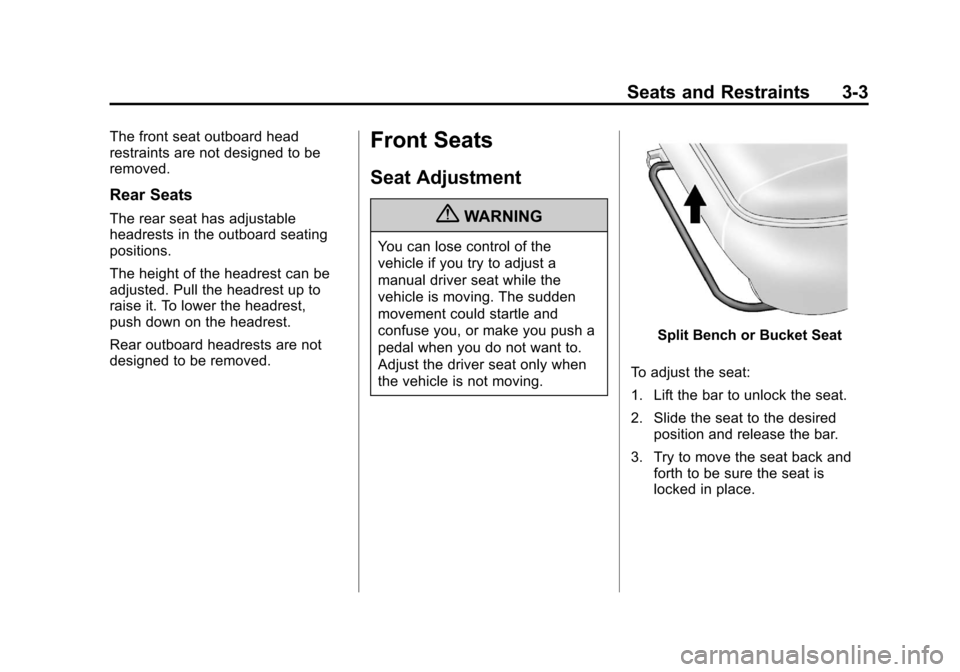
Split Bench or Bucket Seat
To adjust the seat:
1. Lift the bar to unlock the seat.
2. Slide the seat to the desired position and release the bar.
3. Try to move the seat back and forth to be sure the seat is
locked in place.
Page 69 of 584
Black plate (5,1)Chevrolet Silverado Owner Manual - 2012
Seats and Restraints 3-5
{WARNING
A safety belt that is improperly
routed, not properly attached,
or twisted will not provide the
protection needed in a crash.
The person wearing the belt could
be seriously injured. After raising
the rear seatback, always check
to be sure that the safety belts
are properly routed and attached,
and are not twisted.
Reverse the steps to raise the
seatback. Push and pull on the
seatback to make sure the seatback
is locked in the upright position
before driving. Make sure the safety
belts are not twisted or caught in the
seatback.
Center Seat
If equipped, the center front
seatback doubles as an armrest and
cupholder/storage area for the driver
and passenger when the center
front seat is not used. Do not use it
as a seating position when the
seatback is folded down.
Power Seat Adjustment
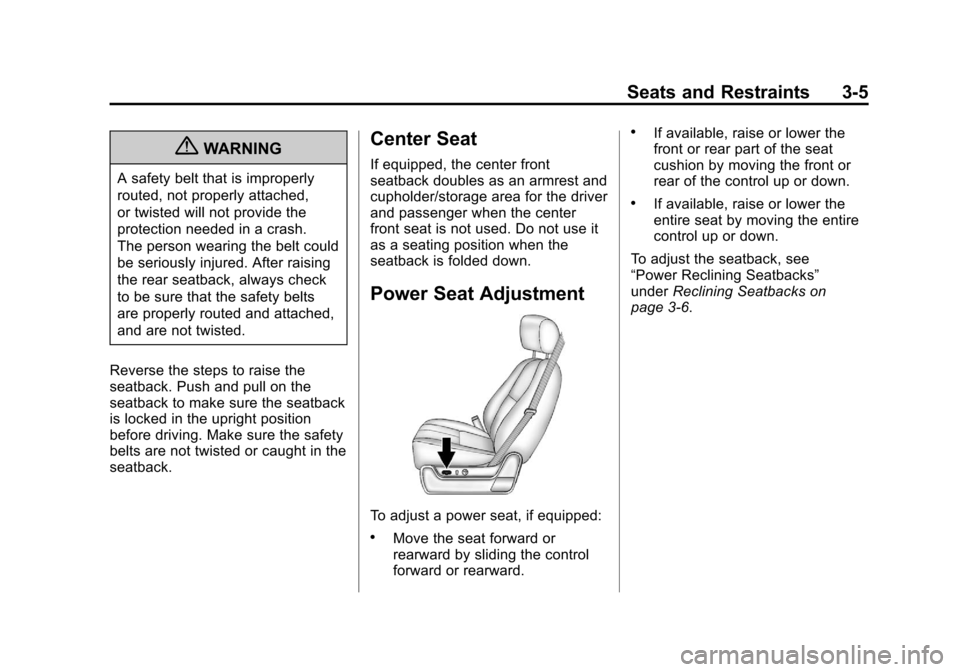
To adjust a power seat, if equipped:
.Move the seat forward or
rearward by sliding the control
forward or rearward.
.If available, raise or lower the
front or rear part of the seat
cushion by moving the front or
rear of the control up or down.
.If available, raise or lower the
entire seat by moving the entire
control up or down.
To adjust the seatback, see
“Power Reclining Seatbacks”
under Reclining Seatbacks on
page 3‑6.
Page 70 of 584
Black plate (6,1)Chevrolet Silverado Owner Manual - 2012
3-6 Seats and Restraints
Lumbar Adjustment
Manual Lumbar
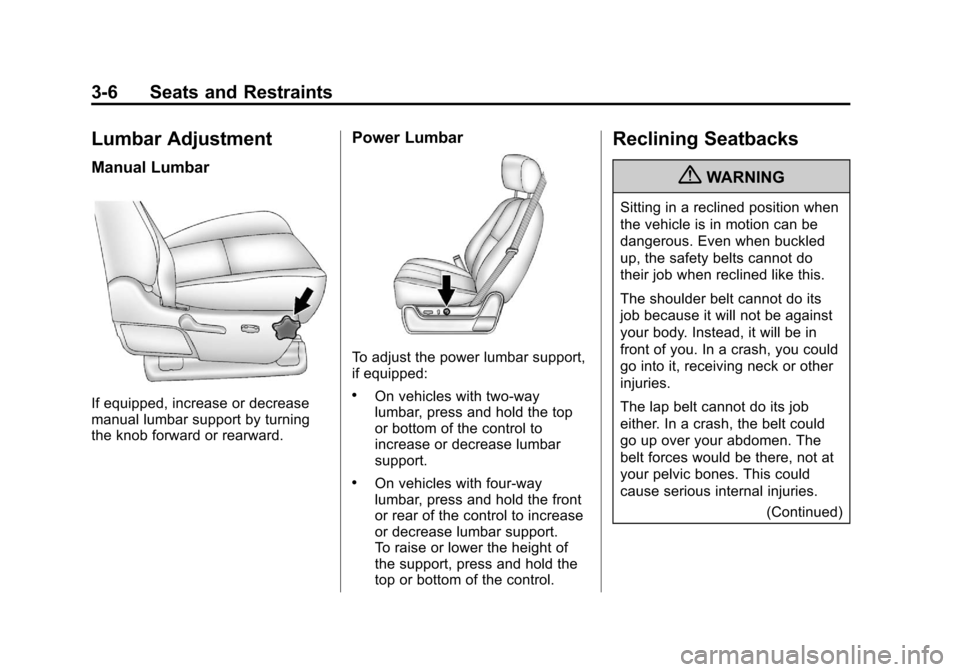
If equipped, increase or decrease
manual lumbar support by turning
the knob forward or rearward.
Power Lumbar
To adjust the power lumbar support,
if equipped:
.On vehicles with two-way
lumbar, press and hold the top
or bottom of the control to
increase or decrease lumbar
support.
.On vehicles with four-way
lumbar, press and hold the front
or rear of the control to increase
or decrease lumbar support.
To raise or lower the height of
the support, press and hold the
top or bottom of the control.
Reclining Seatbacks
{WARNING
Sitting in a reclined position when
the vehicle is in motion can be
dangerous. Even when buckled
up, the safety belts cannot do
their job when reclined like this.
The shoulder belt cannot do its
job because it will not be against
your body. Instead, it will be in
front of you. In a crash, you could
go into it, receiving neck or other
injuries.
The lap belt cannot do its job
either. In a crash, the belt could
go up over your abdomen. The
belt forces would be there, not at
your pelvic bones. This could
cause serious internal injuries.(Continued)
Page 81 of 584
Black plate (17,1)Chevrolet Silverado Owner Manual - 2012
Seats and Restraints 3-17
Shoulder Belt Height Adjuster
The vehicle has a shoulder belt
height adjuster for the driver and
right front passenger.
Adjust the height so the shoulder
portion of the belt is on the shoulder
and not falling off of it. The belt
should be close to, but not
contacting, the neck. Improper
shoulder belt height adjustment
could reduce the effectiveness of
the safety belt in a crash. SeeHow
to Wear Safety Belts Properly on
page 3‑14.
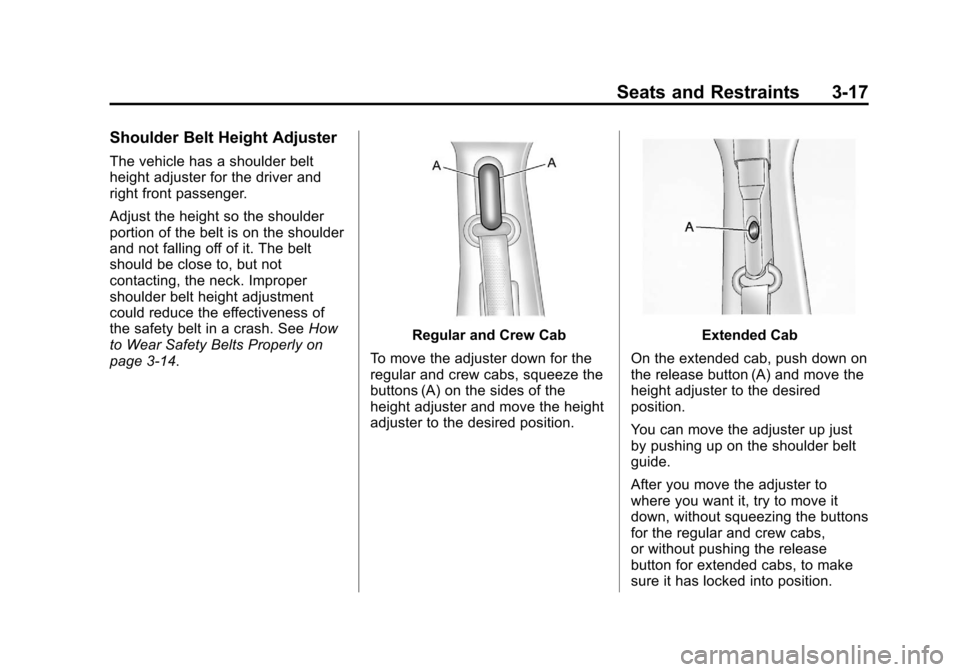
Regular and Crew Cab
To move the adjuster down for the
regular and crew cabs, squeeze the
buttons (A) on the sides of the
height adjuster and move the height
adjuster to the desired position.Extended Cab
On the extended cab, push down on
the release button (A) and move the
height adjuster to the desired
position.
You can move the adjuster up just
by pushing up on the shoulder belt
guide.
After you move the adjuster to
where you want it, try to move it
down, without squeezing the buttons
for the regular and crew cabs,
or without pushing the release
button for extended cabs, to make
sure it has locked into position.
Page 249 of 584
Black plate (35,1)Chevrolet Silverado Owner Manual - 2012
Infotainment System 7-35
To use a portable audio player,
connect a 3.5 mm (1/8 in) cable to
the radio's front auxiliary input jack.
When a device is connected, press
the radio CD/AUX button to begin
playing audio from the device over
the vehicle speakers.
For optimal sound quality, increase
the portable audio device's volume
to the loudest level.
It is always best to power the
portable audio device through its
own battery while playing.
O(Power/Volume):Turn clockwise
or counterclockwise to increase
or decrease the volume of the
portable player. Additional volume
adjustments might have to be made
from the portable device if the
volume is not loud or soft enough.
BAND: Press to listen to the radio
when a portable audio device is
playing. The portable audio device
continues playing. CD/AUX (CD/Auxiliary):
Press to
play a CD when a portable audio
device is playing. Press again and
the system begins playing audio
from the connected portable audio
player. If a portable audio player is
not connected, “No Input Device
Found” displays.
DVD/CD AUX (DVD/CD/
Auxiliary): Press to cycle through
DVD, CD, or Auxiliary when
listening to the radio. The DVD/CD
text tab and a message showing
track or chapter number will display
when a disc is in either slot. Press
again and the system automatically
searches for an auxiliary input
device, such as a portable audio
player. If a portable audio player is
not connected, “No Aux Input
Device” displays. If a disc is in both
the DVD slot and the CD slot,
the DVD/CD AUX button cycles
between the two sources and does
not indicate “No Aux Input Device.” If a front auxiliary device is
connected, the DVD/CD AUX
button cycles through all available
options, such as: DVD slot, CD slot,
front auxiliary, and rear auxiliary
(if available). See
“Using the
Auxiliary Input Jack” in this section,
or “Audio/Video (A/V) Jacks” under
Rear Seat Entertainment (RSE)
System on page 7‑40 for more
information.
Using the USB Port
Radios with a USB port can control
a USB storage device or an iPod®
using the radio buttons and knobs.
See “Playing an MP3” inCD Player
on page 7‑16 orCD/DVD Player on
page 7‑23 for information about how
to connect and control a USB
storage device or an iPod.
Page 313 of 584
Black plate (27,1)Chevrolet Silverado Owner Manual - 2012
Driving and Operating 9-27
Press the bottom of the control to
move the pedals closer. Press the
top of the control to move the
pedals away.
Before you start driving, fully press
the brake pedal to confirm the
adjustment is right for you. While
driving, make only small
adjustments.
The vehicle may have a memory
function which lets pedal settings be
saved and recalled. SeeMemory
Seats on page 3‑8.Ignition Positions
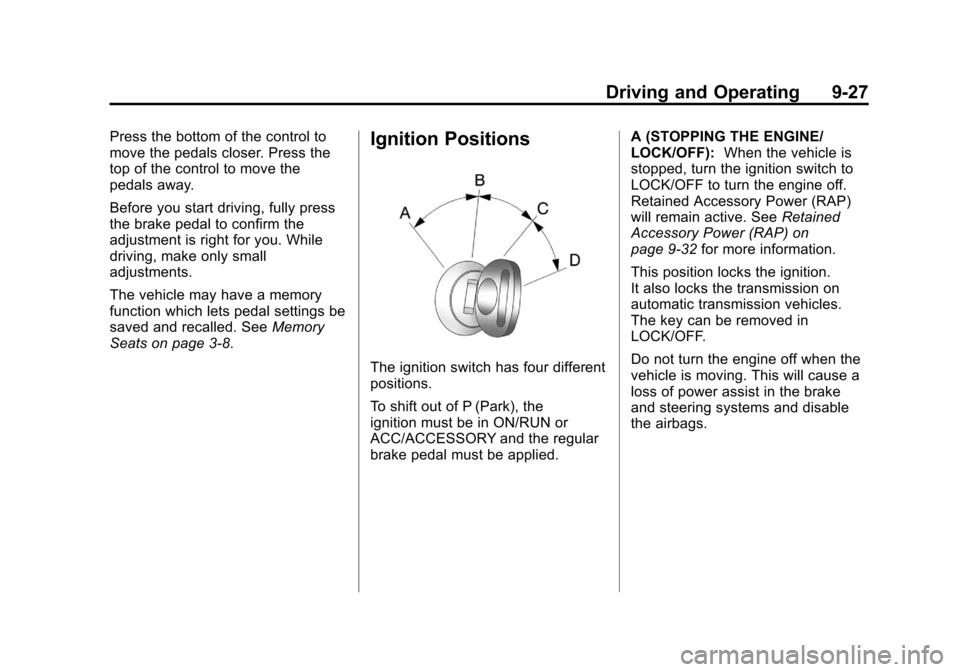
The ignition switch has four different
positions.
To shift out of P (Park), the
ignition must be in ON/RUN or
ACC/ACCESSORY and the regular
brake pedal must be applied. A (STOPPING THE ENGINE/
LOCK/OFF):
When the vehicle is
stopped, turn the ignition switch to
LOCK/OFF to turn the engine off.
Retained Accessory Power (RAP)
will remain active. See Retained
Accessory Power (RAP) on
page 9‑32 for more information.
This position locks the ignition.
It also locks the transmission on
automatic transmission vehicles.
The key can be removed in
LOCK/OFF.
Do not turn the engine off when the
vehicle is moving. This will cause a
loss of power assist in the brake
and steering systems and disable
the airbags.