display CHEVROLET SILVERADO 2017 3.G Owners Manual
[x] Cancel search | Manufacturer: CHEVROLET, Model Year: 2017, Model line: SILVERADO, Model: CHEVROLET SILVERADO 2017 3.GPages: 509, PDF Size: 8.87 MB
Page 297 of 509
Chevrolet Silverado Owner Manual (GMNA-Localizing-U.S./Canada/Mexico-9956065) - 2017 - CRC - 4/29/16
296 Driving and Operating
disabled,gcomes on, and the
appropriate message will appear onthe DIC. Both traction control andStabiliTrak are automaticallydisabled in this condition.
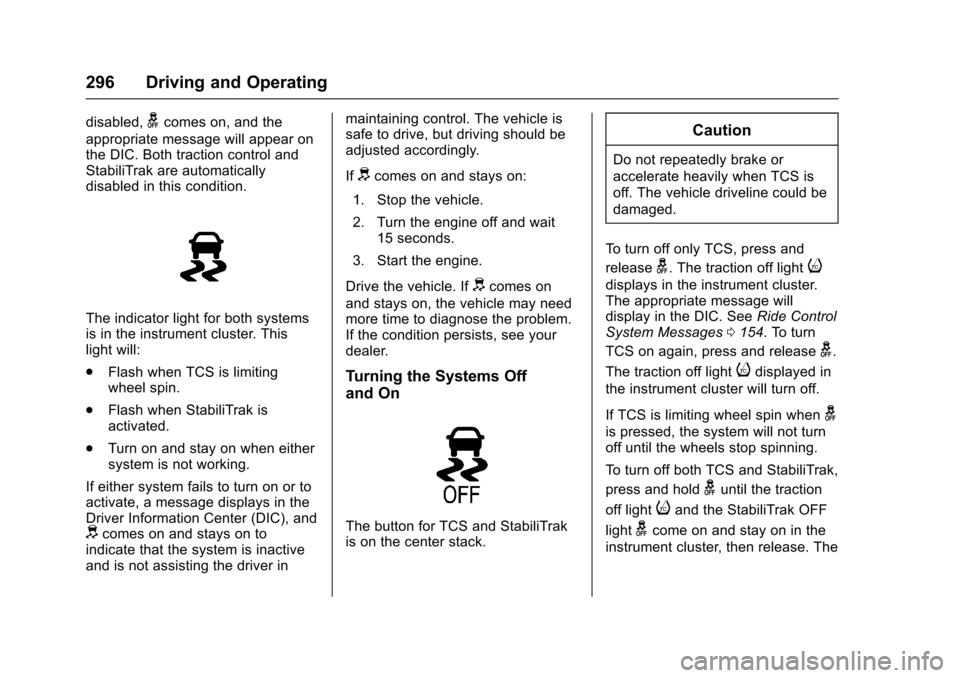
The indicator light for both systemsis in the instrument cluster. Thislight will:
.Flash when TCS is limitingwheel spin.
.Flash when StabiliTrak isactivated.
.Turn on and stay on when eithersystem is not working.
If either system fails to turn on or toactivate, a message displays in theDriver Information Center (DIC), anddcomes on and stays on toindicate that the system is inactiveand is not assisting the driver in
maintaining control. The vehicle issafe to drive, but driving should beadjusted accordingly.
Ifdcomes on and stays on:
1. Stop the vehicle.
2. Turn the engine off and wait15 seconds.
3. Start the engine.
Drive the vehicle. Ifdcomes on
and stays on, the vehicle may needmore time to diagnose the problem.If the condition persists, see yourdealer.
Turning the Systems Off
and On
The button for TCS and StabiliTrakis on the center stack.
Caution
Do not repeatedly brake or
accelerate heavily when TCS is
off. The vehicle driveline could be
damaged.
To t u r n o f f o n l y T C S , p r e s s a n d
releaseg.Thetractionofflighti
displays in the instrument cluster.The appropriate message willdisplay in the DIC. SeeRide ControlSystem Messages0154.Toturn
TCS on again, press and releaseg.
The traction off lightidisplayed in
the instrument cluster will turn off.
If TCS is limiting wheel spin wheng
is pressed, the system will not turnoff until the wheels stop spinning.
To t u r n o f f b o t h T C S a n d S t a b i l i T r a k ,
press and holdguntil the traction
off lightiand the StabiliTrak OFF
lightgcome on and stay on in the
instrument cluster, then release. The
Page 298 of 509
Chevrolet Silverado Owner Manual (GMNA-Localizing-U.S./Canada/Mexico-9956065) - 2017 - CRC - 4/29/16
Driving and Operating 297
appropriate message will display inthe DIC. SeeRide Control SystemMessages0154.
To t u r n T C S a n d S t a b i l i T r a k o n
again, press and releaseg.The
traction off lightiand the
StabiliTrak OFF lightgin the
instrument cluster turn off.
StabiliTrak will automatically turn onif the vehicle exceeds 56 km/h(35 mph). Traction control willremain off.
The vehicle has a Trailer SwayControl (TSC) feature and a HillStart Assist (HSA) feature. SeeTr a i l e r S w a y C o n t r o l ( T S C )0344orHill Start Assist (HSA)0294.
Adding accessories can affect thevehicle performance. SeeAccessories andModifications0352.
Hill Descent
Control (HDC)
If equipped, HDC can be used whendriving downhill. It sets andmaintains vehicle speed whiledescending a very steep incline in aforward or reverse gear.
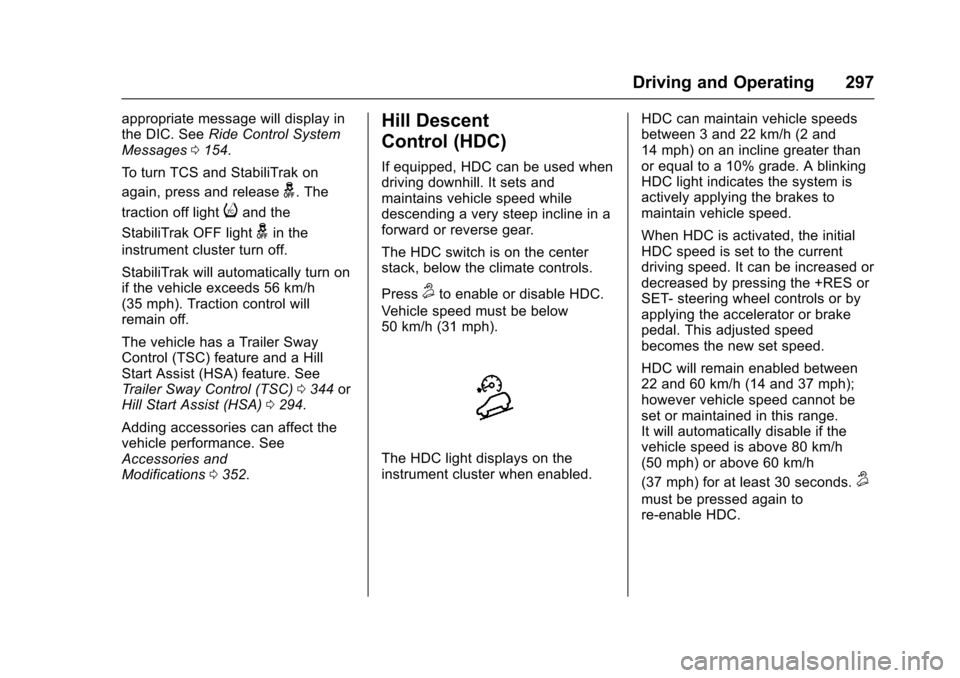
The HDC switch is on the centerstack, below the climate controls.
Press5to enable or disable HDC.
Vehicle speed must be below50 km/h (31 mph).
The HDC light displays on theinstrument cluster when enabled.
HDC can maintain vehicle speedsbetween 3 and 22 km/h (2 and14 mph) on an incline greater thanor equal to a 10% grade. A blinkingHDC light indicates the system isactively applying the brakes tomaintain vehicle speed.
When HDC is activated, the initialHDC speed is set to the currentdriving speed. It can be increased ordecreased by pressing the +RES orSET- steering wheel controls or byapplying the accelerator or brakepedal. This adjusted speedbecomes the new set speed.
HDC will remain enabled between22 and 60 km/h (14 and 37 mph);however vehicle speed cannot beset or maintained in this range.It will automatically disable if thevehicle speed is above 80 km/h(50 mph) or above 60 km/h
(37 mph) for at least 30 seconds.5
must be pressed again tore-enable HDC.
Page 299 of 509
Chevrolet Silverado Owner Manual (GMNA-Localizing-U.S./Canada/Mexico-9956065) - 2017 - CRC - 4/29/16
298 Driving and Operating
When enabled, if the vehicle is at aspeed above 22 km/h (14 mph) andless than 60 km/h (37 mph), a DICmessage will display. SeeVehicleSpeed Messages0160.
Locking Rear Axle
Vehicles with a locking rear axle cangive more traction on snow, mud,ice, sand, or gravel. It works like astandard axle most of the time, butwhen traction is low, this feature willallow the rear wheel with the mosttraction to move the vehicle.
Cruise Control
{Warning
Cruise control can be dangerous
where you cannot drive safely at
asteadyspeed.Donotuse
cruise control on winding roads or
in heavy traffic.
Cruise control can be dangerous
on slippery roads. On such roads,
fast changes in tire traction can
cause excessive wheel slip, and
you could lose control. Do not use
cruise control on slippery roads.
With cruise control a speed of about40 km/h (25 mph) or more can bemaintained without keeping yourfoot on the accelerator. Cruisecontrol does not work at speedsbelow about 40 km/h (25 mph).
If equipped with an Allison orHydra-Matic 6-speed automatictransmission, see“To w / H a u l M o d eGrade Braking”underTo w / H a u lMode0282for an explanation of
how cruise control interacts with theRange Selection Mode, Tow/HaulMode, and Grade Braking systems.
If the cruise control is being usedand the Traction Control system(TCS) or StabiliTrak begins to limitwheel spin, the cruise control willautomatically disengage. SeeTr a c t i o n C o n t r o l / E l e c t r o n i c S t a b i l i t yControl0295.Whenroadconditions allow you to safely use itagain, cruise control can be turnedback on.
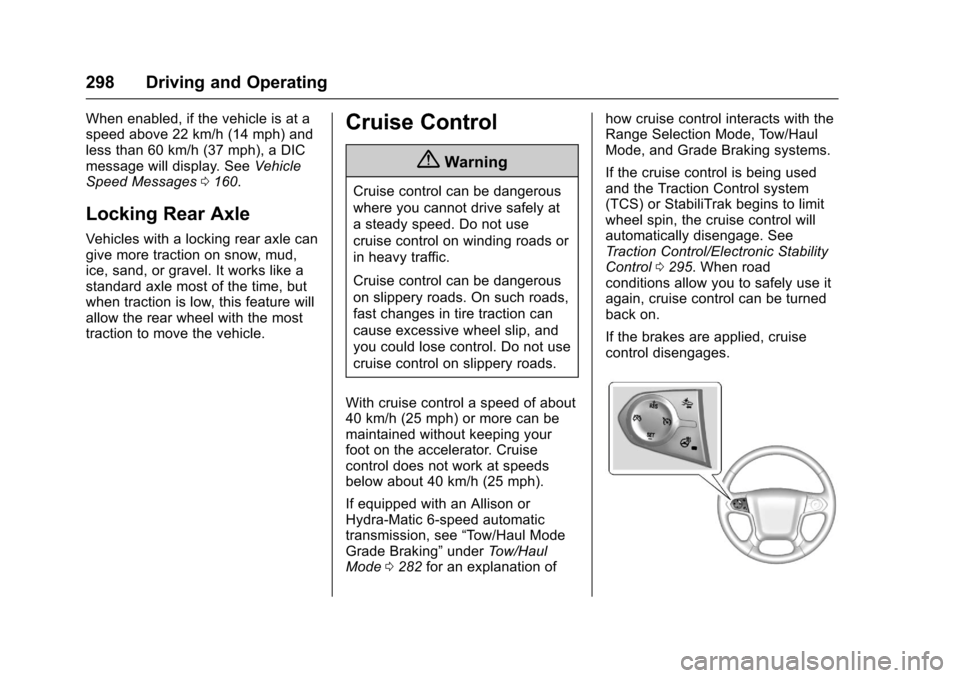
If the brakes are applied, cruisecontrol disengages.
Page 300 of 509
Chevrolet Silverado Owner Manual (GMNA-Localizing-U.S./Canada/Mexico-9956065) - 2017 - CRC - 4/29/16
Driving and Operating 299
5:Press to turn the system on oroff. The indicator light is white whencruise control is on and turns offwhen cruise control is off.
+RES :If there is a set speed inmemory, press briefly to resume tothat speed or press and hold toaccelerate. If cruise control isalready active, use to increasevehicle speed.
SET✓:Press briefly to set thespeed and activate cruise control.If cruise control is already active,use to decrease vehicle speed.
*:Press to disengage cruisecontrol without erasing the setspeed from memory.
Setting Cruise Control
If5is on when not in use, SET✓or
+RES could get pressed and go into
cruise when not desired. Keep5
off when cruise is not being used.
1. Press5to turn the cruise
system on.
2. Get up to the desired speed.
3. Press and release SET✓.
4. Remove foot from theaccelerator.
The cruise control indicator on theinstrument cluster turns green aftercruise control has been set to thedesired speed. SeeInstrumentCluster0128.
Resuming a Set Speed
If the cruise control is set at adesired speed and then the brakes
are applied or*is pressed, the
cruise control is disengaged withouterasing the set speed from memory.
Once the vehicle speed reachesabout 40 km/h (25 mph) or more,briefly press +RES . The vehiclereturns to the previous set speed.
Increasing Speed While UsingCruise Control
If the cruise control system isalready activated:
.Press and hold +RES until thedesired speed is reached, thenrelease it.
.To i n c r e a s e v e h i c l e s p e e d i nsmall increments, briefly press+RES. For each press, thevehicle goes about 1.6 km/h(1 mph) faster.
The speedometer reading can bedisplayed in either English or metricunits. SeeInstrument Cluster0128.The increment value used dependson the units displayed.
Reducing Speed While UsingCruise Control
If the cruise control system isalready activated:
.Press and hold SET–until thedesired lower speed is reached,then release it.
.To s l o w d o w n i n s m a l lincrements, briefly press SET–.For each press, the vehicle goesabout 1.6 km/h (1 mph) slower.
The speedometer reading can bedisplayed in either English or metricunits. SeeInstrument Cluster0128.The increment value used dependson the units displayed.
Page 301 of 509
Chevrolet Silverado Owner Manual (GMNA-Localizing-U.S./Canada/Mexico-9956065) - 2017 - CRC - 4/29/16
300 Driving and Operating
Passing Another Vehicle WhileUsing Cruise Control
Use the accelerator pedal toincrease the vehicle speed. Whenyou take your foot off the pedal, thevehicle will slow down to theprevious set cruise speed. Whilepressing the accelerator pedal orshortly following the release tooverride cruise control, brieflypressing SET–will result in cruisecontrol set to the current vehiclespeed.
Using Cruise Control on Hills
How well the cruise control workson hills depends on the vehiclespeed, the load, and the steepnessof the hills. When going up steephills, pressing the accelerator pedalmay be necessary to maintainvehicle speed.
While going downhill:
.Vehicles with a 6-speedautomatic transmission and agasoline engine have CruiseGrade Braking to help maintaindriver selected speed.
Cruise Grade Braking is enabledwhen the vehicle is started andcruise control is active. It is notenabled in Range SelectionMode. It assists in maintainingdriver selected speed whendriving on downhill grades byusing the engine andtransmission to slow the vehicle.
To d i s a b l e a n d e n a b l e C r u i s eGrade Braking for the currentignition key cycle, press andhold the Tow/Haul button forfive seconds. A DIC messagedisplays. SeeTr a n s m i s s i o nMessages0157.
.Vehicles with a diesel enginehave Cruise Grade Brakingenabled when Tow/Haul Mode ison, the exhaust brake is on,or both are on.
For other forms of descent control,seeHill Descent Control (HDC)0297,Automatic Transmission0277,andTo w / H a u l M o d e0282.
Ending Cruise Control
There are four ways to end cruisecontrol:
.Step lightly on the brake pedal.
.Press*.
.Shift the transmission toN(Neutral).
.To t u r n o f f c r u i s e c o n t r o l ,
press5.
Erasing Speed Memory
The cruise control set speed is
erased from memory if5is pressed
or the ignition is turned off.
Page 303 of 509
Chevrolet Silverado Owner Manual (GMNA-Localizing-U.S./Canada/Mexico-9956065) - 2017 - CRC - 4/29/16
302 Driving and Operating
Assistance Systems for
Parking or Backing
If equipped, the Rear Vision Camera(RVC), Rear Parking Assist (RPA),and Front Parking Assist (FPA) mayhelp the driver park or avoid objects.Always check around the vehiclewhen parking or backing.
The RVC and RPA will not workproperly if the tailgate is down. If thetailgate is down, do not use thesesystems.
Rear Vision Camera (RVC)
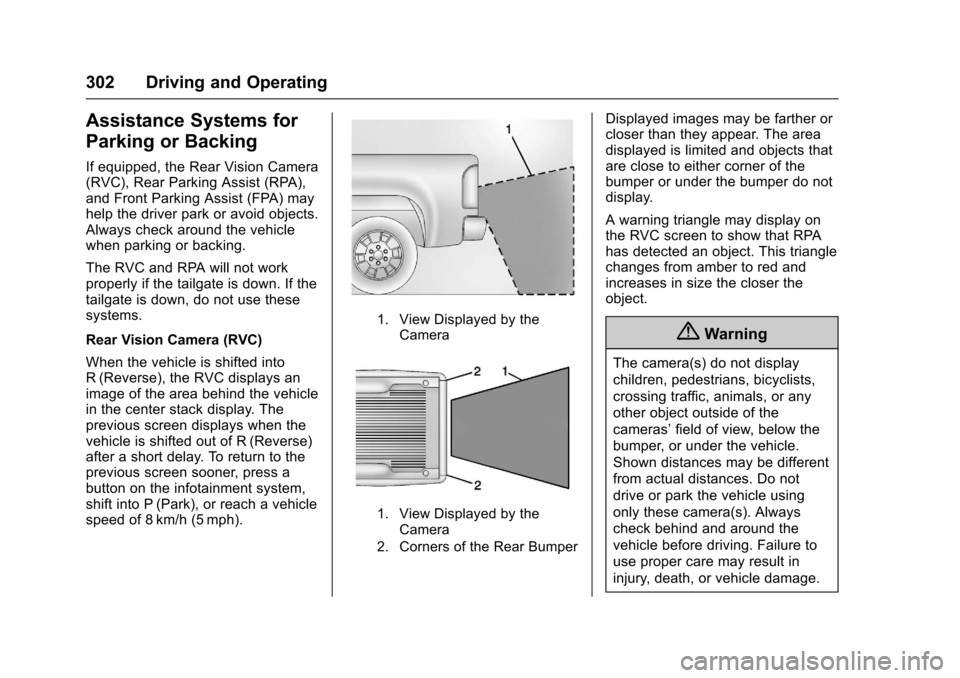
When the vehicle is shifted intoR(Reverse), the RVC displays animage of the area behind the vehiclein the center stack display. Theprevious screen displays when thevehicle is shifted out of R (Reverse)after a short delay. To return to theprevious screen sooner, press abutton on the infotainment system,shift into P (Park), or reach a vehiclespeed of 8 km/h (5 mph).
1. View Displayed by theCamera
1. View Displayed by theCamera
2. Corners of the Rear Bumper
Displayed images may be farther orcloser than they appear. The areadisplayed is limited and objects thatare close to either corner of thebumper or under the bumper do notdisplay.
Awarningtrianglemaydisplayonthe RVC screen to show that RPAhas detected an object. This trianglechanges from amber to red andincreases in size the closer theobject.
{Warning
The camera(s) do not display
children, pedestrians, bicyclists,
crossing traffic, animals, or any
other object outside of the
cameras’field of view, below the
bumper, or under the vehicle.
Shown distances may be different
from actual distances. Do not
drive or park the vehicle using
only these camera(s). Always
check behind and around the
vehicle before driving. Failure to
use proper care may result in
injury, death, or vehicle damage.
Page 304 of 509
Chevrolet Silverado Owner Manual (GMNA-Localizing-U.S./Canada/Mexico-9956065) - 2017 - CRC - 4/29/16
Driving and Operating 303
Parking Assist
With RPA, and if equipped with FPA,as the vehicle moves at speeds ofless than 8 km/h (5 mph) thesensors on the bumpers may detectobjects up to 2.5 m (8 ft) behind and1.2 m (4 ft) in front of the vehiclewithin a zone 25 cm (10 in) high offthe ground and below bumper level.These detection distances may beshorter during warmer or humidweather. Blocked sensors will notdetect objects and can also causefalse detections. Keep the sensorsclean of mud, dirt, snow, ice, andslush; and clean sensors after a carwash in freezing temperatures.
{Warning
The Parking Assist system does
not detect children, pedestrians,
bicyclists, animals, or objects
located below the bumper or that
are too close or too far from the
vehicle. It is not available at
speeds greater than 8 km/h
(5 mph). To prevent injury, death,
(Continued)
Warning (Continued)
or vehicle damage, even with
Parking Assist, always check the
area around the vehicle and
check all mirrors before moving
forward or backing.
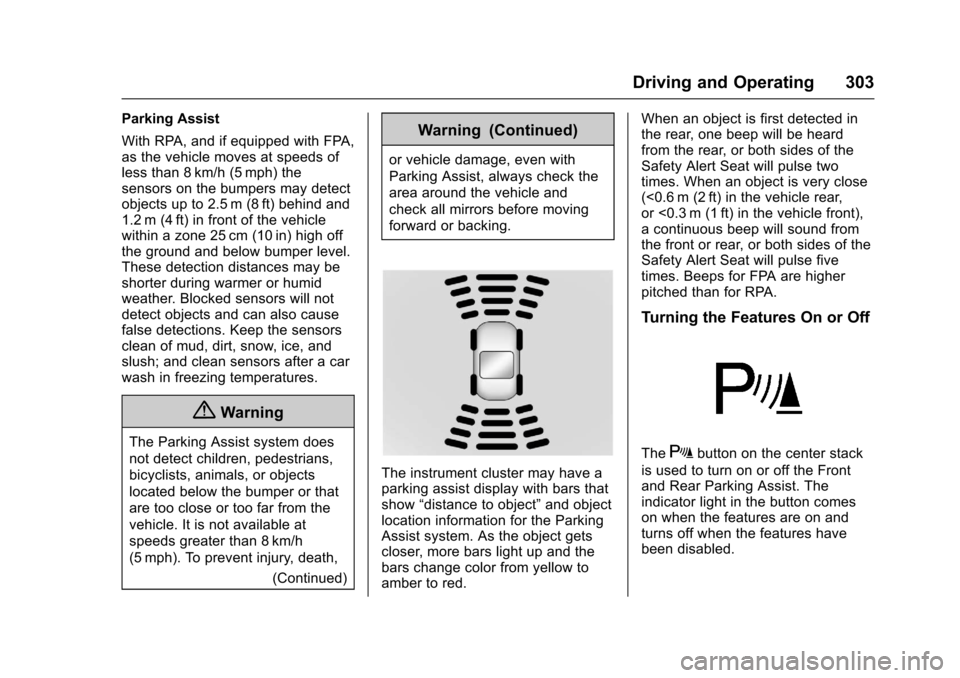
The instrument cluster may have aparking assist display with bars thatshow“distance to object”and objectlocation information for the ParkingAssist system. As the object getscloser, more bars light up and thebars change color from yellow toamber to red.
When an object is first detected inthe rear, one beep will be heardfrom the rear, or both sides of theSafety Alert Seat will pulse twotimes. When an object is very close(<0.6 m (2 ft) in the vehicle rear,or <0.3 m (1 ft) in the vehicle front),acontinuousbeepwillsoundfromthe front or rear, or both sides of theSafety Alert Seat will pulse fivetimes. Beeps for FPA are higherpitched than for RPA.
Turning the Features On or Off
TheXbutton on the center stack
is used to turn on or off the Frontand Rear Parking Assist. Theindicator light in the button comeson when the features are on andturns off when the features havebeen disabled.
Page 306 of 509
Chevrolet Silverado Owner Manual (GMNA-Localizing-U.S./Canada/Mexico-9956065) - 2017 - CRC - 4/29/16
Driving and Operating 305
display green. Vehicles may not bedetected on curves, highway exitramps, or hills, due to poor visibility;or if a vehicle ahead is partiallyblocked by pedestrians or otherobjects. FCA will not detect anothervehicle ahead until it is completelyin the driving lane.
{Warning
FCA does not provide a warning
to help avoid a crash, unless it
detects a vehicle. FCA may not
detect a vehicle ahead if the FCA
sensor is blocked by dirt, snow,
or ice, or if the windshield is
damaged. It may also not detect a
vehicle on winding or hilly roads,
or in conditions that can limit
visibility such as fog, rain,
or snow, or if the headlamps or
windshield are not cleaned or in
proper condition. Keep the
windshield, headlamps, and FCA
sensors clean and in good repair.
Collision Alert
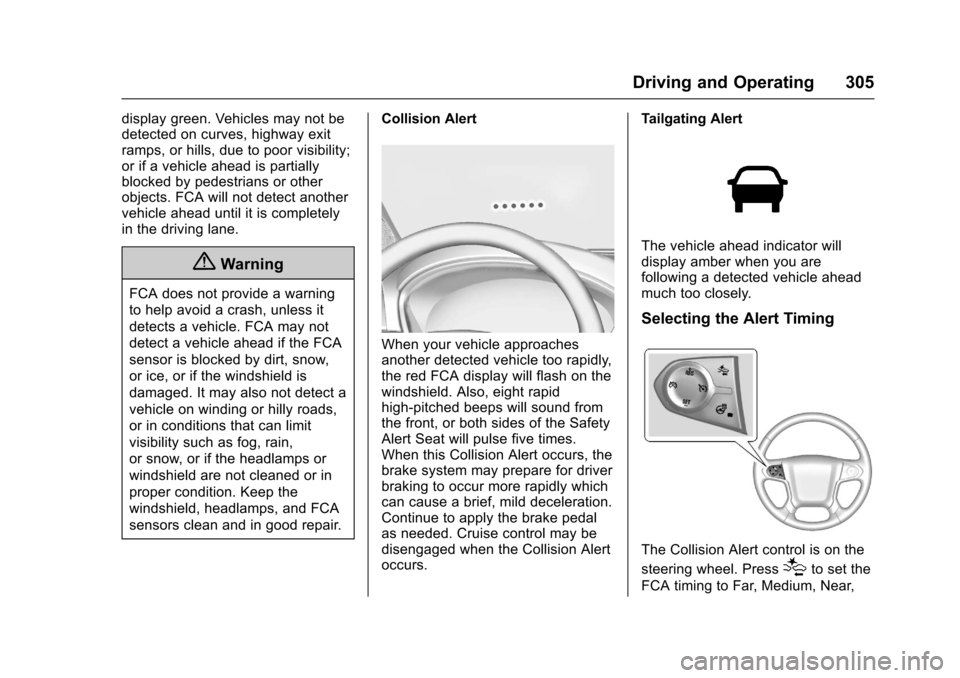
When your vehicle approachesanother detected vehicle too rapidly,the red FCA display will flash on thewindshield. Also, eight rapidhigh-pitched beeps will sound fromthe front, or both sides of the SafetyAlert Seat will pulse five times.When this Collision Alert occurs, thebrake system may prepare for driverbraking to occur more rapidly whichcan cause a brief, mild deceleration.Continue to apply the brake pedalas needed. Cruise control may bedisengaged when the Collision Alertoccurs.
Tailgating Alert
The vehicle ahead indicator willdisplay amber when you arefollowing a detected vehicle aheadmuch too closely.
Selecting the Alert Timing
The Collision Alert control is on the
steering wheel. Press[to set the
FCA timing to Far, Medium, Near,
Page 311 of 509
Chevrolet Silverado Owner Manual (GMNA-Localizing-U.S./Canada/Mexico-9956065) - 2017 - CRC - 4/29/16
310 Driving and Operating
{Warning
Using LKA while towing a trailer
or on slippery roads could cause
loss of control of the vehicle and
acrash.Turnthesystemoff.
How the System Works
The LKA camera sensor is on thewindshield ahead of the rearviewmirror.
To t u r n L K A o n a n d o f f , p r e s sA
on the center stack.
When on,Ais green if LKA is
available to assist and provide LDWalerts. It may assist by gentlyturning the steering wheel and
displayAas amber if the vehicle
approaches a detected lane markingwithout using a turn signal in thatdirection. It may also provide an
LDW alert by flashingAamber
as the lane marking is crossed.Additionally, there will be threebeeps, or the driver seat will pulse
three times, on the right or left,depending on the lane departuredirection.
The LKA system does notcontinuously steer the vehicle.If LKA does not detect active driversteering, an alert and chime may beprovided. Move the steering wheelto dismiss.
When the System Does Not
Seem to Work Properly
The system performance may beaffected by:
.Close vehicles ahead.
.Sudden lighting changes, suchas when driving through tunnels.
.Banked roads.
.Roads with poor lane markings,such as two-lane roads.
If the LKA system is not functioningproperly when lane markings areclearly visible, cleaning thewindshield may help.
LKA assistance and/or LDW alertsmay occur due to tar marks,shadows, cracks in the road,temporary or construction lanemarkings, or other roadimperfections. This is normal systemoperation; the vehicle does not needservice. Turn LKA off if theseconditions continue.
Page 342 of 509
Chevrolet Silverado Owner Manual (GMNA-Localizing-U.S./Canada/Mexico-9956065) - 2017 - CRC - 4/29/16
Driving and Operating 341
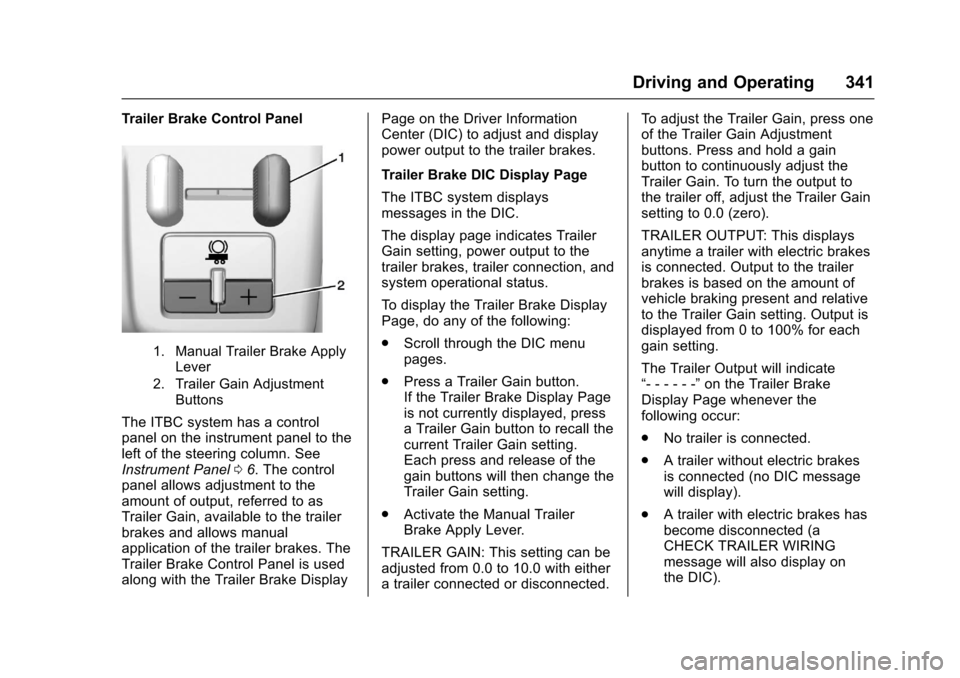
Trailer Brake Control Panel
1. Manual Trailer Brake ApplyLever
2. Trailer Gain AdjustmentButtons
The ITBC system has a controlpanel on the instrument panel to theleft of the steering column. SeeInstrument Panel06.Thecontrolpanel allows adjustment to theamount of output, referred to asTrailer Gain, available to the trailerbrakes and allows manualapplication of the trailer brakes. TheTrailer Brake Control Panel is usedalong with the Trailer Brake Display
Page on the Driver InformationCenter (DIC) to adjust and displaypower output to the trailer brakes.
Trailer Brake DIC Display Page
The ITBC system displaysmessages in the DIC.
The display page indicates TrailerGain setting, power output to thetrailer brakes, trailer connection, andsystem operational status.
To d i s p l a y t h e T r a i l e r B r a k e D i s p l a yPage, do any of the following:
.Scroll through the DIC menupages.
.Press a Trailer Gain button.If the Trailer Brake Display Pageis not currently displayed, pressaTrailerGainbuttontorecallthecurrent Trailer Gain setting.Each press and release of thegain buttons will then change theTrailer Gain setting.
.Activate the Manual TrailerBrake Apply Lever.
TRAILER GAIN: This setting can beadjusted from 0.0 to 10.0 with eitheratrailerconnectedordisconnected.
To a d j u s t t h e T r a i l e r G a i n , p r e s s o n eof the Trailer Gain Adjustmentbuttons. Press and hold a gainbutton to continuously adjust theTrailer Gain. To turn the output tothe trailer off, adjust the Trailer Gainsetting to 0.0 (zero).
TRAILER OUTPUT: This displaysanytime a trailer with electric brakesis connected. Output to the trailerbrakes is based on the amount ofvehicle braking present and relativeto the Trailer Gain setting. Output isdisplayed from 0 to 100% for eachgain setting.
The Trailer Output will indicate“------”on the Trailer BrakeDisplay Page whenever thefollowing occur:
.No trailer is connected.
.Atrailerwithoutelectricbrakesis connected (no DIC messagewill display).
.Atrailerwithelectricbrakeshasbecome disconnected (aCHECK TRAILER WIRINGmessage will also display onthe DIC).