warning CHEVROLET SILVERADO 2017 3.G Owners Manual
[x] Cancel search | Manufacturer: CHEVROLET, Model Year: 2017, Model line: SILVERADO, Model: CHEVROLET SILVERADO 2017 3.GPages: 509, PDF Size: 8.87 MB
Page 286 of 509
Chevrolet Silverado Owner Manual (GMNA-Localizing-U.S./Canada/Mexico-9956065) - 2017 - CRC - 4/29/16
Driving and Operating 285
{Warning
Shifting the transfer case to
N(Neutral) can cause the vehicle
to roll even if the transmission is
in P (Park). You or someone else
could be seriously injured. Be
sure to set the parking brake
before placing the transfer case in
N(Neutral). SeeParking
Brake0293.
Caution
Extended high-speed operation in
4nmay damage or shorten the
life of the drivetrain.
Engagement noise and bump when
shifting between 4nand 4mor from
N(Neutral), with the engine running,is normal.
Shifting into 4nwill turn Traction
Control and StabiliTrak®off. SeeTr a c t i o n C o n t r o l / E l e c t r o n i c S t a b i l i t yControl0295.
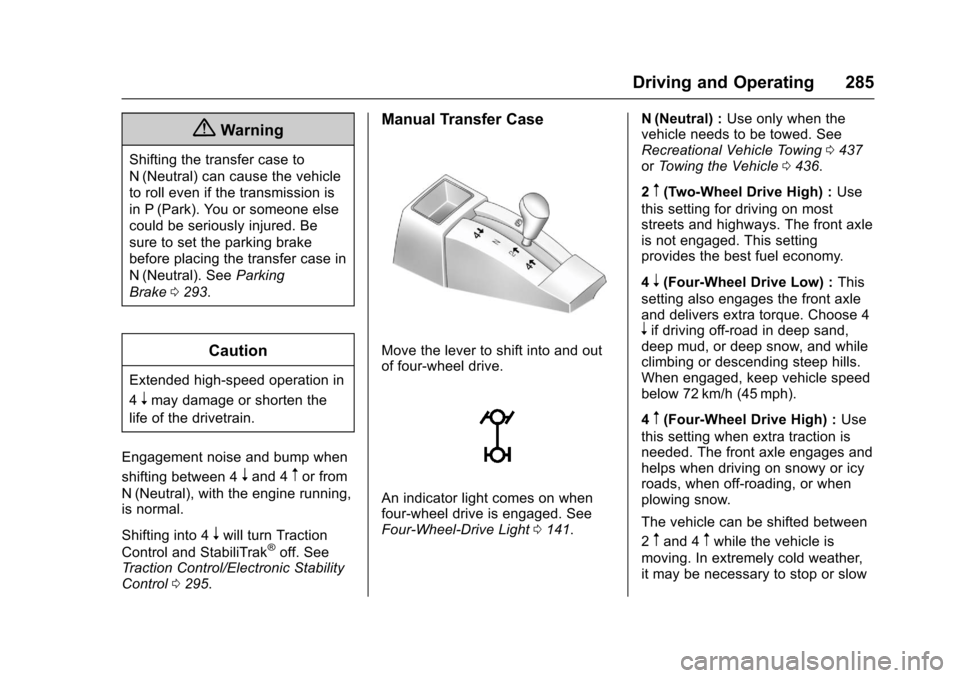
Manual Transfer Case
Move the lever to shift into and outof four-wheel drive.
An indicator light comes on whenfour-wheel drive is engaged. SeeFour-Wheel-Drive Light0141.
N(Neutral) :Use only when thevehicle needs to be towed. SeeRecreational Vehicle Towing0437orTo w i n g t h e V e h i c l e0436.
2m(Two-Wheel Drive High) :Use
this setting for driving on moststreets and highways. The front axleis not engaged. This settingprovides the best fuel economy.
4n(Four-Wheel Drive Low) :This
setting also engages the front axleand delivers extra torque. Choose 4nif driving off-road in deep sand,deep mud, or deep snow, and whileclimbing or descending steep hills.When engaged, keep vehicle speedbelow 72 km/h (45 mph).
4m(Four-Wheel Drive High) :Use
this setting when extra traction isneeded. The front axle engages andhelps when driving on snowy or icyroads, when off-roading, or whenplowing snow.
The vehicle can be shifted between
2mand 4mwhile the vehicle is
moving. In extremely cold weather,it may be necessary to stop or slow
Page 293 of 509
Chevrolet Silverado Owner Manual (GMNA-Localizing-U.S./Canada/Mexico-9956065) - 2017 - CRC - 4/29/16
292 Driving and Operating
10. Turn the ignition to LOCK/OFF.
Shifting Out of N (Neutral)
To s h i f t o u t o f N ( N e u t r a l ) :
1. Set the parking brake andapply the brake pedal.
2. Turn the ignition to ON/RUNwith the engine off.
3. Shift the transmission toN(Neutral).
4. Turn the transfer case knob tothe desired setting.
After the transfer case hasshifted out of N (Neutral), theN(Neutral) light will goout.
5. Release the parking brake.
6. Start the engine and shift thetransmission to thedesired gear.
Brakes
Antilock Brake
System (ABS)
This vehicle has an Antilock BrakeSystem (ABS), an advancedelectronic braking system that helpsprevent a braking skid.
When the vehicle begins to driveaway, ABS checks itself.Amomentarymotororclickingnoisemay be heard while this test is goingon, and it may even be noticed thatthe brake pedal moves a little. Thisis normal.
If there is a problem with ABS, thiswarning light stays on. SeeAntilockBrake System (ABS) WarningLight0141.
If driving safely on a wet road and itbecomes necessary to slam on thebrakes and continue braking toavoid a sudden obstacle, acomputer senses the wheels areslowing down. If one of the wheelsis about to stop rolling, the computerwill separately work the brakes ateach wheel.
ABS can change the brake pressureto each wheel, as required, fasterthan any driver could. This can helpyou steer around the obstacle whilebraking hard.
As the brakes are applied, thecomputer keeps receiving updateson wheel speed and controlsbraking pressure accordingly.
Remember: ABS does not changethe time needed to get a foot up tothe brake pedal or always decreasestopping distance. If you get tooclose to the vehicle in front of you,there will not be enough time toapply the brakes if that vehiclesuddenly slows or stops. Alwaysleave enough room up ahead tostop, even with ABS.
Page 294 of 509
Chevrolet Silverado Owner Manual (GMNA-Localizing-U.S./Canada/Mexico-9956065) - 2017 - CRC - 4/29/16
Driving and Operating 293
Using ABS
Do not pump the brakes. Just holdthe brake pedal down firmly and letABS work. You may hear the ABSpump or motor operating and feelthe brake pedal pulsate. This isnormal.
Braking in Emergencies
ABS allows you to steer and brakeat the same time. In manyemergencies, steering can helpmore than even the very bestbraking.
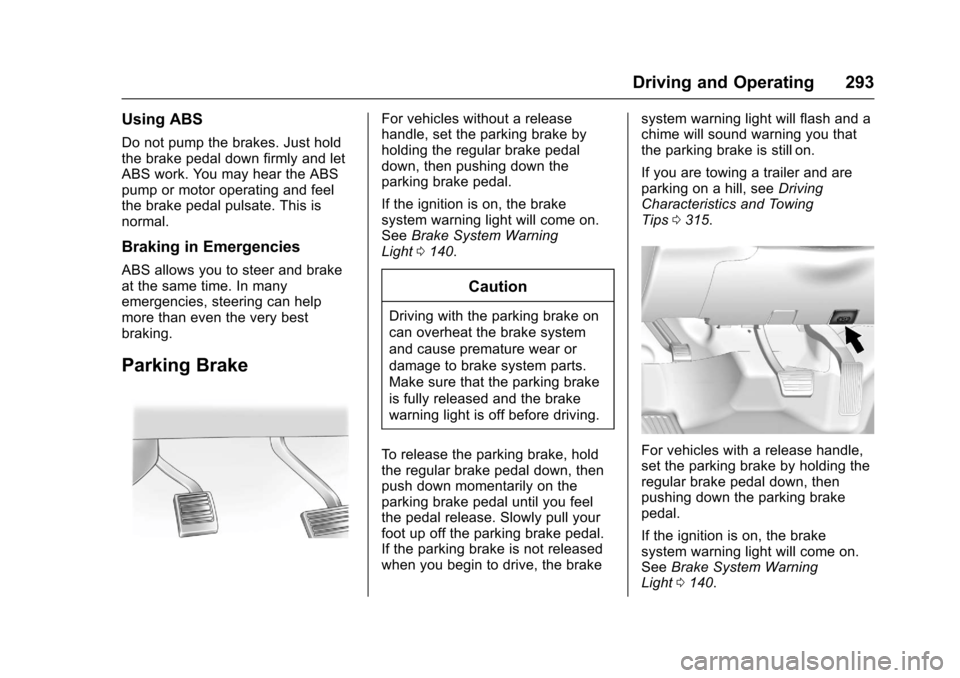
Parking Brake
For vehicles without a releasehandle, set the parking brake byholding the regular brake pedaldown, then pushing down theparking brake pedal.
If the ignition is on, the brakesystem warning light will come on.SeeBrake System WarningLight0140.
Caution
Driving with the parking brake on
can overheat the brake system
and cause premature wear or
damage to brake system parts.
Make sure that the parking brake
is fully released and the brake
warning light is off before driving.
To r e l e a s e t h e p a r k i n g b r a k e , h o l dthe regular brake pedal down, thenpush down momentarily on theparking brake pedal until you feelthe pedal release. Slowly pull yourfoot up off the parking brake pedal.If the parking brake is not releasedwhen you begin to drive, the brake
system warning light will flash and achime will sound warning you thatthe parking brake is still on.
If you are towing a trailer and areparking on a hill, seeDrivingCharacteristics and TowingTips0315.
For vehicles with a release handle,set the parking brake by holding theregular brake pedal down, thenpushing down the parking brakepedal.
If the ignition is on, the brakesystem warning light will come on.SeeBrake System WarningLight0140.
Page 295 of 509
Chevrolet Silverado Owner Manual (GMNA-Localizing-U.S./Canada/Mexico-9956065) - 2017 - CRC - 4/29/16
294 Driving and Operating
Achimesoundsandthewarninglight flashes when the parking brakeis applied and the vehicle is movingat least 8 km/h (5 mph).
To r e l e a s e t h e p a r k i n g b r a k e , h o l dthe regular brake pedal down. Thenpull the bottom edge of the leverwith the parking brake symbol,located to the right of the steeringcolumn.
If the ignition is on when the parkingbrake is released, the brake systemwarning light goes off.
Caution
Driving with the parking brake on
can overheat the brake system
and cause premature wear or
damage to brake system parts.
Make sure that the parking brake
is fully released and the brake
warning light is off before driving.
If you are towing a trailer and areparking on any hill, seeDrivingCharacteristics and TowingTips0315.
Brake Assist
The Brake Assist feature isdesigned to assist the driver instopping or decreasing vehiclespeed in emergency drivingconditions. This feature uses thestability system hydraulic brakecontrol module to supplement thepower brake system underconditions where the driver hasquickly and forcefully applied thebrake pedal in an attempt to quicklystop or slow down the vehicle. Thestability system hydraulic brakecontrol module increases brakepressure at each corner of thevehicle until the ABS activates.Minor brake pedal pulsation orpedal movement during this time isnormal and the driver shouldcontinue to apply the brake pedal asthe driving situation dictates TheBrake Assist feature willautomatically disengage when thebrake pedal is released or brakepedal pressure is quicklydecreased.
Hill Start Assist (HSA)
This vehicle has a Hill Start Assist(HSA) feature, which may be usefulwhen the vehicle is stopped on agrade. This feature is designed toprevent the vehicle from rolling,either forward or rearward, duringvehicle drive off. After youcompletely stop and hold the vehiclein a complete standstill on a grade,HSA will automatically activate.During the transition period betweenwhen you release the brake pedaland start to accelerate to drive offon a grade, HSA holds the brakingpressure for a maximum oftwo seconds to ensure that there isno rolling. The brakes willautomatically release when theaccelerator pedal is applied withinthe two-second window. If thevehicle is equipped with theIntegrated Trailer Brake Control(ITBC) system, HSA may also applythe trailer brakes. It will not activateif the vehicle is in a drive gear and
Page 299 of 509
Chevrolet Silverado Owner Manual (GMNA-Localizing-U.S./Canada/Mexico-9956065) - 2017 - CRC - 4/29/16
298 Driving and Operating
When enabled, if the vehicle is at aspeed above 22 km/h (14 mph) andless than 60 km/h (37 mph), a DICmessage will display. SeeVehicleSpeed Messages0160.
Locking Rear Axle
Vehicles with a locking rear axle cangive more traction on snow, mud,ice, sand, or gravel. It works like astandard axle most of the time, butwhen traction is low, this feature willallow the rear wheel with the mosttraction to move the vehicle.
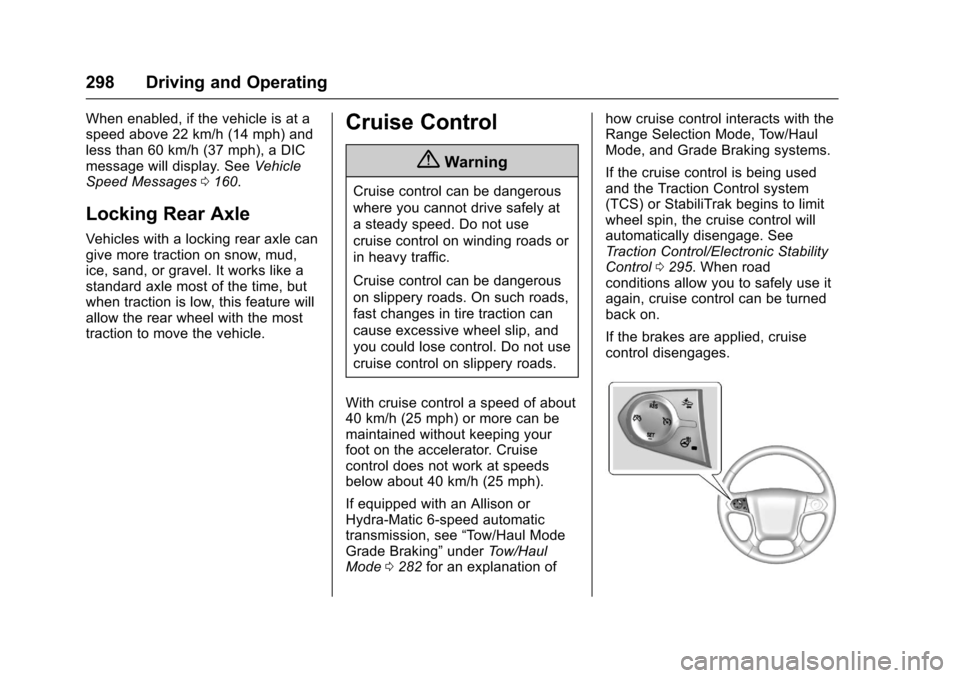
Cruise Control
{Warning
Cruise control can be dangerous
where you cannot drive safely at
asteadyspeed.Donotuse
cruise control on winding roads or
in heavy traffic.
Cruise control can be dangerous
on slippery roads. On such roads,
fast changes in tire traction can
cause excessive wheel slip, and
you could lose control. Do not use
cruise control on slippery roads.
With cruise control a speed of about40 km/h (25 mph) or more can bemaintained without keeping yourfoot on the accelerator. Cruisecontrol does not work at speedsbelow about 40 km/h (25 mph).
If equipped with an Allison orHydra-Matic 6-speed automatictransmission, see“To w / H a u l M o d eGrade Braking”underTo w / H a u lMode0282for an explanation of
how cruise control interacts with theRange Selection Mode, Tow/HaulMode, and Grade Braking systems.
If the cruise control is being usedand the Traction Control system(TCS) or StabiliTrak begins to limitwheel spin, the cruise control willautomatically disengage. SeeTr a c t i o n C o n t r o l / E l e c t r o n i c S t a b i l i t yControl0295.Whenroadconditions allow you to safely use itagain, cruise control can be turnedback on.
If the brakes are applied, cruisecontrol disengages.
Page 302 of 509
Chevrolet Silverado Owner Manual (GMNA-Localizing-U.S./Canada/Mexico-9956065) - 2017 - CRC - 4/29/16
Driving and Operating 301
Driver Assistance
Systems
This vehicle may have features thatwork together to help avoid crashesor reduce crash damage whiledriving, backing, and parking. Readthis entire section before usingthese systems.
{Warning
Do not rely on the Driver
Assistance Systems. These
systems do not replace the need
for paying attention and driving
safely. You may not hear or feel
alerts or warnings provided by
these systems. Failure to use
proper care when driving may
result in injury, death, or vehicle
damage. SeeDefensive
Driving0248.
(Continued)
Warning (Continued)
Under many conditions, these
systems will not:
.Detect children,pedestrians, bicyclists,or animals.
.Detect vehicles or objectsoutside the area monitoredby the system.
.Work at all driving speeds.
.Warn you or provide youwith enough time to avoid acrash.
.Work under poor visibility orbad weather conditions.
.Work if the detection sensoris not cleaned or is coveredby ice, snow, mud, or dirt.
.Work if the detection sensoris covered up, such as withasticker,magnet,ormetalplate.
(Continued)
Warning (Continued)
.Work if the area surrounding
the detection sensor is
damaged or not properly
repaired.
Complete attention is always
required while driving, and you
should be ready to take action
and apply the brakes and/or steer
the vehicle to avoid crashes.
Audible or Safety Alert Seat
Some driver assistance featuresalert the driver of obstacles bybeeping. To change the volume ofthe warning chime, see“Comfortand Convenience”underVehiclePersonalization0160.
If equipped with the Safety AlertSeat, the driver seat cushion mayprovide a vibrating pulse alertinstead of beeping. To change this,see“Collision/Detection Systems”underVehiclePersonalization0160.
Page 303 of 509
Chevrolet Silverado Owner Manual (GMNA-Localizing-U.S./Canada/Mexico-9956065) - 2017 - CRC - 4/29/16
302 Driving and Operating
Assistance Systems for
Parking or Backing
If equipped, the Rear Vision Camera(RVC), Rear Parking Assist (RPA),and Front Parking Assist (FPA) mayhelp the driver park or avoid objects.Always check around the vehiclewhen parking or backing.
The RVC and RPA will not workproperly if the tailgate is down. If thetailgate is down, do not use thesesystems.
Rear Vision Camera (RVC)
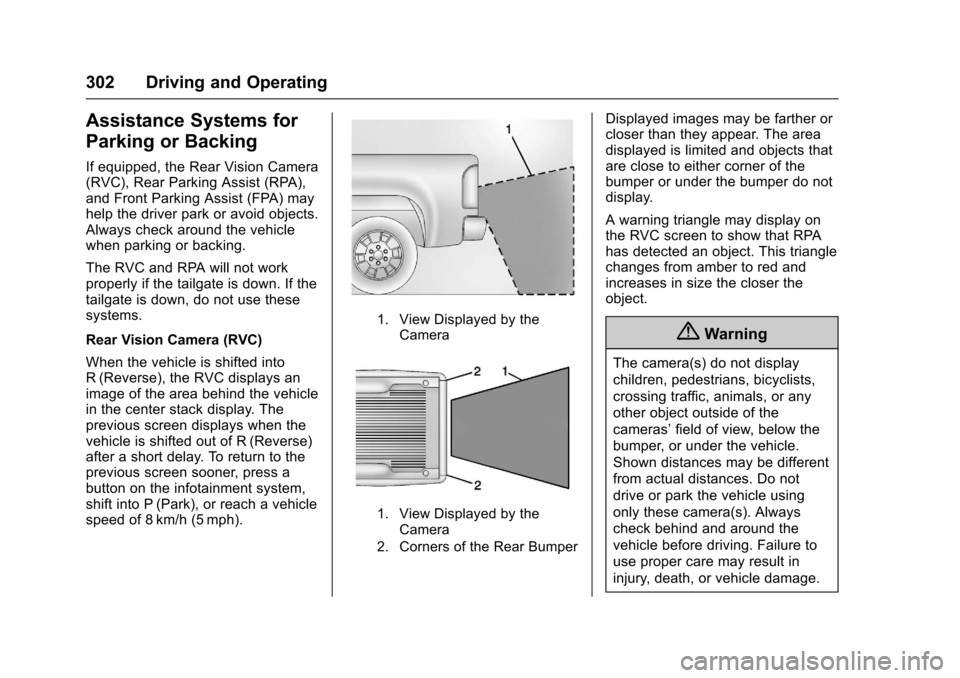
When the vehicle is shifted intoR(Reverse), the RVC displays animage of the area behind the vehiclein the center stack display. Theprevious screen displays when thevehicle is shifted out of R (Reverse)after a short delay. To return to theprevious screen sooner, press abutton on the infotainment system,shift into P (Park), or reach a vehiclespeed of 8 km/h (5 mph).
1. View Displayed by theCamera
1. View Displayed by theCamera
2. Corners of the Rear Bumper
Displayed images may be farther orcloser than they appear. The areadisplayed is limited and objects thatare close to either corner of thebumper or under the bumper do notdisplay.
Awarningtrianglemaydisplayonthe RVC screen to show that RPAhas detected an object. This trianglechanges from amber to red andincreases in size the closer theobject.
{Warning
The camera(s) do not display
children, pedestrians, bicyclists,
crossing traffic, animals, or any
other object outside of the
cameras’field of view, below the
bumper, or under the vehicle.
Shown distances may be different
from actual distances. Do not
drive or park the vehicle using
only these camera(s). Always
check behind and around the
vehicle before driving. Failure to
use proper care may result in
injury, death, or vehicle damage.
Page 304 of 509
Chevrolet Silverado Owner Manual (GMNA-Localizing-U.S./Canada/Mexico-9956065) - 2017 - CRC - 4/29/16
Driving and Operating 303
Parking Assist
With RPA, and if equipped with FPA,as the vehicle moves at speeds ofless than 8 km/h (5 mph) thesensors on the bumpers may detectobjects up to 2.5 m (8 ft) behind and1.2 m (4 ft) in front of the vehiclewithin a zone 25 cm (10 in) high offthe ground and below bumper level.These detection distances may beshorter during warmer or humidweather. Blocked sensors will notdetect objects and can also causefalse detections. Keep the sensorsclean of mud, dirt, snow, ice, andslush; and clean sensors after a carwash in freezing temperatures.
{Warning
The Parking Assist system does
not detect children, pedestrians,
bicyclists, animals, or objects
located below the bumper or that
are too close or too far from the
vehicle. It is not available at
speeds greater than 8 km/h
(5 mph). To prevent injury, death,
(Continued)
Warning (Continued)
or vehicle damage, even with
Parking Assist, always check the
area around the vehicle and
check all mirrors before moving
forward or backing.
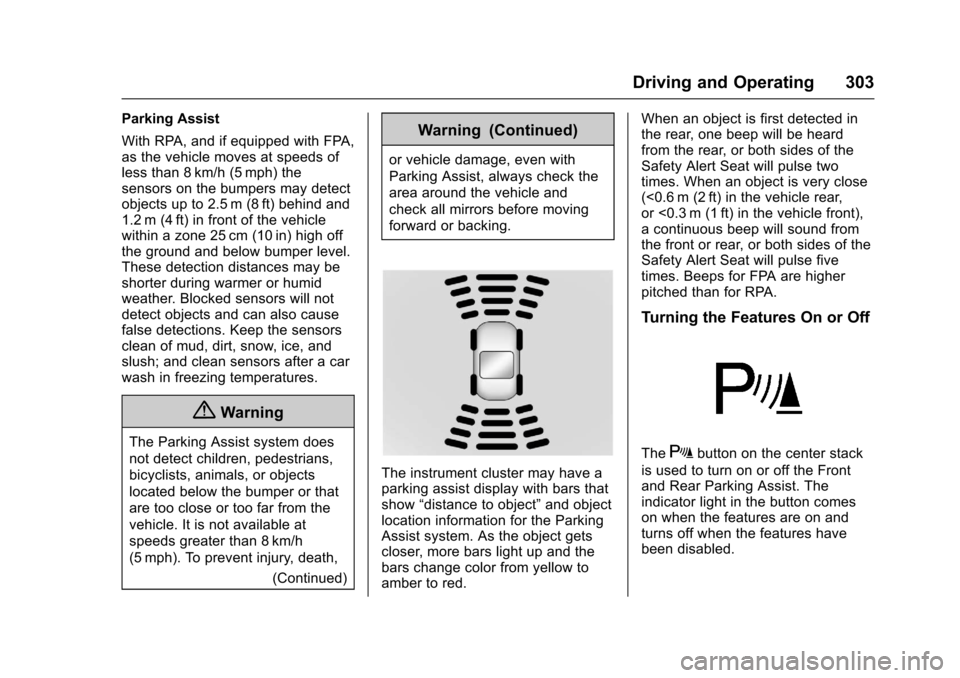
The instrument cluster may have aparking assist display with bars thatshow“distance to object”and objectlocation information for the ParkingAssist system. As the object getscloser, more bars light up and thebars change color from yellow toamber to red.
When an object is first detected inthe rear, one beep will be heardfrom the rear, or both sides of theSafety Alert Seat will pulse twotimes. When an object is very close(<0.6 m (2 ft) in the vehicle rear,or <0.3 m (1 ft) in the vehicle front),acontinuousbeepwillsoundfromthe front or rear, or both sides of theSafety Alert Seat will pulse fivetimes. Beeps for FPA are higherpitched than for RPA.
Turning the Features On or Off
TheXbutton on the center stack
is used to turn on or off the Frontand Rear Parking Assist. Theindicator light in the button comeson when the features are on andturns off when the features havebeen disabled.
Page 305 of 509
Chevrolet Silverado Owner Manual (GMNA-Localizing-U.S./Canada/Mexico-9956065) - 2017 - CRC - 4/29/16
304 Driving and Operating
Front and Rear Parking Assist canbe turned off, on, or on with towbarthrough vehicle personalization. See“Park Assist”underVehiclePersonalization0160.Iftheparkingassist is turned off through vehiclepersonalization, the parking assistbutton on the center stack will bedisabled. To turn the parking assiston again, select On in the vehiclepersonalization menu. The On withTo w b a r s e t t i n g a l l o w s f o r t h eparking assist to work properly withasmallitemattachedtothetrailerhitch. Turn off parking assist whentowing a trailer.
To t u r n t h e r e a r p a r k i n g a s s i s tsymbols or guidance lines on or off,see“Rear Camera”underVehiclePersonalization0160.
Assistance Systems for
Driving
If equipped, when driving thevehicle in a forward gear, ForwardCollision Alert (FCA), LaneDeparture Warning (LDW), and/or
Lane Keep Assist (LKA) can help toavoid a crash or reduce crashdamage.
Forward Collision Alert
(FCA) System
If equipped, the FCA system mayhelp to avoid or reduce the harmcaused by front-end crashes. Whenapproaching a vehicle ahead tooquickly, FCA provides a red flashingalert on the windshield and rapidlybeeps or pulses the driver seat.FCA also lights an amber visualalert if following another vehiclemuch too closely.
FCA detects vehicles within adistance of approximately 60 m(197 ft) and operates at speedsabove 40 km/h (25 mph).
{Warning
FCA is a warning system and
does not apply the brakes. When
approaching a slower-moving or
stopped vehicle ahead too rapidly,
(Continued)
Warning (Continued)
or when following a vehicle too
closely, FCA may not provide a
warning with enough time to help
avoid a crash. It also may not
provide any warning at all. FCA
does not warn of pedestrians,
animals, signs, guardrails,
bridges, construction barrels,
or other objects. Be ready to take
action and apply the brakes. See
Defensive Driving0248.
FCA can be disabled with the FCAsteering wheel control.
Detecting the Vehicle Ahead
FCA warnings will not occur unlessthe FCA system detects a vehicleahead. When a vehicle is detected,the vehicle ahead indicator will
Page 306 of 509
Chevrolet Silverado Owner Manual (GMNA-Localizing-U.S./Canada/Mexico-9956065) - 2017 - CRC - 4/29/16
Driving and Operating 305
display green. Vehicles may not bedetected on curves, highway exitramps, or hills, due to poor visibility;or if a vehicle ahead is partiallyblocked by pedestrians or otherobjects. FCA will not detect anothervehicle ahead until it is completelyin the driving lane.
{Warning
FCA does not provide a warning
to help avoid a crash, unless it
detects a vehicle. FCA may not
detect a vehicle ahead if the FCA
sensor is blocked by dirt, snow,
or ice, or if the windshield is
damaged. It may also not detect a
vehicle on winding or hilly roads,
or in conditions that can limit
visibility such as fog, rain,
or snow, or if the headlamps or
windshield are not cleaned or in
proper condition. Keep the
windshield, headlamps, and FCA
sensors clean and in good repair.
Collision Alert
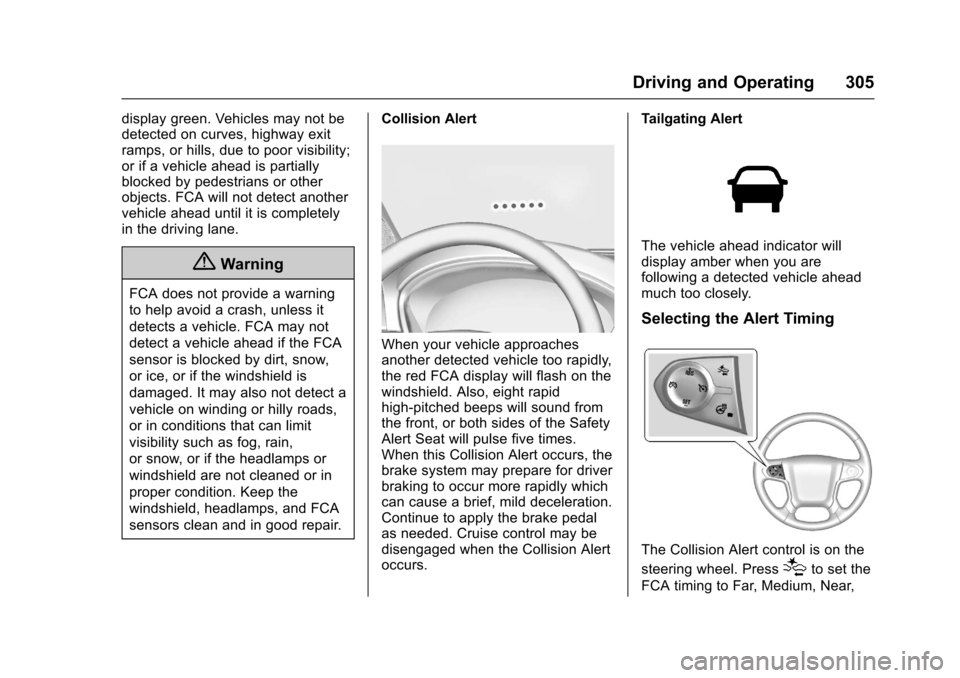
When your vehicle approachesanother detected vehicle too rapidly,the red FCA display will flash on thewindshield. Also, eight rapidhigh-pitched beeps will sound fromthe front, or both sides of the SafetyAlert Seat will pulse five times.When this Collision Alert occurs, thebrake system may prepare for driverbraking to occur more rapidly whichcan cause a brief, mild deceleration.Continue to apply the brake pedalas needed. Cruise control may bedisengaged when the Collision Alertoccurs.
Tailgating Alert
The vehicle ahead indicator willdisplay amber when you arefollowing a detected vehicle aheadmuch too closely.
Selecting the Alert Timing
The Collision Alert control is on the
steering wheel. Press[to set the
FCA timing to Far, Medium, Near,