display CHEVROLET SILVERADO 2017 3.G User Guide
[x] Cancel search | Manufacturer: CHEVROLET, Model Year: 2017, Model line: SILVERADO, Model: CHEVROLET SILVERADO 2017 3.GPages: 509, PDF Size: 8.87 MB
Page 65 of 509
Chevrolet Silverado Owner Manual (GMNA-Localizing-U.S./Canada/Mexico-9956065) - 2017 - CRC - 4/29/16
64 Seats and Restraints
The heated or ventilated seatindicator lights do not turn on duringaremotestart.
The temperature performance of anunoccupied seat may be reduced.This is normal.
The heated or ventilated seats willnot turn on during a remote startunless they are enabled in thevehicle personalization menu. SeeRemote Vehicle Start038andVehicle Personalization0160.
Rear Seats
Rear Seats (Double Cab
Full Bench)
Rear Seat Reminder (Full
Bench Only)
Look in Rear Seat ReminderFeature
If equipped, this message displaysunder certain conditions indicatingthere may be an item or passengerin the rear seat. Check beforeexiting the vehicle.
This feature will activate when asecond row door is opened whilethe vehicle is on or up to 10 minutesbefore the vehicle is turned on,including if the vehicle was startedremotely. There will be an alertwhen the vehicle is turned off. Thealert does not directly detect objectsin the rear seat; instead, undercertain conditions, it detects when arear door is opened and closed,indicating that there may besomething in the rear seat.
The feature is active only once eachtime the vehicle is turned on and off,and will require reactivation byopening and closing the second rowdoors. There may be an alert evenwhen there is nothing in the rearseat; for example, if a child enteredthe vehicle through the rear doorand left the vehicle without thevehicle being shut off.
The feature can be turned on or offthroughVehiclePersonalization0160.
Folding the Rear Seat
Caution
Folding a rear seat with the safety
belts still fastened may cause
damage to the seat or the safety
belts. Always unbuckle the safety
belts and return them to their
normal stowed position before
folding a rear seat.
Page 120 of 509
Chevrolet Silverado Owner Manual (GMNA-Localizing-U.S./Canada/Mexico-9956065) - 2017 - CRC - 4/29/16
Instruments and Controls 119
Instruments and
Controls
Controls
Steering Wheel Adjustment . . . 120Steering Wheel Controls . . . . . . 121Heated Steering Wheel . . . . . . . 121Horn . . . . . . . . . . . . . . . . . . . . . . . . . . 122Windshield Wiper/Washer . . . . 122Compass . . . . . . . . . . . . . . . . . . . . . 122Clock . . . . . . . . . . . . . . . . . . . . . . . . . 123Power Outlets . . . . . . . . . . . . . . . . 124Wireless Charging . . . . . . . . . . . . 126
Warning Lights, Gauges, and
Indicators
Warning Lights, Gauges, andIndicators . . . . . . . . . . . . . . . . . . . 127Instrument Cluster . . . . . . . . . . . . 128Speedometer . . . . . . . . . . . . . . . . . 131Odometer . . . . . . . . . . . . . . . . . . . . . 131Trip Odometer . . . . . . . . . . . . . . . . 131Ta c h o m e t e r . . . . . . . . . . . . . . . . . . . 1 3 1Fuel Gauge . . . . . . . . . . . . . . . . . . . 131Engine Oil PressureGauge . . . . . . . . . . . . . . . . . . . . . . 132Engine Coolant TemperatureGauge . . . . . . . . . . . . . . . . . . . . . . 133Voltmeter Gauge . . . . . . . . . . . . . 134
Safety Belt Reminders . . . . . . . . 134Airbag Readiness Light . . . . . . . 135Airbag On-Off Light . . . . . . . . . . . 136Passenger Airbag StatusIndicator . . . . . . . . . . . . . . . . . . . . 137Charging System Light . . . . . . . 138Malfunction Indicator Lamp(Check Engine Light) . . . . . . . . 138Brake System WarningLight . . . . . . . . . . . . . . . . . . . . . . . . 140Antilock Brake System (ABS)Warning Light . . . . . . . . . . . . . . . 141Four-Wheel-Drive Light . . . . . . . 141To w / H a u l M o d e L i g h t . . . . . . . . . 1 4 1Hill Descent Control Light . . . . 141Lane Departure Warning(LDW) Light (2500/3500Series) . . . . . . . . . . . . . . . . . . . . . . 142Lane Keep Assist (LKA) Light(1500 Series) . . . . . . . . . . . . . . . 142Vehicle Ahead Indicator . . . . . . 142Traction Off Light . . . . . . . . . . . . . 142StabiliTrak®OFF Light . . . . . . . . 143Traction Control System (TCS)/StabiliTrak®Light . . . . . . . . . . . 143Tire Pressure Light . . . . . . . . . . . 143Low Fuel Warning Light . . . . . . 144Security Light . . . . . . . . . . . . . . . . . 144High-Beam On Light . . . . . . . . . . 144Front Fog Lamp Light . . . . . . . . . 145Lamps On Reminder . . . . . . . . . 145
Cruise Control Light . . . . . . . . . . 145
Information Displays
Driver Information Center (DIC)(Base Level) . . . . . . . . . . . . . . . . 145Driver Information Center (DIC)(Uplevel) . . . . . . . . . . . . . . . . . . . . 147
Vehicle Messages
Vehicle Messages . . . . . . . . . . . . 150Battery Voltage and ChargingMessages . . . . . . . . . . . . . . . . . . . 150Brake System Messages . . . . . 151Compass Messages . . . . . . . . . . 151Door Ajar Messages . . . . . . . . . . 151Engine Cooling SystemMessages . . . . . . . . . . . . . . . . . . . 152Engine Oil Messages . . . . . . . . . 152Engine Power Messages . . . . . 153Fuel System Messages . . . . . . . 153Key and Lock Messages . . . . . 153Lamp Messages . . . . . . . . . . . . . . 153Object Detection SystemMessages . . . . . . . . . . . . . . . . . . . 153Ride Control SystemMessages . . . . . . . . . . . . . . . . . . . 154Airbag System Messages . . . . 155Safety Belt Messages . . . . . . . . 155Security Messages . . . . . . . . . . . 156Steering SystemMessages . . . . . . . . . . . . . . . . . . . 156
Page 122 of 509
Chevrolet Silverado Owner Manual (GMNA-Localizing-U.S./Canada/Mexico-9956065) - 2017 - CRC - 4/29/16
Instruments and Controls 121
Steering Wheel Controls
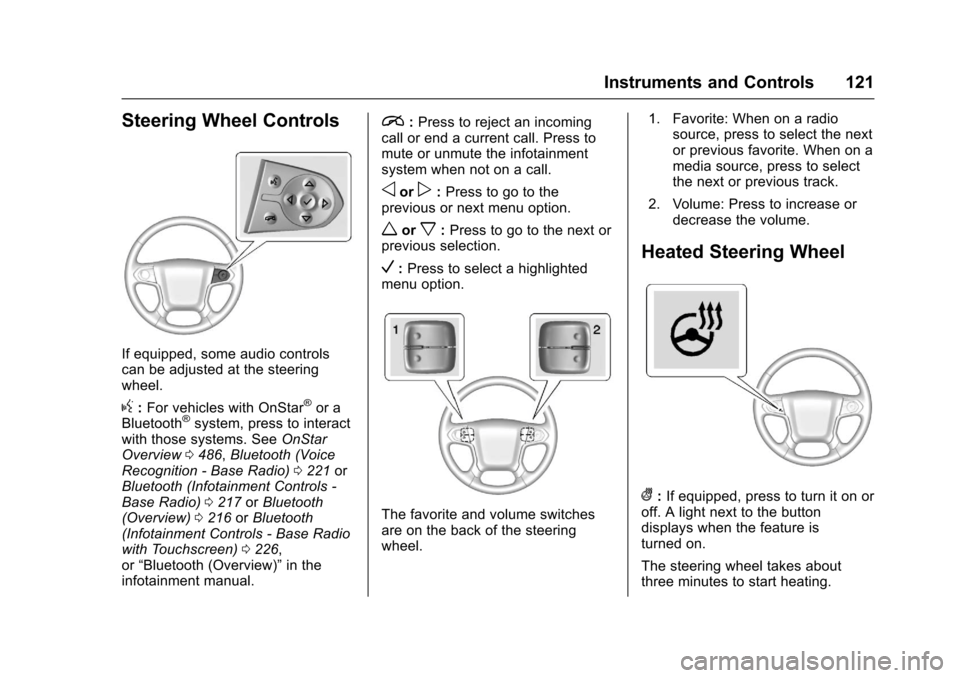
If equipped, some audio controlscan be adjusted at the steeringwheel.
g:For vehicles with OnStar®or aBluetooth®system, press to interactwith those systems. SeeOnStarOverview0486,Bluetooth (VoiceRecognition - Base Radio)0221orBluetooth (Infotainment Controls -Base Radio)0217orBluetooth(Overview)0216orBluetooth(Infotainment Controls - Base Radiowith Touchscreen)0226,or“Bluetooth (Overview)”in theinfotainment manual.
i:Press to reject an incomingcall or end a current call. Press tomute or unmute the infotainmentsystem when not on a call.
oorp:Press to go to theprevious or next menu option.
worx:Press to go to the next orprevious selection.
V:Press to select a highlightedmenu option.
The favorite and volume switchesare on the back of the steeringwheel.
1. Favorite: When on a radiosource, press to select the nextor previous favorite. When on amedia source, press to selectthe next or previous track.
2. Volume: Press to increase ordecrease the volume.
Heated Steering Wheel
(:If equipped, press to turn it on oroff. A light next to the buttondisplays when the feature isturned on.
The steering wheel takes aboutthree minutes to start heating.
Page 123 of 509
Chevrolet Silverado Owner Manual (GMNA-Localizing-U.S./Canada/Mexico-9956065) - 2017 - CRC - 4/29/16
122 Instruments and Controls
Horn
To s o u n d t h e h o r n , p r e s saon the
steering wheel.
Windshield Wiper/Washer
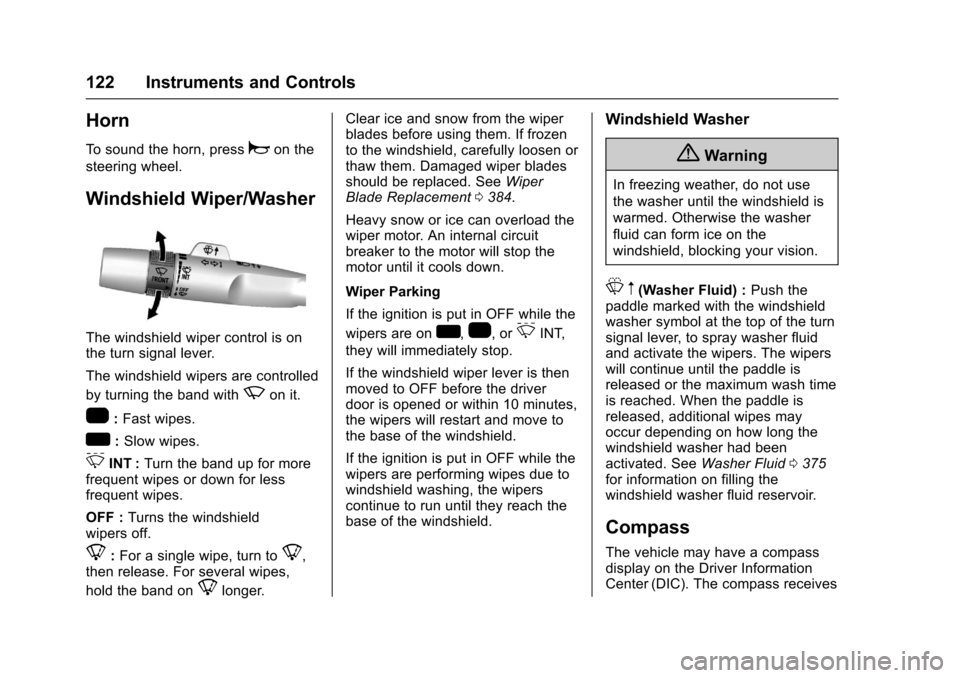
The windshield wiper control is onthe turn signal lever.
The windshield wipers are controlled
by turning the band withzon it.
1:Fast wipes.
w:Slow wipes.
3INT :Turn the band up for morefrequent wipes or down for lessfrequent wipes.
OFF :Turns the windshieldwipers off.
8:For a single wipe, turn to8,then release. For several wipes,
hold the band on8longer.
Clear ice and snow from the wiperblades before using them. If frozento the windshield, carefully loosen orthaw them. Damaged wiper bladesshould be replaced. SeeWiperBlade Replacement0384.
Heavy snow or ice can overload thewiper motor. An internal circuitbreaker to the motor will stop themotor until it cools down.
Wiper Parking
If the ignition is put in OFF while the
wipers are onw,1,or3INT,
they will immediately stop.
If the windshield wiper lever is thenmoved to OFF before the driverdoor is opened or within 10 minutes,the wipers will restart and move tothe base of the windshield.
If the ignition is put in OFF while thewipers are performing wipes due towindshield washing, the wiperscontinue to run until they reach thebase of the windshield.
Windshield Washer
{Warning
In freezing weather, do not use
the washer until the windshield is
warmed. Otherwise the washer
fluid can form ice on the
windshield, blocking your vision.
Lm(Washer Fluid) :Push thepaddle marked with the windshieldwasher symbol at the top of the turnsignal lever, to spray washer fluidand activate the wipers. The wiperswill continue until the paddle isreleased or the maximum wash timeis reached. When the paddle isreleased, additional wipes mayoccur depending on how long thewindshield washer had beenactivated. SeeWasher Fluid0375for information on filling thewindshield washer fluid reservoir.
Compass
The vehicle may have a compassdisplay on the Driver InformationCenter (DIC). The compass receives
Page 124 of 509
Chevrolet Silverado Owner Manual (GMNA-Localizing-U.S./Canada/Mexico-9956065) - 2017 - CRC - 4/29/16
Instruments and Controls 123
its heading and other informationfrom the Global PositioningSystem (GPS) antenna,StabiliTrak®,andvehiclespeedinformation.
The compass system is designed tooperate for a certain number ofmiles or degrees of turn beforeneeding a signal from the GPSsatellites. When the compassdisplay shows CAL, drive thevehicle for a short distance in anopen area where it can receive aGPS signal. The compass systemwill automatically determine when aGPS signal is restored and provideaheadingagain.SeeCompassMessages0151for the messagesthat may be displayed for thecompass.
Clock
Setting the Time and Date with
Faceplate Controls
To s e t t h e t i m e o r d a t e :
1. Select SETTINGS from theHome Page, then select Timeand Date.
2. Select the desired function.
3. Turn the MENU knob toincrease or decrease the value.
4. Press the MENU knob to go tothe next value. After the lastvalue is selected, the systemwill update and return to the
Settings menu. PressoBACK
to go to the last menu andsave the changes.
Auto Set requires an OnStarsubscription.
If auto timing is set, the timedisplayed on the clock may notupdate immediately when drivinginto a new time zone.
To s e t t h e c l o c k d i s p l a y :
1. Select SETTINGS from theHome Page, then select Timeand Date.
2. Select Clock Display.
3. Turn the MENU knob to Offor On.
4. Press the MENU knob toselect.
PressoBACK to go to the last
menu and save the changes.
Setting the Time and Date with
Touchscreen Controls
To s e t t h e t i m e :
1. Touch the SETTINGS screenbutton from the Home Page,then touch Time and Date.
2. Touch Set Time and touch«
orªto increase or decrease
hours, minutes, and AM or PM.To u c h 1 2–24 Hr for 12 or24 hour clock.
3. Touch the}or0screen
button to go back to theprevious menu.
Auto Set requires an OnStarsubscription.
If auto timing is set, the timedisplayed on the clock may notupdate immediately when drivinginto a new time zone.
To s e t t h e d a t e :
Page 125 of 509
Chevrolet Silverado Owner Manual (GMNA-Localizing-U.S./Canada/Mexico-9956065) - 2017 - CRC - 4/29/16
124 Instruments and Controls
1. Touch the SETTINGS screenbutton from the Home Page,then touch Time and Date.
2. Touch Set Date and touch«
orªto increase or decrease
month, day, or year.
3. Touch the}or0screen
button to go back to theprevious menu.
To s e t t h e c l o c k d i s p l a y :
1. Touch the SETTINGS screenbutton and touch Timeand Date.
2. Touch Clock Display and touchOFF or ON to turn the clockdisplay off or on.
3. Touch the}or0screen
button to go back to theprevious menu.
Power Outlets
Power Outlets 12 Volt DirectCurrent
Accessory power outlets can beused to plug in electrical equipment,such as a cell phone, MP3player, etc.
The vehicle may have up to fouraccessory power outlets.
Vehicles with a Center Console
.One or two in front of thecupholders on the centerconsole.
.One inside the center console.
.One on the rear of the centerconsole.
Vehicles with Bench Seats
.One on the center stack belowthe climate control system.
.One or two in the storage areaon the bench seat.
Lift the cover to access and replacewhen not in use.
The power outlets on the centerstack and in front of the cupholdersare powered at all times. The poweroutlets inside the storage area andon the rear of the console arepowered when the ignition is in ON/RUN or ACC/ACCESSORY,or when RAP is active.
{Warning
Power is always supplied to the
outlets. Do not leave electrical
equipment plugged in when the
vehicle is not in use because the
vehicle could catch fire and cause
injury or death.
Caution
Leaving electrical equipment
plugged in for an extended period
of time while the vehicle is off will
drain the battery. Always unplug
electrical equipment when not in
use and do not plug in equipment
that exceeds the maximum
15 amp rating.
Page 128 of 509
Chevrolet Silverado Owner Manual (GMNA-Localizing-U.S./Canada/Mexico-9956065) - 2017 - CRC - 4/29/16
Instruments and Controls 127
To c h a r g e a m o b i l e d e v i c e :
1. Remove all objects from thecharging pad. The system maynot charge if there are anyobjects on the charging pad.
2. Place the mobile device face
up on the@symbol on the
charging pad.
3. The}will display on theV
on the infotainment screen.This indicates that the mobiledevice is properly positionedand charging. If a phone isplaced on the charging pad
and}does not display,
remove the phone from thepad, turn 180 degrees and waitthree seconds before placing/aligning the phone on the padagain.
Warning Lights,
Gauges, and
Indicators
Warning lights and gauges cansignal that something is wrongbefore it becomes serious enoughto cause an expensive repair orreplacement. Paying attention to thewarning lights and gauges couldprevent injury.
Some warning lights come on brieflywhen the engine is started toindicate they are working. Whenone of the warning lights comes onand stays on while driving, or whenone of the gauges shows there maybe a problem, check the section thatexplains what to do. Waiting to dorepairs can be costly and evendangerous.
Page 131 of 509
Chevrolet Silverado Owner Manual (GMNA-Localizing-U.S./Canada/Mexico-9956065) - 2017 - CRC - 4/29/16
130 Instruments and Controls
Cluster Menu (Uplevel Cluster)
There is an interactive display areain the center of the instrumentcluster.
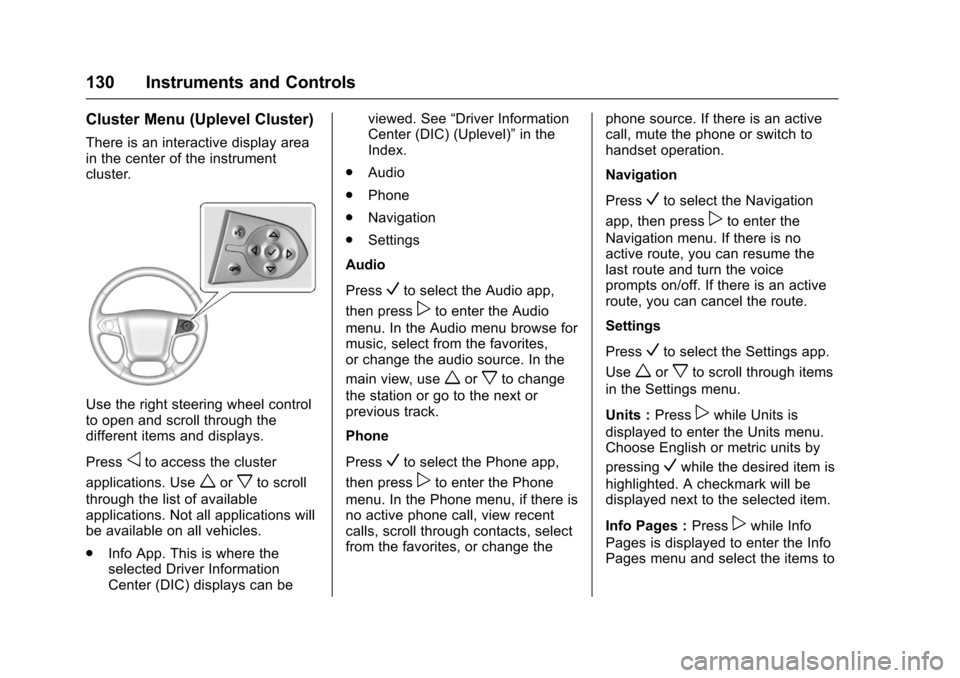
Use the right steering wheel controlto open and scroll through thedifferent items and displays.
Pressoto access the cluster
applications. Useworxto scroll
through the list of availableapplications. Not all applications willbe available on all vehicles.
.Info App. This is where theselected Driver InformationCenter (DIC) displays can be
viewed. See“Driver InformationCenter (DIC) (Uplevel)”in theIndex.
.Audio
.Phone
.Navigation
.Settings
Audio
PressVto select the Audio app,
then presspto enter the Audio
menu. In the Audio menu browse formusic, select from the favorites,or change the audio source. In the
main view, useworxto change
the station or go to the next orprevious track.
Phone
PressVto select the Phone app,
then presspto enter the Phone
menu. In the Phone menu, if there isno active phone call, view recentcalls, scroll through contacts, selectfrom the favorites, or change the
phone source. If there is an activecall, mute the phone or switch tohandset operation.
Navigation
PressVto select the Navigation
app, then presspto enter the
Navigation menu. If there is noactive route, you can resume thelast route and turn the voiceprompts on/off. If there is an activeroute, you can cancel the route.
Settings
PressVto select the Settings app.
Useworxto scroll through items
in the Settings menu.
Units :Presspwhile Units is
displayed to enter the Units menu.Choose English or metric units by
pressingVwhile the desired item is
highlighted. A checkmark will bedisplayed next to the selected item.
Info Pages :Presspwhile Info
Pages is displayed to enter the InfoPages menu and select the items to
Page 132 of 509
Chevrolet Silverado Owner Manual (GMNA-Localizing-U.S./Canada/Mexico-9956065) - 2017 - CRC - 4/29/16
Instruments and Controls 131
be displayed in the Info app. See“Driver Information Center (DIC)(Uplevel)”in the Index.
Speed Warning :The SpeedWarning display allows the driver toset a speed that they do not want toexceed. To set the Speed Warning,
presspwhen Speed Warning is
displayed, or pressVon the main
view to set the speed value. Pressworxto adjust the value. PressVto set the speed. Once the speedis set, this feature can be turned off
by pressingVwhile viewing this
page. If the selected speed limit isexceeded, a pop-up warning isdisplayed with a chime.
Software Information :Pressp
while Software Information ishighlighted to display open sourcesoftware information.
Speedometer
The speedometer shows thevehicle's speed in either kilometersper hour (km/h) or miles perhour (mph).
Odometer
The odometer shows how far thevehicle has been driven, in eitherkilometers or miles.
Trip Odometer
The trip odometer shows how farthe vehicle has been driven sincethe trip odometer was last reset.
The trip odometer is accessed andreset through the Driver InformationCenter (DIC). SeeDriverInformation Center (DIC) (BaseLevel)0145orDriver InformationCenter (DIC) (Uplevel)0147.
Tachometer
The tachometer displays the enginespeed in revolutions perminute (rpm).
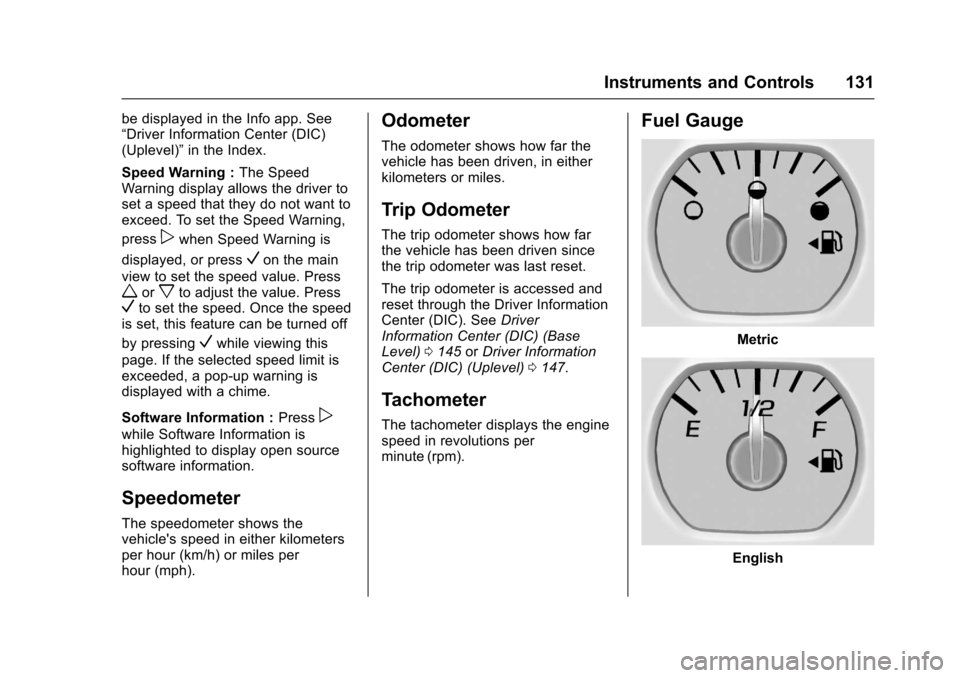
Fuel Gauge
Metric
English
Page 139 of 509
Chevrolet Silverado Owner Manual (GMNA-Localizing-U.S./Canada/Mexico-9956065) - 2017 - CRC - 4/29/16
138 Instruments and Controls
Warning (Continued)
with the airbag system. To help
avoid injury to yourself or others,
have the vehicle serviced right
away. SeeAirbag Readiness
Light0135for more information,
including important safety
information.
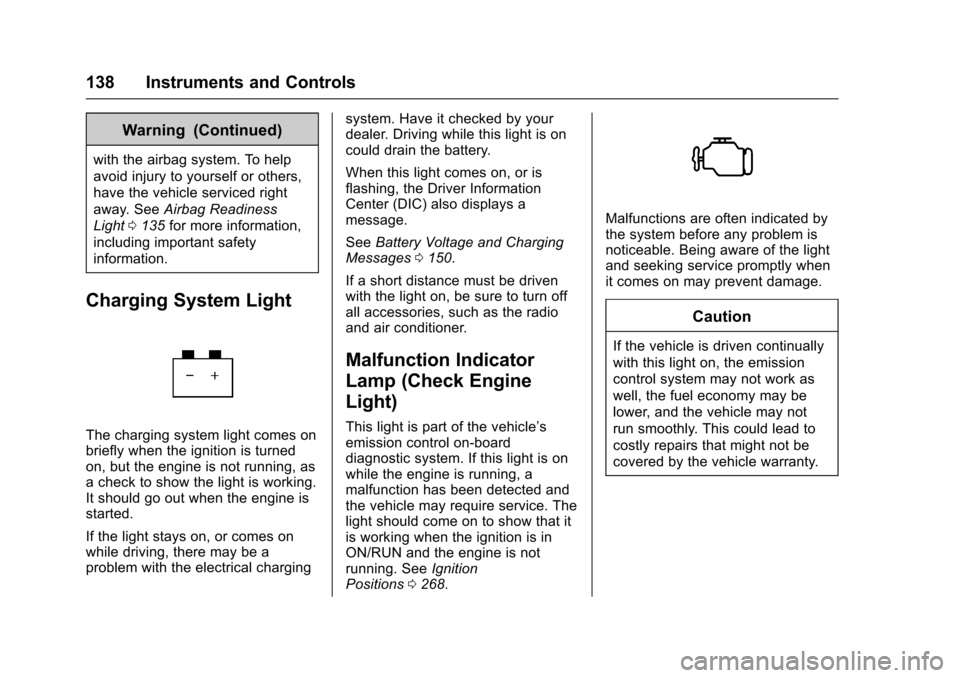
Charging System Light
The charging system light comes onbriefly when the ignition is turnedon, but the engine is not running, asachecktoshowthelightisworking.It should go out when the engine isstarted.
If the light stays on, or comes onwhile driving, there may be aproblem with the electrical charging
system. Have it checked by yourdealer. Driving while this light is oncould drain the battery.
When this light comes on, or isflashing, the Driver InformationCenter (DIC) also displays amessage.
SeeBattery Voltage and ChargingMessages0150.
If a short distance must be drivenwith the light on, be sure to turn offall accessories, such as the radioand air conditioner.
Malfunction Indicator
Lamp (Check Engine
Light)
This light is part of the vehicle’semission control on-boarddiagnostic system. If this light is onwhile the engine is running, amalfunction has been detected andthe vehicle may require service. Thelight should come on to show that itis working when the ignition is inON/RUN and the engine is notrunning. SeeIgnitionPositions0268.
Malfunctions are often indicated bythe system before any problem isnoticeable. Being aware of the lightand seeking service promptly whenit comes on may prevent damage.
Caution
If the vehicle is driven continually
with this light on, the emission
control system may not work as
well, the fuel economy may be
lower, and the vehicle may not
run smoothly. This could lead to
costly repairs that might not be
covered by the vehicle warranty.