warning CHEVROLET SILVERADO 2017 3.G Workshop Manual
[x] Cancel search | Manufacturer: CHEVROLET, Model Year: 2017, Model line: SILVERADO, Model: CHEVROLET SILVERADO 2017 3.GPages: 509, PDF Size: 8.87 MB
Page 114 of 509

Chevrolet Silverado Owner Manual (GMNA-Localizing-U.S./Canada/Mexico-9956065) - 2017 - CRC - 4/29/16
Seats and Restraints 113
Warning (Continued)
airbag. Always secure a
rear-facing child restraint in a
rear seat.
If a child restraint uses a top tether,seeLower Anchors and Tethers forChildren (LATCH System)096fortop tether anchor locations.
Do not secure a child seat in aposition without a top tether anchorif a national or local law requiresthat the top tether be anchored, or ifthe instructions that come with thechild restraint say that the top strapmust be anchored.
In Canada, the law requires thatforward-facing child restraints haveatoptether,andthatthetetherbeattached.
When using the lap-shoulder belt tosecure the child restraint in thisposition, follow the instructions thatcame with the child restraint and thefollowing instructions:
1. Move the seat as far back as itwill go before securing theforward-facing child restraint.Move the seat upward or theseatback to an upright position,if needed, to get a tightinstallation of the childrestraint.
2. Put the child restraint onthe seat.
3. Pick up the latch plate, and runthe lap and shoulder portionsof the vehicle's safety beltthrough or around the restraint.The child restraint instructionswill show you how.
4. Push the latch plate into thebuckle until it clicks.
Position the release button,away from the child restraintsystem, so that the safety beltcould be quickly unbuckled ifnecessary.
Page 116 of 509
Chevrolet Silverado Owner Manual (GMNA-Localizing-U.S./Canada/Mexico-9956065) - 2017 - CRC - 4/29/16
Storage 115
Storage
Storage Compartments
Storage Compartments . . . . . . . 115Instrument Panel Storage . . . . . 115Glove Box . . . . . . . . . . . . . . . . . . . . 115Cupholders . . . . . . . . . . . . . . . . . . . 116Sunglasses Storage . . . . . . . . . . 116Center Console Storage . . . . . . 116Floor Console Storage . . . . . . . . 117
Additional Storage Features
Cargo Tie-Downs . . . . . . . . . . . . . 117
Storage
Compartments
{Warning
Do not store heavy or sharp
objects in storage compartments.
In a crash, these objects may
cause the cover to open and
could result in injury.
Instrument Panel Storage
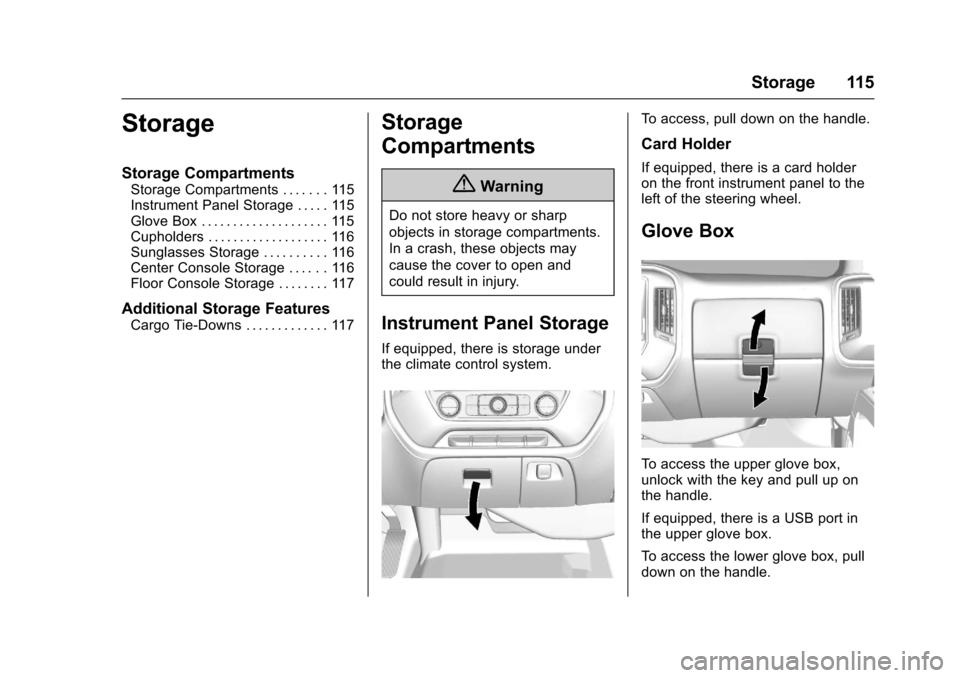
If equipped, there is storage underthe climate control system.
To a c c e s s , p u l l d o w n o n t h e h a n d l e .
Card Holder
If equipped, there is a card holderon the front instrument panel to theleft of the steering wheel.
Glove Box
To a c c e s s t h e u p p e r g l o v e b o x ,unlock with the key and pull up onthe handle.
If equipped, there is a USB port inthe upper glove box.
To a c c e s s t h e l o w e r g l o v e b o x , p u l ldown on the handle.
Page 120 of 509
Chevrolet Silverado Owner Manual (GMNA-Localizing-U.S./Canada/Mexico-9956065) - 2017 - CRC - 4/29/16
Instruments and Controls 119
Instruments and
Controls
Controls
Steering Wheel Adjustment . . . 120Steering Wheel Controls . . . . . . 121Heated Steering Wheel . . . . . . . 121Horn . . . . . . . . . . . . . . . . . . . . . . . . . . 122Windshield Wiper/Washer . . . . 122Compass . . . . . . . . . . . . . . . . . . . . . 122Clock . . . . . . . . . . . . . . . . . . . . . . . . . 123Power Outlets . . . . . . . . . . . . . . . . 124Wireless Charging . . . . . . . . . . . . 126
Warning Lights, Gauges, and
Indicators
Warning Lights, Gauges, andIndicators . . . . . . . . . . . . . . . . . . . 127Instrument Cluster . . . . . . . . . . . . 128Speedometer . . . . . . . . . . . . . . . . . 131Odometer . . . . . . . . . . . . . . . . . . . . . 131Trip Odometer . . . . . . . . . . . . . . . . 131Ta c h o m e t e r . . . . . . . . . . . . . . . . . . . 1 3 1Fuel Gauge . . . . . . . . . . . . . . . . . . . 131Engine Oil PressureGauge . . . . . . . . . . . . . . . . . . . . . . 132Engine Coolant TemperatureGauge . . . . . . . . . . . . . . . . . . . . . . 133Voltmeter Gauge . . . . . . . . . . . . . 134
Safety Belt Reminders . . . . . . . . 134Airbag Readiness Light . . . . . . . 135Airbag On-Off Light . . . . . . . . . . . 136Passenger Airbag StatusIndicator . . . . . . . . . . . . . . . . . . . . 137Charging System Light . . . . . . . 138Malfunction Indicator Lamp(Check Engine Light) . . . . . . . . 138Brake System WarningLight . . . . . . . . . . . . . . . . . . . . . . . . 140Antilock Brake System (ABS)Warning Light . . . . . . . . . . . . . . . 141Four-Wheel-Drive Light . . . . . . . 141To w / H a u l M o d e L i g h t . . . . . . . . . 1 4 1Hill Descent Control Light . . . . 141Lane Departure Warning(LDW) Light (2500/3500Series) . . . . . . . . . . . . . . . . . . . . . . 142Lane Keep Assist (LKA) Light(1500 Series) . . . . . . . . . . . . . . . 142Vehicle Ahead Indicator . . . . . . 142Traction Off Light . . . . . . . . . . . . . 142StabiliTrak®OFF Light . . . . . . . . 143Traction Control System (TCS)/StabiliTrak®Light . . . . . . . . . . . 143Tire Pressure Light . . . . . . . . . . . 143Low Fuel Warning Light . . . . . . 144Security Light . . . . . . . . . . . . . . . . . 144High-Beam On Light . . . . . . . . . . 144Front Fog Lamp Light . . . . . . . . . 145Lamps On Reminder . . . . . . . . . 145
Cruise Control Light . . . . . . . . . . 145
Information Displays
Driver Information Center (DIC)(Base Level) . . . . . . . . . . . . . . . . 145Driver Information Center (DIC)(Uplevel) . . . . . . . . . . . . . . . . . . . . 147
Vehicle Messages
Vehicle Messages . . . . . . . . . . . . 150Battery Voltage and ChargingMessages . . . . . . . . . . . . . . . . . . . 150Brake System Messages . . . . . 151Compass Messages . . . . . . . . . . 151Door Ajar Messages . . . . . . . . . . 151Engine Cooling SystemMessages . . . . . . . . . . . . . . . . . . . 152Engine Oil Messages . . . . . . . . . 152Engine Power Messages . . . . . 153Fuel System Messages . . . . . . . 153Key and Lock Messages . . . . . 153Lamp Messages . . . . . . . . . . . . . . 153Object Detection SystemMessages . . . . . . . . . . . . . . . . . . . 153Ride Control SystemMessages . . . . . . . . . . . . . . . . . . . 154Airbag System Messages . . . . 155Safety Belt Messages . . . . . . . . 155Security Messages . . . . . . . . . . . 156Steering SystemMessages . . . . . . . . . . . . . . . . . . . 156
Page 123 of 509
Chevrolet Silverado Owner Manual (GMNA-Localizing-U.S./Canada/Mexico-9956065) - 2017 - CRC - 4/29/16
122 Instruments and Controls
Horn
To s o u n d t h e h o r n , p r e s saon the
steering wheel.
Windshield Wiper/Washer
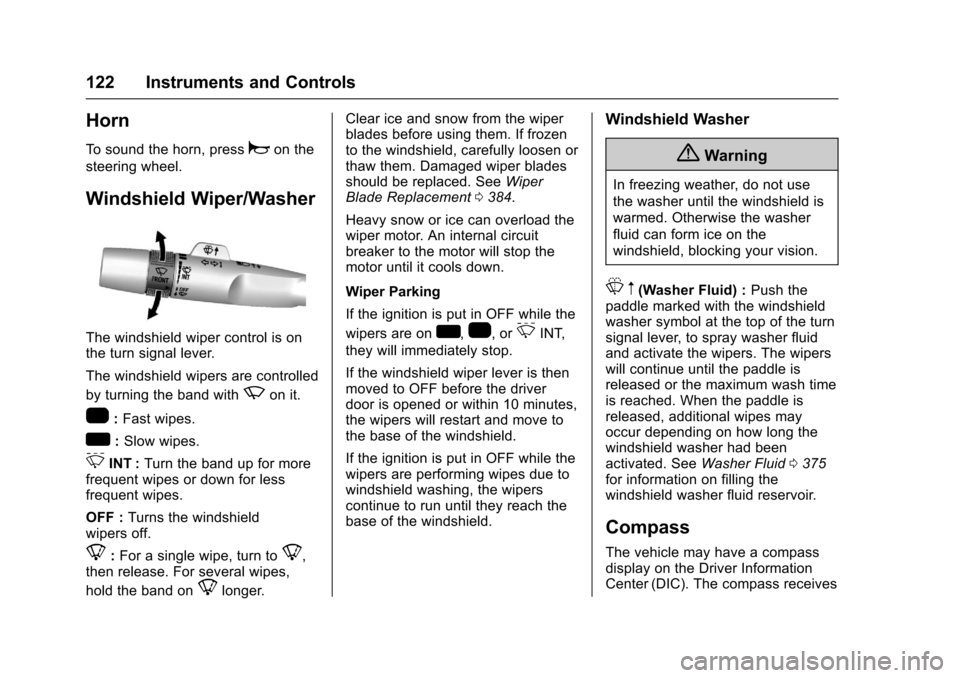
The windshield wiper control is onthe turn signal lever.
The windshield wipers are controlled
by turning the band withzon it.
1:Fast wipes.
w:Slow wipes.
3INT :Turn the band up for morefrequent wipes or down for lessfrequent wipes.
OFF :Turns the windshieldwipers off.
8:For a single wipe, turn to8,then release. For several wipes,
hold the band on8longer.
Clear ice and snow from the wiperblades before using them. If frozento the windshield, carefully loosen orthaw them. Damaged wiper bladesshould be replaced. SeeWiperBlade Replacement0384.
Heavy snow or ice can overload thewiper motor. An internal circuitbreaker to the motor will stop themotor until it cools down.
Wiper Parking
If the ignition is put in OFF while the
wipers are onw,1,or3INT,
they will immediately stop.
If the windshield wiper lever is thenmoved to OFF before the driverdoor is opened or within 10 minutes,the wipers will restart and move tothe base of the windshield.
If the ignition is put in OFF while thewipers are performing wipes due towindshield washing, the wiperscontinue to run until they reach thebase of the windshield.
Windshield Washer
{Warning
In freezing weather, do not use
the washer until the windshield is
warmed. Otherwise the washer
fluid can form ice on the
windshield, blocking your vision.
Lm(Washer Fluid) :Push thepaddle marked with the windshieldwasher symbol at the top of the turnsignal lever, to spray washer fluidand activate the wipers. The wiperswill continue until the paddle isreleased or the maximum wash timeis reached. When the paddle isreleased, additional wipes mayoccur depending on how long thewindshield washer had beenactivated. SeeWasher Fluid0375for information on filling thewindshield washer fluid reservoir.
Compass
The vehicle may have a compassdisplay on the Driver InformationCenter (DIC). The compass receives
Page 125 of 509
Chevrolet Silverado Owner Manual (GMNA-Localizing-U.S./Canada/Mexico-9956065) - 2017 - CRC - 4/29/16
124 Instruments and Controls
1. Touch the SETTINGS screenbutton from the Home Page,then touch Time and Date.
2. Touch Set Date and touch«
orªto increase or decrease
month, day, or year.
3. Touch the}or0screen
button to go back to theprevious menu.
To s e t t h e c l o c k d i s p l a y :
1. Touch the SETTINGS screenbutton and touch Timeand Date.
2. Touch Clock Display and touchOFF or ON to turn the clockdisplay off or on.
3. Touch the}or0screen
button to go back to theprevious menu.
Power Outlets
Power Outlets 12 Volt DirectCurrent
Accessory power outlets can beused to plug in electrical equipment,such as a cell phone, MP3player, etc.
The vehicle may have up to fouraccessory power outlets.
Vehicles with a Center Console
.One or two in front of thecupholders on the centerconsole.
.One inside the center console.
.One on the rear of the centerconsole.
Vehicles with Bench Seats
.One on the center stack belowthe climate control system.
.One or two in the storage areaon the bench seat.
Lift the cover to access and replacewhen not in use.
The power outlets on the centerstack and in front of the cupholdersare powered at all times. The poweroutlets inside the storage area andon the rear of the console arepowered when the ignition is in ON/RUN or ACC/ACCESSORY,or when RAP is active.
{Warning
Power is always supplied to the
outlets. Do not leave electrical
equipment plugged in when the
vehicle is not in use because the
vehicle could catch fire and cause
injury or death.
Caution
Leaving electrical equipment
plugged in for an extended period
of time while the vehicle is off will
drain the battery. Always unplug
electrical equipment when not in
use and do not plug in equipment
that exceeds the maximum
15 amp rating.
Page 127 of 509
Chevrolet Silverado Owner Manual (GMNA-Localizing-U.S./Canada/Mexico-9956065) - 2017 - CRC - 4/29/16
126 Instruments and Controls
.Other equipment requiring anextremely stable power supply,such asmicrocomputer-controlledelectric blankets and touchsensor lamps.
.Medical equipment.
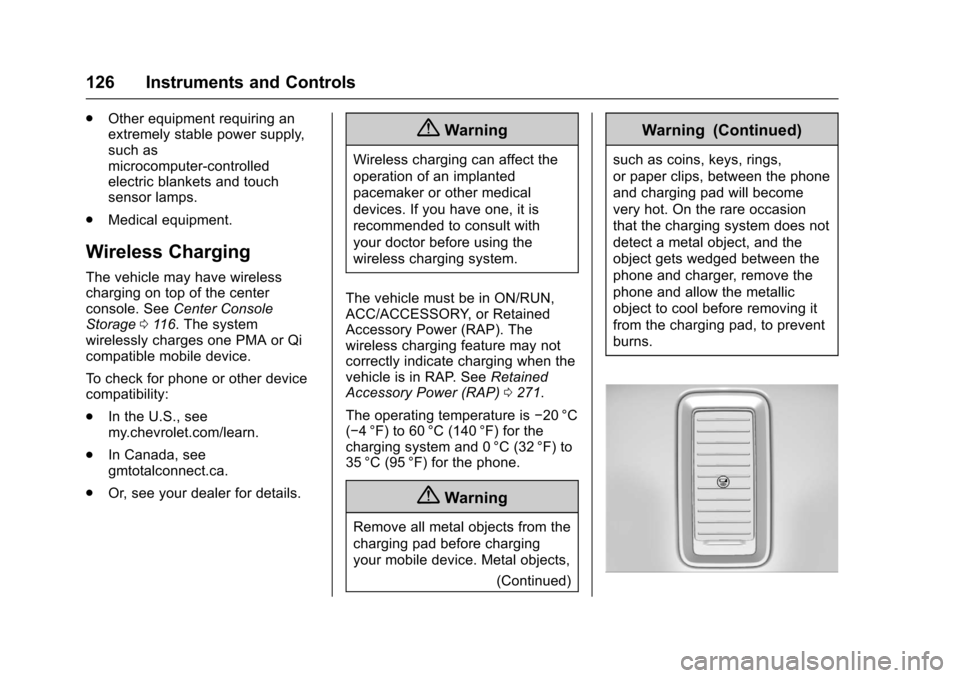
Wireless Charging
The vehicle may have wirelesscharging on top of the centerconsole. SeeCenter ConsoleStorage011 6.Thesystemwirelessly charges one PMA or Qicompatible mobile device.
To c h e c k f o r p h o n e o r o t h e r d e v i c ecompatibility:
.In the U.S., seemy.chevrolet.com/learn.
.In Canada, seegmtotalconnect.ca.
.Or, see your dealer for details.
{Warning
Wireless charging can affect the
operation of an implanted
pacemaker or other medical
devices. If you have one, it is
recommended to consult with
your doctor before using the
wireless charging system.
The vehicle must be in ON/RUN,ACC/ACCESSORY, or RetainedAccessory Power (RAP). Thewireless charging feature may notcorrectly indicate charging when thevehicle is in RAP. SeeRetainedAccessory Power (RAP)0271.
The operating temperature is✓20 °C(✓4°F) to 60°C (140°F) for thecharging system and 0 °C (32 °F) to35 °C (95 °F) for the phone.
{Warning
Remove all metal objects from the
charging pad before charging
your mobile device. Metal objects,
(Continued)
Warning (Continued)
such as coins, keys, rings,
or paper clips, between the phone
and charging pad will become
very hot. On the rare occasion
that the charging system does not
detect a metal object, and the
object gets wedged between the
phone and charger, remove the
phone and allow the metallic
object to cool before removing it
from the charging pad, to prevent
burns.
Page 128 of 509
Chevrolet Silverado Owner Manual (GMNA-Localizing-U.S./Canada/Mexico-9956065) - 2017 - CRC - 4/29/16
Instruments and Controls 127
To c h a r g e a m o b i l e d e v i c e :
1. Remove all objects from thecharging pad. The system maynot charge if there are anyobjects on the charging pad.
2. Place the mobile device face
up on the@symbol on the
charging pad.
3. The}will display on theV
on the infotainment screen.This indicates that the mobiledevice is properly positionedand charging. If a phone isplaced on the charging pad
and}does not display,
remove the phone from thepad, turn 180 degrees and waitthree seconds before placing/aligning the phone on the padagain.
Warning Lights,
Gauges, and
Indicators
Warning lights and gauges cansignal that something is wrongbefore it becomes serious enoughto cause an expensive repair orreplacement. Paying attention to thewarning lights and gauges couldprevent injury.
Some warning lights come on brieflywhen the engine is started toindicate they are working. Whenone of the warning lights comes onand stays on while driving, or whenone of the gauges shows there maybe a problem, check the section thatexplains what to do. Waiting to dorepairs can be costly and evendangerous.
Page 132 of 509
Chevrolet Silverado Owner Manual (GMNA-Localizing-U.S./Canada/Mexico-9956065) - 2017 - CRC - 4/29/16
Instruments and Controls 131
be displayed in the Info app. See“Driver Information Center (DIC)(Uplevel)”in the Index.
Speed Warning :The SpeedWarning display allows the driver toset a speed that they do not want toexceed. To set the Speed Warning,
presspwhen Speed Warning is
displayed, or pressVon the main
view to set the speed value. Pressworxto adjust the value. PressVto set the speed. Once the speedis set, this feature can be turned off
by pressingVwhile viewing this
page. If the selected speed limit isexceeded, a pop-up warning isdisplayed with a chime.
Software Information :Pressp
while Software Information ishighlighted to display open sourcesoftware information.
Speedometer
The speedometer shows thevehicle's speed in either kilometersper hour (km/h) or miles perhour (mph).
Odometer
The odometer shows how far thevehicle has been driven, in eitherkilometers or miles.
Trip Odometer
The trip odometer shows how farthe vehicle has been driven sincethe trip odometer was last reset.
The trip odometer is accessed andreset through the Driver InformationCenter (DIC). SeeDriverInformation Center (DIC) (BaseLevel)0145orDriver InformationCenter (DIC) (Uplevel)0147.
Tachometer
The tachometer displays the enginespeed in revolutions perminute (rpm).
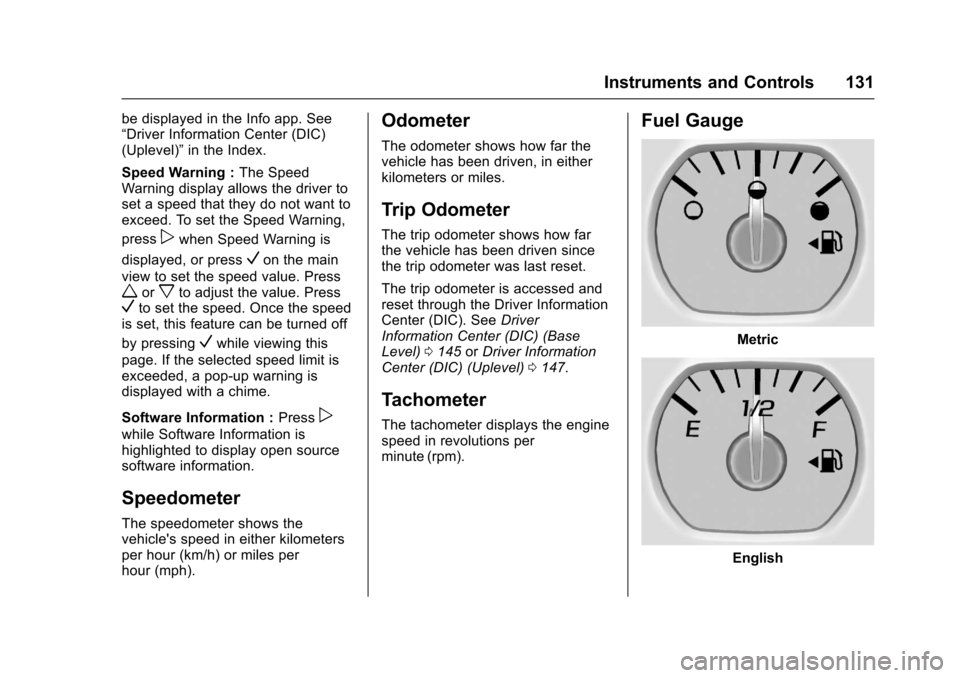
Fuel Gauge
Metric
English
Page 134 of 509
Chevrolet Silverado Owner Manual (GMNA-Localizing-U.S./Canada/Mexico-9956065) - 2017 - CRC - 4/29/16
Instruments and Controls 133
Areadingoutsidethenormaloperating range can be caused by adangerously low oil level or someother problem causing low oilpressure. Check the vehicle's oil assoon as possible. See“OILPRESSURE LOW STOP ENGINE”underEngine Oil Messages0152andEngine Oil0359.
Caution
Lack of proper engine oil
maintenance can damage the
engine. Driving with the engine oil
low can also damage the engine.
The repairs would not be covered
by the vehicle warranty. Check
the oil level as soon as possible.
Add oil if required, but if the oil
level is within the operating range
and the oil pressure is still low,
have the vehicle serviced. Always
follow the maintenance schedule
for changing engine oil.
If the vehicle has a diesel engine,see the Duramax dieselsupplement.
Engine Coolant
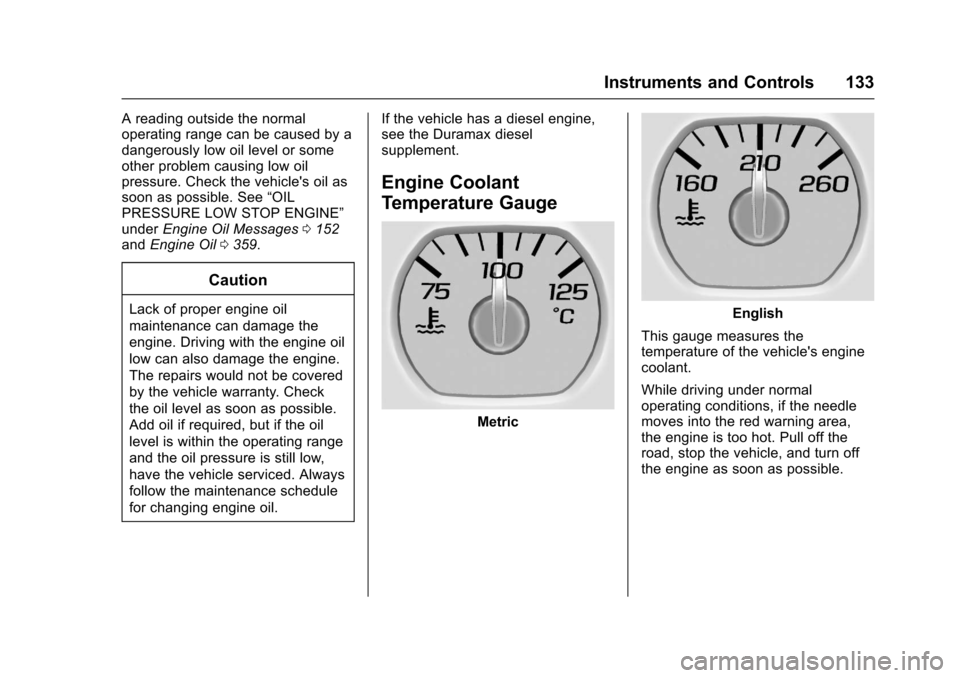
Temperature Gauge
Metric
English
This gauge measures thetemperature of the vehicle's enginecoolant.
While driving under normaloperating conditions, if the needlemoves into the red warning area,the engine is too hot. Pull off theroad, stop the vehicle, and turn offthe engine as soon as possible.
Page 136 of 509
Chevrolet Silverado Owner Manual (GMNA-Localizing-U.S./Canada/Mexico-9956065) - 2017 - CRC - 4/29/16
Instruments and Controls 135
Passenger Safety Belt
Reminder Light
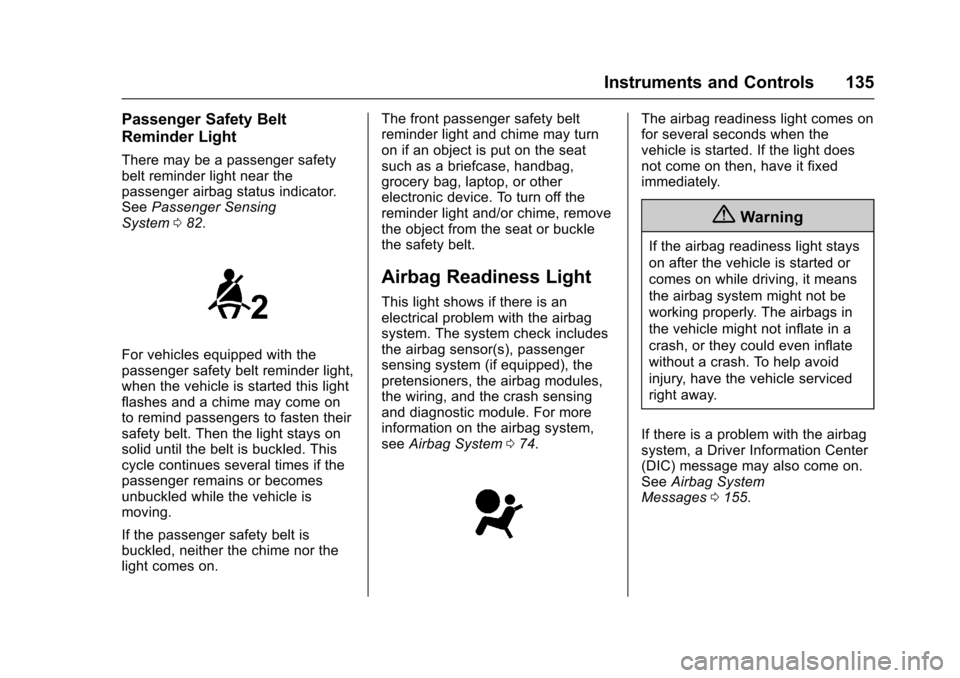
There may be a passenger safetybelt reminder light near thepassenger airbag status indicator.SeePassenger SensingSystem082.
For vehicles equipped with thepassenger safety belt reminder light,when the vehicle is started this lightflashes and a chime may come onto remind passengers to fasten theirsafety belt. Then the light stays onsolid until the belt is buckled. Thiscycle continues several times if thepassenger remains or becomesunbuckled while the vehicle ismoving.
If the passenger safety belt isbuckled, neither the chime nor thelight comes on.
The front passenger safety beltreminder light and chime may turnon if an object is put on the seatsuch as a briefcase, handbag,grocery bag, laptop, or otherelectronic device. To turn off thereminder light and/or chime, removethe object from the seat or bucklethe safety belt.
Airbag Readiness Light
This light shows if there is anelectrical problem with the airbagsystem. The system check includesthe airbag sensor(s), passengersensing system (if equipped), thepretensioners, the airbag modules,the wiring, and the crash sensingand diagnostic module. For moreinformation on the airbag system,seeAirbag System074.
The airbag readiness light comes onfor several seconds when thevehicle is started. If the light doesnot come on then, have it fixedimmediately.
{Warning
If the airbag readiness light stays
on after the vehicle is started or
comes on while driving, it means
the airbag system might not be
working properly. The airbags in
the vehicle might not inflate in a
crash, or they could even inflate
without a crash. To help avoid
injury, have the vehicle serviced
right away.
If there is a problem with the airbagsystem, a Driver Information Center(DIC) message may also come on.SeeAirbag SystemMessages0155.