diff CHEVROLET SILVERADO 2500 2023 Workshop Manual
[x] Cancel search | Manufacturer: CHEVROLET, Model Year: 2023, Model line: SILVERADO 2500, Model: CHEVROLET SILVERADO 2500 2023Pages: 441, PDF Size: 14.4 MB
Page 416 of 441
Chevrolet Silverado 2500 HD/3500 HD Owner Manual (GMNA-Localizing-U.
S./Canada/Mexico-15546003) - 2022 - CRC - 5/5/21
Customer Information 415
General Motors reserves the right to
unilaterally modify, change, or discontinue
Courtesy Transportation at any time and to
resolve all questions of claim eligibility
pursuant to the terms and conditions
described herein at its sole discretion.
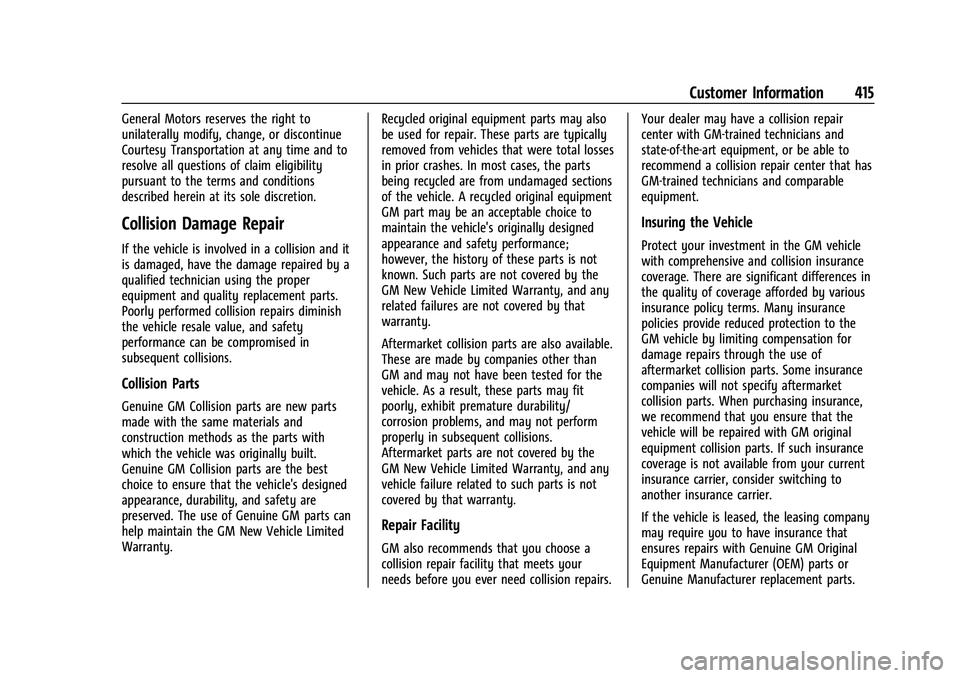
Collision Damage Repair
If the vehicle is involved in a collision and it
is damaged, have the damage repaired by a
qualified technician using the proper
equipment and quality replacement parts.
Poorly performed collision repairs diminish
the vehicle resale value, and safety
performance can be compromised in
subsequent collisions.
Collision Parts
Genuine GM Collision parts are new parts
made with the same materials and
construction methods as the parts with
which the vehicle was originally built.
Genuine GM Collision parts are the best
choice to ensure that the vehicle's designed
appearance, durability, and safety are
preserved. The use of Genuine GM parts can
help maintain the GM New Vehicle Limited
Warranty.Recycled original equipment parts may also
be used for repair. These parts are typically
removed from vehicles that were total losses
in prior crashes. In most cases, the parts
being recycled are from undamaged sections
of the vehicle. A recycled original equipment
GM part may be an acceptable choice to
maintain the vehicle's originally designed
appearance and safety performance;
however, the history of these parts is not
known. Such parts are not covered by the
GM New Vehicle Limited Warranty, and any
related failures are not covered by that
warranty.
Aftermarket collision parts are also available.
These are made by companies other than
GM and may not have been tested for the
vehicle. As a result, these parts may fit
poorly, exhibit premature durability/
corrosion problems, and may not perform
properly in subsequent collisions.
Aftermarket parts are not covered by the
GM New Vehicle Limited Warranty, and any
vehicle failure related to such parts is not
covered by that warranty.
Repair Facility
GM also recommends that you choose a
collision repair facility that meets your
needs before you ever need collision repairs.Your dealer may have a collision repair
center with GM-trained technicians and
state-of-the-art equipment, or be able to
recommend a collision repair center that has
GM-trained technicians and comparable
equipment.
Insuring the Vehicle
Protect your investment in the GM vehicle
with comprehensive and collision insurance
coverage. There are significant differences in
the quality of coverage afforded by various
insurance policy terms. Many insurance
policies provide reduced protection to the
GM vehicle by limiting compensation for
damage repairs through the use of
aftermarket collision parts. Some insurance
companies will not specify aftermarket
collision parts. When purchasing insurance,
we recommend that you ensure that the
vehicle will be repaired with GM original
equipment collision parts. If such insurance
coverage is not available from your current
insurance carrier, consider switching to
another insurance carrier.
If the vehicle is leased, the leasing company
may require you to have insurance that
ensures repairs with Genuine GM Original
Equipment Manufacturer (OEM) parts or
Genuine Manufacturer replacement parts.
Page 424 of 441
Chevrolet Silverado 2500 HD/3500 HD Owner Manual (GMNA-Localizing-U.
S./Canada/Mexico-15546003) - 2022 - CRC - 5/5/21
OnStar 423
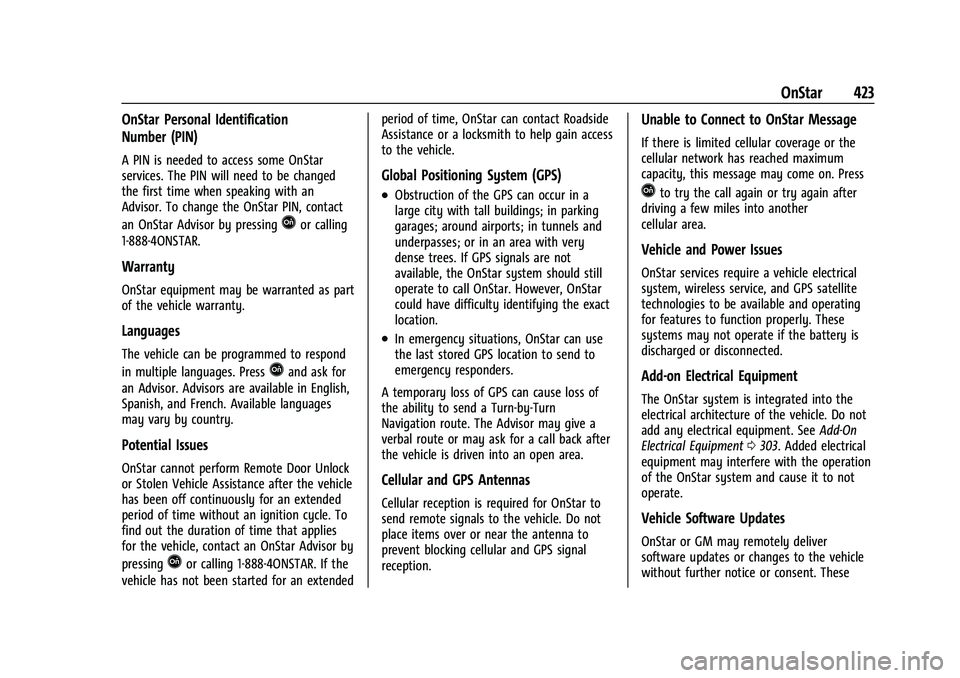
OnStar Personal Identification
Number (PIN)
A PIN is needed to access some OnStar
services. The PIN will need to be changed
the first time when speaking with an
Advisor. To change the OnStar PIN, contact
an OnStar Advisor by pressing
Qor calling
1-888-4ONSTAR.
Warranty
OnStar equipment may be warranted as part
of the vehicle warranty.
Languages
The vehicle can be programmed to respond
in multiple languages. Press
Qand ask for
an Advisor. Advisors are available in English,
Spanish, and French. Available languages
may vary by country.
Potential Issues
OnStar cannot perform Remote Door Unlock
or Stolen Vehicle Assistance after the vehicle
has been off continuously for an extended
period of time without an ignition cycle. To
find out the duration of time that applies
for the vehicle, contact an OnStar Advisor by
pressing
Qor calling 1-888-4ONSTAR. If the
vehicle has not been started for an extended period of time, OnStar can contact Roadside
Assistance or a locksmith to help gain access
to the vehicle.
Global Positioning System (GPS)
.Obstruction of the GPS can occur in a
large city with tall buildings; in parking
garages; around airports; in tunnels and
underpasses; or in an area with very
dense trees. If GPS signals are not
available, the OnStar system should still
operate to call OnStar. However, OnStar
could have difficulty identifying the exact
location.
.In emergency situations, OnStar can use
the last stored GPS location to send to
emergency responders.
A temporary loss of GPS can cause loss of
the ability to send a Turn-by-Turn
Navigation route. The Advisor may give a
verbal route or may ask for a call back after
the vehicle is driven into an open area.
Cellular and GPS Antennas
Cellular reception is required for OnStar to
send remote signals to the vehicle. Do not
place items over or near the antenna to
prevent blocking cellular and GPS signal
reception.
Unable to Connect to OnStar Message
If there is limited cellular coverage or the
cellular network has reached maximum
capacity, this message may come on. Press
Qto try the call again or try again after
driving a few miles into another
cellular area.
Vehicle and Power Issues
OnStar services require a vehicle electrical
system, wireless service, and GPS satellite
technologies to be available and operating
for features to function properly. These
systems may not operate if the battery is
discharged or disconnected.
Add-on Electrical Equipment
The OnStar system is integrated into the
electrical architecture of the vehicle. Do not
add any electrical equipment. See Add-On
Electrical Equipment 0303. Added electrical
equipment may interfere with the operation
of the OnStar system and cause it to not
operate.
Vehicle Software Updates
OnStar or GM may remotely deliver
software updates or changes to the vehicle
without further notice or consent. These
Page 427 of 441
Chevrolet Silverado 2500 HD/3500 HD Owner Manual (GMNA-Localizing-U.
S./Canada/Mexico-15546003) - 2022 - CRC - 5/5/21
426 Connected Services
Ensuring Security
.Change the default passwords for the
Wi-Fi hotspot and myChevrolet mobile
application. Make these passwords
different from each other and use a
combination of letters and numbers
to increase the security.
.Change the default name of the SSID
(Service Set Identifier). This is your
network’s name that is visible to other
wireless devices. Choose a unique name
and avoid family names or vehicle
descriptions.
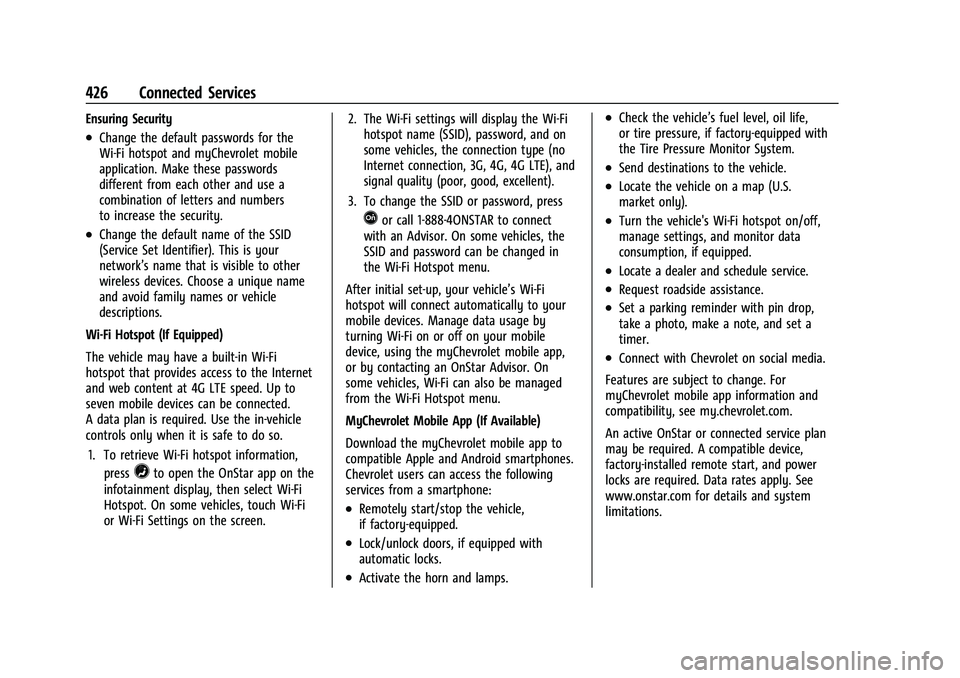
Wi-Fi Hotspot (If Equipped)
The vehicle may have a built-in Wi-Fi
hotspot that provides access to the Internet
and web content at 4G LTE speed. Up to
seven mobile devices can be connected.
A data plan is required. Use the in-vehicle
controls only when it is safe to do so. 1. To retrieve Wi-Fi hotspot information, press
=to open the OnStar app on the
infotainment display, then select Wi-Fi
Hotspot. On some vehicles, touch Wi-Fi
or Wi-Fi Settings on the screen. 2. The Wi-Fi settings will display the Wi-Fi
hotspot name (SSID), password, and on
some vehicles, the connection type (no
Internet connection, 3G, 4G, 4G LTE), and
signal quality (poor, good, excellent).
3. To change the SSID or password, press
Qor call 1-888-4ONSTAR to connect
with an Advisor. On some vehicles, the
SSID and password can be changed in
the Wi-Fi Hotspot menu.
After initial set-up, your vehicle’s Wi-Fi
hotspot will connect automatically to your
mobile devices. Manage data usage by
turning Wi-Fi on or off on your mobile
device, using the myChevrolet mobile app,
or by contacting an OnStar Advisor. On
some vehicles, Wi-Fi can also be managed
from the Wi-Fi Hotspot menu.
MyChevrolet Mobile App (If Available)
Download the myChevrolet mobile app to
compatible Apple and Android smartphones.
Chevrolet users can access the following
services from a smartphone:
.Remotely start/stop the vehicle,
if factory-equipped.
.Lock/unlock doors, if equipped with
automatic locks.
.Activate the horn and lamps.
.Check the vehicle’s fuel level, oil life,
or tire pressure, if factory-equipped with
the Tire Pressure Monitor System.
.Send destinations to the vehicle.
.Locate the vehicle on a map (U.S.
market only).
.Turn the vehicle's Wi-Fi hotspot on/off,
manage settings, and monitor data
consumption, if equipped.
.Locate a dealer and schedule service.
.Request roadside assistance.
.Set a parking reminder with pin drop,
take a photo, make a note, and set a
timer.
.Connect with Chevrolet on social media.
Features are subject to change. For
myChevrolet mobile app information and
compatibility, see my.chevrolet.com.
An active OnStar or connected service plan
may be required. A compatible device,
factory-installed remote start, and power
locks are required. Data rates apply. See
www.onstar.com for details and system
limitations.
Page 439 of 441
Chevrolet Silverado 2500 HD/3500 HD Owner Manual (GMNA-Localizing-U.
S./Canada/Mexico-15546003) - 2022 - CRC - 5/5/21
438 Index
Text Telephone (TTY) Users . . . . . . . . . . . . . . . 411
Theft-Deterrent Systems . . . . . . . . . . . . . . . . . . .33Immobilizer . . . . . . . . . . . . . . . . . . . . . . . . . . . . . 33
Time . . . . . . . . . . . . . . . . . . . . . . . . . . . . . . . . . . . . . 103
Tires . . . . . . . . . . . . . . . . . . . . . . . . . . . . . . . . . . . . . 344 All-Season . . . . . . . . . . . . . . . . . . . . . . . . . . . . . 344
All-Terrain . . . . . . . . . . . . . . . . . . . . . . . . . . . . . 345
Buying New Tires . . . . . . . . . . . . . . . . . . . . . . 359
Chains . . . . . . . . . . . . . . . . . . . . . . . . . . . . . . . . . 362
Changing . . . . . . . . . . . . . . . . . . . . . . . . . . . . . . 364
Designations . . . . . . . . . . . . . . . . . . . . . . . . . . . 346
Different Size . . . . . . . . . . . . . . . . . . . . . . . . . . 360
Full-Size Spare . . . . . . . . . . . . . . . . . . . . . . . . . 374
If a Tire Goes Flat . . . . . . . . . . . . . . . . . . . . . 363
Inspection . . . . . . . . . . . . . . . . . . . . . . . . . . . . . 355
Pressure . . . . . . . . . . . . . . . . . . . . . . . . . . . . . . . 349
Pressure Light . . . . . . . . . . . . . . . . . . . . . . . . . . 121
Pressure Monitor Operation . . . . . . . . . . . 351
Pressure Monitor System . . . . . . . . . . . . . . 350
Rotation . . . . . . . . . . . . . . . . . . . . . . . . . . . . . . . 356
Sidewall Labeling . . . . . . . . . . . . . . . . . . . . . . 345
Terminology and Definitions . . . . . . . . . . . 347
Uniform Tire Quality Grading . . . . . . . . . . 360
Wheel Alignment and Tire Balance . . . . 361
Wheel Replacement . . . . . . . . . . . . . . . . . . . . 361
When It Is Time for New Tires . . . . . . . . . 358
Winter . . . . . . . . . . . . . . . . . . . . . . . . . . . . . . . . . 345
Top Tier Fuel . . . . . . . . . . . . . . . . . . . . . . . . . . . . 269 Tow/Haul Mode . . . . . . . . . . . . . . . . . . . . . . . . . 240
Towing
Driving Characteristics . . . . . . . . . . . . . . . . . 274
Equipment . . . . . . . . . . . . . . . . . . . . . . . . . . . . . 281
General Information . . . . . . . . . . . . . . . . . . . 273
Recreational Vehicle . . . . . . . . . . . . . . . . . . . 378
Trailer . . . . . . . . . . . . . . . . . . . . . . . . . . . . . . . . . 278
Trailer Sway Control (TSC) . . . . . . . . . . . . . 291
Vehicle . . . . . . . . . . . . . . . . . . . . . . . . . . . . . . . . 377
Traction Off Light . . . . . . . . . . . . . . . . . . . . . . . . . . . . . . . 120
Traction Control/Electronic Stability Control . . . . . . . . . . . . . . . . . . . . . . . . . . . . . . . . . 247
Trademarks and License Agreements . . . . . 193
Trailer Sway Control (TSC) . . . . . . . . . . . . . . . . . . . . 291
Tow Mirrors . . . . . . . . . . . . . . . . . . . . . . . . . . . . 34
Towing . . . . . . . . . . . . . . . . . . . . . . . . . . . . . . . . 278
Trailer Towing App . . . . . . . . . . . . . . . . . . . . . . . . . . . . . . . . . . . . 292
Trailering App . . . . . . . . . . . . . . . . . . . . . . . . . . . 292
Transfer Case
Four-Wheel Drive . . . . . . . . . . . . . . . . . . . . . . 240
Transmission Automatic . . . . . . . . . . . . . . . . . . . . . . . . . . . . . 235
Fluid, Automatic . . . . . . . . . . . . . . . . . . . . . . . 314
Transportation Program, Courtesy . . . . . . . 414 Transporting Items That Can
Catch Fire . . . . . . . . . . . . . . . . . . . . . . . . . . . . . . . 30
Trip Odometer . . . . . . . . . . . . . . . . . . . . . . . . . . . . 111
Truck Bed Camera Rearview Mirror . . . . . . . .41
Truck-Camper Loading Information . . . . . . . 225
Turn and Lane-Change Signals . . . . . . . . . . . .143
Turn Signal Bulb Replacement . . . . . . . . . . . . . . . . . . . . . . 332
U
Underseat Storage . . . . . . . . . . . . . . . . . . . . . . . . 97
Uniform Tire Quality Grading . . . . . . . . . . . . 360
Universal Remote System . . . . . . . . . . . . . . . . . 135Operation . . . . . . . . . . . . . . . . . . . . . . . . . . . . . . . 137
Programming . . . . . . . . . . . . . . . . . . . . . . . . . . 135
Updates Map Data . . . . . . . . . . . . . . . . . . . . . . . . . . . . . . . 173
Software . . . . . . . . . . . . . . . . . . . . . . . . . . . . . . . 154
USB Port . . . . . . . . . . . . . . . . . . . . . . . . . . . . . . . . . .158
Using the Navigation System . . . . . . . . . . . . 162
Using the System . . . . . . . . . . . . . . . . . . . . . . . . . 152
Using This Manual . . . . . . . . . . . . . . . . . . . . . . . . . .2
V
Vehicle Alarm System . . . . . . . . . . . . . . . . . . . . . . . . . . . 31
Canadian Owners . . . . . . . . . . . . . . . . . . . . . . . . . 1
Control . . . . . . . . . . . . . . . . . . . . . . . . . . . . . . . . . 211
Identification Number (VIN) . . . . . . . . . . . . 405
Page 440 of 441
Chevrolet Silverado 2500 HD/3500 HD Owner Manual (GMNA-Localizing-U.
S./Canada/Mexico-15546003) - 2022 - CRC - 5/5/21
Index 439
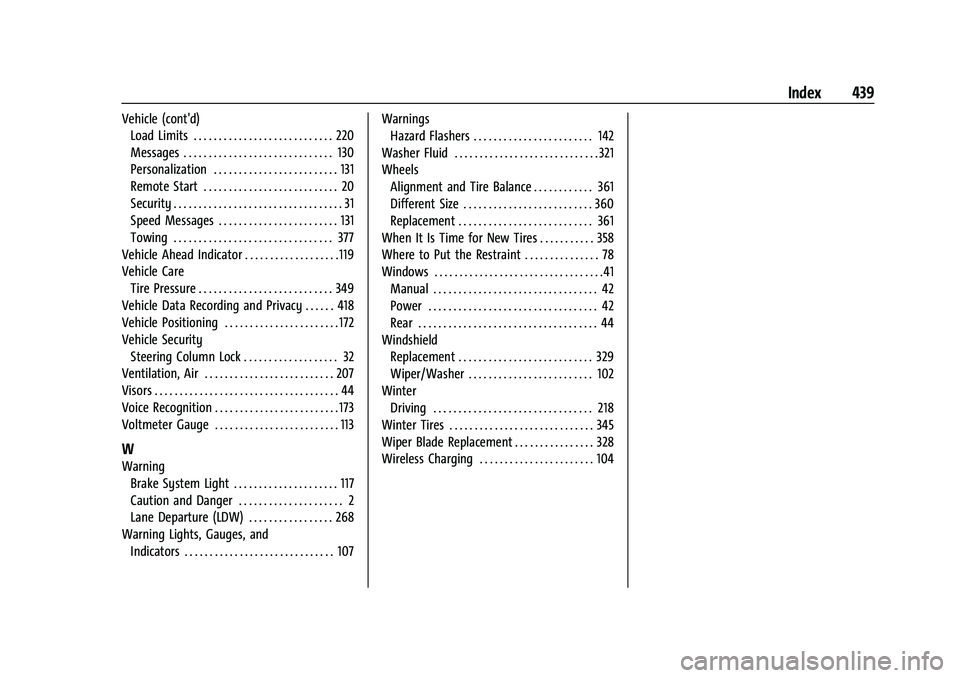
Vehicle (cont'd)Load Limits . . . . . . . . . . . . . . . . . . . . . . . . . . . . 220
Messages . . . . . . . . . . . . . . . . . . . . . . . . . . . . . . 130
Personalization . . . . . . . . . . . . . . . . . . . . . . . . . 131
Remote Start . . . . . . . . . . . . . . . . . . . . . . . . . . . 20
Security . . . . . . . . . . . . . . . . . . . . . . . . . . . . . . . . . . 31
Speed Messages . . . . . . . . . . . . . . . . . . . . . . . . 131
Towing . . . . . . . . . . . . . . . . . . . . . . . . . . . . . . . . 377
Vehicle Ahead Indicator . . . . . . . . . . . . . . . . . . . 119
Vehicle Care Tire Pressure . . . . . . . . . . . . . . . . . . . . . . . . . . . 349
Vehicle Data Recording and Privacy . . . . . . 418
Vehicle Positioning . . . . . . . . . . . . . . . . . . . . . . . 172
Vehicle Security
Steering Column Lock . . . . . . . . . . . . . . . . . . . 32
Ventilation, Air . . . . . . . . . . . . . . . . . . . . . . . . . . 207
Visors . . . . . . . . . . . . . . . . . . . . . . . . . . . . . . . . . . . . . 44
Voice Recognition . . . . . . . . . . . . . . . . . . . . . . . . . 173
Voltmeter Gauge . . . . . . . . . . . . . . . . . . . . . . . . . 113
W
Warning
Brake System Light . . . . . . . . . . . . . . . . . . . . . 117
Caution and Danger . . . . . . . . . . . . . . . . . . . . . 2
Lane Departure (LDW) . . . . . . . . . . . . . . . . . 268
Warning Lights, Gauges, and
Indicators . . . . . . . . . . . . . . . . . . . . . . . . . . . . . . 107 Warnings
Hazard Flashers . . . . . . . . . . . . . . . . . . . . . . . . 142
Washer Fluid . . . . . . . . . . . . . . . . . . . . . . . . . . . . . 321
Wheels Alignment and Tire Balance . . . . . . . . . . . . 361
Different Size . . . . . . . . . . . . . . . . . . . . . . . . . . 360
Replacement . . . . . . . . . . . . . . . . . . . . . . . . . . . 361
When It Is Time for New Tires . . . . . . . . . . . 358
Where to Put the Restraint . . . . . . . . . . . . . . . 78
Windows . . . . . . . . . . . . . . . . . . . . . . . . . . . . . . . . . .41 Manual . . . . . . . . . . . . . . . . . . . . . . . . . . . . . . . . . 42
Power . . . . . . . . . . . . . . . . . . . . . . . . . . . . . . . . . . 42
Rear . . . . . . . . . . . . . . . . . . . . . . . . . . . . . . . . . . . . 44
Windshield Replacement . . . . . . . . . . . . . . . . . . . . . . . . . . . 329
Wiper/Washer . . . . . . . . . . . . . . . . . . . . . . . . . 102
Winter Driving . . . . . . . . . . . . . . . . . . . . . . . . . . . . . . . . 218
Winter Tires . . . . . . . . . . . . . . . . . . . . . . . . . . . . . 345
Wiper Blade Replacement . . . . . . . . . . . . . . . . 328
Wireless Charging . . . . . . . . . . . . . . . . . . . . . . . 104