lock CHEVROLET SONIC 2017 2.G Owner's Manual
[x] Cancel search | Manufacturer: CHEVROLET, Model Year: 2017, Model line: SONIC, Model: CHEVROLET SONIC 2017 2.GPages: 342, PDF Size: 7.2 MB
Page 39 of 342
Chevrolet Sonic Owner Manual (GMNA-Localizing-U.S./Canada-10122660) -2017 - crc - 5/13/16
38 Keys, Doors, and Windows
After this, the vehicle's ignitionswitch must be turned to ON/RUNand then back to LOCK/OFF usingthe key, before the remote startprocedure can be used again.
Canceling a Remote Start
To c a n c e l a r e m o t e s t a r t , d o o n e o fthe following:
.Press and hold/until the
parking lamps turn off.
.Turn on the hazard warningflashers.
.Turn the vehicle on and then off.
Conditions in Which Remote StartWill Not Work
The remote vehicle start feature willnot operate if:
.The key is in the ignition.
.The hood is not closed.
.The hazard warning flashersare on.
.The malfunction indicator lampis on.
.The engine coolant temperatureis too high.
.The oil pressure is low.
.Tw o r e m o t e v e h i c l e s t a r t s , o r asingle remote start with anextension, have alreadybeen used.
.The vehicle is not in P (Park).
Door Locks
{Warning
Unlocked doors can be
dangerous.
.Passengers, especiallychildren, can easily openthe doors and fall out of amoving vehicle. When adoor is locked, the handlewill not open it. The chanceof being thrown out of thevehicle in a crash isincreased if the doors arenot locked. So, allpassengers should wearsafety belts properly and the
(Continued)
Warning (Continued)
doors should be lockedwhenever the vehicle isdriven.
.Yo u n g c h i l d r e n w h o g e t i n t ounlocked vehicles may beunable to get out. A childcan be overcome byextreme heat and can sufferpermanent injuries or evendeath from heat stroke.Always lock the vehiclewhenever leaving it.
.Outsiders can easily enterthrough an unlocked doorwhen you slow down or stopthe vehicle. Locking thedoors can help prevent thisfrom happening.
To l o c k o r u n l o c k t h e d o o r s f r o moutside the vehicle:
.Use the key in the driver door tolock all doors or unlock thedriver door only.
Page 40 of 342
Chevrolet Sonic Owner Manual (GMNA-Localizing-U.S./Canada-10122660) -2017 - crc - 5/13/16
Keys, Doors, and Windows 39
.PressQorKon the Remote
Keyless Entry (RKE) transmitter.SeeRemote Keyless Entry(RKE) System Operation(Keyless Access)031orRemote Keyless Entry (RKE)System Operation (KeyAccess)029.
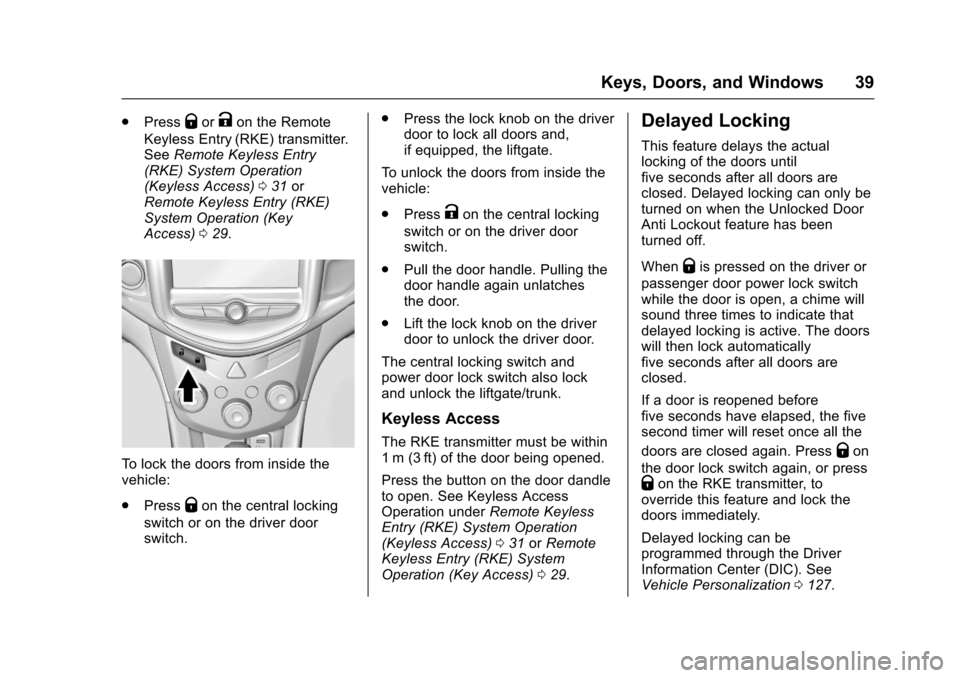
To l o c k t h e d o o r s f r o m i n s i d e t h evehicle:
.PressQon the central locking
switch or on the driver doorswitch.
.Press the lock knob on the driverdoor to lock all doors and,if equipped, the liftgate.
To u n l o c k t h e d o o r s f r o m i n s i d e t h evehicle:
.PressKon the central locking
switch or on the driver doorswitch.
.Pull the door handle. Pulling thedoor handle again unlatchesthe door.
.Lift the lock knob on the driverdoor to unlock the driver door.
The central locking switch andpower door lock switch also lockand unlock the liftgate/trunk.
Keyless Access
The RKE transmitter must be within1m (3ft) of the door being opened.
Press the button on the door dandleto open. See Keyless AccessOperation underRemote KeylessEntry (RKE) System Operation(Keyless Access)031orRemoteKeyless Entry (RKE) SystemOperation (Key Access)029.
Delayed Locking
This feature delays the actuallocking of the doors untilfive seconds after all doors areclosed. Delayed locking can only beturned on when the Unlocked DoorAnti Lockout feature has beenturned off.
WhenQis pressed on the driver or
passenger door power lock switchwhile the door is open, a chime willsound three times to indicate thatdelayed locking is active. The doorswill then lock automaticallyfive seconds after all doors areclosed.
If a door is reopened beforefive seconds have elapsed, the fivesecond timer will reset once all the
doors are closed again. PressQon
the door lock switch again, or pressQon the RKE transmitter, tooverride this feature and lock thedoors immediately.
Delayed locking can beprogrammed through the DriverInformation Center (DIC). SeeVehicle Personalization0127.
Page 41 of 342
Chevrolet Sonic Owner Manual (GMNA-Localizing-U.S./Canada-10122660) -2017 - crc - 5/13/16
40 Keys, Doors, and Windows
Automatic Door Locks
The vehicle is programmed so thatwhen the doors are closed, theignition is on, and the shift lever ismoved out of P (Park) for automatictransmissions, or when the vehiclespeed is above 13 km/h (8 mph) formanual transmissions, the doorsand the trunk/liftgate will lock.
To u n l o c k t h e d o o r s a n d t h e t r u n k /liftgate:
.PressKon the center stack or
the driver door switch.
.If equipped with an automatictransmission the vehicle must bein P (Park).
.If equipped with a manualtransmission the vehicle must bein Neutral with the parkingbrake set.
This feature can be programmed.SeeVehicle Personalization0127.
Lockout Protection
If the driver side power door lockswitch is pressed when the driverdoor is open and the key is in theignition, all of the doors will lock andthen the driver door will unlock.
Lockout Protection can be manuallyoverridden with the driver door open
by pressing and holdingQon the
power door lock switch.
If Unlocked Door Anti Lockout isturned on and the vehicle is off, thedriver door is open, and doorlocking is requested using a doorlock switch or the RKE transmitter,then all the doors will lock and onlythe driver door will unlock. TheUnlocked Door Anti Lockout featurecan be turned on or off throughvehicle personalization. SeeVehiclePersonalization0127.
Safety Locks
The rear door safety locks preventpassengers from opening the reardoors from inside the vehicle.
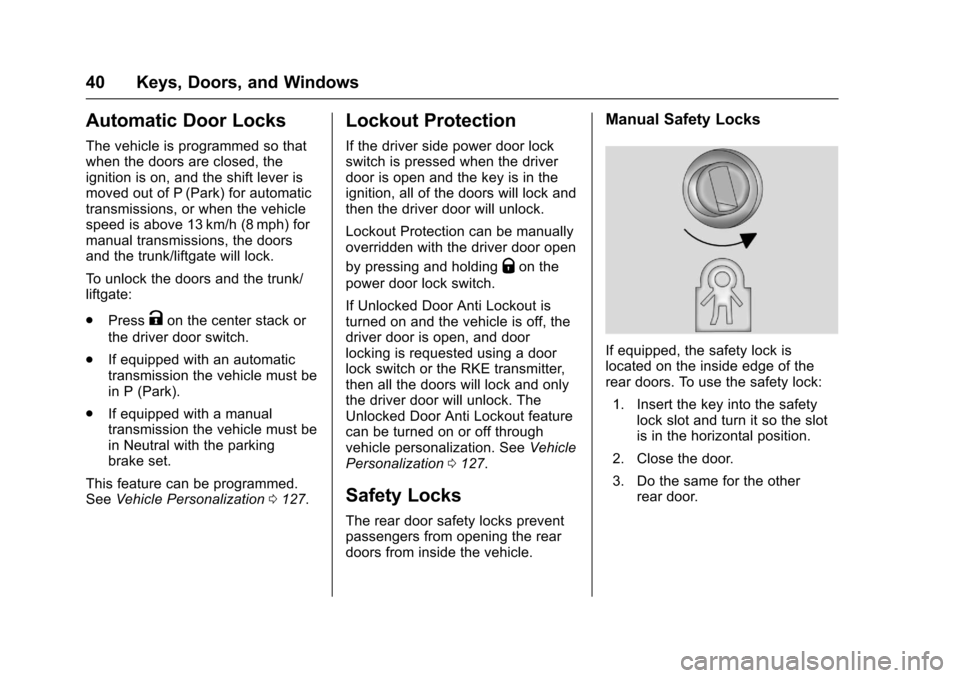
Manual Safety Locks
If equipped, the safety lock islocated on the inside edge of therear doors. To use the safety lock:
1. Insert the key into the safetylock slot and turn it so the slotis in the horizontal position.
2. Close the door.
3. Do the same for the otherrear door.
Page 42 of 342
Chevrolet Sonic Owner Manual (GMNA-Localizing-U.S./Canada-10122660) -2017 - crc - 5/13/16
Keys, Doors, and Windows 41
To o p e n a r e a r d o o r w h e n t h e s a f e t ylock is on:
1. Unlock the door by activatingthe inside handle, by using thepower door lock switch, or byusing the Remote KeylessEntry (RKE) transmitter.
2. Open the door from theoutside.
To c a n c e l t h e s a f e t y l o c k :
1. Unlock the door and open itfrom the outside.
2. Insert the key into the safetylock slot and turn it so the slotis in the vertical position. Dothe same for the other door.
Doors
Trunk (Sedan)
{Warning
Exhaust gases can enter the
vehicle if it is driven with the
liftgate, hatch/trunk open, or with
any objects that pass through the
seal between the body and the
hatch/trunk or liftgate. Engine
exhaust contains carbon
monoxide (CO) which cannot be
seen or smelled. It can cause
unconsciousness and even death.
If the vehicle must be driven with
the liftgate or hatch/trunk open:
.Close all of the windows.
.Fully open the air outlets onor under the instrumentpanel.
.Adjust the climate controlsystem to a setting thatbrings in only outside airand set the fan speed to the
(Continued)
Warning (Continued)
highest setting. See“Climate Control Systems”in the Index.
.If the vehicle is equippedwith a power liftgate, disablethe power liftgate function.
For more information about
carbon monoxide, seeEngine
Exhaust0190.
To l o c k o r u n l o c k t h e t r u n k f r o m t h e
inside, pressQorKon the central
locking switch or on the driver doorlock switch.
Page 43 of 342
Chevrolet Sonic Owner Manual (GMNA-Localizing-U.S./Canada-10122660) -2017 - crc - 5/20/16
42 Keys, Doors, and Windows
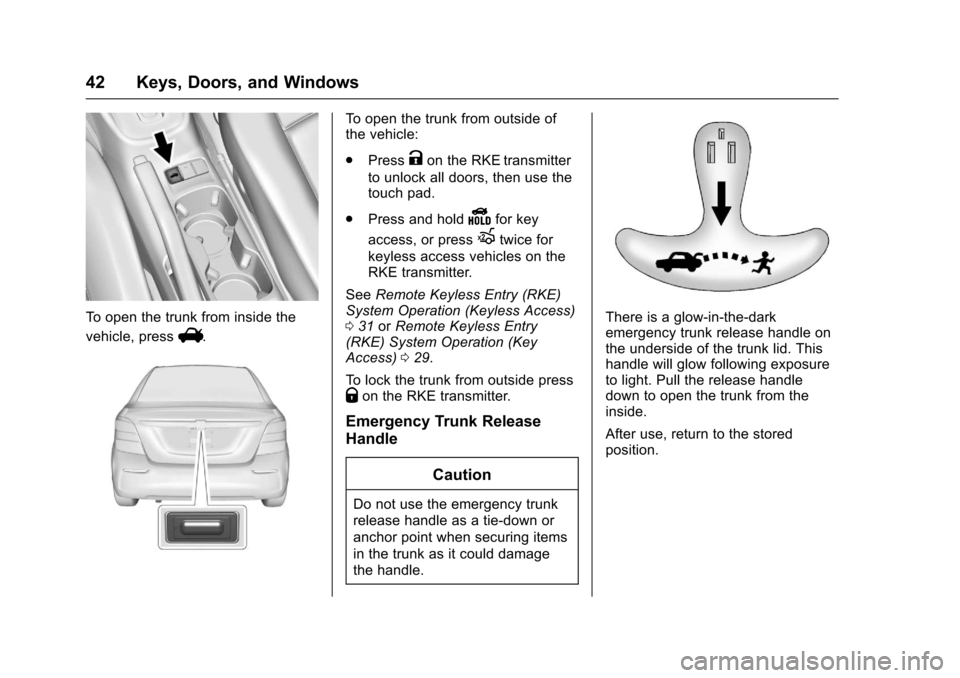
To o p e n t h e t r u n k f r o m i n s i d e t h e
vehicle, pressV.
To o p e n t h e t r u n k f r o m o u t s i d e o fthe vehicle:
.PressKon the RKE transmitter
to unlock all doors, then use thetouch pad.
.Press and holdYfor key
access, or pressXtwice for
keyless access vehicles on theRKE transmitter.
SeeRemote Keyless Entry (RKE)System Operation (Keyless Access)031orRemote Keyless Entry(RKE) System Operation (KeyAccess)029.
To l o c k t h e t r u n k f r o m o u t s i d e p r e s sQon the RKE transmitter.
Emergency Trunk Release
Handle
Caution
Do not use the emergency trunk
release handle as a tie-down or
anchor point when securing items
in the trunk as it could damage
the handle.
There is a glow-in-the-darkemergency trunk release handle onthe underside of the trunk lid. Thishandle will glow following exposureto light. Pull the release handledown to open the trunk from theinside.
After use, return to the storedposition.
Page 44 of 342
Chevrolet Sonic Owner Manual (GMNA-Localizing-U.S./Canada-10122660) -2017 - crc - 5/13/16
Keys, Doors, and Windows 43
Liftgate (Hatchback)
{Warning
Exhaust gases can enter the
vehicle if it is driven with the
liftgate, hatch/trunk open, or with
any objects that pass through the
seal between the body and the
hatch/trunk or liftgate. Engine
exhaust contains carbon
monoxide (CO) which cannot be
seen or smelled. It can cause
unconsciousness and even death.
If the vehicle must be driven with
the liftgate or hatch/trunk open:
.Close all of the windows.
.Fully open the air outlets onor under the instrumentpanel.
.Adjust the climate controlsystem to a setting thatbrings in only outside airand set the fan speed to the
(Continued)
Warning (Continued)
highest setting. See“Climate Control Systems”in the Index.
.If the vehicle is equippedwith a power liftgate, disablethe power liftgate function.
For more information about
carbon monoxide, seeEngine
Exhaust0190.
To l o c k o r u n l o c k t h e l i f t g a t e f r o m
the inside, pressQorKon the
central locking switch or on thedriver door switch.
The vehicle must be in P (Park) forautomatic transmissions. Formanual transmissions the parkingbrake must be engaged.
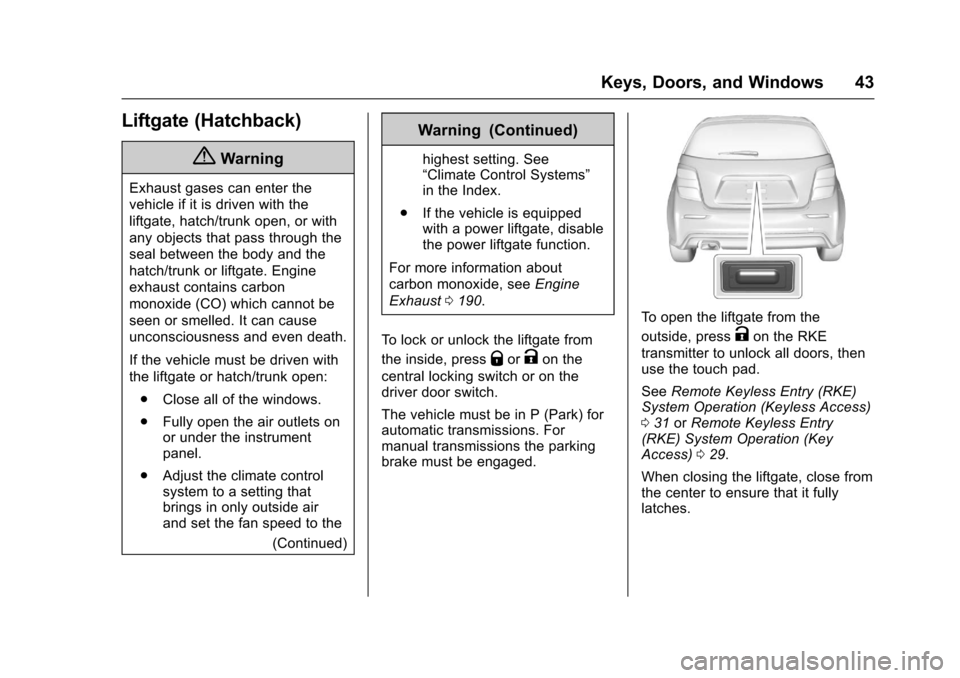
To o p e n t h e l i f t g a t e f r o m t h e
outside, pressKon the RKE
transmitter to unlock all doors, thenuse the touch pad.
SeeRemote Keyless Entry (RKE)System Operation (Keyless Access)031orRemote Keyless Entry(RKE) System Operation (KeyAccess)029.
When closing the liftgate, close fromthe center to ensure that it fullylatches.
Page 45 of 342
Chevrolet Sonic Owner Manual (GMNA-Localizing-U.S./Canada-10122660) -2017 - crc - 5/13/16
44 Keys, Doors, and Windows
Vehicle Security
This vehicle has theft-deterrentfeatures; however, they do not makethe vehicle impossible to steal.
Vehicle Alarm System
This vehicle has an anti-theft alarmsystem.
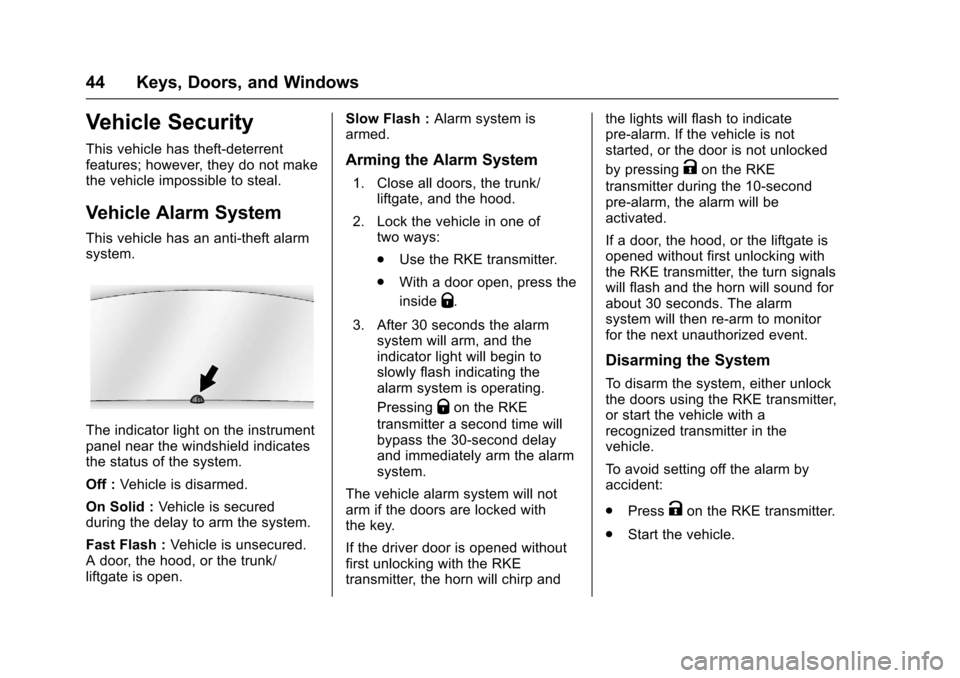
The indicator light on the instrumentpanel near the windshield indicatesthe status of the system.
Off :Vehicle is disarmed.
On Solid :Ve h i c l e i s s e c u r e dduring the delay to arm the system.
Fast Flash :Vehicle is unsecured.Adoor,thehood,orthetrunk/liftgate is open.
Slow Flash :Alarm system isarmed.
Arming the Alarm System
1. Close all doors, the trunk/liftgate, and the hood.
2. Lock the vehicle in one oftwo ways:
.Use the RKE transmitter.
.With a door open, press the
insideQ.
3. After 30 seconds the alarmsystem will arm, and theindicator light will begin toslowly flash indicating thealarm system is operating.
PressingQon the RKE
transmitter a second time willbypass the 30-second delayand immediately arm the alarmsystem.
The vehicle alarm system will notarm if the doors are locked withthe key.
If the driver door is opened withoutfirst unlocking with the RKEtransmitter, the horn will chirp and
the lights will flash to indicatepre-alarm. If the vehicle is notstarted, or the door is not unlocked
by pressingKon the RKE
transmitter during the 10-secondpre-alarm, the alarm will beactivated.
If a door, the hood, or the liftgate isopened without first unlocking withthe RKE transmitter, the turn signalswill flash and the horn will sound forabout 30 seconds. The alarmsystem will then re-arm to monitorfor the next unauthorized event.
Disarming the System
To d i s a r m t h e s y s t e m , e i t h e r u n l o c kthe doors using the RKE transmitter,or start the vehicle with arecognized transmitter in thevehicle.
To a v o i d s e t t i n g o f f t h e a l a r m b yaccident:
.PressKon the RKE transmitter.
.Start the vehicle.
Page 46 of 342
Chevrolet Sonic Owner Manual (GMNA-Localizing-U.S./Canada-10122660) -2017 - crc - 5/13/16
Keys, Doors, and Windows 45
To a v o i d s e t t i n g o f f t h e a l a r m b yaccident:
.Lock the vehicle after alloccupants have left the vehicleand all doors are closed.
.Always unlock a door with theRKE transmitter.
Unlocking the driver door with thekey will not disarm the system orturn off the alarm.
How to Detect a Tamper
Condition
IfKis pressed on the transmitter
and the horn chirps and the lightsflash three times, an alarm occurredpreviously while the alarm systemwas armed.
Immobilizer
SeeRadio FrequencyStatement0317.
Immobilizer Operation
This vehicle has a passivetheft-deterrent system.
The system does not have to bemanually armed or disarmed.
The vehicle is automaticallyimmobilized when the key isremoved from the ignition.
The system is automaticallydisarmed when the vehicle isstarted with the correct key. The keyuses a transponder that matches animmobilizer control unit in thevehicle and automatically disarmsthe system. Only an authorized keystarts the vehicle. The vehicle maynot start if the key is damaged.
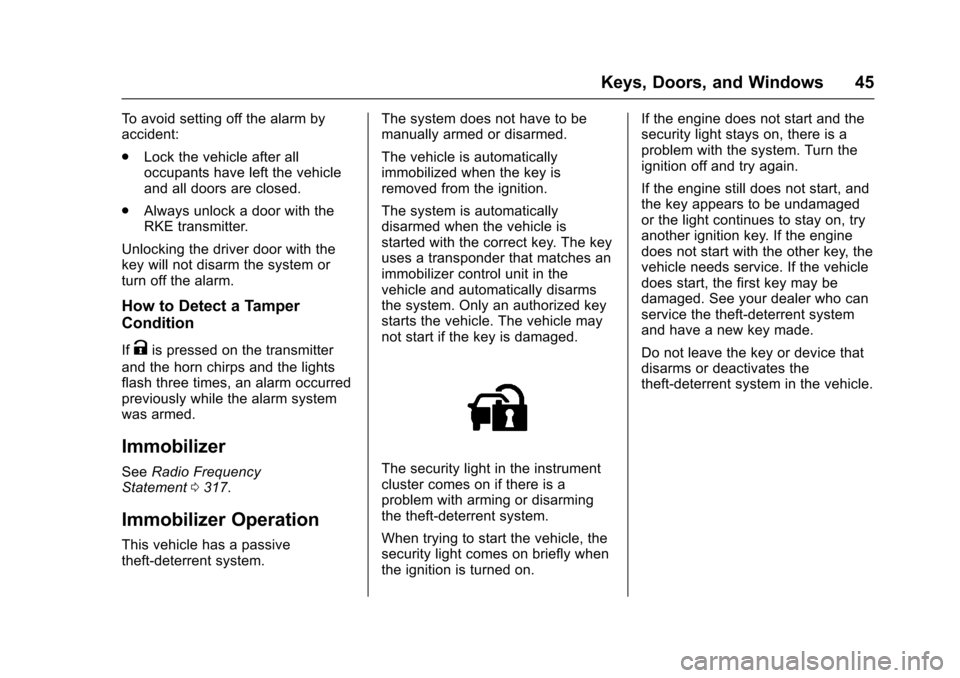
The security light in the instrumentcluster comes on if there is aproblem with arming or disarmingthe theft-deterrent system.
When trying to start the vehicle, thesecurity light comes on briefly whenthe ignition is turned on.
If the engine does not start and thesecurity light stays on, there is aproblem with the system. Turn theignition off and try again.
If the engine still does not start, andthe key appears to be undamagedor the light continues to stay on, tryanother ignition key. If the enginedoes not start with the other key, thevehicle needs service. If the vehicledoes start, the first key may bedamaged. See your dealer who canservice the theft-deterrent systemand have a new key made.
Do not leave the key or device thatdisarms or deactivates thetheft-deterrent system in the vehicle.
Page 49 of 342
Chevrolet Sonic Owner Manual (GMNA-Localizing-U.S./Canada-10122660) -2017 - crc - 5/13/16
48 Keys, Doors, and Windows
pulsing sound when either rearwindow is down and the frontwindows are up. To reduce thesound, open either a front windowor the sunroof, if equipped.
Manual Windows
If equipped, use the window crankto open and close each window.
The rear windows do not open fully.
Power Windows
{Warning
Leaving children in a vehicle with
the keys is dangerous for many
reasons. Children or others could
be badly injured or even killed.
They could operate the power
windows or other controls or even
make the vehicle move. The
windows will function and they
could be seriously injured or killed
if caught in the path of a closing
window. Do not leave keys in a
vehicle with children.
(Continued)
Warning (Continued)
When there are children in the
rear seat use the window lockout
button to prevent unintentional
operation of the windows.
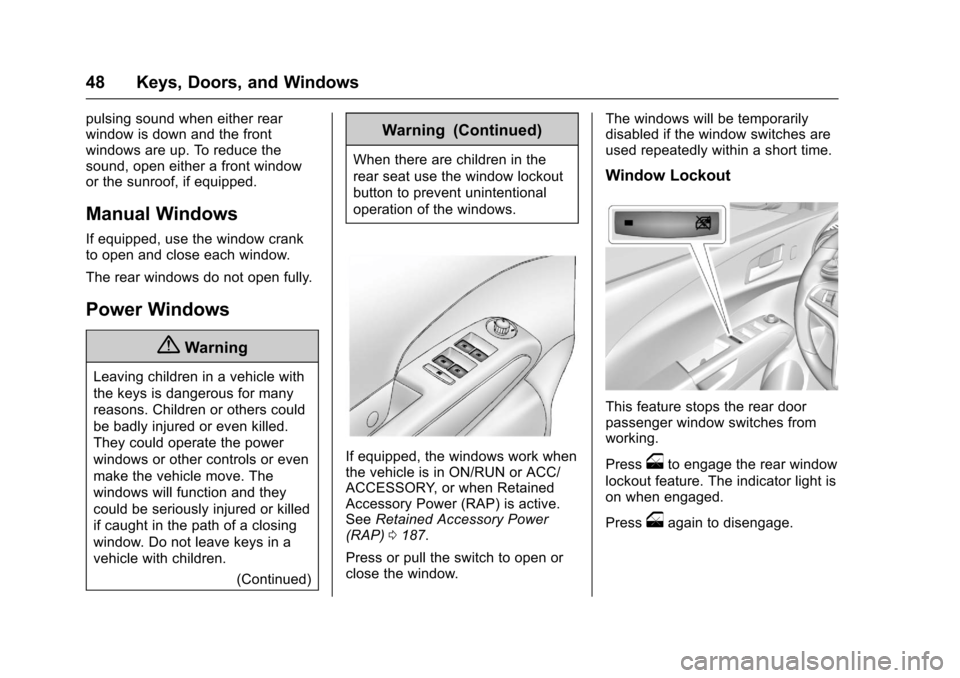
If equipped, the windows work whenthe vehicle is in ON/RUN or ACC/ACCESSORY, or when RetainedAccessory Power (RAP) is active.SeeRetained Accessory Power(RAP)0187.
Press or pull the switch to open orclose the window.
The windows will be temporarilydisabled if the window switches areused repeatedly within a short time.
Window Lockout
This feature stops the rear doorpassenger window switches fromworking.
Pressoto engage the rear window
lockout feature. The indicator light ison when engaged.
Pressoagain to disengage.
Page 53 of 342
Chevrolet Sonic Owner Manual (GMNA-Localizing-U.S./Canada-10122660) -2017 - crc - 5/13/16
52 Seats and Restraints
Head Restraints
{Warning
With head restraints that are not
installed and adjusted properly,
there is a greater chance that
occupants will suffer a neck/
spinal injury in a crash. Do not
drive until the head restraints for
all occupants are installed and
adjusted properly.
Front Seats
The front seats have adjustablehead restraints in the outboardseating positions.
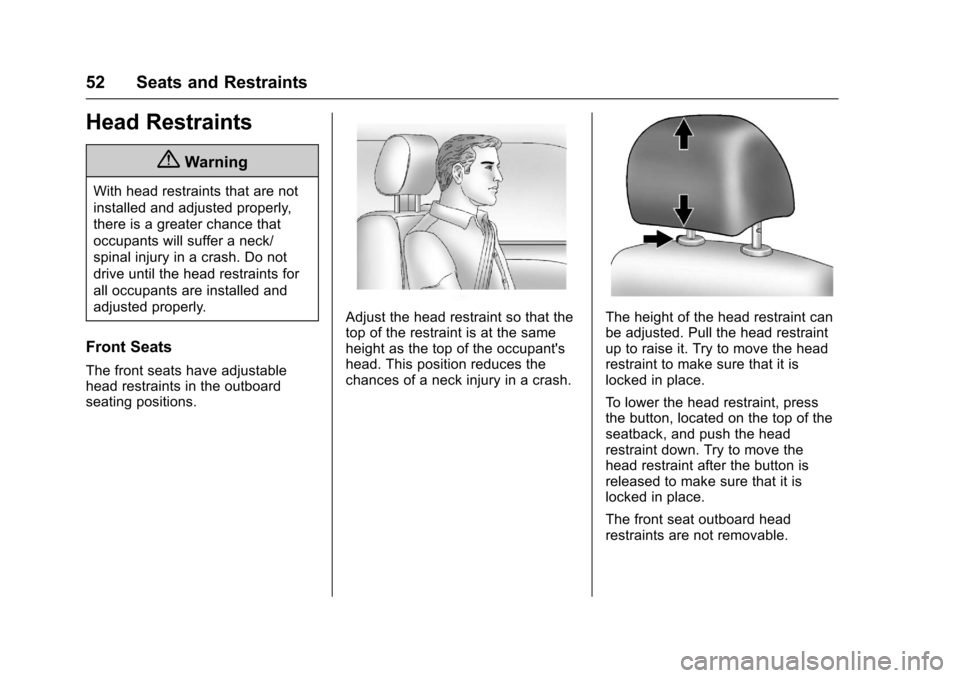
Adjust the head restraint so that thetop of the restraint is at the sameheight as the top of the occupant'shead. This position reduces thechances of a neck injury in a crash.
The height of the head restraint canbe adjusted. Pull the head restraintup to raise it. Try to move the headrestraint to make sure that it islocked in place.
To l o w e r t h e h e a d r e s t r a i n t , p r e s sthe button, located on the top of theseatback, and push the headrestraint down. Try to move thehead restraint after the button isreleased to make sure that it islocked in place.
The front seat outboard headrestraints are not removable.