ESP CHEVROLET SONIC 2017 2.G Owners Manual
[x] Cancel search | Manufacturer: CHEVROLET, Model Year: 2017, Model line: SONIC, Model: CHEVROLET SONIC 2017 2.GPages: 342, PDF Size: 7.2 MB
Page 20 of 342
Chevrolet Sonic Owner Manual (GMNA-Localizing-U.S./Canada-10122660) -2017 - crc - 5/13/16
In Brief 19
features are also available throughthe instrument cluster and steeringwheel controls.
Before driving:
.Become familiar with theoperation, faceplate buttons, andscreen buttons.
.Set up the audio by presettingfavorite stations, setting thetone, and adjusting thespeakers.
.Set up phone numbers inadvance so they can be calledeasily by pressing a singlebutton or by using a single voicecommand if equipped withBluetooth phone capability.
SeeDefensive Driving0172.
To p l a y t h e i n f o t a i n m e n t s y s t e m w i t hthe ignition off, seeRetainedAccessory Power (RAP)0187.
Radio(s)
O:
.Press to turn the power on.
.Press and hold to turn thepower off.
.Press to mute/unmute thesystem when on.
.Turn to decrease or increase thevolume.
g:
.Radio: Press and release to fastseek the strongest previousstation or channel.
.USB/Music/Pictures: Press to goto the previous content. Pressand hold to fast rewind.
d:
.Radio: Press and release to fastseek the next strongest stationor channel.
.USB/Music/Pictures: Press to goto the next content. Press andhold to fast forward.
5:
.Press and release to access thephone screen, answer anincoming call, or access thedevice home screen.
SeeOverview0143.
Satellite Radio
If equipped, vehicles with aSiriusXM®satellite radio tuner and avalid SiriusXM satellite radiosubscription can receive SiriusXMprogramming.
SiriusXM Satellite Radio
Service
SiriusXM is a satellite radio servicebased in the 48 contiguous UnitedStates and 10 Canadian provinces.SiriusXM satellite radio has a widevariety of programming andcommercial-free music, coast tocoast, and in digital-quality sound.AfeeisrequiredtoreceivetheSiriusXM service.
Refer to:
.www.siriusxm.com or call1-888-601-6296 (U.S.).
.www.siriusxm.ca or call1-877-438-9677 (Canada).
SeeSatellite Radio0146.
Page 22 of 342
Chevrolet Sonic Owner Manual (GMNA-Localizing-U.S./Canada-10122660) -2017 - crc - 5/13/16
In Brief 21
Cruise Control
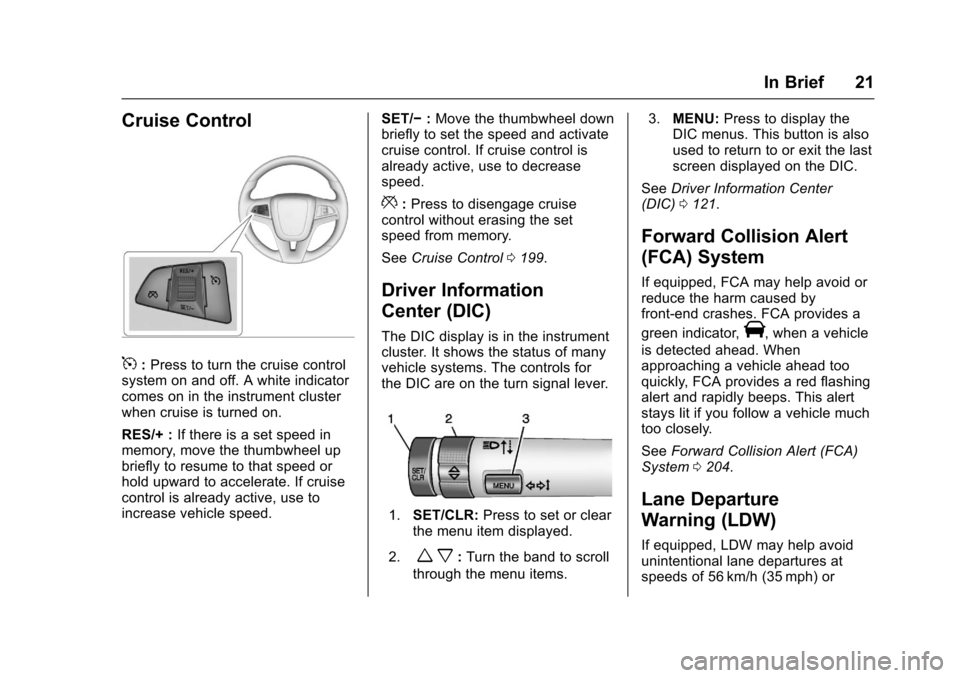
5:Press to turn the cruise controlsystem on and off. A white indicatorcomes on in the instrument clusterwhen cruise is turned on.
RES/+ :If there is a set speed inmemory, move the thumbwheel upbriefly to resume to that speed orhold upward to accelerate. If cruisecontrol is already active, use toincrease vehicle speed.
SET/✓:Move the thumbwheel downbriefly to set the speed and activatecruise control. If cruise control isalready active, use to decreasespeed.
*:Press to disengage cruisecontrol without erasing the setspeed from memory.
SeeCruise Control0199.
Driver Information
Center (DIC)
The DIC display is in the instrumentcluster. It shows the status of manyvehicle systems. The controls forthe DIC are on the turn signal lever.
1.SET/CLR:Press to set or clearthe menu item displayed.
2.wx:Turn the band to scroll
through the menu items.
3.MENU:Press to display theDIC menus. This button is alsoused to return to or exit the lastscreen displayed on the DIC.
SeeDriver Information Center(DIC)0121.
Forward Collision Alert
(FCA) System
If equipped, FCA may help avoid orreduce the harm caused byfront-end crashes. FCA provides a
green indicator,V,whenavehicle
is detected ahead. Whenapproaching a vehicle ahead tooquickly, FCA provides a red flashingalert and rapidly beeps. This alertstays lit if you follow a vehicle muchtoo closely.
SeeForward Collision Alert (FCA)System0204.
Lane Departure
Warning (LDW)
If equipped, LDW may help avoidunintentional lane departures atspeeds of 56 km/h (35 mph) or
Page 39 of 342
Chevrolet Sonic Owner Manual (GMNA-Localizing-U.S./Canada-10122660) -2017 - crc - 5/13/16
38 Keys, Doors, and Windows
After this, the vehicle's ignitionswitch must be turned to ON/RUNand then back to LOCK/OFF usingthe key, before the remote startprocedure can be used again.
Canceling a Remote Start
To c a n c e l a r e m o t e s t a r t , d o o n e o fthe following:
.Press and hold/until the
parking lamps turn off.
.Turn on the hazard warningflashers.
.Turn the vehicle on and then off.
Conditions in Which Remote StartWill Not Work
The remote vehicle start feature willnot operate if:
.The key is in the ignition.
.The hood is not closed.
.The hazard warning flashersare on.
.The malfunction indicator lampis on.
.The engine coolant temperatureis too high.
.The oil pressure is low.
.Tw o r e m o t e v e h i c l e s t a r t s , o r asingle remote start with anextension, have alreadybeen used.
.The vehicle is not in P (Park).
Door Locks
{Warning
Unlocked doors can be
dangerous.
.Passengers, especiallychildren, can easily openthe doors and fall out of amoving vehicle. When adoor is locked, the handlewill not open it. The chanceof being thrown out of thevehicle in a crash isincreased if the doors arenot locked. So, allpassengers should wearsafety belts properly and the
(Continued)
Warning (Continued)
doors should be lockedwhenever the vehicle isdriven.
.Yo u n g c h i l d r e n w h o g e t i n t ounlocked vehicles may beunable to get out. A childcan be overcome byextreme heat and can sufferpermanent injuries or evendeath from heat stroke.Always lock the vehiclewhenever leaving it.
.Outsiders can easily enterthrough an unlocked doorwhen you slow down or stopthe vehicle. Locking thedoors can help prevent thisfrom happening.
To l o c k o r u n l o c k t h e d o o r s f r o moutside the vehicle:
.Use the key in the driver door tolock all doors or unlock thedriver door only.
Page 41 of 342
Chevrolet Sonic Owner Manual (GMNA-Localizing-U.S./Canada-10122660) -2017 - crc - 5/13/16
40 Keys, Doors, and Windows
Automatic Door Locks
The vehicle is programmed so thatwhen the doors are closed, theignition is on, and the shift lever ismoved out of P (Park) for automatictransmissions, or when the vehiclespeed is above 13 km/h (8 mph) formanual transmissions, the doorsand the trunk/liftgate will lock.
To u n l o c k t h e d o o r s a n d t h e t r u n k /liftgate:
.PressKon the center stack or
the driver door switch.
.If equipped with an automatictransmission the vehicle must bein P (Park).
.If equipped with a manualtransmission the vehicle must bein Neutral with the parkingbrake set.
This feature can be programmed.SeeVehicle Personalization0127.
Lockout Protection
If the driver side power door lockswitch is pressed when the driverdoor is open and the key is in theignition, all of the doors will lock andthen the driver door will unlock.
Lockout Protection can be manuallyoverridden with the driver door open
by pressing and holdingQon the
power door lock switch.
If Unlocked Door Anti Lockout isturned on and the vehicle is off, thedriver door is open, and doorlocking is requested using a doorlock switch or the RKE transmitter,then all the doors will lock and onlythe driver door will unlock. TheUnlocked Door Anti Lockout featurecan be turned on or off throughvehicle personalization. SeeVehiclePersonalization0127.
Safety Locks
The rear door safety locks preventpassengers from opening the reardoors from inside the vehicle.
Manual Safety Locks
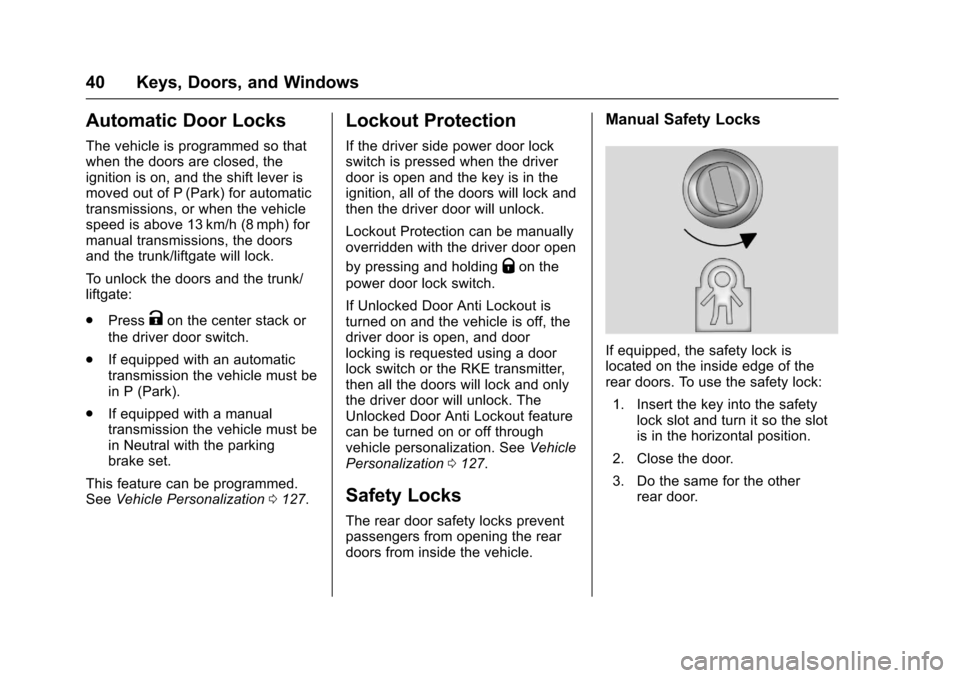
If equipped, the safety lock islocated on the inside edge of therear doors. To use the safety lock:
1. Insert the key into the safetylock slot and turn it so the slotis in the horizontal position.
2. Close the door.
3. Do the same for the otherrear door.
Page 48 of 342
Chevrolet Sonic Owner Manual (GMNA-Localizing-U.S./Canada-10122660) -2017 - crc - 5/13/16
Keys, Doors, and Windows 47
Folding Mirrors
Manual Folding Mirrors
The vehicle has manual foldingmirrors. These mirrors can be foldedinward to prevent damage whengoing through an automatic carwash. To fold, pull the mirror towardthe vehicle. Push the mirror outwardto return it to the original position.
Heated Mirrors
1:If equipped, press to heat themirrors. See“Rear Window andOutside Mirror Defogger”underClimate Control Systems0166.
Interior Mirrors
Manual Rearview Mirror
Hold the inside rearview mirror inthe center to move it for a clearerview behind your vehicle. Adjust themirror to avoid glare from theheadlamps behind you. Push thetab forward for daytime use and pullit for nighttime use.
Vehicles with OnStar®have threecontrol buttons at the bottom of themirror. See your dealer for moreinformation about OnStar and howto subscribe to it. SeeOnStarOverview0321.
Windows
{Warning
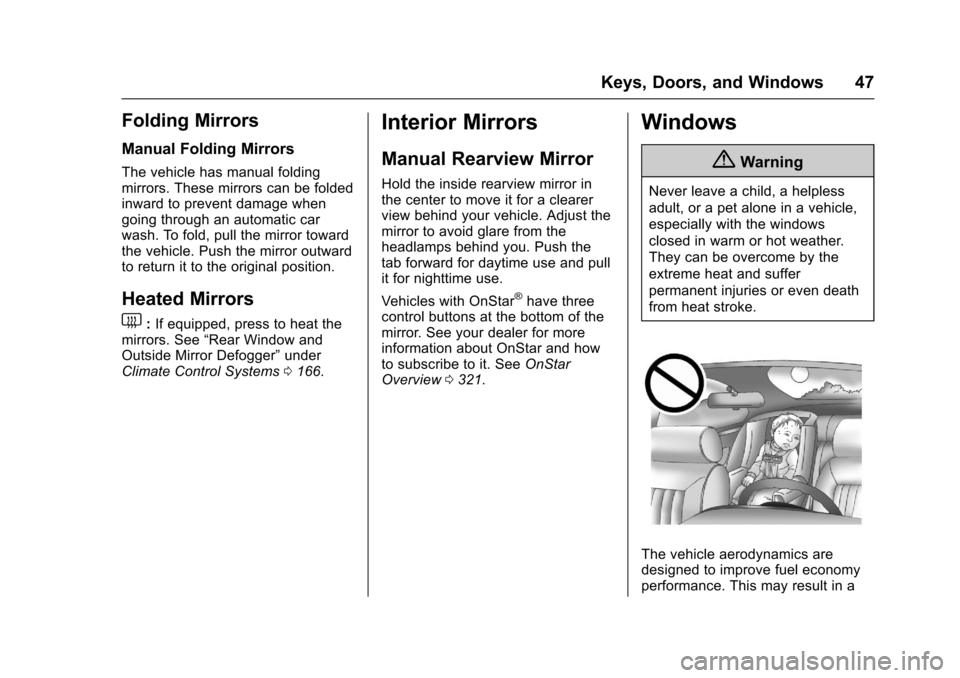
Never leave a child, a helpless
adult, or a pet alone in a vehicle,
especially with the windows
closed in warm or hot weather.
They can be overcome by the
extreme heat and suffer
permanent injuries or even death
from heat stroke.
The vehicle aerodynamics aredesigned to improve fuel economyperformance. This may result in a
Page 57 of 342
Chevrolet Sonic Owner Manual (GMNA-Localizing-U.S./Canada-10122660) -2017 - crc - 5/13/16
56 Seats and Restraints
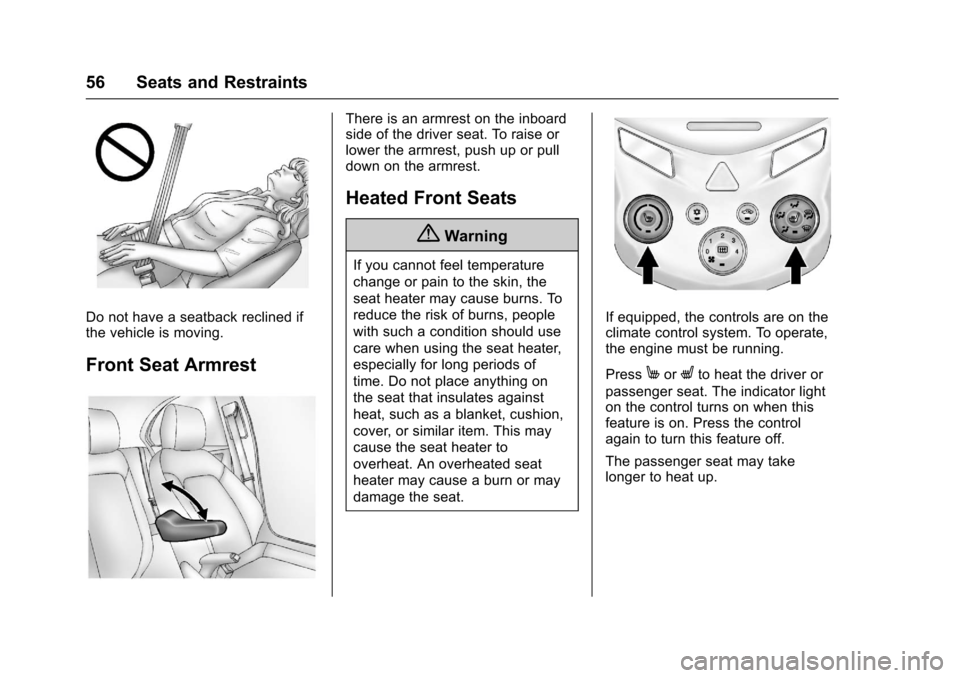
Do not have a seatback reclined ifthe vehicle is moving.
Front Seat Armrest
There is an armrest on the inboardside of the driver seat. To raise orlower the armrest, push up or pulldown on the armrest.
Heated Front Seats
{Warning
If you cannot feel temperature
change or pain to the skin, the
seat heater may cause burns. To
reduce the risk of burns, people
with such a condition should use
care when using the seat heater,
especially for long periods of
time. Do not place anything on
the seat that insulates against
heat, such as a blanket, cushion,
cover, or similar item. This may
cause the seat heater to
overheat. An overheated seat
heater may cause a burn or may
damage the seat.
If equipped, the controls are on theclimate control system. To operate,the engine must be running.
PressMorLto heat the driver or
passenger seat. The indicator lighton the control turns on when thisfeature is on. Press the controlagain to turn this feature off.
The passenger seat may takelonger to heat up.
Page 85 of 342
Chevrolet Sonic Owner Manual (GMNA-Localizing-U.S./Canada-10122660) -2017 - crc - 5/13/16
84 Seats and Restraints
Wherever a child restraint isinstalled, be sure to follow theinstructions that came with the childrestraint system and secure thechild restraint system properly.
Keep in mind that an unsecuredchild restraint can move around in acollision or sudden stop and injurepeople in the vehicle. Be sure toproperly secure any child restraint inthe vehicle—even when no child isin it.
Lower Anchors and
Tethers for Children
(LATCH System)
The LATCH system secures a childrestraint during driving or in a crash.LATCH attachments on the childrestraint are used to attach the childrestraint to the anchors in thevehicle. The LATCH system isdesigned to make installation of achild restraint easier.
In order to use the LATCH system inyour vehicle, you need a childrestraint that has LATCHattachments. LATCH-compatible
rear-facing and forward-facing childseats can be properly installedusing either the LATCH anchors orthe vehicle’ssafetybelts.Donotuse both the safety belts and theLATCH anchorage system to securearear-facingorforward-facingchild seat.
Booster seats use the vehicle’ssafety belts to secure the child inthe booster seat. If the manufacturerrecommends that the booster seatbe secured with the LATCH system,this can be done as long as thebooster seat can be positionedproperly and there is no interferencewith the proper positioning of thelap-shoulder belt on the child.
Make sure to follow the instructionsthat came with the child restraint,and also the instructions in thismanual.
When installing a child restraint withatoptether,youmustalsouseeither the lower anchors or thesafety belts to properly secure thechild restraint. A child restraint mustnever be attached using only the toptether.
The LATCH anchorage system canbe used until the combined weightof the child plus the child restraint is29.5 kg (65 lbs). Use the safety beltalone instead of the LATCHanchorage system once thecombined weight is more than29.5 kg (65 lbs).
SeeSecuring Child Restraints (Withthe Safety Belt in the Front Seat)093orSecuring Child Restraints(With the Safety Belt in the RearSeat)091.
Child restraints built after March2014 will be labeled with thespecific child weight up to which theLATCH system can be used toinstall the restraint.
The following explains how to attachachildrestraintwiththeseattachments in the vehicle.
Not all vehicle seating positions orchild restraints have lower anchorsand attachments or top tetheranchors and attachments. In thiscase, the safety belt must be used(with top tether where available) to
Page 104 of 342
Chevrolet Sonic Owner Manual (GMNA-Localizing-U.S./Canada-10122660) -2017 - crc - 5/13/16
Instruments and Controls 103
If the ignition is put in OFF while thewipers are performing wipes due towindshield washing, the wiperscontinue to run until they reach thebase of the windshield.
nL:Pull the windshield wiperlever toward you to spray windshieldwasher fluid and activate the wipers.The wipers will continue until thelever is released or the maximumwash time is reached. When thewindshield wiper lever is released,additional wipes may occurdepending on how long thewindshield washer had beenactivated. SeeWasher Fluid0231for information on filling thewindshield washer fluid reservoir.
{Warning
In freezing weather, do not use
the washer until the windshield is
warmed. Otherwise the washer
fluid can form ice on the
windshield, blocking your vision.
Clear snow and ice from the wiperblades before using them. If frozento the windshield, carefully loosen orthaw them. Damaged wiper bladesshould be replaced. SeeWiperBlade Replacement0236.
Heavy snow or ice can overload thewiper motor. A circuit breaker willstop the motor until it cools down.
Rear Window Wiper/
Washer
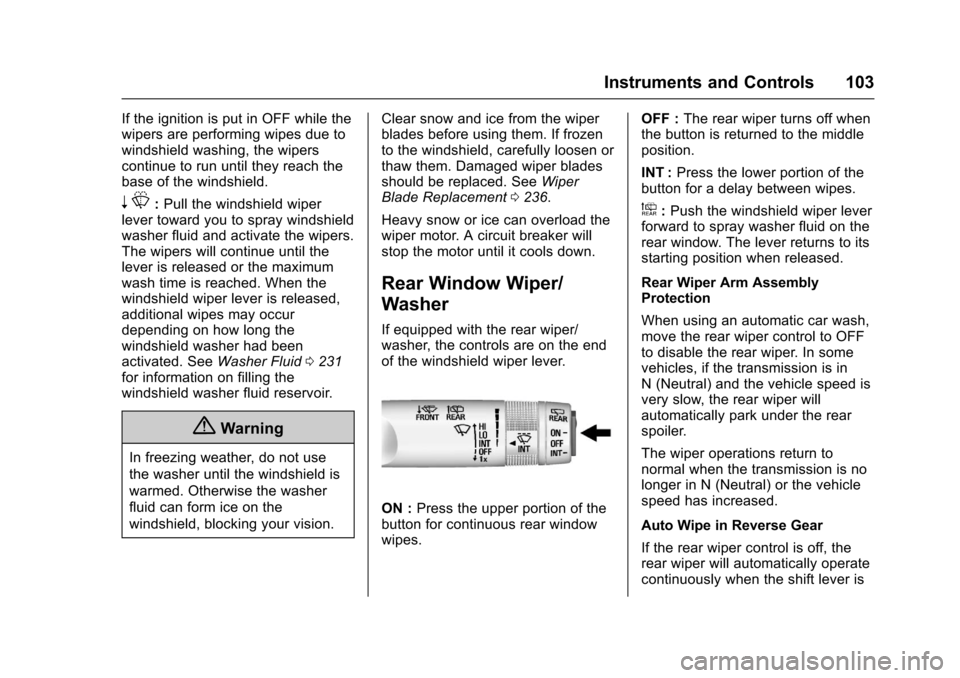
If equipped with the rear wiper/washer, the controls are on the endof the windshield wiper lever.
ON :Press the upper portion of thebutton for continuous rear windowwipes.
OFF :The rear wiper turns off whenthe button is returned to the middleposition.
INT :Press the lower portion of thebutton for a delay between wipes.
a:Push the windshield wiper leverforward to spray washer fluid on therear window. The lever returns to itsstarting position when released.
Rear Wiper Arm AssemblyProtection
When using an automatic car wash,move the rear wiper control to OFFto disable the rear wiper. In somevehicles, if the transmission is inN(Neutral)andthevehiclespeedisvery slow, the rear wiper willautomatically park under the rearspoiler.
The wiper operations return tonormal when the transmission is nolonger in N (Neutral) or the vehiclespeed has increased.
Auto Wipe in Reverse Gear
If the rear wiper control is off, therear wiper will automatically operatecontinuously when the shift lever is
Page 110 of 342
Chevrolet Sonic Owner Manual (GMNA-Localizing-U.S./Canada-10122660) -2017 - crc - 5/13/16
Instruments and Controls 109
Speedometer
The speedometer shows thevehicle's speed in either kilometersper hour (km/h) or miles perhour (mph).
Odometer
The odometer shows how far thevehicle has been driven, in eitherkilometers or miles.
Trip Odometer
The trip odometer shows how farthe vehicle has been driven sincethe trip odometer was last reset.
The trip odometer is accessed andreset through the Driver InformationCenter (DIC). SeeDriverInformation Center (DIC)0121.
Tachometer
The tachometer displays the enginespeed in revolutions perminute (rpm).
Caution
If the engine is operated with the
rpm’sinthewarningareaatthe
high end of the tachometer, the
vehicle could be damaged, and
the damage would not be covered
by the vehicle warranty. Do not
operate the engine with the rpm’s
in the warning area.
Fuel Gauge
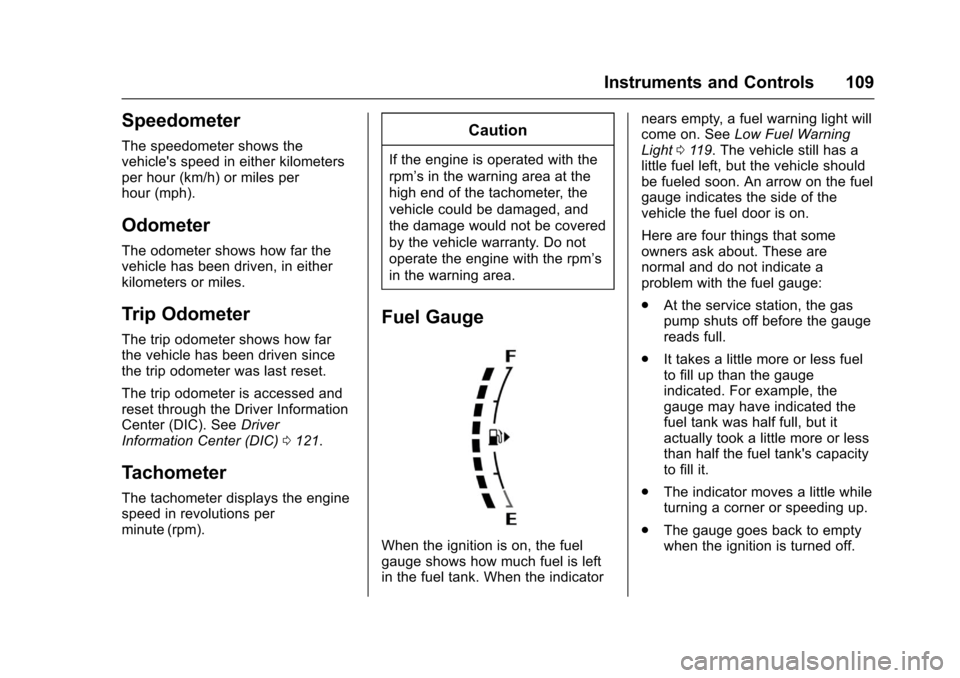
When the ignition is on, the fuelgauge shows how much fuel is leftin the fuel tank. When the indicator
nears empty, a fuel warning light willcome on. SeeLow Fuel WarningLight011 9.Thevehiclestillhasalittle fuel left, but the vehicle shouldbe fueled soon. An arrow on the fuelgauge indicates the side of thevehicle the fuel door is on.
Here are four things that someowners ask about. These arenormal and do not indicate aproblem with the fuel gauge:
.At the service station, the gaspump shuts off before the gaugereads full.
.It takes a little more or less fuelto fill up than the gaugeindicated. For example, thegauge may have indicated thefuel tank was half full, but itactually took a little more or lessthan half the fuel tank's capacityto fill it.
.The indicator moves a little whileturning a corner or speeding up.
.The gauge goes back to emptywhen the ignition is turned off.
Page 124 of 342
Chevrolet Sonic Owner Manual (GMNA-Localizing-U.S./Canada-10122660) -2017 - crc - 5/13/16
Instruments and Controls 123
the vehicle's fuel economy overrecent driving history and theamount of fuel remaining in the fueltank. Fuel range cannot be reset.
Average Vehicle Speed
This display shows the averagespeed of the vehicle in kilometersper hour (km/h) or miles perhour (mph). This average iscalculated based on the variousvehicle speeds recorded since thelast reset of this value. The averagespeed can be reset by pressingSET/CLR or pressing and holdingthe trip odometer reset stem whilethe Average Vehicle Speed displayis showing.
Instantaneous Fuel Economy
The instantaneous fuel economydisplay shows the current fueleconomy in liters per 100 kilometers(L/100 km) or miles pergallon (mpg). This number reflectsonly the approximate fuel economythat the vehicle has right now andchanges frequently as drivingconditions change. This displaycannot be reset.
Average Fuel Economy
This display shows the approximateaverage liters per 100 kilometers(L/100 km) or miles pergallon (mpg). This number iscalculated based on the number ofL/100 km (mpg) recorded since thelast time this menu item was reset.This number reflects only theapproximate average fuel economythat the vehicle has right now, andwill change as driving conditionschange. The fuel economy can bereset by pressing SET/CLR orpressing and holding the tripodometer reset stem while theAverage Fuel Economy display isshowing.
Timer
Available on some vehicles, thisdisplay can be used as a timer. Tostart the timer, press SET/CLR whileTimer is displayed. The display willshow the amount of time that haspassed since the timer was lastreset, not including time the ignitionis off. Time will continue to becounted as long as the ignition ison, even if another display is being
shown on the DIC. The timer willrecord up to 9 hours, 59 minutes,and 59 seconds (9:59:59) afterwhich the display will return to zero.To s t o p t h e t i m e r, p r e s s S E T / C L Rbriefly while Timer is displayed. Toreset the timer to zero, press andhold SET/CLR.
Trip/Fuel Menu Items
(Uplevel DIC)
Press MENU until the Trip/Fuel
menu is displayed. Usew/xto
scroll through the menu items. Notall items are available on everyvehicle. The following is a list ofpossible menu items:
.Digital Speedometer
.Trip 1
.Trip 2
.Fuel Range
.Instantaneous Fuel Economy
.Average Fuel Economy
.Average Vehicle Speed
.Timer
.Navigation