power CHEVROLET SONIC 2017 2.G Owner's Manual
[x] Cancel search | Manufacturer: CHEVROLET, Model Year: 2017, Model line: SONIC, Model: CHEVROLET SONIC 2017 2.GPages: 342, PDF Size: 7.2 MB
Page 101 of 342
Chevrolet Sonic Owner Manual (GMNA-Localizing-U.S./Canada-10122660) -2017 - crc - 5/13/16
100 Instruments and Controls
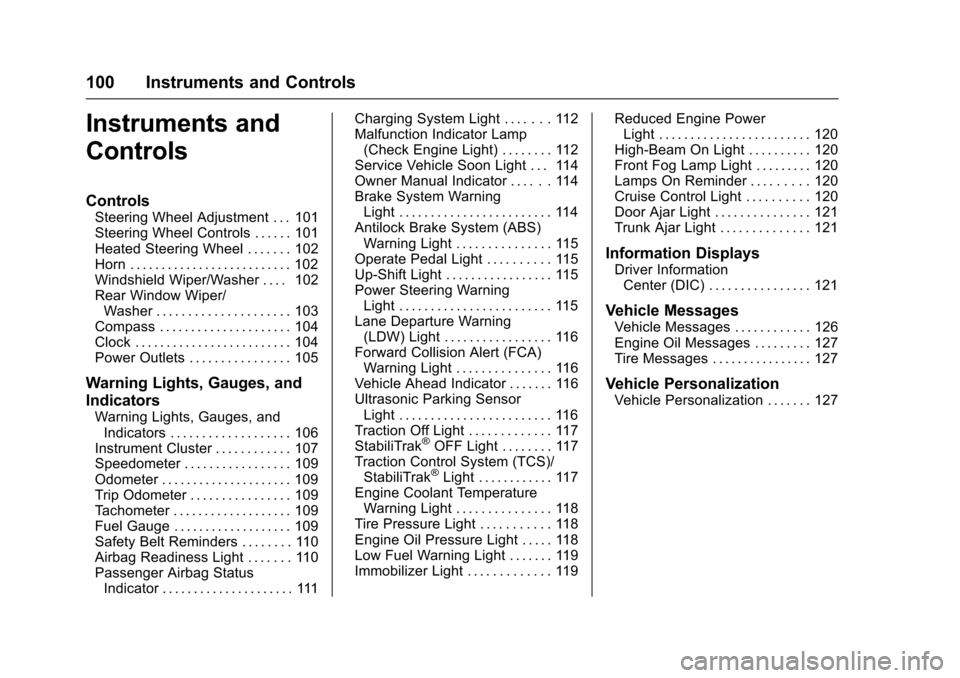
Instruments and
Controls
Controls
Steering Wheel Adjustment . . . 101Steering Wheel Controls . . . . . . 101Heated Steering Wheel . . . . . . . 102Horn . . . . . . . . . . . . . . . . . . . . . . . . . . 102Windshield Wiper/Washer . . . . 102Rear Window Wiper/Washer . . . . . . . . . . . . . . . . . . . . . 103Compass . . . . . . . . . . . . . . . . . . . . . 104Clock . . . . . . . . . . . . . . . . . . . . . . . . . 104Power Outlets . . . . . . . . . . . . . . . . 105
Warning Lights, Gauges, and
Indicators
Warning Lights, Gauges, andIndicators . . . . . . . . . . . . . . . . . . . 106Instrument Cluster . . . . . . . . . . . . 107Speedometer . . . . . . . . . . . . . . . . . 109Odometer . . . . . . . . . . . . . . . . . . . . . 109Trip Odometer . . . . . . . . . . . . . . . . 109Ta c h o m e t e r . . . . . . . . . . . . . . . . . . . 1 0 9Fuel Gauge . . . . . . . . . . . . . . . . . . . 109Safety Belt Reminders . . . . . . . . 110Airbag Readiness Light . . . . . . . 110Passenger Airbag StatusIndicator . . . . . . . . . . . . . . . . . . . . . 111
Charging System Light . . . . . . . 112Malfunction Indicator Lamp(Check Engine Light) . . . . . . . . 112Service Vehicle Soon Light . . . 114Owner Manual Indicator . . . . . . 114Brake System WarningLight . . . . . . . . . . . . . . . . . . . . . . . . 114Antilock Brake System (ABS)Warning Light . . . . . . . . . . . . . . . 115Operate Pedal Light . . . . . . . . . . 115Up-Shift Light . . . . . . . . . . . . . . . . . 115Power Steering WarningLight . . . . . . . . . . . . . . . . . . . . . . . . 115Lane Departure Warning(LDW) Light . . . . . . . . . . . . . . . . . 116Forward Collision Alert (FCA)Warning Light . . . . . . . . . . . . . . . 116Vehicle Ahead Indicator . . . . . . . 116Ultrasonic Parking SensorLight . . . . . . . . . . . . . . . . . . . . . . . . 116Traction Off Light . . . . . . . . . . . . . 117StabiliTrak®OFF Light . . . . . . . . 117Traction Control System (TCS)/StabiliTrak®Light . . . . . . . . . . . . 117Engine Coolant TemperatureWarning Light . . . . . . . . . . . . . . . 118Tire Pressure Light . . . . . . . . . . . 118Engine Oil Pressure Light . . . . . 118Low Fuel Warning Light . . . . . . . 119Immobilizer Light . . . . . . . . . . . . . 119
Reduced Engine PowerLight . . . . . . . . . . . . . . . . . . . . . . . . 120High-Beam On Light . . . . . . . . . . 120Front Fog Lamp Light . . . . . . . . . 120Lamps On Reminder . . . . . . . . . 120Cruise Control Light . . . . . . . . . . 120Door Ajar Light . . . . . . . . . . . . . . . 121Trunk Ajar Light . . . . . . . . . . . . . . 121
Information Displays
Driver InformationCenter (DIC) . . . . . . . . . . . . . . . . 121
Vehicle Messages
Vehicle Messages . . . . . . . . . . . . 126Engine Oil Messages . . . . . . . . . 127Tire Messages . . . . . . . . . . . . . . . . 127
Vehicle Personalization
Vehicle Personalization . . . . . . . 127
Page 106 of 342
Chevrolet Sonic Owner Manual (GMNA-Localizing-U.S./Canada-10122660) -2017 - crc - 5/13/16
Instruments and Controls 105
Setting the Month and Day
Format
1. Press{,thentouch
SETTINGS.
2. Touch Time and Date, then SetDate Format.
3. Select DD/MM/YYYY (day/month/year), MM/DD/YYYY(month/day/year), or YYYY/MM/DD (year/month/day)format.
4. Touch0.
Power Outlets
The accessory power outlets can beused to plug in electrical equipment,such as a cell phone or MP3 player.
The vehicle has an accessorypower outlet behind the cupholderson the center floor console.
Remove the cover to access andreplace when not in use.
{Warning
Power is always supplied to the
outlets. Do not leave electrical
equipment plugged in when the
vehicle is not in use because the
vehicle could catch fire and cause
injury or death.
Caution
Leaving electrical equipment
plugged in for an extended period
of time while the vehicle is off will
drain the battery. Always unplug
electrical equipment when not in
use and do not plug in equipment
that exceeds the maximum
20 amp rating.
Certain accessory power plugs maynot be compatible with theaccessory power outlet and couldoverload vehicle or adapter fuses.If a problem is experienced, seeyour dealer.
When adding electrical equipment,be sure to follow the properinstallation instructions included withthe equipment. SeeAdd-OnElectrical Equipment0211.
Caution
Hanging heavy equipment from
the power outlet can cause
damage not covered by the
vehicle warranty. The power
outlets are designed for
accessory power plugs only, such
as cell phone charge cords.
Page 116 of 342
Chevrolet Sonic Owner Manual (GMNA-Localizing-U.S./Canada-10122660) -2017 - crc - 5/13/16
Instruments and Controls 115
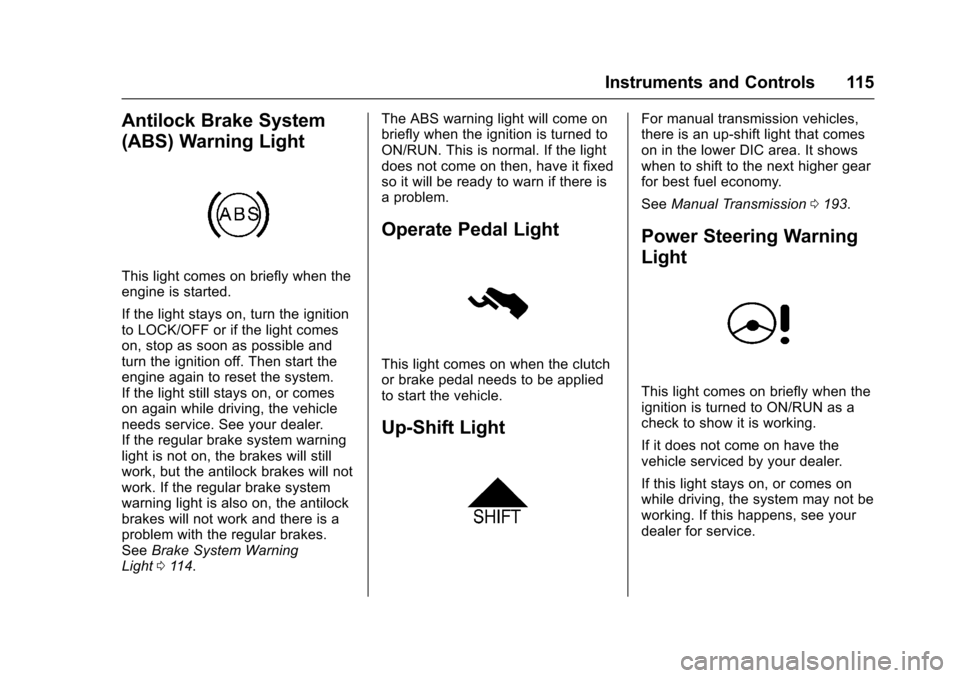
Antilock Brake System
(ABS) Warning Light
This light comes on briefly when theengine is started.
If the light stays on, turn the ignitionto LOCK/OFF or if the light comeson, stop as soon as possible andturn the ignition off. Then start theengine again to reset the system.If the light still stays on, or comeson again while driving, the vehicleneeds service. See your dealer.If the regular brake system warninglight is not on, the brakes will stillwork, but the antilock brakes will notwork. If the regular brake systemwarning light is also on, the antilockbrakes will not work and there is aproblem with the regular brakes.SeeBrake System WarningLight011 4.
The ABS warning light will come onbriefly when the ignition is turned toON/RUN. This is normal. If the lightdoes not come on then, have it fixedso it will be ready to warn if there isaproblem.
Operate Pedal Light
This light comes on when the clutchor brake pedal needs to be appliedto start the vehicle.
Up-Shift Light
For manual transmission vehicles,there is an up-shift light that comeson in the lower DIC area. It showswhen to shift to the next higher gearfor best fuel economy.
SeeManual Transmission0193.
Power Steering Warning
Light
This light comes on briefly when theignition is turned to ON/RUN as acheck to show it is working.
If it does not come on have thevehicle serviced by your dealer.
If this light stays on, or comes onwhile driving, the system may not beworking. If this happens, see yourdealer for service.
Page 121 of 342
Chevrolet Sonic Owner Manual (GMNA-Localizing-U.S./Canada-10122660) -2017 - crc - 5/13/16
120 Instruments and Controls
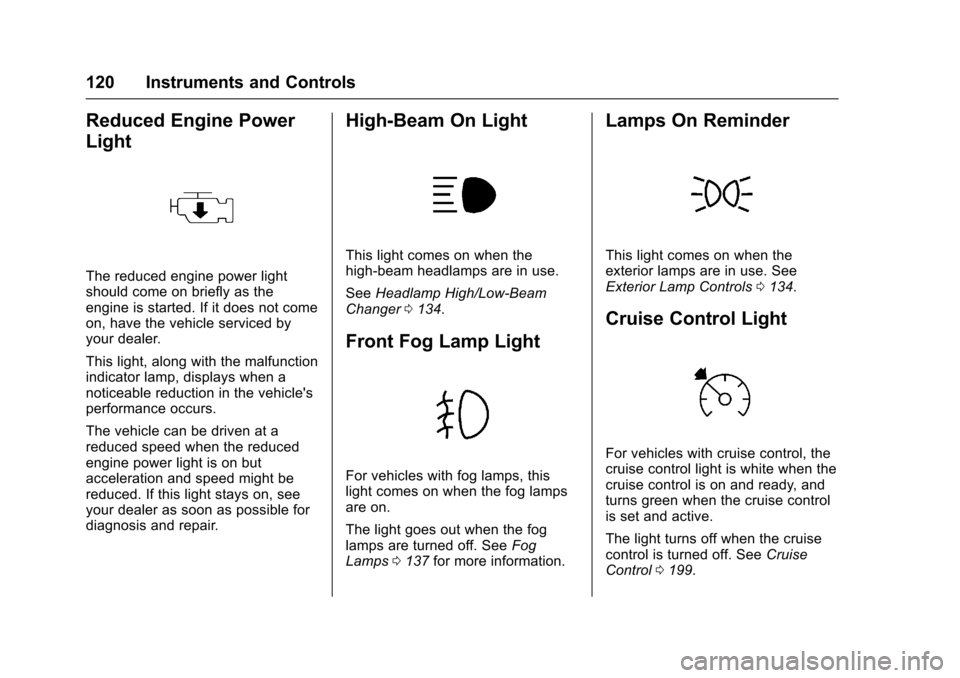
Reduced Engine Power
Light
The reduced engine power lightshould come on briefly as theengine is started. If it does not comeon, have the vehicle serviced byyour dealer.
This light, along with the malfunctionindicator lamp, displays when anoticeable reduction in the vehicle'sperformance occurs.
The vehicle can be driven at areduced speed when the reducedengine power light is on butacceleration and speed might bereduced. If this light stays on, seeyour dealer as soon as possible fordiagnosis and repair.
High-Beam On Light
This light comes on when thehigh-beam headlamps are in use.
SeeHeadlamp High/Low-BeamChanger0134.
Front Fog Lamp Light
For vehicles with fog lamps, thislight comes on when the fog lampsare on.
The light goes out when the foglamps are turned off. SeeFogLamps0137for more information.
Lamps On Reminder
This light comes on when theexterior lamps are in use. SeeExterior Lamp Controls0134.
Cruise Control Light
For vehicles with cruise control, thecruise control light is white when thecruise control is on and ready, andturns green when the cruise controlis set and active.
The light turns off when the cruisecontrol is turned off. SeeCruiseControl0199.
Page 127 of 342
Chevrolet Sonic Owner Manual (GMNA-Localizing-U.S./Canada-10122660) -2017 - crc - 5/13/16
126 Instruments and Controls
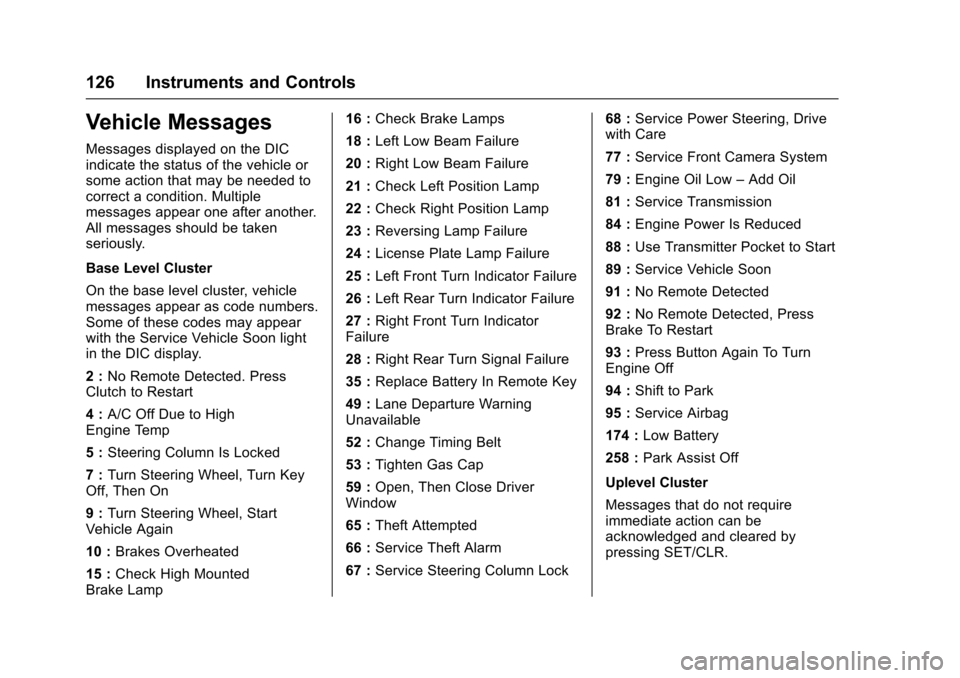
Vehicle Messages
Messages displayed on the DICindicate the status of the vehicle orsome action that may be needed tocorrect a condition. Multiplemessages appear one after another.All messages should be takenseriously.
Base Level Cluster
On the base level cluster, vehiclemessages appear as code numbers.Some of these codes may appearwith the Service Vehicle Soon lightin the DIC display.
2:No Remote Detected. PressClutch to Restart
4:A/C Off Due to HighEngine Temp
5:Steering Column Is Locked
7:Turn Steering Wheel, Turn KeyOff, Then On
9:Turn Steering Wheel, StartVehicle Again
10 :Brakes Overheated
15 :Check High MountedBrake Lamp
16 :Check Brake Lamps
18 :Left Low Beam Failure
20 :Right Low Beam Failure
21 :Check Left Position Lamp
22 :Check Right Position Lamp
23 :Reversing Lamp Failure
24 :License Plate Lamp Failure
25 :Left Front Turn Indicator Failure
26 :Left Rear Turn Indicator Failure
27 :Right Front Turn IndicatorFailure
28 :Right Rear Turn Signal Failure
35 :Replace Battery In Remote Key
49 :Lane Departure WarningUnavailable
52 :Change Timing Belt
53 :Tighten Gas Cap
59 :Open, Then Close DriverWindow
65 :Theft Attempted
66 :Service Theft Alarm
67 :Service Steering Column Lock
68 :Service Power Steering, Drivewith Care
77 :Service Front Camera System
79 :Engine Oil Low–Add Oil
81 :Service Transmission
84 :Engine Power Is Reduced
88 :Use Transmitter Pocket to Start
89 :Service Vehicle Soon
91 :No Remote Detected
92 :No Remote Detected, PressBrake To Restart
93 :Press Button Again To TurnEngine Off
94 :Shift to Park
95 :Service Airbag
174 :Low Battery
258 :Park Assist Off
Uplevel Cluster
Messages that do not requireimmediate action can beacknowledged and cleared bypressing SET/CLR.
Page 130 of 342
Chevrolet Sonic Owner Manual (GMNA-Localizing-U.S./Canada-10122660) -2017 - crc - 5/13/16
Instruments and Controls 129
Text Scroll
Select to see text scroll on thescreen.
Select Off or On.
Tone Settings
Select to adjust the radio tone. SeeOperation0144.
Auto Volume
This feature adjusts the volumebased on vehicle speed andambient noise.
Select Off, Low, Medium-Low,Medium, Medium-High, or High.
Maximum Startup Volume
This feature sets the maximumstartup volume. If the vehicle isstarted and the volume is greaterthan this level, the volume isadjusted to this level. To set themaximum startup volume, turn theMENU knob or press + or✓toincrease or decrease.
Audio Cue Volume
This feature sets the volume ofaudio files played at system startupand shutdown.
Select On, then press + or✓toincrease or decrease the volume.
Vehicle
Select and the following maydisplay:
.Collision/Detection Systems
.Comfort and Convenience
.Lighting
.Power Door Locks
.Remote Lock, Unlock, Start
Collision/Detection Systems
Select and the following maydisplay:
.Park Assist
Park Assist
If equipped, this feature can assistin backing up and parking thevehicle. SeeParking Assist0203.
Select On or Off.
Comfort and Convenience
Select and the following maydisplay:
.Chime Volume
.Auto Wipe in Reverse Gear
Chime Volume
This allows the selection of thechime volume level.
Turn the MENU knob, touch + or✓to adjust the volume, or selectNormal or High.
Auto Wipe in Reverse Gear
When on and the front wiper is on,the rear wiper will automaticallyactivate when the vehicle is shiftedto R (Reverse).
Select Off or On.
Lighting
Select and the following maydisplay:
.Vehicle Locator Lights
.Exit Lighting
Page 131 of 342
Chevrolet Sonic Owner Manual (GMNA-Localizing-U.S./Canada-10122660) -2017 - crc - 5/13/16
130 Instruments and Controls
Vehicle Locator Lights
This feature will flash the exteriorlamps and allows some of theexterior lamps and most of theinterior lamps to turn on briefly whenKon the Remote Keyless Entry(RKE) transmitter is pressed tolocate the vehicle.
Select Off or On.
Exit Lighting
This allows the selection of howlong the exterior lamps stay onwhen leaving the vehicle when it isdark outside.
Select Off, 30 Seconds, 60Seconds, or 120 Seconds.
Power Door Locks
Select and the following maydisplay:
.Unlocked Door Anti Lock Out
.Auto Door Unlock
.Delayed Door Lock
Unlocked Door Anti Lock Out
When on, this feature will keep thedriver door from locking until thedoor is closed. If this feature isturned on, the Delayed Door Lockmenu will not be available.
Select Off or On.
Auto Door Unlock
This allows selection of which of thedoors will automatically unlock whenthe vehicle is shifted into P with anautomatic transmission or when thevehicle is turned off with a manualtransmission.
Select Off, All Doors, or Driver Door.
Delayed Door Lock
When on, this feature will delay thelocking of the doors. To override thedelay, press the power door lockswitch on the door.
Select Off or On.
Remote Lock, Unlock, Start
Select and the following maydisplay:
.Remote Unlock Light Feedback
.Remote Lock Feedback
.Remote Door Unlock
.Remote Start Auto Heat Seats
.Passive Door Unlock
.Passive Door Lock
.Remote Left in Vehicle Alert
Remote Unlock Light Feedback
When on, the exterior lamps willflash when unlocking the vehiclewith the RKE transmitter.
Select Off or Flash Lights.
Remote Lock Feedback
This allows selection of what type offeedback is given when locking thevehicle with the RKE transmitter.
Select Off, Lights and Horn, LightsOnly, or Horn Only.
Remote Door Unlock
This allows selection of which doors
will unlock when pressingKon the
RKE transmitter.
Select All Doors or Driver Door.
Page 135 of 342
Chevrolet Sonic Owner Manual (GMNA-Localizing-U.S./Canada-10122660) -2017 - crc - 5/13/16
134 Lighting
Lighting
Exterior Lighting
Exterior Lamp Controls . . . . . . . 134Headlamp High/Low-BeamChanger . . . . . . . . . . . . . . . . . . . . 134Flash-to-Pass . . . . . . . . . . . . . . . . 135Daytime RunningLamps (DRL) . . . . . . . . . . . . . . . 135Automatic HeadlampSystem . . . . . . . . . . . . . . . . . . . . . . 135Hazard Warning Flashers . . . . . 136Turn and Lane-ChangeSignals . . . . . . . . . . . . . . . . . . . . . . 136Fog Lamps . . . . . . . . . . . . . . . . . . . 137
Interior Lighting
Instrument Panel IlluminationControl . . . . . . . . . . . . . . . . . . . . . . 137Courtesy Lamps . . . . . . . . . . . . . . 138Dome Lamps . . . . . . . . . . . . . . . . . 138Reading Lamps . . . . . . . . . . . . . . 138
Lighting Features
Entry Lighting . . . . . . . . . . . . . . . . 138Exit Lighting . . . . . . . . . . . . . . . . . . 138Battery Load Management . . . 139Battery Power Protection . . . . . 139Exterior Lighting BatterySaver . . . . . . . . . . . . . . . . . . . . . . . 139
Exterior Lighting
Exterior Lamp Controls
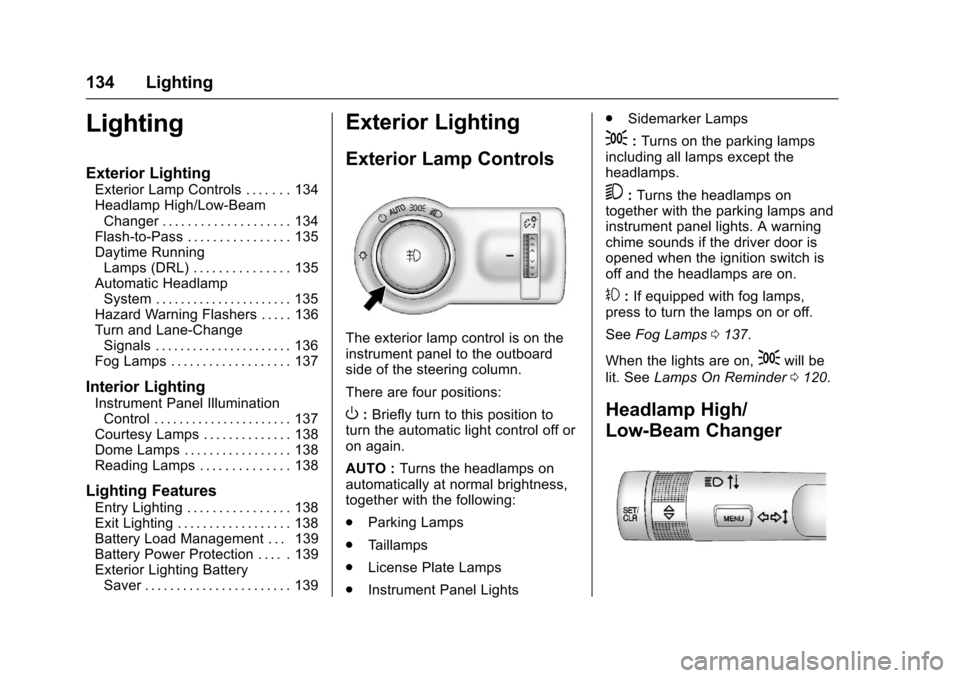
The exterior lamp control is on theinstrument panel to the outboardside of the steering column.
There are four positions:
O:Briefly turn to this position toturn the automatic light control off oron again.
AUTO :Turns the headlamps onautomatically at normal brightness,together with the following:
.Parking Lamps
.Ta i l l a m p s
.License Plate Lamps
.Instrument Panel Lights
.Sidemarker Lamps
;:Turns on the parking lampsincluding all lamps except theheadlamps.
5:Turns the headlamps ontogether with the parking lamps andinstrument panel lights. A warningchime sounds if the driver door isopened when the ignition switch isoff and the headlamps are on.
#:If equipped with fog lamps,press to turn the lamps on or off.
SeeFog Lamps0137.
When the lights are on,;will be
lit. SeeLamps On Reminder0120.
Headlamp High/
Low-Beam Changer
Page 140 of 342
Chevrolet Sonic Owner Manual (GMNA-Localizing-U.S./Canada-10122660) -2017 - crc - 5/13/16
Lighting 139
If equipped with Keyless Access,the exterior lamps automatically turnon when a door is opened after theignition is changed to the OFFposition. The dome lamps alsocome on after the ignition ischanged to the OFF position. SeeIgnition Positions (Key Access)0182orIgnition Positions (KeylessAccess)0183.
The exterior lamps turn offimmediately by turning the exteriorlamps control off.
This feature can be changed. SeeVehicle Personalization0127.
Battery Load
Management
The vehicle has Electric PowerManagement (EPM) that estimatesthe battery's temperature and stateof charge. It then adjusts the voltagefor best performance and extendedlife of the battery.
When the battery's state of chargeis low, the voltage is raised slightlyto quickly bring the charge back up.When the state of charge is high,
the voltage is lowered slightly toprevent overcharging. If the vehiclehas a voltmeter gauge or a voltagedisplay on the Driver InformationCenter (DIC), you may see thevoltage move up or down. This isnormal. If there is a problem, analert will be displayed.
The battery can be discharged atidle if the electrical loads are veryhigh. This is true for all vehicles.This is because the generator(alternator) may not be spinning fastenough at idle to produce all thepower needed for very highelectrical loads.
Ahighelectricalloadoccurswhenseveral of the following are on, suchas: headlamps, high beams, foglamps, rear window defogger,climate control fan at high speed,heated seats, engine cooling fans,trailer loads, and loads plugged intoaccessory power outlets.
EPM works to prevent excessivedischarge of the battery. It does thisby balancing the generator's outputand the vehicle's electrical needs.It can increase engine idle speed to
generate more power, wheneverneeded. It can temporarily reducethe power demands of someaccessories.
Normally, these actions occur insteps or levels, without beingnoticeable. In rare cases at thehighest levels of corrective action,this action may be noticeable to thedriver.
Battery Power Protection
The battery saver feature isdesigned to protect the vehicle'sbattery.
If some interior lamps are left onand the ignition is turned off, thebattery rundown protection systemautomatically turns the lamp off aftersome time.
Exterior Lighting Battery
Saver
The exterior lamps turn off about10 minutes after the ignition isturned off, if the parking lamps orheadlamps have been manually lefton. This protects against draining
Page 143 of 342
Chevrolet Sonic Owner Manual (GMNA-Localizing-U.S./Canada-10122660) -2017 - crc - 5/13/16
142 Infotainment System
features are also available throughthe instrument cluster and steeringwheel controls.
Before driving:
.Become familiar with theoperation, faceplate buttons, andscreen buttons.
.Set up the audio by presettingfavorite stations, setting thetone, and adjusting thespeakers.
.Set up phone numbers inadvance so they can be calledeasily by pressing a singlebutton or by using a single voicecommand if equipped withBluetooth phone capability.
SeeDefensive Driving0172.
To p l a y t h e i n f o t a i n m e n t s y s t e m w i t hthe ignition off, seeRetainedAccessory Power (RAP)0187.
Theft-Deterrent Feature
The infotainment system has anelectronic security system installedto prevent theft.
The infotainment system only worksin the vehicle in which it was firstinstalled, and cannot be used inanother vehicle.