service CHEVROLET SONIC 2020 Owner's Guide
[x] Cancel search | Manufacturer: CHEVROLET, Model Year: 2020, Model line: SONIC, Model: CHEVROLET SONIC 2020Pages: 329, PDF Size: 5.56 MB
Page 106 of 329
Chevrolet Sonic Owner Manual (GMNA-Localizing-U.S./Canada-13566834) -
2020 - CRC - 10/4/19
Instruments and Controls 105
SeePark Assist 0193.
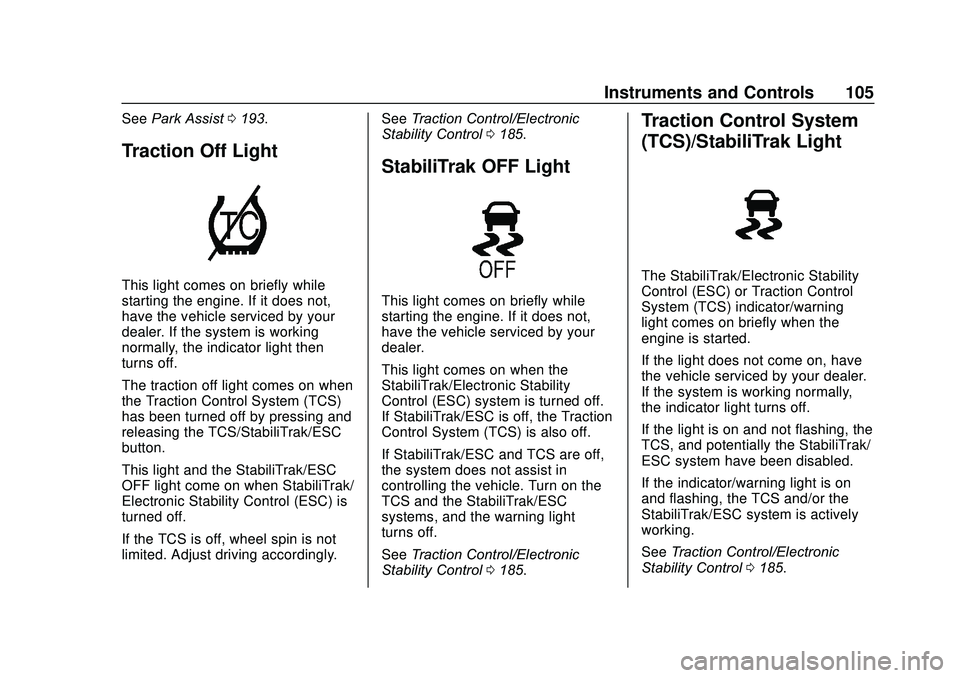
Traction Off Light
This light comes on briefly while
starting the engine. If it does not,
have the vehicle serviced by your
dealer. If the system is working
normally, the indicator light then
turns off.
The traction off light comes on when
the Traction Control System (TCS)
has been turned off by pressing and
releasing the TCS/StabiliTrak/ESC
button.
This light and the StabiliTrak/ESC
OFF light come on when StabiliTrak/
Electronic Stability Control (ESC) is
turned off.
If the TCS is off, wheel spin is not
limited. Adjust driving accordingly. See
Traction Control/Electronic
Stability Control 0185.
StabiliTrak OFF Light
This light comes on briefly while
starting the engine. If it does not,
have the vehicle serviced by your
dealer.
This light comes on when the
StabiliTrak/Electronic Stability
Control (ESC) system is turned off.
If StabiliTrak/ESC is off, the Traction
Control System (TCS) is also off.
If StabiliTrak/ESC and TCS are off,
the system does not assist in
controlling the vehicle. Turn on the
TCS and the StabiliTrak/ESC
systems, and the warning light
turns off.
See Traction Control/Electronic
Stability Control 0185.
Traction Control System
(TCS)/StabiliTrak Light
The StabiliTrak/Electronic Stability
Control (ESC) or Traction Control
System (TCS) indicator/warning
light comes on briefly when the
engine is started.
If the light does not come on, have
the vehicle serviced by your dealer.
If the system is working normally,
the indicator light turns off.
If the light is on and not flashing, the
TCS, and potentially the StabiliTrak/
ESC system have been disabled.
If the indicator/warning light is on
and flashing, the TCS and/or the
StabiliTrak/ESC system is actively
working.
See Traction Control/Electronic
Stability Control 0185.
Page 107 of 329
Chevrolet Sonic Owner Manual (GMNA-Localizing-U.S./Canada-13566834) -
2020 - CRC - 10/4/19
106 Instruments and Controls
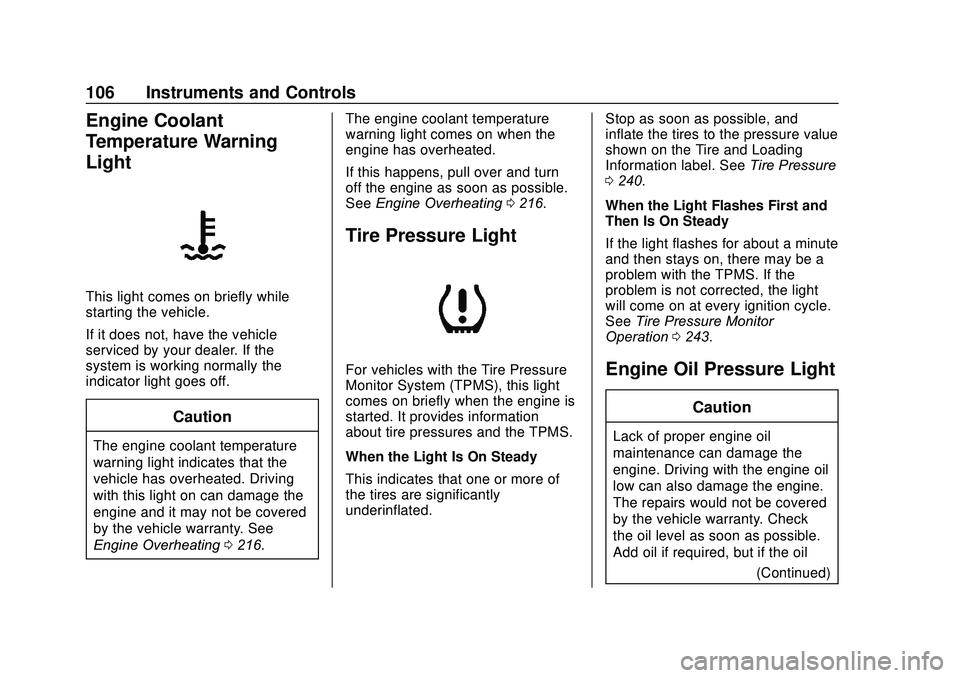
Engine Coolant
Temperature Warning
Light
This light comes on briefly while
starting the vehicle.
If it does not, have the vehicle
serviced by your dealer. If the
system is working normally the
indicator light goes off.
Caution
The engine coolant temperature
warning light indicates that the
vehicle has overheated. Driving
with this light on can damage the
engine and it may not be covered
by the vehicle warranty. See
Engine Overheating0216. The engine coolant temperature
warning light comes on when the
engine has overheated.
If this happens, pull over and turn
off the engine as soon as possible.
See
Engine Overheating 0216.
Tire Pressure Light
For vehicles with the Tire Pressure
Monitor System (TPMS), this light
comes on briefly when the engine is
started. It provides information
about tire pressures and the TPMS.
When the Light Is On Steady
This indicates that one or more of
the tires are significantly
underinflated. Stop as soon as possible, and
inflate the tires to the pressure value
shown on the Tire and Loading
Information label. See
Tire Pressure
0 240.
When the Light Flashes First and
Then Is On Steady
If the light flashes for about a minute
and then stays on, there may be a
problem with the TPMS. If the
problem is not corrected, the light
will come on at every ignition cycle.
See Tire Pressure Monitor
Operation 0243.Engine Oil Pressure Light
Caution
Lack of proper engine oil
maintenance can damage the
engine. Driving with the engine oil
low can also damage the engine.
The repairs would not be covered
by the vehicle warranty. Check
the oil level as soon as possible.
Add oil if required, but if the oil
(Continued)
Page 108 of 329
Chevrolet Sonic Owner Manual (GMNA-Localizing-U.S./Canada-13566834) -
2020 - CRC - 10/4/19
Instruments and Controls 107
Caution (Continued)
level is within the operating range
and the oil pressure is still low,
have the vehicle serviced. Always
follow the maintenance schedule
for changing engine oil.
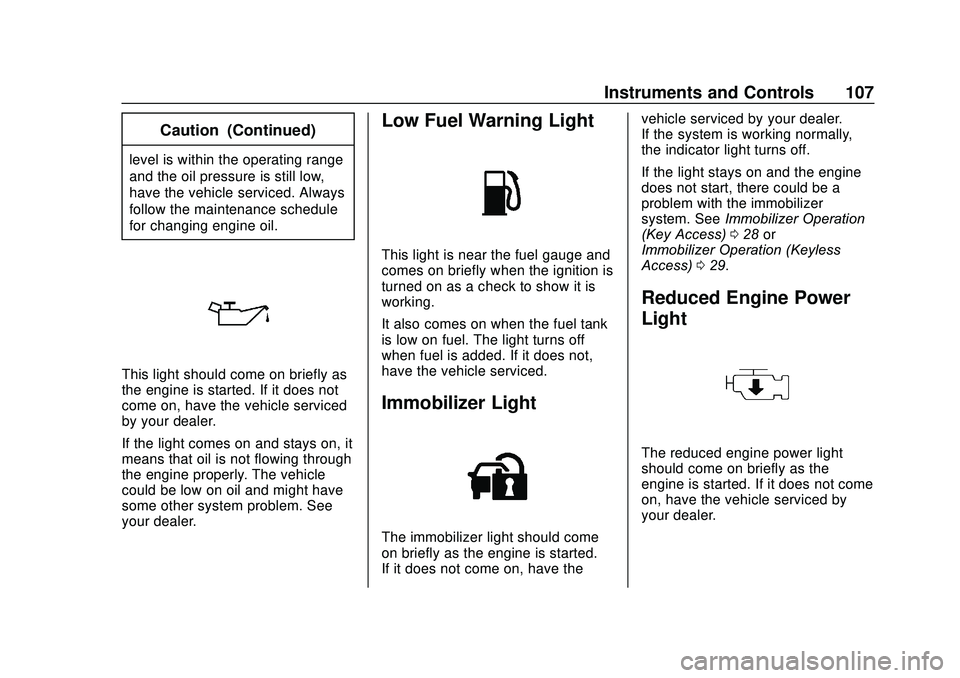
This light should come on briefly as
the engine is started. If it does not
come on, have the vehicle serviced
by your dealer.
If the light comes on and stays on, it
means that oil is not flowing through
the engine properly. The vehicle
could be low on oil and might have
some other system problem. See
your dealer.
Low Fuel Warning Light
This light is near the fuel gauge and
comes on briefly when the ignition is
turned on as a check to show it is
working.
It also comes on when the fuel tank
is low on fuel. The light turns off
when fuel is added. If it does not,
have the vehicle serviced.
Immobilizer Light
The immobilizer light should come
on briefly as the engine is started.
If it does not come on, have thevehicle serviced by your dealer.
If the system is working normally,
the indicator light turns off.
If the light stays on and the engine
does not start, there could be a
problem with the immobilizer
system. See
Immobilizer Operation
(Key Access) 028 or
Immobilizer Operation (Keyless
Access) 029.
Reduced Engine Power
Light
The reduced engine power light
should come on briefly as the
engine is started. If it does not come
on, have the vehicle serviced by
your dealer.
Page 114 of 329
Chevrolet Sonic Owner Manual (GMNA-Localizing-U.S./Canada-13566834) -
2020 - CRC - 10/4/19
Instruments and Controls 113
OIL LIFE 99 % is displayed, that
means 99% of the current oil life
remains.
When the remaining oil life is low,
the CHANGE ENGINE OIL SOON
message will appear on the display.
The oil should changed as soon as
possible. SeeEngine Oil0208. In
addition to the engine oil life system
monitoring the oil life, additional
maintenance is recommended in the
Maintenance Schedule. See
Maintenance Schedule 0278.
Remember, the Oil Life display must
be reset after each oil change. It will
not reset itself. Also, be careful not
to reset the Oil Life display
accidentally at any time other than
when the oil has just been changed.
It cannot be reset accurately until
the next oil change. To reset the
engine oil life system, press SET/
CLR while the Oil Life display is
active. See Engine Oil Life System
0 210.Vehicle Messages
Messages displayed on the DIC
indicate the status of the vehicle or
some action that may be needed to
correct a condition. Multiple
messages appear one after another.
All messages should be taken
seriously.
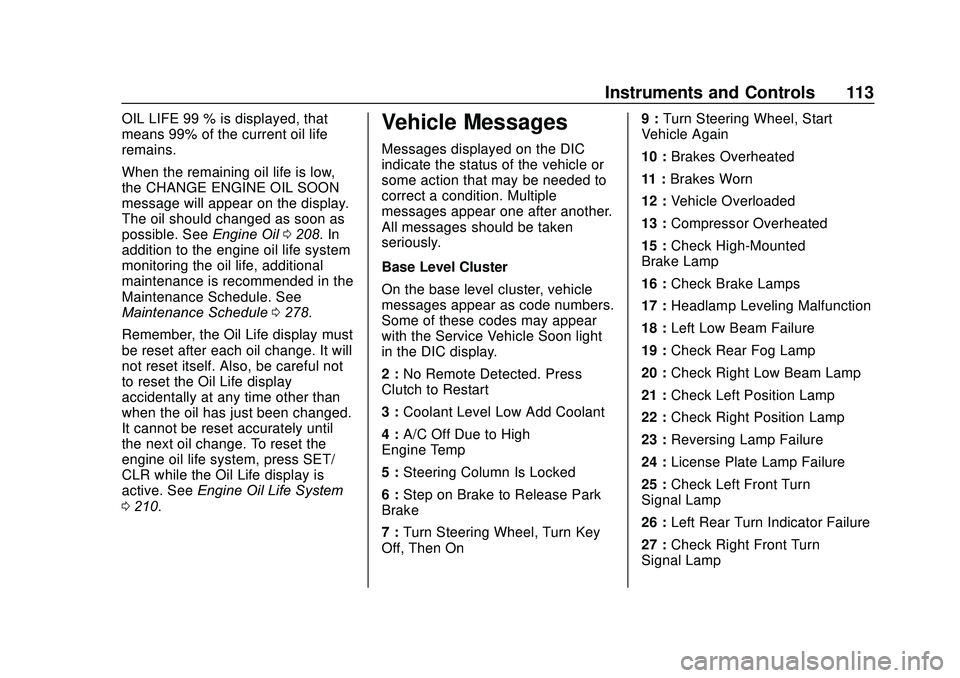
Base Level Cluster
On the base level cluster, vehicle
messages appear as code numbers.
Some of these codes may appear
with the Service Vehicle Soon light
in the DIC display.
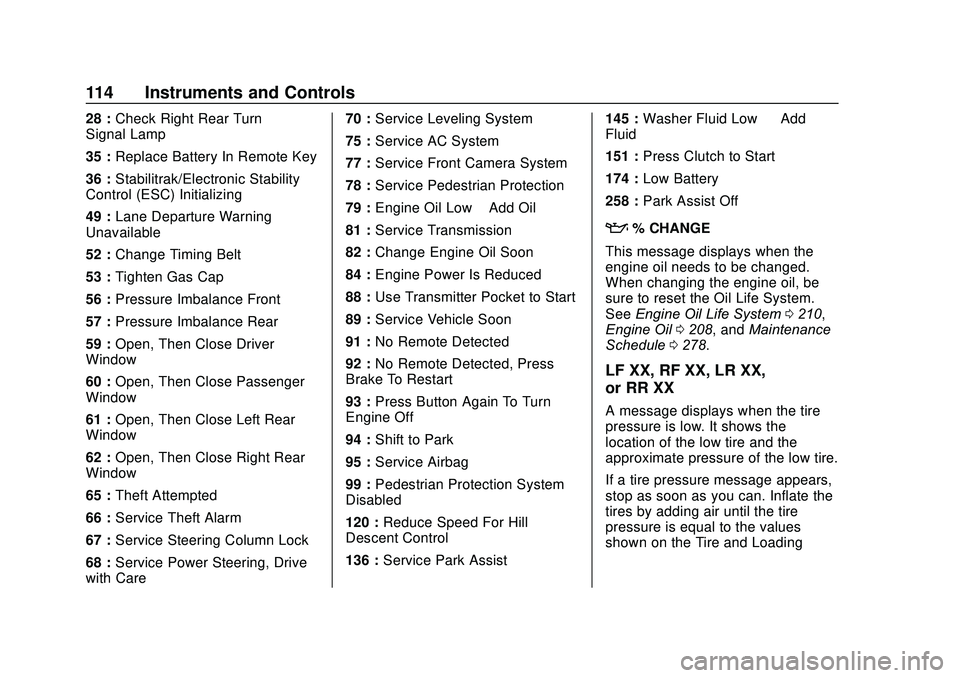
2 : No Remote Detected. Press
Clutch to Restart
3 : Coolant Level Low Add Coolant
4 : A/C Off Due to High
Engine Temp
5 : Steering Column Is Locked
6 : Step on Brake to Release Park
Brake
7 : Turn Steering Wheel, Turn Key
Off, Then On 9 :
Turn Steering Wheel, Start
Vehicle Again
10 : Brakes Overheated
11 : Brakes Worn
12 : Vehicle Overloaded
13 : Compressor Overheated
15 : Check High-Mounted
Brake Lamp
16 : Check Brake Lamps
17 : Headlamp Leveling Malfunction
18 : Left Low Beam Failure
19 : Check Rear Fog Lamp
20 : Check Right Low Beam Lamp
21 : Check Left Position Lamp
22 : Check Right Position Lamp
23 : Reversing Lamp Failure
24 : License Plate Lamp Failure
25 : Check Left Front Turn
Signal Lamp
26 : Left Rear Turn Indicator Failure
27 : Check Right Front Turn
Signal Lamp
Page 115 of 329
Chevrolet Sonic Owner Manual (GMNA-Localizing-U.S./Canada-13566834) -
2020 - CRC - 10/4/19
114 Instruments and Controls
28 :Check Right Rear Turn
Signal Lamp
35 : Replace Battery In Remote Key
36 : Stabilitrak/Electronic Stability
Control (ESC) Initializing
49 : Lane Departure Warning
Unavailable
52 : Change Timing Belt
53 : Tighten Gas Cap
56 : Pressure Imbalance Front
57 : Pressure Imbalance Rear
59 : Open, Then Close Driver
Window
60 : Open, Then Close Passenger
Window
61 : Open, Then Close Left Rear
Window
62 : Open, Then Close Right Rear
Window
65 : Theft Attempted
66 : Service Theft Alarm
67 : Service Steering Column Lock
68 : Service Power Steering, Drive
with Care 70 :
Service Leveling System
75 : Service AC System
77 : Service Front Camera System
78 : Service Pedestrian Protection
79 : Engine Oil Low –Add Oil
81 : Service Transmission
82 : Change Engine Oil Soon
84 : Engine Power Is Reduced
88 : Use Transmitter Pocket to Start
89 : Service Vehicle Soon
91 : No Remote Detected
92 : No Remote Detected, Press
Brake To Restart
93 : Press Button Again To Turn
Engine Off
94 : Shift to Park
95 : Service Airbag
99 : Pedestrian Protection System
Disabled
120 : Reduce Speed For Hill
Descent Control
136 : Service Park Assist 145 :
Washer Fluid Low —Add
Fluid
151 : Press Clutch to Start
174 : Low Battery
258 : Park Assist Off
:% CHANGE
This message displays when the
engine oil needs to be changed.
When changing the engine oil, be
sure to reset the Oil Life System.
See Engine Oil Life System 0210,
Engine Oil 0208, and Maintenance
Schedule 0278.
LF XX, RF XX, LR XX,
or RR XX
A message displays when the tire
pressure is low. It shows the
location of the low tire and the
approximate pressure of the low tire.
If a tire pressure message appears,
stop as soon as you can. Inflate the
tires by adding air until the tire
pressure is equal to the values
shown on the Tire and Loading
Page 116 of 329
Chevrolet Sonic Owner Manual (GMNA-Localizing-U.S./Canada-13566834) -
2020 - CRC - 10/4/19
Instruments and Controls 115
Information label. SeeTires0233,
Vehicle Load Limits 0166, and Tire
Pressure 0240.
Uplevel Cluster
Messages that do not require
immediate action can be
acknowledged and cleared by
pressing SET/CLR.
Messages that require immediate
action cannot be cleared until that
action is performed. Clearing
messages does not correct the
problem.
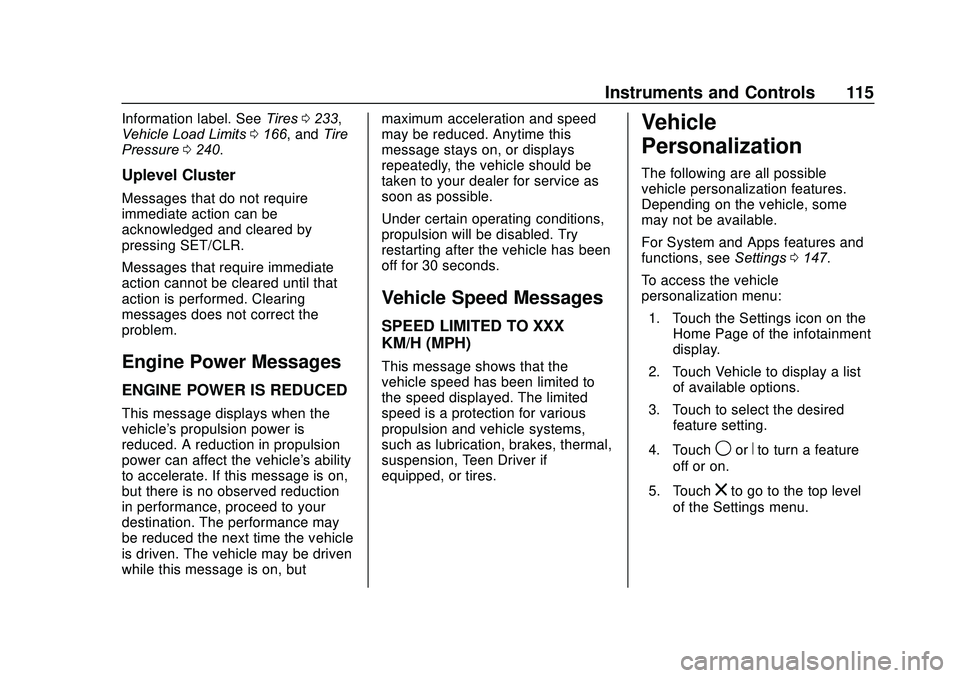
Engine Power Messages
ENGINE POWER IS REDUCED
This message displays when the
vehicle's propulsion power is
reduced. A reduction in propulsion
power can affect the vehicle's ability
to accelerate. If this message is on,
but there is no observed reduction
in performance, proceed to your
destination. The performance may
be reduced the next time the vehicle
is driven. The vehicle may be driven
while this message is on, but maximum acceleration and speed
may be reduced. Anytime this
message stays on, or displays
repeatedly, the vehicle should be
taken to your dealer for service as
soon as possible.
Under certain operating conditions,
propulsion will be disabled. Try
restarting after the vehicle has been
off for 30 seconds.
Vehicle Speed Messages
SPEED LIMITED TO XXX
KM/H (MPH)
This message shows that the
vehicle speed has been limited to
the speed displayed. The limited
speed is a protection for various
propulsion and vehicle systems,
such as lubrication, brakes, thermal,
suspension, Teen Driver if
equipped, or tires.
Vehicle
Personalization
The following are all possible
vehicle personalization features.
Depending on the vehicle, some
may not be available.
For System and Apps features and
functions, see
Settings0147.
To access the vehicle
personalization menu: 1. Touch the Settings icon on the Home Page of the infotainment
display.
2. Touch Vehicle to display a list of available options.
3. Touch to select the desired feature setting.
4. Touch
9orRto turn a feature
off or on.
5. Touch
zto go to the top level
of the Settings menu.
Page 130 of 329
Chevrolet Sonic Owner Manual (GMNA-Localizing-U.S./Canada-13566834) -
2020 - CRC - 10/4/19
Infotainment System 129
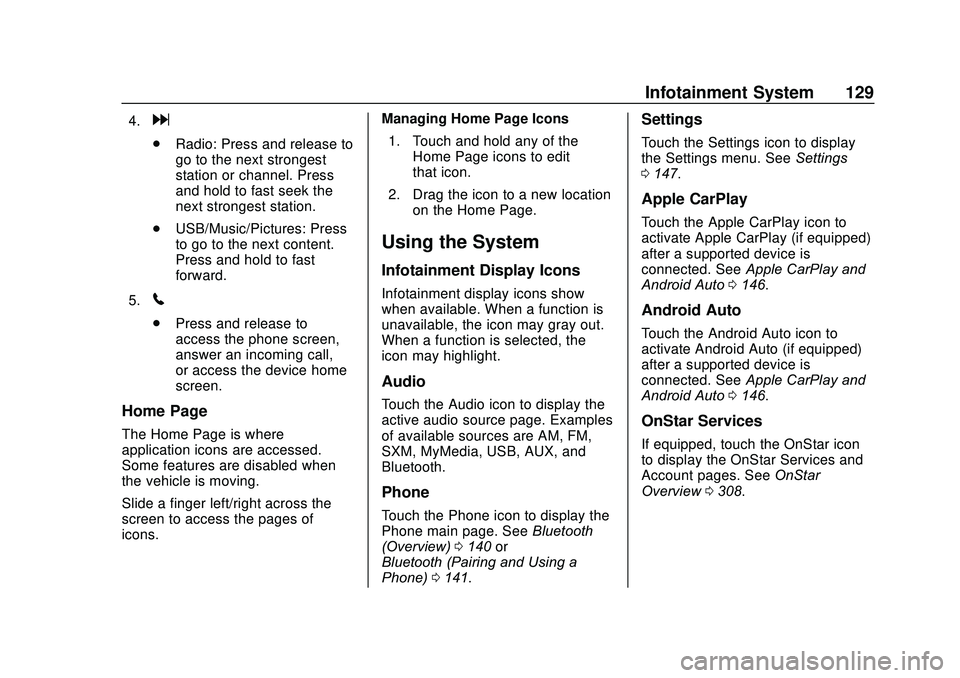
4.d
.Radio: Press and release to
go to the next strongest
station or channel. Press
and hold to fast seek the
next strongest station.
. USB/Music/Pictures: Press
to go to the next content.
Press and hold to fast
forward.
5.
5
. Press and release to
access the phone screen,
answer an incoming call,
or access the device home
screen.
Home Page
The Home Page is where
application icons are accessed.
Some features are disabled when
the vehicle is moving.
Slide a finger left/right across the
screen to access the pages of
icons. Managing Home Page Icons
1. Touch and hold any of the Home Page icons to edit
that icon.
2. Drag the icon to a new location on the Home Page.
Using the System
Infotainment Display Icons
Infotainment display icons show
when available. When a function is
unavailable, the icon may gray out.
When a function is selected, the
icon may highlight.
Audio
Touch the Audio icon to display the
active audio source page. Examples
of available sources are AM, FM,
SXM, MyMedia, USB, AUX, and
Bluetooth.
Phone
Touch the Phone icon to display the
Phone main page. See Bluetooth
(Overview) 0140 or
Bluetooth (Pairing and Using a
Phone) 0141.
Settings
Touch the Settings icon to display
the Settings menu. See Settings
0 147.
Apple CarPlay
Touch the Apple CarPlay icon to
activate Apple CarPlay (if equipped)
after a supported device is
connected. See Apple CarPlay and
Android Auto 0146.
Android Auto
Touch the Android Auto icon to
activate Android Auto (if equipped)
after a supported device is
connected. See Apple CarPlay and
Android Auto 0146.
OnStar Services
If equipped, touch the OnStar icon
to display the OnStar Services and
Account pages. See OnStar
Overview 0308.
Page 134 of 329
Chevrolet Sonic Owner Manual (GMNA-Localizing-U.S./Canada-13566834) -
2020 - CRC - 10/4/19
Infotainment System 133
channel as a favorite. Touch a
saved favorite to recall a favorite
station or channel.
Favorites can also be stored by
touching
Hin a station or channel
list. This will highlight indicating that
it is now stored as a favorite.
The number of favorites displayed is
automatically adjusted by default,
but can be manually adjusted in
Settings in the System tab under
Favorites and then Set Number of
Audio Favorites. It can also be
adjusted in Settings in the Apps tab
under Audio and then Set Number
of Audio Favorites.
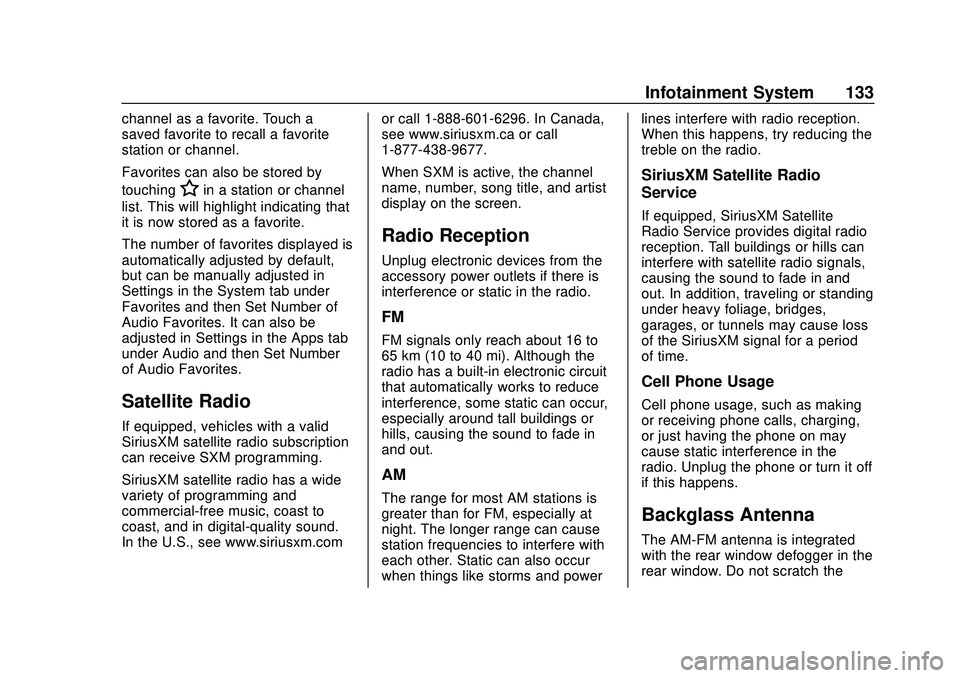
Satellite Radio
If equipped, vehicles with a valid
SiriusXM satellite radio subscription
can receive SXM programming.
SiriusXM satellite radio has a wide
variety of programming and
commercial-free music, coast to
coast, and in digital-quality sound.
In the U.S., see www.siriusxm.com or call 1-888-601-6296. In Canada,
see www.siriusxm.ca or call
1-877-438-9677.
When SXM is active, the channel
name, number, song title, and artist
display on the screen.
Radio Reception
Unplug electronic devices from the
accessory power outlets if there is
interference or static in the radio.
FM
FM signals only reach about 16 to
65 km (10 to 40 mi). Although the
radio has a built-in electronic circuit
that automatically works to reduce
interference, some static can occur,
especially around tall buildings or
hills, causing the sound to fade in
and out.
AM
The range for most AM stations is
greater than for FM, especially at
night. The longer range can cause
station frequencies to interfere with
each other. Static can also occur
when things like storms and powerlines interfere with radio reception.
When this happens, try reducing the
treble on the radio.
SiriusXM Satellite Radio
Service
If equipped, SiriusXM Satellite
Radio Service provides digital radio
reception. Tall buildings or hills can
interfere with satellite radio signals,
causing the sound to fade in and
out. In addition, traveling or standing
under heavy foliage, bridges,
garages, or tunnels may cause loss
of the SiriusXM signal for a period
of time.
Cell Phone Usage
Cell phone usage, such as making
or receiving phone calls, charging,
or just having the phone on may
cause static interference in the
radio. Unplug the phone or turn it off
if this happens.
Backglass Antenna
The AM-FM antenna is integrated
with the rear window defogger in the
rear window. Do not scratch the
Page 140 of 329
Chevrolet Sonic Owner Manual (GMNA-Localizing-U.S./Canada-13566834) -
2020 - CRC - 10/4/19
Infotainment System 139
OnStar System
4G LTE
If equipped with 4G LTE, up to
seven devices, such as
smartphones, tablets, and laptops,
can be connected to high-speed
Internet through the vehicle’s built-in
Wi-Fi hotspot.
Call 1-888-4ONSTAR
(1-888-466-7827) to connect to an
OnStar Advisor for assistance. See
www.onstar.com for vehicle
availability, details, and system
limitations. Service and connectivity
may vary by make, model, year,
carrier, availability, and conditions.
4G LTE service is available in select
markets. 4G LTE performance is
based on industry averages and
vehicle systems design. Some
services require a data plan.
The OnStar App
If equipped, the infotainment system
has OnStar controls in the
embedded OnStar app on the Home
Page. All OnStar functions that can
be performed with the buttons can
be done using the app. To open the
app, select the OnStar icon on the
Home Page. Features vary by
region and model. Features are
subject to change. For more
information on this feature, see
my.chevrolet.com/learn.
Services
The Services tab displays the
default view for the app. Use this
page to launch the available OnStar
services. Select a service to open
its display. Touch Wi-Fi to launch
the connections manager.Account
The Account tab displays a
snapshot of the account linked with
the vehicle. If there is no such
account, this tab will show all values
as
——. The
#will be active even if
there is no active account.
Advisor Call
Selecting Advisor Call is the same
as pressing
Qor calling 1-888-
4ONSTAR (1-888-466-7827). The X
option in the upper right corner of
the screen does not end the call, but
returns to the previous display.
Turn-by-Turn Directions
With a connected plan, an OnStar
Advisor can download a destination
to the vehicle or its embedded
navigation system, if equipped.
Touch Turn-by-Turn Directions from
the main page of the OnStar app
and follow the display prompts.
Page 141 of 329
Chevrolet Sonic Owner Manual (GMNA-Localizing-U.S./Canada-13566834) -
2020 - CRC - 10/4/19
140 Infotainment System
A destination transfer from OnStar
will show the detail view of the
destination when it is transferred
from OnStar to the Navigation
application. Touch OK to go back to
the previous menu. An ABS and
Guidance or Navigation Add-On
Plan is required. See
www.onstar.com for a coverage
map. Services vary by model. Map
coverage is available in the United
States, Puerto Rico, and Canada.
Wi-Fi Hotspot
Touch to display the Settings page,
which shows the configurations for
the vehicle hotspot and allows them
to be changed.
For more information, see
www.onstar.com.Phone
Bluetooth (Overview)
The Bluetooth-capable system can
interact with many cell phones,
allowing:
.Placement and receipt of calls in
a hands-free mode.
. Sharing of the cell phone’s
address book or contact list with
the vehicle.
To minimize driver distraction,
before driving, and with the vehicle
parked:
. Become familiar with the
features of the cell phone.
Organize the phone book and
contact lists clearly and delete
duplicate or rarely used entries.
If possible, program speed dial
or other shortcuts.
. Review the controls and
operation of the infotainment
system. .
Pair cell phone(s) to the vehicle.
The system may not work with
all cell phones. See “Pairing”
later in this section.
Vehicles with a Bluetooth system
can use a Bluetooth-capable cell
phone with a Hands-Free Profile to
make and receive phone calls. The
infotainment system and voice
recognition are used to control the
system. The system can be used
when the ignition is on or in ACC/
ACCESSORY. The range of the
Bluetooth system can be up to 9.1 m
(30 ft). Not all phones support all
functions and not all phones work
with the Bluetooth system. See
my.chevrolet.com for more
information about compatible
phones.
Controls
Use the controls on the center stack
and the steering wheel to operate
the Bluetooth system.