climate control CHEVROLET SONIC 2020 Owner's Manual
[x] Cancel search | Manufacturer: CHEVROLET, Model Year: 2020, Model line: SONIC, Model: CHEVROLET SONIC 2020Pages: 329, PDF Size: 5.56 MB
Page 2 of 329
Chevrolet Sonic Owner Manual (GMNA-Localizing-U.S./Canada-13566834) -
2020 - CRC - 10/4/19
ContentsIntroduction . . . . . . . . . . . . . . . . . . . . . . 2
Keys, Doors, and Windows . . . . . . 7
Seats and Restraints . . . . . . . . . . . 36
Storage . . . . . . . . . . . . . . . . . . . . . . . . . 86
Instruments and Controls . . . . . . . 89
Lighting . . . . . . . . . . . . . . . . . . . . . . . 119
Infotainment System . . . . . . . . . . 126
Climate Controls . . . . . . . . . . . . . . 153
Driving and Operating . . . . . . . . . 158
Vehicle Care . . . . . . . . . . . . . . . . . . 202
Service and Maintenance . . . . . 276
Technical Data . . . . . . . . . . . . . . . . 290
Customer Information . . . . . . . . . 294
Reporting Safety Defects . . . . . . 304
OnStar . . . . . . . . . . . . . . . . . . . . . . . . 308
Connected Services . . . . . . . . . . . 314
Index . . . . . . . . . . . . . . . . . . . . 317
Page 7 of 329
Chevrolet Sonic Owner Manual (GMNA-Localizing-U.S./Canada-13566834) -
2020 - CRC - 10/4/19
6 Introduction
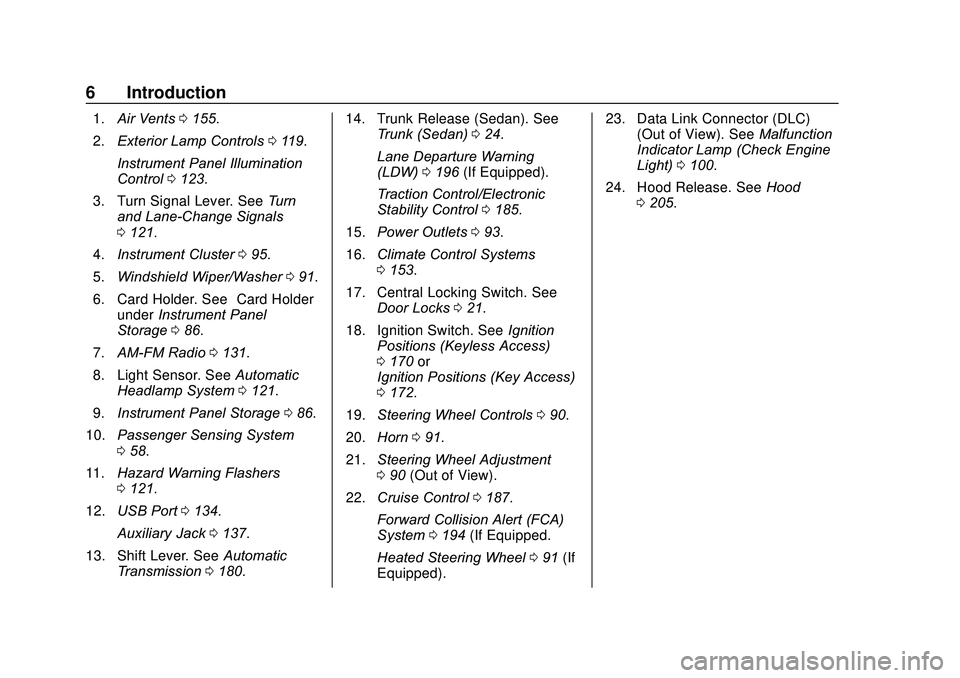
1.Air Vents 0155.
2. Exterior Lamp Controls 0119.
Instrument Panel Illumination
Control 0123.
3. Turn Signal Lever. See Turn
and Lane-Change Signals
0 121.
4. Instrument Cluster 095.
5. Windshield Wiper/Washer 091.
6. Card Holder. See “Card Holder”
under Instrument Panel
Storage 086.
7. AM-FM Radio 0131.
8. Light Sensor. See Automatic
Headlamp System 0121.
9. Instrument Panel Storage 086.
10. Passenger Sensing System
058.
11. Hazard Warning Flashers
0121.
12. USB Port 0134.
Auxiliary Jack 0137.
13. Shift Lever. See Automatic
Transmission 0180. 14. Trunk Release (Sedan). See
Trunk (Sedan) 024.
Lane Departure Warning
(LDW) 0196 (If Equipped).
Traction Control/Electronic
Stability Control 0185.
15. Power Outlets 093.
16. Climate Control Systems
0153.
17. Central Locking Switch. See Door Locks 021.
18. Ignition Switch. See Ignition
Positions (Keyless Access)
0 170 or
Ignition Positions (Key Access)
0 172.
19. Steering Wheel Controls 090.
20. Horn 091.
21. Steering Wheel Adjustment
090 (Out of View).
22. Cruise Control 0187.
Forward Collision Alert (FCA)
System 0194 (If Equipped.
Heated Steering Wheel 091 (If
Equipped). 23. Data Link Connector (DLC)
(Out of View). See Malfunction
Indicator Lamp (Check Engine
Light) 0100.
24. Hood Release. See Hood
0 205.
Page 21 of 329
Chevrolet Sonic Owner Manual (GMNA-Localizing-U.S./Canada-13566834) -
2020 - CRC - 10/4/19
20 Keys, Doors, and Windows
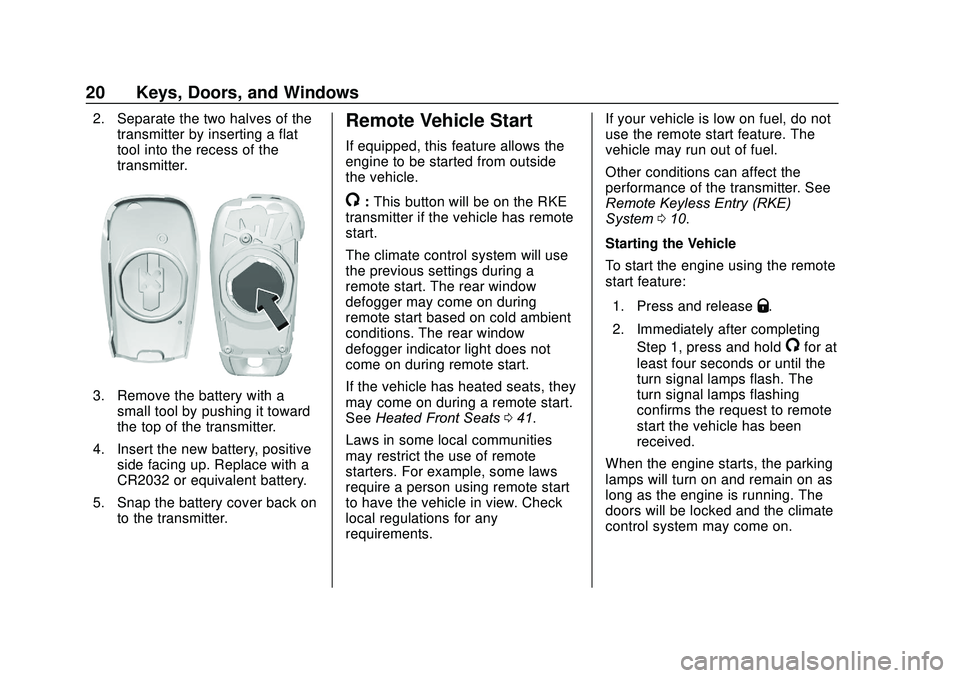
2. Separate the two halves of thetransmitter by inserting a flat
tool into the recess of the
transmitter.
3. Remove the battery with asmall tool by pushing it toward
the top of the transmitter.
4. Insert the new battery, positive side facing up. Replace with a
CR2032 or equivalent battery.
5. Snap the battery cover back on to the transmitter.
Remote Vehicle Start
If equipped, this feature allows the
engine to be started from outside
the vehicle.
/:This button will be on the RKE
transmitter if the vehicle has remote
start.
The climate control system will use
the previous settings during a
remote start. The rear window
defogger may come on during
remote start based on cold ambient
conditions. The rear window
defogger indicator light does not
come on during remote start.
If the vehicle has heated seats, they
may come on during a remote start.
See Heated Front Seats 041.
Laws in some local communities
may restrict the use of remote
starters. For example, some laws
require a person using remote start
to have the vehicle in view. Check
local regulations for any
requirements. If your vehicle is low on fuel, do not
use the remote start feature. The
vehicle may run out of fuel.
Other conditions can affect the
performance of the transmitter. See
Remote Keyless Entry (RKE)
System
010.
Starting the Vehicle
To start the engine using the remote
start feature:
1. Press and release
Q.
2. Immediately after completing Step 1, press and hold
/for at
least four seconds or until the
turn signal lamps flash. The
turn signal lamps flashing
confirms the request to remote
start the vehicle has been
received.
When the engine starts, the parking
lamps will turn on and remain on as
long as the engine is running. The
doors will be locked and the climate
control system may come on.
Page 25 of 329
Chevrolet Sonic Owner Manual (GMNA-Localizing-U.S./Canada-13566834) -
2020 - CRC - 10/4/19
24 Keys, Doors, and Windows
Open Door Anti-Lockout
If Open Door Anti-Lockout has been
turned on and the vehicle is off, the
driver door is open, and locking is
requested, all the doors will lock and
the driver door will remain open.
The Open Door Anti-Lockout feature
can be turned on or off. SeeVehicle
Personalization 0115.
Safety Locks
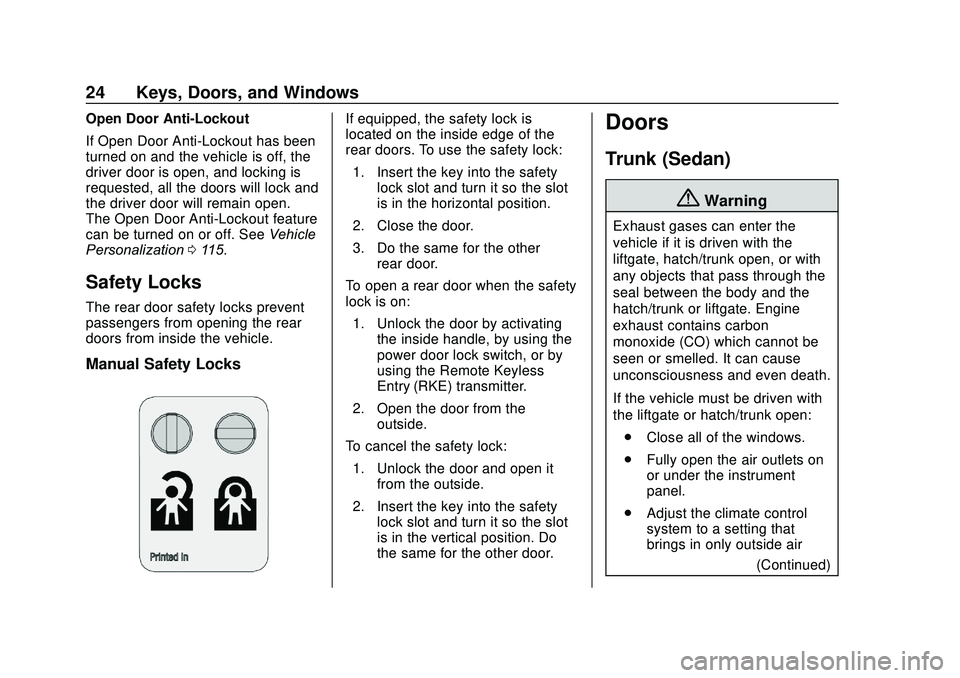
The rear door safety locks prevent
passengers from opening the rear
doors from inside the vehicle.
Manual Safety Locks
If equipped, the safety lock is
located on the inside edge of the
rear doors. To use the safety lock:
1. Insert the key into the safety lock slot and turn it so the slot
is in the horizontal position.
2. Close the door.
3. Do the same for the other rear door.
To open a rear door when the safety
lock is on: 1. Unlock the door by activating the inside handle, by using the
power door lock switch, or by
using the Remote Keyless
Entry (RKE) transmitter.
2. Open the door from the outside.
To cancel the safety lock: 1. Unlock the door and open it from the outside.
2. Insert the key into the safety lock slot and turn it so the slot
is in the vertical position. Do
the same for the other door.Doors
Trunk (Sedan)
{Warning
Exhaust gases can enter the
vehicle if it is driven with the
liftgate, hatch/trunk open, or with
any objects that pass through the
seal between the body and the
hatch/trunk or liftgate. Engine
exhaust contains carbon
monoxide (CO) which cannot be
seen or smelled. It can cause
unconsciousness and even death.
If the vehicle must be driven with
the liftgate or hatch/trunk open:
. Close all of the windows.
. Fully open the air outlets on
or under the instrument
panel.
. Adjust the climate control
system to a setting that
brings in only outside air
(Continued)
Page 26 of 329
Chevrolet Sonic Owner Manual (GMNA-Localizing-U.S./Canada-13566834) -
2020 - CRC - 10/4/19
Keys, Doors, and Windows 25
Warning (Continued)
and set the fan speed to the
highest setting. See
“Climate Control Systems”
in the Index.
. If the vehicle is equipped
with a power liftgate, disable
the power liftgate function.
For more information about
carbon monoxide, see Engine
Exhaust 0179.
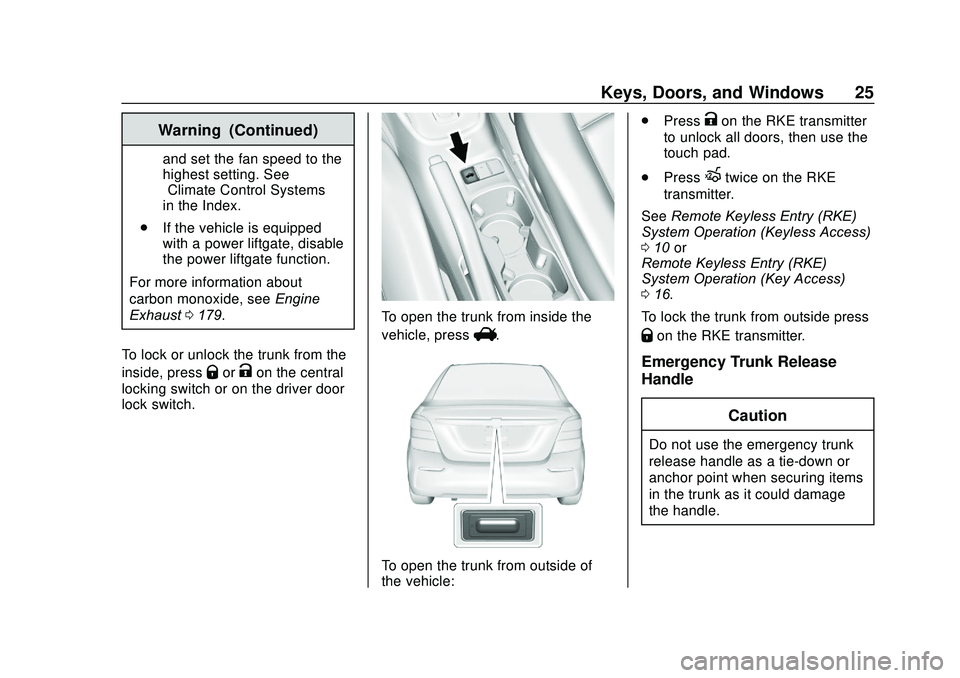
To lock or unlock the trunk from the
inside, press
QorKon the central
locking switch or on the driver door
lock switch.
To open the trunk from inside the
vehicle, press
V.
To open the trunk from outside of
the vehicle: .
Press
Kon the RKE transmitter
to unlock all doors, then use the
touch pad.
. Press
Xtwice on the RKE
transmitter.
See Remote Keyless Entry (RKE)
System Operation (Keyless Access)
0 10 or
Remote Keyless Entry (RKE)
System Operation (Key Access)
0 16.
To lock the trunk from outside press
Qon the RKE transmitter.
Emergency Trunk Release
Handle
Caution
Do not use the emergency trunk
release handle as a tie-down or
anchor point when securing items
in the trunk as it could damage
the handle.
Page 27 of 329
Chevrolet Sonic Owner Manual (GMNA-Localizing-U.S./Canada-13566834) -
2020 - CRC - 10/4/19
26 Keys, Doors, and Windows
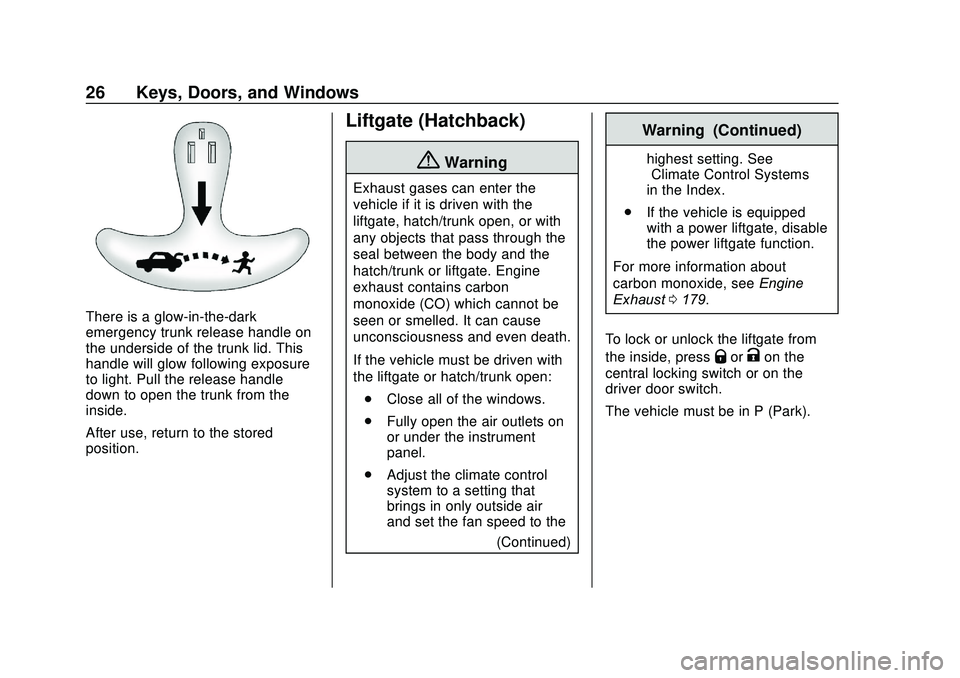
There is a glow-in-the-dark
emergency trunk release handle on
the underside of the trunk lid. This
handle will glow following exposure
to light. Pull the release handle
down to open the trunk from the
inside.
After use, return to the stored
position.
Liftgate (Hatchback)
{Warning
Exhaust gases can enter the
vehicle if it is driven with the
liftgate, hatch/trunk open, or with
any objects that pass through the
seal between the body and the
hatch/trunk or liftgate. Engine
exhaust contains carbon
monoxide (CO) which cannot be
seen or smelled. It can cause
unconsciousness and even death.
If the vehicle must be driven with
the liftgate or hatch/trunk open:. Close all of the windows.
. Fully open the air outlets on
or under the instrument
panel.
. Adjust the climate control
system to a setting that
brings in only outside air
and set the fan speed to the
(Continued)
Warning (Continued)
highest setting. See
“Climate Control Systems”
in the Index.
. If the vehicle is equipped
with a power liftgate, disable
the power liftgate function.
For more information about
carbon monoxide, see Engine
Exhaust 0179.
To lock or unlock the liftgate from
the inside, press
QorKon the
central locking switch or on the
driver door switch.
The vehicle must be in P (Park).
Page 32 of 329
Chevrolet Sonic Owner Manual (GMNA-Localizing-U.S./Canada-13566834) -
2020 - CRC - 10/4/19
Keys, Doors, and Windows 31
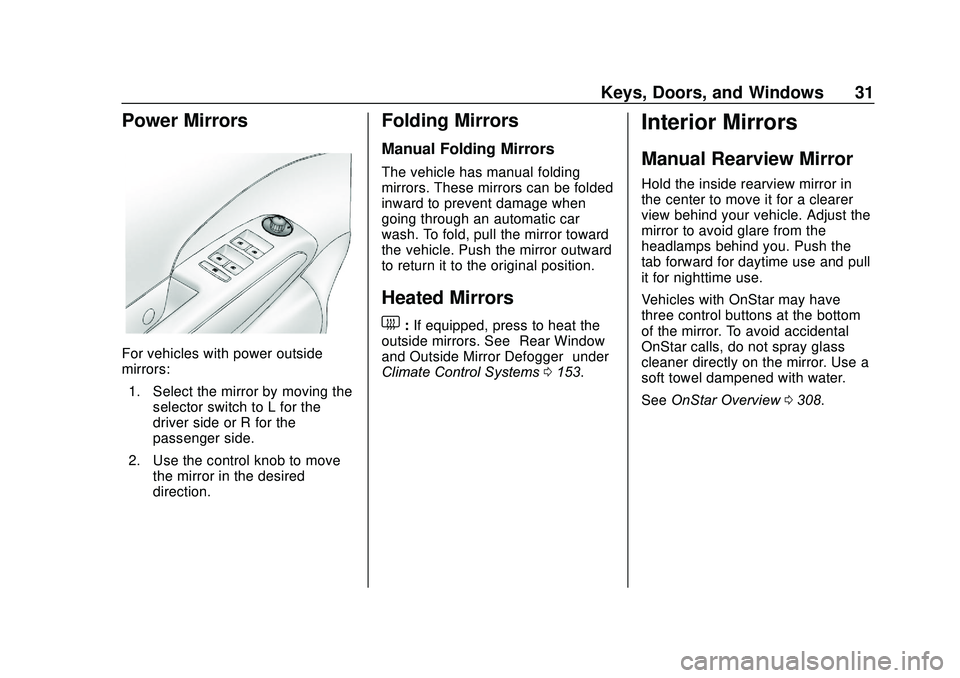
Power Mirrors
For vehicles with power outside
mirrors:1. Select the mirror by moving the selector switch to L for the
driver side or R for the
passenger side.
2. Use the control knob to move the mirror in the desired
direction.
Folding Mirrors
Manual Folding Mirrors
The vehicle has manual folding
mirrors. These mirrors can be folded
inward to prevent damage when
going through an automatic car
wash. To fold, pull the mirror toward
the vehicle. Push the mirror outward
to return it to the original position.
Heated Mirrors
1:If equipped, press to heat the
outside mirrors. See “Rear Window
and Outside Mirror Defogger” under
Climate Control Systems 0153.
Interior Mirrors
Manual Rearview Mirror
Hold the inside rearview mirror in
the center to move it for a clearer
view behind your vehicle. Adjust the
mirror to avoid glare from the
headlamps behind you. Push the
tab forward for daytime use and pull
it for nighttime use.
Vehicles with OnStar may have
three control buttons at the bottom
of the mirror. To avoid accidental
OnStar calls, do not spray glass
cleaner directly on the mirror. Use a
soft towel dampened with water.
See OnStar Overview 0308.
Page 42 of 329

Chevrolet Sonic Owner Manual (GMNA-Localizing-U.S./Canada-13566834) -
2020 - CRC - 10/4/19
Seats and Restraints 41
Front Seat Armrest
There is an armrest on the inboard
side of the driver seat. To raise or
lower the armrest, push up or pull
down on the armrest.
Heated Front Seats
{Warning
If temperature change or pain to
the skin cannot be felt, the seat
heater may cause burns. To
reduce the risk of burns, use care
when using the seat heater,
especially for long periods of
time. Do not place anything on
the seat that insulates against
heat, such as a blanket, cushion,
cover, or similar item. This may
cause the seat heater to
overheat. An overheated seat
heater may cause a burn or may
damage the seat.
If equipped, the controls are on the
climate control system. To operate,
the engine must be running.
Press
MorLto heat the driver or
passenger seat. The indicator light
on the control turns on when this
feature is on. Press the control
again to turn this feature off.
The passenger seat may take
longer to heat up.
Page 125 of 329
Chevrolet Sonic Owner Manual (GMNA-Localizing-U.S./Canada-13566834) -
2020 - CRC - 10/4/19
124 Lighting
Lighting Features
Entry Lighting
Some exterior lamps and interior
lamps turn on briefly at night, or in
areas with limited lighting, when
K
is pressed on the Remote Keyless
Entry (RKE) transmitter. When a
door is opened, the interior lamps
come on if the dome lamp control is
in the Door position. They stay on
for about 20 seconds. When all of
the doors have been closed or the
ignition is turned on, they gradually
fade out.
This feature can be changed. See
“Vehicle Locator Lights”under
Vehicle Personalization 0115.
Exit Lighting
Some exterior lamps and interior
lamps come on at night, or in areas
with limited lighting, when the key is
removed from the ignition. The
exterior lamps and dome lamp
remain on for a set amount of time,
then automatically turn off. If equipped with Keyless Access,
the exterior lamps automatically turn
on when a door is opened after the
ignition is turned off. The dome
lamps also come on after the
ignition is turned off. See
Ignition
Positions (Keyless Access) 0170 or
Ignition Positions (Key Access)
0 172.
The exterior lamps turn off
immediately by turning the exterior
lamps control off.
This feature can be changed. See
Vehicle Personalization 0115.
Battery Load
Management
The vehicle has Electric Power
Management (EPM) that estimates
the battery's temperature and state
of charge. It then adjusts the voltage
for best performance and extended
life of the battery.
When the battery's state of charge
is low, the voltage is raised slightly
to quickly bring the charge back up.
When the state of charge is high,
the voltage is lowered slightly to prevent overcharging. If the vehicle
has a voltmeter gauge or a voltage
display on the Driver Information
Center (DIC), you may see the
voltage move up or down. This is
normal. If there is a problem, an
alert will be displayed.
The battery can be discharged at
idle if the electrical loads are very
high. This is true for all vehicles.
This is because the generator
(alternator) may not be spinning fast
enough at idle to produce all the
power needed for very high
electrical loads.
A high electrical load occurs when
several of the following are on, such
as: headlamps, high beams, fog
lamps, rear window defogger,
climate control fan at high speed,
heated seats, engine cooling fans,
trailer loads, and loads plugged into
accessory power outlets.
EPM works to prevent excessive
discharge of the battery. It does this
by balancing the generator's output
and the vehicle's electrical needs.
It can increase engine idle speed to
generate more power, whenever
Page 154 of 329
Chevrolet Sonic Owner Manual (GMNA-Localizing-U.S./Canada-13566834) -
2020 - CRC - 10/4/19
Climate Controls 153
Climate Controls
Climate Control Systems
Climate Control Systems . . . . . 153
Air Vents
Air Vents . . . . . . . . . . . . . . . . . . . . . 155
Maintenance
Air Intake . . . . . . . . . . . . . . . . . . . . . 156
Passenger Compartment AirFilter . . . . . . . . . . . . . . . . . . . . . . . . 156
Service . . . . . . . . . . . . . . . . . . . . . . . 156
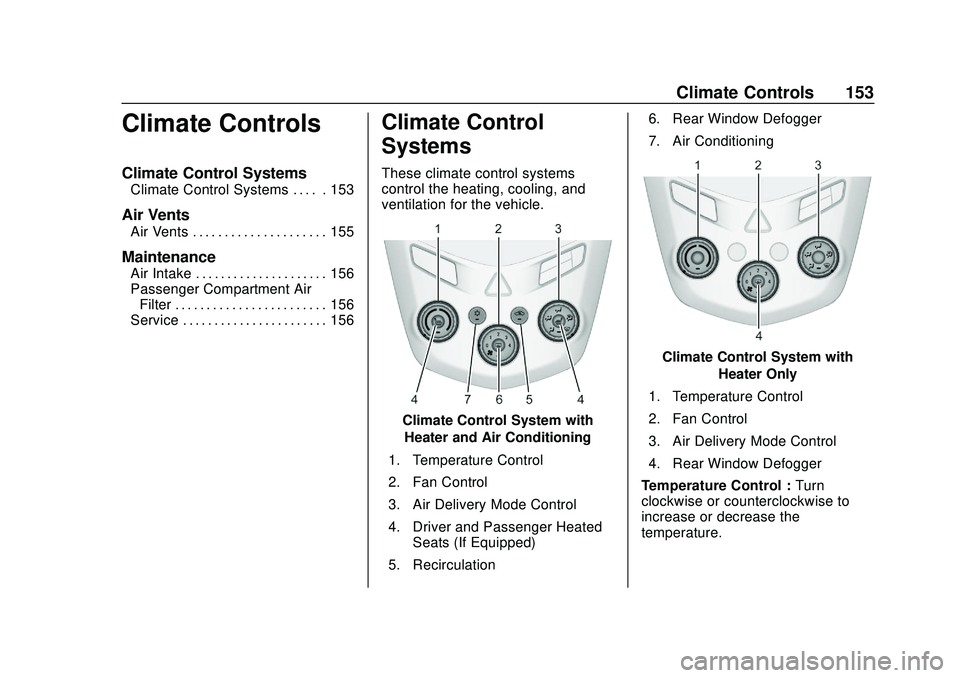
Climate Control
Systems
These climate control systems
control the heating, cooling, and
ventilation for the vehicle.
Climate Control System with
Heater and Air Conditioning
1. Temperature Control
2. Fan Control
3. Air Delivery Mode Control
4. Driver and Passenger Heated Seats (If Equipped)
5. Recirculation 6. Rear Window Defogger
7. Air Conditioning
Climate Control System with
Heater Only
1. Temperature Control
2. Fan Control
3. Air Delivery Mode Control
4. Rear Window Defogger
Temperature Control : Turn
clockwise or counterclockwise to
increase or decrease the
temperature.